05Intersection reveal — an element that appears once its visibility ratio crosses a threshold
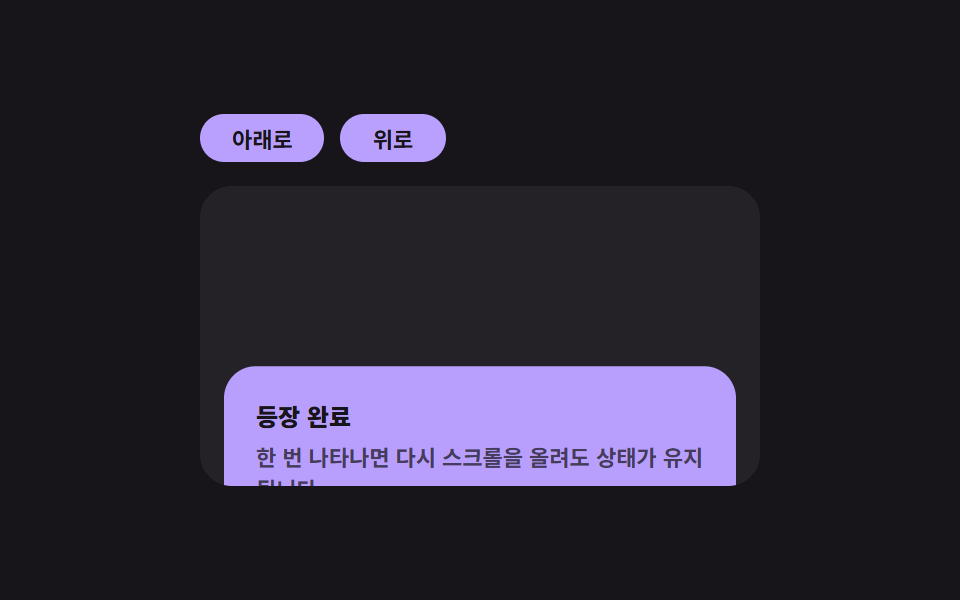
Once an element's visible ratio value crosses a threshold, its reveal computation runs a single time, and even after it exits the viewport again its state value stays revealed and does not run again.
Best forParagraph-by-paragraph reveals on an about page, an entrance effect for portfolio sections
IntersectionObserverunobserveintersectionRatio
<main class="stage">
<div class="ir is-demo" id="ir">
  <div class="ir__btns">
    <button class="ir__btn" id="irDown" type="button">Scroll down</button>
    <button class="ir__btn" id="irUp" type="button">Scroll up</button>
  </div>
  <div class="ir__pane" id="irPane">
    <div class="ir__spacer"></div>
    <div class="ir__card" id="irCard">
      <p class="ir__title">Reveal complete</p>
      <p class="ir__desc">Once revealed, it stays visible even if you scroll back up.</p>
    </div>
    <div class="ir__spacer"></div>
  </div>
</div>
</main>
@use "../../../../site/static/demo-tokens" as *;
// 인터섹션 리빌 — 카드는 가시 비율 값이 기준을 넘는 순간 한 번만 opacity·translateY 로 등장한다.
// 상태(.ir__card--in)는 JS 가 한 번 붙이면 다시 떼지 않는다 — 재실행되지 않는 계산의 결과가 그대로 클래스에 남는다.
$duration: $dur-enter;
$easing: $ease-spring;
$color: $subject-lilac;
@include stage($stage-ink);
.ir {
display: flex;
flex-direction: column;
align-items: flex-start;
gap: $sp-3;
width: min(100%, 280px);
}
.ir__btns { display: flex; gap: $sp-2; }
.ir__btn {
border: 0;
border-radius: $r-pill;
padding: $sp-1 $sp-4;
font-family: inherit;
font-weight: 700;
font-size: 11px;
color: $stage-ink;
background: $color;
cursor: pointer;
}
.ir__pane {
width: 100%;
height: 150px;
overflow-y: auto;
border-radius: $r-card;
background: rgba(255, 255, 255, .06);
}
.ir__spacer { height: 90px; }
.ir__card {
margin: 0 $sp-3;
padding: $sp-4;
border-radius: $r-card;
background: $color;
opacity: 0;
transform: translateY(18px);
transition: opacity $duration $easing, transform $duration $easing;
}
.ir__card--in { opacity: 1; transform: translateY(0); }
.ir__title {
margin: 0 0 $sp-1;
font-weight: 800;
font-size: 12px;
color: $subject-ink;
}
.ir__desc {
margin: 0;
font-weight: 600;
font-size: 11px;
color: rgba(23, 20, 26, .72);
}
@media (max-width: 340px) {
.ir__pane { height: 130px; }
.ir__spacer { height: 70px; }
}
@media (prefers-reduced-motion: reduce) {
.ir__card { transition: none !important; }
}html, body {
margin: 0;
overflow: hidden;
}
.stage {
box-sizing: border-box;
min-height: 100vh;
display: grid;
place-items: center;
margin: 0;
background: #17141a;
font-family: -apple-system, "Segoe UI", "Noto Sans KR", sans-serif;
padding: clamp(8px, 4vw, 24px);
}
.ir {
display: flex;
flex-direction: column;
align-items: flex-start;
gap: 12px;
width: min(100%, 280px);
}
.ir__btns {
display: flex;
gap: 8px;
}
.ir__btn {
border: 0;
border-radius: 999px;
padding: 4px 16px;
font-family: inherit;
font-weight: 700;
font-size: 11px;
color: #17141a;
background: #b9a0ff;
cursor: pointer;
}
.ir__pane {
width: 100%;
height: 150px;
overflow-y: auto;
border-radius: 16px;
background: rgba(255, 255, 255, 0.06);
}
.ir__spacer {
height: 90px;
}
.ir__card {
margin: 0 12px;
padding: 16px;
border-radius: 16px;
background: #b9a0ff;
opacity: 0;
transform: translateY(18px);
transition: opacity 600ms cubic-bezier(0.2, 0.8, 0.2, 1), transform 600ms cubic-bezier(0.2, 0.8, 0.2, 1);
}
.ir__card--in {
opacity: 1;
transform: translateY(0);
}
.ir__title {
margin: 0 0 4px;
font-weight: 800;
font-size: 12px;
color: #17141a;
}
.ir__desc {
margin: 0;
font-weight: 600;
font-size: 11px;
color: rgba(23, 20, 26, 0.72);
}
@media (max-width: 340px) {
.ir__pane {
height: 130px;
}
.ir__spacer {
height: 70px;
}
}
@media (prefers-reduced-motion: reduce) {
.ir__card {
transition: none !important;
}
}(function () {
var root = document.getElementById('ir');
var pane = document.getElementById('irPane');
var card = document.getElementById('irCard');
var downBtn = document.getElementById('irDown');
var upBtn = document.getElementById('irUp');
var revealed = false;
var autoplay = null;
// 계산 겹: 가시 비율 값이 기준(.4)을 넘는 순간 한 번만 상태를 뒤집고 즉시 관찰을 끊는다.
// 이후 비율 값이 다시 낮아져도(스크롤을 올려도) 상태 값은 그대로 유지된다 — 재실행 없음.
var io = new IntersectionObserver(function (entries) {
var entry = entries[0];
if (!revealed && entry.intersectionRatio >= 0.4) {
revealed = true;
card.classList.add('ir__card--in');
io.unobserve(card);
}
}, { root: pane, threshold: [0, .4, .8] });
io.observe(card);
downBtn.addEventListener('click', function () {
root.classList.remove('is-demo');
stopAutoplay();
pane.scrollTop = pane.scrollHeight;
});
upBtn.addEventListener('click', function () {
root.classList.remove('is-demo');
stopAutoplay();
pane.scrollTop = 0;
});
function stopAutoplay() {
if (autoplay) { clearInterval(autoplay); autoplay = null; }
}
var reduce = window.matchMedia('(prefers-reduced-motion: reduce)').matches;
if (!reduce) {
var down = true;
autoplay = setInterval(function () {
pane.scrollTop = down ? pane.scrollHeight : 0;
down = !down;
}, 520);
}
})();import { useEffect, useRef, useState } from "react";
import styles from "./IntersectionReveal.module.scss";
// 인터섹션 리빌 — 카드는 가시 비율 값이 기준을 넘는 순간 한 번만 opacity·translateY 로 등장한다.
// 계산 겹: 상태를 한 번 뒤집으면 다시 관찰을 끊어 재실행되지 않는다(비율이 다시 낮아져도 유지).
export default function IntersectionReveal() {
const rootRef = useRef<HTMLDivElement>(null);
const paneRef = useRef<HTMLDivElement>(null);
const cardRef = useRef<HTMLDivElement>(null);
const [revealed, setRevealed] = useState(false);
const revealedRef = useRef(false);
const autoplayRef = useRef<number | null>(null);
function stopAutoplay() {
if (autoplayRef.current) {
window.clearInterval(autoplayRef.current);
autoplayRef.current = null;
}
}
useEffect(() => {
const pane = paneRef.current;
const card = cardRef.current;
if (!pane || !card) return;
const io = new IntersectionObserver((entries) => {
const entry = entries[0];
if (!revealedRef.current && entry.intersectionRatio >= 0.4) {
revealedRef.current = true;
setRevealed(true);
io.unobserve(card);
}
}, { root: pane, threshold: [0, .4, .8] });
io.observe(card);
const reduce = window.matchMedia("(prefers-reduced-motion: reduce)").matches;
if (!reduce) {
let down = true;
autoplayRef.current = window.setInterval(() => {
pane.scrollTop = down ? pane.scrollHeight : 0;
down = !down;
}, 520);
}
return () => { io.disconnect(); stopAutoplay(); };
// eslint-disable-next-line react-hooks/exhaustive-deps
}, []);
return (
<main className={styles.stage}>
<div ref={rootRef} className={`${styles.ir} ${styles["is-demo"]}`}>
<div className={styles.ir__btns}>
<button
className={styles.ir__btn}
type="button"
onClick={() => {
rootRef.current?.classList.remove(styles["is-demo"]);
stopAutoplay();
if (paneRef.current) paneRef.current.scrollTop = paneRef.current.scrollHeight;
}}
>
아래로
</button>
<button
className={styles.ir__btn}
type="button"
onClick={() => {
rootRef.current?.classList.remove(styles["is-demo"]);
stopAutoplay();
if (paneRef.current) paneRef.current.scrollTop = 0;
}}
>
위로
</button>
</div>
<div ref={paneRef} className={styles.ir__pane}>
<div className={styles.ir__spacer} />
<div ref={cardRef} className={`${styles.ir__card} ${revealed ? styles["ir__card--in"] : ""}`}>
<p className={styles.ir__title}>등장 완료</p>
<p className={styles.ir__desc}>한 번 나타나면 다시 스크롤을 올려도 상태가 유지됩니다.</p>
</div>
<div className={styles.ir__spacer} />
</div>
</div>
</main>
);
}05 Intersection reveal — an element that appears once its visibility ratio crosses a threshold — Measured area 21.367% · moving frames 8/23Original by GODRICH · SCSS and React ship in the zip · Micro Interactions: 9 Essential UI Patterns
The post this demo lives in
 Micro Interactions: 9 Essential UI PatternsMicro interactions: One toast recomputes its dismiss time from its stack order; one compares each heading's viewport ove See all demos in this post
If you like this effect - similar demos
 Interactions01 Icon-morph check — a button that draws its success as a single stroke9 Copy Button CSS UI Patterns (Copy to Clipboard)
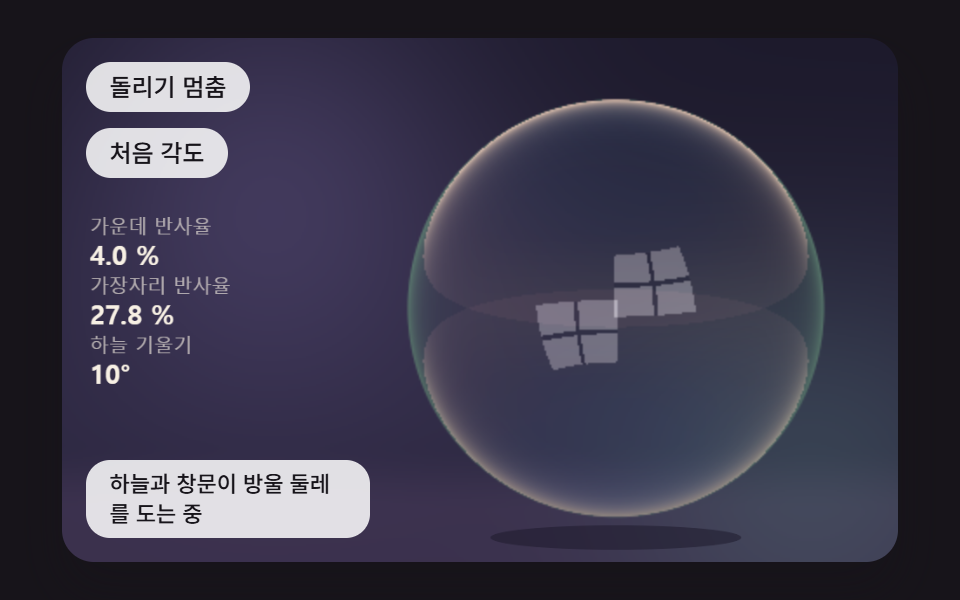 Interactions08 A Bubble That Mirrors Sky and Window, Reflecting More Toward Its EdgeBubble Animation CSS: 9 Soap-Film Scenes That Pop
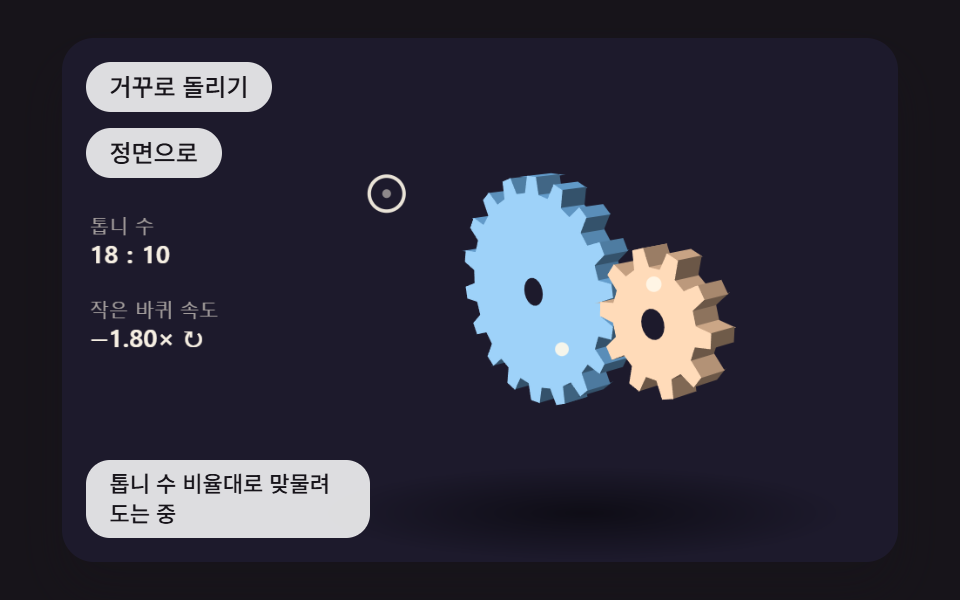 Interactions04 3D Gears That Mesh at Their Tooth Ratio While the Pointer Moves the ViewJavaScript 3D Animation: 9 Pointer-Led Models