09Pinch zoom
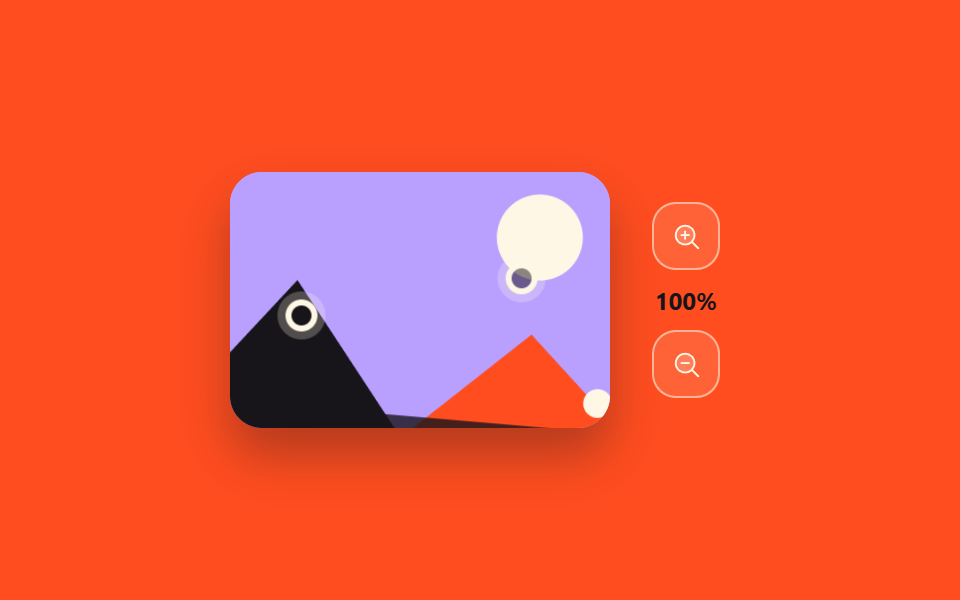
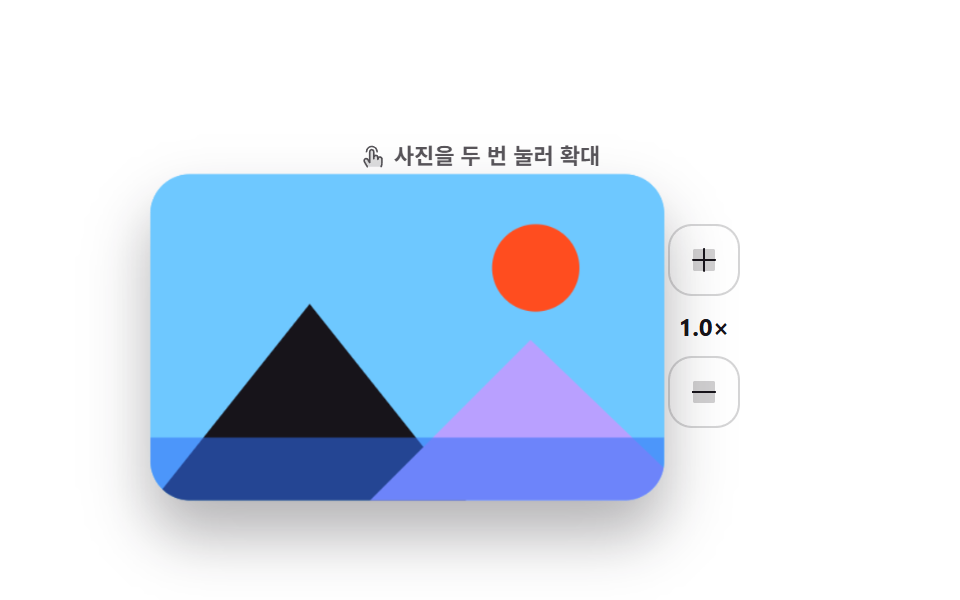
The distance and twist between two fingers scale and rotate the photo in place, and the mouse does the same with the wheel plus drag.
Best forMaps, floor plans, large photos — anything explored with two fingers
pointermapscalectrl+wheel
<main class="stage">
  <div class="pz is-demo" id="pz-root">
    <div class="pz__frame" id="pz-frame">
      <div class="pz__photo" id="pz-photo">
        <svg viewBox="0 0 190 128" preserveAspectRatio="xMidYMid slice" aria-hidden="true">
          <rect class="pz__bg" width="190" height="128"/>
          <circle class="pz__moon" cx="138" cy="36" r="15"/>
          <polygon class="pz__t1" points="0,128 55,58 110,128"/>
          <polygon class="pz__t2" points="76,128 138,70 190,118 190,128"/>
          <rect class="pz__field" y="102" width="190" height="26"/>
          <circle class="pz__tree" cx="30" cy="96" r="7"/>
          <circle class="pz__tree pz__tree--b" cx="163" cy="92" r="5"/>
        </svg>
      </div>
      <span class="pz__finger pz__finger--a" id="pz-fa" aria-hidden="true"></span>
      <span class="pz__finger pz__finger--b" id="pz-fb" aria-hidden="true"></span>
    </div>
    <div class="pz__side">
      <button class="pz__btn" type="button" id="pz-in" aria-label="Zoom in">
        <svg viewBox="0 0 256 256" width="15" height="15"><g fill="currentColor"><path d="M192 112a80 80 0 1 1-80-80a80 80 0 0 1 80 80" opacity=".2"/><path d="m229.66 218.34l-50.06-50.06a88.21 88.21 0 1 0-11.32 11.31l50.06 50.07a8 8 0 0 0 11.32-11.32M40 112a72 72 0 1 1 72 72a72.08 72.08 0 0 1-72-72m112 0a8 8 0 0 1-8 8h-24v24a8 8 0 0 1-16 0v-24H80a8 8 0 0 1 0-16h24V80a8 8 0 0 1 16 0v24h24a8 8 0 0 1 8 8"/></g></svg>
      </button>
      <span class="pz__zoom" id="pz-zoom" aria-live="polite"><span class="pz__z pz__z--a">100%</span><span class="pz__z pz__z--b">162%</span></span>
      <button class="pz__btn" type="button" id="pz-out" aria-label="Zoom out">
        <svg viewBox="0 0 256 256" width="15" height="15"><g fill="currentColor"><path d="M192 112a80 80 0 1 1-80-80a80 80 0 0 1 80 80" opacity=".2"/><path d="m229.66 218.34l-50.06-50.06a88.21 88.21 0 1 0-11.32 11.31l50.06 50.07a8 8 0 0 0 11.32-11.32M40 112a72 72 0 1 1 72 72a72.08 72.08 0 0 1-72-72m112 0a8 8 0 0 1-8 8H80a8 8 0 0 1 0-16h64a8 8 0 0 1 8 8"/></g></svg>
      </button>
    </div>
  </div>
</main>@use "../../../../site/static/demo-tokens" as *;
$duration: $dur-enter;
$easing: $ease-spring;
$color: $subject-cream;
@include stage($stage-orange);
.pz {
display: flex;
align-items: center;
gap: $sp-4;
user-select: none;
-webkit-user-select: none;
}
.pz__frame {
position: relative;
width: 190px;
height: 128px;
border-radius: $r-card;
overflow: hidden;
box-shadow: $shadow-raised;
background: $subject-lilac;
touch-action: none;
cursor: grab;
}
.pz__frame:active { cursor: grabbing; }
.pz__photo {
width: 100%;
height: 100%;
transition: transform $duration $easing;
will-change: transform;
}
.pz__photo svg { display: block; width: 100%; height: 100%; }
.pz__bg { fill: $subject-lilac; }
.pz__moon { fill: $subject-cream; }
.pz__t1 { fill: $subject-ink; }
.pz__t2 { fill: $stage-orange; }
.pz__field { fill: $subject-ink; opacity: .8; }
.pz__tree { fill: $subject-ink; }
.pz__tree--b { fill: $subject-cream; }
.pz__finger {
position: absolute;
left: -8px;
top: -8px;
width: 16px; height: 16px;
box-sizing: border-box;
border: 3px solid $subject-cream;
border-radius: 50%;
background: rgba(23, 20, 26, .5);
box-shadow: 0 0 0 4px rgba(255, 247, 230, .25);
pointer-events: none;
}
.pz__side { display: flex; flex-direction: column; align-items: center; gap: $sp-2; }
.pz__btn {
display: inline-flex; align-items: center; justify-content: center;
width: 34px; height: 34px;
border: 1px solid rgba(255, 247, 230, .55);
background: rgba(255, 247, 230, .12);
border-radius: $r-control;
color: $color;
cursor: pointer;
transition: background $dur-quick $easing, color $dur-quick $easing;
}
.pz__btn:hover { background: $color; color: $stage-orange; }
.pz__btn:focus-visible { outline: 2px solid $color; outline-offset: 2px; }
.pz__zoom {
position: relative;
display: block;
width: 44px;
height: 14px;
font-size: 12px; line-height: 14px; font-weight: 700;
color: $subject-ink;
font-variant-numeric: tabular-nums;
text-align: center;
}
// 자동 루프에서는 두 라벨을 steps(1,end) 로 컷 교체한다 — 크로스페이드는 두 숫자가 겹쳐 보인다
.pz__z { position: absolute; left: 0; right: 0; }
.pz__z--b { opacity: 0; }
.pz.is-demo .pz__z--a { animation: pz-za $dur-loop steps(1, end) infinite; }
.pz.is-demo .pz__z--b { animation: pz-zb $dur-loop steps(1, end) infinite; }
@keyframes pz-za { 0%, 41% { opacity: 1; } 42%, 78% { opacity: 0; } 79%, 100% { opacity: 1; } }
@keyframes pz-zb { 0%, 41% { opacity: 0; } 42%, 78% { opacity: 1; } 79%, 100% { opacity: 0; } }
// ── 자동 루프: 두 손가락 벌리기(확대+회전) → 유지 → 손 떼기 → 복귀 ──
.pz.is-demo .pz__photo { animation: pz-zoom $dur-loop $easing infinite; }
@keyframes pz-zoom {
0%, 10% { transform: translate(0, 0) scale(1) rotate(0deg); }
42%, 64% { transform: translate(-7px, 5px) scale(1.62) rotate(7deg); }
90%, 100% { transform: translate(0, 0) scale(1) rotate(0deg); }
}
.pz.is-demo .pz__finger--a { animation: pz-fa $dur-loop $easing infinite; }
@keyframes pz-fa {
0%, 8% { transform: translate(76px, 64px); opacity: 0; }
12% { opacity: 1; }
42%, 64% { transform: translate(24px, 74px); opacity: 1; }
70% { opacity: 0; }
100% { transform: translate(76px, 64px); opacity: 0; }
}
.pz.is-demo .pz__finger--b { animation: pz-fb $dur-loop $easing infinite; }
@keyframes pz-fb {
0%, 8% { transform: translate(104px, 64px); opacity: 0; }
12% { opacity: 1; }
42%, 64% { transform: translate(158px, 50px); opacity: 1; }
70% { opacity: 0; }
100% { transform: translate(104px, 64px); opacity: 0; }
}
@media (prefers-reduced-motion: reduce) {
.pz.is-demo .pz__photo,
.pz.is-demo .pz__finger,
.pz.is-demo .pz__z { animation: none !important; }
.pz__photo { transition: none; }
}html, body {
margin: 0;
overflow: hidden;
}
.stage {
box-sizing: border-box;
min-height: 100vh;
display: grid;
place-items: center;
margin: 0;
background: #ff4d1f;
font-family: -apple-system, "Segoe UI", "Noto Sans KR", sans-serif;
padding: clamp(8px, 4vw, 24px);
}
.pz {
display: flex;
align-items: center;
gap: 16px;
user-select: none;
-webkit-user-select: none;
}
.pz__frame {
position: relative;
width: 190px;
height: 128px;
border-radius: 16px;
overflow: hidden;
box-shadow: 0 14px 24px rgba(23, 20, 26, 0.32);
background: #b9a0ff;
touch-action: none;
cursor: grab;
}
.pz__frame:active {
cursor: grabbing;
}
.pz__photo {
width: 100%;
height: 100%;
transition: transform 600ms cubic-bezier(0.2, 0.8, 0.2, 1);
will-change: transform;
}
.pz__photo svg {
display: block;
width: 100%;
height: 100%;
}
.pz__bg {
fill: #b9a0ff;
}
.pz__moon {
fill: #fff7e6;
}
.pz__t1 {
fill: #17141a;
}
.pz__t2 {
fill: #ff4d1f;
}
.pz__field {
fill: #17141a;
opacity: 0.8;
}
.pz__tree {
fill: #17141a;
}
.pz__tree--b {
fill: #fff7e6;
}
.pz__finger {
position: absolute;
left: -8px;
top: -8px;
width: 16px;
height: 16px;
box-sizing: border-box;
border: 3px solid #fff7e6;
border-radius: 50%;
background: rgba(23, 20, 26, 0.5);
box-shadow: 0 0 0 4px rgba(255, 247, 230, 0.25);
pointer-events: none;
}
.pz__side {
display: flex;
flex-direction: column;
align-items: center;
gap: 8px;
}
.pz__btn {
display: inline-flex;
align-items: center;
justify-content: center;
width: 34px;
height: 34px;
border: 1px solid rgba(255, 247, 230, 0.55);
background: rgba(255, 247, 230, 0.12);
border-radius: 12px;
color: #fff7e6;
cursor: pointer;
transition: background 220ms cubic-bezier(0.2, 0.8, 0.2, 1), color 220ms cubic-bezier(0.2, 0.8, 0.2, 1);
}
.pz__btn:hover {
background: #fff7e6;
color: #ff4d1f;
}
.pz__btn:focus-visible {
outline: 2px solid #fff7e6;
outline-offset: 2px;
}
.pz__zoom {
position: relative;
display: block;
width: 44px;
height: 14px;
font-size: 12px;
line-height: 14px;
font-weight: 700;
color: #17141a;
font-variant-numeric: tabular-nums;
text-align: center;
}
.pz__z {
position: absolute;
left: 0;
right: 0;
}
.pz__z--b {
opacity: 0;
}
.pz.is-demo .pz__z--a {
animation: pz-za 2s steps(1, end) infinite;
}
.pz.is-demo .pz__z--b {
animation: pz-zb 2s steps(1, end) infinite;
}
@keyframes pz-za {
0%, 41% {
opacity: 1;
}
42%, 78% {
opacity: 0;
}
79%, 100% {
opacity: 1;
}
}
@keyframes pz-zb {
0%, 41% {
opacity: 0;
}
42%, 78% {
opacity: 1;
}
79%, 100% {
opacity: 0;
}
}
.pz.is-demo .pz__photo {
animation: pz-zoom 2s cubic-bezier(0.2, 0.8, 0.2, 1) infinite;
}
@keyframes pz-zoom {
0%, 10% {
transform: translate(0, 0) scale(1) rotate(0deg);
}
42%, 64% {
transform: translate(-7px, 5px) scale(1.62) rotate(7deg);
}
90%, 100% {
transform: translate(0, 0) scale(1) rotate(0deg);
}
}
.pz.is-demo .pz__finger--a {
animation: pz-fa 2s cubic-bezier(0.2, 0.8, 0.2, 1) infinite;
}
@keyframes pz-fa {
0%, 8% {
transform: translate(76px, 64px);
opacity: 0;
}
12% {
opacity: 1;
}
42%, 64% {
transform: translate(24px, 74px);
opacity: 1;
}
70% {
opacity: 0;
}
100% {
transform: translate(76px, 64px);
opacity: 0;
}
}
.pz.is-demo .pz__finger--b {
animation: pz-fb 2s cubic-bezier(0.2, 0.8, 0.2, 1) infinite;
}
@keyframes pz-fb {
0%, 8% {
transform: translate(104px, 64px);
opacity: 0;
}
12% {
opacity: 1;
}
42%, 64% {
transform: translate(158px, 50px);
opacity: 1;
}
70% {
opacity: 0;
}
100% {
transform: translate(104px, 64px);
opacity: 0;
}
}
@media (prefers-reduced-motion: reduce) {
.pz.is-demo .pz__photo,
.pz.is-demo .pz__finger,
.pz.is-demo .pz__z {
animation: none !important;
}
.pz__photo {
transition: none;
}
}// 실제 동작: 두 손가락 거리→Zoom in, 비틀림→회전. 마우스는 휠(Zoom in)·드래그(이동), 버튼·화살표 키도 같은 동작.
var root = document.getElementById('pz-root');
var frame = document.getElementById('pz-frame');
var photo = document.getElementById('pz-photo');
var zoom = document.getElementById('pz-zoom');
var fa = document.getElementById('pz-fa');
var fb = document.getElementById('pz-fb');
var ptrs = {}; // pointerId -> {x, y}
var scale = 1, rot = 0, tx = 0, ty = 0;
var start = null; // 드래그/핀치 시작 스냅샷
function paint() {
photo.style.transform = 'translate(' + tx + 'px,' + ty + 'px) scale(' + scale + ') rotate(' + rot + 'deg)';
// 자동 루프를 끈 뒤(사람이 만진 뒤)에만 숫자를 직접 쓴다 — 루프 중에는 두 라벨이 steps 로 교체된다
if (!root.classList.contains('is-demo')) zoom.textContent = Math.round(scale * 100) + '%';
}
function pinchInfo() {
var ks = Object.keys(ptrs);
if (ks.length < 2) return null;
var a = ptrs[ks[0]], b = ptrs[ks[1]];
var r = frame.getBoundingClientRect();
var ax = a.x - r.left, ay = a.y - r.top, bx = b.x - r.left, by = b.y - r.top;
fa.style.transform = 'translate(' + ax + 'px,' + ay + 'px)';
fb.style.transform = 'translate(' + bx + 'px,' + by + 'px)';
return {
d: Math.hypot(ax - bx, ay - by),
ang: Math.atan2(by - ay, bx - ax) * 180 / Math.PI,
mx: (ax + bx) / 2, my: (ay + by) / 2
};
}
frame.addEventListener('pointerdown', function (e) {
root.classList.remove('is-demo');
frame.setPointerCapture(e.pointerId);
ptrs[e.pointerId] = { x: e.clientX, y: e.clientY };
var info = pinchInfo();
start = { scale: scale, rot: rot, tx: tx, ty: ty,
d: info ? info.d : 0, ang: info ? info.ang : 0,
px: e.clientX, py: e.clientY };
e.preventDefault();
});
frame.addEventListener('pointermove', function (e) {
if (!(e.pointerId in ptrs)) return;
ptrs[e.pointerId] = { x: e.clientX, y: e.clientY };
var info = pinchInfo();
if (info && start && start.d > 0) {
scale = Math.max(.6, Math.min(2.4, start.scale * info.d / start.d));
var da = info.ang - start.ang;
while (da > 180) da -= 360;
while (da < -180) da += 360;
rot = Math.max(-24, Math.min(24, start.rot + da * .5));
} else if (start) {
if (scale > 1.05) { // 확대된 상태에서 한 손가락 이동(팬)
tx = start.tx + (e.clientX - start.px);
ty = start.ty + (e.clientY - start.py);
}
}
paint();
});
function up(e) {
delete ptrs[e.pointerId];
var ks = Object.keys(ptrs);
if (ks.length === 1) { // 남은 한 손가락 기준으로 팬 시작점 다시 잡기
var p = ptrs[ks[0]];
start = { scale: scale, rot: rot, tx: tx, ty: ty, d: 0, ang: 0, px: p.x, py: p.y };
}
}
frame.addEventListener('pointerup', up);
frame.addEventListener('pointercancel', up);
frame.addEventListener('wheel', function (e) {
root.classList.remove('is-demo');
scale = Math.max(.6, Math.min(2.4, scale * (e.deltaY < 0 ? 1.12 : .89)));
paint();
e.preventDefault();
}, { passive: false });
function step(di) {
root.classList.remove('is-demo');
scale = Math.max(.6, Math.min(2.4, scale + di));
paint();
}
document.getElementById('pz-in').addEventListener('click', function () { step(.2); });
document.getElementById('pz-out').addEventListener('click', function () { step(-.2); });
root.addEventListener('keydown', function (e) {
if (e.key === 'ArrowRight') { root.classList.remove('is-demo'); tx += 8; paint(); e.preventDefault(); }
else if (e.key === 'ArrowLeft') { root.classList.remove('is-demo'); tx -= 8; paint(); e.preventDefault(); }
else if (e.key === 'ArrowDown') { root.classList.remove('is-demo'); ty += 8; paint(); e.preventDefault(); }
else if (e.key === 'ArrowUp') { root.classList.remove('is-demo'); ty -= 8; paint(); e.preventDefault(); }
});import { useRef, useState } from "react";
import type { CSSProperties } from "react";
import styles from "./PinchZoom.module.scss";
export type PinchZoomProps = {
duration?: number;
easing?: string;
color?: string;
};
type PEvt = { clientX: number; clientY: number; pointerId: number; preventDefault(): void; currentTarget: { setPointerCapture(id: number): void } };
type KeyEvt = { key: string; preventDefault(): void };
type WEvt = { deltaY: number; preventDefault(): void };
type Box<T> = { current: T };
type Vars = CSSProperties & { "--duration"?: string; "--easing"?: string; "--color"?: string };
type Pt = { x: number; y: number };
const IconIn = () => (
<svg viewBox="0 0 256 256" width="15" height="15"><g fill="currentColor"><path d="M192 112a80 80 0 1 1-80-80a80 80 0 0 1 80 80" opacity=".2"/><path d="m229.66 218.34l-50.06-50.06a88.21 88.21 0 1 0-11.32 11.31l50.06 50.07a8 8 0 0 0 11.32-11.32M40 112a72 72 0 1 1 72 72a72.08 72.08 0 0 1-72-72m112 0a8 8 0 0 1-8 8h-24v24a8 8 0 0 1-16 0v-24H80a8 8 0 0 1 0-16h24V80a8 8 0 0 1 16 0v24h24a8 8 0 0 1 8 8"/></g></svg>
);
const IconOut = () => (
<svg viewBox="0 0 256 256" width="15" height="15"><g fill="currentColor"><path d="M192 112a80 80 0 1 1-80-80a80 80 0 0 1 80 80" opacity=".2"/><path d="m229.66 218.34l-50.06-50.06a88.21 88.21 0 1 0-11.32 11.31l50.06 50.07a8 8 0 0 0 11.32-11.32M40 112a72 72 0 1 1 72 72a72.08 72.08 0 0 1-72-72m112 0a8 8 0 0 1-8 8H80a8 8 0 0 1 0-16h64a8 8 0 0 1 8 8"/></g></svg>
);
export default function PinchZoom({
duration = 600,
easing = "cubic-bezier(.2,.8,.2,1)",
color = "#fff7e6",
}: PinchZoomProps) {
const [tf, setTf] = useState({ scale: 1, rot: 0, tx: 0, ty: 0 });
const frameRef = useRef<HTMLDivElement>(null);
const ptrs = useRef<Record<number, Pt>>({}) as Box<Record<number, Pt>>;
const start = useRef({ scale: 1, rot: 0, tx: 0, ty: 0, d: 0, ang: 0, px: 0, py: 0 }) as Box<{ scale: number; rot: number; tx: number; ty: number; d: number; ang: number; px: number; py: number }>;
const vars: Vars = { "--duration": `${duration}ms`, "--easing": easing, "--color": color };
function pinchInfo() {
const ks = Object.keys(ptrs.current);
if (ks.length < 2) return null;
const r = (frameRef.current as HTMLDivElement).getBoundingClientRect();
const a = ptrs.current[Number(ks[0])], b = ptrs.current[Number(ks[1])];
return {
d: Math.hypot(a.x - b.x, a.y - b.y),
ang: Math.atan2(b.y - a.y, b.x - a.x) * 180 / Math.PI,
};
}
function clampScale(s: number) { return Math.max(0.6, Math.min(2.4, s)); }
function onDown(e: PEvt) {
e.currentTarget.setPointerCapture(e.pointerId);
ptrs.current[e.pointerId] = { x: e.clientX, y: e.clientY };
const info = pinchInfo();
start.current = { scale: tf.scale, rot: tf.rot, tx: tf.tx, ty: tf.ty,
d: info ? info.d : 0, ang: info ? info.ang : 0, px: e.clientX, py: e.clientY };
e.preventDefault();
}
function onMove(e: PEvt) {
if (!(e.pointerId in ptrs.current)) return;
ptrs.current[e.pointerId] = { x: e.clientX, y: e.clientY };
const info = pinchInfo();
if (info && start.current.d > 0) {
let da = info.ang - start.current.ang;
while (da > 180) da -= 360;
while (da < -180) da += 360;
setTf((t) => ({
...t,
scale: clampScale(start.current.scale * info.d / start.current.d),
rot: Math.max(-24, Math.min(24, start.current.rot + da * 0.5)),
}));
} else if (tf.scale > 1.05) {
setTf((t) => ({ ...t, tx: start.current.tx + (e.clientX - start.current.px), ty: start.current.ty + (e.clientY - start.current.py) }));
}
}
function onUp(e: PEvt) {
delete ptrs.current[e.pointerId];
const ks = Object.keys(ptrs.current);
if (ks.length === 1) {
const p = ptrs.current[Number(ks[0])];
start.current = { ...start.current, d: 0, ang: 0, px: p.x, py: p.y };
}
}
function onWheel(e: WEvt) {
setTf((t) => ({ ...t, scale: clampScale(t.scale * (e.deltaY < 0 ? 1.12 : 0.89)) }));
e.preventDefault();
}
function step(di: number) {
setTf((t) => ({ ...t, scale: clampScale(t.scale + di) }));
}
function onKey(e: KeyEvt) {
if (e.key === "ArrowRight") { setTf((t) => ({ ...t, tx: t.tx + 8 })); e.preventDefault(); }
else if (e.key === "ArrowLeft") { setTf((t) => ({ ...t, tx: t.tx - 8 })); e.preventDefault(); }
else if (e.key === "ArrowDown") { setTf((t) => ({ ...t, ty: t.ty + 8 })); e.preventDefault(); }
else if (e.key === "ArrowUp") { setTf((t) => ({ ...t, ty: t.ty - 8 })); e.preventDefault(); }
}
return (
<div className={styles.pz} style={vars} onKeyDown={onKey} tabIndex={0} aria-label="Pinch zoom viewer">
<div
ref={frameRef}
className={styles.frame}
onPointerDown={onDown}
onPointerMove={onMove}
onPointerUp={onUp}
onPointerCancel={onUp}
onWheel={onWheel}
>
<div
className={styles.photo}
style={{ transform: `translate(${tf.tx}px, ${tf.ty}px) scale(${tf.scale}) rotate(${tf.rot}deg)` }}
>
<svg viewBox="0 0 190 128" preserveAspectRatio="xMidYMid slice" aria-hidden="true">
<rect className={styles.bg} width="190" height="128" />
<circle className={styles.moon} cx="138" cy="36" r="15" />
<polygon className={styles.t1} points="0,128 55,58 110,128" />
<polygon className={styles.t2} points="76,128 138,70 190,118 190,128" />
<rect className={styles.field} y="102" width="190" height="26" />
<circle className={styles.tree} cx="30" cy="96" r="7" />
<circle className={styles.treeB} cx="163" cy="92" r="5" />
</svg>
</div>
</div>
<div className={styles.side}>
<button type="button" className={styles.btn} aria-label="Zoom in" onClick={(): void => step(0.2)}>
<IconIn />
</button>
<span className={styles.zoom} aria-live="polite">{`${Math.round(tf.scale * 100)}%`}</span>
<button type="button" className={styles.btn} aria-label="Zoom out" onClick={(): void => step(-0.2)}>
<IconOut />
</button>
</div>
</div>
);
}09 Pinch zoom — Measured area 7.376% · moving frames 16/23Original by GODRICH · SCSS and React ship in the zip · 9 Mobile Touch Gestures That Follow Your Finger
The post this demo lives in
 9 Mobile Touch Gestures That Follow Your FingerMobile touch gestures turn the distance and speed of a finger on glass into a change on screen. Nine of them are below, See all demos in this post