03Limit bounce — a stepper value that overshoots its min or max slightly before settling along a spring curve
Once the value reaches its set upper or lower limit, it travels slightly past that boundary before a spring curve pulls it back to the limit value, and this curve doesn't apply while inside the bounds.
Best forA product form with limited stock, an age or headcount input
AMPLITUDE=10FREQ=16autoplayTick
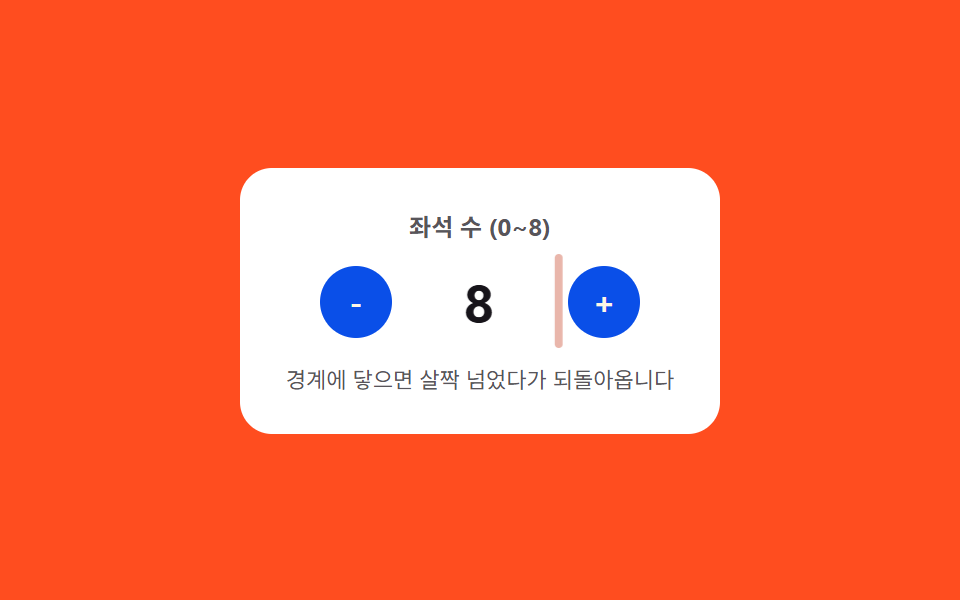
<main class="stage">
<div class="nspcb is-demo" id="nspcb">
  <div class="nspcb__panel">
    <span class="nspcb__label">Seat count (0–8)</span>
    <div class="nspcb__row">
      <button class="nspcb__btn" id="nspcbMinus" type="button" aria-label="Decrease seats">-</button>
      <span class="nspcb__valueWrap">
        <span class="nspcb__edge" id="nspcbEdgeLeft"></span>
        <span class="nspcb__value" id="nspcbValue">4</span>
        <span class="nspcb__edge" id="nspcbEdgeRight"></span>
      </span>
      <button class="nspcb__btn" id="nspcbPlus" type="button" aria-label="Increase seats">+</button>
    </div>
    <span class="nspcb__hint">It overshoots slightly at the edge, then settles back</span>
  </div>
</div>
</main>
@use "../../../../site/static/demo-tokens" as *;
// 계산 겹: 경계(0·8)에 닿는 순간부터 지난 시간(t)에 감쇠 사인파를 매 프레임 계산해
// translateX 에 대입한다 — 목표를 살짝 넘었다가 스프링 곡선을 따라 되돌아온다.
$duration: $dur-quick;
$easing: $ease-elastic;
$color: $error;
@include stage($stage-orange);
.stage { position: relative; }
.nspcb {
width: min(240px, 70vw);
}
.nspcb__panel {
display: flex;
flex-direction: column;
align-items: center;
gap: $sp-3;
padding: $sp-5;
border-radius: $r-card;
background: $stage-paper;
}
.nspcb__label {
color: rgba($subject-ink, .72);
font-weight: 700;
font-size: 12px;
}
.nspcb__row {
display: flex;
align-items: center;
gap: $sp-4;
}
.nspcb__btn {
width: 36px;
height: 36px;
border: 0;
border-radius: $r-pill;
background: $subject-blue-deep;
color: $subject-cream;
font-family: inherit;
font-weight: 700;
font-size: 16px;
line-height: 1;
display: grid;
place-items: center;
cursor: pointer;
}
.nspcb__valueWrap {
position: relative;
display: inline-flex;
align-items: center;
min-width: 56px;
justify-content: center;
will-change: transform;
}
.nspcb__value {
color: $subject-ink;
font-weight: 700;
font-size: 26px;
font-variant-numeric: tabular-nums;
}
.nspcb__edge {
position: absolute;
top: -6px;
bottom: -6px;
width: 4px;
border-radius: $r-xs;
background: $color;
opacity: 0;
}
.nspcb__edge:first-child { left: -14px; }
.nspcb__edge:last-child { right: -14px; }
.nspcb__hint {
color: rgba($subject-ink, .72);
font-size: 11px;
text-align: center;
}
@media (max-width: 340px) {
.nspcb__panel { padding: $sp-4; gap: $sp-2; }
.nspcb__btn { width: 32px; height: 32px; font-size: 14px; }
.nspcb__value { font-size: 22px; }
}
@media (prefers-reduced-motion: reduce) {
.nspcb__valueWrap { transition: none !important; }
}html, body {
margin: 0;
overflow: hidden;
}
.stage {
box-sizing: border-box;
min-height: 100vh;
display: grid;
place-items: center;
margin: 0;
background: #ff4d1f;
font-family: -apple-system, "Segoe UI", "Noto Sans KR", sans-serif;
padding: clamp(8px, 4vw, 24px);
}
.stage {
position: relative;
}
.nspcb {
width: min(240px, 70vw);
}
.nspcb__panel {
display: flex;
flex-direction: column;
align-items: center;
gap: 12px;
padding: 20px;
border-radius: 16px;
background: #ffffff;
}
.nspcb__label {
color: rgba(23, 20, 26, 0.72);
font-weight: 700;
font-size: 12px;
}
.nspcb__row {
display: flex;
align-items: center;
gap: 16px;
}
.nspcb__btn {
width: 36px;
height: 36px;
border: 0;
border-radius: 999px;
background: #0a4fe8;
color: #fff7e6;
font-family: inherit;
font-weight: 700;
font-size: 16px;
line-height: 1;
display: grid;
place-items: center;
cursor: pointer;
}
.nspcb__valueWrap {
position: relative;
display: inline-flex;
align-items: center;
min-width: 56px;
justify-content: center;
will-change: transform;
}
.nspcb__value {
color: #17141a;
font-weight: 700;
font-size: 26px;
font-variant-numeric: tabular-nums;
}
.nspcb__edge {
position: absolute;
top: -6px;
bottom: -6px;
width: 4px;
border-radius: 4px;
background: #c2361a;
opacity: 0;
}
.nspcb__edge:first-child {
left: -14px;
}
.nspcb__edge:last-child {
right: -14px;
}
.nspcb__hint {
color: rgba(23, 20, 26, 0.72);
font-size: 11px;
text-align: center;
}
@media (max-width: 340px) {
.nspcb__panel {
padding: 16px;
gap: 8px;
}
.nspcb__btn {
width: 32px;
height: 32px;
font-size: 14px;
}
.nspcb__value {
font-size: 22px;
}
}
@media (prefers-reduced-motion: reduce) {
.nspcb__valueWrap {
transition: none !important;
}
}(function () {
var root = document.getElementById('nspcb');
var valueEl = document.getElementById('nspcbValue');
var wrapEl = valueEl.parentNode;
var minusBtn = document.getElementById('nspcbMinus');
var plusBtn = document.getElementById('nspcbPlus');
var edgeLeft = document.getElementById('nspcbEdgeLeft');
var edgeRight = document.getElementById('nspcbEdgeRight');
var MIN = 0, MAX = 8;
var value = 4;
var raf = null;
function render() { valueEl.textContent = String(value); }
// 계산 겹: 경계에 닿는 순간부터 지난 시간(t)에 감쇠 사인파를 매 프레임 계산해
// translateX 에 대입한다 — 목표 지점을 살짝 넘었다가 스프링 곡선으로 되돌아온다.
var AMPLITUDE = 10, FREQ = 16, DECAY = 10;
function overshoot(tSec) {
if (tSec <= 0) { return 0; }
return AMPLITUDE * Math.sin(tSec * FREQ) * Math.exp(-DECAY * tSec);
}
function bounce(dir) {
var edge = dir > 0 ? edgeRight : edgeLeft;
var start = performance.now();
if (raf) { cancelAnimationFrame(raf); }
function frame(now) {
var t = (now - start) / 1000;
var px = dir * overshoot(t);
wrapEl.style.transform = 'translateX(' + px.toFixed(2) + 'px)';
var op = Math.max(0, 1 - t / 0.4);
edge.style.opacity = op.toFixed(3);
if (t < 0.45) {
raf = requestAnimationFrame(frame);
} else {
wrapEl.style.transform = 'translateX(0px)';
edge.style.opacity = '0';
raf = null;
}
}
raf = requestAnimationFrame(frame);
}
function step(dir) {
var next = value + dir;
if (next > MAX || next < MIN) {
bounce(dir);
return;
}
value = next;
render();
}
function wireReal(btn, dir) {
btn.addEventListener('click', function () {
root.classList.remove('is-demo'); stopAutoplay();
step(dir);
});
}
wireReal(minusBtn, -1);
wireReal(plusBtn, 1);
var seq = [1, 1, 1, 1, 1, 1, 1, -1, -1, -1, -1, -1, -1, -1, -1, -1];
var idx = 0;
var autoplayTimer = null;
function autoplayTick() {
step(seq[idx % seq.length]);
idx += 1;
}
function stopAutoplay() { if (autoplayTimer) { clearInterval(autoplayTimer); autoplayTimer = null; } }
var reduce = window.matchMedia('(prefers-reduced-motion: reduce)').matches;
if (!reduce) {
autoplayTimer = setInterval(autoplayTick, 260);
}
render();
})();import { useEffect, useRef } from "react";
import styles from "./NumberStepperMinMaxClampBounce.module.scss";
export type NumberStepperMinMaxClampBounceProps = {
color?: string;
};
export default function NumberStepperMinMaxClampBounce({
color = "#c2361a",
}: NumberStepperMinMaxClampBounceProps) {
const rootRef = useRef<HTMLDivElement | null>(null);
useEffect(() => {
const root = rootRef.current;
if (!root) return;
const valueEl = root.querySelector<HTMLSpanElement>(`.${styles.value}`);
const wrapEl = root.querySelector<HTMLSpanElement>(`.${styles.valueWrap}`);
const minusBtn = root.querySelector<HTMLButtonElement>(`.${styles.btnMinus}`);
const plusBtn = root.querySelector<HTMLButtonElement>(`.${styles.btnPlus}`);
const edgeLeft = root.querySelector<HTMLSpanElement>(`.${styles.edgeLeft}`);
const edgeRight = root.querySelector<HTMLSpanElement>(`.${styles.edgeRight}`);
if (!valueEl || !wrapEl || !minusBtn || !plusBtn || !edgeLeft || !edgeRight) return;
const MIN = 0, MAX = 8;
let value = 4;
let raf: number | null = null;
function render() { valueEl!.textContent = String(value); }
// 계산 겹: 경계에 닿는 순간부터 지난 시간(t)에 감쇠 사인파를 매 프레임 계산해
// translateX 에 대입한다 — 목표 지점을 살짝 넘었다가 스프링 곡선으로 되돌아온다.
const AMPLITUDE = 10, FREQ = 16, DECAY = 10;
function overshoot(tSec: number) {
if (tSec <= 0) { return 0; }
return AMPLITUDE * Math.sin(tSec * FREQ) * Math.exp(-DECAY * tSec);
}
function bounce(dir: number) {
const edge = dir > 0 ? edgeRight! : edgeLeft!;
const start = performance.now();
if (raf) { cancelAnimationFrame(raf); }
function frame(now: number) {
const t = (now - start) / 1000;
const px = dir * overshoot(t);
wrapEl!.style.transform = "translateX(" + px.toFixed(2) + "px)";
const op = Math.max(0, 1 - t / 0.4);
edge.style.opacity = op.toFixed(3);
if (t < 0.45) {
raf = requestAnimationFrame(frame);
} else {
wrapEl!.style.transform = "translateX(0px)";
edge.style.opacity = "0";
raf = null;
}
}
raf = requestAnimationFrame(frame);
}
function step(dir: number) {
const next = value + dir;
if (next > MAX || next < MIN) {
bounce(dir);
return;
}
value = next;
render();
}
function wireReal(btn: HTMLButtonElement, dir: number) {
const onClick = () => {
root!.classList.remove(styles.isDemo);
stopAutoplay();
step(dir);
};
btn.addEventListener("click", onClick);
return () => btn.removeEventListener("click", onClick);
}
const cleanMinus = wireReal(minusBtn, -1);
const cleanPlus = wireReal(plusBtn, 1);
const seq = [1, 1, 1, 1, 1, 1, 1, -1, -1, -1, -1, -1, -1, -1, -1, -1];
let idx = 0;
let autoplayTimer: ReturnType<typeof setInterval> | null = null;
function autoplayTick() {
step(seq[idx % seq.length]);
idx += 1;
}
function stopAutoplay() {
if (autoplayTimer) { clearInterval(autoplayTimer); autoplayTimer = null; }
}
const reduce = window.matchMedia("(prefers-reduced-motion: reduce)").matches;
if (!reduce) {
autoplayTimer = setInterval(autoplayTick, 260);
}
render();
return () => {
stopAutoplay();
if (raf) cancelAnimationFrame(raf);
cleanMinus();
cleanPlus();
};
}, []);
return (
<div ref={rootRef} className={`${styles.stage} ${styles.isDemo}`} style={{ ["--color" as string]: color }}>
<div className={styles.panel}>
<span className={styles.label}>좌석 수 (0~8)</span>
<div className={styles.row}>
<button className={`${styles.btn} ${styles.btnMinus}`} type="button" aria-label="좌석 줄이기">-</button>
<span className={styles.valueWrap}>
<span className={`${styles.edge} ${styles.edgeLeft}`} />
<span className={styles.value}>4</span>
<span className={`${styles.edge} ${styles.edgeRight}`} />
</span>
<button className={`${styles.btn} ${styles.btnPlus}`} type="button" aria-label="좌석 늘리기">+</button>
</div>
<span className={styles.hint}>경계에 닿으면 살짝 넘었다가 되돌아옵니다</span>
</div>
</div>
);
}03 Limit bounce — a stepper value that overshoots its min or max slightly before settling along a spring curve — Measured area 0.547% · moving frames 15/23Original by GODRICH · SCSS and React ship in the zip · Number Stepper UI: 9 Interaction Patterns
The post this demo lives in
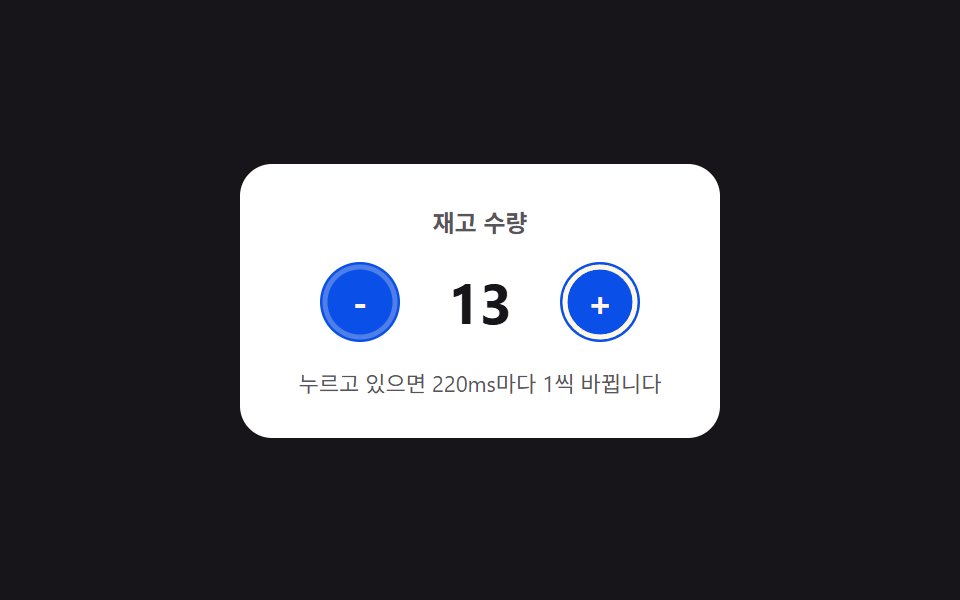 Number Stepper UI: 9 Interaction PatternsOne stepper shortens its repeat interval the longer it stays pressed, one settles past its limit along a spring curve, a See all demos in this post
If you like this effect - similar demos
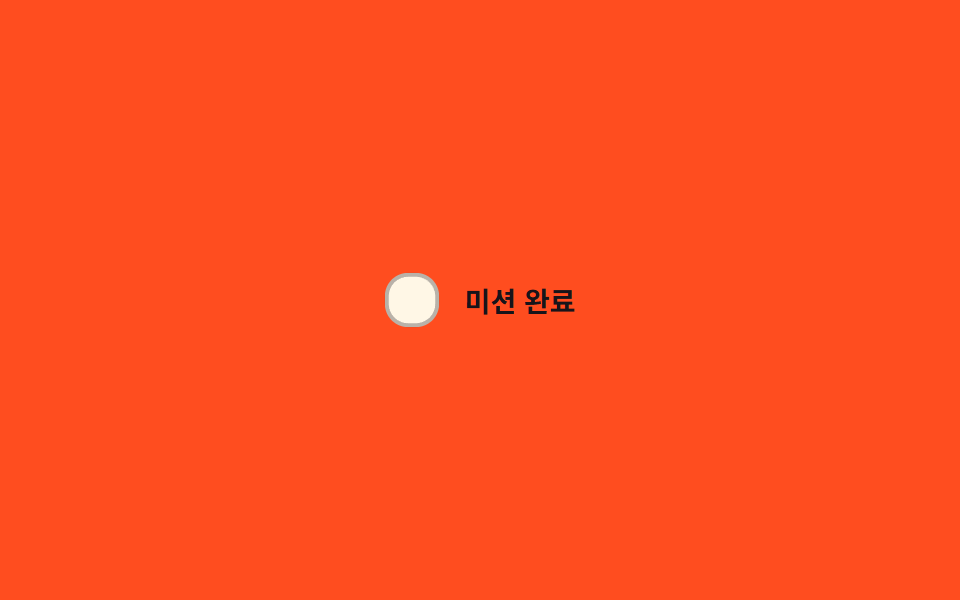 Inputs03 Spring-pop toggle — the instant the checked value flips, the box's size value overshoots its target then settles with a bounceCSS Custom Checkbox: 9 Interaction Patterns
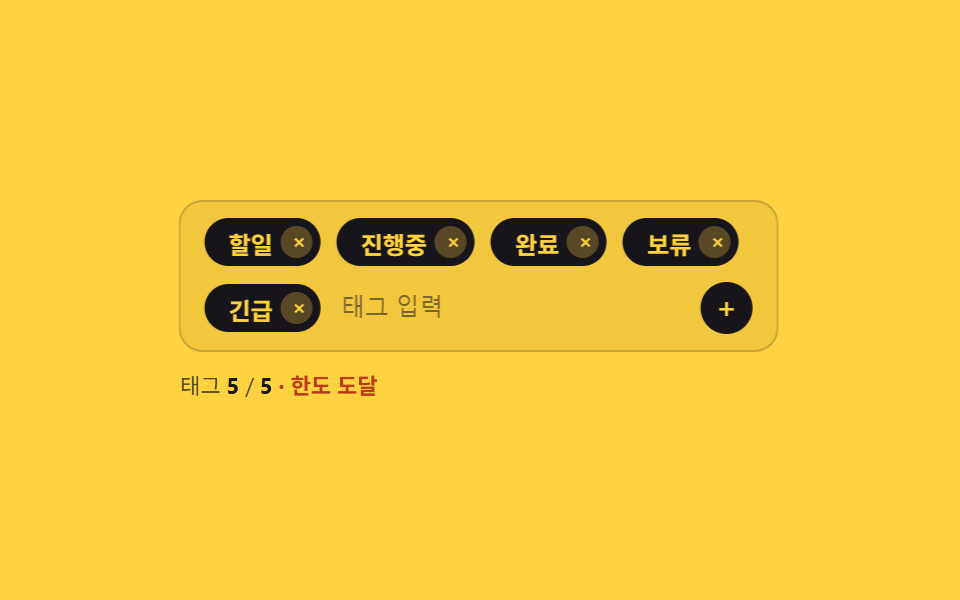 Inputs02 Tag Input That Shakes and Blocks Past Its Chip Limit9 Tag Input UI Patterns With CSS Chips
 Inputs01 A Label That Rises on a Damped Spring, Overshoots Slightly, and SettlesCSS Floating Label: 9 Inputs on Spring Physics