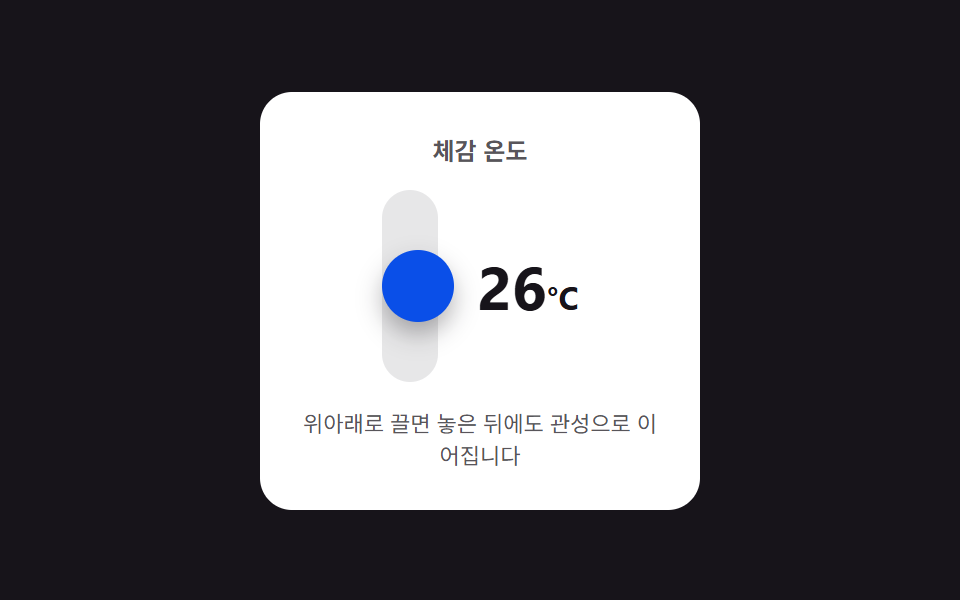
05Vertical drag inertia — a stepper that changes with drag distance and keeps advancing a few steps after release
The value changes by units as the vertical drag distance value grows, and once the released state begins it inherits that moment's speed value and keeps changing a few more steps along a shrinking inertia value before stopping.
Best forA mobile quantity-adjustment sheet, a touch-based settings screen
FRICTION=6.2MAX_OFFSET=34autoplayFling
<main class="stage">
<div class="nspdi is-demo" id="nspdi">
  <div class="nspdi__panel">
    <span class="nspdi__label">Feels-like temperature</span>
    <div class="nspdi__body">
      <div class="nspdi__track">
        <span class="nspdi__handle" id="nspdiHandle"></span>
      </div>
      <span class="nspdi__value" id="nspdiValue">20<small>°C</small></span>
    </div>
    <span class="nspdi__hint">Drag it up or down — it keeps coasting on inertia after you let go</span>
  </div>
</div>
</main>
@use "../../../../site/static/demo-tokens" as *;
// 계산 겹: 손을 놓는 순간의 속도(px/ms)에 지수 마찰을 매 프레임 곱해 감쇠시키고, 감쇠 중 이동한
// 가상 거리를 20px 단위로 값에 계속 반영한다 — 놓은 뒤에도 관성으로 몇 단계 더 이어진다.
$duration: $dur-base;
$easing: $ease-spring;
$color: $subject-blue-deep;
@include stage($stage-ink);
.stage { position: relative; }
.nspdi {
width: min(220px, 68vw);
}
.nspdi__panel {
display: flex;
flex-direction: column;
align-items: center;
gap: $sp-3;
padding: $sp-5;
border-radius: $r-card;
background: $stage-paper;
}
.nspdi__label {
color: rgba($subject-ink, .72);
font-weight: 700;
font-size: 12px;
}
.nspdi__body {
display: flex;
align-items: center;
gap: $sp-5;
}
.nspdi__track {
position: relative;
width: 28px;
height: 96px;
border-radius: $r-pill;
background: rgba($subject-ink, .10);
display: grid;
place-items: center;
touch-action: none;
}
.nspdi__handle {
width: 36px;
height: 36px;
border-radius: $r-pill;
background: $color;
box-shadow: $shadow-press;
cursor: grab;
transform: translateY(0);
transition: box-shadow $dur-quick $easing;
}
.nspdi__handle--active {
cursor: grabbing;
box-shadow: $shadow-raised;
}
.nspdi__value {
color: $subject-ink;
font-weight: 700;
font-size: 30px;
font-variant-numeric: tabular-nums;
small { font-size: 16px; font-weight: 700; }
}
.nspdi__hint {
color: rgba($subject-ink, .72);
font-size: 11px;
text-align: center;
}
@media (max-width: 340px) {
.nspdi__panel { padding: $sp-3; gap: $sp-1; }
.nspdi__track { height: 64px; }
.nspdi__value { font-size: 22px; }
.nspdi__hint { font-size: 10px; }
}
@media (prefers-reduced-motion: reduce) {
.nspdi__handle { transition: none !important; }
}html, body {
margin: 0;
overflow: hidden;
}
.stage {
box-sizing: border-box;
min-height: 100vh;
display: grid;
place-items: center;
margin: 0;
background: #17141a;
font-family: -apple-system, "Segoe UI", "Noto Sans KR", sans-serif;
padding: clamp(8px, 4vw, 24px);
}
.stage {
position: relative;
}
.nspdi {
width: min(220px, 68vw);
}
.nspdi__panel {
display: flex;
flex-direction: column;
align-items: center;
gap: 12px;
padding: 20px;
border-radius: 16px;
background: #ffffff;
}
.nspdi__label {
color: rgba(23, 20, 26, 0.72);
font-weight: 700;
font-size: 12px;
}
.nspdi__body {
display: flex;
align-items: center;
gap: 20px;
}
.nspdi__track {
position: relative;
width: 28px;
height: 96px;
border-radius: 999px;
background: rgba(23, 20, 26, 0.1);
display: grid;
place-items: center;
touch-action: none;
}
.nspdi__handle {
width: 36px;
height: 36px;
border-radius: 999px;
background: #0a4fe8;
box-shadow: 0 6px 12px rgba(23, 20, 26, 0.32);
cursor: grab;
transform: translateY(0);
transition: box-shadow 220ms cubic-bezier(0.2, 0.8, 0.2, 1);
}
.nspdi__handle--active {
cursor: grabbing;
box-shadow: 0 14px 24px rgba(23, 20, 26, 0.32);
}
.nspdi__value {
color: #17141a;
font-weight: 700;
font-size: 30px;
font-variant-numeric: tabular-nums;
}
.nspdi__value small {
font-size: 16px;
font-weight: 700;
}
.nspdi__hint {
color: rgba(23, 20, 26, 0.72);
font-size: 11px;
text-align: center;
}
@media (max-width: 340px) {
.nspdi__panel {
padding: 12px;
gap: 4px;
}
.nspdi__track {
height: 64px;
}
.nspdi__value {
font-size: 22px;
}
.nspdi__hint {
font-size: 10px;
}
}
@media (prefers-reduced-motion: reduce) {
.nspdi__handle {
transition: none !important;
}
}(function () {
var root = document.getElementById('nspdi');
var handle = document.getElementById('nspdiHandle');
var valueEl = document.getElementById('nspdiValue');
var MIN = -10, MAX = 40, STEP_PX = 20, MAX_OFFSET = 34;
var value = 20;
var dragging = false;
var startY = 0, startValue = 0, lastY = 0, lastT = 0, vel = 0;
var inertiaRaf = null;
function render() { valueEl.innerHTML = value + '<small>°C</small>'; }
function setHandle(px) {
var c = Math.max(-MAX_OFFSET, Math.min(MAX_OFFSET, px));
handle.style.transform = 'translateY(' + c.toFixed(1) + 'px)';
}
function beginDrag(y) {
if (inertiaRaf) { cancelAnimationFrame(inertiaRaf); inertiaRaf = null; }
dragging = true;
startY = y; startValue = value; lastY = y; lastT = performance.now(); vel = 0;
handle.classList.add('nspdi__handle--active');
}
function moveDrag(y) {
var now = performance.now();
var dtMove = Math.max(1, now - lastT);
vel = (y - lastY) / dtMove;
lastY = y; lastT = now;
var dy = y - startY;
value = Math.max(MIN, Math.min(MAX, startValue - Math.round(dy / STEP_PX)));
render();
setHandle(dy);
}
// 계산 겹: 놓는 순간의 속도(px/ms)에 지수 마찰(FRICTION)을 매 프레임 곱해 감쇠시키고,
// 감쇠 중 이동한 가상 거리(virtual)를 20px 단위로 값에 계속 반영한다 — 손을 놓아도 몇 단계 더 이어진다.
var FRICTION = 6.2;
function endDrag() {
dragging = false;
handle.classList.remove('nspdi__handle--active');
var baseValue = value;
var virtual = 0;
var v = vel;
var last = performance.now();
function frame(now) {
var dt = now - last; last = now;
v *= Math.exp(-FRICTION * dt / 1000);
virtual += v * dt;
value = Math.max(MIN, Math.min(MAX, baseValue - Math.round(virtual / STEP_PX)));
render();
setHandle(virtual);
if (Math.abs(v) > 0.02) {
inertiaRaf = requestAnimationFrame(frame);
} else {
setHandle(0);
inertiaRaf = null;
}
}
inertiaRaf = requestAnimationFrame(frame);
}
handle.addEventListener('pointerdown', function (e) {
root.classList.remove('is-demo'); stopAutoplay();
e.preventDefault();
handle.setPointerCapture(e.pointerId);
beginDrag(e.clientY);
});
handle.addEventListener('pointermove', function (e) { if (dragging) { moveDrag(e.clientY); } });
['pointerup', 'pointercancel'].forEach(function (ev) {
handle.addEventListener(ev, function () { if (dragging) { endDrag(); } });
});
var autoplayTimer = null;
function autoplayFling(vpx) {
vel = vpx;
value = 20;
render();
endDrag();
}
function stopAutoplay() { if (autoplayTimer) { clearInterval(autoplayTimer); autoplayTimer = null; } }
var reduce = window.matchMedia('(prefers-reduced-motion: reduce)').matches;
if (!reduce) {
autoplayFling(-0.85);
autoplayTimer = setInterval(function () {
autoplayFling(Math.random() > 0.5 ? -0.85 : 0.85);
}, 1900);
}
render();
})();import { useEffect, useRef } from "react";
import styles from "./NumberStepperDragVerticalInertia.module.scss";
export type NumberStepperDragVerticalInertiaProps = {
color?: string;
};
export default function NumberStepperDragVerticalInertia({
color = "#0a4fe8",
}: NumberStepperDragVerticalInertiaProps) {
const rootRef = useRef<HTMLDivElement | null>(null);
useEffect(() => {
const root = rootRef.current;
if (!root) return;
const handle = root.querySelector<HTMLSpanElement>(`.${styles.handle}`);
const valueEl = root.querySelector<HTMLSpanElement>(`.${styles.value}`);
if (!handle || !valueEl) return;
const MIN = -10, MAX = 40, STEP_PX = 20, MAX_OFFSET = 34;
let value = 20;
let dragging = false;
let startY = 0, startValue = 0, lastY = 0, lastT = 0, vel = 0;
let inertiaRaf: number | null = null;
function render() { valueEl!.innerHTML = value + "<small>°C</small>"; }
function setHandle(px: number) {
const c = Math.max(-MAX_OFFSET, Math.min(MAX_OFFSET, px));
handle!.style.transform = "translateY(" + c.toFixed(1) + "px)";
}
function beginDrag(y: number) {
if (inertiaRaf) { cancelAnimationFrame(inertiaRaf); inertiaRaf = null; }
dragging = true;
startY = y; startValue = value; lastY = y; lastT = performance.now(); vel = 0;
handle!.classList.add(styles.handleActive);
}
function moveDrag(y: number) {
const now = performance.now();
const dtMove = Math.max(1, now - lastT);
vel = (y - lastY) / dtMove;
lastY = y; lastT = now;
const dy = y - startY;
value = Math.max(MIN, Math.min(MAX, startValue - Math.round(dy / STEP_PX)));
render();
setHandle(dy);
}
// 계산 겹: 놓는 순간의 속도(px/ms)에 지수 마찰(FRICTION)을 매 프레임 곱해 감쇠시키고,
// 감쇠 중 이동한 가상 거리(virtual)를 20px 단위로 값에 계속 반영한다 — 손을 놓아도 몇 단계 더 이어진다.
const FRICTION = 6.2;
function endDrag() {
dragging = false;
handle!.classList.remove(styles.handleActive);
const baseValue = value;
let virtual = 0;
let v = vel;
let last = performance.now();
function frame(now: number) {
const dt = now - last; last = now;
v *= Math.exp(-FRICTION * dt / 1000);
virtual += v * dt;
value = Math.max(MIN, Math.min(MAX, baseValue - Math.round(virtual / STEP_PX)));
render();
setHandle(virtual);
if (Math.abs(v) > 0.02) {
inertiaRaf = requestAnimationFrame(frame);
} else {
setHandle(0);
inertiaRaf = null;
}
}
inertiaRaf = requestAnimationFrame(frame);
}
const onDown = (e: PointerEvent) => {
root!.classList.remove(styles.isDemo);
stopAutoplay();
e.preventDefault();
handle!.setPointerCapture(e.pointerId);
beginDrag(e.clientY);
};
const onMove = (e: PointerEvent) => { if (dragging) { moveDrag(e.clientY); } };
const onUp = () => { if (dragging) { endDrag(); } };
handle.addEventListener("pointerdown", onDown);
handle.addEventListener("pointermove", onMove);
handle.addEventListener("pointerup", onUp);
handle.addEventListener("pointercancel", onUp);
let autoplayTimer: ReturnType<typeof setInterval> | null = null;
function autoplayFling(vpx: number) {
vel = vpx;
value = 20;
render();
endDrag();
}
function stopAutoplay() {
if (autoplayTimer) { clearInterval(autoplayTimer); autoplayTimer = null; }
}
const reduce = window.matchMedia("(prefers-reduced-motion: reduce)").matches;
if (!reduce) {
autoplayFling(-0.85);
autoplayTimer = setInterval(() => {
autoplayFling(Math.random() > 0.5 ? -0.85 : 0.85);
}, 1900);
}
render();
return () => {
stopAutoplay();
if (inertiaRaf) cancelAnimationFrame(inertiaRaf);
handle!.removeEventListener("pointerdown", onDown);
handle!.removeEventListener("pointermove", onMove);
handle!.removeEventListener("pointerup", onUp);
handle!.removeEventListener("pointercancel", onUp);
};
}, []);
return (
<div ref={rootRef} className={`${styles.stage} ${styles.isDemo}`} style={{ ["--color" as string]: color }}>
<div className={styles.panel}>
<span className={styles.label}>체감 온도</span>
<div className={styles.body}>
<div className={styles.track}>
<span className={styles.handle} />
</div>
<span className={styles.value}>20<small>°C</small></span>
</div>
<span className={styles.hint}>위아래로 끌면 놓은 뒤에도 관성으로 이어집니다</span>
</div>
</div>
);
}05 Vertical drag inertia — a stepper that changes with drag distance and keeps advancing a few steps after release — Measured area 3.352% · moving frames 6/23Original by GODRICH · SCSS and React ship in the zip · Number Stepper UI: 9 Interaction Patterns
The post this demo lives in
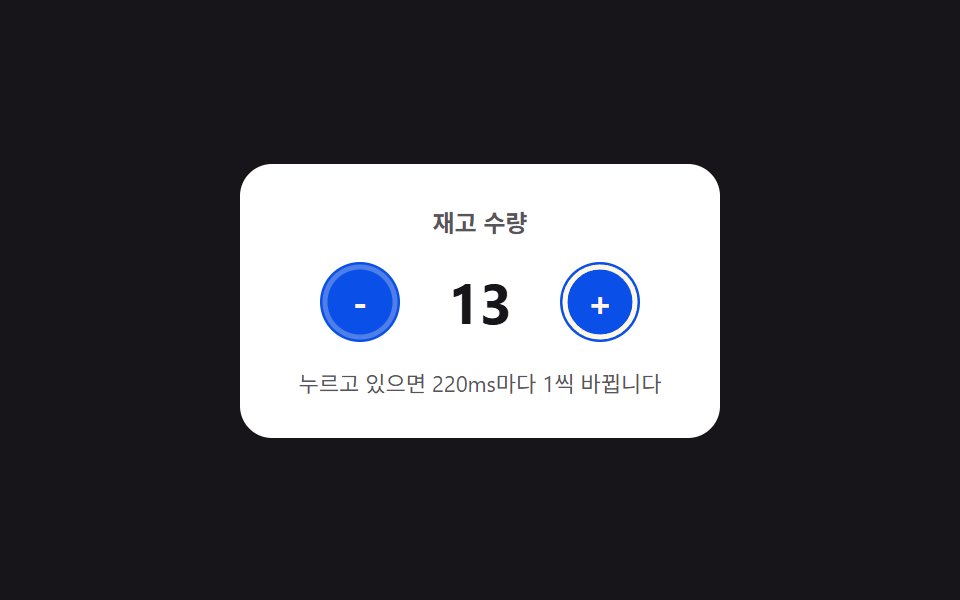 Number Stepper UI: 9 Interaction PatternsOne stepper shortens its repeat interval the longer it stays pressed, one settles past its limit along a spring curve, a See all demos in this post
If you like this effect - similar demos
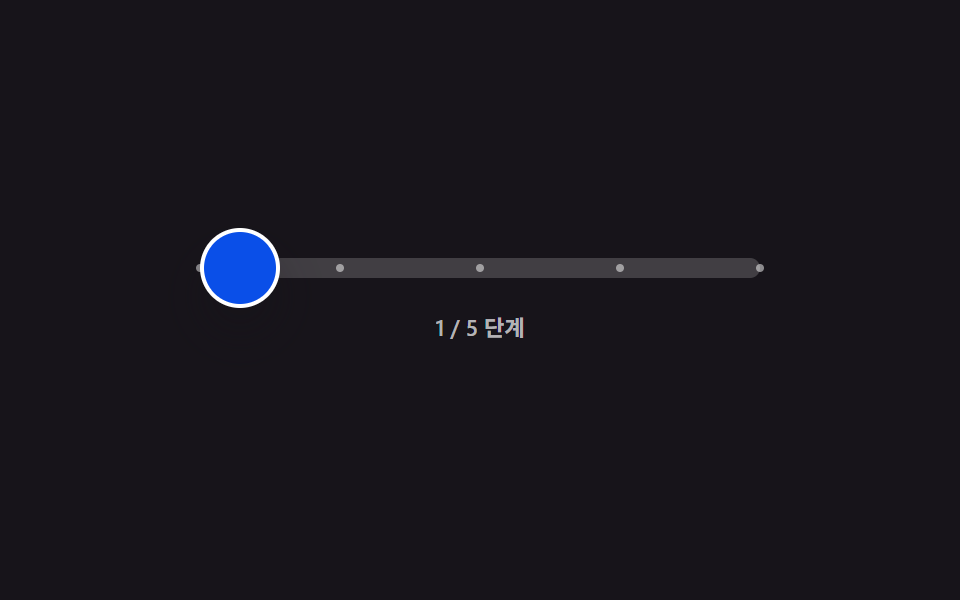 Inputs05 Step Scrubber That Keeps Coasting on Inertia After You Let GoStep Indicator UI: 9 Physics-Based Patterns
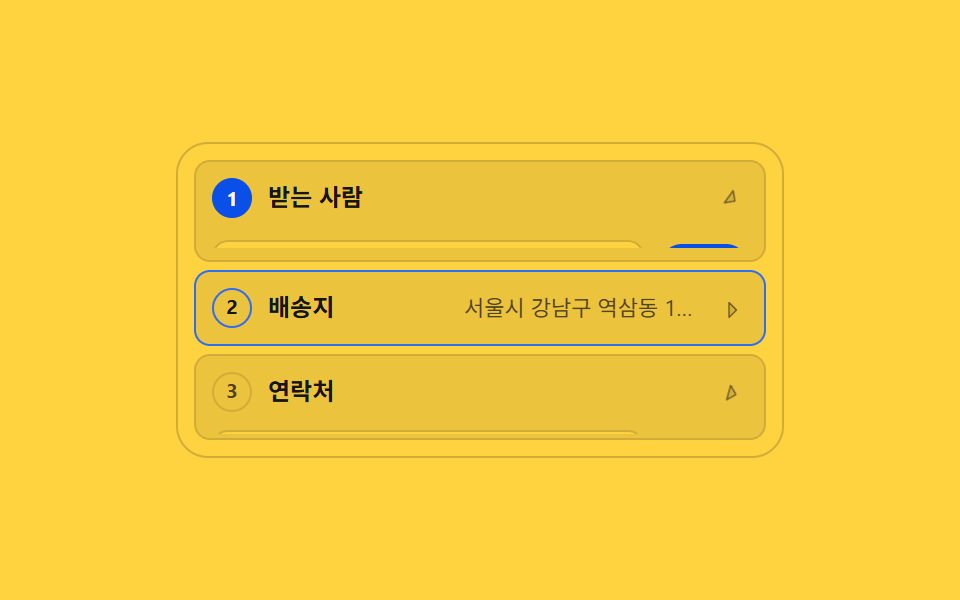 Inputs06 Vertical wizard that folds finished steps into one line9 Multi Step Form UI Patterns — Branch and Resume
 Inputs05 Live validity value toggle — each time a digit value fills in, the whole number's validity value is recalculated and the display value changesCredit Card Input UI: 9 Patterns