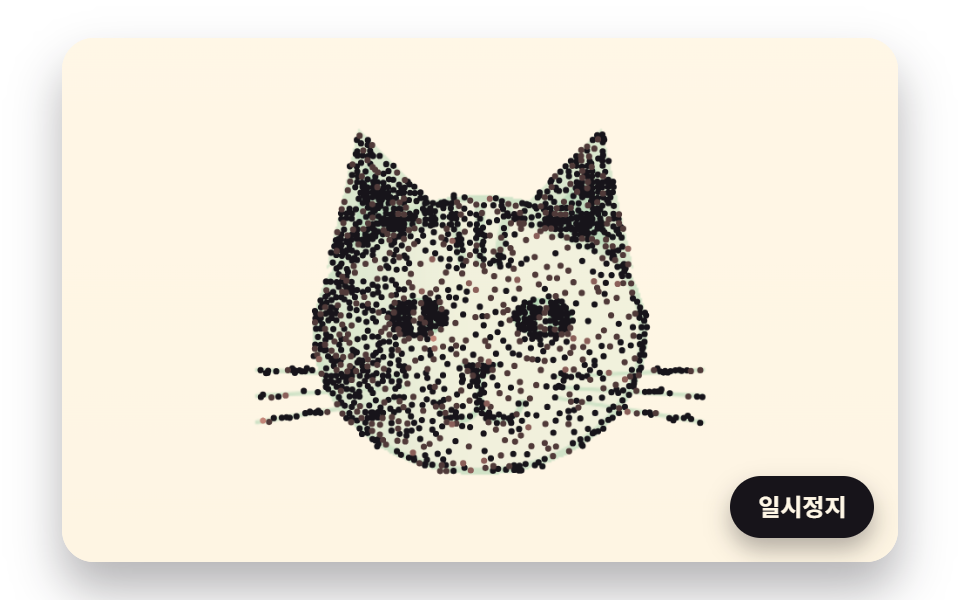
03Stippled Dots That Spread Evenly by Moving to Their Darkness-Weighted Centers
Dots are scattered more densely on darker cells, then each dot gathers the cells nearest to it and moves to their center weighted by darkness, again and again, until the clumps spread evenly and the picture sharpens.
Best forThumbnail for a portfolio project card
STIPPLE_COUNTRELAX_ROUNDSMAX_DOTS
<main class="stage">
<div class="ld is-demo" id="ld">
  <canvas class="ld__canvas" data-role="canvas" width="480" height="300" role="img" aria-label="Clumped dots that step toward their darkness centers and spread evenly until a cat face sharpens."></canvas>
  <button class="ld__pause" data-role="pause" type="button" aria-pressed="false">Pause</button>
</div>
</main>
@use "../../../../site/static/demo-tokens" as *;
@include stage($stage-paper);
.ld {
position: relative;
width: min(92vw, calc(160vh - 12.8vw));
aspect-ratio: 480 / 300;
margin: 0 auto;
border-radius: $r-card;
overflow: hidden;
box-shadow: $shadow-raised;
background: $subject-cream;
}
.ld__canvas {
position: absolute;
inset: 0;
display: block;
width: 100%;
height: 100%;
}
.ld__pause {
position: absolute;
right: $sp-3;
bottom: $sp-3;
padding: $sp-1 $sp-3;
border: 2px solid $subject-ink;
border-radius: $r-pill;
background: $subject-ink;
color: $subject-cream;
font-family: inherit;
font-weight: 700;
font-size: 12px;
line-height: 1.6;
cursor: pointer;
box-shadow: $shadow-press;
transition: transform $dur-quick $ease-spring;
}
// 눌린 상태(멈춤) — 바탕과 글자색을 뒤집어 aria-pressed 가 눈에도 보이게
.ld__pause[aria-pressed="true"] {
background: $subject-cream;
color: $subject-ink;
}
.ld__pause:hover {
transform: translateY(-2px);
}
.ld__pause:active {
transform: translateY(1px);
}
.ld__pause:focus-visible {
outline: 3px solid $subject-ink;
outline-offset: 3px;
}
// 상태 줄 — 지금 어떤 행동 중인지 글자로. 시연 중에는 aria-live off, 사람이 처음 손대면 polite
.ld__status {
position: absolute;
left: $sp-3;
top: $sp-3;
margin: 0;
padding: $sp-1 $sp-3;
border-radius: $r-pill;
background: $subject-ink;
color: $subject-cream;
font-weight: 700;
font-size: 12px;
line-height: 1.6;
pointer-events: none;
}
@media (max-width: 340px) {
.ld__pause,
.ld__status { font-size: 11px; padding: $sp-1 $sp-2; }
}
// 동작 줄이기 — 장면은 스크립트가 쉬는 자세 한 장으로 멈춘다. 버튼도 떠오르지 않게
@media (prefers-reduced-motion: reduce) {
.ld__pause { transition: none !important; }
.ld__pause:hover,
.ld__pause:active { transform: none !important; }
}html, body {
margin: 0;
overflow: hidden;
}
.stage {
box-sizing: border-box;
min-height: 100vh;
display: grid;
place-items: center;
margin: 0;
background: #ffffff;
font-family: -apple-system, "Segoe UI", "Noto Sans KR", sans-serif;
padding: clamp(8px, 4vw, 24px);
}
.ld {
position: relative;
width: min(92vw, 160vh - 12.8vw);
aspect-ratio: 480/300;
margin: 0 auto;
border-radius: 16px;
overflow: hidden;
box-shadow: 0 14px 24px rgba(23, 20, 26, 0.32);
background: #fff7e6;
}
.ld__canvas {
position: absolute;
inset: 0;
display: block;
width: 100%;
height: 100%;
}
.ld__pause {
position: absolute;
right: 12px;
bottom: 12px;
padding: 4px 12px;
border: 2px solid #17141a;
border-radius: 999px;
background: #17141a;
color: #fff7e6;
font-family: inherit;
font-weight: 700;
font-size: 12px;
line-height: 1.6;
cursor: pointer;
box-shadow: 0 6px 12px rgba(23, 20, 26, 0.32);
transition: transform 220ms cubic-bezier(0.2, 0.8, 0.2, 1);
}
.ld__pause[aria-pressed=true] {
background: #fff7e6;
color: #17141a;
}
.ld__pause:hover {
transform: translateY(-2px);
}
.ld__pause:active {
transform: translateY(1px);
}
.ld__pause:focus-visible {
outline: 3px solid #17141a;
outline-offset: 3px;
}
.ld__status {
position: absolute;
left: 12px;
top: 12px;
margin: 0;
padding: 4px 12px;
border-radius: 999px;
background: #17141a;
color: #fff7e6;
font-weight: 700;
font-size: 12px;
line-height: 1.6;
pointer-events: none;
}
@media (max-width: 340px) {
.ld__pause,
.ld__status {
font-size: 11px;
padding: 4px 8px;
}
}
@media (prefers-reduced-motion: reduce) {
.ld__pause {
transition: none !important;
}
.ld__pause:hover,
.ld__pause:active {
transform: none !important;
}
}(function () {
const root = document.getElementById("ld");
if (!root) return;
// 판 좌표 — 캔버스 안은 늘 480×300. 화면에 보이는 크기와 상관없이 계산은 이 좌표로 한다
const W = 480;
const H = 300;
const TAU = Math.PI * 2;
function clamp(v, lo, hi) { return v < lo ? lo : (v > hi ? hi : v); }
function lerp(a, b, k) { return a + (b - a) * k; }
function smooth(x) { const c = clamp(x, 0, 1); return c * c * (3 - 2 * c); }
// 시드 고정 난수 — 같은 시드면 같은 점 배치·같은 떨림이 다시 나온다 (32비트 정수 섞기)
function makeRng(seed) {
let s = seed >>> 0;
return function () {
s = (s + 0x6d2b79f5) >>> 0;
let t = s;
t = Math.imul(t ^ (t >>> 15), t | 1);
t ^= t + Math.imul(t ^ (t >>> 7), t | 61);
return ((t ^ (t >>> 14)) >>> 0) / 4294967296;
};
}
// 1차원 값 노이즈 — 정수 자리마다 시드로 정한 값(-1~1)을 두고 사이는 부드러운 보간. 손 떨림에 쓴다
const NOISE_TABLE = new Float32Array(256);
const noiseRng = makeRng(483);
for (let i = 0; i < 256; i += 1) {
NOISE_TABLE[i] = noiseRng() * 2 - 1;
}
function smoothNoise(x) {
const i = Math.floor(x);
const f = x - i;
const u = f * f * (3 - 2 * f);
return lerp(NOISE_TABLE[i & 255], NOISE_TABLE[(i + 1) & 255], u);
}
// 도형 거리 — 타원 안이면 음수, 밖이면 양수(px 에 가까운 근사). 원본 그림을 코드로 그릴 때 쓴다
function ellipseDist(x, y, cx, cy, rx, ry) {
const dx = (x - cx) / rx;
const dy = (y - cy) / ry;
return (Math.sqrt(dx * dx + dy * dy) - 1) * Math.min(rx, ry);
}
// 선분까지의 거리(px)
function segmentDist(x, y, ax, ay, bx, by) {
const vx = bx - ax;
const vy = by - ay;
const k = clamp(((x - ax) * vx + (y - ay) * vy) / Math.max(1e-9, vx * vx + vy * vy), 0, 1);
const ex = x - (ax + vx * k);
const ey = y - (ay + vy * k);
return Math.sqrt(ex * ex + ey * ey);
}
// 거리 → 칠한 정도 0~1. 경계 1px 를 부드럽게 넘긴다
function fillOf(dist) { return clamp(0.5 - dist, 0, 1); }
// 두 점 사이 거리
function dist2(ax, ay, bx, by) {
const dx = ax - bx;
const dy = ay - by;
return Math.sqrt(dx * dx + dy * dy);
}
// 꺾은선 길이 — xs·ys 를 order 순서로 이었을 때(닫지 않음)
function pathLength(xs, ys, order, n) {
let sum = 0;
for (let i = 1; i < n; i += 1) {
sum += dist2(xs[order[i - 1]], ys[order[i - 1]], xs[order[i]], ys[order[i]]);
}
return sum;
}
// 파스텔 팔레트 — 미색 종이 바탕 위에 진한 잉크 선. 잉크·종이는 데모 토큰($subject-ink·$subject-cream)과 같은 값
const PAPER = [255, 247, 230];
const INK = [23, 20, 26];
const CORAL = [244, 166, 150];
const LAVENDER = [192, 176, 236];
const BUTTER = [246, 224, 150];
const SAGE = [164, 208, 172];
const PINK = [244, 182, 204];
const SKY = [164, 206, 236];
function rgba(c, a) {
return 'rgba(' + Math.round(clamp(c[0], 0, 255)) + ',' + Math.round(clamp(c[1], 0, 255)) + ',' + Math.round(clamp(c[2], 0, 255)) + ',' + clamp(a, 0, 1).toFixed(3) + ')';
}
// 한 장면의 순환 — 그리기 → 머묾 → 지움. 지움이 끝나면 처음부터 다시
function cyclePhase(t, drawTime, holdTime) {
// 0~1 은 그리는 중, 1~2 는 머무는 중, 2~3 은 지우는 중
if (t < drawTime) {
return t / drawTime;
}
if (t < drawTime + holdTime) {
return 1 + (t - drawTime) / holdTime;
}
return 2 + (t - drawTime - holdTime) / ERASE_TIME;
}
// 지우기 시간(초) — 모든 장면이 같은 빠르기로 종이색으로 돌아간다
const ERASE_TIME = 1;
// 원본 그림 3 — 코드로 만든 고양이 얼굴. 칸마다 어둡기 0~1. 외부 사진을 읽지 않는다
// 삼각형 안인가 — 세 변에 대해 외적의 부호가 모두 같으면 안
function inTriangle(x, y, ax, ay, bx, by, cx, cy) {
const c1 = (bx - ax) * (y - ay) - (by - ay) * (x - ax);
const c2 = (cx - bx) * (y - by) - (cy - by) * (x - bx);
const c3 = (ax - cx) * (y - cy) - (ay - cy) * (x - cx);
return (c1 >= 0 && c2 >= 0 && c3 >= 0) || (c1 <= 0 && c2 <= 0 && c3 <= 0);
}
function catDark(x, y) {
let d = 0;
const head = ellipseDist(x, y, 240, 170, 96, 80);
// 귀 — 바깥은 털색, 안쪽 삼각형은 더 어둡게
if (inTriangle(x, y, 152, 132, 170, 52, 222, 104) || inTriangle(x, y, 328, 132, 310, 52, 258, 104)) {
d = Math.max(d, 0.5);
}
if (inTriangle(x, y, 166, 120, 174, 72, 206, 106) || inTriangle(x, y, 314, 120, 306, 72, 274, 106)) {
d = Math.max(d, 0.85);
}
if (head < 0) {
d = Math.max(d, 0.18 + 0.3 * smooth((236 - x) / 90));
d = Math.max(d, 0.6 * fillOf(-head - 4));
// 이마 줄무늬 셋
for (let k = -1; k <= 1; k += 1) {
d = Math.max(d, 0.62 * fillOf(segmentDist(x, y, 240 + k * 16, 98, 240 + k * 10, 128) - 3));
}
}
// 눈 — 흰자 없이 어두운 아몬드, 가운데 밝은 세로 눈동자 틈
const eyeL = ellipseDist(x, y, 204, 160, 17, 11);
const eyeR = ellipseDist(x, y, 276, 160, 17, 11);
if (eyeL < 0 || eyeR < 0) {
d = Math.max(d, 0.95);
}
if (fillOf(ellipseDist(x, y, 204, 160, 3, 9)) > 0 || fillOf(ellipseDist(x, y, 276, 160, 3, 9)) > 0) {
d = 0.3;
}
// 코와 입, 수염
if (inTriangle(x, y, 229, 186, 251, 186, 240, 198)) {
d = Math.max(d, 0.9);
}
d = Math.max(d, 0.75 * fillOf(segmentDist(x, y, 240, 198, 240, 208) - 1.8));
d = Math.max(d, 0.75 * fillOf(Math.abs(dist2(x, y, 228, 207) - 12) - 1.8) * (y > 207 ? 1 : 0));
d = Math.max(d, 0.75 * fillOf(Math.abs(dist2(x, y, 252, 207) - 12) - 1.8) * (y > 207 ? 1 : 0));
for (let k = 0; k < 3; k += 1) {
const yy = 196 + k * 9;
d = Math.max(d, 0.6 * fillOf(segmentDist(x, y, 196, 194 + k * 6, 112, yy - 6 + k * 6) - 1.2));
d = Math.max(d, 0.6 * fillOf(segmentDist(x, y, 284, 194 + k * 6, 368, yy - 6 + k * 6) - 1.2));
}
return d;
}
// 점 찍기 공용 — 어둡기만큼 점을 뿌리고, 점마다 「자기에게 가장 가까운 칸들」 의 어둡기 무게중심으로 옮긴다
// 점 수 상한 — 칸 수(아래 STIPPLE_CELL 로 160×100)와 함께 한 번 옮기기의 일이 점 수에 비례해 커진다
const MAX_DOTS = 2400;
// 칸 한 변(px) — 어둡기를 이 크기 칸의 가운데에서 한 번 재어 무게로 쓴다
const STIPPLE_CELL = 3;
// 가까운 점 찾기용 바구니 한 변(px) — 칸마다 점 전부를 훑지 않고 둘레 바구니만 본다
const BUCKET = 12;
const COLS = Math.ceil(W / STIPPLE_CELL);
const ROWS = Math.ceil(H / STIPPLE_CELL);
const BCOLS = Math.ceil(W / BUCKET);
const BROWS = Math.ceil(H / BUCKET);
// 칸 무게 — 어둡기를 칸 가운데에서 한 번만 잰다. 옮기기를 몇 번 되풀이해도 그림 함수는 다시 부르지 않는다
function makeWeights(dark) {
const w = new Float32Array(COLS * ROWS);
for (let r = 0; r < ROWS; r += 1) {
for (let c = 0; c < COLS; c += 1) {
w[r * COLS + c] = dark((c + 0.5) * STIPPLE_CELL, (r + 0.5) * STIPPLE_CELL);
}
}
return w;
}
// 어둡기만큼 뿌리기 — 아무 자리나 뽑아 그 칸 무게의 GAMMA 제곱 확률로 받아들인다(어두운 곳에 더 많이)
const SCATTER_GAMMA = 1.4;
function scatterDots(weights, count, seed) {
const n = Math.min(count, MAX_DOTS);
const rng = makeRng(seed);
const xs = new Float32Array(n);
const ys = new Float32Array(n);
let k = 0;
while (k < n) {
const x = rng() * W;
const y = rng() * H;
const wv = weights[Math.min(ROWS - 1, Math.floor(y / STIPPLE_CELL)) * COLS + Math.min(COLS - 1, Math.floor(x / STIPPLE_CELL))];
if (rng() < Math.pow(wv, SCATTER_GAMMA)) {
xs[k] = x;
ys[k] = y;
k += 1;
}
}
return { xs: xs, ys: ys, n: n };
}
// 거리 비교 횟수 — 바구니 덕에 얼마나 덜 훑는지 사실 측정이 읽는다
let nearestChecks = 0;
const bucketHead = new Int32Array(BCOLS * BROWS);
const bucketNext = new Int32Array(MAX_DOTS);
const sumX = new Float64Array(MAX_DOTS);
const sumY = new Float64Array(MAX_DOTS);
const sumW = new Float64Array(MAX_DOTS);
// 한 번 옮기기 — 칸마다 가장 가까운 점을 찾아 그 점의 합에 (칸 위치 × 무게) 를 더한 뒤, 점을 합 ÷ 무게 자리로.
// 결과는 toX·toY 에 쓰고 점들의 평균 이동 거리(px)를 돌려준다
function relaxStep(dots, weights, toX, toY) {
bucketHead.fill(-1);
for (let i = 0; i < dots.n; i += 1) {
const b = clamp(Math.floor(dots.ys[i] / BUCKET), 0, BROWS - 1) * BCOLS + clamp(Math.floor(dots.xs[i] / BUCKET), 0, BCOLS - 1);
bucketNext[i] = bucketHead[b];
bucketHead[b] = i;
sumX[i] = 0;
sumY[i] = 0;
sumW[i] = 0;
}
for (let r = 0; r < ROWS; r += 1) {
for (let c = 0; c < COLS; c += 1) {
const wv = weights[r * COLS + c];
if (wv <= 0.05) {
continue;
}
const px = (c + 0.5) * STIPPLE_CELL;
const py = (r + 0.5) * STIPPLE_CELL;
const bc = Math.floor(px / BUCKET);
const br = Math.floor(py / BUCKET);
let best = -1;
let bestD = 1e18;
// 둘레 바구니를 한 겹씩 넓힌다 — 찾은 점이 다음 겹보다 가까우면 거기서 멈춘다
for (let ring = 0; ring < Math.max(BCOLS, BROWS); ring += 1) {
for (let yy = br - ring; yy <= br + ring; yy += 1) {
if (yy < 0 || yy >= BROWS) {
continue;
}
for (let xx = bc - ring; xx <= bc + ring; xx += 1) {
if (xx < 0 || xx >= BCOLS) {
continue;
}
if (Math.max(Math.abs(xx - bc), Math.abs(yy - br)) !== ring) {
continue;
}
for (let i = bucketHead[yy * BCOLS + xx]; i >= 0; i = bucketNext[i]) {
nearestChecks += 1;
const dx = dots.xs[i] - px;
const dy = dots.ys[i] - py;
const dd = dx * dx + dy * dy;
if (dd < bestD) {
bestD = dd;
best = i;
}
}
}
}
if (best >= 0 && Math.sqrt(bestD) <= ring * BUCKET) {
break;
}
}
if (best < 0) {
continue;
}
sumX[best] += px * wv;
sumY[best] += py * wv;
sumW[best] += wv;
}
}
let moved = 0;
for (let i = 0; i < dots.n; i += 1) {
// 맡은 칸이 없는 점은 제자리 — 0 으로 나누지 않는다
toX[i] = sumW[i] > 0 ? sumX[i] / sumW[i] : dots.xs[i];
toY[i] = sumW[i] > 0 ? sumY[i] / sumW[i] : dots.ys[i];
moved += dist2(toX[i], toY[i], dots.xs[i], dots.ys[i]);
}
return moved / Math.max(1, dots.n);
}
const canvasEl = root.querySelector('[data-role="canvas"]');
const pauseEl = root.querySelector('[data-role="pause"]');
const statusEl = root.querySelector('[data-role="status"]');
const ctxRaw = canvasEl ? canvasEl.getContext('2d') : null;
if (!canvasEl || !ctxRaw || !pauseEl) {
return;
}
const cv = canvasEl;
const ctx = ctxRaw;
const pauseBtn = pauseEl;
function fitCanvas() {
// 배율은 2 에서 자른다 — 배율 3 기기에서 화소가 2.25배로 늘어 프레임마다 일이 그만큼 커지지 않게
const dpr = Math.min(window.devicePixelRatio || 1, 2);
cv.width = Math.round(W * dpr);
cv.height = Math.round(H * dpr);
ctx.setTransform(dpr, 0, 0, dpr, 0, 0);
}
// 미색 종이 — 위는 조금 밝고 아래는 조금 따뜻하게
function clearPaper() {
const g = ctx.createLinearGradient(0, 0, 0, H);
g.addColorStop(0, rgba(PAPER, 1));
g.addColorStop(1, rgba([250, 238, 216], 1));
ctx.fillStyle = g;
ctx.fillRect(0, 0, W, H);
}
// 상태 줄 — 같은 글자면 DOM 을 건드리지 않는다
let statusText = '';
function setStatus(s) {
if (!statusEl || s === statusText) {
return;
}
statusText = s;
statusEl.textContent = s;
}
// 꺾은선 — xs·ys 의 0 번부터 count 개(소수 부분은 마지막 마디를 그만큼만)를 한 번에 긋는다
function strokeRun(xs, ys, count, width, color, alpha) {
const whole = Math.floor(count);
if (whole < 1) {
return;
}
ctx.beginPath();
ctx.moveTo(xs[0], ys[0]);
const last = Math.min(whole, xs.length - 1);
for (let i = 1; i <= last; i += 1) {
ctx.lineTo(xs[i], ys[i]);
}
const f = count - whole;
if (f > 0 && whole + 1 < xs.length) {
ctx.lineTo(lerp(xs[whole], xs[whole + 1], f), lerp(ys[whole], ys[whole + 1], f));
}
ctx.lineWidth = width;
ctx.lineJoin = 'round';
ctx.lineCap = 'round';
ctx.strokeStyle = rgba(color, alpha);
ctx.stroke();
}
// 꺾은선 한 토막 — from 번째 꼭짓점부터 to 번째까지(to 의 소수 부분은 마지막 마디를 그만큼만)
function strokeSpan(xs, ys, from, to, width, color, alpha) {
const end = Math.min(Math.floor(to), xs.length - 1);
if (end <= from) {
return;
}
ctx.beginPath();
ctx.moveTo(xs[from], ys[from]);
for (let i = from + 1; i <= end; i += 1) {
ctx.lineTo(xs[i], ys[i]);
}
const f = to - Math.floor(to);
if (f > 0 && end + 1 < xs.length) {
ctx.lineTo(lerp(xs[end], xs[end + 1], f), lerp(ys[end], ys[end + 1], f));
}
ctx.lineWidth = width;
ctx.lineJoin = 'round';
ctx.lineCap = 'round';
ctx.strokeStyle = rgba(color, alpha);
ctx.stroke();
}
// 펜촉 — 지금 긋고 있는 자리. 잉크 점 둘레에 파스텔 고리
function drawNib(x, y, ring) {
ctx.beginPath();
ctx.arc(x, y, 7, 0, TAU);
ctx.fillStyle = rgba(ring, 0.75);
ctx.fill();
ctx.beginPath();
ctx.arc(x, y, 2.6, 0, TAU);
ctx.fillStyle = rgba(INK, 1);
ctx.fill();
}
// 원본 그림 판 — 어둡기 함수(0~1)를 칸마다 칠한 화면 밖 캔버스. 펜이 그리기 전에 옅게 깔아 무엇을 따라 그리는지 보인다
function makeSourceLayer(dark, tint) {
const layer = document.createElement('canvas');
layer.width = W;
layer.height = H;
const lc = layer.getContext('2d');
if (!lc) {
return layer;
}
const img = lc.createImageData(W, H);
for (let y = 0; y < H; y += 1) {
for (let x = 0; x < W; x += 1) {
const d = dark(x + 0.5, y + 0.5);
const o = (y * W + x) * 4;
img.data[o] = Math.round(lerp(PAPER[0], tint[0], d));
img.data[o + 1] = Math.round(lerp(PAPER[1], tint[1], d));
img.data[o + 2] = Math.round(lerp(PAPER[2], tint[2], d));
img.data[o + 3] = 255;
}
}
lc.putImageData(img, 0, 0);
return layer;
}
// 지우는 중이면 그림 전체를 종이색으로 덮어 간다 — phase 2~3 에서 덮개 불투명도 0→1
function eraseVeil(phase) {
if (phase <= 2) {
return;
}
ctx.fillStyle = rgba(PAPER, smooth(phase - 2));
ctx.fillRect(0, 0, W, H);
}
// 03 점 찍기 — 어두운 칸일수록 점을 많이 뿌린 뒤, RELAX_ROUNDS 번 「가장 가까운 칸들의 어둡기 무게중심」 으로 옮긴다
const STIPPLE_COUNT = 1800;
const RELAX_ROUNDS = 14;
// 한 번 옮기기마다 걸리는 시간(초) — 그 사이 점은 새 자리로 미끄러진다
const RELAX_INTERVAL = 0.22;
// 점이 새 자리를 따라가는 빠르기(1/초) — 1 − e^(−rate·dt) 만큼씩 다가간다
const GLIDE_RATE = 16;
const DRAW_TIME = RELAX_ROUNDS * RELAX_INTERVAL + 0.3;
const HOLD_TIME = 2;
const CYCLE = DRAW_TIME + HOLD_TIME + ERASE_TIME;
const START_AT = 0;
const FINISH_T = DRAW_TIME + 0.4;
const catWeights = makeWeights(catDark);
const dots03 = scatterDots(catWeights, STIPPLE_COUNT, 31);
const home03X = Float32Array.from(dots03.xs);
const home03Y = Float32Array.from(dots03.ys);
const goal03X = new Float32Array(dots03.n);
const goal03Y = new Float32Array(dots03.n);
// 점마다 최근 이동량(px) — 그리기에서 많이 움직이는 점을 산호색으로 물들인다
const motion03 = new Float32Array(dots03.n);
let rounds = 0;
let meanMove = 0;
function reset() {
dots03.xs.set(home03X);
dots03.ys.set(home03Y);
goal03X.set(home03X);
goal03Y.set(home03Y);
motion03.fill(0);
rounds = 0;
meanMove = 0;
}
function update(t, dt) {
// 정해진 시각마다 한 번 옮기기 — 새 목표는 지금 자리(미끄러지는 중이면 그 자리)에서 다시 계산한다
while (rounds < RELAX_ROUNDS && t >= 0.25 + rounds * RELAX_INTERVAL) {
meanMove = relaxStep(dots03, catWeights, goal03X, goal03Y);
rounds += 1;
}
const k = 1 - Math.exp(-GLIDE_RATE * dt);
for (let i = 0; i < dots03.n; i += 1) {
const mx = (goal03X[i] - dots03.xs[i]) * k;
const my = (goal03Y[i] - dots03.ys[i]) * k;
dots03.xs[i] += mx;
dots03.ys[i] += my;
motion03[i] = lerp(motion03[i], Math.sqrt(mx * mx + my * my) / Math.max(dt, 1e-3), 1 - Math.exp(-10 * dt));
}
}
// 원본 고양이 판 — 점이 펴지는 동안 옅어진다
const source03 = makeSourceLayer(catDark, SAGE);
// 빠르기 → 색 — 초당 MOTION_HOT px 이상 움직이는 점은 산호색, 멈춘 점은 잉크색
const MOTION_HOT = 30;
function draw(t) {
const phase = cyclePhase(t, DRAW_TIME, HOLD_TIME);
clearPaper();
ctx.globalAlpha = 0.85 * (1 - smooth(Math.min(1, phase)));
ctx.drawImage(source03, 0, 0, W, H);
ctx.globalAlpha = 1;
// 색 묶음 넷으로 나눠 경로 하나씩 칠한다 — 점마다 fill 을 부르지 않게
for (let band = 0; band < 4; band += 1) {
ctx.beginPath();
for (let i = 0; i < dots03.n; i += 1) {
const hot = clamp(motion03[i] / MOTION_HOT, 0, 1);
if (Math.min(3, Math.floor(hot * 4)) !== band) {
continue;
}
ctx.moveTo(dots03.xs[i] + 1.8, dots03.ys[i]);
ctx.arc(dots03.xs[i], dots03.ys[i], 1.8, 0, TAU);
}
const c = [lerp(INK[0], CORAL[0] * 0.8, band / 3), lerp(INK[1], CORAL[1] * 0.8, band / 3), lerp(INK[2], CORAL[2] * 0.8, band / 3)];
ctx.fillStyle = rgba(c, 1);
ctx.fill();
}
eraseVeil(phase);
}
// 한 프레임에 넘기는 시간 상한(초) — 탭을 오래 숨겼다 돌아온 첫 프레임에도 50ms 까지만 계산에 넣는다
const DT_MAX = 0.05;
// 앞당겨 돌리기 걸음(초) — 시작 자리(START_AT)나 완성 판(FINISH_T)까지 1/60초씩 계산만 하고 그리지 않는다
const SKIP_STEP = 1 / 60;
// 장면 시계(초) — 순환 하나 안에서의 자리. CYCLE 을 넘으면 0 으로 돌아가 처음부터 다시 그린다
let cycleT = 0;
let paused = false;
const reduceQuery = window.matchMedia('(prefers-reduced-motion: reduce)');
// 페이지를 연 채 동작 줄이기 설정을 바꿔도 change 리스너가 이 값을 다시 읽는다
let still = reduceQuery.matches;
// 자동 시연 중인가 — 사람이 처음 손대면 시연 표시를 떼고 상태 줄을 polite 로 켠다
let demo = root.classList.contains('is-demo');
// 리스너는 한 묶음으로 달고 정리할 때 한 번에 뗀다
const off = new AbortController();
function wake() {
if (!demo) {
return;
}
demo = false;
root.classList.remove('is-demo');
const live = root.querySelector('[aria-live]');
if (live) {
live.setAttribute('aria-live', 'polite');
}
}
// 시계를 to 초까지 계산만 하고 넘긴다
function skipTo(to) {
while (cycleT + SKIP_STEP <= to) {
cycleT += SKIP_STEP;
update(cycleT, SKIP_STEP);
}
}
function advance(dt) {
cycleT += dt;
if (cycleT >= CYCLE) {
cycleT = 0;
reset();
}
update(cycleT, dt);
}
let rafId = 0;
let lastTs = -1;
function frame(ts) {
if (still || paused) {
rafId = 0;
return;
}
if (lastTs < 0) {
lastTs = ts;
}
const dt = Math.min((ts - lastTs) / 1000, DT_MAX);
lastTs = ts;
if (dt > 0) {
advance(dt);
}
draw(cycleT);
rafId = window.requestAnimationFrame(frame);
}
function startLoop() {
if (rafId) {
return;
}
// 시계 다시 맞추기 — 멈췄던 사이의 시간을 첫 프레임 dt 로 넘기지 않는다
lastTs = -1;
rafId = window.requestAnimationFrame(frame);
}
function stopLoop() {
if (rafId) {
window.cancelAnimationFrame(rafId);
rafId = 0;
}
}
// 동작 줄이기 — 루프를 돌리지 않고 다 그려진 한 장(FINISH_T)만 그린다
function showFinished() {
stopLoop();
cycleT = 0;
reset();
skipTo(FINISH_T);
draw(cycleT);
}
function play() {
cycleT = 0;
reset();
skipTo(START_AT);
draw(cycleT);
if (!paused) {
startLoop();
}
}
pauseBtn.addEventListener('click', function () {
paused = !paused;
pauseBtn.setAttribute('aria-pressed', paused ? 'true' : 'false');
wake();
if (paused) {
stopLoop();
}
else if (!still) {
startLoop();
}
}, { signal: off.signal });
// 탭이 숨으면 루프를 멈추고, 돌아오면 시계를 다시 맞춰 이어 그린다 — 숨은 동안의 몇 초가 한 프레임에 몰리지 않게
document.addEventListener('visibilitychange', function () {
if (document.hidden) {
stopLoop();
}
else if (!paused && !still) {
startLoop();
}
}, { signal: off.signal });
// 설정이 페이지를 연 채 바뀌면 — 켜지면 완성 판으로 멈추고, 꺼지면 시연을 처음부터
reduceQuery.addEventListener('change', function () {
still = reduceQuery.matches;
if (still) {
showFinished();
}
else {
play();
}
}, { signal: off.signal });
window.addEventListener('resize', function () {
fitCanvas();
draw(cycleT);
}, { signal: off.signal });
fitCanvas();
if (still) {
showFinished();
}
else {
play();
}
return function () {
stopLoop();
off.abort();
};
})();// StippleCentroidRelax - vanilla 판(03-oneline-stipple-centroid-relax) 의 React 포트. 같은 계산을 useEffect 안에서 돌린다.
import { useEffect, useRef } from "react";
import styles from "./StippleCentroidRelax.module.scss";
const cx = (s: string): string => s.split(" ").map((n) => styles[n] ?? n).join(" ");
export default function StippleCentroidRelax() {
const rootRef = useRef<HTMLDivElement | null>(null);
useEffect(() => {
const rootEl = rootRef.current;
if (!rootEl) return;
const root: HTMLElement = rootEl;
type Pt = [number, number];
type RGB = [number, number, number];
// 점 묶음 — 좌표 두 배열과 점 수
type Dots = { xs: Float32Array; ys: Float32Array; n: number };
// 판 좌표 — 캔버스 안은 늘 480×300. 화면에 보이는 크기와 상관없이 계산은 이 좌표로 한다
const W = 480;
const H = 300;
const TAU = Math.PI * 2;
function clamp(v: number, lo: number, hi: number): number { return v < lo ? lo : (v > hi ? hi : v); }
function lerp(a: number, b: number, k: number): number { return a + (b - a) * k; }
function smooth(x: number): number { const c = clamp(x, 0, 1); return c * c * (3 - 2 * c); }
// 시드 고정 난수 — 같은 시드면 같은 점 배치·같은 떨림이 다시 나온다 (32비트 정수 섞기)
function makeRng(seed: number): () => number {
let s = seed >>> 0;
return function (): number {
s = (s + 0x6d2b79f5) >>> 0;
let t = s;
t = Math.imul(t ^ (t >>> 15), t | 1);
t ^= t + Math.imul(t ^ (t >>> 7), t | 61);
return ((t ^ (t >>> 14)) >>> 0) / 4294967296;
};
}
// 1차원 값 노이즈 — 정수 자리마다 시드로 정한 값(-1~1)을 두고 사이는 부드러운 보간. 손 떨림에 쓴다
const NOISE_TABLE = new Float32Array(256);
const noiseRng = makeRng(483);
for (let i = 0; i < 256; i += 1) { NOISE_TABLE[i] = noiseRng() * 2 - 1; }
function smoothNoise(x: number): number {
const i = Math.floor(x);
const f = x - i;
const u = f * f * (3 - 2 * f);
return lerp(NOISE_TABLE[i & 255], NOISE_TABLE[(i + 1) & 255], u);
}
// 도형 거리 — 타원 안이면 음수, 밖이면 양수(px 에 가까운 근사). 원본 그림을 코드로 그릴 때 쓴다
function ellipseDist(x: number, y: number, cx: number, cy: number, rx: number, ry: number): number {
const dx = (x - cx) / rx;
const dy = (y - cy) / ry;
return (Math.sqrt(dx * dx + dy * dy) - 1) * Math.min(rx, ry);
}
// 선분까지의 거리(px)
function segmentDist(x: number, y: number, ax: number, ay: number, bx: number, by: number): number {
const vx = bx - ax;
const vy = by - ay;
const k = clamp(((x - ax) * vx + (y - ay) * vy) / Math.max(1e-9, vx * vx + vy * vy), 0, 1);
const ex = x - (ax + vx * k);
const ey = y - (ay + vy * k);
return Math.sqrt(ex * ex + ey * ey);
}
// 거리 → 칠한 정도 0~1. 경계 1px 를 부드럽게 넘긴다
function fillOf(dist: number): number { return clamp(0.5 - dist, 0, 1); }
// 두 점 사이 거리
function dist2(ax: number, ay: number, bx: number, by: number): number {
const dx = ax - bx;
const dy = ay - by;
return Math.sqrt(dx * dx + dy * dy);
}
// 꺾은선 길이 — xs·ys 를 order 순서로 이었을 때(닫지 않음)
function pathLength(xs: Float32Array, ys: Float32Array, order: Int32Array, n: number): number {
let sum = 0;
for (let i = 1; i < n; i += 1) { sum += dist2(xs[order[i - 1]], ys[order[i - 1]], xs[order[i]], ys[order[i]]); }
return sum;
}
// 파스텔 팔레트 — 미색 종이 바탕 위에 진한 잉크 선. 잉크·종이는 데모 토큰($subject-ink·$subject-cream)과 같은 값
const PAPER: RGB = [255, 247, 230];
const INK: RGB = [23, 20, 26];
const CORAL: RGB = [244, 166, 150];
const LAVENDER: RGB = [192, 176, 236];
const BUTTER: RGB = [246, 224, 150];
const SAGE: RGB = [164, 208, 172];
const PINK: RGB = [244, 182, 204];
const SKY: RGB = [164, 206, 236];
function rgba(c: RGB, a: number): string {
return 'rgba(' + Math.round(clamp(c[0], 0, 255)) + ',' + Math.round(clamp(c[1], 0, 255)) + ',' + Math.round(clamp(c[2], 0, 255)) + ',' + clamp(a, 0, 1).toFixed(3) + ')';
}
// 한 장면의 순환 — 그리기 → 머묾 → 지움. 지움이 끝나면 처음부터 다시
function cyclePhase(t: number, drawTime: number, holdTime: number): number {
// 0~1 은 그리는 중, 1~2 는 머무는 중, 2~3 은 지우는 중
if (t < drawTime) { return t / drawTime; }
if (t < drawTime + holdTime) { return 1 + (t - drawTime) / holdTime; }
return 2 + (t - drawTime - holdTime) / ERASE_TIME;
}
// 지우기 시간(초) — 모든 장면이 같은 빠르기로 종이색으로 돌아간다
const ERASE_TIME = 1;
// 원본 그림 3 — 코드로 만든 고양이 얼굴. 칸마다 어둡기 0~1. 외부 사진을 읽지 않는다
// 삼각형 안인가 — 세 변에 대해 외적의 부호가 모두 같으면 안
function inTriangle(x: number, y: number, ax: number, ay: number, bx: number, by: number, cx: number, cy: number): boolean {
const c1 = (bx - ax) * (y - ay) - (by - ay) * (x - ax);
const c2 = (cx - bx) * (y - by) - (cy - by) * (x - bx);
const c3 = (ax - cx) * (y - cy) - (ay - cy) * (x - cx);
return (c1 >= 0 && c2 >= 0 && c3 >= 0) || (c1 <= 0 && c2 <= 0 && c3 <= 0);
}
function catDark(x: number, y: number): number {
let d = 0;
const head = ellipseDist(x, y, 240, 170, 96, 80);
// 귀 — 바깥은 털색, 안쪽 삼각형은 더 어둡게
if (inTriangle(x, y, 152, 132, 170, 52, 222, 104) || inTriangle(x, y, 328, 132, 310, 52, 258, 104)) { d = Math.max(d, 0.5); }
if (inTriangle(x, y, 166, 120, 174, 72, 206, 106) || inTriangle(x, y, 314, 120, 306, 72, 274, 106)) { d = Math.max(d, 0.85); }
if (head < 0) {
d = Math.max(d, 0.18 + 0.3 * smooth((236 - x) / 90));
d = Math.max(d, 0.6 * fillOf(-head - 4));
// 이마 줄무늬 셋
for (let k = -1; k <= 1; k += 1) { d = Math.max(d, 0.62 * fillOf(segmentDist(x, y, 240 + k * 16, 98, 240 + k * 10, 128) - 3)); }
}
// 눈 — 흰자 없이 어두운 아몬드, 가운데 밝은 세로 눈동자 틈
const eyeL = ellipseDist(x, y, 204, 160, 17, 11);
const eyeR = ellipseDist(x, y, 276, 160, 17, 11);
if (eyeL < 0 || eyeR < 0) { d = Math.max(d, 0.95); }
if (fillOf(ellipseDist(x, y, 204, 160, 3, 9)) > 0 || fillOf(ellipseDist(x, y, 276, 160, 3, 9)) > 0) { d = 0.3; }
// 코와 입, 수염
if (inTriangle(x, y, 229, 186, 251, 186, 240, 198)) { d = Math.max(d, 0.9); }
d = Math.max(d, 0.75 * fillOf(segmentDist(x, y, 240, 198, 240, 208) - 1.8));
d = Math.max(d, 0.75 * fillOf(Math.abs(dist2(x, y, 228, 207) - 12) - 1.8) * (y > 207 ? 1 : 0));
d = Math.max(d, 0.75 * fillOf(Math.abs(dist2(x, y, 252, 207) - 12) - 1.8) * (y > 207 ? 1 : 0));
for (let k = 0; k < 3; k += 1) {
const yy = 196 + k * 9;
d = Math.max(d, 0.6 * fillOf(segmentDist(x, y, 196, 194 + k * 6, 112, yy - 6 + k * 6) - 1.2));
d = Math.max(d, 0.6 * fillOf(segmentDist(x, y, 284, 194 + k * 6, 368, yy - 6 + k * 6) - 1.2));
}
return d;
}
// 점 찍기 공용 — 어둡기만큼 점을 뿌리고, 점마다 「자기에게 가장 가까운 칸들」 의 어둡기 무게중심으로 옮긴다
// 점 수 상한 — 칸 수(아래 STIPPLE_CELL 로 160×100)와 함께 한 번 옮기기의 일이 점 수에 비례해 커진다
const MAX_DOTS = 2400;
// 칸 한 변(px) — 어둡기를 이 크기 칸의 가운데에서 한 번 재어 무게로 쓴다
const STIPPLE_CELL = 3;
// 가까운 점 찾기용 바구니 한 변(px) — 칸마다 점 전부를 훑지 않고 둘레 바구니만 본다
const BUCKET = 12;
const COLS = Math.ceil(W / STIPPLE_CELL);
const ROWS = Math.ceil(H / STIPPLE_CELL);
const BCOLS = Math.ceil(W / BUCKET);
const BROWS = Math.ceil(H / BUCKET);
// 칸 무게 — 어둡기를 칸 가운데에서 한 번만 잰다. 옮기기를 몇 번 되풀이해도 그림 함수는 다시 부르지 않는다
function makeWeights(dark: (x: number, y: number) => number): Float32Array {
const w = new Float32Array(COLS * ROWS);
for (let r = 0; r < ROWS; r += 1) {
for (let c = 0; c < COLS; c += 1) { w[r * COLS + c] = dark((c + 0.5) * STIPPLE_CELL, (r + 0.5) * STIPPLE_CELL); }
}
return w;
}
// 어둡기만큼 뿌리기 — 아무 자리나 뽑아 그 칸 무게의 GAMMA 제곱 확률로 받아들인다(어두운 곳에 더 많이)
const SCATTER_GAMMA = 1.4;
function scatterDots(weights: Float32Array, count: number, seed: number): Dots {
const n = Math.min(count, MAX_DOTS);
const rng = makeRng(seed);
const xs = new Float32Array(n);
const ys = new Float32Array(n);
let k = 0;
while (k < n) {
const x = rng() * W;
const y = rng() * H;
const wv = weights[Math.min(ROWS - 1, Math.floor(y / STIPPLE_CELL)) * COLS + Math.min(COLS - 1, Math.floor(x / STIPPLE_CELL))];
if (rng() < Math.pow(wv, SCATTER_GAMMA)) { xs[k] = x; ys[k] = y; k += 1; }
}
return { xs: xs, ys: ys, n: n };
}
// 거리 비교 횟수 — 바구니 덕에 얼마나 덜 훑는지 사실 측정이 읽는다
let nearestChecks = 0;
const bucketHead = new Int32Array(BCOLS * BROWS);
const bucketNext = new Int32Array(MAX_DOTS);
const sumX = new Float64Array(MAX_DOTS);
const sumY = new Float64Array(MAX_DOTS);
const sumW = new Float64Array(MAX_DOTS);
// 한 번 옮기기 — 칸마다 가장 가까운 점을 찾아 그 점의 합에 (칸 위치 × 무게) 를 더한 뒤, 점을 합 ÷ 무게 자리로.
// 결과는 toX·toY 에 쓰고 점들의 평균 이동 거리(px)를 돌려준다
function relaxStep(dots: Dots, weights: Float32Array, toX: Float32Array, toY: Float32Array): number {
bucketHead.fill(-1);
for (let i = 0; i < dots.n; i += 1) {
const b = clamp(Math.floor(dots.ys[i] / BUCKET), 0, BROWS - 1) * BCOLS + clamp(Math.floor(dots.xs[i] / BUCKET), 0, BCOLS - 1);
bucketNext[i] = bucketHead[b];
bucketHead[b] = i;
sumX[i] = 0;
sumY[i] = 0;
sumW[i] = 0;
}
for (let r = 0; r < ROWS; r += 1) {
for (let c = 0; c < COLS; c += 1) {
const wv = weights[r * COLS + c];
if (wv <= 0.05) { continue; }
const px = (c + 0.5) * STIPPLE_CELL;
const py = (r + 0.5) * STIPPLE_CELL;
const bc = Math.floor(px / BUCKET);
const br = Math.floor(py / BUCKET);
let best = -1;
let bestD = 1e18;
// 둘레 바구니를 한 겹씩 넓힌다 — 찾은 점이 다음 겹보다 가까우면 거기서 멈춘다
for (let ring = 0; ring < Math.max(BCOLS, BROWS); ring += 1) {
for (let yy = br - ring; yy <= br + ring; yy += 1) {
if (yy < 0 || yy >= BROWS) { continue; }
for (let xx = bc - ring; xx <= bc + ring; xx += 1) {
if (xx < 0 || xx >= BCOLS) { continue; }
if (Math.max(Math.abs(xx - bc), Math.abs(yy - br)) !== ring) { continue; }
for (let i = bucketHead[yy * BCOLS + xx]; i >= 0; i = bucketNext[i]) {
nearestChecks += 1;
const dx = dots.xs[i] - px;
const dy = dots.ys[i] - py;
const dd = dx * dx + dy * dy;
if (dd < bestD) { bestD = dd; best = i; }
}
}
}
if (best >= 0 && Math.sqrt(bestD) <= ring * BUCKET) { break; }
}
if (best < 0) { continue; }
sumX[best] += px * wv;
sumY[best] += py * wv;
sumW[best] += wv;
}
}
let moved = 0;
for (let i = 0; i < dots.n; i += 1) {
// 맡은 칸이 없는 점은 제자리 — 0 으로 나누지 않는다
toX[i] = sumW[i] > 0 ? sumX[i] / sumW[i] : dots.xs[i];
toY[i] = sumW[i] > 0 ? sumY[i] / sumW[i] : dots.ys[i];
moved += dist2(toX[i], toY[i], dots.xs[i], dots.ys[i]);
}
return moved / Math.max(1, dots.n);
}
const canvasEl = root.querySelector('[data-role="canvas"]') as HTMLCanvasElement | null;
const pauseEl = root.querySelector('[data-role="pause"]') as HTMLButtonElement | null;
const statusEl = root.querySelector('[data-role="status"]') as HTMLElement | null;
const ctxRaw = canvasEl ? canvasEl.getContext('2d') : null;
if (!canvasEl || !ctxRaw || !pauseEl) { return; }
const cv: HTMLCanvasElement = canvasEl;
const ctx: CanvasRenderingContext2D = ctxRaw;
const pauseBtn: HTMLButtonElement = pauseEl;
function fitCanvas(): void {
// 배율은 2 에서 자른다 — 배율 3 기기에서 화소가 2.25배로 늘어 프레임마다 일이 그만큼 커지지 않게
const dpr = Math.min(window.devicePixelRatio || 1, 2);
cv.width = Math.round(W * dpr);
cv.height = Math.round(H * dpr);
ctx.setTransform(dpr, 0, 0, dpr, 0, 0);
}
// 미색 종이 — 위는 조금 밝고 아래는 조금 따뜻하게
function clearPaper(): void {
const g = ctx.createLinearGradient(0, 0, 0, H);
g.addColorStop(0, rgba(PAPER, 1));
g.addColorStop(1, rgba([250, 238, 216], 1));
ctx.fillStyle = g;
ctx.fillRect(0, 0, W, H);
}
// 상태 줄 — 같은 글자면 DOM 을 건드리지 않는다
let statusText = '';
function setStatus(s: string): void {
if (!statusEl || s === statusText) { return; }
statusText = s;
statusEl.textContent = s;
}
// 꺾은선 — xs·ys 의 0 번부터 count 개(소수 부분은 마지막 마디를 그만큼만)를 한 번에 긋는다
function strokeRun(xs: Float32Array, ys: Float32Array, count: number, width: number, color: RGB, alpha: number): void {
const whole = Math.floor(count);
if (whole < 1) { return; }
ctx.beginPath();
ctx.moveTo(xs[0], ys[0]);
const last = Math.min(whole, xs.length - 1);
for (let i = 1; i <= last; i += 1) { ctx.lineTo(xs[i], ys[i]); }
const f = count - whole;
if (f > 0 && whole + 1 < xs.length) { ctx.lineTo(lerp(xs[whole], xs[whole + 1], f), lerp(ys[whole], ys[whole + 1], f)); }
ctx.lineWidth = width;
ctx.lineJoin = 'round';
ctx.lineCap = 'round';
ctx.strokeStyle = rgba(color, alpha);
ctx.stroke();
}
// 꺾은선 한 토막 — from 번째 꼭짓점부터 to 번째까지(to 의 소수 부분은 마지막 마디를 그만큼만)
function strokeSpan(xs: Float32Array, ys: Float32Array, from: number, to: number, width: number, color: RGB, alpha: number): void {
const end = Math.min(Math.floor(to), xs.length - 1);
if (end <= from) { return; }
ctx.beginPath();
ctx.moveTo(xs[from], ys[from]);
for (let i = from + 1; i <= end; i += 1) { ctx.lineTo(xs[i], ys[i]); }
const f = to - Math.floor(to);
if (f > 0 && end + 1 < xs.length) { ctx.lineTo(lerp(xs[end], xs[end + 1], f), lerp(ys[end], ys[end + 1], f)); }
ctx.lineWidth = width;
ctx.lineJoin = 'round';
ctx.lineCap = 'round';
ctx.strokeStyle = rgba(color, alpha);
ctx.stroke();
}
// 펜촉 — 지금 긋고 있는 자리. 잉크 점 둘레에 파스텔 고리
function drawNib(x: number, y: number, ring: RGB): void {
ctx.beginPath();
ctx.arc(x, y, 7, 0, TAU);
ctx.fillStyle = rgba(ring, 0.75);
ctx.fill();
ctx.beginPath();
ctx.arc(x, y, 2.6, 0, TAU);
ctx.fillStyle = rgba(INK, 1);
ctx.fill();
}
// 원본 그림 판 — 어둡기 함수(0~1)를 칸마다 칠한 화면 밖 캔버스. 펜이 그리기 전에 옅게 깔아 무엇을 따라 그리는지 보인다
function makeSourceLayer(dark: (x: number, y: number) => number, tint: RGB): HTMLCanvasElement {
const layer = document.createElement('canvas');
layer.width = W;
layer.height = H;
const lc = layer.getContext('2d');
if (!lc) { return layer; }
const img = lc.createImageData(W, H);
for (let y = 0; y < H; y += 1) {
for (let x = 0; x < W; x += 1) {
const d = dark(x + 0.5, y + 0.5);
const o = (y * W + x) * 4;
img.data[o] = Math.round(lerp(PAPER[0], tint[0], d));
img.data[o + 1] = Math.round(lerp(PAPER[1], tint[1], d));
img.data[o + 2] = Math.round(lerp(PAPER[2], tint[2], d));
img.data[o + 3] = 255;
}
}
lc.putImageData(img, 0, 0);
return layer;
}
// 지우는 중이면 그림 전체를 종이색으로 덮어 간다 — phase 2~3 에서 덮개 불투명도 0→1
function eraseVeil(phase: number): void {
if (phase <= 2) { return; }
ctx.fillStyle = rgba(PAPER, smooth(phase - 2));
ctx.fillRect(0, 0, W, H);
}
// 03 점 찍기 — 어두운 칸일수록 점을 많이 뿌린 뒤, RELAX_ROUNDS 번 「가장 가까운 칸들의 어둡기 무게중심」 으로 옮긴다
const STIPPLE_COUNT = 1800;
const RELAX_ROUNDS = 14;
// 한 번 옮기기마다 걸리는 시간(초) — 그 사이 점은 새 자리로 미끄러진다
const RELAX_INTERVAL = 0.22;
// 점이 새 자리를 따라가는 빠르기(1/초) — 1 − e^(−rate·dt) 만큼씩 다가간다
const GLIDE_RATE = 16;
const DRAW_TIME = RELAX_ROUNDS * RELAX_INTERVAL + 0.3;
const HOLD_TIME = 2;
const CYCLE = DRAW_TIME + HOLD_TIME + ERASE_TIME;
const START_AT = 0;
const FINISH_T = DRAW_TIME + 0.4;
const catWeights = makeWeights(catDark);
const dots03: Dots = scatterDots(catWeights, STIPPLE_COUNT, 31);
const home03X = Float32Array.from(dots03.xs);
const home03Y = Float32Array.from(dots03.ys);
const goal03X = new Float32Array(dots03.n);
const goal03Y = new Float32Array(dots03.n);
// 점마다 최근 이동량(px) — 그리기에서 많이 움직이는 점을 산호색으로 물들인다
const motion03 = new Float32Array(dots03.n);
let rounds = 0;
let meanMove = 0;
function reset(): void {
dots03.xs.set(home03X);
dots03.ys.set(home03Y);
goal03X.set(home03X);
goal03Y.set(home03Y);
motion03.fill(0);
rounds = 0;
meanMove = 0;
}
function update(t: number, dt: number): void {
// 정해진 시각마다 한 번 옮기기 — 새 목표는 지금 자리(미끄러지는 중이면 그 자리)에서 다시 계산한다
while (rounds < RELAX_ROUNDS && t >= 0.25 + rounds * RELAX_INTERVAL) {
meanMove = relaxStep(dots03, catWeights, goal03X, goal03Y);
rounds += 1;
}
const k = 1 - Math.exp(-GLIDE_RATE * dt);
for (let i = 0; i < dots03.n; i += 1) {
const mx = (goal03X[i] - dots03.xs[i]) * k;
const my = (goal03Y[i] - dots03.ys[i]) * k;
dots03.xs[i] += mx;
dots03.ys[i] += my;
motion03[i] = lerp(motion03[i], Math.sqrt(mx * mx + my * my) / Math.max(dt, 1e-3), 1 - Math.exp(-10 * dt));
}
}
// 원본 고양이 판 — 점이 펴지는 동안 옅어진다
const source03 = makeSourceLayer(catDark, SAGE);
// 빠르기 → 색 — 초당 MOTION_HOT px 이상 움직이는 점은 산호색, 멈춘 점은 잉크색
const MOTION_HOT = 30;
function draw(t: number): void {
const phase = cyclePhase(t, DRAW_TIME, HOLD_TIME);
clearPaper();
ctx.globalAlpha = 0.85 * (1 - smooth(Math.min(1, phase)));
ctx.drawImage(source03, 0, 0, W, H);
ctx.globalAlpha = 1;
// 색 묶음 넷으로 나눠 경로 하나씩 칠한다 — 점마다 fill 을 부르지 않게
for (let band = 0; band < 4; band += 1) {
ctx.beginPath();
for (let i = 0; i < dots03.n; i += 1) {
const hot = clamp(motion03[i] / MOTION_HOT, 0, 1);
if (Math.min(3, Math.floor(hot * 4)) !== band) { continue; }
ctx.moveTo(dots03.xs[i] + 1.8, dots03.ys[i]);
ctx.arc(dots03.xs[i], dots03.ys[i], 1.8, 0, TAU);
}
const c: RGB = [lerp(INK[0], CORAL[0] * 0.8, band / 3), lerp(INK[1], CORAL[1] * 0.8, band / 3), lerp(INK[2], CORAL[2] * 0.8, band / 3)];
ctx.fillStyle = rgba(c, 1);
ctx.fill();
}
eraseVeil(phase);
}
// 한 프레임에 넘기는 시간 상한(초) — 탭을 오래 숨겼다 돌아온 첫 프레임에도 50ms 까지만 계산에 넣는다
const DT_MAX = 0.05;
// 앞당겨 돌리기 걸음(초) — 시작 자리(START_AT)나 완성 판(FINISH_T)까지 1/60초씩 계산만 하고 그리지 않는다
const SKIP_STEP = 1 / 60;
// 장면 시계(초) — 순환 하나 안에서의 자리. CYCLE 을 넘으면 0 으로 돌아가 처음부터 다시 그린다
let cycleT = 0;
let paused = false;
const reduceQuery = window.matchMedia('(prefers-reduced-motion: reduce)');
// 페이지를 연 채 동작 줄이기 설정을 바꿔도 change 리스너가 이 값을 다시 읽는다
let still = reduceQuery.matches;
// 자동 시연 중인가 — 사람이 처음 손대면 시연 표시를 떼고 상태 줄을 polite 로 켠다
let demo = root.classList.contains('is-demo');
// 리스너는 한 묶음으로 달고 정리할 때 한 번에 뗀다
const off = new AbortController();
function wake(): void {
if (!demo) { return; }
demo = false;
root.classList.remove('is-demo');
const live = root.querySelector('[aria-live]');
if (live) { live.setAttribute('aria-live', 'polite'); }
}
// 시계를 to 초까지 계산만 하고 넘긴다
function skipTo(to: number): void {
while (cycleT + SKIP_STEP <= to) {
cycleT += SKIP_STEP;
update(cycleT, SKIP_STEP);
}
}
function advance(dt: number): void {
cycleT += dt;
if (cycleT >= CYCLE) {
cycleT = 0;
reset();
}
update(cycleT, dt);
}
let rafId = 0;
let lastTs = -1;
function frame(ts: number): void {
if (still || paused) { rafId = 0; return; }
if (lastTs < 0) { lastTs = ts; }
const dt = Math.min((ts - lastTs) / 1000, DT_MAX);
lastTs = ts;
if (dt > 0) { advance(dt); }
draw(cycleT);
rafId = window.requestAnimationFrame(frame);
}
function startLoop(): void {
if (rafId) { return; }
// 시계 다시 맞추기 — 멈췄던 사이의 시간을 첫 프레임 dt 로 넘기지 않는다
lastTs = -1;
rafId = window.requestAnimationFrame(frame);
}
function stopLoop(): void {
if (rafId) { window.cancelAnimationFrame(rafId); rafId = 0; }
}
// 동작 줄이기 — 루프를 돌리지 않고 다 그려진 한 장(FINISH_T)만 그린다
function showFinished(): void {
stopLoop();
cycleT = 0;
reset();
skipTo(FINISH_T);
draw(cycleT);
}
function play(): void {
cycleT = 0;
reset();
skipTo(START_AT);
draw(cycleT);
if (!paused) { startLoop(); }
}
pauseBtn.addEventListener('click', function (): void {
paused = !paused;
pauseBtn.setAttribute('aria-pressed', paused ? 'true' : 'false');
wake();
if (paused) { stopLoop(); } else if (!still) { startLoop(); }
}, { signal: off.signal });
// 탭이 숨으면 루프를 멈추고, 돌아오면 시계를 다시 맞춰 이어 그린다 — 숨은 동안의 몇 초가 한 프레임에 몰리지 않게
document.addEventListener('visibilitychange', function (): void {
if (document.hidden) { stopLoop(); } else if (!paused && !still) { startLoop(); }
}, { signal: off.signal });
// 설정이 페이지를 연 채 바뀌면 — 켜지면 완성 판으로 멈추고, 꺼지면 시연을 처음부터
reduceQuery.addEventListener('change', function (): void {
still = reduceQuery.matches;
if (still) { showFinished(); } else { play(); }
}, { signal: off.signal });
window.addEventListener('resize', function (): void {
fitCanvas();
draw(cycleT);
}, { signal: off.signal });
fitCanvas();
if (still) { showFinished(); } else { play(); }
return function (): void {
stopLoop();
off.abort();
};
}, []);
return (
<div className={cx("ld") + " is-demo"} ref={rootRef}>
<canvas className={cx("ld__canvas")} data-role="canvas" width={480} height={300} role="img" aria-label="뭉쳐 뿌려진 점들이 어둡기 무게중심으로 조금씩 옮겨 가며 고르게 펴져 고양이 얼굴이 또렷해지는 그림."></canvas>
<button className={cx("ld__pause")} data-role="pause" type="button" aria-pressed="false">{'일시정지'}</button>
</div>
);
}03 Stippled Dots That Spread Evenly by Moving to Their Darkness-Weighted Centers — Measured area 12.4% · moving frames 14/23Original by GODRICH · SCSS and React ship in the zip · One Line Drawing Generator: 9 Canvas Scenes
The post this demo lives in
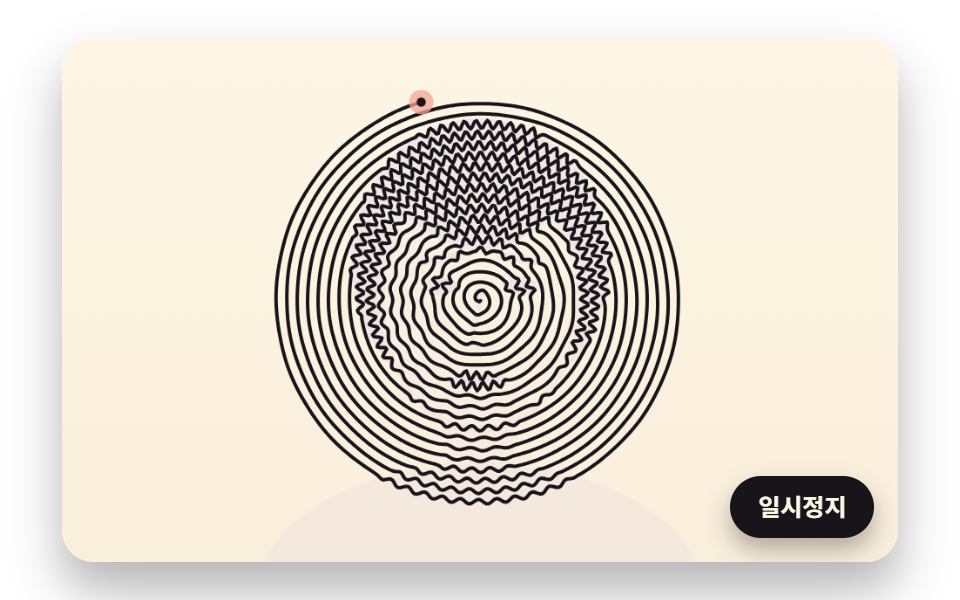 One Line Drawing Generator: 9 Canvas ScenesIn a one line drawing generator, join each dot to its nearest neighbor and the line keeps crossing itself, so 04 flips c See all demos in this post
If you like this effect - similar demos
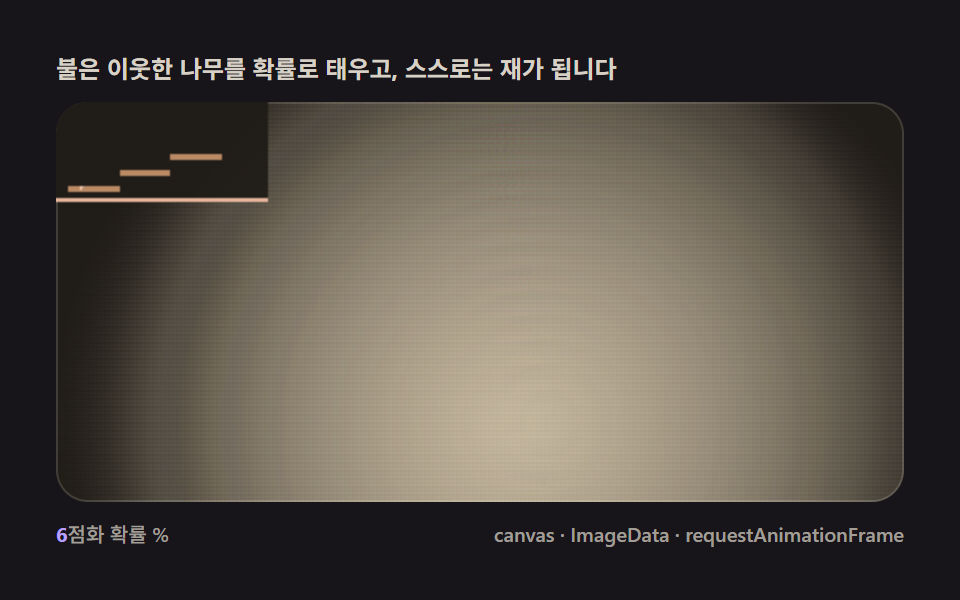 Creative UI04 Fire spread — a consumption rule that burns neighboring fuel and shrinksFalling Sand Simulator, 9 Ways (No Library)
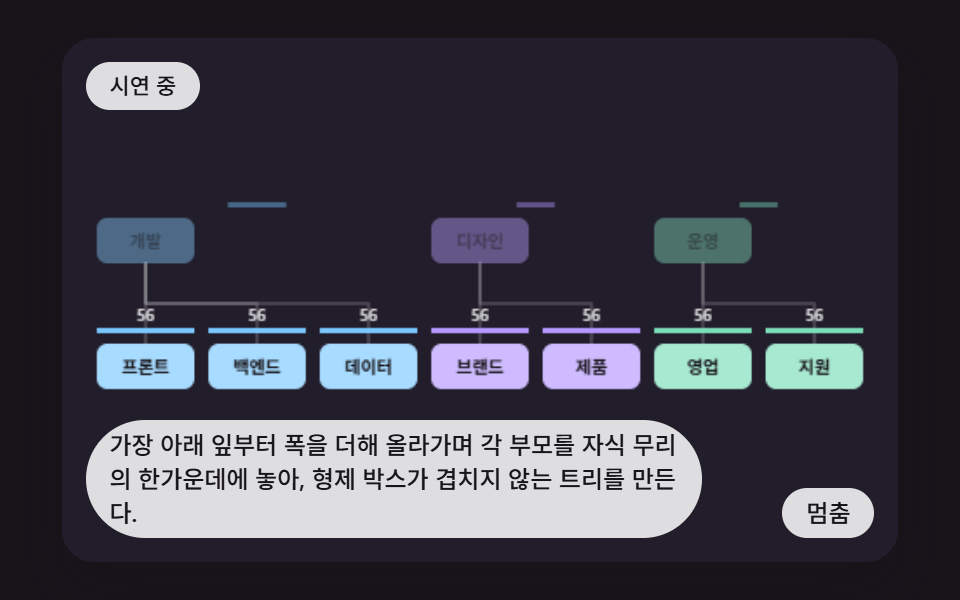 Creative UI01 Base Layout That Centers Each Parent Over Measured Branch WidthsCSS Org Chart: 9 Tidy Tree Layout Demos
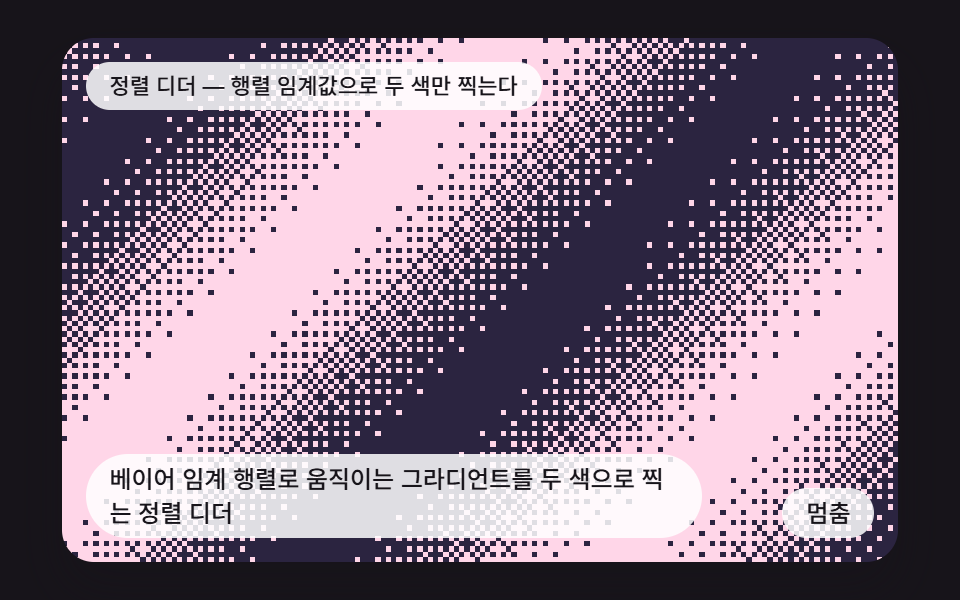 Creative UI01 An Ordered Dither That Stamps a Moving Gradient in Two Colors with a Bayer MatrixCSS Dither: 9 Scenes Drawn by Threshold Math