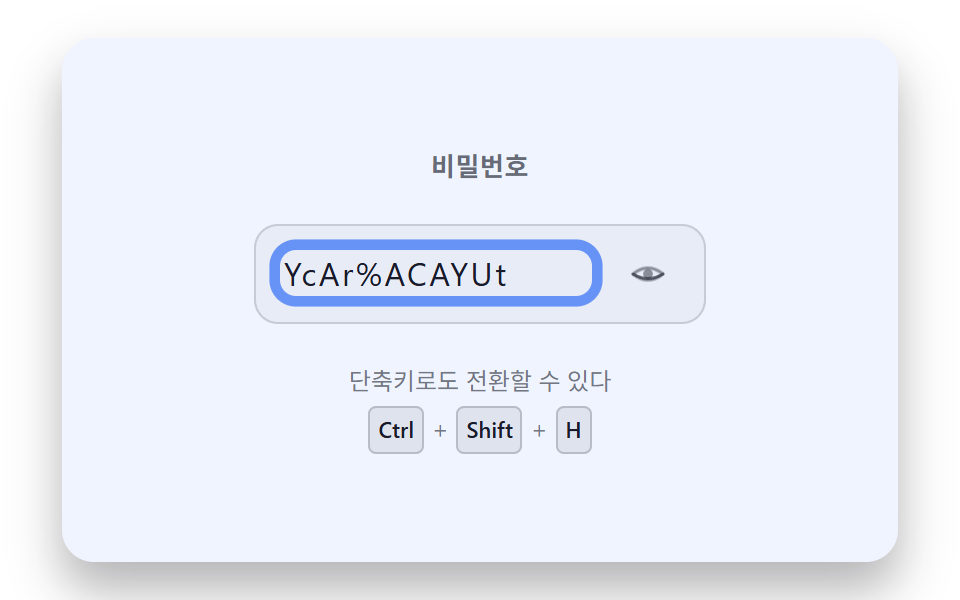
08Keyboard Path Where a Shortcut Toggle Brightens the Focus Ring
Pressing the shortcut without a mouse toggles the value and brightens the focus ring to show what changed.
Best forKeyboard-only accessible login form
FOCUS_RING_FLASH_MSflashFocusRing--ring-alpha
<main class="stage">
<div class="pkf is-demo" id="pkfRoot">
  <label class="pkf__label" for="pkfInput">Password</label>
  <div class="pkf__field">
    <input class="pkf__input" id="pkfInput" type="password" aria-describedby="pkfHint">
    <button class="pkf__eyeBtn" id="pkfEyeBtn" type="button" aria-pressed="false" aria-label="Show password">
      <svg class="pkf__eye" viewBox="0 0 24 24" width="18" height="18" aria-hidden="true">
        <path class="pkf__eyeOpen" d="M2,12 Q12,4 22,12 Q12,20 2,12Z" fill="none" stroke="currentColor" stroke-width="2" stroke-linejoin="round"/>
        <circle class="pkf__eyeOpen" cx="12" cy="12" r="3.2" fill="currentColor"/>
        <path class="pkf__eyeShut" d="M2,12 Q12,18 22,12" fill="none" stroke="currentColor" stroke-width="2" stroke-linecap="round"/>
      </svg>
    </button>
  </div>
  <p class="pkf__hint" id="pkfHint">
    <span class="pkf__hintText">It can also be toggled with a keyboard shortcut</span>
    <span class="pkf__combo"><kbd class="pkf__kbd">Ctrl</kbd>+<kbd class="pkf__kbd">Shift</kbd>+<kbd class="pkf__kbd">H</kbd></span>
  </p>
</div>
</main>
@use "../../../../site/static/demo-tokens" as *;
@include stage($stage-paper);
.pkf {
position: relative;
width: min(92vw, calc(160vh - 12.8vw));
aspect-ratio: 480 / 300;
margin: 0 auto;
border-radius: $r-card;
overflow: hidden;
box-shadow: $shadow-raised;
background: $stage-paper;
display: flex;
flex-direction: column;
align-items: center;
justify-content: center;
gap: $sp-5;
padding: $sp-6;
box-sizing: border-box;
color: $subject-ink;
font-family: -apple-system, "Segoe UI", "Noto Sans KR", sans-serif;
text-align: center;
}
.pkf__label {
font-weight: 600;
font-size: 13px;
letter-spacing: .02em;
color: rgba(23, 20, 26, .64);
}
.pkf__field {
display: flex;
align-items: center;
gap: $sp-3;
background: rgba(23, 20, 26, .04);
border: 1px solid rgba(23, 20, 26, .16);
border-radius: $r-control;
padding: $sp-2 $sp-3;
--ring-alpha: 0;
}
.pkf__input {
--ring-alpha: 0;
background: transparent;
border: none;
outline: none;
color: $subject-ink;
font-size: 16px;
letter-spacing: .08em;
width: 9.5em;
font-family: inherit;
box-shadow: 0 0 0 calc(2px + var(--ring-alpha) * 4px) rgba(47, 109, 246, calc(.22 + var(--ring-alpha) * .58));
border-radius: $r-sm;
}
.pkf__eyeBtn {
display: grid;
place-items: center;
width: 32px;
height: 32px;
padding: 0;
border: none;
border-radius: $r-pill;
background: transparent;
color: $subject-ink;
cursor: pointer;
}
.pkf__eyeBtn:focus-visible {
outline: 2px solid $subject-blue;
outline-offset: 2px;
}
.pkf__eyeShut { opacity: 0; }
.pkf__eyeOpen { opacity: 1; }
.pkf.is-open .pkf__eyeShut { opacity: 1; }
.pkf.is-open .pkf__eyeOpen { opacity: 0; }
.pkf__eyeOpen, .pkf__eyeShut { transition: opacity $dur-quick $ease-out; }
// 배경 톤: 포커스 링에 이미 쓰는 파란 톤을 is-open 카드 전체로도 넓힌다(새 색 도입 없음).
.pkf::before {
content: "";
position: absolute;
inset: 0;
pointer-events: none;
background: rgba(47, 109, 246, 0);
transition: background-color .22s ease;
}
.pkf.is-open::before {
background: rgba(47, 109, 246, .12);
}
.pkf__hint {
margin: 0;
display: flex;
flex-direction: column;
align-items: center;
gap: $sp-1;
font-size: 12px;
line-height: 1.4;
color: rgba(23, 20, 26, .58);
}
.pkf__combo {
display: inline-flex;
align-items: center;
gap: $sp-1;
}
.pkf__kbd {
font-family: inherit;
font-size: 11px;
font-weight: 600;
color: $subject-ink;
background: rgba(23, 20, 26, .08);
border: 1px solid rgba(23, 20, 26, .2);
border-radius: $r-xs;
padding: $sp-1 $sp-1;
line-height: 1.3;
}
@media (max-width: 340px) {
.pkf { gap: $sp-3; padding: $sp-4; }
.pkf__hint { font-size: 10px; }
}
@media (prefers-reduced-motion: reduce) {
.pkf__input { transition: none; }
.pkf__eyeOpen, .pkf__eyeShut { transition: none; }
.pkf::before { transition: none; }
}html, body {
margin: 0;
overflow: hidden;
}
.stage {
box-sizing: border-box;
min-height: 100vh;
display: grid;
place-items: center;
margin: 0;
background: #ffffff;
font-family: -apple-system, "Segoe UI", "Noto Sans KR", sans-serif;
padding: clamp(8px, 4vw, 24px);
}
.pkf {
position: relative;
width: min(92vw, 160vh - 12.8vw);
aspect-ratio: 480/300;
margin: 0 auto;
border-radius: 16px;
overflow: hidden;
box-shadow: 0 14px 24px rgba(23, 20, 26, 0.32);
background: #ffffff;
display: flex;
flex-direction: column;
align-items: center;
justify-content: center;
gap: 20px;
padding: 24px;
box-sizing: border-box;
color: #17141a;
font-family: -apple-system, "Segoe UI", "Noto Sans KR", sans-serif;
text-align: center;
}
.pkf__label {
font-weight: 600;
font-size: 13px;
letter-spacing: 0.02em;
color: rgba(23, 20, 26, 0.64);
}
.pkf__field {
display: flex;
align-items: center;
gap: 12px;
background: rgba(23, 20, 26, 0.04);
border: 1px solid rgba(23, 20, 26, 0.16);
border-radius: 12px;
padding: 8px 12px;
--ring-alpha: 0;
}
.pkf__input {
--ring-alpha: 0;
background: transparent;
border: none;
outline: none;
color: #17141a;
font-size: 16px;
letter-spacing: 0.08em;
width: 9.5em;
font-family: inherit;
box-shadow: 0 0 0 calc(2px + var(--ring-alpha) * 4px) rgba(47, 109, 246, calc(0.22 + var(--ring-alpha) * 0.58));
border-radius: 8px;
}
.pkf__eyeBtn {
display: grid;
place-items: center;
width: 32px;
height: 32px;
padding: 0;
border: none;
border-radius: 999px;
background: transparent;
color: #17141a;
cursor: pointer;
}
.pkf__eyeBtn:focus-visible {
outline: 2px solid #2f6df6;
outline-offset: 2px;
}
.pkf__eyeShut {
opacity: 0;
}
.pkf__eyeOpen {
opacity: 1;
}
.pkf.is-open .pkf__eyeShut {
opacity: 1;
}
.pkf.is-open .pkf__eyeOpen {
opacity: 0;
}
.pkf__eyeOpen, .pkf__eyeShut {
transition: opacity 220ms ease-out;
}
.pkf::before {
content: "";
position: absolute;
inset: 0;
pointer-events: none;
background: rgba(47, 109, 246, 0);
transition: background-color 0.22s ease;
}
.pkf.is-open::before {
background: rgba(47, 109, 246, 0.12);
}
.pkf__hint {
margin: 0;
display: flex;
flex-direction: column;
align-items: center;
gap: 4px;
font-size: 12px;
line-height: 1.4;
color: rgba(23, 20, 26, 0.58);
}
.pkf__combo {
display: inline-flex;
align-items: center;
gap: 4px;
}
.pkf__kbd {
font-family: inherit;
font-size: 11px;
font-weight: 600;
color: #17141a;
background: rgba(23, 20, 26, 0.08);
border: 1px solid rgba(23, 20, 26, 0.2);
border-radius: 4px;
padding: 4px 4px;
line-height: 1.3;
}
@media (max-width: 340px) {
.pkf {
gap: 12px;
padding: 16px;
}
.pkf__hint {
font-size: 10px;
}
}
@media (prefers-reduced-motion: reduce) {
.pkf__input {
transition: none;
}
.pkf__eyeOpen, .pkf__eyeShut {
transition: none;
}
.pkf::before {
transition: none;
}
}(function () {
// 기법: input 자체에 건 keydown 이 Ctrl+Shift+H 를 잡아 toggleReveal() 로 type 을 바꾸고
// flashFocusRing() 이 호출 시각부터 rAF 로 t 를 늘려 envelope = max(0, 1 - t/FOCUS_RING_FLASH_MS)
// (선형 감쇠 — 튕김 없는 단조 감쇠라 사인·지수보다 이 값에 맞다)를 계산해 CSS 변수
// --ring-alpha 에 매 프레임 써 넣는다. scss 는 box-shadow 확장을 그 변수로만 읽는다.
var root = document.getElementById('pkfRoot');
var input = document.getElementById('pkfInput');
var eyeBtn = document.getElementById('pkfEyeBtn');
var FOCUS_RING_FLASH_MS = 500;
function seedRand(seed) {
var s = seed >>> 0;
return function () { s = (s * 1664525 + 1013904223) >>> 0; return s / 4294967296; };
}
var pwRand = seedRand(426081);
var PW_POOL = 'ABCDEFGHJKMNPQRSTUVWXYZabcdefghijkmnpqrstuvwxyz23456789!@#$%';
function pickPassword(len) {
var out = '';
for (var i = 0; i < len; i += 1) out += PW_POOL[Math.floor(pwRand() * PW_POOL.length)];
return out;
}
input.value = pickPassword(11);
function toggleReveal() {
var willShow = input.type === 'password';
input.type = willShow ? 'text' : 'password';
eyeBtn.setAttribute('aria-pressed', String(willShow));
root.classList.toggle('is-open', willShow);
}
var reduce = window.matchMedia('(prefers-reduced-motion: reduce)').matches;
var flashStart = 0;
var flashRaf = null;
var reduceFlashTimer = null;
function step(ts) {
var t = ts - flashStart;
var envelope = Math.max(0, 1 - t / FOCUS_RING_FLASH_MS);
input.style.setProperty('--ring-alpha', String(envelope));
if (envelope > 0) {
flashRaf = requestAnimationFrame(step);
} else {
flashRaf = null;
}
}
function flashFocusRing() {
if (reduce) {
input.style.setProperty('--ring-alpha', '1');
window.clearTimeout(reduceFlashTimer);
reduceFlashTimer = window.setTimeout(function () {
input.style.setProperty('--ring-alpha', '0');
}, FOCUS_RING_FLASH_MS);
return;
}
flashStart = performance.now();
if (flashRaf !== null) return;
flashRaf = requestAnimationFrame(step);
}
input.addEventListener('keydown', function (e) {
if (e.ctrlKey && e.shiftKey && e.code === 'KeyH') {
e.preventDefault();
toggleReveal();
flashFocusRing();
}
});
eyeBtn.addEventListener('click', function () {
toggleReveal();
flashFocusRing();
input.focus({ preventScroll: true });
});
if (reduce) root.classList.remove('is-demo');
function demoLoop() {
if (!root.classList.contains('is-demo')) return;
toggleReveal();
flashFocusRing();
setTimeout(demoLoop, 2000);
}
if (!reduce) setTimeout(demoLoop, 200);
})();import { useEffect, useRef } from "react";
import styles from "./PasswordRevealKeyboardShortcutFocusRing.module.scss";
export default function PasswordRevealKeyboardShortcutFocusRing() {
const rootRef = useRef<HTMLDivElement>(null);
const inputRef = useRef<HTMLInputElement>(null);
const eyeBtnRef = useRef<HTMLButtonElement>(null);
useEffect(() => {
const root = rootRef.current;
const input = inputRef.current;
const eyeBtn = eyeBtnRef.current;
if (!root || !input || !eyeBtn) return;
const FOCUS_RING_FLASH_MS = 500;
function seedRand(seed: number) {
let s = seed >>> 0;
return function () { s = (s * 1664525 + 1013904223) >>> 0; return s / 4294967296; };
}
const pwRand = seedRand(426082);
const PW_POOL = "ABCDEFGHJKMNPQRSTUVWXYZabcdefghijkmnpqrstuvwxyz23456789!@#$%";
function pickPassword(len: number) {
let out = "";
for (let i = 0; i < len; i += 1) out += PW_POOL[Math.floor(pwRand() * PW_POOL.length)];
return out;
}
input.value = pickPassword(11);
function toggleReveal() {
const willShow = input!.type === "password";
input!.type = willShow ? "text" : "password";
eyeBtn!.setAttribute("aria-pressed", String(willShow));
root!.classList.toggle("is-open", willShow);
}
const reduce = window.matchMedia("(prefers-reduced-motion: reduce)").matches;
let flashStart = 0;
let flashRaf = 0;
let flashing = false;
let reduceFlashTimer = 0;
function step(ts: number) {
const t = ts - flashStart;
const envelope = Math.max(0, 1 - t / FOCUS_RING_FLASH_MS);
input!.style.setProperty("--ring-alpha", String(envelope));
if (envelope > 0) {
flashRaf = requestAnimationFrame(step);
} else {
flashing = false;
}
}
function flashFocusRing() {
if (reduce) {
input!.style.setProperty("--ring-alpha", "1");
window.clearTimeout(reduceFlashTimer);
reduceFlashTimer = window.setTimeout(function () {
input!.style.setProperty("--ring-alpha", "0");
}, FOCUS_RING_FLASH_MS);
return;
}
flashStart = performance.now();
if (flashing) return;
flashing = true;
flashRaf = requestAnimationFrame(step);
}
function onKeyDown(e: KeyboardEvent) {
if (e.ctrlKey && e.shiftKey && e.code === "KeyH") {
e.preventDefault();
toggleReveal();
flashFocusRing();
}
}
function onEyeClick() {
toggleReveal();
flashFocusRing();
input!.focus({ preventScroll: true });
}
input.addEventListener("keydown", onKeyDown);
eyeBtn.addEventListener("click", onEyeClick);
if (reduce) root.classList.remove("is-demo");
let demoTimer = 0;
function demoLoop() {
if (!root!.classList.contains("is-demo")) return;
toggleReveal();
flashFocusRing();
demoTimer = window.setTimeout(demoLoop, 2000);
}
if (!reduce) demoTimer = window.setTimeout(demoLoop, 200);
return () => {
input.removeEventListener("keydown", onKeyDown);
eyeBtn.removeEventListener("click", onEyeClick);
cancelAnimationFrame(flashRaf);
window.clearTimeout(reduceFlashTimer);
window.clearTimeout(demoTimer);
};
}, []);
return (
<main className={styles.stage}>
<div className={`${styles.pkf} is-demo`} ref={rootRef}>
<label className={styles.pkf__label} htmlFor="pkfInputReact">비밀번호</label>
<div className={styles.pkf__field}>
<input className={styles.pkf__input} id="pkfInputReact" type="password" aria-describedby="pkfHintReact" ref={inputRef} readOnly />
<button className={styles.pkf__eyeBtn} type="button" aria-pressed="false" aria-label="비밀번호 보기" ref={eyeBtnRef}>
<svg className={styles.pkf__eye} viewBox="0 0 24 24" width={18} height={18} aria-hidden="true">
<path className={styles.pkf__eyeOpen} d="M2,12 Q12,4 22,12 Q12,20 2,12Z" fill="none" stroke="currentColor" strokeWidth={2} strokeLinejoin="round" />
<circle className={styles.pkf__eyeOpen} cx={12} cy={12} r={3.2} fill="currentColor" />
<path className={styles.pkf__eyeShut} d="M2,12 Q12,18 22,12" fill="none" stroke="currentColor" strokeWidth={2} strokeLinecap="round" />
</svg>
</button>
</div>
<p className={styles.pkf__hint} id="pkfHintReact">
<span className={styles.pkf__hintText}>단축키로도 전환할 수 있다</span>
<span className={styles.pkf__combo}>
<kbd className={styles.pkf__kbd}>Ctrl</kbd>+<kbd className={styles.pkf__kbd}>Shift</kbd>+<kbd className={styles.pkf__kbd}>H</kbd>
</span>
</p>
</div>
</main>
);
}08 Keyboard Path Where a Shortcut Toggle Brightens the Focus Ring — Measured area 75.756% · moving frames 10/23Original by GODRICH · SCSS and React ship in the zip · Show Password Toggle Icon: 9 Reveal Patterns
The post this demo lives in
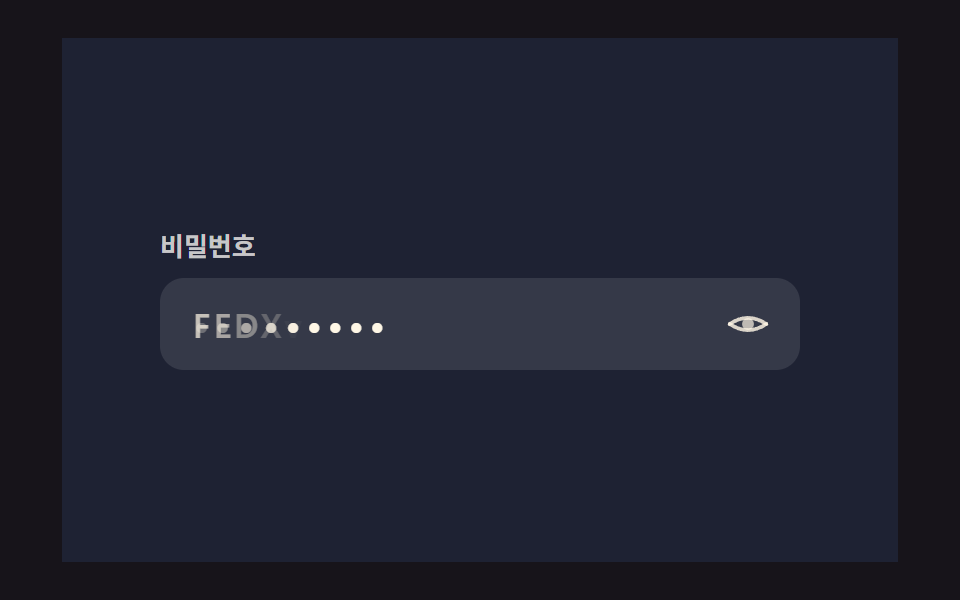 Show Password Toggle Icon: 9 Reveal PatternsNine show password toggle icon builds: One eye icon opens onto nine forking alleys. Alley 01 crosses letters into dots, See all demos in this post
If you like this effect - similar demos
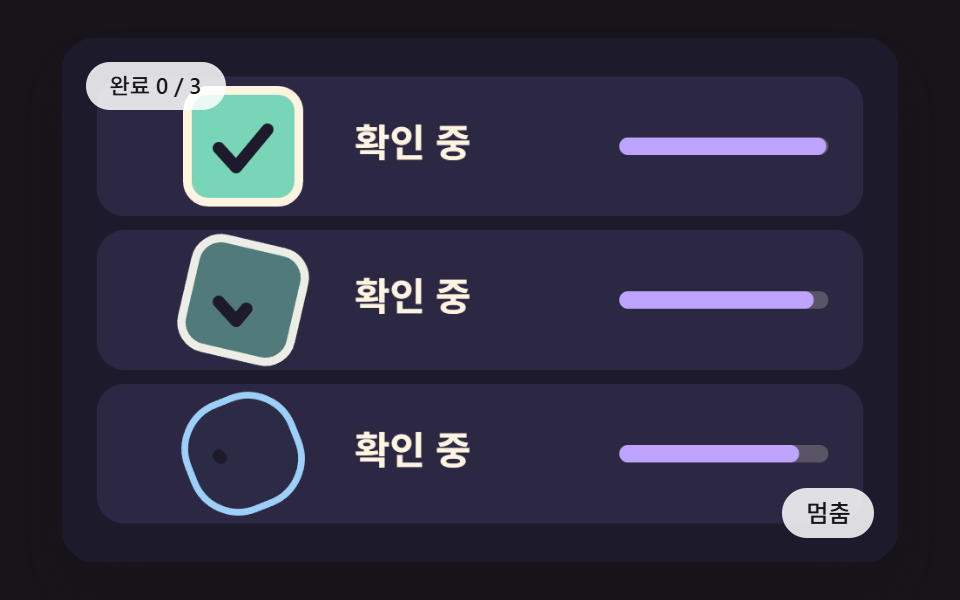 Auth UI06 A Check Button Where the Box Turns Into a Ring, Spins, and Resolves Into a TickCSS Captcha: 9 Warped Text and Rotate Checks
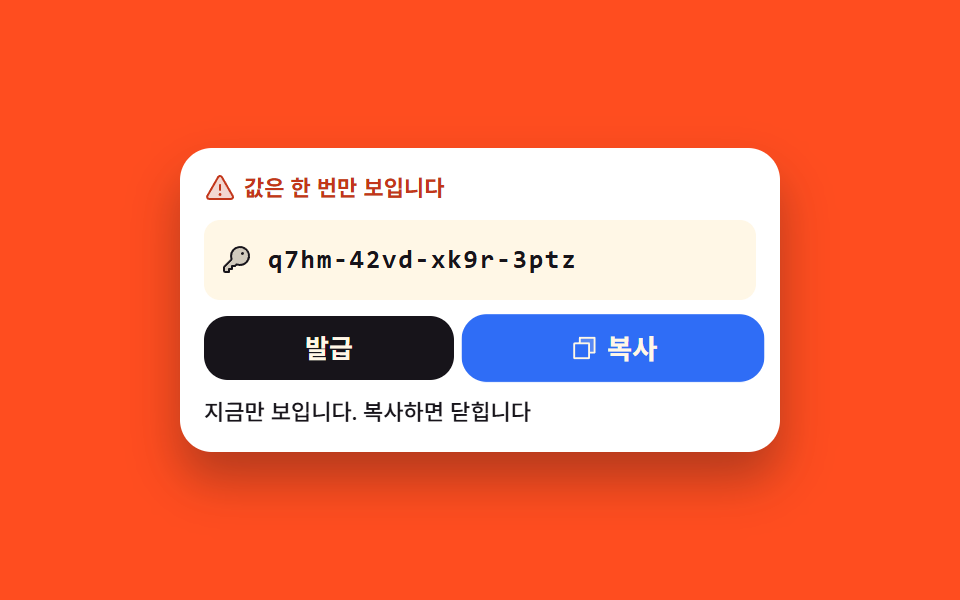 Auth UI07 App password shown exactly once9 account security settings UI patterns
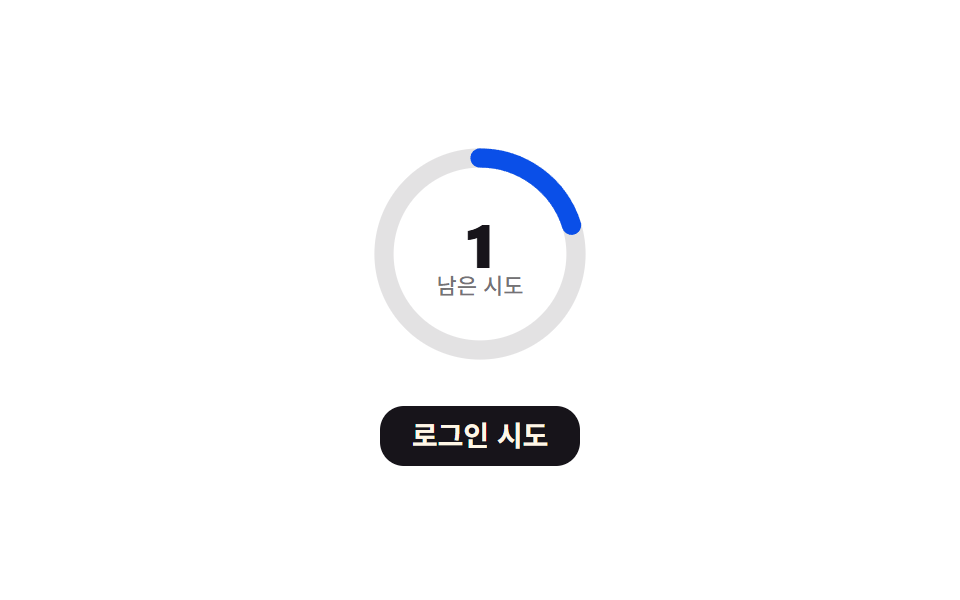 Auth UI03 Lockout progress ring — the remaining-tries value is shown as a circular progress valueToo Many Failed Login Attempts: 9 Patterns