05A Plunger That Stores Force as It Is Pulled
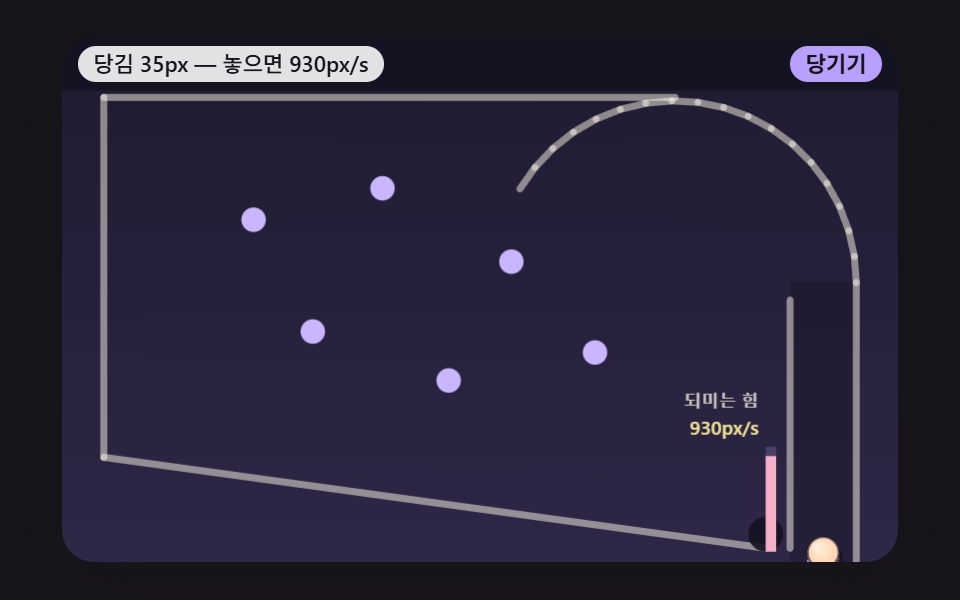
The pushback force grows in proportion to how far the plunger is pulled, and on release the stored force becomes the ball's launch speed up the curved lane while the plunger bounces back into place.
Best forGamified sign-up celebration screen
PLUNGER_STIFFNESSPLUNGER_MAX_PULLLAUNCH_SCALE
<main class="stage">
<div class="pb is-demo" id="pb">
  <canvas class="pb__canvas" data-role="canvas" width="480" height="300" aria-hidden="true"></canvas>
  <div class="pb__head">
    <p class="pb__status" data-role="status" aria-live="off">Ball loaded on the plunger</p>
    <div class="pb__controls">
      <button type="button" class="pb__btn" data-role="pull" data-hold="1">Pull</button>
    </div>
  </div>
</div>
</main>
@use "../../../../site/static/demo-tokens" as *;
@include stage($stage-ink);
.pb {
position: relative;
width: min(92vw, calc(160vh - 12.8vw));
aspect-ratio: 480 / 300;
margin: 0 auto;
border-radius: $r-card;
overflow: hidden;
box-shadow: $shadow-raised;
background: $subject-ink;
}
.pb__canvas {
position: absolute;
inset: 0;
display: block;
width: 100%;
height: 100%;
}
// 머리 줄 — 캔버스 위 머리 띠 자리에 상태 줄(왼쪽)과 버튼(오른쪽)을 겹친다. 상태 줄이 길면 말줄임으로 자르고 버튼 폭은 그대로
.pb__head {
position: absolute;
top: $sp-1;
left: $sp-2;
right: $sp-2;
display: flex;
align-items: center;
justify-content: space-between;
gap: $sp-2;
}
.pb__status {
flex: 0 1 auto;
min-width: 0;
margin: 0;
padding: 0 $sp-2;
border-radius: $r-control;
background: rgba(255, 255, 255, .88);
color: $subject-ink;
font-weight: 500;
font-size: 11px;
line-height: 18px;
white-space: nowrap;
overflow: hidden;
text-overflow: ellipsis;
}
.pb__controls {
flex: 0 0 auto;
display: flex;
gap: $sp-1;
}
// 진짜 버튼 — Tab 으로 들어오고 Enter·Space 로 누른다. 누르고 있는 버튼은 스크립트가 is-held 를 붙인다
.pb__btn {
appearance: none;
margin: 0;
padding: 0 $sp-2;
border: 0;
border-radius: $r-control;
background: $subject-lilac;
color: $subject-ink;
font-family: inherit;
font-weight: 700;
font-size: 11px;
line-height: 18px;
cursor: pointer;
touch-action: manipulation;
user-select: none;
-webkit-user-select: none;
}
.pb__btn:hover {
background: $subject-cream;
}
.pb__btn:active,
.pb__btn.is-held {
background: $subject-pink;
}
.pb__btn:focus-visible {
outline: 2px solid $subject-cream;
outline-offset: 2px;
}
@media (max-width: 340px) {
.pb__head { top: 0; left: $sp-1; right: $sp-1; gap: $sp-1; }
.pb__status, .pb__btn { font-size: 9px; line-height: 16px; padding: 0 $sp-1; }
}
// 동작 줄이기 — 움직임은 스크립트가 멈춘다(같은 시드 판을 끝까지 계산해 마지막 장면만 그린다). 여기서는 버튼 색이 바로 바뀌게만
@media (prefers-reduced-motion: reduce) {
.pb__btn { transition: none !important; }
}html, body {
margin: 0;
overflow: hidden;
}
.stage {
box-sizing: border-box;
min-height: 100vh;
display: grid;
place-items: center;
margin: 0;
background: #17141a;
font-family: -apple-system, "Segoe UI", "Noto Sans KR", sans-serif;
padding: clamp(8px, 4vw, 24px);
}
.pb {
position: relative;
width: min(92vw, 160vh - 12.8vw);
aspect-ratio: 480/300;
margin: 0 auto;
border-radius: 16px;
overflow: hidden;
box-shadow: 0 14px 24px rgba(23, 20, 26, 0.32);
background: #17141a;
}
.pb__canvas {
position: absolute;
inset: 0;
display: block;
width: 100%;
height: 100%;
}
.pb__head {
position: absolute;
top: 4px;
left: 8px;
right: 8px;
display: flex;
align-items: center;
justify-content: space-between;
gap: 8px;
}
.pb__status {
flex: 0 1 auto;
min-width: 0;
margin: 0;
padding: 0 8px;
border-radius: 12px;
background: rgba(255, 255, 255, 0.88);
color: #17141a;
font-weight: 500;
font-size: 11px;
line-height: 18px;
white-space: nowrap;
overflow: hidden;
text-overflow: ellipsis;
}
.pb__controls {
flex: 0 0 auto;
display: flex;
gap: 4px;
}
.pb__btn {
appearance: none;
margin: 0;
padding: 0 8px;
border: 0;
border-radius: 12px;
background: #b9a0ff;
color: #17141a;
font-family: inherit;
font-weight: 700;
font-size: 11px;
line-height: 18px;
cursor: pointer;
touch-action: manipulation;
user-select: none;
-webkit-user-select: none;
}
.pb__btn:hover {
background: #fff7e6;
}
.pb__btn:active,
.pb__btn.is-held {
background: #ff9ebb;
}
.pb__btn:focus-visible {
outline: 2px solid #fff7e6;
outline-offset: 2px;
}
@media (max-width: 340px) {
.pb__head {
top: 0;
left: 4px;
right: 4px;
gap: 4px;
}
.pb__status, .pb__btn {
font-size: 9px;
line-height: 16px;
padding: 0 4px;
}
}
@media (prefers-reduced-motion: reduce) {
.pb__btn {
transition: none !important;
}
}(function () {
const root = document.getElementById("pb");
if (!root) return;
// 논리 무대 — 물리는 화면 폭과 상관없이 이 480×300 좌표에서만 돈다. 화면이 넓든 좁든 그릴 때만 배율을 곱한다
const W = 480;
const H = 300;
// 한 틱 = 16ms 고정. 실제 프레임 간격이 흔들려도 계산은 같은 걸음으로만 나아간다
const FIXED_DT = 16;
const DT = FIXED_DT / 1000;
const TAU = Math.PI * 2;
// 머리 띠 높이(논리 px) — 상태 줄과 버튼이 이 띠 위에 겹친다
const HEADER = 30;
// 시연이 끝난 판을 이만큼(ms) 보여 준 뒤 같은 시드로 처음부터 다시 돈다
const LOOP_HOLD_MS = 1600;
// 파스텔 팔레트 — 어두운 판 위에 밝은 공·핀을 얹어 명도 차로 움직임이 읽힌다
const BG = [30, 27, 48];
const BG_LOW = [46, 39, 70];
const BAND = [20, 18, 32];
const GUIDE = [104, 94, 140];
const CREAM = [255, 248, 234];
const SKY = [146, 208, 255];
const PINK = [255, 172, 200];
const MINT = [144, 232, 202];
const LILAC = [202, 182, 255];
const PEACH = [255, 208, 172];
const LEMON = [250, 234, 156];
const AQUA = [156, 238, 236];
const CORAL = [255, 184, 166];
const INK = [28, 24, 40];
const BALL_COLORS = [PEACH, MINT, SKY, PINK, LILAC, LEMON, AQUA, CORAL, CREAM];
// 공 이름표 — 실제 사람 이름 대신 글자
const LABELS = ['A', 'B', 'C', 'D', 'E', 'F', 'G', 'H', 'I'];
const FONT_FAMILY = '"Segoe UI", "Malgun Gothic", "Hiragino Sans", "Noto Sans KR", sans-serif';
function clamp(v, lo, hi) { return v < lo ? lo : (v > hi ? hi : v); }
function lerp(a, b, k) { return a + (b - a) * k; }
function smooth(x) { const c = clamp(x, 0, 1); return c * c * (3 - 2 * c); }
function rgba(c, a) {
return 'rgba(' + Math.round(clamp(c[0], 0, 255)) + ',' + Math.round(clamp(c[1], 0, 255)) + ',' + Math.round(clamp(c[2], 0, 255)) + ',' + clamp(a, 0, 1).toFixed(3) + ')';
}
function mixRGB(a, b, k) { return [lerp(a[0], b[0], k), lerp(a[1], b[1], k), lerp(a[2], b[2], k)]; }
// 시드 고정 난수 — 같은 시드면 같은 출발 자리·같은 결과가 다시 나온다 (32비트 정수 섞기)
function makeRng(seedValue) {
let s = seedValue >>> 0;
return function () {
s = (s + 0x6d2b79f5) >>> 0;
let t = s;
t = Math.imul(t ^ (t >>> 15), t | 1);
t ^= t + Math.imul(t ^ (t >>> 7), t | 61);
return ((t ^ (t >>> 14)) >>> 0) / 4294967296;
};
}
function makeBall(x, y, r, color, label) {
return { x: x, y: y, vx: 0, vy: 0, r: r, color: color, label: label, trail: [], slow: 0, finishMs: -1, mul: 1, out: false };
}
// 속도를 먼저 갱신하는 적분 — 이번 걸음의 힘(중력)으로 속도를 바꾼 뒤, 그 새 속도로 자리를 옮긴다. h 는 초
function integrate(b, gx, gy, h) {
b.vx += gx * h;
b.vy += gy * h;
b.x += b.vx * h;
b.y += b.vy * h;
}
function capSpeed(b, max) {
const s = Math.hypot(b.vx, b.vy);
if (s > max) {
b.vx *= max / s;
b.vy *= max / s;
}
}
// 마지막 충돌 — 법선(공 쪽을 향함)과 닿은 자리. Bumpers hit·키커가 이 법선 방향으로 덧힘을 준다
const contact = { nx: 0, ny: -1, px: 0, py: 0 };
// 원-원 충돌(움직이지 않는 원: 핀·Bumpers hit) — 겹친 깊이만큼 법선 방향 바깥으로 밀어내고,
// 법선 방향 속도를 되튐 계수 e 만큼 뒤집는다. 돌려주는 값: 안 닿음 -1 · 닿았지만 멀어지는 중 0 · 다가오던 빠르기(px/s)
function hitCircle(b, cx, cy, cr, e) {
const dx = b.x - cx;
const dy = b.y - cy;
const d = Math.hypot(dx, dy);
const overlap = b.r + cr - d;
if (overlap <= 0) {
return -1;
}
// 중심이 정확히 겹치면 방향을 정할 수 없다 — 위로 민다
const nx = d > 1e-9 ? dx / d : 0;
const ny = d > 1e-9 ? dy / d : -1;
b.x += nx * overlap;
b.y += ny * overlap;
contact.nx = nx;
contact.ny = ny;
contact.px = cx + nx * cr;
contact.py = cy + ny * cr;
const vn = b.vx * nx + b.vy * ny;
if (vn >= 0) {
return 0;
}
b.vx -= (1 + e) * vn * nx;
b.vy -= (1 + e) * vn * ny;
return -vn;
}
// 선분 위 가장 가까운 점 — 공 중심에서 선분으로 내린 수선의 발. t 는 0(시작점)~1(끝점)로 자른다
function closestOnSegment(px, py, ax, ay, bx, by) {
const ex = bx - ax;
const ey = by - ay;
const len2 = ex * ex + ey * ey;
const t = len2 > 0 ? clamp(((px - ax) * ex + (py - ay) * ey) / len2, 0, 1) : 0;
return [ax + ex * t, ay + ey * t, t];
}
// 원-선분 충돌 — 가장 가까운 점까지 거리가 (반지름 + 선 두께의 반)보다 짧으면 겹친 만큼 밀어낸다.
// 선분이 움직이면(도는 Flipper·풍차 막대) 접점의 속도(svx, svy)에 대한 상대 속도로 되튐을 잰다.
// grip 은 이번 걸음에 접선 방향 상대 속도에서 덜어 내는 몫 — 0 이면 미끄럼, 07 구름 마찰은 0 보다 크다
function hitSegment(b, ax, ay, bx, by, half, e, svx, svy, grip) {
const c = closestOnSegment(b.x, b.y, ax, ay, bx, by);
const dx = b.x - c[0];
const dy = b.y - c[1];
const d = Math.hypot(dx, dy);
const overlap = b.r + half - d;
if (overlap <= 0) {
return -1;
}
let nx = 0;
let ny = -1;
if (d > 1e-9) {
nx = dx / d;
ny = dy / d;
}
else {
// 중심이 선 위에 올라탔다 — 선분의 왼쪽 법선으로 민다
const L = Math.hypot(bx - ax, by - ay) || 1;
nx = (by - ay) / L;
ny = -(bx - ax) / L;
}
b.x += nx * overlap;
b.y += ny * overlap;
contact.nx = nx;
contact.ny = ny;
contact.px = c[0];
contact.py = c[1];
const rvx = b.vx - svx;
const rvy = b.vy - svy;
const vn = rvx * nx + rvy * ny;
if (vn >= 0) {
return 0;
}
const tvx = (rvx - vn * nx) * (1 - grip);
const tvy = (rvy - vn * ny) * (1 - grip);
b.vx = svx + tvx - e * vn * nx;
b.vy = svy + tvy - e * vn * ny;
return -vn;
}
// 움직이지 않는 벽 묶음 — 선분 하나하나에 hitSegment
function hitWalls(b, segs, e) {
for (let i = 0; i < segs.length; i += 1) {
const s = segs[i];
hitSegment(b, s[0], s[1], s[2], s[3], 0, e, 0, 0, 0);
}
}
// 공-공 충돌 — 같은 무게. 겹친 깊이를 반씩 나눠 밀어내고, 법선 방향 속도를 되튐 계수만큼 주고받는다
function hitBalls(a, b, e) {
const dx = b.x - a.x;
const dy = b.y - a.y;
const d = Math.hypot(dx, dy);
const overlap = a.r + b.r - d;
if (overlap <= 0) {
return -1;
}
const nx = d > 1e-9 ? dx / d : 1;
const ny = d > 1e-9 ? dy / d : 0;
a.x -= nx * overlap * 0.5;
a.y -= ny * overlap * 0.5;
b.x += nx * overlap * 0.5;
b.y += ny * overlap * 0.5;
const vn = (b.vx - a.vx) * nx + (b.vy - a.vy) * ny;
if (vn >= 0) {
return 0;
}
const j = -(1 + e) * vn * 0.5;
a.vx -= j * nx;
a.vy -= j * ny;
b.vx += j * nx;
b.vy += j * ny;
return -vn;
}
function pushTrail(b, n) {
b.trail.push(b.x, b.y);
while (b.trail.length > n * 2) {
b.trail.splice(0, 2);
}
}
const canvasEl = root.querySelector('[data-role="canvas"]');
const statusEl = root.querySelector('[data-role="status"]');
const ctxRaw = canvasEl ? canvasEl.getContext('2d') : null;
if (!canvasEl || !ctxRaw || !statusEl) {
return;
}
const cv = canvasEl;
const ctx = ctxRaw;
const status = statusEl;
const reduceQuery = window.matchMedia('(prefers-reduced-motion: reduce)');
// 페이지를 연 채 동작 줄이기 설정을 바꿔도 꼬리의 change 리스너가 이 값을 다시 읽는다
let still = reduceQuery.matches;
// 자동 시연 중인가 — 사람이 버튼을 처음 누르는 순간 시연(가상 입력·같은 판 되풀이)을 멈추고 결과를 읽어 주기 시작한다
let demo = root.classList.contains('is-demo');
// 지금 판의 시드와 시각(ms). 시각은 16ms 고정 스텝으로만 는다
let seed = 0;
let clock = 0;
// 화면 배율 — 논리 1px 이 화면 CSS px 몇 개인가. 그릴 때만 쓰고 물리 계산에는 넣지 않는다
let viewScale = 1;
function wake() {
if (!demo) {
return;
}
demo = false;
root.classList.remove('is-demo');
status.setAttribute('aria-live', 'polite');
}
function say(text) {
if (status.textContent !== text) {
status.textContent = text;
}
}
function fitCanvas() {
// 배율은 2 에서 자른다 — 배율 3 기기에서 화소가 2.25배로 늘어 프레임마다 일이 그만큼 커지지 않게
const dpr = Math.min(window.devicePixelRatio || 1, 2);
const cssW = cv.getBoundingClientRect().width || W;
viewScale = cssW / W;
const k = viewScale * dpr;
cv.width = Math.max(1, Math.round(W * k));
cv.height = Math.max(1, Math.round(H * k));
// 그릴 때만 논리 좌표 → 화소 배율을 곱한다
ctx.setTransform(k, 0, 0, k, 0, 0);
}
function clearStage() {
const g = ctx.createLinearGradient(0, 0, 0, H);
g.addColorStop(0, rgba(BG, 1));
g.addColorStop(1, rgba(BG_LOW, 1));
ctx.fillStyle = g;
ctx.fillRect(0, 0, W, H);
}
// 머리 띠 — 상태 줄과 버튼 뒤의 어두운 띠. 판을 다 그린 뒤 맨 위에 덮는다
function drawBand() {
ctx.fillStyle = rgba(BAND, 0.92);
ctx.fillRect(0, 0, W, HEADER);
}
function strokeSeg(s, width, c, a) {
ctx.lineCap = 'round';
ctx.strokeStyle = rgba(c, a);
ctx.lineWidth = width;
ctx.beginPath();
ctx.moveTo(s[0], s[1]);
ctx.lineTo(s[2], s[3]);
ctx.stroke();
}
// 꼬리 — 지나온 자리를 이을수록 굵고 진하게
function drawTrail(b, c, width) {
const t = b.trail;
const n = t.length / 2;
ctx.lineCap = 'round';
for (let i = 1; i < n; i += 1) {
const k = i / n;
ctx.strokeStyle = rgba(c, 0.55 * k);
ctx.lineWidth = width * k;
ctx.beginPath();
ctx.moveTo(t[i * 2 - 2], t[i * 2 - 1]);
ctx.lineTo(t[i * 2], t[i * 2 + 1]);
ctx.stroke();
}
}
// 공 — 바닥 그림자 → 왼쪽 위가 밝은 둥근 몸통 → 진한 테두리 → 이름표 글자
function drawBall(b) {
ctx.fillStyle = 'rgba(0,0,0,0.3)';
ctx.beginPath();
ctx.arc(b.x + 2, b.y + 3, b.r, 0, TAU);
ctx.fill();
const g = ctx.createRadialGradient(b.x - b.r * 0.35, b.y - b.r * 0.4, b.r * 0.1, b.x, b.y, b.r);
g.addColorStop(0, rgba(mixRGB(b.color, CREAM, 0.75), 1));
g.addColorStop(1, rgba(b.color, 1));
ctx.fillStyle = g;
ctx.beginPath();
ctx.arc(b.x, b.y, b.r, 0, TAU);
ctx.fill();
ctx.lineWidth = 1.5;
ctx.strokeStyle = rgba(INK, 0.6);
ctx.stroke();
if (b.label) {
ctx.fillStyle = rgba(INK, 1);
ctx.font = '700 ' + Math.round(b.r * 1.25) + 'px ' + FONT_FAMILY;
ctx.textAlign = 'center';
ctx.textBaseline = 'middle';
ctx.fillText(b.label, b.x, b.y + 0.5);
}
}
function drawText(text, x, y, size, c, a, align) {
ctx.fillStyle = rgba(c, a);
ctx.font = '600 ' + size + 'px ' + FONT_FAMILY;
ctx.textAlign = align;
ctx.textBaseline = 'middle';
ctx.fillText(text, x, y);
}
function makePlunger(x, top, max, stiff, scale, damp) {
return { x: x, top: top, pull: 0, v: 0, max: max, cap: max, stiff: stiff, scale: scale, damp: damp, held: false, free: false, ball: null, releasedPull: 0, lastPull: 0, lastLaunch: 0 };
}
function plungerTipY(p) { return p.top + p.pull; }
// 막대 위에 공 올리기 — 다음 발사까지 공은 막대 끝에 붙어 함께 움직인다
function loadPlunger(p, b) {
p.ball = b;
b.vx = 0;
b.vy = 0;
b.trail = [];
}
// 놓았을 때 막대 끝이 0 을 지나며 낼 빠르기 — 당긴 만큼 되미는 힘이면 √stiff × 당긴 길이
function predictLaunch(p, pull) { return p.scale * Math.sqrt(p.stiff) * pull; }
function movePlunger(p, h, rate) {
if (p.held) {
p.pull = Math.min(p.cap, p.pull + rate * h);
p.v = 0;
// 놓은 뒤 처음 0 을 지날 때까지는 저항 없이 — 당긴 만큼 다 돌려준다
p.free = true;
p.releasedPull = p.pull;
}
else {
const before = p.pull;
const a = -p.stiff * p.pull - (p.free ? 0 : p.damp * p.v);
// 속도를 먼저 갱신하는 적분
p.v += a * h;
p.pull += p.v * h;
if (p.free && before > 0 && p.pull <= 0) {
p.free = false;
if (p.ball) {
const speed = Math.abs(p.v) * p.scale;
p.ball.vx = 0;
p.ball.vy = -speed;
p.lastPull = p.releasedPull;
p.lastLaunch = speed;
p.ball = null;
}
}
// 공 없이 놓았거나 아주 조금 당겼다 놓았으면 그대로 출렁이다 멈춘다
if (p.free && p.releasedPull <= 0) {
p.free = false;
}
}
if (p.ball) {
p.ball.x = p.x;
p.ball.y = plungerTipY(p) - p.ball.r - 3;
p.ball.vx = 0;
p.ball.vy = 0;
}
}
// 막대 그림 — 끝 마개 + 아래로 이어진 용수철(당길수록 촘촘해진다) + 옆의 힘 막대
function drawPlunger(p, gaugeX, bottom) {
const tip = plungerTipY(p);
const coils = 7;
const span = bottom - tip - 6;
ctx.strokeStyle = rgba(LILAC, 0.95);
ctx.lineWidth = 2.5;
ctx.lineJoin = 'round';
ctx.beginPath();
ctx.moveTo(p.x, tip + 6);
for (let i = 1; i <= coils * 2; i += 1) {
const y = tip + 6 + span * i / (coils * 2);
ctx.lineTo(p.x + (i % 2 ? 8 : -8), y);
}
ctx.stroke();
ctx.fillStyle = rgba(CREAM, 1);
ctx.fillRect(p.x - 11, tip, 22, 7);
ctx.fillStyle = rgba(PEACH, 1);
ctx.fillRect(p.x - 11, tip + 5, 22, 2);
// Push-back force 막대 — 높이 = stiff × pull 을 최대 힘 대비 몫으로
const k = clamp(p.pull / p.max, 0, 1);
const gh = 60;
ctx.fillStyle = rgba(GUIDE, 0.5);
ctx.fillRect(gaugeX, bottom - gh, 6, gh);
ctx.fillStyle = rgba(mixRGB(MINT, PINK, k), 1);
ctx.fillRect(gaugeX, bottom - gh * k, 6, gh * k);
}
// 굽은 길 — 원호를 n 토막 선분으로. 반지름 r, 각 a0 → a1(라디안)
function makeArc(cx, cy, r, a0, a1, n) {
const out = [];
for (let i = 0; i < n; i += 1) {
const u = a0 + (a1 - a0) * i / n;
const v = a0 + (a1 - a0) * (i + 1) / n;
out.push([cx + Math.cos(u) * r, cy + Math.sin(u) * r, cx + Math.cos(v) * r, cy + Math.sin(v) * r]);
}
return out;
}
// 05 발사 막대 — 당긴 길이에 비례하는 Push-back force → 0 을 지나는 순간의 막대 빠르기 × 배율 = 발사 속도
// 되미는 힘의 세기(1/s²) — 가속도 = -PLUNGER_STIFFNESS × 당긴 길이
const PLUNGER_STIFFNESS = 900;
// 최대로 당길 수 있는 길이(px)
const PLUNGER_MAX_PULL = 40;
// 막대 빠르기 → ball 발사 속도 배율
const LAUNCH_SCALE = 0.85;
// 공을 넘긴 뒤 막대 출렁임의 저항(1/s)
const PLUNGER_DAMPING = 24;
// 쥐고 있을 때 초당 당겨지는 길이(px/s)
const PULL_RATE = 60;
const GRAVITY = 600;
const BALL_R = 9;
const RESTITUTION = 0.5;
const SUBSTEPS = 6;
const MAX_SPEED = 1400;
const LANE_IN = 418;
const LANE_OUT = 456;
const PLUNGER_TOP = 270;
// 시연 — 공이 올라오면 AUTO_WAIT_MS 쉬고, 시드로 정한 길이까지 당겼다가 AUTO_HOLD_MS 뒤 놓는다
const AUTO_WAIT_MS = 200;
const AUTO_HOLD_MS = 120;
const RETURN_MS = 500;
const DEMO_SEED = 4765;
// 동작 줄이기 — 80 틱(1,280ms)까지 계산해 첫 발사 직후(공이 레인을 오르는 장면)와 발사 속도 글자를 보인다
const SETTLE_TICKS = 80;
// 굽은 길 — 레인 바깥 벽 위쪽을 왼쪽으로 감아 공을 판으로 내보낸다
const ARC = makeArc(352, 140, 104, 0, -2.6, 18);
const walls = ARC.concat([
[LANE_OUT, 140, LANE_OUT, 300], [LANE_IN, 150, LANE_IN, 292],
[24, 34, 352, 34], [24, 34, 24, 240],
// 바닥 비탈 — 오른쪽 아래 되돌림 구멍으로 굴려 보낸다
[24, 240, 404, 292]
]);
const posts = [
{ x: 110, y: 104, glow: 0 }, { x: 184, y: 86, glow: 0 }, { x: 258, y: 128, glow: 0 },
{ x: 144, y: 168, glow: 0 }, { x: 222, y: 196, glow: 0 }, { x: 306, y: 180, glow: 0 }
];
const POST_R = 7;
const plunger = makePlunger((LANE_IN + LANE_OUT) / 2, PLUNGER_TOP, PLUNGER_MAX_PULL, PLUNGER_STIFFNESS, LAUNCH_SCALE, PLUNGER_DAMPING);
let rng = makeRng(1);
let ball = makeBall(0, 0, BALL_R, PEACH, '');
let phase = 'wait';
let phaseMs = 0;
let returnMs = 0;
let launches = 0;
function load() {
ball.out = false;
ball.x = plunger.x;
loadPlunger(plunger, ball);
phase = 'wait';
phaseMs = 0;
// 이번에 당길 길이 — 최대의 65~100% 를 시드 난수로
plunger.cap = demo ? PLUNGER_MAX_PULL * (0.65 + 0.35 * rng()) : PLUNGER_MAX_PULL;
}
function onRestart() {
rng = makeRng(seed);
ball = makeBall(plunger.x, PLUNGER_TOP - BALL_R - 3, BALL_R, PEACH, '');
plunger.pull = 0;
plunger.v = 0;
plunger.held = false;
plunger.free = false;
plunger.lastLaunch = 0;
plunger.lastPull = 0;
returnMs = 0;
launches = 0;
load();
}
// 시연 손 — 기다림 → Pull(cap 까지) → 잠깐 멈춤 → 놓기
function autoHand() {
if (!plunger.ball) {
return;
}
phaseMs += FIXED_DT;
if (phase === 'wait' && phaseMs >= AUTO_WAIT_MS) {
plunger.held = true;
phase = 'pull';
phaseMs = 0;
}
else if (phase === 'pull' && plunger.pull >= plunger.cap - 0.01) {
phase = 'hold';
phaseMs = 0;
}
else if (phase === 'hold' && phaseMs >= AUTO_HOLD_MS) {
plunger.held = false;
phase = 'flight';
}
}
function step() {
if (demo) {
autoHand();
}
const hs = DT / SUBSTEPS;
const hadBall = plunger.ball !== null;
for (let s = 0; s < SUBSTEPS; s += 1) {
movePlunger(plunger, hs, PULL_RATE);
if (plunger.ball || ball.out) {
continue;
}
integrate(ball, 0, GRAVITY, hs);
hitWalls(ball, walls, RESTITUTION);
for (let i = 0; i < posts.length; i += 1) {
const vn = hitCircle(ball, posts[i].x, posts[i].y, POST_R, 0.6);
if (vn > 0) {
posts[i].glow = Math.min(1, vn / 400);
}
}
capSpeed(ball, MAX_SPEED);
}
if (hadBall && !plunger.ball) {
launches += 1;
}
if (!ball.out && !plunger.ball) {
pushTrail(ball, 20);
// 힘이 모자라 레인으로 되떨어지면 막대 위에 다시 얹는다
if (ball.x > LANE_IN && ball.y + ball.r > plungerTipY(plunger) - 2 && ball.vy > 0) {
load();
}
// 되돌림 구멍 — 판 오른쪽 아래에 닿으면 잠깐 쉬었다 막대 위로
else if (ball.x > 392 && ball.x < LANE_IN && ball.y > 268) {
ball.out = true;
returnMs = RETURN_MS;
}
}
if (ball.out) {
returnMs -= FIXED_DT;
if (returnMs <= 0) {
load();
}
}
for (let i = 0; i < posts.length; i += 1) {
posts[i].glow *= 0.92;
}
}
function finished() { return false; }
function onControl(role, down) {
if (role === 'pull') {
plunger.cap = PLUNGER_MAX_PULL;
plunger.held = down;
phase = 'hand';
}
}
function draw() {
clearStage();
ctx.fillStyle = rgba(BAND, 0.35);
ctx.fillRect(LANE_IN, 140, LANE_OUT - LANE_IN, H - 140);
for (let i = 0; i < walls.length; i += 1) {
strokeSeg(walls[i], 4, CREAM, 0.5);
}
for (let i = 0; i < posts.length; i += 1) {
const p = posts[i];
if (p.glow > 0.02) {
ctx.fillStyle = rgba(LEMON, 0.45 * p.glow);
ctx.beginPath();
ctx.arc(p.x, p.y, POST_R + 12 * p.glow, 0, TAU);
ctx.fill();
}
ctx.fillStyle = rgba(mixRGB(LILAC, CREAM, p.glow), 1);
ctx.beginPath();
ctx.arc(p.x, p.y, POST_R, 0, TAU);
ctx.fill();
}
// 되돌림 구멍
ctx.fillStyle = rgba(BAND, 0.9);
ctx.beginPath();
ctx.arc(404, 284, 10, 0, TAU);
ctx.fill();
drawPlunger(plunger, LANE_IN - 14, H - 6);
// 놓으면 낼 빠르기 — 당긴 길이에 비례
if (plunger.ball && plunger.pull > 0.5) {
drawText(Math.round(predictLaunch(plunger, plunger.pull)) + 'px/s', LANE_IN - 18, H - 76, 11, LEMON, 0.95, 'right');
drawText('Push-back force', LANE_IN - 18, H - 92, 10, CREAM, 0.75, 'right');
}
if (!ball.out) {
drawTrail(ball, PEACH, ball.r * 1.3);
drawBall(ball);
}
drawBand();
}
function stateText() {
if (plunger.ball && plunger.pull > 0.5) {
return 'Pull ' + Math.round(plunger.pull / 5) * 5 + ' px — release for ' + Math.round(predictLaunch(plunger, plunger.pull) / 10) * 10 + 'px/s';
}
if (plunger.lastLaunch > 0) {
return 'Pull ' + Math.round(plunger.lastPull) + ' px → launch ' + Math.round(plunger.lastLaunch) + 'px/s';
}
return 'Ball loaded on the plunger';
}
// ── 공통 꼬리: 시계·버튼·동작 줄이기·정리 ──
// 결과를 보여 준 시간(ms) — 시연 중 판이 끝나면 LOOP_HOLD_MS 뒤 같은 시드로 다시 돈다
let holdMs = 0;
function restart() {
clock = 0;
holdMs = 0;
onRestart();
}
// 한 틱 — 시뮬레이션 시각을 16ms 올리고 항목 계산(step)을 한 번 돌린다
function tick() {
clock += FIXED_DT;
step();
if (demo && !still && finished()) {
holdMs += FIXED_DT;
if (holdMs >= LOOP_HOLD_MS) {
restart();
}
}
}
function render() {
draw();
say(stateText());
}
// 동작 줄이기 — 같은 시드 판을 화면에 그리지 않고 끝까지(끝이 없는 장면은 SETTLE_TICKS 틱까지) 계산한 뒤 마지막 장면만 그린다
function settle() {
for (let k = 0; k < SETTLE_TICKS; k += 1) {
clock += FIXED_DT;
step();
if (finished()) {
break;
}
}
}
// 입력 한 번 뒤 — 동작 줄이기면 그 입력이 낳은 결과까지 바로 계산해 그린다
function after() {
if (still) {
settle();
}
render();
}
function control(role, down) {
wake();
onControl(role, down);
after();
}
// 리스너는 한 묶음으로 달고 정리할 때 한 번에 뗀다
const off = new AbortController();
// 버튼 — data-role 을 항목의 onControl 에 넘긴다. data-hold 가 있으면 누르고 있는 동안 true, 떼면 false
const buttons = Array.from(root.querySelectorAll('button[data-role]'));
buttons.forEach(function (btn) {
const role = btn.getAttribute('data-role') || '';
if (!btn.hasAttribute('data-hold')) {
// 한 번 누르는 버튼 — 마우스·손가락·Enter·Space 모두 click 하나로 들어온다
btn.addEventListener('click', function () { control(role, true); }, { signal: off.signal });
return;
}
let down = false;
function setHeld(v) {
if (down === v) {
return;
}
down = v;
btn.classList.toggle('is-held', v);
control(role, v);
}
// 누르고 있는 버튼 — 손가락·마우스는 pointerdown·up, 키보드는 Space·Enter 의 keydown·keyup
btn.addEventListener('pointerdown', function (ev) {
if (ev.button !== 0) {
return;
}
btn.setPointerCapture(ev.pointerId);
setHeld(true);
}, { signal: off.signal });
btn.addEventListener('pointerup', function () { setHeld(false); }, { signal: off.signal });
btn.addEventListener('pointercancel', function () { setHeld(false); }, { signal: off.signal });
btn.addEventListener('lostpointercapture', function () { setHeld(false); }, { signal: off.signal });
btn.addEventListener('keydown', function (ev) {
if (ev.key !== ' ' && ev.key !== 'Enter') {
return;
}
ev.preventDefault();
setHeld(true);
}, { signal: off.signal });
btn.addEventListener('keyup', function (ev) {
if (ev.key !== ' ' && ev.key !== 'Enter') {
return;
}
ev.preventDefault();
setHeld(false);
}, { signal: off.signal });
btn.addEventListener('blur', function () { setHeld(false); }, { signal: off.signal });
// 길게 누를 때 뜨는 메뉴를 막는다
btn.addEventListener('contextmenu', function (ev) { ev.preventDefault(); }, { signal: off.signal });
});
function onResize() {
fitCanvas();
render();
}
fitCanvas();
window.addEventListener('resize', onResize, { signal: off.signal });
let rafId = 0;
let lastTs = -1;
let acc = 0;
function frame(ts) {
if (still) {
rafId = 0;
return;
}
if (lastTs < 0) {
lastTs = ts;
}
// 탭이 숨었다 돌아와도 한 번에 100ms 까지만 따라잡는다 — 순간이동 대신 이어서 움직인다
acc += Math.min(ts - lastTs, 100);
lastTs = ts;
let n = 0;
while (acc >= FIXED_DT && n < 6) {
tick();
acc -= FIXED_DT;
n += 1;
}
render();
rafId = window.requestAnimationFrame(frame);
}
function startLoop() {
if (rafId) {
return;
}
lastTs = -1;
acc = 0;
rafId = window.requestAnimationFrame(frame);
}
// 동작 줄이기 설정이 페이지를 연 채 바뀌면 — 켜지면 루프를 멈추고 같은 시드 판의 마지막 장면을, 꺼지면 루프를 다시 돈다
function onMotionPref() {
still = reduceQuery.matches;
if (still) {
if (rafId) {
window.cancelAnimationFrame(rafId);
rafId = 0;
}
if (demo) {
restart();
}
after();
}
else {
startLoop();
}
}
reduceQuery.addEventListener('change', onMotionPref, { signal: off.signal });
seed = DEMO_SEED;
restart();
// probe-hook
if (still) {
settle();
render();
}
else {
render();
startLoop();
}
return function () {
window.cancelAnimationFrame(rafId);
off.abort();
};
})();// PlungerSpringChargeLaunch - vanilla 판(05-pb-plunger-spring-charge-launch) 의 React 포트. 같은 계산을 useEffect 안에서 돌린다.
import { useEffect, useRef } from "react";
import styles from "./PlungerSpringChargeLaunch.module.scss";
const cx = (s: string): string => s.split(" ").map((n) => styles[n] ?? n).join(" ");
export default function PlungerSpringChargeLaunch() {
const rootRef = useRef<HTMLDivElement | null>(null);
useEffect(() => {
const rootEl = rootRef.current;
if (!rootEl) return;
const root: HTMLElement = rootEl;
type RGB = [number, number, number];
type Pt = [number, number];
type Seg = [number, number, number, number];
// 논리 무대 — 물리는 화면 폭과 상관없이 이 480×300 좌표에서만 돈다. 화면이 넓든 좁든 그릴 때만 배율을 곱한다
const W = 480;
const H = 300;
// 한 틱 = 16ms 고정. 실제 프레임 간격이 흔들려도 계산은 같은 걸음으로만 나아간다
const FIXED_DT = 16;
const DT = FIXED_DT / 1000;
const TAU = Math.PI * 2;
// 머리 띠 높이(논리 px) — 상태 줄과 버튼이 이 띠 위에 겹친다
const HEADER = 30;
// 시연이 끝난 판을 이만큼(ms) 보여 준 뒤 같은 시드로 처음부터 다시 돈다
const LOOP_HOLD_MS = 1600;
// 파스텔 팔레트 — 어두운 판 위에 밝은 공·핀을 얹어 명도 차로 움직임이 읽힌다
const BG: RGB = [30, 27, 48];
const BG_LOW: RGB = [46, 39, 70];
const BAND: RGB = [20, 18, 32];
const GUIDE: RGB = [104, 94, 140];
const CREAM: RGB = [255, 248, 234];
const SKY: RGB = [146, 208, 255];
const PINK: RGB = [255, 172, 200];
const MINT: RGB = [144, 232, 202];
const LILAC: RGB = [202, 182, 255];
const PEACH: RGB = [255, 208, 172];
const LEMON: RGB = [250, 234, 156];
const AQUA: RGB = [156, 238, 236];
const CORAL: RGB = [255, 184, 166];
const INK: RGB = [28, 24, 40];
const BALL_COLORS: RGB[] = [PEACH, MINT, SKY, PINK, LILAC, LEMON, AQUA, CORAL, CREAM];
// 공 이름표 — 실제 사람 이름 대신 글자
const LABELS: string[] = ['A', 'B', 'C', 'D', 'E', 'F', 'G', 'H', 'I'];
const FONT_FAMILY = '"Segoe UI", "Malgun Gothic", "Hiragino Sans", "Noto Sans KR", sans-serif';
function clamp(v: number, lo: number, hi: number): number { return v < lo ? lo : (v > hi ? hi : v); }
function lerp(a: number, b: number, k: number): number { return a + (b - a) * k; }
function smooth(x: number): number { const c = clamp(x, 0, 1); return c * c * (3 - 2 * c); }
function rgba(c: RGB, a: number): string {
return 'rgba(' + Math.round(clamp(c[0], 0, 255)) + ',' + Math.round(clamp(c[1], 0, 255)) + ',' + Math.round(clamp(c[2], 0, 255)) + ',' + clamp(a, 0, 1).toFixed(3) + ')';
}
function mixRGB(a: RGB, b: RGB, k: number): RGB { return [lerp(a[0], b[0], k), lerp(a[1], b[1], k), lerp(a[2], b[2], k)]; }
// 시드 고정 난수 — 같은 시드면 같은 출발 자리·같은 결과가 다시 나온다 (32비트 정수 섞기)
function makeRng(seedValue: number): () => number {
let s = seedValue >>> 0;
return function (): number {
s = (s + 0x6d2b79f5) >>> 0;
let t = s;
t = Math.imul(t ^ (t >>> 15), t | 1);
t ^= t + Math.imul(t ^ (t >>> 7), t | 61);
return ((t ^ (t >>> 14)) >>> 0) / 4294967296;
};
}
// 공 — 자리(x, y)·속도(vx, vy, px/s)·반지름. trail 은 지나온 자리(x, y 를 번갈아), slow 는 거의 멈춰 있던 시간(ms),
// finishMs 는 결승선을 지난 시각(ms, 아직이면 -1), mul 은 공마다 다른 계수(07 구름 마찰), out 은 판 밖에서 쉬는 중
type Ball = { x: number; y: number; vx: number; vy: number; r: number; color: RGB; label: string; trail: number[]; slow: number; finishMs: number; mul: number; out: boolean };
function makeBall(x: number, y: number, r: number, color: RGB, label: string): Ball {
return { x: x, y: y, vx: 0, vy: 0, r: r, color: color, label: label, trail: [], slow: 0, finishMs: -1, mul: 1, out: false };
}
// 속도를 먼저 갱신하는 적분 — 이번 걸음의 힘(중력)으로 속도를 바꾼 뒤, 그 새 속도로 자리를 옮긴다. h 는 초
function integrate(b: Ball, gx: number, gy: number, h: number): void {
b.vx += gx * h;
b.vy += gy * h;
b.x += b.vx * h;
b.y += b.vy * h;
}
function capSpeed(b: Ball, max: number): void {
const s = Math.hypot(b.vx, b.vy);
if (s > max) { b.vx *= max / s; b.vy *= max / s; }
}
// 마지막 충돌 — 법선(공 쪽을 향함)과 닿은 자리. 범퍼·키커가 이 법선 방향으로 덧힘을 준다
const contact = { nx: 0, ny: -1, px: 0, py: 0 };
// 원-원 충돌(움직이지 않는 원: 핀·범퍼) — 겹친 깊이만큼 법선 방향 바깥으로 밀어내고,
// 법선 방향 속도를 되튐 계수 e 만큼 뒤집는다. 돌려주는 값: 안 닿음 -1 · 닿았지만 멀어지는 중 0 · 다가오던 빠르기(px/s)
function hitCircle(b: Ball, cx: number, cy: number, cr: number, e: number): number {
const dx = b.x - cx;
const dy = b.y - cy;
const d = Math.hypot(dx, dy);
const overlap = b.r + cr - d;
if (overlap <= 0) { return -1; }
// 중심이 정확히 겹치면 방향을 정할 수 없다 — 위로 민다
const nx = d > 1e-9 ? dx / d : 0;
const ny = d > 1e-9 ? dy / d : -1;
b.x += nx * overlap;
b.y += ny * overlap;
contact.nx = nx;
contact.ny = ny;
contact.px = cx + nx * cr;
contact.py = cy + ny * cr;
const vn = b.vx * nx + b.vy * ny;
if (vn >= 0) { return 0; }
b.vx -= (1 + e) * vn * nx;
b.vy -= (1 + e) * vn * ny;
return -vn;
}
// 선분 위 가장 가까운 점 — 공 중심에서 선분으로 내린 수선의 발. t 는 0(시작점)~1(끝점)로 자른다
function closestOnSegment(px: number, py: number, ax: number, ay: number, bx: number, by: number): [number, number, number] {
const ex = bx - ax;
const ey = by - ay;
const len2 = ex * ex + ey * ey;
const t = len2 > 0 ? clamp(((px - ax) * ex + (py - ay) * ey) / len2, 0, 1) : 0;
return [ax + ex * t, ay + ey * t, t];
}
// 원-선분 충돌 — 가장 가까운 점까지 거리가 (반지름 + 선 두께의 반)보다 짧으면 겹친 만큼 밀어낸다.
// 선분이 움직이면(도는 플리퍼·풍차 막대) 접점의 속도(svx, svy)에 대한 상대 속도로 되튐을 잰다.
// grip 은 이번 걸음에 접선 방향 상대 속도에서 덜어 내는 몫 — 0 이면 미끄럼, 07 구름 마찰은 0 보다 크다
function hitSegment(b: Ball, ax: number, ay: number, bx: number, by: number, half: number, e: number, svx: number, svy: number, grip: number): number {
const c = closestOnSegment(b.x, b.y, ax, ay, bx, by);
const dx = b.x - c[0];
const dy = b.y - c[1];
const d = Math.hypot(dx, dy);
const overlap = b.r + half - d;
if (overlap <= 0) { return -1; }
let nx = 0;
let ny = -1;
if (d > 1e-9) {
nx = dx / d;
ny = dy / d;
} else {
// 중심이 선 위에 올라탔다 — 선분의 왼쪽 법선으로 민다
const L = Math.hypot(bx - ax, by - ay) || 1;
nx = (by - ay) / L;
ny = -(bx - ax) / L;
}
b.x += nx * overlap;
b.y += ny * overlap;
contact.nx = nx;
contact.ny = ny;
contact.px = c[0];
contact.py = c[1];
const rvx = b.vx - svx;
const rvy = b.vy - svy;
const vn = rvx * nx + rvy * ny;
if (vn >= 0) { return 0; }
const tvx = (rvx - vn * nx) * (1 - grip);
const tvy = (rvy - vn * ny) * (1 - grip);
b.vx = svx + tvx - e * vn * nx;
b.vy = svy + tvy - e * vn * ny;
return -vn;
}
// 움직이지 않는 벽 묶음 — 선분 하나하나에 hitSegment
function hitWalls(b: Ball, segs: Seg[], e: number): void {
for (let i = 0; i < segs.length; i += 1) {
const s = segs[i];
hitSegment(b, s[0], s[1], s[2], s[3], 0, e, 0, 0, 0);
}
}
// 공-공 충돌 — 같은 무게. 겹친 깊이를 반씩 나눠 밀어내고, 법선 방향 속도를 되튐 계수만큼 주고받는다
function hitBalls(a: Ball, b: Ball, e: number): number {
const dx = b.x - a.x;
const dy = b.y - a.y;
const d = Math.hypot(dx, dy);
const overlap = a.r + b.r - d;
if (overlap <= 0) { return -1; }
const nx = d > 1e-9 ? dx / d : 1;
const ny = d > 1e-9 ? dy / d : 0;
a.x -= nx * overlap * 0.5;
a.y -= ny * overlap * 0.5;
b.x += nx * overlap * 0.5;
b.y += ny * overlap * 0.5;
const vn = (b.vx - a.vx) * nx + (b.vy - a.vy) * ny;
if (vn >= 0) { return 0; }
const j = -(1 + e) * vn * 0.5;
a.vx -= j * nx;
a.vy -= j * ny;
b.vx += j * nx;
b.vy += j * ny;
return -vn;
}
// 움직이지 않는 둥근 기둥(핀·표적) — glow 는 맞은 뒤 번지는 빛(0~1)
type Peg = { x: number; y: number; glow: number };
function pushTrail(b: Ball, n: number): void {
b.trail.push(b.x, b.y);
while (b.trail.length > n * 2) { b.trail.splice(0, 2); }
}
const canvasEl = root.querySelector('[data-role="canvas"]') as HTMLCanvasElement | null;
const statusEl = root.querySelector('[data-role="status"]') as HTMLElement | null;
const ctxRaw = canvasEl ? canvasEl.getContext('2d') : null;
if (!canvasEl || !ctxRaw || !statusEl) { return; }
const cv: HTMLCanvasElement = canvasEl;
const ctx: CanvasRenderingContext2D = ctxRaw;
const status: HTMLElement = statusEl;
const reduceQuery = window.matchMedia('(prefers-reduced-motion: reduce)');
// 페이지를 연 채 동작 줄이기 설정을 바꿔도 꼬리의 change 리스너가 이 값을 다시 읽는다
let still = reduceQuery.matches;
// 자동 시연 중인가 — 사람이 버튼을 처음 누르는 순간 시연(가상 입력·같은 판 되풀이)을 멈추고 결과를 읽어 주기 시작한다
let demo = root.classList.contains('is-demo');
// 지금 판의 시드와 시각(ms). 시각은 16ms 고정 스텝으로만 는다
let seed = 0;
let clock = 0;
// 화면 배율 — 논리 1px 이 화면 CSS px 몇 개인가. 그릴 때만 쓰고 물리 계산에는 넣지 않는다
let viewScale = 1;
function wake(): void {
if (!demo) { return; }
demo = false;
root.classList.remove('is-demo');
status.setAttribute('aria-live', 'polite');
}
function say(text: string): void {
if (status.textContent !== text) { status.textContent = text; }
}
function fitCanvas(): void {
// 배율은 2 에서 자른다 — 배율 3 기기에서 화소가 2.25배로 늘어 프레임마다 일이 그만큼 커지지 않게
const dpr = Math.min(window.devicePixelRatio || 1, 2);
const cssW = cv.getBoundingClientRect().width || W;
viewScale = cssW / W;
const k = viewScale * dpr;
cv.width = Math.max(1, Math.round(W * k));
cv.height = Math.max(1, Math.round(H * k));
// 그릴 때만 논리 좌표 → 화소 배율을 곱한다
ctx.setTransform(k, 0, 0, k, 0, 0);
}
function clearStage(): void {
const g = ctx.createLinearGradient(0, 0, 0, H);
g.addColorStop(0, rgba(BG, 1));
g.addColorStop(1, rgba(BG_LOW, 1));
ctx.fillStyle = g;
ctx.fillRect(0, 0, W, H);
}
// 머리 띠 — 상태 줄과 버튼 뒤의 어두운 띠. 판을 다 그린 뒤 맨 위에 덮는다
function drawBand(): void {
ctx.fillStyle = rgba(BAND, 0.92);
ctx.fillRect(0, 0, W, HEADER);
}
function strokeSeg(s: Seg, width: number, c: RGB, a: number): void {
ctx.lineCap = 'round';
ctx.strokeStyle = rgba(c, a);
ctx.lineWidth = width;
ctx.beginPath();
ctx.moveTo(s[0], s[1]);
ctx.lineTo(s[2], s[3]);
ctx.stroke();
}
// 꼬리 — 지나온 자리를 이을수록 굵고 진하게
function drawTrail(b: Ball, c: RGB, width: number): void {
const t = b.trail;
const n = t.length / 2;
ctx.lineCap = 'round';
for (let i = 1; i < n; i += 1) {
const k = i / n;
ctx.strokeStyle = rgba(c, 0.55 * k);
ctx.lineWidth = width * k;
ctx.beginPath();
ctx.moveTo(t[i * 2 - 2], t[i * 2 - 1]);
ctx.lineTo(t[i * 2], t[i * 2 + 1]);
ctx.stroke();
}
}
// 공 — 바닥 그림자 → 왼쪽 위가 밝은 둥근 몸통 → 진한 테두리 → 이름표 글자
function drawBall(b: Ball): void {
ctx.fillStyle = 'rgba(0,0,0,0.3)';
ctx.beginPath();
ctx.arc(b.x + 2, b.y + 3, b.r, 0, TAU);
ctx.fill();
const g = ctx.createRadialGradient(b.x - b.r * 0.35, b.y - b.r * 0.4, b.r * 0.1, b.x, b.y, b.r);
g.addColorStop(0, rgba(mixRGB(b.color, CREAM, 0.75), 1));
g.addColorStop(1, rgba(b.color, 1));
ctx.fillStyle = g;
ctx.beginPath();
ctx.arc(b.x, b.y, b.r, 0, TAU);
ctx.fill();
ctx.lineWidth = 1.5;
ctx.strokeStyle = rgba(INK, 0.6);
ctx.stroke();
if (b.label) {
ctx.fillStyle = rgba(INK, 1);
ctx.font = '700 ' + Math.round(b.r * 1.25) + 'px ' + FONT_FAMILY;
ctx.textAlign = 'center';
ctx.textBaseline = 'middle';
ctx.fillText(b.label, b.x, b.y + 0.5);
}
}
function drawText(text: string, x: number, y: number, size: number, c: RGB, a: number, align: CanvasTextAlign): void {
ctx.fillStyle = rgba(c, a);
ctx.font = '600 ' + size + 'px ' + FONT_FAMILY;
ctx.textAlign = align;
ctx.textBaseline = 'middle';
ctx.fillText(text, x, y);
}
// 발사 막대 — pull 은 당긴 길이(px, 아래로 +). 쥐고 있으면 rate(px/s)로 cap 까지 당겨지고,
// 놓으면 당긴 만큼 되미는 힘(가속도 = -stiff × pull)으로 돌아간다. 0 을 지나는 순간 막대 빠르기 × scale 을 공의 발사 속도로 넘긴다
type Plunger = { x: number; top: number; pull: number; v: number; max: number; cap: number; stiff: number; scale: number; damp: number; held: boolean; free: boolean; ball: Ball | null; releasedPull: number; lastPull: number; lastLaunch: number };
function makePlunger(x: number, top: number, max: number, stiff: number, scale: number, damp: number): Plunger {
return { x: x, top: top, pull: 0, v: 0, max: max, cap: max, stiff: stiff, scale: scale, damp: damp, held: false, free: false, ball: null, releasedPull: 0, lastPull: 0, lastLaunch: 0 };
}
function plungerTipY(p: Plunger): number { return p.top + p.pull; }
// 막대 위에 공 올리기 — 다음 발사까지 공은 막대 끝에 붙어 함께 움직인다
function loadPlunger(p: Plunger, b: Ball): void {
p.ball = b;
b.vx = 0;
b.vy = 0;
b.trail = [];
}
// 놓았을 때 막대 끝이 0 을 지나며 낼 빠르기 — 당긴 만큼 되미는 힘이면 √stiff × 당긴 길이
function predictLaunch(p: Plunger, pull: number): number { return p.scale * Math.sqrt(p.stiff) * pull; }
function movePlunger(p: Plunger, h: number, rate: number): void {
if (p.held) {
p.pull = Math.min(p.cap, p.pull + rate * h);
p.v = 0;
// 놓은 뒤 처음 0 을 지날 때까지는 저항 없이 — 당긴 만큼 다 돌려준다
p.free = true;
p.releasedPull = p.pull;
} else {
const before = p.pull;
const a = -p.stiff * p.pull - (p.free ? 0 : p.damp * p.v);
// 속도를 먼저 갱신하는 적분
p.v += a * h;
p.pull += p.v * h;
if (p.free && before > 0 && p.pull <= 0) {
p.free = false;
if (p.ball) {
const speed = Math.abs(p.v) * p.scale;
p.ball.vx = 0;
p.ball.vy = -speed;
p.lastPull = p.releasedPull;
p.lastLaunch = speed;
p.ball = null;
}
}
// 공 없이 놓았거나 아주 조금 당겼다 놓았으면 그대로 출렁이다 멈춘다
if (p.free && p.releasedPull <= 0) { p.free = false; }
}
if (p.ball) {
p.ball.x = p.x;
p.ball.y = plungerTipY(p) - p.ball.r - 3;
p.ball.vx = 0;
p.ball.vy = 0;
}
}
// 막대 그림 — 끝 마개 + 아래로 이어진 용수철(당길수록 촘촘해진다) + 옆의 힘 막대
function drawPlunger(p: Plunger, gaugeX: number, bottom: number): void {
const tip = plungerTipY(p);
const coils = 7;
const span = bottom - tip - 6;
ctx.strokeStyle = rgba(LILAC, 0.95);
ctx.lineWidth = 2.5;
ctx.lineJoin = 'round';
ctx.beginPath();
ctx.moveTo(p.x, tip + 6);
for (let i = 1; i <= coils * 2; i += 1) {
const y = tip + 6 + span * i / (coils * 2);
ctx.lineTo(p.x + (i % 2 ? 8 : -8), y);
}
ctx.stroke();
ctx.fillStyle = rgba(CREAM, 1);
ctx.fillRect(p.x - 11, tip, 22, 7);
ctx.fillStyle = rgba(PEACH, 1);
ctx.fillRect(p.x - 11, tip + 5, 22, 2);
// 되미는 힘 막대 — 높이 = stiff × pull 을 최대 힘 대비 몫으로
const k = clamp(p.pull / p.max, 0, 1);
const gh = 60;
ctx.fillStyle = rgba(GUIDE, 0.5);
ctx.fillRect(gaugeX, bottom - gh, 6, gh);
ctx.fillStyle = rgba(mixRGB(MINT, PINK, k), 1);
ctx.fillRect(gaugeX, bottom - gh * k, 6, gh * k);
}
// 굽은 길 — 원호를 n 토막 선분으로. 반지름 r, 각 a0 → a1(라디안)
function makeArc(cx: number, cy: number, r: number, a0: number, a1: number, n: number): Seg[] {
const out: Seg[] = [];
for (let i = 0; i < n; i += 1) {
const u = a0 + (a1 - a0) * i / n;
const v = a0 + (a1 - a0) * (i + 1) / n;
out.push([cx + Math.cos(u) * r, cy + Math.sin(u) * r, cx + Math.cos(v) * r, cy + Math.sin(v) * r]);
}
return out;
}
// 05 발사 막대 — 당긴 길이에 비례하는 되미는 힘 → 0 을 지나는 순간의 막대 빠르기 × 배율 = 발사 속도
// 되미는 힘의 세기(1/s²) — 가속도 = -PLUNGER_STIFFNESS × 당긴 길이
const PLUNGER_STIFFNESS = 900;
// 최대로 당길 수 있는 길이(px)
const PLUNGER_MAX_PULL = 40;
// 막대 빠르기 → 공 발사 속도 배율
const LAUNCH_SCALE = 0.85;
// 공을 넘긴 뒤 막대 출렁임의 저항(1/s)
const PLUNGER_DAMPING = 24;
// 쥐고 있을 때 초당 당겨지는 길이(px/s)
const PULL_RATE = 60;
const GRAVITY = 600;
const BALL_R = 9;
const RESTITUTION = 0.5;
const SUBSTEPS = 6;
const MAX_SPEED = 1400;
const LANE_IN = 418;
const LANE_OUT = 456;
const PLUNGER_TOP = 270;
// 시연 — 공이 올라오면 AUTO_WAIT_MS 쉬고, 시드로 정한 길이까지 당겼다가 AUTO_HOLD_MS 뒤 놓는다
const AUTO_WAIT_MS = 200;
const AUTO_HOLD_MS = 120;
const RETURN_MS = 500;
const DEMO_SEED = 4765;
// 동작 줄이기 — 80 틱(1,280ms)까지 계산해 첫 발사 직후(공이 레인을 오르는 장면)와 발사 속도 글자를 보인다
const SETTLE_TICKS = 80;
// 굽은 길 — 레인 바깥 벽 위쪽을 왼쪽으로 감아 공을 판으로 내보낸다
const ARC: Seg[] = makeArc(352, 140, 104, 0, -2.6, 18);
const walls: Seg[] = ARC.concat([
[LANE_OUT, 140, LANE_OUT, 300], [LANE_IN, 150, LANE_IN, 292],
[24, 34, 352, 34], [24, 34, 24, 240],
// 바닥 비탈 — 오른쪽 아래 되돌림 구멍으로 굴려 보낸다
[24, 240, 404, 292]
]);
const posts: Peg[] = [
{ x: 110, y: 104, glow: 0 }, { x: 184, y: 86, glow: 0 }, { x: 258, y: 128, glow: 0 },
{ x: 144, y: 168, glow: 0 }, { x: 222, y: 196, glow: 0 }, { x: 306, y: 180, glow: 0 }
];
const POST_R = 7;
const plunger: Plunger = makePlunger((LANE_IN + LANE_OUT) / 2, PLUNGER_TOP, PLUNGER_MAX_PULL, PLUNGER_STIFFNESS, LAUNCH_SCALE, PLUNGER_DAMPING);
let rng = makeRng(1);
let ball: Ball = makeBall(0, 0, BALL_R, PEACH, '');
let phase = 'wait';
let phaseMs = 0;
let returnMs = 0;
let launches = 0;
function load(): void {
ball.out = false;
ball.x = plunger.x;
loadPlunger(plunger, ball);
phase = 'wait';
phaseMs = 0;
// 이번에 당길 길이 — 최대의 65~100% 를 시드 난수로
plunger.cap = demo ? PLUNGER_MAX_PULL * (0.65 + 0.35 * rng()) : PLUNGER_MAX_PULL;
}
function onRestart(): void {
rng = makeRng(seed);
ball = makeBall(plunger.x, PLUNGER_TOP - BALL_R - 3, BALL_R, PEACH, '');
plunger.pull = 0;
plunger.v = 0;
plunger.held = false;
plunger.free = false;
plunger.lastLaunch = 0;
plunger.lastPull = 0;
returnMs = 0;
launches = 0;
load();
}
// 시연 손 — 기다림 → 당기기(cap 까지) → 잠깐 멈춤 → 놓기
function autoHand(): void {
if (!plunger.ball) { return; }
phaseMs += FIXED_DT;
if (phase === 'wait' && phaseMs >= AUTO_WAIT_MS) {
plunger.held = true;
phase = 'pull';
phaseMs = 0;
} else if (phase === 'pull' && plunger.pull >= plunger.cap - 0.01) {
phase = 'hold';
phaseMs = 0;
} else if (phase === 'hold' && phaseMs >= AUTO_HOLD_MS) {
plunger.held = false;
phase = 'flight';
}
}
function step(): void {
if (demo) { autoHand(); }
const hs = DT / SUBSTEPS;
const hadBall = plunger.ball !== null;
for (let s = 0; s < SUBSTEPS; s += 1) {
movePlunger(plunger, hs, PULL_RATE);
if (plunger.ball || ball.out) { continue; }
integrate(ball, 0, GRAVITY, hs);
hitWalls(ball, walls, RESTITUTION);
for (let i = 0; i < posts.length; i += 1) {
const vn = hitCircle(ball, posts[i].x, posts[i].y, POST_R, 0.6);
if (vn > 0) { posts[i].glow = Math.min(1, vn / 400); }
}
capSpeed(ball, MAX_SPEED);
}
if (hadBall && !plunger.ball) { launches += 1; }
if (!ball.out && !plunger.ball) {
pushTrail(ball, 20);
// 힘이 모자라 레인으로 되떨어지면 막대 위에 다시 얹는다
if (ball.x > LANE_IN && ball.y + ball.r > plungerTipY(plunger) - 2 && ball.vy > 0) { load(); }
// 되돌림 구멍 — 판 오른쪽 아래에 닿으면 잠깐 쉬었다 막대 위로
else if (ball.x > 392 && ball.x < LANE_IN && ball.y > 268) {
ball.out = true;
returnMs = RETURN_MS;
}
}
if (ball.out) {
returnMs -= FIXED_DT;
if (returnMs <= 0) { load(); }
}
for (let i = 0; i < posts.length; i += 1) { posts[i].glow *= 0.92; }
}
function finished(): boolean { return false; }
function onControl(role: string, down: boolean): void {
if (role === 'pull') {
plunger.cap = PLUNGER_MAX_PULL;
plunger.held = down;
phase = 'hand';
}
}
function draw(): void {
clearStage();
ctx.fillStyle = rgba(BAND, 0.35);
ctx.fillRect(LANE_IN, 140, LANE_OUT - LANE_IN, H - 140);
for (let i = 0; i < walls.length; i += 1) { strokeSeg(walls[i], 4, CREAM, 0.5); }
for (let i = 0; i < posts.length; i += 1) {
const p = posts[i];
if (p.glow > 0.02) {
ctx.fillStyle = rgba(LEMON, 0.45 * p.glow);
ctx.beginPath();
ctx.arc(p.x, p.y, POST_R + 12 * p.glow, 0, TAU);
ctx.fill();
}
ctx.fillStyle = rgba(mixRGB(LILAC, CREAM, p.glow), 1);
ctx.beginPath();
ctx.arc(p.x, p.y, POST_R, 0, TAU);
ctx.fill();
}
// 되돌림 구멍
ctx.fillStyle = rgba(BAND, 0.9);
ctx.beginPath();
ctx.arc(404, 284, 10, 0, TAU);
ctx.fill();
drawPlunger(plunger, LANE_IN - 14, H - 6);
// 놓으면 낼 빠르기 — 당긴 길이에 비례
if (plunger.ball && plunger.pull > 0.5) {
drawText(Math.round(predictLaunch(plunger, plunger.pull)) + 'px/s', LANE_IN - 18, H - 76, 11, LEMON, 0.95, 'right');
drawText('되미는 힘', LANE_IN - 18, H - 92, 10, CREAM, 0.75, 'right');
}
if (!ball.out) {
drawTrail(ball, PEACH, ball.r * 1.3);
drawBall(ball);
}
drawBand();
}
function stateText(): string {
if (plunger.ball && plunger.pull > 0.5) { return '당김 ' + Math.round(plunger.pull / 5) * 5 + 'px — 놓으면 ' + Math.round(predictLaunch(plunger, plunger.pull) / 10) * 10 + 'px/s'; }
if (plunger.lastLaunch > 0) { return '당김 ' + Math.round(plunger.lastPull) + 'px → 발사 ' + Math.round(plunger.lastLaunch) + 'px/s'; }
return '발사 막대에 공을 올렸다';
}
// ── 공통 꼬리: 시계·버튼·동작 줄이기·정리 ──
// 결과를 보여 준 시간(ms) — 시연 중 판이 끝나면 LOOP_HOLD_MS 뒤 같은 시드로 다시 돈다
let holdMs = 0;
function restart(): void {
clock = 0;
holdMs = 0;
onRestart();
}
// 한 틱 — 시뮬레이션 시각을 16ms 올리고 항목 계산(step)을 한 번 돌린다
function tick(): void {
clock += FIXED_DT;
step();
if (demo && !still && finished()) {
holdMs += FIXED_DT;
if (holdMs >= LOOP_HOLD_MS) { restart(); }
}
}
function render(): void {
draw();
say(stateText());
}
// 동작 줄이기 — 같은 시드 판을 화면에 그리지 않고 끝까지(끝이 없는 장면은 SETTLE_TICKS 틱까지) 계산한 뒤 마지막 장면만 그린다
function settle(): void {
for (let k = 0; k < SETTLE_TICKS; k += 1) {
clock += FIXED_DT;
step();
if (finished()) { break; }
}
}
// 입력 한 번 뒤 — 동작 줄이기면 그 입력이 낳은 결과까지 바로 계산해 그린다
function after(): void {
if (still) { settle(); }
render();
}
function control(role: string, down: boolean): void {
wake();
onControl(role, down);
after();
}
// 리스너는 한 묶음으로 달고 정리할 때 한 번에 뗀다
const off = new AbortController();
// 버튼 — data-role 을 항목의 onControl 에 넘긴다. data-hold 가 있으면 누르고 있는 동안 true, 떼면 false
const buttons: HTMLButtonElement[] = Array.from(root.querySelectorAll<HTMLButtonElement>('button[data-role]'));
buttons.forEach(function (btn: HTMLButtonElement): void {
const role = btn.getAttribute('data-role') || '';
if (!btn.hasAttribute('data-hold')) {
// 한 번 누르는 버튼 — 마우스·손가락·Enter·Space 모두 click 하나로 들어온다
btn.addEventListener('click', function (): void { control(role, true); }, { signal: off.signal });
return;
}
let down = false;
function setHeld(v: boolean): void {
if (down === v) { return; }
down = v;
btn.classList.toggle('is-held', v);
control(role, v);
}
// 누르고 있는 버튼 — 손가락·마우스는 pointerdown·up, 키보드는 Space·Enter 의 keydown·keyup
btn.addEventListener('pointerdown', function (ev: PointerEvent): void {
if (ev.button !== 0) { return; }
btn.setPointerCapture(ev.pointerId);
setHeld(true);
}, { signal: off.signal });
btn.addEventListener('pointerup', function (): void { setHeld(false); }, { signal: off.signal });
btn.addEventListener('pointercancel', function (): void { setHeld(false); }, { signal: off.signal });
btn.addEventListener('lostpointercapture', function (): void { setHeld(false); }, { signal: off.signal });
btn.addEventListener('keydown', function (ev: KeyboardEvent): void {
if (ev.key !== ' ' && ev.key !== 'Enter') { return; }
ev.preventDefault();
setHeld(true);
}, { signal: off.signal });
btn.addEventListener('keyup', function (ev: KeyboardEvent): void {
if (ev.key !== ' ' && ev.key !== 'Enter') { return; }
ev.preventDefault();
setHeld(false);
}, { signal: off.signal });
btn.addEventListener('blur', function (): void { setHeld(false); }, { signal: off.signal });
// 길게 누를 때 뜨는 메뉴를 막는다
btn.addEventListener('contextmenu', function (ev: Event): void { ev.preventDefault(); }, { signal: off.signal });
});
function onResize(): void {
fitCanvas();
render();
}
fitCanvas();
window.addEventListener('resize', onResize, { signal: off.signal });
let rafId = 0;
let lastTs = -1;
let acc = 0;
function frame(ts: number): void {
if (still) { rafId = 0; return; }
if (lastTs < 0) { lastTs = ts; }
// 탭이 숨었다 돌아와도 한 번에 100ms 까지만 따라잡는다 — 순간이동 대신 이어서 움직인다
acc += Math.min(ts - lastTs, 100);
lastTs = ts;
let n = 0;
while (acc >= FIXED_DT && n < 6) {
tick();
acc -= FIXED_DT;
n += 1;
}
render();
rafId = window.requestAnimationFrame(frame);
}
function startLoop(): void {
if (rafId) { return; }
lastTs = -1;
acc = 0;
rafId = window.requestAnimationFrame(frame);
}
// 동작 줄이기 설정이 페이지를 연 채 바뀌면 — 켜지면 루프를 멈추고 같은 시드 판의 마지막 장면을, 꺼지면 루프를 다시 돈다
function onMotionPref(): void {
still = reduceQuery.matches;
if (still) {
if (rafId) { window.cancelAnimationFrame(rafId); rafId = 0; }
if (demo) { restart(); }
after();
} else {
startLoop();
}
}
reduceQuery.addEventListener('change', onMotionPref, { signal: off.signal });
seed = DEMO_SEED;
restart();
// probe-hook
if (still) {
settle();
render();
} else {
render();
startLoop();
}
return function (): void {
window.cancelAnimationFrame(rafId);
off.abort();
};
}, []);
return (
<div className={cx("pb") + " is-demo"} ref={rootRef}>
<canvas className={cx("pb__canvas")} data-role="canvas" width={480} height={300} aria-hidden="true"></canvas>
<div className={cx("pb__head")}>
<p className={cx("pb__status")} data-role="status" aria-live="off">발사 막대에 공을 올렸다</p>
<div className={cx("pb__controls")}>
<button type="button" className={cx("pb__btn")} data-role="pull" data-hold="1">당기기</button>
</div>
</div>
</div>
);
}05 A Plunger That Stores Force as It Is Pulled — Measured area 8.451% · moving frames 23/23Original by GODRICH · SCSS and React ship in the zip · JavaScript Pinball Game: 9 Physics Scenes
The post this demo lives in
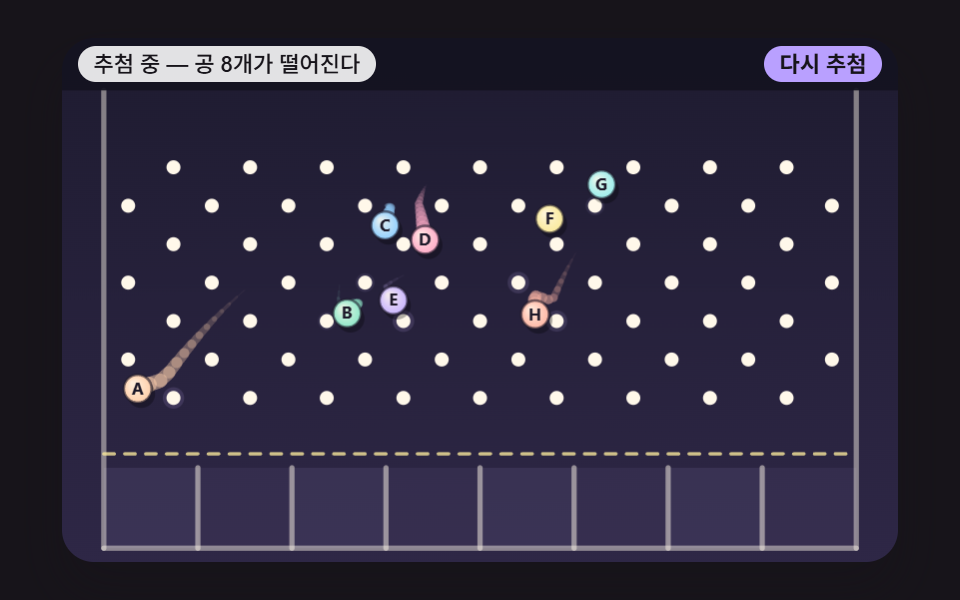 JavaScript Pinball Game: 9 Physics ScenesJavaScript pinball game for raffles. Balls dropped onto named slots: why do middle names keep winning? 08 stacks landing See all demos in this post
If you like this effect - similar demos
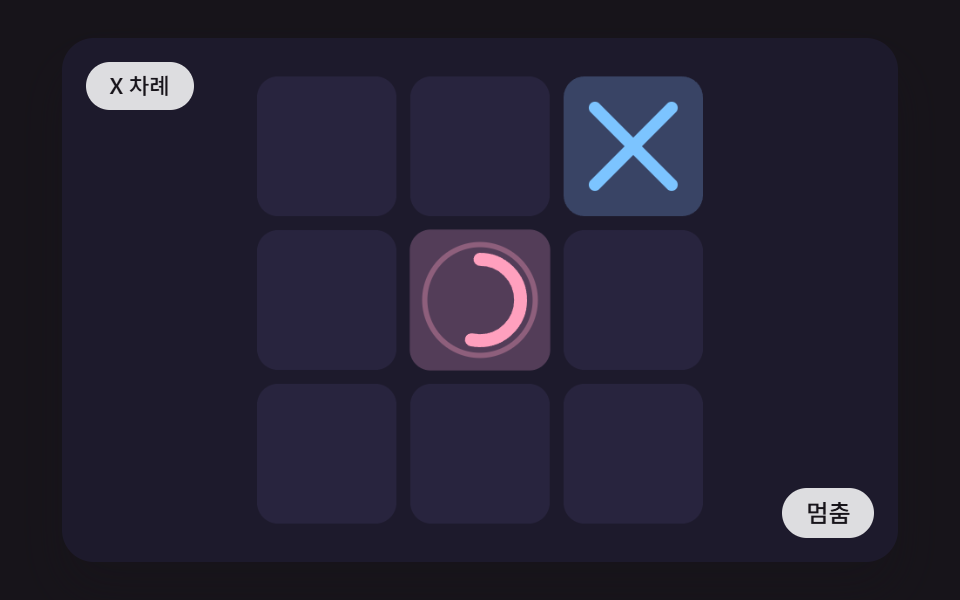 game01 Placing a Mark That Draws X and O Stroke by Stroke While the Cell Presses In and Springs BackCSS Tic Tac Toe: 9 Boards That Count Ahead
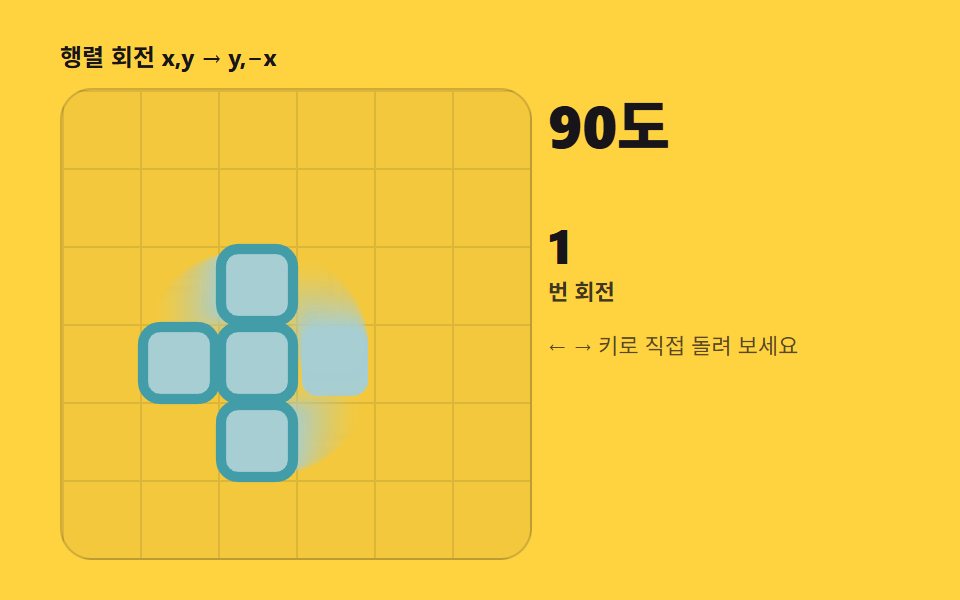 game02 Seven pieces and rotation — shapes that turn by matrix multiplyTetris JavaScript: Build It in 9 Canvas Steps
 game03 Friction decay — a disc that integrates each frame to a stopSpin Wheel: 9 Canvas Roulettes, Flick to Stop