04Button a Depth Value Pushes Only the Icon Apart
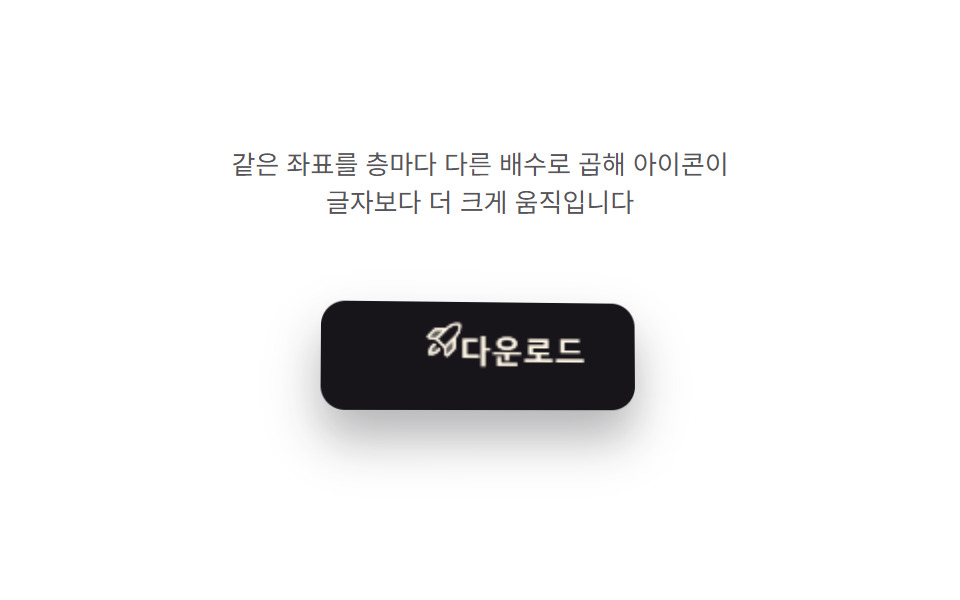
A depth value computed from the cursor offset pushes the background plate and the icon by different ratios so the icon appears to float, then the two layers realign as the value nears zero.
Best forIcon buttons and floating action buttons
ICON_DEPTHLABEL_DEPTHtranslate3d
<main class="stage">
<div class="ip is-demo" id="ip">
  <p class="ip__hint"><span>The same coordinates are multiplied by a different factor per layer, so the icon moves further than the label</span></p>
  <div class="ip__scene" id="scene">
    <button class="ip__btn" id="btn" type="button" aria-label="Download — button whose icon parallaxes on the front layer">
      <span class="ip__icon" id="icon" aria-hidden="true">
        <svg xmlns="http://www.w3.org/2000/svg" viewBox="0 0 256 256" width="22" height="22"><g fill="currentColor"><path d="M184 120v61.65a8 8 0 0 1-2.34 5.65l-34.35 34.35a8 8 0 0 1-13.57-4.53L128 176Zm-48-48H74.35a8 8 0 0 0-5.65 2.34l-34.35 34.35a8 8 0 0 0 4.53 13.57L80 128ZM40 216c37.65 0 50.69-19.69 54.56-28.18l-26.38-26.38C59.69 165.31 40 178.35 40 216" opacity=".35"/><path d="M223.85 47.12a16 16 0 0 0-15-15c-12.58-.75-44.73.4-71.41 27.07L132.69 64H74.36A15.9 15.9 0 0 0 63 68.68L28.7 103a16 16 0 0 0 9.07 27.16l38.47 5.37l44.21 44.21l5.37 38.49a15.94 15.94 0 0 0 10.78 12.92a16.1 16.1 0 0 0 5.1.83a15.9 15.9 0 0 0 11.3-4.68l34.32-34.3a15.9 15.9 0 0 0 4.68-11.36v-58.33l4.77-4.77c26.68-26.68 27.83-58.83 27.08-71.42M74.36 80h42.33l-39.53 39.52L40 114.34Zm74.41-9.45a76.65 76.65 0 0 1 59.11-22.47a76.46 76.46 0 0 1-22.42 59.16L128 164.68L91.32 128ZM176 181.64L141.67 216l-5.19-37.17L176 139.31Zm-74.16 9.5C97.34 201 82.29 224 40 224a8 8 0 0 1-8-8c0-42.29 23-57.34 32.86-61.85a8 8 0 0 1 6.64 14.56c-6.43 2.93-20.62 12.36-23.12 38.91c26.55-2.5 36-16.69 38.91-23.12a8 8 0 1 1 14.56 6.64Z"/></g></svg>
      </span>
      <span class="ip__label" id="label">Download</span>
    </button>
  </div>
</div>
</main>
@use "../../../../site/static/demo-tokens" as *;
@include stage($stage-paper);
.ip {
display: grid;
gap: $sp-4;
justify-items: center;
}
.ip__hint {
margin: 0;
font-size: 13px;
line-height: 1.5;
text-align: center;
max-width: 260px;
color: rgba($subject-ink, .72);
}
.ip__scene {
perspective: 640px;
padding: $sp-6;
}
.ip__btn {
position: relative;
display: inline-flex;
align-items: center;
gap: $sp-2;
border: 0;
cursor: pointer;
padding: $sp-4 $sp-8;
border-radius: $r-control;
background: $subject-ink;
color: $subject-cream;
font-size: 16px;
font-weight: 700;
transform-style: preserve-3d;
box-shadow: $shadow-raised;
overflow: hidden;
will-change: transform;
}
.ip__btn:focus-visible {
outline: 2px solid $subject-ink;
outline-offset: 3px;
}
.ip__icon,
.ip__label {
display: inline-flex;
align-items: center;
will-change: transform;
}
@media (prefers-reduced-motion: reduce) {
.ip__btn { transition: none; }
}html, body {
margin: 0;
overflow: hidden;
}
.stage {
box-sizing: border-box;
min-height: 100vh;
display: grid;
place-items: center;
margin: 0;
background: #ffffff;
font-family: -apple-system, "Segoe UI", "Noto Sans KR", sans-serif;
padding: clamp(8px, 4vw, 24px);
}
.ip {
display: grid;
gap: 16px;
justify-items: center;
}
.ip__hint {
margin: 0;
font-size: 13px;
line-height: 1.5;
text-align: center;
max-width: 260px;
color: rgba(23, 20, 26, 0.72);
}
.ip__scene {
perspective: 640px;
padding: 24px;
}
.ip__btn {
position: relative;
display: inline-flex;
align-items: center;
gap: 8px;
border: 0;
cursor: pointer;
padding: 16px 32px;
border-radius: 12px;
background: #17141a;
color: #fff7e6;
font-size: 16px;
font-weight: 700;
transform-style: preserve-3d;
box-shadow: 0 14px 24px rgba(23, 20, 26, 0.32);
overflow: hidden;
will-change: transform;
}
.ip__btn:focus-visible {
outline: 2px solid #17141a;
outline-offset: 3px;
}
.ip__icon,
.ip__label {
display: inline-flex;
align-items: center;
will-change: transform;
}
@media (prefers-reduced-motion: reduce) {
.ip__btn {
transition: none;
}
}(function () {
var root = document.getElementById('ip');
var scene = document.getElementById('scene');
var btn = document.getElementById('btn');
var icon = document.getElementById('icon');
var label = document.getElementById('label');
var reduce = window.matchMedia('(prefers-reduced-motion: reduce)').matches;
var LERP = 0.17;
var ICON_DEPTH = 22; // 아이콘 층 배수 — 앞에 떠 있어 더 크게 움직인다
var LABEL_DEPTH = 8; // 글자 층 배수 — 뒤에 있어 적게 움직인다
var targetNX = 0, targetNY = 0;
var curNX = 0, curNY = 0;
var hasPointer = false;
function clamp(v, lo, hi) { return Math.max(lo, Math.min(hi, v)); }
function syntheticTarget(t) { return [Math.sin(t * 1.05), Math.sin(t * 0.7 + 2.1)]; }
function render(nx, ny) {
btn.style.transform = 'rotateX(' + (-ny * 8).toFixed(2) + 'deg) rotateY(' + (nx * 8).toFixed(2) + 'deg)';
icon.style.transform = 'translate3d(' + (nx * ICON_DEPTH).toFixed(1) + 'px, ' + (ny * ICON_DEPTH).toFixed(1) + 'px, 0)';
label.style.transform = 'translate3d(' + (nx * LABEL_DEPTH).toFixed(1) + 'px, ' + (ny * LABEL_DEPTH).toFixed(1) + 'px, 0)';
}
var t0 = null;
function loop(now) {
if (t0 === null) t0 = now;
var t = (now - t0) / 1000;
if (!hasPointer && !reduce) {
var s = syntheticTarget(t);
targetNX = s[0]; targetNY = s[1];
}
curNX += (targetNX - curNX) * LERP;
curNY += (targetNY - curNY) * LERP;
render(curNX, curNY);
requestAnimationFrame(loop);
}
function pointFromEvent(e) {
var r = scene.getBoundingClientRect();
var nx = ((e.clientX - r.left) / r.width) * 2 - 1;
var ny = ((e.clientY - r.top) / r.height) * 2 - 1;
return [clamp(nx, -1, 1), clamp(ny, -1, 1)];
}
scene.addEventListener('pointermove', function (e) {
hasPointer = true;
root.classList.remove('is-demo');
var p = pointFromEvent(e);
targetNX = p[0]; targetNY = p[1];
});
scene.addEventListener('pointerleave', function () {
hasPointer = false;
targetNX = 0; targetNY = 0;
});
btn.addEventListener('click', function () {
root.classList.remove('is-demo');
hasPointer = true;
targetNY = -1;
if (reduce) { render(targetNX, targetNY); }
setTimeout(function () { if (!hasPointer) { targetNX = 0; targetNY = 0; if (reduce) { render(targetNX, targetNY); } } }, 260);
});
btn.addEventListener('keydown', function (e) {
var step = 0.24;
var moves = { ArrowLeft: [-step, 0], ArrowRight: [step, 0], ArrowUp: [0, -step], ArrowDown: [0, step] };
var m = moves[e.key];
if (!m) return;
e.preventDefault();
root.classList.remove('is-demo');
hasPointer = true;
targetNX = clamp(targetNX + m[0], -1, 1);
targetNY = clamp(targetNY + m[1], -1, 1);
if (reduce) { render(targetNX, targetNY); }
});
if (reduce) {
render(0.3, -0.5);
} else {
requestAnimationFrame(loop);
}
})();// IconParallaxButton — vanilla 판(run/393/demo/04-pointer-tilt-3d-icon-parallax/index.html) 의 React 포트.
// 같은 정규화 좌표를 아이콘 층과 글자 층에 서로 다른 배수로 곱해 두 층이 다른 속도로 움직이는
// 시차(parallax) 를 만든다. 값·수치는 vanilla 와 같다.
import { useEffect, useRef, useState } from "react";
import type { PointerEvent as ReactPointerEvent } from "react";
import styles from "./IconParallaxButton.module.scss";
type Box<T> = { current: T };
type KeyEvt = { key: string; preventDefault(): void };
const ICON_DEPTH = 22;
const LABEL_DEPTH = 8;
const LERP = 0.17;
const LABEL = "다운로드 — 아이콘이 앞층에서 시차로 움직이는 버튼";
function clamp(v: number, lo: number, hi: number): number {
return Math.max(lo, Math.min(hi, v));
}
function syntheticTarget(t: number): [number, number] {
return [Math.sin(t * 1.05), Math.sin(t * 0.7 + 2.1)];
}
export default function IconParallaxButton() {
const sceneRef = useRef<HTMLDivElement | null>(null);
const btnRef = useRef<HTMLButtonElement | null>(null);
const iconRef = useRef<HTMLSpanElement | null>(null);
const labelRef = useRef<HTMLSpanElement | null>(null);
const targetXRef = useRef<number>(0) as Box<number>;
const targetYRef = useRef<number>(0) as Box<number>;
const curXRef = useRef<number>(0) as Box<number>;
const curYRef = useRef<number>(0) as Box<number>;
const hasPointerRef = useRef<boolean>(false) as Box<boolean>;
const frameRef = useRef<number>(0) as Box<number>;
const t0Ref = useRef<number>(0) as Box<number>;
const [demo, setDemo] = useState(true);
const [reduce, setReduce] = useState(false);
function render(nx: number, ny: number): void {
const btn = btnRef.current;
const icon = iconRef.current;
const label = labelRef.current;
if (!btn || !icon || !label) return;
btn.style.transform = "rotateX(" + (-ny * 8).toFixed(2) + "deg) rotateY(" + (nx * 8).toFixed(2) + "deg)";
icon.style.transform = "translate3d(" + (nx * ICON_DEPTH).toFixed(1) + "px, " + (ny * ICON_DEPTH).toFixed(1) + "px, 0)";
label.style.transform = "translate3d(" + (nx * LABEL_DEPTH).toFixed(1) + "px, " + (ny * LABEL_DEPTH).toFixed(1) + "px, 0)";
}
useEffect(() => {
setReduce(window.matchMedia("(prefers-reduced-motion: reduce)").matches);
}, []);
useEffect(() => {
if (reduce) {
render(0.3, -0.5);
return;
}
function loop(now: number): void {
if (t0Ref.current === 0) t0Ref.current = now;
const t = (now - t0Ref.current) / 1000;
if (!hasPointerRef.current) {
const s = syntheticTarget(t);
targetXRef.current = s[0];
targetYRef.current = s[1];
}
curXRef.current += (targetXRef.current - curXRef.current) * LERP;
curYRef.current += (targetYRef.current - curYRef.current) * LERP;
render(curXRef.current, curYRef.current);
frameRef.current = requestAnimationFrame(loop);
}
frameRef.current = requestAnimationFrame(loop);
return () => cancelAnimationFrame(frameRef.current);
}, [reduce]);
function pointFromEvent(event: ReactPointerEvent<HTMLDivElement>): [number, number] {
const scene = sceneRef.current;
if (!scene) return [0, 0];
const r = scene.getBoundingClientRect();
const nx = ((event.clientX - r.left) / r.width) * 2 - 1;
const ny = ((event.clientY - r.top) / r.height) * 2 - 1;
return [clamp(nx, -1, 1), clamp(ny, -1, 1)];
}
function onPointerMove(event: ReactPointerEvent<HTMLDivElement>): void {
hasPointerRef.current = true;
setDemo(false);
const p = pointFromEvent(event);
targetXRef.current = p[0];
targetYRef.current = p[1];
}
function onPointerLeave(): void {
hasPointerRef.current = false;
targetXRef.current = 0;
targetYRef.current = 0;
}
function onClick(): void {
setDemo(false);
hasPointerRef.current = true;
targetYRef.current = -1;
if (reduce) render(targetXRef.current, targetYRef.current);
window.setTimeout(() => {
if (!hasPointerRef.current) {
targetXRef.current = 0;
targetYRef.current = 0;
if (reduce) render(targetXRef.current, targetYRef.current);
}
}, 260);
}
function onKeyDown(event: KeyEvt): void {
const step = 0.24;
const moves: { [key: string]: [number, number] } = {
ArrowLeft: [-step, 0],
ArrowRight: [step, 0],
ArrowUp: [0, -step],
ArrowDown: [0, step],
};
const m = moves[event.key];
if (!m) return;
event.preventDefault();
setDemo(false);
hasPointerRef.current = true;
targetXRef.current = clamp(targetXRef.current + m[0], -1, 1);
targetYRef.current = clamp(targetYRef.current + m[1], -1, 1);
if (reduce) render(targetXRef.current, targetYRef.current);
}
const cls = [styles.ip, demo ? styles.isDemo : ""].filter(Boolean).join(" ");
return (
<main className={styles.stage}>
<div className={cls}>
<p className={styles.hint}>
<span>같은 좌표를 층마다 다른 배수로 곱해 아이콘이 글자보다 더 크게 움직입니다</span>
</p>
<div className={styles.scene} ref={sceneRef} onPointerMove={onPointerMove} onPointerLeave={onPointerLeave}>
<button className={styles.btn} ref={btnRef} type="button" aria-label={LABEL} onClick={onClick} onKeyDown={onKeyDown}>
<span className={styles.icon} ref={iconRef} aria-hidden="true">
<svg xmlns="http://www.w3.org/2000/svg" viewBox="0 0 256 256" width="22" height="22">
<g fill="currentColor">
<path
d="M184 120v61.65a8 8 0 0 1-2.34 5.65l-34.35 34.35a8 8 0 0 1-13.57-4.53L128 176Zm-48-48H74.35a8 8 0 0 0-5.65 2.34l-34.35 34.35a8 8 0 0 0 4.53 13.57L80 128ZM40 216c37.65 0 50.69-19.69 54.56-28.18l-26.38-26.38C59.69 165.31 40 178.35 40 216"
opacity=".35"
/>
<path d="M223.85 47.12a16 16 0 0 0-15-15c-12.58-.75-44.73.4-71.41 27.07L132.69 64H74.36A15.9 15.9 0 0 0 63 68.68L28.7 103a16 16 0 0 0 9.07 27.16l38.47 5.37l44.21 44.21l5.37 38.49a15.94 15.94 0 0 0 10.78 12.92a16.1 16.1 0 0 0 5.1.83a15.9 15.9 0 0 0 11.3-4.68l34.32-34.3a15.9 15.9 0 0 0 4.68-11.36v-58.33l4.77-4.77c26.68-26.68 27.83-58.83 27.08-71.42M74.36 80h42.33l-39.53 39.52L40 114.34Zm74.41-9.45a76.65 76.65 0 0 1 59.11-22.47a76.46 76.46 0 0 1-22.42 59.16L128 164.68L91.32 128ZM176 181.64L141.67 216l-5.19-37.17L176 139.31Zm-74.16 9.5C97.34 201 82.29 224 40 224a8 8 0 0 1-8-8c0-42.29 23-57.34 32.86-61.85a8 8 0 0 1 6.64 14.56c-6.43 2.93-20.62 12.36-23.12 38.91c26.55-2.5 36-16.69 38.91-23.12a8 8 0 1 1 14.56 6.64Z" />
</g>
</svg>
</span>
<span className={styles.label} ref={labelRef}>
다운로드
</span>
</button>
</div>
</div>
</main>
);
}04 Button a Depth Value Pushes Only the Icon Apart — Measured area 2.401% · moving frames 23/23Original by GODRICH · SCSS and React ship in the zip · 9 CSS 3D Button Effects — Copy-paste Ready
The post this demo lives in
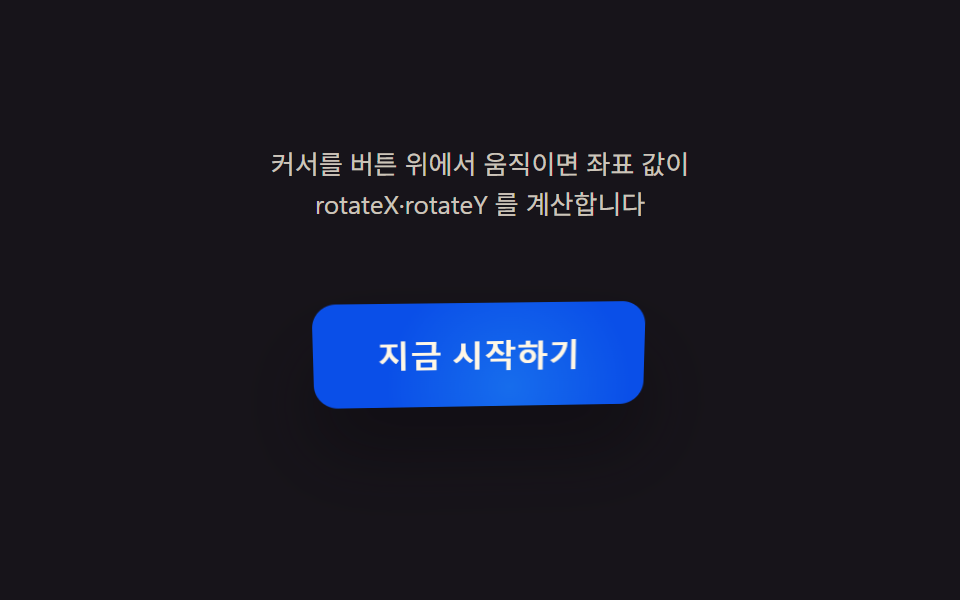 9 CSS 3D Button Effects — Copy-paste ReadyNine css 3d button effect demos. What turns a flat button into depth? A cursor-driven angle value sets rotateX/rotateY, See all demos in this post
If you like this effect - similar demos
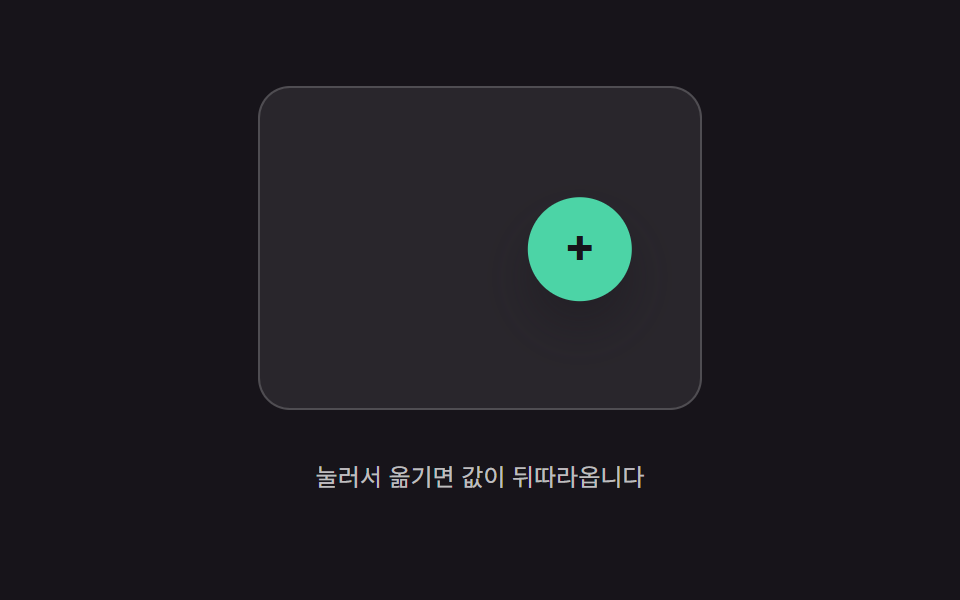 Buttons02 Trailing-value interpolation — the button's position value follows the pointer's position value, narrowing the gap by a fixed ratio each momentButton Press Animation UI: 9 Calculation Patterns
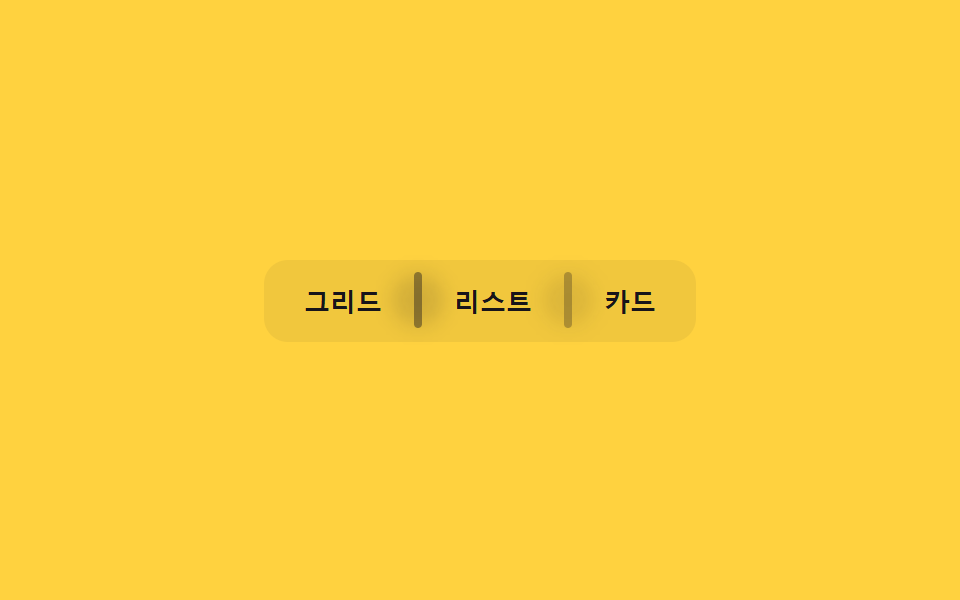 Buttons03 Divider fade — the opacity value of the line between buttons fades as the pointer nears an adjacent buttonButton Group CSS: 9 Adjoined Patterns
 Buttons07 Button That Lifts by the Distance Value's ShadowCSS Button Hover Effects — 9 Proximity Patterns