05Button Where an Angle Value Lights Up the Edge
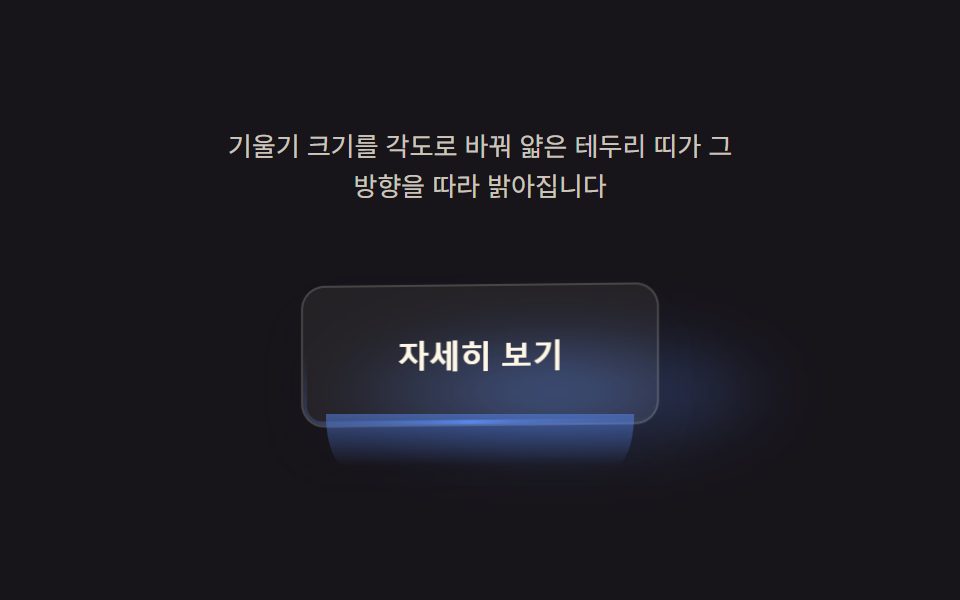
The tilt-angle value is fed directly into the border gradient's angle so only the edge facing the light brightens, and when the angle returns to zero the whole border settles to even brightness.
Best forDark-mode CTA buttons and glass-UI buttons
MAX_DEGconic-gradientmask-composite
<main class="stage">
<div class="eb is-demo" id="eb">
  <p class="eb__hint"><span>Tilt magnitude becomes an angle, and a thin edge band brightens along that direction</span></p>
  <div class="eb__scene" id="scene">
    <span class="eb__floor" id="floor" aria-hidden="true"></span>
    <div class="eb__wrap" id="wrap">
      <button class="eb__btn" id="btn" type="button" aria-label="Learn more — button whose edge brightens with the tilt amount">
        <span class="eb__bevel" id="bevel" aria-hidden="true"></span>
        <span class="eb__label">Learn more</span>
      </button>
      <span class="eb__side" id="side" aria-hidden="true"></span>
    </div>
  </div>
</div>
</main>
@use "../../../../site/static/demo-tokens" as *;
@include stage($stage-ink);
.eb {
display: grid;
gap: $sp-4;
justify-items: center;
}
.eb__hint {
margin: 0;
font-size: 13px;
line-height: 1.5;
text-align: center;
max-width: 260px;
color: rgba($subject-cream, .78);
}
.eb__scene {
position: relative;
perspective: 640px;
padding: $sp-6;
}
// 바닥 그림자 — 기울기 방향으로 옮겨가며 면적을 만든다
.eb__floor {
position: absolute;
left: 50%;
bottom: 4px;
width: clamp(140px, 52vw, 250px);
height: clamp(42px, 15.4vw, 74px);
margin-left: clamp(-125px, -26vw, -70px);
border-radius: 50%;
background: radial-gradient(closest-side, rgba($subject-blue-light, .7), rgba($subject-blue-light, 0) 72%);
filter: blur(10px);
pointer-events: none;
}
.eb__wrap {
position: relative;
display: inline-block;
}
.eb__btn {
position: relative;
border: 1px solid rgba($subject-cream, .16);
cursor: pointer;
padding: $sp-6 $sp-12;
border-radius: $r-control;
background: rgba(255, 247, 230, .06);
color: $subject-cream;
font-size: 16px;
font-weight: 700;
transform-style: preserve-3d;
box-shadow: $shadow-raised;
overflow: hidden;
will-change: transform;
}
.eb__btn:focus-visible {
outline: 2px solid $subject-cream;
outline-offset: 3px;
}
.eb__bevel {
position: absolute;
inset: -2px;
border-radius: inherit;
padding: 4px;
pointer-events: none;
mask: linear-gradient(#000 0 0) content-box, linear-gradient(#000 0 0);
mask-composite: exclude;
-webkit-mask-composite: xor;
}
// 측면 두께 — 버튼 아래 얇은 띠가 기운 크기만큼 길어져 옆면(두께)처럼 읽힌다
.eb__side {
position: absolute;
left: 8%;
right: 8%;
bottom: -4px;
height: 10px;
border-radius: 0 0 $r-control $r-control;
background: linear-gradient(180deg, rgba($subject-blue-light, .6), rgba($subject-blue-deep, 0));
transform-origin: top center;
pointer-events: none;
}
.eb__label {
position: relative;
z-index: 1;
}
@media (prefers-reduced-motion: reduce) {
.eb__btn { transition: none; }
}html, body {
margin: 0;
overflow: hidden;
}
.stage {
box-sizing: border-box;
min-height: 100vh;
display: grid;
place-items: center;
margin: 0;
background: #17141a;
font-family: -apple-system, "Segoe UI", "Noto Sans KR", sans-serif;
padding: clamp(8px, 4vw, 24px);
}
.eb {
display: grid;
gap: 16px;
justify-items: center;
}
.eb__hint {
margin: 0;
font-size: 13px;
line-height: 1.5;
text-align: center;
max-width: 260px;
color: rgba(255, 247, 230, 0.78);
}
.eb__scene {
position: relative;
perspective: 640px;
padding: 24px;
}
.eb__floor {
position: absolute;
left: 50%;
bottom: 4px;
width: clamp(140px, 52vw, 250px);
height: clamp(42px, 15.4vw, 74px);
margin-left: clamp(-125px, -26vw, -70px);
border-radius: 50%;
background: radial-gradient(closest-side, rgba(91, 140, 248, 0.7), rgba(91, 140, 248, 0) 72%);
filter: blur(10px);
pointer-events: none;
}
.eb__wrap {
position: relative;
display: inline-block;
}
.eb__btn {
position: relative;
border: 1px solid rgba(255, 247, 230, 0.16);
cursor: pointer;
padding: 24px 48px;
border-radius: 12px;
background: rgba(255, 247, 230, 0.06);
color: #fff7e6;
font-size: 16px;
font-weight: 700;
transform-style: preserve-3d;
box-shadow: 0 14px 24px rgba(23, 20, 26, 0.32);
overflow: hidden;
will-change: transform;
}
.eb__btn:focus-visible {
outline: 2px solid #fff7e6;
outline-offset: 3px;
}
.eb__bevel {
position: absolute;
inset: -2px;
border-radius: inherit;
padding: 4px;
pointer-events: none;
mask: linear-gradient(#000 0 0) content-box, linear-gradient(#000 0 0);
mask-composite: exclude;
-webkit-mask-composite: xor;
}
.eb__side {
position: absolute;
left: 8%;
right: 8%;
bottom: -4px;
height: 10px;
border-radius: 0 0 12px 12px;
background: linear-gradient(180deg, rgba(91, 140, 248, 0.6), rgba(10, 79, 232, 0));
transform-origin: top center;
pointer-events: none;
}
.eb__label {
position: relative;
z-index: 1;
}
@media (prefers-reduced-motion: reduce) {
.eb__btn {
transition: none;
}
}(function () {
var root = document.getElementById('eb');
var scene = document.getElementById('scene');
var btn = document.getElementById('btn');
var bevel = document.getElementById('bevel');
var floor = document.getElementById('floor');
var side = document.getElementById('side');
var reduce = window.matchMedia('(prefers-reduced-motion: reduce)').matches;
var MAX_DEG = 13; // 불변
var LERP = 0.16;
var targetNX = 0, targetNY = 0;
var curNX = 0, curNY = 0;
var hasPointer = false;
function clamp(v, lo, hi) { return Math.max(lo, Math.min(hi, v)); }
function syntheticTarget(t) { return [Math.sin(t * 1.2 + 0.6), Math.sin(t * 0.88)]; }
// 기울기 벡터의 각도·크기 → conic-gradient 회전각·광 폭. 테두리 광의 위치는 기운 방향과 같다
// 폭·대비를 키워 테두리 띠가 버튼 변 전체를 가로지르게 한다 — MAX_DEG(기울기 각) 값은 그대로
function render(nx, ny) {
var rotY = nx * MAX_DEG;
var rotX = -ny * MAX_DEG;
btn.style.transform = 'rotateX(' + rotX.toFixed(2) + 'deg) rotateY(' + rotY.toFixed(2) + 'deg)';
var mag = clamp(Math.sqrt(nx * nx + ny * ny), 0, 1);
var ang = Math.atan2(ny, nx) * 180 / Math.PI + 90;
var width = 70 + mag * 110;
var alpha = (0.38 + mag * 0.6).toFixed(2);
bevel.style.background = 'conic-gradient(from ' + ang.toFixed(1) + 'deg, rgba(91,140,248,0), rgba(91,140,248,' + alpha + ') ' + (width / 2).toFixed(1) + 'deg, rgba(91,140,248,0) ' + width.toFixed(1) + 'deg)';
// 바닥 그림자 — 기운 방향으로 옮겨간다
var floorShift = nx * 46;
floor.style.transform = 'translateX(' + floorShift.toFixed(1) + 'px) scale(' + (1 + mag * 0.4).toFixed(2) + ')';
floor.style.opacity = (0.14 + mag * 0.7).toFixed(2);
// 측면 두께 — 기운 크기만큼 버튼 아래 「옆면」이 길어져 3D 두께로 읽힌다(MAX_DEG 불변, 순수 표현 한 겹)
side.style.transform = 'scaleY(' + (0.4 + mag * 2.6).toFixed(2) + ')';
side.style.opacity = (0.25 + mag * 0.7).toFixed(2);
}
var t0 = null;
function loop(now) {
if (t0 === null) t0 = now;
var t = (now - t0) / 1000;
if (!hasPointer && !reduce) {
var s = syntheticTarget(t);
targetNX = s[0]; targetNY = s[1];
}
curNX += (targetNX - curNX) * LERP;
curNY += (targetNY - curNY) * LERP;
render(curNX, curNY);
requestAnimationFrame(loop);
}
function pointFromEvent(e) {
var r = scene.getBoundingClientRect();
var nx = ((e.clientX - r.left) / r.width) * 2 - 1;
var ny = ((e.clientY - r.top) / r.height) * 2 - 1;
return [clamp(nx, -1, 1), clamp(ny, -1, 1)];
}
scene.addEventListener('pointermove', function (e) {
hasPointer = true;
root.classList.remove('is-demo');
var p = pointFromEvent(e);
targetNX = p[0]; targetNY = p[1];
});
scene.addEventListener('pointerleave', function () {
hasPointer = false;
targetNX = 0; targetNY = 0;
});
btn.addEventListener('click', function () {
root.classList.remove('is-demo');
hasPointer = true;
targetNX = 0.9; targetNY = 0.9;
if (reduce) { render(targetNX, targetNY); }
setTimeout(function () { if (!hasPointer) { targetNX = 0; targetNY = 0; if (reduce) { render(targetNX, targetNY); } } }, 240);
});
btn.addEventListener('keydown', function (e) {
var step = 0.24;
var moves = { ArrowLeft: [-step, 0], ArrowRight: [step, 0], ArrowUp: [0, -step], ArrowDown: [0, step] };
var m = moves[e.key];
if (!m) return;
e.preventDefault();
root.classList.remove('is-demo');
hasPointer = true;
targetNX = clamp(targetNX + m[0], -1, 1);
targetNY = clamp(targetNY + m[1], -1, 1);
if (reduce) { render(targetNX, targetNY); }
});
if (reduce) {
render(0.5, 0.5);
} else {
requestAnimationFrame(loop);
}
})();// EdgeBevelButton — vanilla 판(run/393/demo/05-pointer-tilt-3d-edge-bevel/index.html) 의 React 포트.
// 기울기 벡터의 각도(atan2)·크기를 conic-gradient 의 회전각·광 폭·투명도로 바꿔 테두리 띠가
// 기운 방향을 따라 밝아지게 한다. 값·수치는 vanilla 와 같다.
import { useEffect, useRef, useState } from "react";
import type { PointerEvent as ReactPointerEvent } from "react";
import styles from "./EdgeBevelButton.module.scss";
type Box<T> = { current: T };
type KeyEvt = { key: string; preventDefault(): void };
const MAX_DEG = 13; // 불변
const LERP = 0.16;
const LABEL = "자세히 보기 — 기울기 크기로 테두리가 밝아지는 버튼";
function clamp(v: number, lo: number, hi: number): number {
return Math.max(lo, Math.min(hi, v));
}
function syntheticTarget(t: number): [number, number] {
return [Math.sin(t * 1.2 + 0.6), Math.sin(t * 0.88)];
}
export default function EdgeBevelButton() {
const sceneRef = useRef<HTMLDivElement | null>(null);
const btnRef = useRef<HTMLButtonElement | null>(null);
const bevelRef = useRef<HTMLSpanElement | null>(null);
const floorRef = useRef<HTMLSpanElement | null>(null);
const sideRef = useRef<HTMLSpanElement | null>(null);
const targetXRef = useRef<number>(0) as Box<number>;
const targetYRef = useRef<number>(0) as Box<number>;
const curXRef = useRef<number>(0) as Box<number>;
const curYRef = useRef<number>(0) as Box<number>;
const hasPointerRef = useRef<boolean>(false) as Box<boolean>;
const frameRef = useRef<number>(0) as Box<number>;
const t0Ref = useRef<number>(0) as Box<number>;
const [demo, setDemo] = useState(true);
const [reduce, setReduce] = useState(false);
function render(nx: number, ny: number): void {
const btn = btnRef.current;
const bevel = bevelRef.current;
const floor = floorRef.current;
const side = sideRef.current;
if (!btn || !bevel || !floor || !side) return;
const rotY = nx * MAX_DEG;
const rotX = -ny * MAX_DEG;
btn.style.transform = "rotateX(" + rotX.toFixed(2) + "deg) rotateY(" + rotY.toFixed(2) + "deg)";
const mag = clamp(Math.sqrt(nx * nx + ny * ny), 0, 1);
const ang = (Math.atan2(ny, nx) * 180) / Math.PI + 90;
const width = 70 + mag * 110;
const alpha = (0.38 + mag * 0.6).toFixed(2);
bevel.style.background =
"conic-gradient(from " + ang.toFixed(1) + "deg, rgba(91,140,248,0), rgba(91,140,248," + alpha + ") " + (width / 2).toFixed(1) + "deg, rgba(91,140,248,0) " + width.toFixed(1) + "deg)";
const floorShift = nx * 46;
floor.style.transform = "translateX(" + floorShift.toFixed(1) + "px) scale(" + (1 + mag * 0.4).toFixed(2) + ")";
floor.style.opacity = (0.14 + mag * 0.7).toFixed(2);
side.style.transform = "scaleY(" + (0.4 + mag * 2.6).toFixed(2) + ")";
side.style.opacity = (0.25 + mag * 0.7).toFixed(2);
}
useEffect(() => {
setReduce(window.matchMedia("(prefers-reduced-motion: reduce)").matches);
}, []);
useEffect(() => {
if (reduce) {
render(0.5, 0.5);
return;
}
function loop(now: number): void {
if (t0Ref.current === 0) t0Ref.current = now;
const t = (now - t0Ref.current) / 1000;
if (!hasPointerRef.current) {
const s = syntheticTarget(t);
targetXRef.current = s[0];
targetYRef.current = s[1];
}
curXRef.current += (targetXRef.current - curXRef.current) * LERP;
curYRef.current += (targetYRef.current - curYRef.current) * LERP;
render(curXRef.current, curYRef.current);
frameRef.current = requestAnimationFrame(loop);
}
frameRef.current = requestAnimationFrame(loop);
return () => cancelAnimationFrame(frameRef.current);
}, [reduce]);
function pointFromEvent(event: ReactPointerEvent<HTMLDivElement>): [number, number] {
const scene = sceneRef.current;
if (!scene) return [0, 0];
const r = scene.getBoundingClientRect();
const nx = ((event.clientX - r.left) / r.width) * 2 - 1;
const ny = ((event.clientY - r.top) / r.height) * 2 - 1;
return [clamp(nx, -1, 1), clamp(ny, -1, 1)];
}
function onPointerMove(event: ReactPointerEvent<HTMLDivElement>): void {
hasPointerRef.current = true;
setDemo(false);
const p = pointFromEvent(event);
targetXRef.current = p[0];
targetYRef.current = p[1];
}
function onPointerLeave(): void {
hasPointerRef.current = false;
targetXRef.current = 0;
targetYRef.current = 0;
}
function onClick(): void {
setDemo(false);
hasPointerRef.current = true;
targetXRef.current = 0.9;
targetYRef.current = 0.9;
if (reduce) render(targetXRef.current, targetYRef.current);
window.setTimeout(() => {
if (!hasPointerRef.current) {
targetXRef.current = 0;
targetYRef.current = 0;
if (reduce) render(targetXRef.current, targetYRef.current);
}
}, 240);
}
function onKeyDown(event: KeyEvt): void {
const step = 0.24;
const moves: { [key: string]: [number, number] } = {
ArrowLeft: [-step, 0],
ArrowRight: [step, 0],
ArrowUp: [0, -step],
ArrowDown: [0, step],
};
const m = moves[event.key];
if (!m) return;
event.preventDefault();
setDemo(false);
hasPointerRef.current = true;
targetXRef.current = clamp(targetXRef.current + m[0], -1, 1);
targetYRef.current = clamp(targetYRef.current + m[1], -1, 1);
if (reduce) render(targetXRef.current, targetYRef.current);
}
const cls = [styles.eb, demo ? styles.isDemo : ""].filter(Boolean).join(" ");
return (
<main className={styles.stage}>
<div className={cls}>
<p className={styles.hint}>
<span>기울기 크기를 각도로 바꿔 얇은 테두리 띠가 그 방향을 따라 밝아집니다</span>
</p>
<div className={styles.scene} ref={sceneRef} onPointerMove={onPointerMove} onPointerLeave={onPointerLeave}>
<span className={styles.floor} ref={floorRef} aria-hidden="true" />
<div className={styles.wrap}>
<button className={styles.btn} ref={btnRef} type="button" aria-label={LABEL} onClick={onClick} onKeyDown={onKeyDown}>
<span className={styles.bevel} ref={bevelRef} aria-hidden="true" />
<span className={styles.label}>자세히 보기</span>
</button>
<span className={styles.side} ref={sideRef} aria-hidden="true" />
</div>
</div>
</div>
</main>
);
}05 Button Where an Angle Value Lights Up the Edge — Measured area 13.927% · moving frames 23/23Original by GODRICH · SCSS and React ship in the zip · 9 CSS 3D Button Effects — Copy-paste Ready
The post this demo lives in
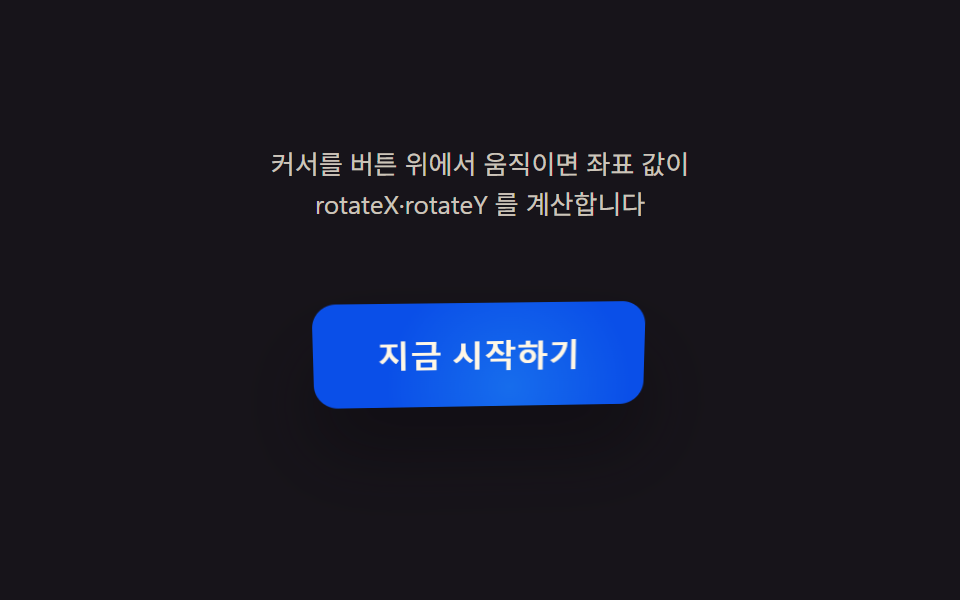 9 CSS 3D Button Effects — Copy-paste ReadyNine css 3d button effect demos. What turns a flat button into depth? A cursor-driven angle value sets rotateX/rotateY, See all demos in this post
If you like this effect - similar demos
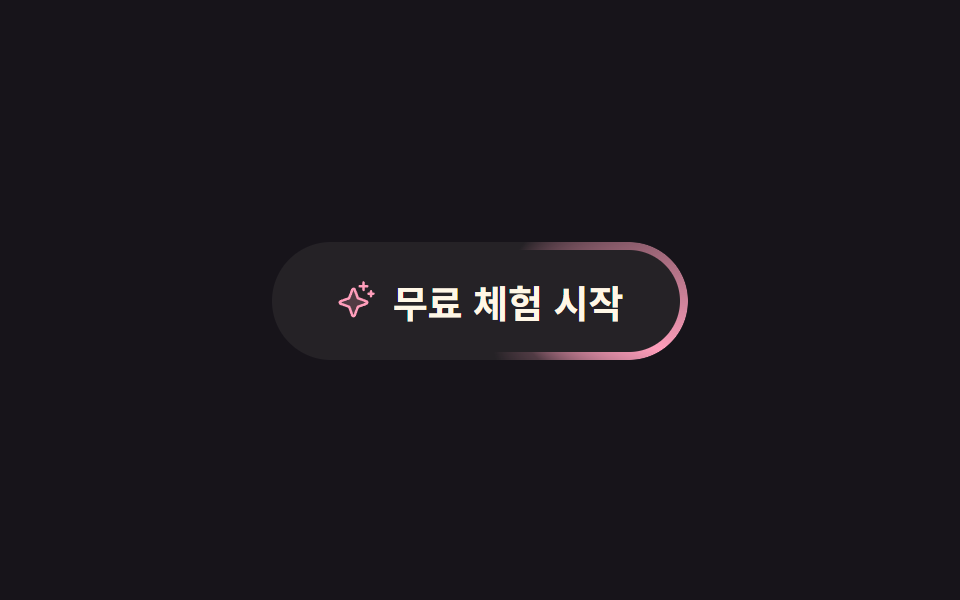 Buttons02 Border light runner9 button hover effects css that award sites reuse
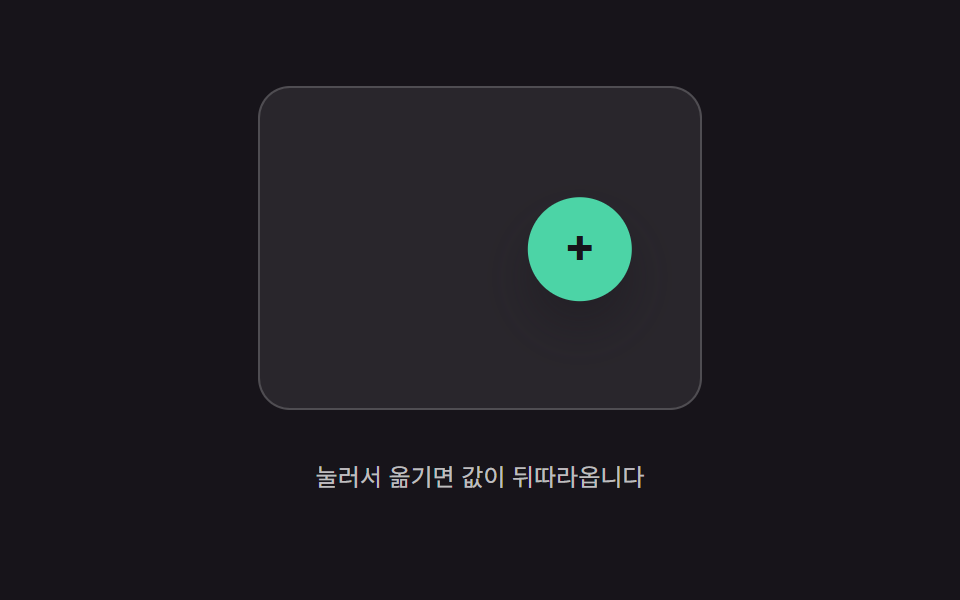 Buttons02 Trailing-value interpolation — the button's position value follows the pointer's position value, narrowing the gap by a fixed ratio each momentButton Press Animation UI: 9 Calculation Patterns
 Buttons03 Divider fade — the opacity value of the line between buttons fades as the pointer nears an adjacent buttonButton Group CSS: 9 Adjoined Patterns