09Checkout button waits, then shows the result
Pressing the subscribe button spins a ring in place before it becomes a success mark; the button refuses a second press while it waits and the announced sentence changes with it.
Best forSubscribe buttons that wait seconds for a payment provider
aria-busysteps(1, end)aria-live
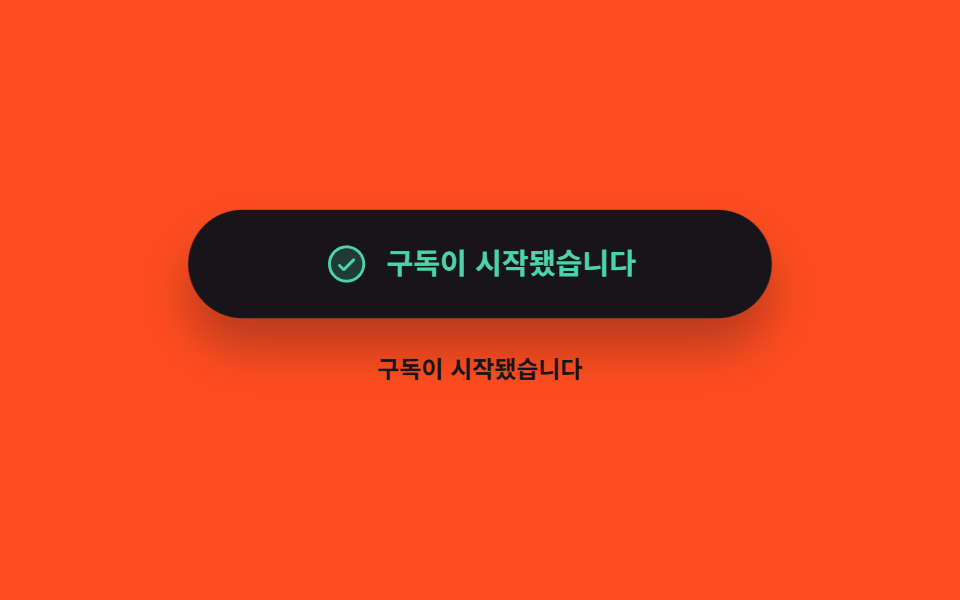
<main class="stage">
  <div class="cs is-demo" data-state="idle">
    <button class="cs__btn" id="cs-btn" type="button" aria-busy="false">
      <span class="cs__face" data-face="idle">
        <span class="cs__label">Start subscription</span>
      </span>
      <span class="cs__face" data-face="busy" aria-hidden="true">
        <span class="cs__ring" aria-hidden="true"></span>
        <span class="cs__label">Working</span>
      </span>
      <span class="cs__face" data-face="done" aria-hidden="true">
        <span class="cs__ic" aria-hidden="true"><svg viewBox="0 0 256 256" width="22" height="22"><g fill="currentColor"><path d="M224 128a96 96 0 1 1-96-96a96 96 0 0 1 96 96" opacity=".2"/><path d="M173.66 98.34a8 8 0 0 1 0 11.32l-56 56a8 8 0 0 1-11.32 0l-24-24a8 8 0 0 1 11.32-11.32L112 148.69l50.34-50.35a8 8 0 0 1 11.32 0M232 128A104 104 0 1 1 128 24a104.11 104.11 0 0 1 104 104m-16 0a88 88 0 1 0-88 88a88.1 88.1 0 0 0 88-88"/></g></svg></span>
        <span class="cs__label">Your subscription started</span>
      </span>
    </button>
    <p class="cs__live" aria-live="polite">
      <span class="cs__msg" data-face="idle">Start subscription</span>
      <span class="cs__msg" data-face="busy" aria-hidden="true">Working</span>
      <span class="cs__msg" data-face="done" aria-hidden="true">Your subscription started</span>
    </p>
  </div>
</main>
@use "../../../../site/static/demo-tokens" as *;
$duration: $dur-quick;
$easing: $ease-pop;
$color: $subject-cream;
$ok: $subject-mint;
@include stage($stage-orange);
.cs {
box-sizing: border-box;
width: min(280px, 86vw);
display: flex;
flex-direction: column;
align-items: center;
gap: $sp-4;
font-family: -apple-system, "Segoe UI", "Noto Sans KR", sans-serif;
}
.cs__btn {
position: relative;
box-sizing: border-box;
width: 100%;
height: 52px;
margin: 0;
padding: 0;
border: 0;
border-radius: $r-pill;
background: $subject-ink;
box-shadow: $shadow-raised;
color: $color;
font-family: inherit;
cursor: pointer;
}
.cs__btn:disabled { cursor: default; }
.cs__btn:focus-visible { outline: 3px solid $subject-ink; outline-offset: 3px; }
// 세 얼굴은 같은 자리에 겹쳐 둔다. 버튼 높이가 고정이라 절대배치가 부모 높이를 흔들지 않는다
.cs__face {
position: absolute;
left: 0;
right: 0;
top: 0;
bottom: 0;
display: flex;
align-items: center;
justify-content: center;
gap: $sp-2;
padding-left: $sp-5;
padding-right: $sp-5;
opacity: 0;
}
.cs__face[data-face="done"] { color: $ok; }
.cs__label {
min-width: 0;
font-size: 14px;
line-height: 20px;
font-weight: 700;
white-space: nowrap;
overflow: hidden;
text-overflow: ellipsis;
}
.cs__ic { display: inline-flex; flex: 0 0 auto; }
.cs__ic svg { display: block; }
// 로딩 고리 — 컷 사이를 메우는 진짜 회전
.cs__ring {
box-sizing: border-box;
flex: 0 0 auto;
width: 18px;
height: 18px;
border: 3px solid rgba(255, 255, 255, .28);
border-top-color: $color;
border-radius: 50%;
animation-name: cs-spin;
animation-duration: $dur-enter;
animation-timing-function: linear;
animation-iteration-count: infinite;
}
@keyframes cs-spin {
0% { transform: rotate(0deg); }
100% { transform: rotate(360deg); }
}
// ── 아래 알림 영역: 보이지 않는 문장은 aria-hidden 이라 한 문장만 읽힌다 ──
.cs__live {
position: relative;
width: 100%;
height: 20px;
margin: 0;
}
.cs__msg {
position: absolute;
left: 0;
right: 0;
top: 0;
font-size: 12px;
line-height: 20px;
font-weight: 700;
color: $subject-ink;
text-align: center;
white-space: nowrap;
overflow: hidden;
text-overflow: ellipsis;
opacity: 0;
}
// ── 정적 경로: 사람이 누른 뒤에는 data-state 하나가 얼굴을 정한다 ──
.cs:not(.is-demo)[data-state="idle"] .cs__face[data-face="idle"],
.cs:not(.is-demo)[data-state="busy"] .cs__face[data-face="busy"],
.cs:not(.is-demo)[data-state="done"] .cs__face[data-face="done"],
.cs:not(.is-demo)[data-state="idle"] .cs__msg[data-face="idle"],
.cs:not(.is-demo)[data-state="busy"] .cs__msg[data-face="busy"],
.cs:not(.is-demo)[data-state="done"] .cs__msg[data-face="done"] { opacity: 1; }
// ── 자동 루프: 기본 → 로딩 → 성공 → 기본. 교체는 전부 한 프레임 컷 ──
.cs.is-demo .cs__face,
.cs.is-demo .cs__msg {
animation-duration: $dur-loop;
animation-timing-function: steps(1, end);
animation-iteration-count: infinite;
}
.cs.is-demo .cs__face[data-face="idle"],
.cs.is-demo .cs__msg[data-face="idle"] { animation-name: cs-idle; }
.cs.is-demo .cs__face[data-face="busy"],
.cs.is-demo .cs__msg[data-face="busy"] { animation-name: cs-busy; }
.cs.is-demo .cs__face[data-face="done"],
.cs.is-demo .cs__msg[data-face="done"] { animation-name: cs-done; }
@keyframes cs-idle {
0% { opacity: 1; }
20% { opacity: 0; }
86% { opacity: 1; }
100% { opacity: 1; }
}
@keyframes cs-busy {
0% { opacity: 0; }
20% { opacity: 1; }
62% { opacity: 0; }
100% { opacity: 0; }
}
@keyframes cs-done {
0% { opacity: 0; }
62% { opacity: 1; }
86% { opacity: 0; }
100% { opacity: 0; }
}
// 컷만 있으면 움직인 프레임이 모자란다 — 상태가 바뀔 때마다 버튼이 작게 팝 한다
.cs.is-demo .cs__btn {
animation-name: cs-pop;
animation-duration: $dur-loop;
animation-timing-function: $easing;
animation-iteration-count: infinite;
}
@keyframes cs-pop {
0% { transform: scale(1); }
16% { transform: scale(1); }
24% { transform: scale(.95); }
34% { transform: scale(1); }
58% { transform: scale(1); }
67% { transform: scale(1.04); }
78% { transform: scale(1); }
80% { transform: scale(1); }
86% { transform: scale(.97); }
90% { transform: scale(1); }
100% { transform: scale(1); }
}
@media (max-width: 340px) {
.cs { gap: $sp-3; }
.cs__btn { height: 44px; }
.cs__face { gap: $sp-1; padding-left: $sp-4; padding-right: $sp-4; }
.cs__label { font-size: 12px; line-height: 18px; }
.cs__ring { width: 16px; height: 16px; }
.cs__live { height: 18px; }
.cs__msg { font-size: 11px; line-height: 18px; }
}
@media (prefers-reduced-motion: reduce) {
.cs.is-demo .cs__face,
.cs.is-demo .cs__msg,
.cs.is-demo .cs__btn,
.cs__ring { animation: none !important; }
.cs.is-demo .cs__face[data-face="idle"],
.cs.is-demo .cs__msg[data-face="idle"] { opacity: 1; }
}html, body {
margin: 0;
overflow: hidden;
}
.stage {
box-sizing: border-box;
min-height: 100vh;
display: grid;
place-items: center;
margin: 0;
background: #ff4d1f;
font-family: -apple-system, "Segoe UI", "Noto Sans KR", sans-serif;
padding: clamp(8px, 4vw, 24px);
}
.cs {
box-sizing: border-box;
width: min(280px, 86vw);
display: flex;
flex-direction: column;
align-items: center;
gap: 16px;
font-family: -apple-system, "Segoe UI", "Noto Sans KR", sans-serif;
}
.cs__btn {
position: relative;
box-sizing: border-box;
width: 100%;
height: 52px;
margin: 0;
padding: 0;
border: 0;
border-radius: 999px;
background: #17141a;
box-shadow: 0 14px 24px rgba(23, 20, 26, 0.32);
color: #fff7e6;
font-family: inherit;
cursor: pointer;
}
.cs__btn:disabled {
cursor: default;
}
.cs__btn:focus-visible {
outline: 3px solid #17141a;
outline-offset: 3px;
}
.cs__face {
position: absolute;
left: 0;
right: 0;
top: 0;
bottom: 0;
display: flex;
align-items: center;
justify-content: center;
gap: 8px;
padding-left: 20px;
padding-right: 20px;
opacity: 0;
}
.cs__face[data-face=done] {
color: #4cd4a6;
}
.cs__label {
min-width: 0;
font-size: 14px;
line-height: 20px;
font-weight: 700;
white-space: nowrap;
overflow: hidden;
text-overflow: ellipsis;
}
.cs__ic {
display: inline-flex;
flex: 0 0 auto;
}
.cs__ic svg {
display: block;
}
.cs__ring {
box-sizing: border-box;
flex: 0 0 auto;
width: 18px;
height: 18px;
border: 3px solid rgba(255, 255, 255, 0.28);
border-top-color: #fff7e6;
border-radius: 50%;
animation-name: cs-spin;
animation-duration: 600ms;
animation-timing-function: linear;
animation-iteration-count: infinite;
}
@keyframes cs-spin {
0% {
transform: rotate(0deg);
}
100% {
transform: rotate(360deg);
}
}
.cs__live {
position: relative;
width: 100%;
height: 20px;
margin: 0;
}
.cs__msg {
position: absolute;
left: 0;
right: 0;
top: 0;
font-size: 12px;
line-height: 20px;
font-weight: 700;
color: #17141a;
text-align: center;
white-space: nowrap;
overflow: hidden;
text-overflow: ellipsis;
opacity: 0;
}
.cs:not(.is-demo)[data-state=idle] .cs__face[data-face=idle],
.cs:not(.is-demo)[data-state=busy] .cs__face[data-face=busy],
.cs:not(.is-demo)[data-state=done] .cs__face[data-face=done],
.cs:not(.is-demo)[data-state=idle] .cs__msg[data-face=idle],
.cs:not(.is-demo)[data-state=busy] .cs__msg[data-face=busy],
.cs:not(.is-demo)[data-state=done] .cs__msg[data-face=done] {
opacity: 1;
}
.cs.is-demo .cs__face,
.cs.is-demo .cs__msg {
animation-duration: 2s;
animation-timing-function: steps(1, end);
animation-iteration-count: infinite;
}
.cs.is-demo .cs__face[data-face=idle],
.cs.is-demo .cs__msg[data-face=idle] {
animation-name: cs-idle;
}
.cs.is-demo .cs__face[data-face=busy],
.cs.is-demo .cs__msg[data-face=busy] {
animation-name: cs-busy;
}
.cs.is-demo .cs__face[data-face=done],
.cs.is-demo .cs__msg[data-face=done] {
animation-name: cs-done;
}
@keyframes cs-idle {
0% {
opacity: 1;
}
20% {
opacity: 0;
}
86% {
opacity: 1;
}
100% {
opacity: 1;
}
}
@keyframes cs-busy {
0% {
opacity: 0;
}
20% {
opacity: 1;
}
62% {
opacity: 0;
}
100% {
opacity: 0;
}
}
@keyframes cs-done {
0% {
opacity: 0;
}
62% {
opacity: 1;
}
86% {
opacity: 0;
}
100% {
opacity: 0;
}
}
.cs.is-demo .cs__btn {
animation-name: cs-pop;
animation-duration: 2s;
animation-timing-function: cubic-bezier(0.2, 1.4, 0.4, 1);
animation-iteration-count: infinite;
}
@keyframes cs-pop {
0% {
transform: scale(1);
}
16% {
transform: scale(1);
}
24% {
transform: scale(0.95);
}
34% {
transform: scale(1);
}
58% {
transform: scale(1);
}
67% {
transform: scale(1.04);
}
78% {
transform: scale(1);
}
80% {
transform: scale(1);
}
86% {
transform: scale(0.97);
}
90% {
transform: scale(1);
}
100% {
transform: scale(1);
}
}
@media (max-width: 340px) {
.cs {
gap: 12px;
}
.cs__btn {
height: 44px;
}
.cs__face {
gap: 4px;
padding-left: 16px;
padding-right: 16px;
}
.cs__label {
font-size: 12px;
line-height: 18px;
}
.cs__ring {
width: 16px;
height: 16px;
}
.cs__live {
height: 18px;
}
.cs__msg {
font-size: 11px;
line-height: 18px;
}
}
@media (prefers-reduced-motion: reduce) {
.cs.is-demo .cs__face,
.cs.is-demo .cs__msg,
.cs.is-demo .cs__btn,
.cs__ring {
animation: none !important;
}
.cs.is-demo .cs__face[data-face=idle],
.cs.is-demo .cs__msg[data-face=idle] {
opacity: 1;
}
}// 실제 동작: 세 얼굴은 같은 자리에 겹쳐 있고 data-state 하나가 어느 얼굴을 보일지 정한다.
// 안 보이는 얼굴은 aria-hidden 이라, 상태가 바뀌면 aria-live 영역이 새 문장 하나만 읽어 준다.
var root = document.querySelector('.cs');
var btn = document.getElementById('cs-btn');
var hidden = [].slice.call(document.querySelectorAll('.cs__face, .cs__msg'));
var timers = [];
function state(name) {
root.classList.remove('is-demo');
root.setAttribute('data-state', name);
btn.setAttribute('aria-busy', String(name === 'busy'));
btn.disabled = name !== 'idle';
hidden.forEach(function (el) {
if (el.getAttribute('data-face') === name) { el.removeAttribute('aria-hidden'); } else { el.setAttribute('aria-hidden', 'true'); }
});
}
btn.addEventListener('click', function () {
timers.forEach(clearTimeout);
timers = [];
state('busy');
timers.push(setTimeout(function () { state('done'); }, 1200));
timers.push(setTimeout(function () { state('idle'); }, 2400));
});import { useEffect, useRef, useState } from "react";
import type { CSSProperties } from "react";
import styles from "./CtaStates.module.scss";
export type CtaState = "idle" | "busy" | "done";
export type CtaStatesProps = {
labels?: Record<CtaState, string>;
busyMs?: number;
doneMs?: number;
duration?: number;
easing?: string;
color?: string;
};
type Vars = CSSProperties & { "--duration"?: string; "--easing"?: string; "--color"?: string };
const FACES: CtaState[] = ["idle", "busy", "done"];
const CHECK = (
<g fill="currentColor">
<path d="M224 128a96 96 0 1 1-96-96a96 96 0 0 1 96 96" opacity=".2" />
<path d="M173.66 98.34a8 8 0 0 1 0 11.32l-56 56a8 8 0 0 1-11.32 0l-24-24a8 8 0 0 1 11.32-11.32L112 148.69l50.34-50.35a8 8 0 0 1 11.32 0M232 128A104 104 0 1 1 128 24a104.11 104.11 0 0 1 104 104m-16 0a88 88 0 1 0-88 88a88.1 88.1 0 0 0 88-88" />
</g>
);
export default function CtaStates({
labels = { idle: "Start subscription", busy: "Working", done: "Your subscription started" },
busyMs = 1200,
doneMs = 1200,
duration = 220,
easing = "cubic-bezier(.2, 1.4, .4, 1)",
color = "#fff7e6",
}: CtaStatesProps) {
const [demo, setDemo] = useState(true);
const [state, setState] = useState<CtaState>("idle");
const timers = useRef<number[]>([]);
const vars: Vars = { "--duration": `${duration}ms`, "--easing": easing, "--color": color };
useEffect(() => () => { (timers.current || []).forEach((t) => window.clearTimeout(t)); }, []);
// 퇴장이 아니라 교체다 — 버튼은 어느 순간에도 사라지지 않고 얼굴만 갈아 낀다
function start() {
(timers.current || []).forEach((t) => window.clearTimeout(t));
setDemo(false);
setState("busy");
timers.current = [
window.setTimeout(() => setState("done"), busyMs),
window.setTimeout(() => setState("idle"), busyMs + doneMs),
];
}
return (
<div className={`${styles.cs} ${demo ? styles.isDemo : ""}`} style={vars} data-state={state}>
<button
className={styles.btn}
type="button"
aria-busy={state === "busy"}
disabled={!demo && state !== "idle"}
onClick={start}
>
{FACES.map((f) => (
<span key={f} className={styles.face} data-face={f} aria-hidden={demo ? f !== "idle" : f !== state}>
{f === "busy" ? <span className={styles.ring} aria-hidden="true" /> : null}
{f === "done" ? (
<span className={styles.ic} aria-hidden="true">
<svg viewBox="0 0 256 256" width="22" height="22">{CHECK}</svg>
</span>
) : null}
<span className={styles.label}>{labels[f]}</span>
</span>
))}
</button>
{/* 보이지 않는 문장은 aria-hidden 이라, 상태가 바뀌면 한 문장만 읽힌다 */}
<p className={styles.live} aria-live="polite">
{FACES.map((f) => (
<span key={f} className={styles.msg} data-face={f} aria-hidden={demo ? f !== "idle" : f !== state}>
{labels[f]}
</span>
))}
</p>
</div>
);
}09 Checkout button waits, then shows the result — Measured area 4.831% · moving frames 18/23Original by GODRICH · SCSS and React ship in the zip · Pricing Table Design: 9 Live Interactions
The post this demo lives in
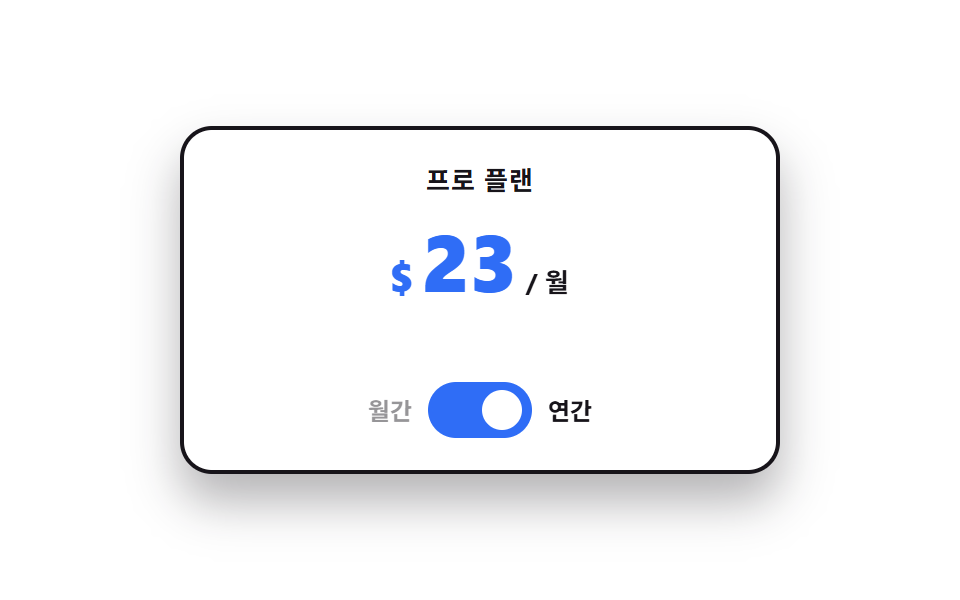 Pricing Table Design: 9 Live InteractionsIn pricing table design, the work happens on top of the cards, not inside them. All nine run on vanilla JS and SCSS, and See all demos in this post
If you like this effect - similar demos
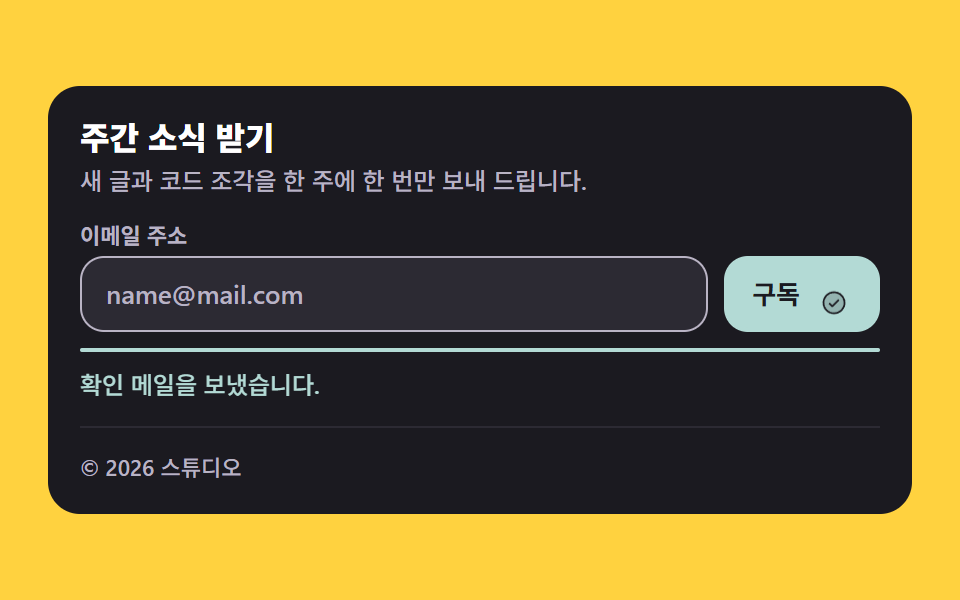 Landing sections02 Newsletter-integrated footerWebsite Footer Design: 9 Copy-Paste Patterns
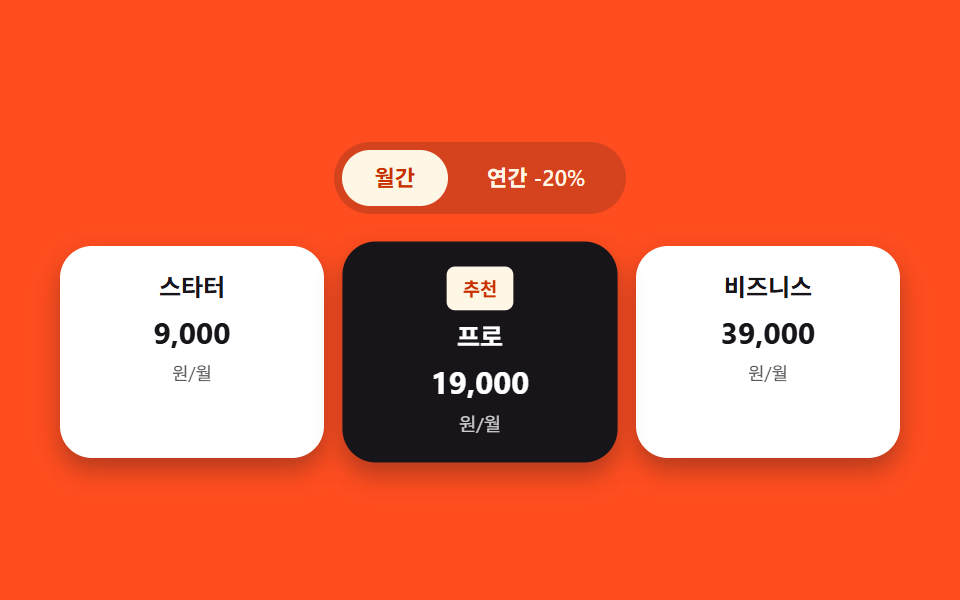 Landing sections03 Pricing cards — a list where only the recommended card gets a larger scale valueHero Section Design Examples: 9 Patterns
 Landing sections08 Apply CTA — a badge that computes days left until deadline on every load9 Team Page Design Patterns (Copy-Paste)