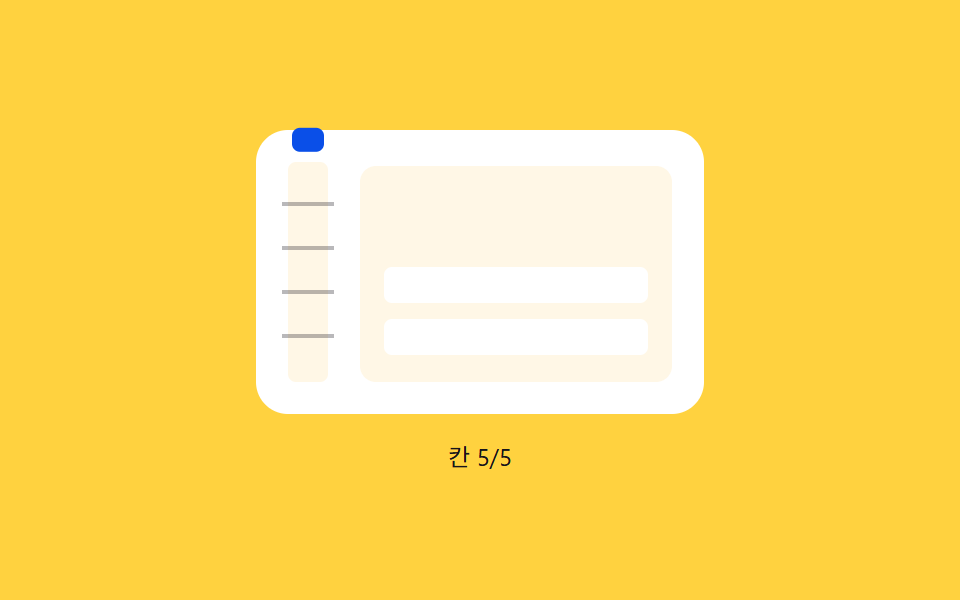
06Ratchet tick — an indicator that briefly snaps in position each time the pulled distance value passes a tick value
Each time the pulled distance value passes an evenly spaced tick value, the indicator's position value briefly jumps and settles, and this repeats as the count of passed ticks value increases.
Best forA refresh needing deliberate confirmation, a list needing strong feedback
TICKAMPtriggerBurst
<main class="stage">
<div class="prtk is-demo" id="prtk">
  <div class="prtk__panel">
    <div class="prtk__track" id="prtkTrack">
      <span class="prtk__tick" style="bottom:22px"></span>
      <span class="prtk__tick" style="bottom:44px"></span>
      <span class="prtk__tick" style="bottom:66px"></span>
      <span class="prtk__tick" style="bottom:88px"></span>
      <span class="prtk__marker" id="prtkMarker"></span>
    </div>
    <div class="prtk__phone" id="prtkPhone">
      <div class="prtk__list" id="prtkList">
        <div class="prtk__row"></div>
        <div class="prtk__row"></div>
      </div>
    </div>
  </div>
  <span class="prtk__hint" id="prtkHint">Pull down</span>
</div>
</main>
@use "../../../../site/static/demo-tokens" as *;
// 계산 겹(감쇠 진동 burst)은 JS 에 있다 — 여기는 정적 배치만.
@include stage($stage-yellow);
.prtk {
position: relative;
display: flex;
flex-direction: column;
align-items: center;
gap: $sp-3;
}
.prtk__panel {
display: flex;
align-items: flex-end;
gap: $sp-4;
padding: $sp-4;
border-radius: $r-card;
background: $stage-paper;
}
.prtk__track {
position: relative;
width: 20px;
height: 110px;
border-radius: $r-xs;
background: $subject-cream;
}
.prtk__tick {
position: absolute;
left: -3px;
right: -3px;
height: 2px;
background: rgba($subject-ink, .3);
}
.prtk__marker {
position: absolute;
left: 2px;
right: 2px;
bottom: 2px;
height: 12px;
border-radius: $r-xs;
background: $subject-blue-deep;
}
.prtk__phone {
position: relative;
width: 156px;
height: 108px;
overflow: hidden;
border-radius: $r-sm;
background: $subject-cream;
touch-action: none;
cursor: grab;
}
.prtk__list {
position: relative;
display: flex;
flex-direction: column;
gap: $sp-2;
padding: $sp-3;
}
.prtk__row {
height: 18px;
border-radius: $r-xs;
background: $stage-paper;
}
.prtk__hint {
color: $subject-ink;
font-size: 12px;
text-align: center;
}
@media (max-width: 340px) {
.prtk__panel { padding: $sp-3; gap: $sp-2; }
.prtk__track { height: 88px; }
.prtk__phone { width: 128px; height: 88px; }
}
@media (prefers-reduced-motion: reduce) {
.prtk__marker, .prtk__list { transition: none !important; }
}html, body {
margin: 0;
overflow: hidden;
}
.stage {
box-sizing: border-box;
min-height: 100vh;
display: grid;
place-items: center;
margin: 0;
background: #ffd23f;
font-family: -apple-system, "Segoe UI", "Noto Sans KR", sans-serif;
padding: clamp(8px, 4vw, 24px);
}
.prtk {
position: relative;
display: flex;
flex-direction: column;
align-items: center;
gap: 12px;
}
.prtk__panel {
display: flex;
align-items: flex-end;
gap: 16px;
padding: 16px;
border-radius: 16px;
background: #ffffff;
}
.prtk__track {
position: relative;
width: 20px;
height: 110px;
border-radius: 4px;
background: #fff7e6;
}
.prtk__tick {
position: absolute;
left: -3px;
right: -3px;
height: 2px;
background: rgba(23, 20, 26, 0.3);
}
.prtk__marker {
position: absolute;
left: 2px;
right: 2px;
bottom: 2px;
height: 12px;
border-radius: 4px;
background: #0a4fe8;
}
.prtk__phone {
position: relative;
width: 156px;
height: 108px;
overflow: hidden;
border-radius: 8px;
background: #fff7e6;
touch-action: none;
cursor: grab;
}
.prtk__list {
position: relative;
display: flex;
flex-direction: column;
gap: 8px;
padding: 12px;
}
.prtk__row {
height: 18px;
border-radius: 4px;
background: #ffffff;
}
.prtk__hint {
color: #17141a;
font-size: 12px;
text-align: center;
}
@media (max-width: 340px) {
.prtk__panel {
padding: 12px;
gap: 8px;
}
.prtk__track {
height: 88px;
}
.prtk__phone {
width: 128px;
height: 88px;
}
}
@media (prefers-reduced-motion: reduce) {
.prtk__marker, .prtk__list {
transition: none !important;
}
}(function () {
var phone = document.getElementById('prtkPhone');
var marker = document.getElementById('prtkMarker');
var list = document.getElementById('prtkList');
var hint = document.getElementById('prtkHint');
var root = document.getElementById('prtk');
// 계산 겹: Tick 경계(TICK 배수)를 새로 지날 때마다 감쇠 진동 AMP*e^(-t/TAU)*sin(t*W) 을
// 기준 위치에 얹는다 — 릴리즈 때 한 번이 아니라 손가락이 칸을 지날 때마다 걸리는 래칫 튐이다.
var TICK = 22, N = 5, TRACK_H = 110, MAX_TICK = TICK * N, RAW_MAX = 150;
var AMP = 10, TAU = 0.15, W = 26;
var raw = 0, lastTick = 0, burstActive = false, burstStart = 0;
var dragging = false, startY = 0, startRaw = 0, released = true;
function triggerBurst(now) { burstActive = true; burstStart = now; }
function frame(now) {
var clamped = Math.min(raw, MAX_TICK);
var tickIndex = Math.floor(clamped / TICK);
if (tickIndex > lastTick) { triggerBurst(now); }
lastTick = tickIndex;
var basePos = (clamped / MAX_TICK) * TRACK_H;
var burst = 0;
if (burstActive) {
var t = (now - burstStart) / 1000;
burst = AMP * Math.exp(-t / TAU) * Math.sin(t * W);
if (t > 0.6) { burstActive = false; }
}
marker.style.transform = 'translateY(' + (-(basePos) + burst).toFixed(1) + 'px)';
list.style.transform = 'translateY(' + (clamped * 0.35).toFixed(1) + 'px)';
hint.textContent = raw > 4 ? ('Tick ' + Math.min(tickIndex, N) + '/' + N) : 'Pull down';
requestAnimationFrame(frame);
}
requestAnimationFrame(frame);
var committing = false, commitTimer = null;
function commit() {
committing = true;
hint.textContent = 'Refreshing';
commitTimer = setTimeout(function () {
committing = false;
raw = 0; lastTick = 0;
hint.textContent = 'Pull down';
}, 620);
}
function onDown(y) { if (committing) { return; } dragging = true; released = false; startY = y; startRaw = raw; }
function onMove(y) {
if (!dragging) { return; }
raw = Math.max(0, Math.min(RAW_MAX, startRaw + (y - startY)));
}
function onUp() {
if (!dragging) { return; }
dragging = false; released = true;
if (raw >= MAX_TICK) { commit(); } else { raw = 0; lastTick = 0; }
}
function wireReal() {
phone.addEventListener('pointerdown', function (e) { root.classList.remove('is-demo'); stopAutoplay(); onDown(e.clientY); });
window.addEventListener('pointermove', function (e) { onMove(e.clientY); });
window.addEventListener('pointerup', onUp);
}
phone.style.touchAction = 'none';
wireReal();
var autoRaw = 0, autoTimer = null;
function autoTick() {
if (committing) { return; }
autoRaw += 16;
if (autoRaw >= MAX_TICK) { raw = MAX_TICK; autoRaw = 0; commit(); return; }
raw = autoRaw;
}
var reduce = window.matchMedia('(prefers-reduced-motion: reduce)').matches;
function stopAutoplay() { if (autoTimer) { clearInterval(autoTimer); autoTimer = null; } if (commitTimer) { clearTimeout(commitTimer); } }
if (!reduce) { autoTimer = setInterval(autoTick, 160); }
})();import { useEffect, useRef } from "react";
import styles from "./PullRefreshRatchetTickSnap.module.scss";
export type PullRefreshRatchetTickSnapProps = {
color?: string;
};
export default function PullRefreshRatchetTickSnap({
color = "#0a4fe8",
}: PullRefreshRatchetTickSnapProps) {
const rootRef = useRef<HTMLDivElement | null>(null);
useEffect(() => {
const root = rootRef.current;
if (!root) return;
const phone = root.querySelector<HTMLDivElement>(`.${styles.phone}`);
const marker = root.querySelector<HTMLSpanElement>(`.${styles.marker}`);
const list = root.querySelector<HTMLDivElement>(`.${styles.list}`);
const hint = root.querySelector<HTMLSpanElement>(`.${styles.hint}`);
if (!phone || !marker || !list || !hint) return;
// 계산 겹: 칸 경계(TICK 배수)를 새로 지날 때마다 감쇠 진동 AMP*e^(-t/TAU)*sin(t*W) 을
// 기준 위치에 얹는다 — 릴리즈 때 한 번이 아니라 손가락이 칸을 지날 때마다 걸리는 래칫 튐이다.
const TICK = 22, N = 5, TRACK_H = 110, MAX_TICK = TICK * N, RAW_MAX = 150;
const AMP = 10, TAU = 0.15, W = 26;
let raw = 0, lastTick = 0, burstActive = false, burstStart = 0;
let dragging = false, startY = 0, startRaw = 0;
let rafId: number | null = null;
function triggerBurst(now: number) { burstActive = true; burstStart = now; }
function frame(now: number) {
const clamped = Math.min(raw, MAX_TICK);
const tickIndex = Math.floor(clamped / TICK);
if (tickIndex > lastTick) triggerBurst(now);
lastTick = tickIndex;
const basePos = (clamped / MAX_TICK) * TRACK_H;
let burst = 0;
if (burstActive) {
const t = (now - burstStart) / 1000;
burst = AMP * Math.exp(-t / TAU) * Math.sin(t * W);
if (t > 0.6) burstActive = false;
}
marker!.style.transform = "translateY(" + (-(basePos) + burst).toFixed(1) + "px)";
list!.style.transform = "translateY(" + (clamped * 0.35).toFixed(1) + "px)";
hint!.textContent = raw > 4 ? ("칸 " + Math.min(tickIndex, N) + "/" + N) : "아래로 당기세요";
rafId = requestAnimationFrame(frame);
}
rafId = requestAnimationFrame(frame);
let committing = false, commitTimer: number | null = null;
function commit() {
committing = true;
hint!.textContent = "새로고침 중";
commitTimer = window.setTimeout(() => {
committing = false;
raw = 0; lastTick = 0;
hint!.textContent = "아래로 당기세요";
}, 620);
}
function onDown(y: number) {
if (committing) return;
dragging = true; startY = y; startRaw = raw;
}
function onMove(y: number) {
if (!dragging) return;
raw = Math.max(0, Math.min(RAW_MAX, startRaw + (y - startY)));
}
function onUp() {
if (!dragging) return;
dragging = false;
if (raw >= MAX_TICK) { commit(); } else { raw = 0; lastTick = 0; }
}
function onPointerDown(e: PointerEvent) { stopAutoplay(); onDown(e.clientY); }
function onPointerMove(e: PointerEvent) { onMove(e.clientY); }
phone.style.touchAction = "none";
phone.addEventListener("pointerdown", onPointerDown);
window.addEventListener("pointermove", onPointerMove);
window.addEventListener("pointerup", onUp);
let autoRaw = 0, autoTimer: number | null = null;
function autoTick() {
if (committing) return;
autoRaw += 16;
if (autoRaw >= MAX_TICK) { raw = MAX_TICK; autoRaw = 0; commit(); return; }
raw = autoRaw;
}
function stopAutoplay() {
if (autoTimer !== null) { window.clearInterval(autoTimer); autoTimer = null; }
if (commitTimer !== null) { window.clearTimeout(commitTimer); }
}
const reduce = window.matchMedia("(prefers-reduced-motion: reduce)").matches;
if (!reduce) { autoTimer = window.setInterval(autoTick, 160); }
return () => {
stopAutoplay();
if (rafId !== null) cancelAnimationFrame(rafId);
phone.removeEventListener("pointerdown", onPointerDown);
window.removeEventListener("pointermove", onPointerMove);
window.removeEventListener("pointerup", onUp);
};
}, []);
return (
<div ref={rootRef} className={styles.stage}>
<div className={styles.prtk}>
<div className={styles.panel}>
<div className={styles.track}>
<span className={styles.tick} style={{ bottom: "22px" }} />
<span className={styles.tick} style={{ bottom: "44px" }} />
<span className={styles.tick} style={{ bottom: "66px" }} />
<span className={styles.tick} style={{ bottom: "88px" }} />
<span className={styles.marker} style={{ "--accent": color } as any} />
</div>
<div className={styles.phone}>
<div className={styles.list}>
<div className={styles.row} />
<div className={styles.row} />
</div>
</div>
</div>
<span className={styles.hint}>아래로 당기세요</span>
</div>
</div>
);
}06 Ratchet tick — an indicator that briefly snaps in position each time the pulled distance value passes a tick value — Measured area 8.078% · moving frames 22/23Original by GODRICH · SCSS and React ship in the zip · Pull to Refresh CSS: 9 Loading Patterns
The post this demo lives in
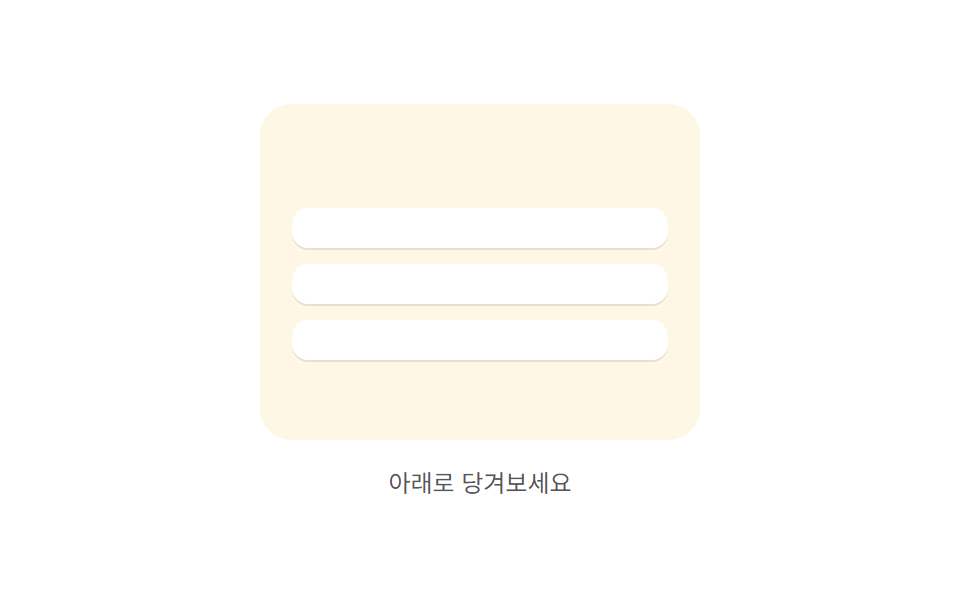 Pull to Refresh CSS: 9 Loading PatternsOne dragged distance value produces a progressively smaller displacement, one rotation value turns in proportion to that See all demos in this post
If you like this effect - similar demos
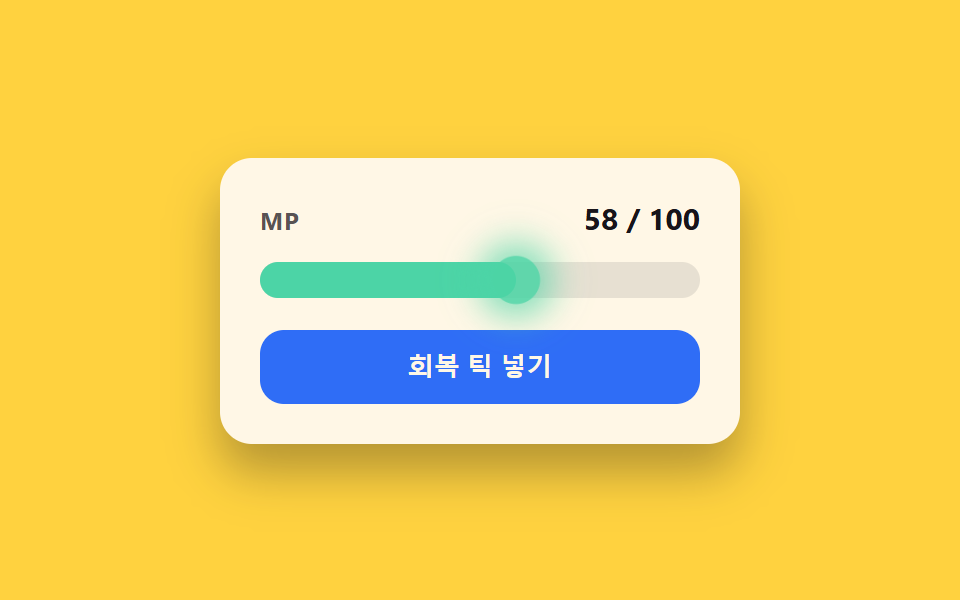 Loaders02 Regen-tick glow toggle — each time a value ticks upward at a fixed interval, a flash lights the bar's leading edgeCSS Progress Bar: 9 Game-Style Fill Patterns
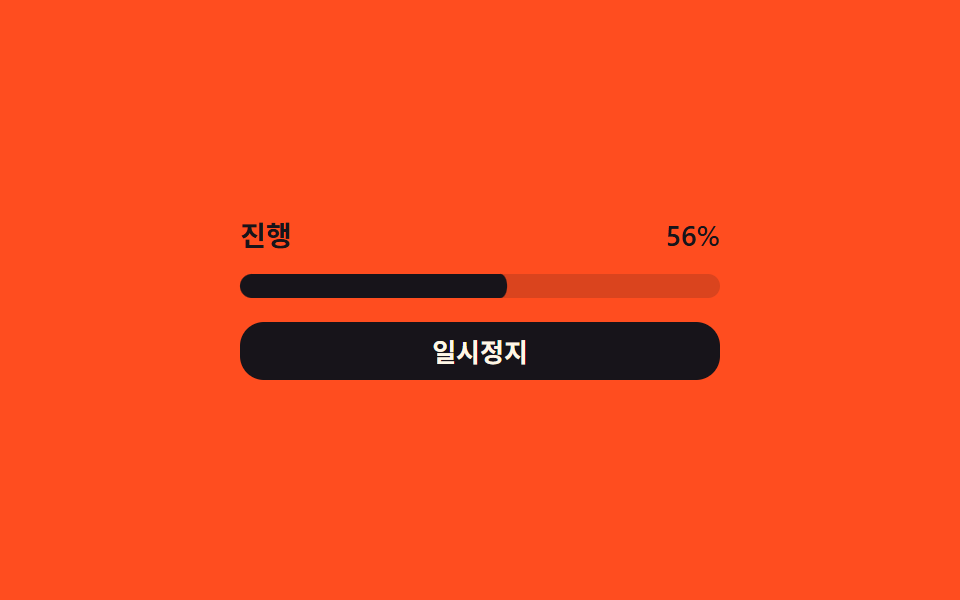 Loaders03 Pause/resume state-value switch — the progress value stops changing and starts again each time the state value toggles between paused and runningDownload Progress Bar: 9 Loading UI Patterns
 Loaders08 QR Code That Shakes the Instant the Time Left Value Hits ZeroQR Code Loading Animation — 9 CSS Expiry Patterns