08Character counter input
A live count in the corner ticks down as you type, turning red once you're close to the limit.
Best forBio input fields, review boxes with a length limit
maxlength 연동aria-live 안내임계값 색 전환
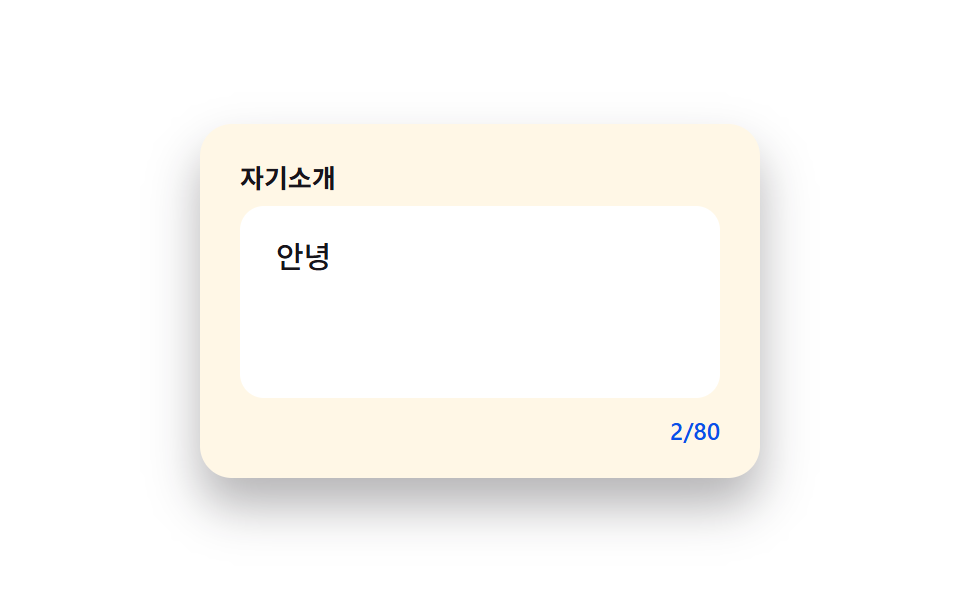
<main class="stage">
  <div class="cc is-demo" id="wrap">
    <label class="cc__label" for="cc-input">Bio</label>
    <textarea class="cc__area" id="cc-input" maxlength="80" rows="3" placeholder="Introduce yourself in one line" aria-describedby="cc-count"></textarea>
    <p class="cc__count" id="cc-count" aria-live="polite">0/80</p>
  </div>
</main>
@use "../../../../site/static/demo-tokens" as *;
// ── 변수 3개 ──────────────────────────────────────────
$duration: $dur-quick; // 경고 색 전환 시간
$easing: $ease-out;
$color: $subject-blue-deep; // 평상시 카운터 · 포커스 테두리 색 (크림 면 위 하늘색 글자는 1.73:1)
// ── 데모 무대 ──────────────────────────────────────────
@include stage($stage-paper);
.cc {
box-sizing: border-box;
width: min(280px, 86vw);
background: $subject-cream;
border-radius: $r-card;
padding: $sp-5 $sp-5 $sp-4;
box-shadow: $shadow-raised;
&__label {
display: block;
margin: 0 0 $sp-2;
font-weight: 700;
font-size: 13px;
line-height: 1;
font-family: inherit;
color: $stage-ink;
}
&__area {
box-sizing: border-box;
display: block;
width: 100%;
min-height: 96px;
max-height: 160px;
resize: none;
overflow-y: auto;
border: 2px solid transparent;
border-radius: $r-control;
padding: $sp-3 $sp-4;
font-weight: 500;
font-size: clamp(13px, 3.8vw, 15px);
line-height: 1.5;
font-family: inherit;
color: $stage-ink;
background: #fff;
transition: border-color $duration $easing;
&:focus { outline: none; border-color: $color; }
&.is-warn { border-color: $error; }
}
&__count {
margin: $sp-2 0 0;
text-align: right;
font-size: 12px;
font-weight: 600;
font-family: inherit;
color: $color;
transition: color $duration $easing;
&.is-warn { color: $error; }
}
}
// 320px 세로(무대 174px)에 맞춘다 — 입력칸을 96px 로 두면 카드가 3px 넘친다 (BD9 실측)
@media (max-width: 340px) {
.cc__area { min-height: 88px; }
}
@media (prefers-reduced-motion: reduce) {
.cc__area, .cc__count { transition: none; }
}html, body {
margin: 0;
overflow: hidden;
}
.stage {
box-sizing: border-box;
min-height: 100vh;
display: grid;
place-items: center;
margin: 0;
background: #ffffff;
font-family: -apple-system, "Segoe UI", "Noto Sans KR", sans-serif;
padding: clamp(8px, 4vw, 24px);
}
.cc {
box-sizing: border-box;
width: min(280px, 86vw);
background: #fff7e6;
border-radius: 16px;
padding: 20px 20px 16px;
box-shadow: 0 14px 24px rgba(23, 20, 26, 0.32);
}
.cc__label {
display: block;
margin: 0 0 8px;
font-weight: 700;
font-size: 13px;
line-height: 1;
font-family: inherit;
color: #17141a;
}
.cc__area {
box-sizing: border-box;
display: block;
width: 100%;
min-height: 96px;
max-height: 160px;
resize: none;
overflow-y: auto;
border: 2px solid transparent;
border-radius: 12px;
padding: 12px 16px;
font-weight: 500;
font-size: clamp(13px, 3.8vw, 15px);
line-height: 1.5;
font-family: inherit;
color: #17141a;
background: #fff;
transition: border-color 220ms ease-out;
}
.cc__area:focus {
outline: none;
border-color: #0a4fe8;
}
.cc__area.is-warn {
border-color: #c2361a;
}
.cc__count {
margin: 8px 0 0;
text-align: right;
font-size: 12px;
font-weight: 600;
font-family: inherit;
color: #0a4fe8;
transition: color 220ms ease-out;
}
.cc__count.is-warn {
color: #c2361a;
}
@media (max-width: 340px) {
.cc__area {
min-height: 88px;
}
}
@media (prefers-reduced-motion: reduce) {
.cc__area, .cc__count {
transition: none;
}
}(function () {
var wrap = document.getElementById('wrap');
var area = document.getElementById('cc-input');
var count = document.getElementById('cc-count');
var MAX = 80;
var WARN = 12;
function update() {
var len = area.value.length;
var remaining = MAX - len;
count.textContent = len + '/' + MAX;
if (remaining <= WARN) {
count.classList.add('is-warn');
area.classList.add('is-warn');
} else {
count.classList.remove('is-warn');
area.classList.remove('is-warn');
}
}
area.addEventListener('input', update);
function stopDemo() {
if (!wrap.classList.contains('is-demo')) return;
wrap.classList.remove('is-demo');
clearInterval(timer);
}
area.addEventListener('pointerdown', stopDemo);
area.addEventListener('keydown', stopDemo);
var full = 'Hi! I\'m a front-end developer who loves growing a little every day. I love coffee, cats, and traveling. Nice to meet you!';
var i = 0, paused = false;
var timer = setInterval(function () {
if (paused) return;
if (i > full.length) {
paused = true;
setTimeout(function () { area.value = ''; update(); i = 0; paused = false; }, 900);
return;
}
area.value = full.slice(0, i);
update();
i++;
}, 90);
update();
})();import { useState, type ChangeEvent } from "react";
import styles from "./CharacterCounterInput.module.scss";
export type CharacterCounterInputProps = {
label?: string;
max?: number;
};
const WARN_THRESHOLD = 12;
export default function CharacterCounterInput({ label = "자기소개", max = 80 }: CharacterCounterInputProps) {
const [value, setValue] = useState("");
const remaining = max - value.length;
const isWarn = remaining <= WARN_THRESHOLD;
const onChange = (e: ChangeEvent<HTMLTextAreaElement>) => setValue(e.target.value);
return (
<div className={styles.cc}>
<label className={styles.label} htmlFor="cc-input-react">
{label}
</label>
<textarea
id="cc-input-react"
className={isWarn ? `${styles.area} ${styles.warn}` : styles.area}
maxLength={max}
rows={3}
placeholder="나를 한 줄로 소개해 보세요"
value={value}
onChange={onChange}
aria-describedby="cc-count-react"
/>
<p
className={isWarn ? `${styles.count} ${styles.warn}` : styles.count}
id="cc-count-react"
aria-live="polite"
>
{value.length}/{max}
</p>
</div>
);
}08 Character counter input — Measured area 2.316% · moving frames 23/23Original by GODRICH · SCSS and React ship in the zip · Register Form Design: 9 Keyboard-Friendly Inputs
The post this demo lives in
 Register Form Design: 9 Keyboard-Friendly InputsRegister form design lives or dies in the fields, not the submit button. These nine inputs cover everything a signup scr See all demos in this post
If you like this effect - similar demos
 Inputs08 OTP resend timer buttonCSS Input Design: 9 Form Widgets You Can Paste In
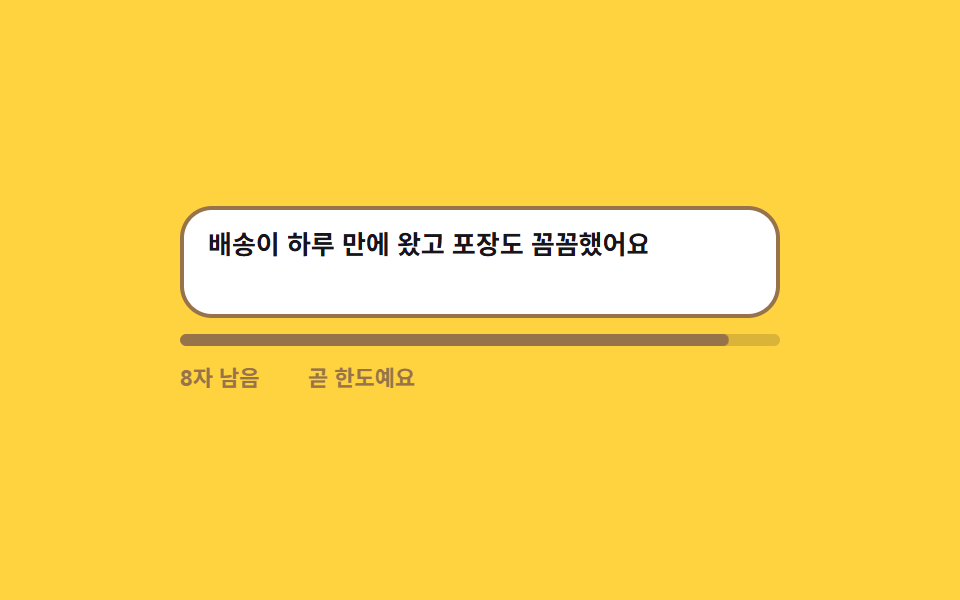 Inputs06 Character counter that turns warning near the limit9 Form Validation UI Patterns — As You Type
 Inputs01 Length threshold fill — the strength value steps up each time the input's character-count value crosses a set boundary valuePassword Strength Meter UI: 9 Calculation Patterns