07Saved ratio presets
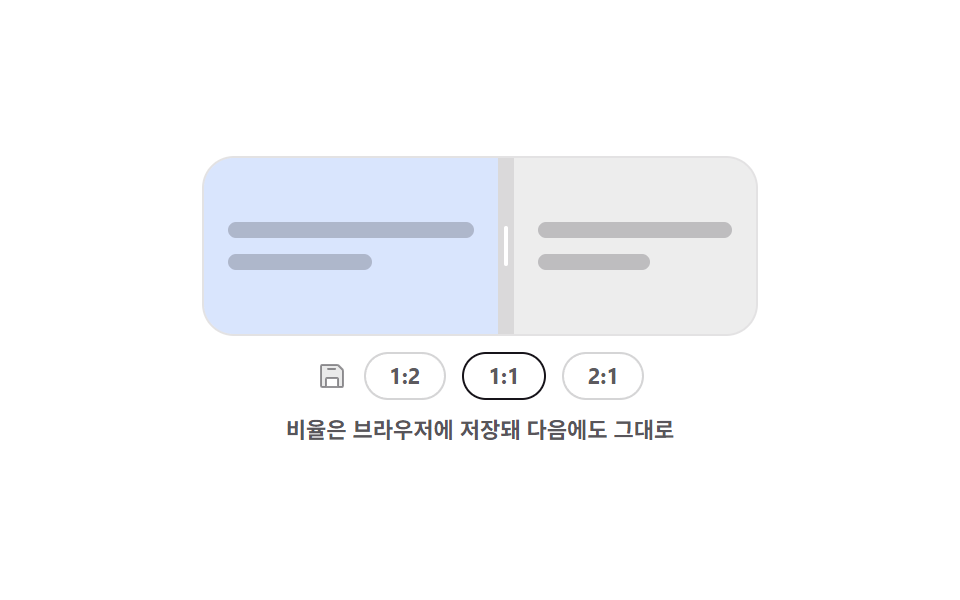
Whatever ratio you drag to is written to the browser straight away, and the preset buttons glide the split from the stored value to theirs.
Best forDashboards opened every day, where each person's own ratio should come back the next time
localStorageJSON.parsearia-pressed
<main class="stage">
  <div class="rp is-demo" id="rp-root">
    <div class="rp__box" id="rp-box">
      <section class="rp__pane rp__pane--l" aria-label="Left pane">
        <span class="rp__ln"></span>
        <span class="rp__ln rp__ln--s"></span>
      </section>
      <div class="rp__bar" id="rp-bar" role="separator" tabindex="0"
           aria-orientation="vertical" aria-label="Split ratio" aria-valuemin="20" aria-valuemax="80" aria-valuenow="50">
        <i class="rp__grip" aria-hidden="true"></i>
      </div>
      <section class="rp__pane rp__pane--r" aria-label="Right pane">
        <span class="rp__ln"></span>
        <span class="rp__ln rp__ln--s"></span>
      </section>
    </div>
    <div class="rp__row">
      <span class="rp__save" aria-hidden="true"><svg viewBox="0 0 256 256"><g fill="currentColor"><path d="M216 83.31V208a8 8 0 0 1-8 8h-32v-64a8 8 0 0 0-8-8H88a8 8 0 0 0-8 8v64H48a8 8 0 0 1-8-8V48a8 8 0 0 1 8-8h124.69a8 8 0 0 1 5.65 2.34l35.32 35.32a8 8 0 0 1 2.34 5.65" opacity=".2"/><path d="M219.31 72L184 36.69A15.86 15.86 0 0 0 172.69 32H48a16 16 0 0 0-16 16v160a16 16 0 0 0 16 16h160a16 16 0 0 0 16-16V83.31A15.86 15.86 0 0 0 219.31 72M168 208H88v-56h80Zm40 0h-24v-56a16 16 0 0 0-16-16H88a16 16 0 0 0-16 16v56H48V48h124.69L208 83.31ZM160 72a8 8 0 0 1-8 8H96a8 8 0 0 1 0-16h56a8 8 0 0 1 8 8"/></g></svg></span>
      <button class="rp__btn" type="button" data-v="34" aria-pressed="false">1:2</button>
      <button class="rp__btn is-on" type="button" data-v="50" aria-pressed="true">1:1</button>
      <button class="rp__btn" type="button" data-v="66" aria-pressed="false">2:1</button>
    </div>
    <p class="rp__cap">The ratio is stored in the browser for next time</p>
  </div>
</main>@use "../../../../site/static/demo-tokens" as *;
$duration: $dur-base;
$easing: $ease-spring;
$color: $subject-blue;
@include stage($stage-paper);
@property --split {
syntax: "<percentage>";
inherits: true;
initial-value: 50%;
}
.rp {
--split: 50%;
width: min(276px, 86vw);
display: flex;
flex-direction: column;
align-items: center;
gap: $sp-2;
}
.rp.is-glide { transition: --split $duration $easing; }
.rp__box {
display: grid;
grid-template-columns: var(--split) 8px 1fr;
width: 100%;
height: 88px;
border-radius: $r-card;
overflow: hidden;
border: 1px solid rgba(23, 20, 26, .12);
}
.rp__pane {
box-sizing: border-box;
display: flex;
flex-direction: column;
justify-content: center;
gap: $sp-2;
padding: $sp-3;
overflow: hidden;
}
.rp__ln {
flex: 0 0 auto;
height: 8px;
border-radius: $r-xs;
background: rgba(23, 20, 26, .22);
}
.rp__ln--s { width: 58%; }
.rp__pane--l { background: rgba(47, 109, 246, .18); }
.rp__pane--r { background: rgba(23, 20, 26, .08); }
.rp__bar {
display: grid;
place-items: center;
background: rgba(23, 20, 26, .16);
cursor: col-resize;
touch-action: none;
transition: background $dur-quick $easing;
}
.rp__grip {
display: block;
width: 2px;
height: 20px;
border-radius: $r-pill;
background: #ffffff;
}
.rp__bar:hover { background: $color; }
.rp__bar:focus-visible { outline: 2px solid $subject-ink; outline-offset: -2px; }
.rp__row {
display: flex;
align-items: center;
gap: $sp-2;
}
.rp__save {
display: block;
width: 16px;
height: 16px;
color: rgba(23, 20, 26, .45);
}
.rp__save svg { display: block; width: 16px; height: 16px; }
.rp__btn {
box-sizing: border-box;
height: 24px;
padding: 0 $sp-3;
border: 1px solid rgba(23, 20, 26, .18);
border-radius: $r-pill;
background: #ffffff;
color: rgba(23, 20, 26, .7);
font-family: inherit;
font-size: 11px;
line-height: 20px;
font-weight: 700;
cursor: pointer;
transition: background $dur-quick $easing, color $dur-quick $easing;
}
.rp__btn.is-on {
background: $subject-ink;
border-color: $subject-ink;
color: $subject-cream;
}
.rp__btn:focus-visible { outline: 2px solid $color; outline-offset: 2px; }
.rp__cap {
margin: 0;
font-size: 11px;
line-height: 14px;
font-weight: 600;
color: rgba(23, 20, 26, .72); // AA 4.5 (blog-design)
text-align: center;
}
// ── 자동 루프: 1:1 → 1:2 → 2:1 → 1:1. 눌린 단추는 컷으로 바뀐다 ──
.rp.is-demo { animation: rp-move $dur-loop $easing infinite; }
@keyframes rp-move {
0%, 10% { --split: 50%; }
34%, 46% { --split: 34%; }
70%, 82% { --split: 66%; }
90%, 100% { --split: 50%; }
}
.rp.is-demo .rp__btn:nth-of-type(1) { animation: rp-b1 $dur-loop steps(1, end) infinite; }
.rp.is-demo .rp__btn:nth-of-type(2) { animation: rp-b2 $dur-loop steps(1, end) infinite; }
.rp.is-demo .rp__btn:nth-of-type(3) { animation: rp-b3 $dur-loop steps(1, end) infinite; }
// 눌린 표시는 비율이 **도착한 뒤**에만 켠다 — 옮겨 가는 중에 켜면
// poster 가 "2:1 눌림 + 화면은 1:1" 인 어긋난 장면으로 뽑힌다 (242-06 과 같은 계열)
@keyframes rp-b1 {
0%, 33% { background: #ffffff; color: rgba(23, 20, 26, .7); }
34%, 46% { background: $subject-ink; color: $subject-cream; }
47%, 100% { background: #ffffff; color: rgba(23, 20, 26, .7); }
}
@keyframes rp-b2 {
0%, 10% { background: $subject-ink; color: $subject-cream; }
11%, 89% { background: #ffffff; color: rgba(23, 20, 26, .7); }
90%, 100% { background: $subject-ink; color: $subject-cream; }
}
@keyframes rp-b3 {
0%, 69% { background: #ffffff; color: rgba(23, 20, 26, .7); }
70%, 82% { background: $subject-ink; color: $subject-cream; }
83%, 100% { background: #ffffff; color: rgba(23, 20, 26, .7); }
}
@media (prefers-reduced-motion: reduce) {
.rp.is-demo,
.rp.is-demo .rp__btn { animation: none !important; }
.rp, .rp__btn, .rp__bar { transition: none; }
}
@media (max-width: 340px) {
.rp__box { height: 76px; }
.rp__btn { padding: 0 $sp-2; }
}html, body {
margin: 0;
overflow: hidden;
}
.stage {
box-sizing: border-box;
min-height: 100vh;
display: grid;
place-items: center;
margin: 0;
background: #ffffff;
font-family: -apple-system, "Segoe UI", "Noto Sans KR", sans-serif;
padding: clamp(8px, 4vw, 24px);
}
@property --split {
syntax: "<percentage>";
inherits: true;
initial-value: 50%;
}
.rp {
--split: 50%;
width: min(276px, 86vw);
display: flex;
flex-direction: column;
align-items: center;
gap: 8px;
}
.rp.is-glide {
transition: --split 300ms cubic-bezier(0.2, 0.8, 0.2, 1);
}
.rp__box {
display: grid;
grid-template-columns: var(--split) 8px 1fr;
width: 100%;
height: 88px;
border-radius: 16px;
overflow: hidden;
border: 1px solid rgba(23, 20, 26, 0.12);
}
.rp__pane {
box-sizing: border-box;
display: flex;
flex-direction: column;
justify-content: center;
gap: 8px;
padding: 12px;
overflow: hidden;
}
.rp__ln {
flex: 0 0 auto;
height: 8px;
border-radius: 4px;
background: rgba(23, 20, 26, 0.22);
}
.rp__ln--s {
width: 58%;
}
.rp__pane--l {
background: rgba(47, 109, 246, 0.18);
}
.rp__pane--r {
background: rgba(23, 20, 26, 0.08);
}
.rp__bar {
display: grid;
place-items: center;
background: rgba(23, 20, 26, 0.16);
cursor: col-resize;
touch-action: none;
transition: background 220ms cubic-bezier(0.2, 0.8, 0.2, 1);
}
.rp__grip {
display: block;
width: 2px;
height: 20px;
border-radius: 999px;
background: #ffffff;
}
.rp__bar:hover {
background: #2f6df6;
}
.rp__bar:focus-visible {
outline: 2px solid #17141a;
outline-offset: -2px;
}
.rp__row {
display: flex;
align-items: center;
gap: 8px;
}
.rp__save {
display: block;
width: 16px;
height: 16px;
color: rgba(23, 20, 26, 0.45);
}
.rp__save svg {
display: block;
width: 16px;
height: 16px;
}
.rp__btn {
box-sizing: border-box;
height: 24px;
padding: 0 12px;
border: 1px solid rgba(23, 20, 26, 0.18);
border-radius: 999px;
background: #ffffff;
color: rgba(23, 20, 26, 0.7);
font-family: inherit;
font-size: 11px;
line-height: 20px;
font-weight: 700;
cursor: pointer;
transition: background 220ms cubic-bezier(0.2, 0.8, 0.2, 1), color 220ms cubic-bezier(0.2, 0.8, 0.2, 1);
}
.rp__btn.is-on {
background: #17141a;
border-color: #17141a;
color: #fff7e6;
}
.rp__btn:focus-visible {
outline: 2px solid #2f6df6;
outline-offset: 2px;
}
.rp__cap {
margin: 0;
font-size: 11px;
line-height: 14px;
font-weight: 600;
color: rgba(23, 20, 26, 0.72);
text-align: center;
}
.rp.is-demo {
animation: rp-move 2s cubic-bezier(0.2, 0.8, 0.2, 1) infinite;
}
@keyframes rp-move {
0%, 10% {
--split: 50%;
}
34%, 46% {
--split: 34%;
}
70%, 82% {
--split: 66%;
}
90%, 100% {
--split: 50%;
}
}
.rp.is-demo .rp__btn:nth-of-type(1) {
animation: rp-b1 2s steps(1, end) infinite;
}
.rp.is-demo .rp__btn:nth-of-type(2) {
animation: rp-b2 2s steps(1, end) infinite;
}
.rp.is-demo .rp__btn:nth-of-type(3) {
animation: rp-b3 2s steps(1, end) infinite;
}
@keyframes rp-b1 {
0%, 33% {
background: #ffffff;
color: rgba(23, 20, 26, 0.7);
}
34%, 46% {
background: #17141a;
color: #fff7e6;
}
47%, 100% {
background: #ffffff;
color: rgba(23, 20, 26, 0.7);
}
}
@keyframes rp-b2 {
0%, 10% {
background: #17141a;
color: #fff7e6;
}
11%, 89% {
background: #ffffff;
color: rgba(23, 20, 26, 0.7);
}
90%, 100% {
background: #17141a;
color: #fff7e6;
}
}
@keyframes rp-b3 {
0%, 69% {
background: #ffffff;
color: rgba(23, 20, 26, 0.7);
}
70%, 82% {
background: #17141a;
color: #fff7e6;
}
83%, 100% {
background: #ffffff;
color: rgba(23, 20, 26, 0.7);
}
}
@media (prefers-reduced-motion: reduce) {
.rp.is-demo,
.rp.is-demo .rp__btn {
animation: none !important;
}
.rp, .rp__btn, .rp__bar {
transition: none;
}
}
@media (max-width: 340px) {
.rp__box {
height: 76px;
}
.rp__btn {
padding: 0 8px;
}
}// 실제 동작: 끌 때마다 localStorage 에 비율을 쓰고, 열 때 JSON.parse 로 읽어 복원한다.
var root = document.getElementById('rp-root');
var box = document.getElementById('rp-box');
var bar = document.getElementById('rp-bar');
var btns = [].slice.call(document.querySelectorAll('.rp__btn'));
var KEY = 'godrich-split-250', dragging = false;
function set(pct, mark) {
var v = Math.max(20, Math.min(pct, 80));
root.style.setProperty('--split', v.toFixed(1) + '%');
bar.setAttribute('aria-valuenow', String(Math.round(v)));
btns.forEach(function (b) {
var on = mark && b.dataset.v === String(Math.round(v));
b.classList.toggle('is-on', !!on);
b.setAttribute('aria-pressed', String(!!on));
});
// 사생활 보호 모드에서는 저장이 막혀 예외가 난다 — 조용히 넘어간다
try { localStorage.setItem(KEY, JSON.stringify({ split: Math.round(v) })); } catch (err) { return; }
}
try {
var saved = JSON.parse(localStorage.getItem(KEY) || 'null');
if (saved && saved.split) { root.classList.remove('is-demo'); set(saved.split, true); }
} catch (err) { /* 저장값이 깨졌으면 기본값 */ }
btns.forEach(function (b) {
b.addEventListener('click', function () {
root.classList.remove('is-demo');
root.classList.add('is-glide');
set(Number(b.dataset.v), true);
});
});
bar.addEventListener('pointerdown', function (e) {
root.classList.remove('is-demo');
root.classList.remove('is-glide');
dragging = true;
bar.setPointerCapture(e.pointerId);
e.preventDefault();
});
bar.addEventListener('pointermove', function (e) {
if (!dragging) return;
set((e.clientX - box.getBoundingClientRect().left) / box.clientWidth * 100, true);
});
bar.addEventListener('pointerup', function () { dragging = false; });
bar.addEventListener('keydown', function (e) {
var d = e.key === 'ArrowLeft' ? -4 : e.key === 'ArrowRight' ? 4 : 0;
if (!d) return;
root.classList.remove('is-demo');
root.classList.remove('is-glide');
set(Number(bar.getAttribute('aria-valuenow')) + d, true);
bar.focus({ preventScroll: true });
e.preventDefault();
});import { useEffect, useRef, useState } from "react";
import type { CSSProperties } from "react";
import styles from "./RatioPresets.module.scss";
export type RatioPresetsProps = {
/** localStorage 키 */
storageKey?: string;
presets?: { label: string; value: number }[];
duration?: number;
easing?: string;
color?: string;
};
type PEvt = { clientX: number; pointerId: number; preventDefault(): void; currentTarget: { setPointerCapture(id: number): void } };
type KeyEvt = { key: string; preventDefault(): void };
type Vars = CSSProperties & { "--split"?: string; "--duration"?: string; "--easing"?: string; "--color"?: string };
export default function RatioPresets({
storageKey = "godrich-split-250",
presets = [{ label: "1:2", value: 34 }, { label: "1:1", value: 50 }, { label: "2:1", value: 66 }],
duration = 300,
easing = "cubic-bezier(.2,.8,.2,1)",
color = "#2f6df6",
}: RatioPresetsProps) {
const [split, setSplit] = useState(50);
const [glide, setGlide] = useState(false);
const boxRef = useRef<HTMLDivElement>(null);
const dragging = useRef(false);
// 열 때 한 번 복원한다 — 값이 깨졌으면 기본값 그대로
useEffect(() => {
try {
const raw = localStorage.getItem(storageKey);
const saved = raw ? JSON.parse(raw) : null;
if (saved && typeof saved.split === "number") setSplit(saved.split);
} catch (err) { /* 사생활 보호 모드 */ }
}, [storageKey]);
function save(v: number): void {
try { localStorage.setItem(storageKey, JSON.stringify({ split: Math.round(v) })); } catch (err) { /* 저장 불가 */ }
}
function set(pct: number): void {
const v = Math.max(20, Math.min(pct, 80));
setSplit(v);
save(v);
}
function onDown(e: PEvt): void {
setGlide(false);
dragging.current = true;
e.currentTarget.setPointerCapture(e.pointerId);
e.preventDefault();
}
function onMove(e: PEvt): void {
const box = boxRef.current;
if (!dragging.current || !box) return;
set(((e.clientX - box.getBoundingClientRect().left) / box.clientWidth) * 100);
}
function onUp(): void { dragging.current = false; }
function onKey(e: KeyEvt): void {
const d = e.key === "ArrowLeft" ? -4 : e.key === "ArrowRight" ? 4 : 0;
if (!d) return;
setGlide(false);
set(split + d);
e.preventDefault();
}
const vars: Vars = {
"--split": `${split.toFixed(1)}%`,
"--duration": `${duration}ms`,
"--easing": easing,
"--color": color,
};
return (
<div className={glide ? `${styles.rp} ${styles.isGlide}` : styles.rp} style={vars}>
<div className={styles.box} ref={boxRef}>
<section className={`${styles.pane} ${styles.paneL}`} aria-label="Left pane">
<span className={styles.ln} />
<span className={`${styles.ln} ${styles.lnShort}`} />
</section>
<div
className={styles.bar}
role="separator"
tabIndex={0}
aria-orientation="vertical"
aria-label="Split ratio"
aria-valuemin={20}
aria-valuemax={80}
aria-valuenow={Math.round(split)}
onPointerDown={onDown}
onPointerMove={onMove}
onPointerUp={onUp}
onPointerCancel={onUp}
onKeyDown={onKey}
>
<i className={styles.grip} aria-hidden="true" />
</div>
<section className={`${styles.pane} ${styles.paneR}`} aria-label="Right pane">
<span className={styles.ln} />
<span className={`${styles.ln} ${styles.lnShort}`} />
</section>
</div>
<div className={styles.row}>
<span className={styles.save} aria-hidden="true">
<svg viewBox="0 0 256 256"><g fill="currentColor"><path d="M216 83.31V208a8 8 0 0 1-8 8h-32v-64a8 8 0 0 0-8-8H88a8 8 0 0 0-8 8v64H48a8 8 0 0 1-8-8V48a8 8 0 0 1 8-8h124.69a8 8 0 0 1 5.65 2.34l35.32 35.32a8 8 0 0 1 2.34 5.65" opacity=".2" /><path d="M219.31 72L184 36.69A15.86 15.86 0 0 0 172.69 32H48a16 16 0 0 0-16 16v160a16 16 0 0 0 16 16h160a16 16 0 0 0 16-16V83.31A15.86 15.86 0 0 0 219.31 72M168 208H88v-56h80Zm40 0h-24v-56a16 16 0 0 0-16-16H88a16 16 0 0 0-16 16v56H48V48h124.69L208 83.31ZM160 72a8 8 0 0 1-8 8H96a8 8 0 0 1 0-16h56a8 8 0 0 1 8 8" /></g></svg>
</span>
{presets.map((p) => (
<button
key={p.label}
type="button"
className={Math.round(split) === p.value ? `${styles.btn} ${styles.isOn}` : styles.btn}
aria-pressed={Math.round(split) === p.value}
onClick={(): void => { setGlide(true); set(p.value); }}
>
{p.label}
</button>
))}
</div>
<p className={styles.cap}>The ratio is stored in the browser for next time</p>
</div>
);
}07 Saved ratio presets — Measured area 8.308% · moving frames 15/23Original by GODRICH · SCSS and React ship in the zip · 9 Resizable Split Pane Layouts With No Library
The post this demo lives in
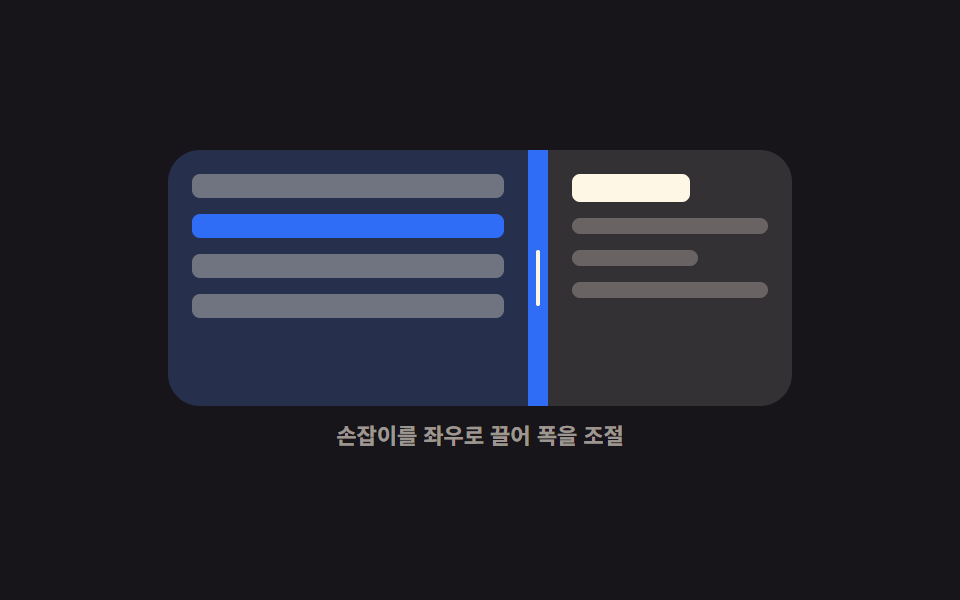 9 Resizable Split Pane Layouts With No LibraryA resizable split pane is a layout whose panes share one draggable boundary, so widening one side narrows the other. Eig See all demos in this post
If you like this effect - similar demos
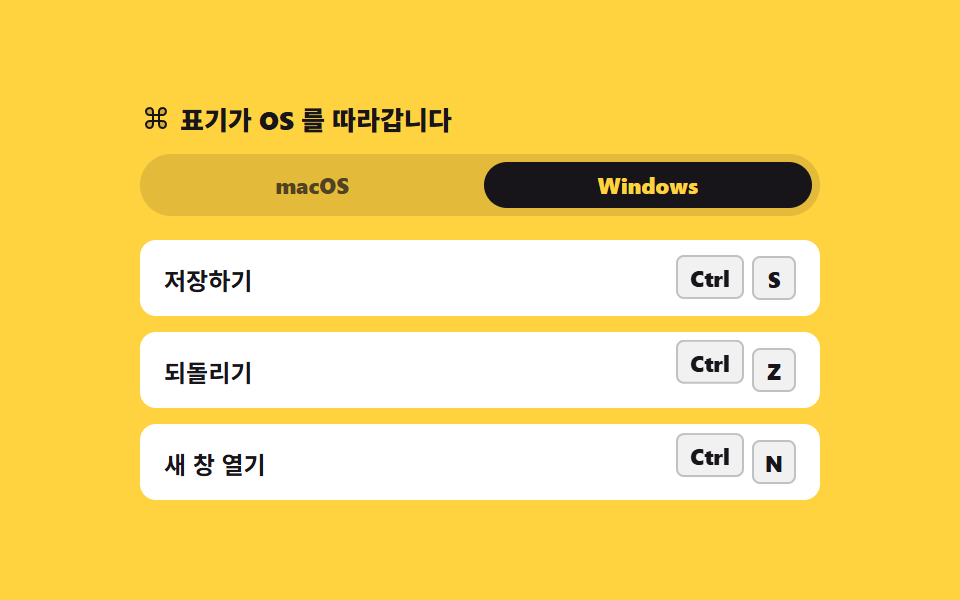 Interactions02 Platform-aware keycapKeyboard Shortcuts UI Design: 9 Working Parts
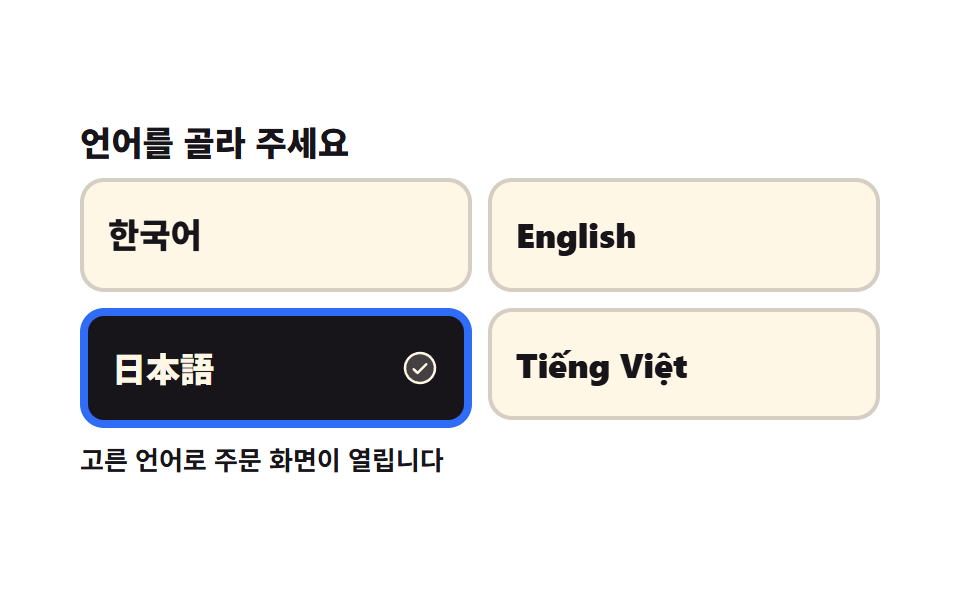 Interactions02 Language first screenKiosk UI Design: 9 Finger-Sized Order Screens
 Interactions04 Two-button split — a row where primary and secondary share the success state in stagger9 Copy Button CSS UI Patterns (Copy to Clipboard)