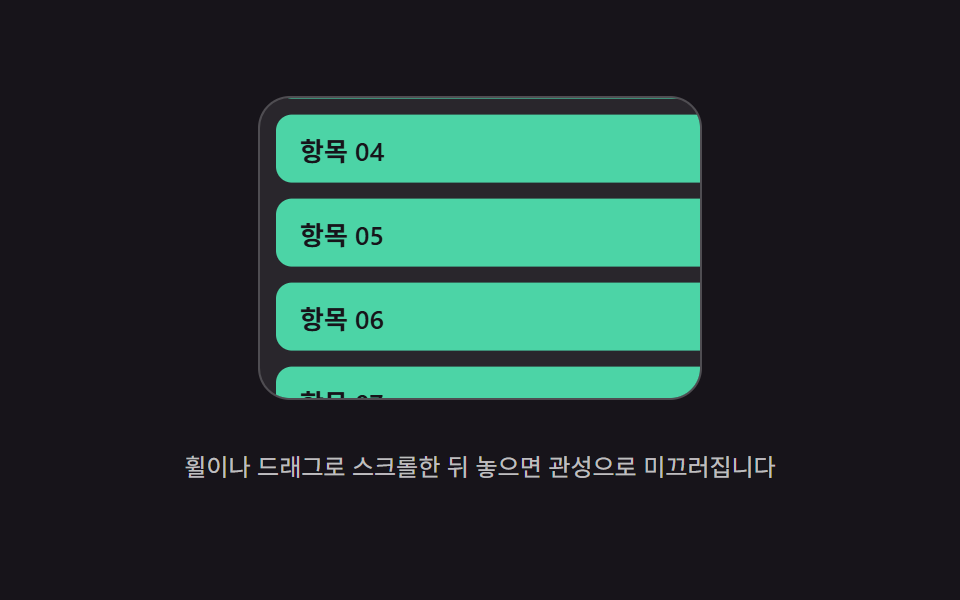
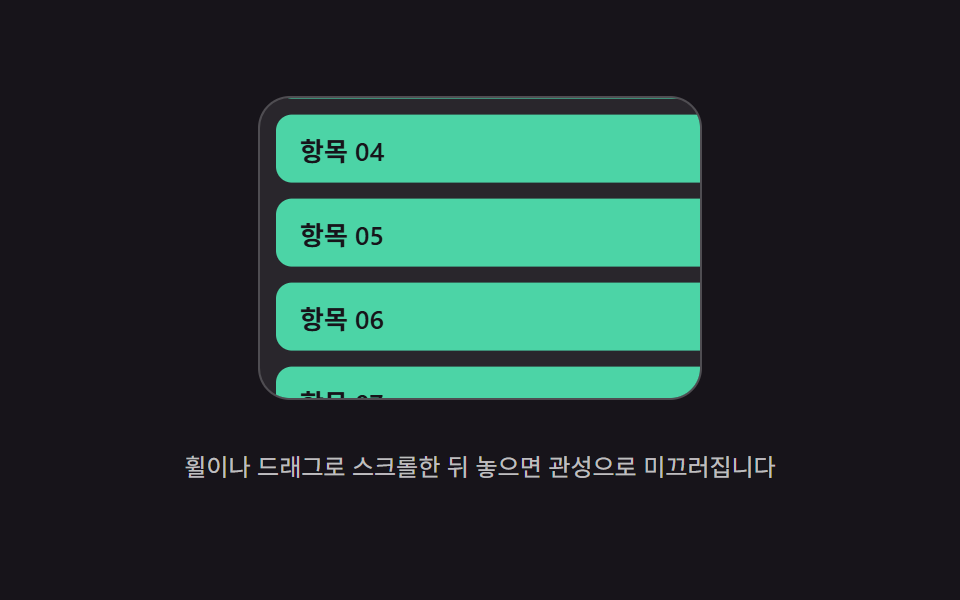
01Scroll inertia coast — the position value keeps carrying the last scroll speed and gradually shrinks to zero after scrolling stops
The position value inherits the speed at release and keeps shrinking until it comes to rest.
Best forA long list page, an image gallery scroll
FRICTIONMIN_VELOCITYWHEEL_SCALE
<main class="stage">
<div class="mic is-demo" id="mic">
  <div class="mic__viewport" id="micViewport" role="application" aria-label="Inertia scroll list">
    <ul class="mic__track" id="micTrack">
      <li class="mic__row">Item 01</li>
      <li class="mic__row">Item 02</li>
      <li class="mic__row">Item 03</li>
      <li class="mic__row">Item 04</li>
      <li class="mic__row">Item 05</li>
      <li class="mic__row">Item 06</li>
      <li class="mic__row">Item 07</li>
      <li class="mic__row">Item 08</li>
      <li class="mic__row">Item 09</li>
      <li class="mic__row">Item 10</li>
    </ul>
  </div>
  <p class="mic__hint">Scroll with the wheel or a drag, then release — it glides on with inertia.</p>
</div>
</main>
@use "../../../../site/static/demo-tokens" as *;
// 계산 겹(관성 코스팅 적분)은 JS 에 있다 — 여기는 정적 배치만.
@include stage($stage-ink);
.stage { position: relative; }
.mic {
display: flex;
flex-direction: column;
align-items: center;
gap: $sp-3;
}
.mic__viewport {
position: relative;
width: 220px;
height: 150px;
overflow: hidden;
border-radius: $r-card;
background: rgba($stage-paper, .08);
border: 1px solid rgba($stage-paper, .18);
touch-action: none;
overscroll-behavior: contain;
cursor: grab;
}
.mic__track {
position: absolute;
left: 0;
top: 0;
width: 100%;
margin: 0;
padding: $sp-2;
list-style: none;
display: flex;
flex-direction: column;
gap: $sp-2;
will-change: transform;
}
.mic__row {
height: 34px;
flex: 0 0 auto;
display: flex;
align-items: center;
padding-left: $sp-3;
border-radius: $r-sm;
background: $subject-mint;
color: $subject-ink;
font-size: 13px;
font-weight: 600;
}
.mic__hint {
color: rgba($stage-paper, .72);
font-size: 12px;
text-align: center;
}
@media (max-width: 340px) {
.mic { gap: $sp-2; }
.mic__viewport { width: 168px; height: 82px; }
.mic__row { height: 26px; font-size: 12px; }
.mic__hint { font-size: 11px; }
}
@media (prefers-reduced-motion: reduce) {
.mic__track { transition: none !important; }
}html, body {
margin: 0;
overflow: hidden;
}
.stage {
box-sizing: border-box;
min-height: 100vh;
display: grid;
place-items: center;
margin: 0;
background: #17141a;
font-family: -apple-system, "Segoe UI", "Noto Sans KR", sans-serif;
padding: clamp(8px, 4vw, 24px);
}
.stage {
position: relative;
}
.mic {
display: flex;
flex-direction: column;
align-items: center;
gap: 12px;
}
.mic__viewport {
position: relative;
width: 220px;
height: 150px;
overflow: hidden;
border-radius: 16px;
background: rgba(255, 255, 255, 0.08);
border: 1px solid rgba(255, 255, 255, 0.18);
touch-action: none;
overscroll-behavior: contain;
cursor: grab;
}
.mic__track {
position: absolute;
left: 0;
top: 0;
width: 100%;
margin: 0;
padding: 8px;
list-style: none;
display: flex;
flex-direction: column;
gap: 8px;
will-change: transform;
}
.mic__row {
height: 34px;
flex: 0 0 auto;
display: flex;
align-items: center;
padding-left: 12px;
border-radius: 8px;
background: #4cd4a6;
color: #17141a;
font-size: 13px;
font-weight: 600;
}
.mic__hint {
color: rgba(255, 255, 255, 0.72);
font-size: 12px;
text-align: center;
}
@media (max-width: 340px) {
.mic {
gap: 8px;
}
.mic__viewport {
width: 168px;
height: 82px;
}
.mic__row {
height: 26px;
font-size: 12px;
}
.mic__hint {
font-size: 11px;
}
}
@media (prefers-reduced-motion: reduce) {
.mic__track {
transition: none !important;
}
}(function () {
var root = document.getElementById('mic');
var viewport = document.getElementById('micViewport');
var track = document.getElementById('micTrack');
var reduce = window.matchMedia('(prefers-reduced-motion: reduce)').matches;
// 계산 겹: 손을 뗀 순간의 속도 값(vel)이 매 프레임 FRICTION 배씩 줄어들며 이동 값(pos)에
// 더해진다 — vel *= FRICTION; pos += vel. MIN_VELOCITY 밑으로 떨어지면 코스팅을 멈춘다.
var FRICTION = 0.93;
var MIN_VELOCITY = 0.04;
var WHEEL_SCALE = 0.55;
var pos = 0, vel = 0, raf = null, maxScroll = 0;
function measure() {
maxScroll = Math.max(0, track.scrollHeight - viewport.clientHeight);
}
function clamp(v) { return Math.max(-maxScroll, Math.min(0, v)); }
function paint() { track.style.transform = 'translateY(' + pos.toFixed(1) + 'px)'; }
function stopCoast() { if (raf !== null) { cancelAnimationFrame(raf); raf = null; } }
function coastTick() {
vel *= FRICTION;
pos = clamp(pos + vel);
if (pos === 0 || pos === -maxScroll) { vel = 0; }
paint();
if (Math.abs(vel) < MIN_VELOCITY) { raf = null; return; }
raf = requestAnimationFrame(coastTick);
}
function startCoast(v) {
vel = v;
if (reduce) { pos = clamp(pos + vel * 6); vel = 0; paint(); return; }
stopCoast();
raf = requestAnimationFrame(coastTick);
}
function wireReal() {
viewport.addEventListener('wheel', function (e) {
e.preventDefault();
root.classList.remove('is-demo'); stopAutoplay();
stopCoast();
pos = clamp(pos - e.deltaY * WHEEL_SCALE);
paint();
startCoast(-e.deltaY * WHEEL_SCALE * 0.4);
}, { passive: false });
var dragging = false, startY = 0, startPos = 0, lastY = 0, lastT = 0, dragVel = 0;
viewport.addEventListener('pointerdown', function (e) {
root.classList.remove('is-demo'); stopAutoplay(); stopCoast();
dragging = true; startY = lastY = e.clientY; startPos = pos; lastT = performance.now(); dragVel = 0;
viewport.setPointerCapture(e.pointerId);
});
viewport.addEventListener('pointermove', function (e) {
if (!dragging) { return; }
var t = performance.now();
var dt = Math.max(1, t - lastT);
dragVel = (e.clientY - lastY) / dt * 16.6;
pos = clamp(startPos + (e.clientY - startY));
paint();
lastY = e.clientY; lastT = t;
});
viewport.addEventListener('pointerup', function () {
if (!dragging) { return; }
dragging = false;
startCoast(dragVel);
});
}
wireReal();
measure();
window.addEventListener('resize', measure);
// 자동 루프: 번갈아 방향을 바꿔 세게 튕겨 같은 관성 코스팅 경로를 반복 재현한다.
var autoTimer = null, phase = 0;
function autoTick() {
measure();
if (maxScroll <= 0) { return; }
phase += 1;
var dir = (phase % 2 === 0) ? -1 : 1;
pos = clamp(dir > 0 ? 0 : -maxScroll);
paint();
startCoast(dir * -9.5);
}
function stopAutoplay() { if (autoTimer) { clearInterval(autoTimer); autoTimer = null; } }
if (!reduce) { autoTimer = setInterval(autoTick, 1500); autoTick(); }
})();import { useEffect, useRef } from "react";
import styles from "./ScrollMomentumInertiaCoast.module.scss";
export type ScrollMomentumInertiaCoastProps = {
color?: string;
};
export default function ScrollMomentumInertiaCoast({
color = "#4cd4a6",
}: ScrollMomentumInertiaCoastProps) {
const rootRef = useRef<HTMLDivElement | null>(null);
useEffect(() => {
const root = rootRef.current;
if (!root) return;
const viewport = root.querySelector<HTMLDivElement>(`.${styles.viewport}`);
const track = root.querySelector<HTMLUListElement>(`.${styles.track}`);
if (!viewport || !track) return;
const reduce = window.matchMedia("(prefers-reduced-motion: reduce)").matches;
// 계산 겹: 손을 뗀 순간의 속도 값(vel)이 매 프레임 FRICTION 배씩 줄어들며 이동 값(pos)에
// 더해진다 — vel *= FRICTION; pos += vel. MIN_VELOCITY 밑으로 떨어지면 코스팅을 멈춘다.
const FRICTION = 0.93;
const MIN_VELOCITY = 0.04;
const WHEEL_SCALE = 0.55;
let pos = 0, vel = 0, raf: number | null = null, maxScroll = 0;
function measure() {
maxScroll = Math.max(0, track!.scrollHeight - viewport!.clientHeight);
}
function clamp(v: number) { return Math.max(-maxScroll, Math.min(0, v)); }
function paint() { track!.style.transform = "translateY(" + pos.toFixed(1) + "px)"; }
function stopCoast() { if (raf !== null) { cancelAnimationFrame(raf); raf = null; } }
function coastTick() {
vel *= FRICTION;
pos = clamp(pos + vel);
if (pos === 0 || pos === -maxScroll) { vel = 0; }
paint();
if (Math.abs(vel) < MIN_VELOCITY) { raf = null; return; }
raf = requestAnimationFrame(coastTick);
}
function startCoast(v: number) {
vel = v;
if (reduce) { pos = clamp(pos + vel * 6); vel = 0; paint(); return; }
stopCoast();
raf = requestAnimationFrame(coastTick);
}
function onWheel(e: WheelEvent) {
e.preventDefault();
stopAutoplay();
stopCoast();
pos = clamp(pos - e.deltaY * WHEEL_SCALE);
paint();
startCoast(-e.deltaY * WHEEL_SCALE * 0.4);
}
let dragging = false, startY = 0, startPos = 0, lastY = 0, lastT = 0, dragVel = 0;
function onPointerDown(e: PointerEvent) {
stopAutoplay(); stopCoast();
dragging = true; startY = lastY = e.clientY; startPos = pos; lastT = performance.now(); dragVel = 0;
viewport!.setPointerCapture(e.pointerId);
}
function onPointerMove(e: PointerEvent) {
if (!dragging) return;
const t = performance.now();
const dt = Math.max(1, t - lastT);
dragVel = (e.clientY - lastY) / dt * 16.6;
pos = clamp(startPos + (e.clientY - startY));
paint();
lastY = e.clientY; lastT = t;
}
function onPointerUp() {
if (!dragging) return;
dragging = false;
startCoast(dragVel);
}
viewport.addEventListener("wheel", onWheel, { passive: false });
viewport.addEventListener("pointerdown", onPointerDown);
viewport.addEventListener("pointermove", onPointerMove);
viewport.addEventListener("pointerup", onPointerUp);
measure();
const onResize = () => measure();
window.addEventListener("resize", onResize);
let autoTimer: number | null = null, phase = 0;
function autoTick() {
measure();
if (maxScroll <= 0) return;
phase += 1;
const dir = phase % 2 === 0 ? -1 : 1;
pos = clamp(dir > 0 ? 0 : -maxScroll);
paint();
startCoast(dir * -9.5);
}
function stopAutoplay() { if (autoTimer !== null) { window.clearInterval(autoTimer); autoTimer = null; } }
if (!reduce) { autoTimer = window.setInterval(autoTick, 1500); autoTick(); }
return () => {
stopAutoplay();
stopCoast();
viewport.removeEventListener("wheel", onWheel);
viewport.removeEventListener("pointerdown", onPointerDown);
viewport.removeEventListener("pointermove", onPointerMove);
viewport.removeEventListener("pointerup", onPointerUp);
window.removeEventListener("resize", onResize);
};
}, []);
const rows = Array.from({ length: 10 }, (_, i) => i + 1);
return (
<div ref={rootRef} className={styles.stage}>
<div className={styles.mic}>
<div className={styles.viewport} role="application" aria-label="관성 스크롤 목록">
<ul className={styles.track}>
{rows.map((n) => (
<li key={n} className={styles.row} style={{ background: color }}>
항목 {String(n).padStart(2, "0")}
</li>
))}
</ul>
</div>
<p className={styles.hint}>휠이나 드래그로 스크롤한 뒤 놓으면 관성으로 미끄러집니다</p>
</div>
</div>
);
}01 Scroll inertia coast — the position value keeps carrying the last scroll speed and gradually shrinks to zero after scrolling stops — Measured area 20.972% · moving frames 20/23Original by GODRICH · SCSS and React ship in the zip · Scroll Inertia CSS — 9 Value Patterns
The post this demo lives in
 Scroll Inertia CSS — 9 Value PatternsOne value keeps its last scroll speed and shrinks to zero after stopping, one stretches past the boundary and springs ba See all demos in this post
If you like this effect - similar demos
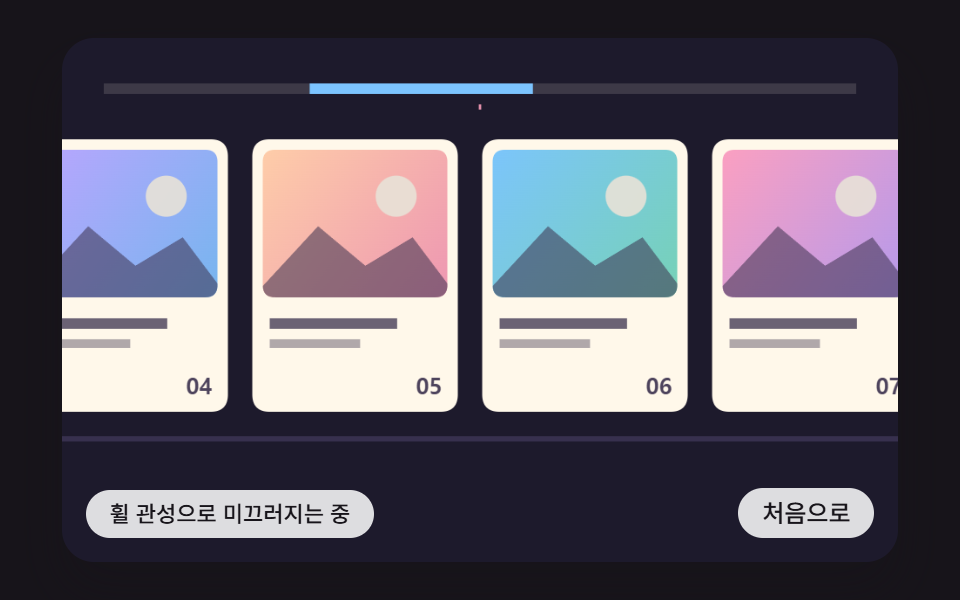 Scroll01 A Card Track Where Vertical Wheel Input Becomes Sideways Motion and Friction Slows It After Input StopsHorizontal Scroll Animation CSS: 9 Inertia Scenes
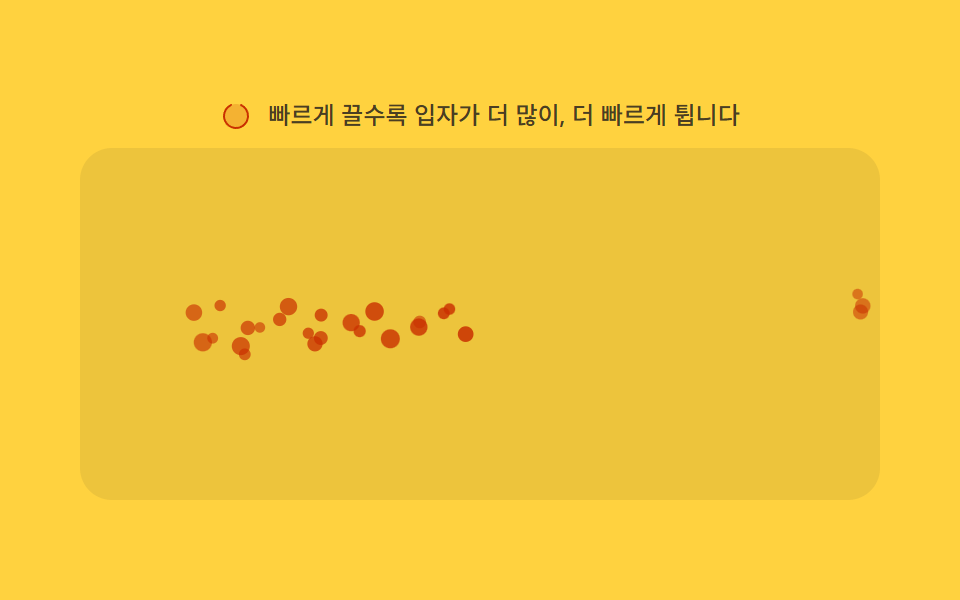 Scroll02 Velocity-based spawn — the particle-spawn frequency value rises as the scroll-velocity value climbsMoving Particles Background CSS: 9 Scroll Scenes
 Scroll01 Card That Grows and Sharpens With the Range ValueCSS Scroll Animation: 9 View-Timeline Examples