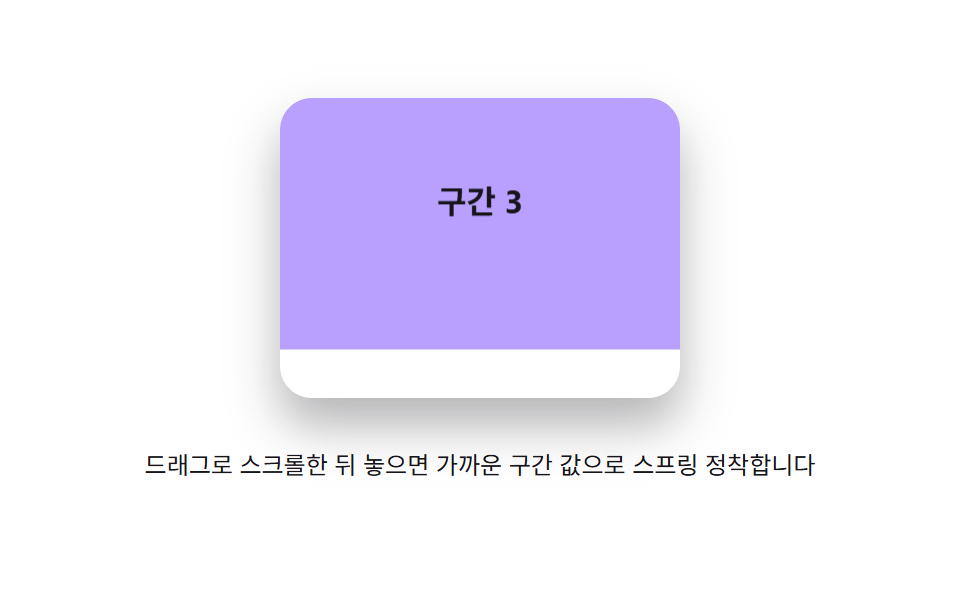
04Section snap spring — the released scroll position value settles toward the nearest section value through spring damping
The released position value oscillates around the nearest section value before settling.
Best forA full-page section layout, a slide-style intro page
SECTION_HSPRING_KSPRING_C
<main class="stage">
<div class="sss is-demo" id="sss">
  <div class="sss__viewport" id="sssViewport" role="application" aria-label="Section-snap scroll panel">
    <div class="sss__track" id="sssTrack">
      <section class="sss__panel sss__panel--1">Section 1</section>
      <section class="sss__panel sss__panel--2">Section 2</section>
      <section class="sss__panel sss__panel--3">Section 3</section>
    </div>
  </div>
  <p class="sss__hint">Drag to scroll and release — it springs to settle at the nearest section.</p>
</div>
</main>
@use "../../../../site/static/demo-tokens" as *;
// 계산 겹(스프링 적분)은 JS 에 있다 — 여기는 정적 배치만.
@include stage($stage-paper);
.stage { position: relative; }
.sss {
display: flex;
flex-direction: column;
align-items: center;
gap: $sp-3;
}
.sss__viewport {
position: relative;
width: 200px;
height: 150px;
overflow: hidden;
border-radius: $r-card;
box-shadow: $shadow-raised;
touch-action: none;
overscroll-behavior: contain;
cursor: grab;
}
.sss__track {
position: absolute;
left: 0;
top: 0;
width: 100%;
will-change: transform;
}
.sss__panel {
width: 100%;
height: 150px;
display: flex;
align-items: center;
justify-content: center;
font-size: 16px;
font-weight: 700;
color: $subject-ink;
box-sizing: border-box;
&--1 { background: $subject-mint; }
&--2 { background: $subject-sky; }
&--3 { background: $subject-lilac; }
}
.sss__hint {
color: $subject-ink;
font-size: 12px;
text-align: center;
}
@media (max-width: 340px) {
.sss { gap: $sp-2; }
.sss__viewport { width: 152px; height: 86px; }
.sss__panel { height: 86px; font-size: 13px; }
.sss__hint { font-size: 11px; }
}
@media (prefers-reduced-motion: reduce) {
.sss__track { transition: none !important; }
}html, body {
margin: 0;
overflow: hidden;
}
.stage {
box-sizing: border-box;
min-height: 100vh;
display: grid;
place-items: center;
margin: 0;
background: #ffffff;
font-family: -apple-system, "Segoe UI", "Noto Sans KR", sans-serif;
padding: clamp(8px, 4vw, 24px);
}
.stage {
position: relative;
}
.sss {
display: flex;
flex-direction: column;
align-items: center;
gap: 12px;
}
.sss__viewport {
position: relative;
width: 200px;
height: 150px;
overflow: hidden;
border-radius: 16px;
box-shadow: 0 14px 24px rgba(23, 20, 26, 0.32);
touch-action: none;
overscroll-behavior: contain;
cursor: grab;
}
.sss__track {
position: absolute;
left: 0;
top: 0;
width: 100%;
will-change: transform;
}
.sss__panel {
width: 100%;
height: 150px;
display: flex;
align-items: center;
justify-content: center;
font-size: 16px;
font-weight: 700;
color: #17141a;
box-sizing: border-box;
}
.sss__panel--1 {
background: #4cd4a6;
}
.sss__panel--2 {
background: #6ec8ff;
}
.sss__panel--3 {
background: #b9a0ff;
}
.sss__hint {
color: #17141a;
font-size: 12px;
text-align: center;
}
@media (max-width: 340px) {
.sss {
gap: 8px;
}
.sss__viewport {
width: 152px;
height: 86px;
}
.sss__panel {
height: 86px;
font-size: 13px;
}
.sss__hint {
font-size: 11px;
}
}
@media (prefers-reduced-motion: reduce) {
.sss__track {
transition: none !important;
}
}(function () {
var root = document.getElementById('sss');
var viewport = document.getElementById('sssViewport');
var track = document.getElementById('sssTrack');
var reduce = window.matchMedia('(prefers-reduced-motion: reduce)').matches;
// 계산 겹: 놓인 위치 값(pos)이 가장 가까운 구간 값(target = round(pos/SECTION_H)*SECTION_H)을
// 향해 스프링 방정식(SPRING_K·SPRING_C)으로 매 프레임 가속도를 쌓아 다가간다 — 목표를 살짝
// 지나쳤다 되돌아오길 반복하며 잦아든다(과소감쇠 스프링).
var SECTION_H = 150;
var SECTION_COUNT = 3;
var SPRING_K = 150;
var SPRING_C = 7.5;
var pos = 0, vel = 0, raf = null, maxScroll = SECTION_H * (SECTION_COUNT - 1);
function clampFree(v) { return Math.max(-maxScroll, Math.min(0, v)); }
function paint() { track.style.transform = 'translateY(' + pos.toFixed(1) + 'px)'; }
function stopSpring() { if (raf !== null) { cancelAnimationFrame(raf); raf = null; } }
function nearestTarget() { return clampFree(Math.round(pos / SECTION_H) * SECTION_H); }
function springTick(target) {
var force = -SPRING_K * (pos - target) - SPRING_C * vel;
vel += force * (1 / 60) * 0.06;
pos += vel;
paint();
if (Math.abs(pos - target) < 0.4 && Math.abs(vel) < 0.4) {
pos = target; vel = 0; paint(); raf = null; return;
}
raf = requestAnimationFrame(function () { springTick(target); });
}
function snap() {
var target = nearestTarget();
if (reduce) { pos = target; vel = 0; paint(); return; }
stopSpring();
raf = requestAnimationFrame(function () { springTick(target); });
}
var wheelTimer = null;
function wireReal() {
var dragging = false, startY = 0, startPos = 0;
viewport.addEventListener('pointerdown', function (e) {
root.classList.remove('is-demo'); stopAutoplay(); stopSpring();
dragging = true; startY = e.clientY; startPos = pos; vel = 0;
viewport.setPointerCapture(e.pointerId);
});
viewport.addEventListener('pointermove', function (e) {
if (!dragging) { return; }
pos = clampFree(startPos + (e.clientY - startY));
paint();
});
viewport.addEventListener('pointerup', function () {
if (!dragging) { return; }
dragging = false;
snap();
});
viewport.addEventListener('wheel', function (e) {
e.preventDefault();
root.classList.remove('is-demo'); stopAutoplay(); stopSpring();
pos = clampFree(pos - e.deltaY * 0.5);
paint();
if (wheelTimer) { clearTimeout(wheelTimer); }
wheelTimer = setTimeout(snap, 140);
}, { passive: false });
}
wireReal();
paint();
// 자동 루프: 다음 구간으로 자유 이동 값을 옮긴 뒤 스프링 정착을 반복 재현한다.
var autoTimer = null, section = 0;
function autoTick() {
section = (section + 1) % SECTION_COUNT;
pos = clampFree(-section * SECTION_H + 26);
paint();
snap();
}
function stopAutoplay() { if (autoTimer) { clearInterval(autoTimer); autoTimer = null; } if (wheelTimer) { clearTimeout(wheelTimer); wheelTimer = null; } }
if (!reduce) { autoTimer = setInterval(autoTick, 1300); autoTick(); }
})();import { useEffect, useRef } from "react";
import styles from "./ScrollMomentumSpringSectionSnap.module.scss";
export type ScrollMomentumSpringSectionSnapProps = {
color?: string;
};
export default function ScrollMomentumSpringSectionSnap({
color = "#4cd4a6",
}: ScrollMomentumSpringSectionSnapProps) {
const rootRef = useRef<HTMLDivElement | null>(null);
useEffect(() => {
const root = rootRef.current;
if (!root) return;
const viewport = root.querySelector<HTMLDivElement>(`.${styles.viewport}`);
const track = root.querySelector<HTMLDivElement>(`.${styles.track}`);
if (!viewport || !track) return;
const reduce = window.matchMedia("(prefers-reduced-motion: reduce)").matches;
// 계산 겹: 놓인 위치 값(pos)이 가장 가까운 구간 값(target = round(pos/SECTION_H)*SECTION_H)을
// 향해 스프링 방정식(SPRING_K·SPRING_C)으로 매 프레임 가속도를 쌓아 다가간다 — 목표를 살짝
// 지나쳤다 되돌아오길 반복하며 잦아든다(과소감쇠 스프링).
const SECTION_H = 150;
const SECTION_COUNT = 3;
const SPRING_K = 150;
const SPRING_C = 7.5;
let pos = 0, vel = 0, raf: number | null = null;
const maxScroll = SECTION_H * (SECTION_COUNT - 1);
function clampFree(v: number) { return Math.max(-maxScroll, Math.min(0, v)); }
function paint() { track!.style.transform = "translateY(" + pos.toFixed(1) + "px)"; }
function stopSpring() { if (raf !== null) { cancelAnimationFrame(raf); raf = null; } }
function nearestTarget() { return clampFree(Math.round(pos / SECTION_H) * SECTION_H); }
function springTick(target: number) {
const force = -SPRING_K * (pos - target) - SPRING_C * vel;
vel += force * (1 / 60) * 0.06;
pos += vel;
paint();
if (Math.abs(pos - target) < 0.4 && Math.abs(vel) < 0.4) {
pos = target; vel = 0; paint(); raf = null; return;
}
raf = requestAnimationFrame(() => springTick(target));
}
function snap() {
const target = nearestTarget();
if (reduce) { pos = target; vel = 0; paint(); return; }
stopSpring();
raf = requestAnimationFrame(() => springTick(target));
}
let wheelTimer: number | null = null;
let dragging = false, startY = 0, startPos = 0;
function onPointerDown(e: PointerEvent) {
stopAutoplay(); stopSpring();
dragging = true; startY = e.clientY; startPos = pos; vel = 0;
viewport!.setPointerCapture(e.pointerId);
}
function onPointerMove(e: PointerEvent) {
if (!dragging) return;
pos = clampFree(startPos + (e.clientY - startY));
paint();
}
function onPointerUp() {
if (!dragging) return;
dragging = false;
snap();
}
function onWheel(e: WheelEvent) {
e.preventDefault();
stopAutoplay(); stopSpring();
pos = clampFree(pos - e.deltaY * 0.5);
paint();
if (wheelTimer !== null) window.clearTimeout(wheelTimer);
wheelTimer = window.setTimeout(snap, 140);
}
viewport.addEventListener("pointerdown", onPointerDown);
viewport.addEventListener("pointermove", onPointerMove);
viewport.addEventListener("pointerup", onPointerUp);
viewport.addEventListener("wheel", onWheel, { passive: false });
paint();
let autoTimer: number | null = null, section = 0;
function autoTick() {
section = (section + 1) % SECTION_COUNT;
pos = clampFree(-section * SECTION_H + 26);
paint();
snap();
}
function stopAutoplay() {
if (autoTimer !== null) { window.clearInterval(autoTimer); autoTimer = null; }
if (wheelTimer !== null) { window.clearTimeout(wheelTimer); wheelTimer = null; }
}
if (!reduce) { autoTimer = window.setInterval(autoTick, 1300); autoTick(); }
return () => {
stopAutoplay();
stopSpring();
viewport.removeEventListener("pointerdown", onPointerDown);
viewport.removeEventListener("pointermove", onPointerMove);
viewport.removeEventListener("pointerup", onPointerUp);
viewport.removeEventListener("wheel", onWheel);
};
}, []);
return (
<div ref={rootRef} className={styles.stage}>
<div className={styles.sss}>
<div className={styles.viewport} role="application" aria-label="구간 스냅 스크롤판">
<div className={styles.track}>
<section className={`${styles.panel} ${styles.panel1}`} style={{ background: color }}>구간 1</section>
<section className={`${styles.panel} ${styles.panel2}`}>구간 2</section>
<section className={`${styles.panel} ${styles.panel3}`}>구간 3</section>
</div>
</div>
<p className={styles.hint}>드래그로 스크롤한 뒤 놓으면 가까운 구간 값으로 스프링 정착합니다</p>
</div>
</div>
);
}04 Section snap spring — the released scroll position value settles toward the nearest section value through spring damping — Measured area 20.706% · moving frames 23/23Original by GODRICH · SCSS and React ship in the zip · Scroll Inertia CSS — 9 Value Patterns
The post this demo lives in
 Scroll Inertia CSS — 9 Value PatternsOne value keeps its last scroll speed and shrinks to zero after stopping, one stretches past the boundary and springs ba See all demos in this post
If you like this effect - similar demos
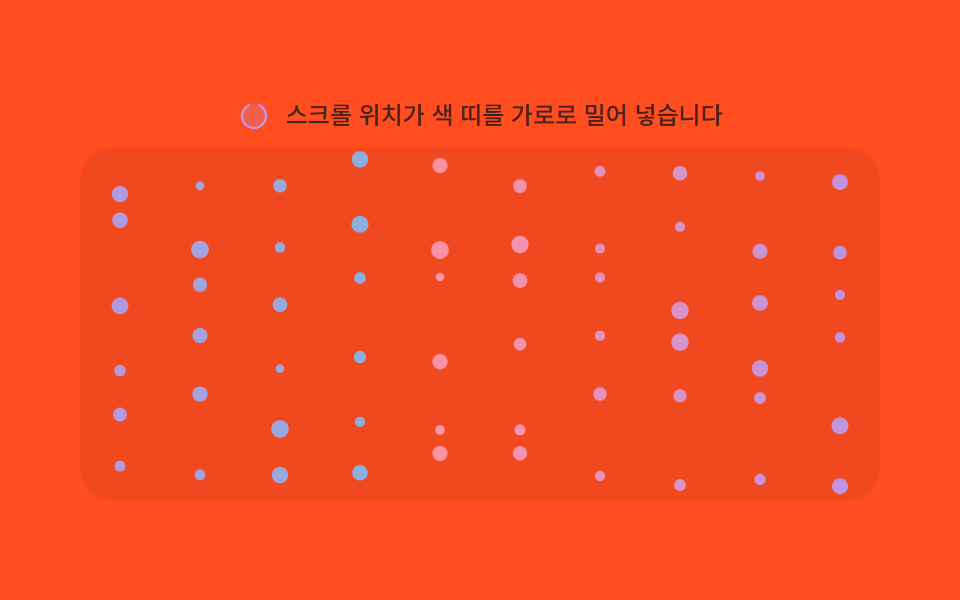 Scroll07 Section hue shift — the particles' color value steps to the next section's hue each time the scroll-progress value crosses a thresholdMoving Particles Background CSS: 9 Scroll Scenes
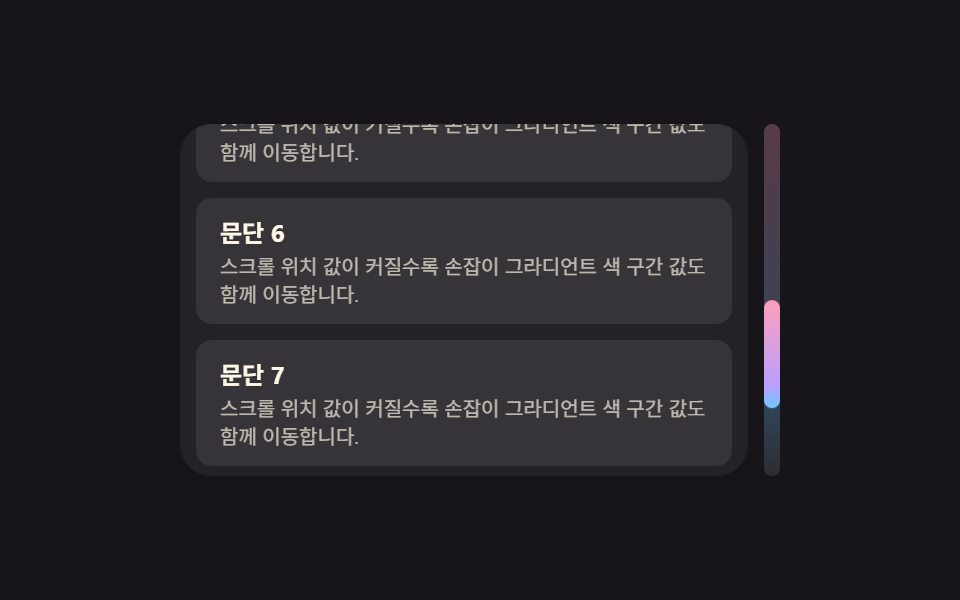 Scroll05 Thumb Whose Gradient Shifts by the Scroll-position ValueCustom Scrollbar CSS — 9 Patterns
 Scroll03 A Drag Snap That Predicts the Landing Point From Release Speed and Springs Into the Nearest SlotHorizontal Scroll Animation CSS: 9 Inertia Scenes