08Lag tracking — a trailing value doesn't match the real scroll value instantly, chasing it with a lag value instead
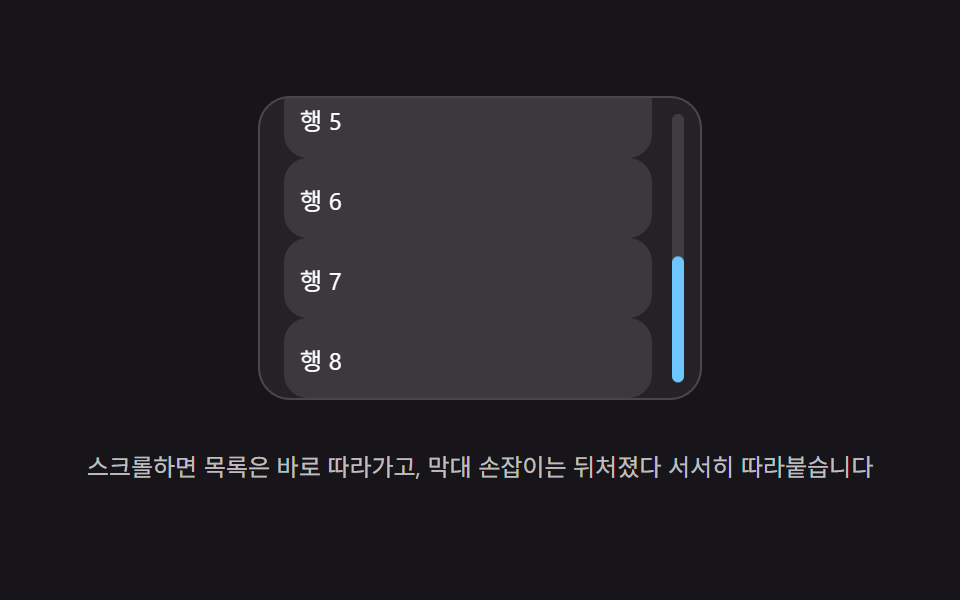
A trailing value follows the real scroll value with a lag delay, then gradually catches up.
Best forA custom scrollbar, a document-style content page
LAGSNAP_EPSrowH
<main class="stage">
<div class="lst is-demo" id="lst">
  <div class="lst__viewport" id="lstViewport" role="application" aria-label="Lag scrollbar test panel" tabindex="0">
    <div class="lst__track" id="lstTrack">
      <div class="lst__row">Row 1</div>
      <div class="lst__row">Row 2</div>
      <div class="lst__row">Row 3</div>
      <div class="lst__row">Row 4</div>
      <div class="lst__row">Row 5</div>
      <div class="lst__row">Row 6</div>
      <div class="lst__row">Row 7</div>
      <div class="lst__row">Row 8</div>
    </div>
    <div class="lst__rail" id="lstRail">
      <div class="lst__thumb" id="lstThumb"></div>
    </div>
  </div>
  <p class="lst__hint">Scroll and the list follows instantly, while the scrollbar handle lags behind and slowly catches up.</p>
</div>
</main>
@use "../../../../site/static/demo-tokens" as *;
// 계산 겹(지연 보간 적분)은 JS 에 있다 — 여기는 정적 배치만.
@include stage($stage-ink);
.stage { position: relative; }
.lst {
display: flex;
flex-direction: column;
align-items: center;
gap: $sp-3;
}
.lst__viewport {
position: relative;
width: 220px;
height: 150px;
overflow: hidden;
border-radius: $r-card;
background: rgba($stage-paper, .06);
border: 1px solid rgba($stage-paper, .16);
touch-action: none;
overscroll-behavior: contain;
cursor: grab;
}
.lst__track {
position: absolute;
inset: 0;
will-change: transform;
}
.lst__row {
height: 40px;
margin: 0 $sp-6 0 $sp-3;
border-radius: $r-control;
background: rgba($stage-paper, .1);
color: $stage-paper;
display: flex;
align-items: center;
padding-left: $sp-2;
font-size: 12px;
box-sizing: border-box;
}
.lst__rail {
position: absolute;
top: $sp-2;
right: $sp-2;
bottom: $sp-2;
width: 6px;
border-radius: $r-pill;
background: rgba($stage-paper, .12);
}
.lst__thumb {
position: absolute;
top: 0;
left: 0;
width: 6px;
border-radius: $r-pill;
background: $subject-sky;
will-change: transform;
}
.lst__hint {
color: rgba($stage-paper, .72);
font-size: 12px;
text-align: center;
}
@media (max-width: 340px) {
.lst { gap: $sp-2; }
.lst__viewport { width: 176px; height: 90px; }
.lst__row { height: 30px; }
.lst__hint { font-size: 11px; }
}
@media (prefers-reduced-motion: reduce) {
.lst__thumb { transition: none !important; }
}html, body {
margin: 0;
overflow: hidden;
}
.stage {
box-sizing: border-box;
min-height: 100vh;
display: grid;
place-items: center;
margin: 0;
background: #17141a;
font-family: -apple-system, "Segoe UI", "Noto Sans KR", sans-serif;
padding: clamp(8px, 4vw, 24px);
}
.stage {
position: relative;
}
.lst {
display: flex;
flex-direction: column;
align-items: center;
gap: 12px;
}
.lst__viewport {
position: relative;
width: 220px;
height: 150px;
overflow: hidden;
border-radius: 16px;
background: rgba(255, 255, 255, 0.06);
border: 1px solid rgba(255, 255, 255, 0.16);
touch-action: none;
overscroll-behavior: contain;
cursor: grab;
}
.lst__track {
position: absolute;
inset: 0;
will-change: transform;
}
.lst__row {
height: 40px;
margin: 0 24px 0 12px;
border-radius: 12px;
background: rgba(255, 255, 255, 0.1);
color: #ffffff;
display: flex;
align-items: center;
padding-left: 8px;
font-size: 12px;
box-sizing: border-box;
}
.lst__rail {
position: absolute;
top: 8px;
right: 8px;
bottom: 8px;
width: 6px;
border-radius: 999px;
background: rgba(255, 255, 255, 0.12);
}
.lst__thumb {
position: absolute;
top: 0;
left: 0;
width: 6px;
border-radius: 999px;
background: #6ec8ff;
will-change: transform;
}
.lst__hint {
color: rgba(255, 255, 255, 0.72);
font-size: 12px;
text-align: center;
}
@media (max-width: 340px) {
.lst {
gap: 8px;
}
.lst__viewport {
width: 176px;
height: 90px;
}
.lst__row {
height: 30px;
}
.lst__hint {
font-size: 11px;
}
}
@media (prefers-reduced-motion: reduce) {
.lst__thumb {
transition: none !important;
}
}(function () {
var root = document.getElementById('lst');
var viewport = document.getElementById('lstViewport');
var track = document.getElementById('lstTrack');
var rail = document.getElementById('lstRail');
var thumb = document.getElementById('lstThumb');
var reduce = window.matchMedia('(prefers-reduced-motion: reduce)').matches;
// 계산 겹: 목록 내용은 입력에 1:1 로 즉시 따라가지만(scrollPos), 손잡이 위치(thumbY)는
// 목표값(targetThumbY)을 매 프레임 LAG 만큼만 따라잡는 지수 보간(lerp)이라 항상 한 박자 늦게 도착한다.
var LAG = 0.15;
var SNAP_EPS = 0.3;
var rowH = 40, rowCount = 8;
var maxScroll = Math.max(0, rowH * rowCount - viewport.clientHeight);
var scrollPos = 0;
var thumbY = 0;
var raf = null;
// BD19 — 막대·손잡이 실측 픽셀은 getBoundingClientRect 로 잰다(짐작값 금지).
var railRect = rail.getBoundingClientRect();
var railH = railRect.height;
var thumbH = Math.max(28, railH * (viewport.clientHeight / (rowH * rowCount)));
thumb.style.height = thumbH.toFixed(1) + 'px';
function paintTrack() { track.style.transform = 'translateY(-' + scrollPos.toFixed(1) + 'px)'; }
function targetThumbY() { return maxScroll <= 0 ? 0 : (scrollPos / maxScroll) * (railH - thumbH); }
function paintThumb() { thumb.style.transform = 'translateY(' + thumbY.toFixed(1) + 'px)'; }
function loopTick() {
var target = targetThumbY();
if (reduce) { thumbY = target; paintThumb(); raf = null; return; }
thumbY += (target - thumbY) * LAG;
if (Math.abs(target - thumbY) < SNAP_EPS) {
thumbY = target; paintThumb(); raf = null; return;
}
paintThumb();
raf = requestAnimationFrame(loopTick);
}
function ensureLoop() { if (raf === null) { raf = requestAnimationFrame(loopTick); } }
function setScroll(v) {
scrollPos = Math.max(0, Math.min(maxScroll, v));
paintTrack();
ensureLoop();
}
paintTrack(); paintThumb();
function wireReal() {
viewport.addEventListener('wheel', function (e) {
e.preventDefault();
root.classList.remove('is-demo'); stopAutoplay();
setScroll(scrollPos + e.deltaY);
}, { passive: false });
var dragging = false, lastY = 0;
viewport.addEventListener('pointerdown', function (e) {
root.classList.remove('is-demo'); stopAutoplay();
dragging = true; lastY = e.clientY;
viewport.setPointerCapture(e.pointerId);
});
viewport.addEventListener('pointermove', function (e) {
if (!dragging) { return; }
setScroll(scrollPos - (e.clientY - lastY));
lastY = e.clientY;
});
viewport.addEventListener('pointerup', function () { dragging = false; });
viewport.addEventListener('keydown', function (e) {
if (e.key !== 'ArrowDown' && e.key !== 'ArrowUp') { return; }
root.classList.remove('is-demo'); stopAutoplay();
setScroll(scrollPos + (e.key === 'ArrowDown' ? 40 : -40));
});
}
wireReal();
// 자동 루프: 바닥까지 내렸다 다시 위로 올려 손잡이가 뒤늦게 따라붙는 지연을 반복 재현한다.
var autoTimer = null, phase = 0;
function autoTick() {
phase += 1;
setScroll(phase % 2 === 0 ? 0 : maxScroll);
}
function stopAutoplay() { if (autoTimer) { clearInterval(autoTimer); autoTimer = null; } }
if (!reduce) { autoTimer = setInterval(autoTick, 1500); autoTick(); }
})();import { useEffect, useRef } from "react";
import styles from "./ScrollMomentumLagScrollbarThumb.module.scss";
export type ScrollMomentumLagScrollbarThumbProps = {
color?: string;
};
export default function ScrollMomentumLagScrollbarThumb({
color = "#6ec8ff",
}: ScrollMomentumLagScrollbarThumbProps) {
const rootRef = useRef<HTMLDivElement | null>(null);
useEffect(() => {
const root = rootRef.current;
if (!root) return;
const viewport = root.querySelector<HTMLDivElement>(`.${styles.viewport}`);
const track = root.querySelector<HTMLDivElement>(`.${styles.track}`);
const rail = root.querySelector<HTMLDivElement>(`.${styles.rail}`);
const thumb = root.querySelector<HTMLDivElement>(`.${styles.thumb}`);
if (!viewport || !track || !rail || !thumb) return;
const reduce = window.matchMedia("(prefers-reduced-motion: reduce)").matches;
// 계산 겹: 목록 내용은 입력에 1:1 로 즉시 따라가지만(scrollPos), 손잡이 위치(thumbY)는
// 목표값(targetThumbY)을 매 프레임 LAG 만큼만 따라잡는 지수 보간(lerp)이라 항상 한 박자 늦게 도착한다.
const LAG = 0.15;
const SNAP_EPS = 0.3;
const rowH = 40, rowCount = 8;
const maxScroll = Math.max(0, rowH * rowCount - viewport.clientHeight);
let scrollPos = 0;
let thumbY = 0;
let raf: number | null = null;
// BD19 — 막대·손잡이 실측 픽셀은 getBoundingClientRect 로 잰다(짐작값 금지).
const railRect = rail.getBoundingClientRect();
const railH = railRect.height;
const thumbH = Math.max(28, railH * (viewport.clientHeight / (rowH * rowCount)));
thumb.style.height = thumbH.toFixed(1) + "px";
function paintTrack() { track!.style.transform = "translateY(-" + scrollPos.toFixed(1) + "px)"; }
function targetThumbY() { return maxScroll <= 0 ? 0 : (scrollPos / maxScroll) * (railH - thumbH); }
function paintThumb() { thumb!.style.transform = "translateY(" + thumbY.toFixed(1) + "px)"; }
function loopTick() {
const target = targetThumbY();
if (reduce) { thumbY = target; paintThumb(); raf = null; return; }
thumbY += (target - thumbY) * LAG;
if (Math.abs(target - thumbY) < SNAP_EPS) { thumbY = target; paintThumb(); raf = null; return; }
paintThumb();
raf = requestAnimationFrame(loopTick);
}
function ensureLoop() { if (raf === null) raf = requestAnimationFrame(loopTick); }
function setScroll(v: number) {
scrollPos = Math.max(0, Math.min(maxScroll, v));
paintTrack();
ensureLoop();
}
paintTrack(); paintThumb();
function onWheel(e: WheelEvent) {
e.preventDefault();
stopAutoplay();
setScroll(scrollPos + e.deltaY);
}
let dragging = false, lastY = 0;
function onPointerDown(e: PointerEvent) {
stopAutoplay();
dragging = true; lastY = e.clientY;
viewport!.setPointerCapture(e.pointerId);
}
function onPointerMove(e: PointerEvent) {
if (!dragging) return;
setScroll(scrollPos - (e.clientY - lastY));
lastY = e.clientY;
}
function onPointerUp() { dragging = false; }
function onKeydown(e: KeyboardEvent) {
if (e.key !== "ArrowDown" && e.key !== "ArrowUp") return;
stopAutoplay();
setScroll(scrollPos + (e.key === "ArrowDown" ? 40 : -40));
}
viewport.addEventListener("wheel", onWheel, { passive: false });
viewport.addEventListener("pointerdown", onPointerDown);
viewport.addEventListener("pointermove", onPointerMove);
viewport.addEventListener("pointerup", onPointerUp);
viewport.addEventListener("keydown", onKeydown);
let autoTimer: number | null = null, phase = 0;
function autoTick() { phase += 1; setScroll(phase % 2 === 0 ? 0 : maxScroll); }
function stopAutoplay() { if (autoTimer !== null) { window.clearInterval(autoTimer); autoTimer = null; } }
if (!reduce) { autoTimer = window.setInterval(autoTick, 1500); autoTick(); }
return () => {
stopAutoplay();
if (raf !== null) cancelAnimationFrame(raf);
viewport.removeEventListener("wheel", onWheel);
viewport.removeEventListener("pointerdown", onPointerDown);
viewport.removeEventListener("pointermove", onPointerMove);
viewport.removeEventListener("pointerup", onPointerUp);
viewport.removeEventListener("keydown", onKeydown);
};
}, []);
const rows = [1, 2, 3, 4, 5, 6, 7, 8];
return (
<div ref={rootRef} className={styles.stage}>
<div className={styles.lst}>
<div className={styles.viewport} role="application" aria-label="지연 스크롤바 실험판" tabIndex={0}>
<div className={styles.track}>
{rows.map((n) => (
<div key={n} className={styles.row}>행 {n}</div>
))}
</div>
<div className={styles.rail}>
<div className={styles.thumb} style={{ background: color }} />
</div>
</div>
<p className={styles.hint}>스크롤하면 목록은 바로 따라가고, 막대 손잡이는 뒤처졌다 서서히 따라붙습니다</p>
</div>
</div>
);
}08 Lag tracking — a trailing value doesn't match the real scroll value instantly, chasing it with a lag value instead — Measured area 1.782% · moving frames 9/23Original by GODRICH · SCSS and React ship in the zip · Scroll Inertia CSS — 9 Value Patterns
The post this demo lives in
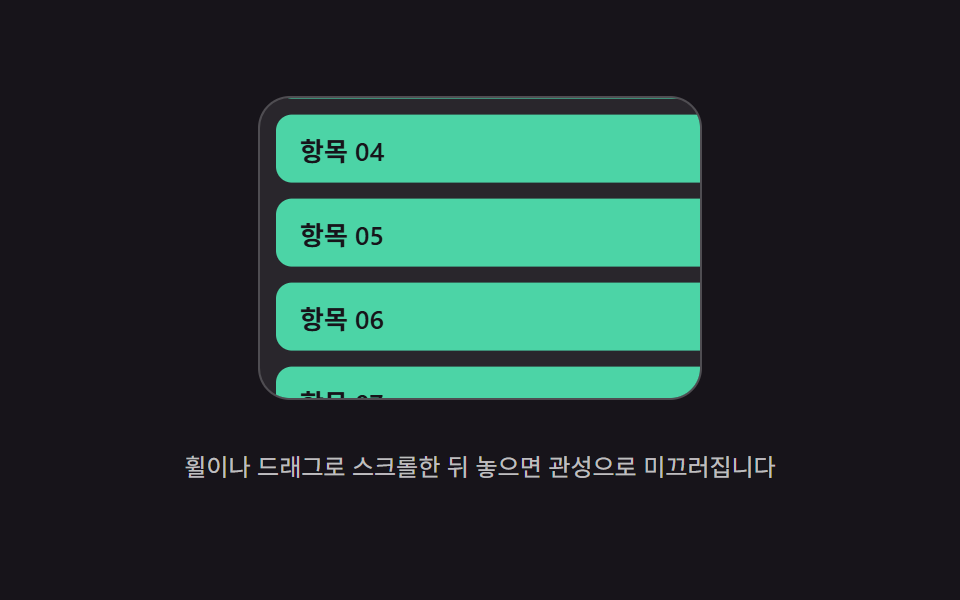 Scroll Inertia CSS — 9 Value PatternsOne value keeps its last scroll speed and shrinks to zero after stopping, one stretches past the boundary and springs ba See all demos in this post
If you like this effect - similar demos
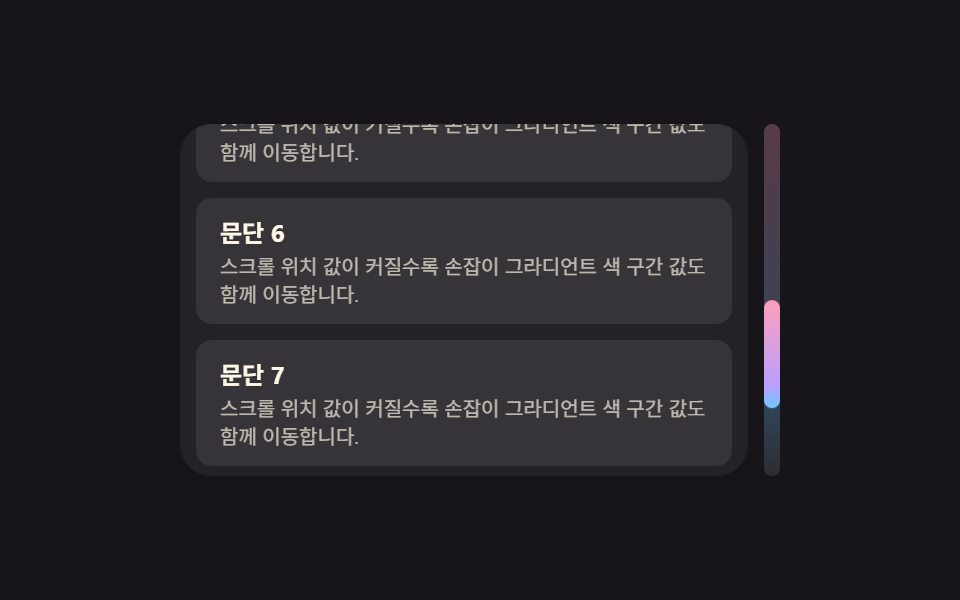 Scroll05 Thumb Whose Gradient Shifts by the Scroll-position ValueCustom Scrollbar CSS — 9 Patterns
 Scroll01 Card That Grows and Sharpens With the Range ValueCSS Scroll Animation: 9 View-Timeline Examples
 Scroll05 Section counter you can move with the keyboard9 Reading Progress Bar CSS Patterns, No Library