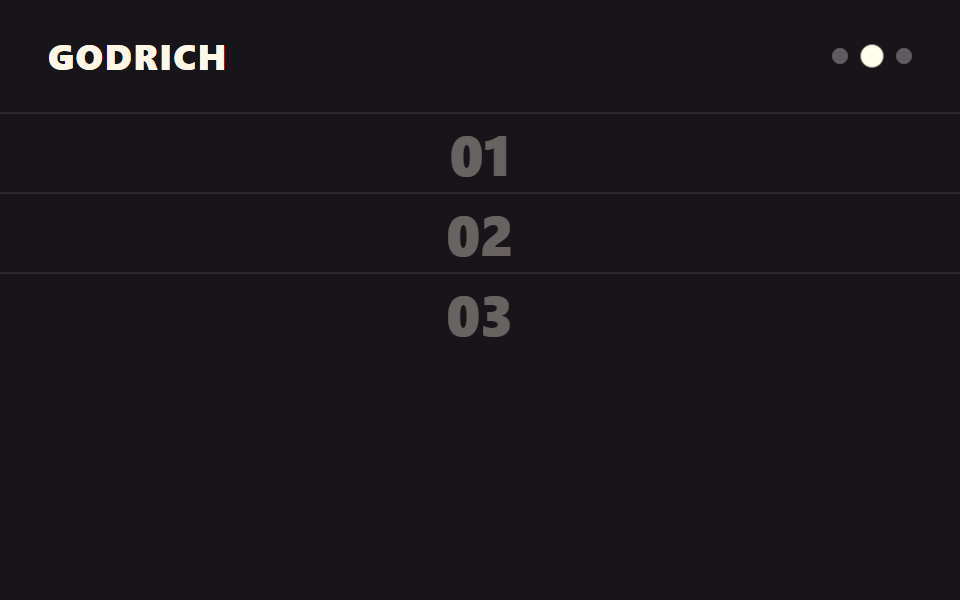
09Snap section switch
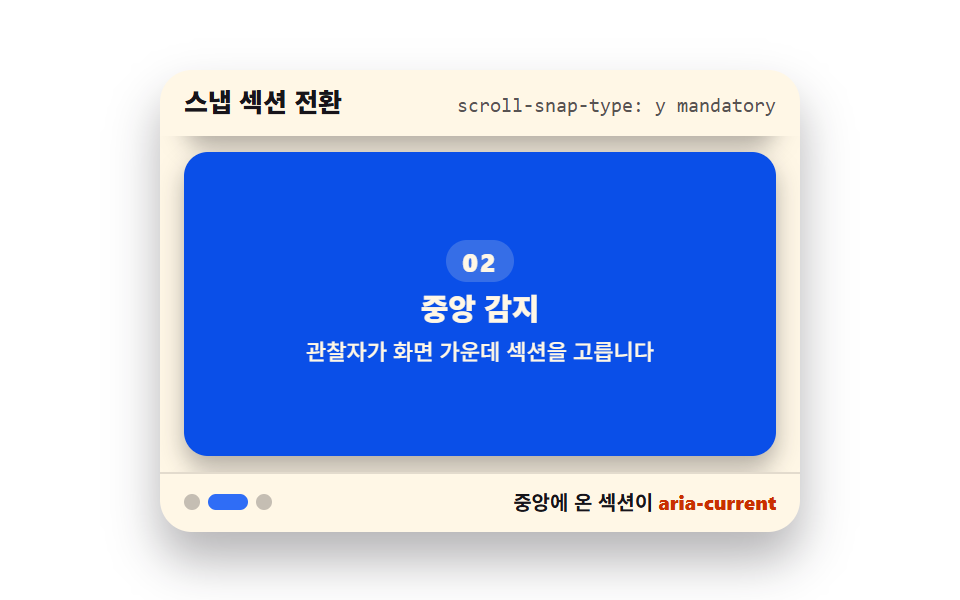
scroll-snap-type makes each section snap to the screen, while the observer picks the centered one and marks it with aria-current. CSS does the snapping; JS does the announcing.
Best forFeature-by-feature full screens
scroll-snap-typescroll-snap-alignaria-current
<main class="stage">
  <section class="ss is-demo" id="ss" aria-label="Snap section switch demo">
    <header class="ss__head">
      <p class="ss__title">Snap section switch</p>
      <p class="ss__attr"><code>scroll-snap-type: y mandatory</code></p>
    </header>
    <div class="ss__view" id="ss-view" tabindex="0" role="region" aria-label="Three feature sections — scroll and each one snaps into the frame">
      <div class="ss__track" id="ss-track">
        <article class="ss__panel" aria-current="true">
          <b>01</b>
          <h3>One screen, one idea</h3>
          <p>Each section stops flat against the frame</p>
        </article>
        <article class="ss__panel">
          <b>02</b>
          <h3>Center detection</h3>
          <p>The observer picks the centered section</p>
        </article>
        <article class="ss__panel">
          <b>03</b>
          <h3>State handoff</h3>
          <p>The chosen section gets aria-current</p>
        </article>
      </div>
    </div>
    <footer class="ss__foot">
      <nav class="ss__dots" aria-label="Section navigation">
        <button class="ss__dot" type="button" aria-current="true" aria-label="Go to first section"></button>
        <button class="ss__dot" type="button" aria-label="Go to second section"></button>
        <button class="ss__dot" type="button" aria-label="Go to third section"></button>
      </nav>
      <span class="ss__state">The centered section gets <b>aria-current</b></span>
    </footer>
  </section>
</main>@use "../../../../site/static/demo-tokens" as *;
// 스냅 섹션 전환 — CSS 가 붙이고(scroll-snap) JS 가 알린다(aria-current)
// 262-02 함정 대비: .is-demo 동안만 scroll-snap-type 을 none 으로 둔다 — 스냅이 트랙 transform 을 재붙잡아
// 움직임을 통째로 먹는 일을 막는다. 손을 대면 is-demo 가 떨어지며 스냅이 돌아온다
$duration: $dur-loop;
$easing: $ease-spring;
$color: $subject-blue;
@include stage($stage-paper);
.ss {
--ss-travel: -160px;
position: relative;
box-sizing: border-box;
width: min(320px, 92vw);
border-radius: $r-card;
background: $subject-cream;
color: $subject-ink;
font-family: -apple-system, "Segoe UI", "Noto Sans KR", sans-serif;
overflow: hidden;
box-shadow: $shadow-raised;
}
.ss__head {
display: flex;
align-items: baseline;
justify-content: space-between;
gap: $sp-2;
padding: $sp-2 $sp-3;
}
.ss__title {
margin: 0;
font-size: 13px;
font-weight: 800;
line-height: 1.3;
}
.ss__attr {
margin: 0;
font-size: 10px;
line-height: 1.3;
color: rgba($subject-ink, .72);
code { font-family: "Consolas", "Menlo", monospace; }
}
// 스크롤 상자(view)와 콘텐츠 트랙(track) 분리 — transform 은 트랙에만 건다 (051 함정)
.ss__view {
position: relative;
height: 168px;
overflow-y: auto;
scroll-snap-type: y mandatory;
padding: 0 $sp-3;
outline: none;
}
.ss__track {
display: grid;
gap: $sp-2;
padding: $sp-2 0;
}
.ss__panel {
scroll-snap-align: center;
display: grid;
align-content: center;
justify-items: center;
gap: $sp-1;
box-sizing: border-box;
height: 152px;
padding: $sp-2;
border-radius: $r-control;
background: $stage-paper;
color: $subject-ink;
box-shadow: $shadow-press;
transition: background $dur-quick $ease-out, color $dur-quick $ease-out;
b {
font-size: 13px;
font-weight: 800;
line-height: 1;
letter-spacing: .08em;
padding: $sp-1 $sp-2;
border-radius: $r-pill;
background: rgba($subject-cream, .18);
}
h3 { margin: 0; font-size: 15px; font-weight: 800; line-height: 1.3; }
p { margin: 0; font-size: 11px; font-weight: 500; line-height: 1.4; text-align: center; }
}
// 중앙에 온 섹션 — 파란 면은 크림 글자를 얹는 규칙대로 진한 파랑이다
.ss__panel[aria-current="true"] {
background: $subject-blue-deep;
color: $subject-cream;
}
.ss__foot {
display: flex;
align-items: center;
justify-content: space-between;
gap: $sp-2;
padding: $sp-2 $sp-3;
border-top: 1px solid rgba($subject-ink, .12);
font-size: 10px;
font-weight: 700;
line-height: 1.3;
b { color: $subject-orange-deep; font-weight: 800; }
}
.ss__dots {
display: flex;
align-items: center;
gap: $sp-1;
}
.ss__dot {
width: 8px;
height: 8px;
padding: 0;
border: 0;
border-radius: $r-pill;
background: rgba($subject-ink, .25);
cursor: pointer;
transition: width $dur-quick $ease-out, background $dur-quick $ease-out;
}
.ss__dot[aria-current="true"] {
width: 20px;
background: $color;
}
.ss__dot:focus-visible {
outline: 2px solid $color;
outline-offset: 2px;
}
.ss__view:focus-visible {
outline: 2px solid $color;
outline-offset: -2px;
}
// 미리보기 — 트랙을 한 패널 폭만큼 밀었다 되돌린다. 상태 교체는 도착(36%) 뒤 44% 에, 복귀(82%) 뒤 90% 에
// 한 프레임 컷(steps) 으로 끊는다 — 반투명 중간 프레임이 poster 에 남지 않는다
.ss.is-demo {
.ss__view { scroll-snap-type: none; }
.ss__track {
animation-name: ss-slide;
animation-duration: $duration;
animation-timing-function: $easing;
animation-iteration-count: infinite;
}
.ss__panel:nth-child(1) {
animation-name: ss-state-1;
animation-duration: $duration;
animation-timing-function: steps(1, end);
animation-iteration-count: infinite;
}
.ss__panel:nth-child(2) {
animation-name: ss-state-2;
animation-duration: $duration;
animation-timing-function: steps(1, end);
animation-iteration-count: infinite;
}
.ss__dot:nth-child(1) {
animation-name: ss-dot-1;
animation-duration: $duration;
animation-timing-function: steps(1, end);
animation-iteration-count: infinite;
}
.ss__dot:nth-child(2) {
animation-name: ss-dot-2;
animation-duration: $duration;
animation-timing-function: steps(1, end);
animation-iteration-count: infinite;
}
}
@keyframes ss-slide {
0%, 8% { transform: translate3d(0, 0, 0); }
36%, 56% { transform: translate3d(0, var(--ss-travel), 0); }
82%, 100% { transform: translate3d(0, 0, 0); }
}
@keyframes ss-state-1 {
0%, 40% { background: $subject-blue-deep; color: $subject-cream; }
44%, 86% { background: $stage-paper; color: $subject-ink; }
90%, 100% { background: $subject-blue-deep; color: $subject-cream; }
}
@keyframes ss-state-2 {
0%, 40% { background: $stage-paper; color: $subject-ink; }
44%, 86% { background: $subject-blue-deep; color: $subject-cream; }
90%, 100% { background: $stage-paper; color: $subject-ink; }
}
@keyframes ss-dot-1 {
0%, 40% { width: 20px; background: $color; }
44%, 86% { width: 8px; background: rgba($subject-ink, .25); }
90%, 100% { width: 20px; background: $color; }
}
@keyframes ss-dot-2 {
0%, 40% { width: 8px; background: rgba($subject-ink, .25); }
44%, 86% { width: 20px; background: $color; }
90%, 100% { width: 8px; background: rgba($subject-ink, .25); }
}
@media (max-width: 340px) {
.ss { width: 100%; --ss-travel: -104px; }
.ss__head,
.ss__foot { padding: $sp-1 $sp-2; }
.ss__view { height: 112px; }
.ss__panel { height: 96px; }
.ss__panel h3 { font-size: 13px; }
.ss__panel p { font-size: 10px; }
}
@media (prefers-reduced-motion: reduce) {
.ss__panel { transition: none !important; }
.ss__dot { transition: none !important; }
.ss.is-demo .ss__track,
.ss.is-demo .ss__panel,
.ss.is-demo .ss__dot { animation: none !important; }
// 정지 상태 — 첫 섹션이 중앙에 붙은 모습 그대로 보인다
}html, body {
margin: 0;
overflow: hidden;
}
.stage {
box-sizing: border-box;
min-height: 100vh;
display: grid;
place-items: center;
margin: 0;
background: #ffffff;
font-family: -apple-system, "Segoe UI", "Noto Sans KR", sans-serif;
padding: clamp(8px, 4vw, 24px);
}
.ss {
--ss-travel: -160px;
position: relative;
box-sizing: border-box;
width: min(320px, 92vw);
border-radius: 16px;
background: #fff7e6;
color: #17141a;
font-family: -apple-system, "Segoe UI", "Noto Sans KR", sans-serif;
overflow: hidden;
box-shadow: 0 14px 24px rgba(23, 20, 26, 0.32);
}
.ss__head {
display: flex;
align-items: baseline;
justify-content: space-between;
gap: 8px;
padding: 8px 12px;
}
.ss__title {
margin: 0;
font-size: 13px;
font-weight: 800;
line-height: 1.3;
}
.ss__attr {
margin: 0;
font-size: 10px;
line-height: 1.3;
color: rgba(23, 20, 26, 0.72);
}
.ss__attr code {
font-family: "Consolas", "Menlo", monospace;
}
.ss__view {
position: relative;
height: 168px;
overflow-y: auto;
scroll-snap-type: y mandatory;
padding: 0 12px;
outline: none;
}
.ss__track {
display: grid;
gap: 8px;
padding: 8px 0;
}
.ss__panel {
scroll-snap-align: center;
display: grid;
align-content: center;
justify-items: center;
gap: 4px;
box-sizing: border-box;
height: 152px;
padding: 8px;
border-radius: 12px;
background: #ffffff;
color: #17141a;
box-shadow: 0 6px 12px rgba(23, 20, 26, 0.32);
transition: background 220ms ease-out, color 220ms ease-out;
}
.ss__panel b {
font-size: 13px;
font-weight: 800;
line-height: 1;
letter-spacing: 0.08em;
padding: 4px 8px;
border-radius: 999px;
background: rgba(255, 247, 230, 0.18);
}
.ss__panel h3 {
margin: 0;
font-size: 15px;
font-weight: 800;
line-height: 1.3;
}
.ss__panel p {
margin: 0;
font-size: 11px;
font-weight: 500;
line-height: 1.4;
text-align: center;
}
.ss__panel[aria-current=true] {
background: #0a4fe8;
color: #fff7e6;
}
.ss__foot {
display: flex;
align-items: center;
justify-content: space-between;
gap: 8px;
padding: 8px 12px;
border-top: 1px solid rgba(23, 20, 26, 0.12);
font-size: 10px;
font-weight: 700;
line-height: 1.3;
}
.ss__foot b {
color: #c93000;
font-weight: 800;
}
.ss__dots {
display: flex;
align-items: center;
gap: 4px;
}
.ss__dot {
width: 8px;
height: 8px;
padding: 0;
border: 0;
border-radius: 999px;
background: rgba(23, 20, 26, 0.25);
cursor: pointer;
transition: width 220ms ease-out, background 220ms ease-out;
}
.ss__dot[aria-current=true] {
width: 20px;
background: #2f6df6;
}
.ss__dot:focus-visible {
outline: 2px solid #2f6df6;
outline-offset: 2px;
}
.ss__view:focus-visible {
outline: 2px solid #2f6df6;
outline-offset: -2px;
}
.ss.is-demo .ss__view {
scroll-snap-type: none;
}
.ss.is-demo .ss__track {
animation-name: ss-slide;
animation-duration: 2s;
animation-timing-function: cubic-bezier(0.2, 0.8, 0.2, 1);
animation-iteration-count: infinite;
}
.ss.is-demo .ss__panel:nth-child(1) {
animation-name: ss-state-1;
animation-duration: 2s;
animation-timing-function: steps(1, end);
animation-iteration-count: infinite;
}
.ss.is-demo .ss__panel:nth-child(2) {
animation-name: ss-state-2;
animation-duration: 2s;
animation-timing-function: steps(1, end);
animation-iteration-count: infinite;
}
.ss.is-demo .ss__dot:nth-child(1) {
animation-name: ss-dot-1;
animation-duration: 2s;
animation-timing-function: steps(1, end);
animation-iteration-count: infinite;
}
.ss.is-demo .ss__dot:nth-child(2) {
animation-name: ss-dot-2;
animation-duration: 2s;
animation-timing-function: steps(1, end);
animation-iteration-count: infinite;
}
@keyframes ss-slide {
0%, 8% {
transform: translate3d(0, 0, 0);
}
36%, 56% {
transform: translate3d(0, var(--ss-travel), 0);
}
82%, 100% {
transform: translate3d(0, 0, 0);
}
}
@keyframes ss-state-1 {
0%, 40% {
background: #0a4fe8;
color: #fff7e6;
}
44%, 86% {
background: #ffffff;
color: #17141a;
}
90%, 100% {
background: #0a4fe8;
color: #fff7e6;
}
}
@keyframes ss-state-2 {
0%, 40% {
background: #ffffff;
color: #17141a;
}
44%, 86% {
background: #0a4fe8;
color: #fff7e6;
}
90%, 100% {
background: #ffffff;
color: #17141a;
}
}
@keyframes ss-dot-1 {
0%, 40% {
width: 20px;
background: #2f6df6;
}
44%, 86% {
width: 8px;
background: rgba(23, 20, 26, 0.25);
}
90%, 100% {
width: 20px;
background: #2f6df6;
}
}
@keyframes ss-dot-2 {
0%, 40% {
width: 8px;
background: rgba(23, 20, 26, 0.25);
}
44%, 86% {
width: 20px;
background: #2f6df6;
}
90%, 100% {
width: 8px;
background: rgba(23, 20, 26, 0.25);
}
}
@media (max-width: 340px) {
.ss {
width: 100%;
--ss-travel: -104px;
}
.ss__head,
.ss__foot {
padding: 4px 8px;
}
.ss__view {
height: 112px;
}
.ss__panel {
height: 96px;
}
.ss__panel h3 {
font-size: 13px;
}
.ss__panel p {
font-size: 10px;
}
}
@media (prefers-reduced-motion: reduce) {
.ss__panel {
transition: none !important;
}
.ss__dot {
transition: none !important;
}
.ss.is-demo .ss__track,
.ss.is-demo .ss__panel,
.ss.is-demo .ss__dot {
animation: none !important;
}
}// Snap section switch — CSS 의 scroll-snap-type 이 붙이고, 관찰자가 중앙에 온 섹션을 골라 aria-current 로 알린다
var root = document.getElementById('ss');
var view = document.getElementById('ss-view');
var panels = Array.prototype.slice.call(document.querySelectorAll('.ss__panel'));
var dots = Array.prototype.slice.call(document.querySelectorAll('.ss__dot'));
var started = false;
function pick(entries) {
entries.forEach(function (entry) {
if (!entry.isIntersecting) return;
var i = panels.indexOf(entry.target);
if (i < 0) return;
panels.forEach(function (panel, j) {
if (j === i) { panel.setAttribute('aria-current', 'true'); }
else { panel.removeAttribute('aria-current'); }
});
dots.forEach(function (dot, j) {
if (j === i) { dot.setAttribute('aria-current', 'true'); }
else { dot.removeAttribute('aria-current'); }
});
});
}
function goTo(i) {
var target = panels[i];
if (!target) return;
// scroll-snap-align: center 기준 붙는 위치 = 패널 중심을 상자 중심에 맞춘 값
var top = target.offsetTop - (view.clientHeight - target.offsetHeight) / 2;
view.scrollTo({ top: top, behavior: 'smooth' });
}
function start() {
root.classList.remove('is-demo');
if (started) return;
started = true;
// 화면 가운데 10퍼센트 띠에 걸친 패널이 중앙 패널이다
var io = new IntersectionObserver(pick, { root: view, rootMargin: '-45% 0px -45% 0px', threshold: 0 });
panels.forEach(function (panel) { io.observe(panel); });
}
view.addEventListener('scroll', start, { passive: true });
view.addEventListener('pointerdown', start);
view.addEventListener('keydown', function (e) {
if (e.key === 'ArrowDown' || e.key === 'ArrowUp' || e.key === 'PageDown' || e.key === 'PageUp' || e.key === ' ') start();
});
dots.forEach(function (dot, i) {
dot.addEventListener('click', function () { start(); goTo(i); });
});import { useEffect, useRef, useState } from "react";
import type { CSSProperties } from "react";
import styles from "./SnapSectionActive.module.scss";
export type SnapSectionActiveProps = {
title?: string;
attr?: string;
state?: string;
stateBold?: string;
groupLabel?: string;
listLabel?: string;
navLabel?: string;
panels?: { title: string; sub: string }[];
dotLabels?: string[];
/** 격자 미리보기용 2초 자동 루프. 사람이 손대면 꺼진다 */
demo?: boolean;
duration?: number;
easing?: string;
color?: string;
};
type Vars = CSSProperties & {
"--duration"?: string;
"--easing"?: string;
"--color"?: string;
"--ss-travel"?: string;
};
// ambient 가 얇아 DOM 요소 타입을 못 쓴다 — 필요한 꼴만 로컬 타입으로 선언
type Box<T> = { current: T };
type KeyEvt = { key: string };
const DEFAULT_PANELS: { title: string; sub: string }[] = [
{ title: "한 화면에 하나", sub: "섹션이 스크롤 끝에 딱 붙어 멈춥니다" },
{ title: "중앙 감지", sub: "관찰자가 화면 가운데 섹션을 고릅니다" },
{ title: "상태 전달", sub: "고른 섹션에 aria-current 를 붙입니다" },
];
const DEFAULT_DOTS = ["첫 번째 섹션으로", "두 번째 섹션으로", "세 번째 섹션으로"];
export default function SnapSectionActive({
title = "스냅 섹션 전환",
attr = "scroll-snap-type: y mandatory",
state = "중앙에 온 섹션이",
stateBold = "aria-current",
groupLabel = "스냅 섹션 전환 데모",
listLabel = "특징 섹션 세 장 — 스크롤하면 한 장씩 화면에 붙습니다",
navLabel = "섹션 바로가기",
panels = DEFAULT_PANELS,
dotLabels = DEFAULT_DOTS,
demo = true,
duration = 2000,
easing = "cubic-bezier(.2, .8, .2, 1)",
color = "#2f6df6",
}: SnapSectionActiveProps) {
const [live, setLive] = useState(demo);
const [active, setActive] = useState(0);
const viewRef = useRef<HTMLDivElement>(null) as unknown as Box<HTMLDivElement | null>;
const panelRefs = useRef<(HTMLElement | null)[]>([]) as unknown as Box<(HTMLElement | null)[]>;
useEffect(() => {
if (live) return;
const root = viewRef.current;
if (!root) return;
const items = panelRefs.current.filter((el): el is HTMLElement => el != null);
// 화면 가운데 10퍼센트 띠에 걸친 패널이 중앙 패널이다
const io = new IntersectionObserver(
(entries) => {
entries.forEach((entry) => {
if (!entry.isIntersecting) return;
const i = items.indexOf(entry.target as HTMLElement);
if (i !== -1) setActive(i);
});
},
{ root, rootMargin: "-45% 0px -45% 0px", threshold: 0 }
);
items.forEach((el) => io.observe(el));
return () => io.disconnect();
}, [live]);
const goTo = (i: number) => {
setLive(false);
const view = viewRef.current;
const target = panelRefs.current[i];
if (!view || !target) return;
// scroll-snap-align: center 기준 붙는 위치 = 패널 중심을 상자 중심에 맞춘 값
const top = target.offsetTop - (view.clientHeight - target.offsetHeight) / 2;
view.scrollTo({ top, behavior: "smooth" });
};
const vars: Vars = {
"--duration": `${duration}ms`,
"--easing": easing,
"--color": color,
"--ss-travel": "-160px",
};
return (
<section
className={`${styles.ss} ${live ? styles.isDemo : ""}`}
style={vars}
aria-label={groupLabel}
>
<header className={styles.head}>
<p className={styles.title}>{title}</p>
<p className={styles.attr}><code>{attr}</code></p>
</header>
<div
className={styles.view}
ref={viewRef as unknown as Box<HTMLDivElement>}
onScroll={() => setLive(false)}
onPointerDown={() => setLive(false)}
onKeyDown={(e: KeyEvt) => {
if (e.key === "ArrowDown" || e.key === "ArrowUp" || e.key === "PageDown" || e.key === "PageUp" || e.key === " ") setLive(false);
}}
tabIndex={0}
role="region"
aria-label={listLabel}
>
<div className={styles.track}>
{panels.map((panel, i) => (
<article
key={panel.title}
ref={(el: HTMLElement | null) => {
panelRefs.current[i] = el;
}}
className={styles.panel}
aria-current={active === i ? "true" : undefined}
>
<b>{String(i + 1).padStart(2, "0")}</b>
<h3>{panel.title}</h3>
<p>{panel.sub}</p>
</article>
))}
</div>
</div>
<footer className={styles.foot}>
<nav className={styles.dots} aria-label={navLabel}>
{panels.map((panel, i) => (
<button
key={panel.title}
type="button"
className={styles.dot}
aria-current={active === i ? "true" : undefined}
aria-label={dotLabels[i]}
onClick={() => goTo(i)}
/>
))}
</nav>
<span className={styles.state}>
{state} <b>{stateBold}</b>
</span>
</footer>
</section>
);
}09 Snap section switch — Measured area 35.251% · moving frames 17/23Original by GODRICH · SCSS and React ship in the zip · Scroll Trigger Animation: 9 Engines, No GSAP
The post this demo lives in
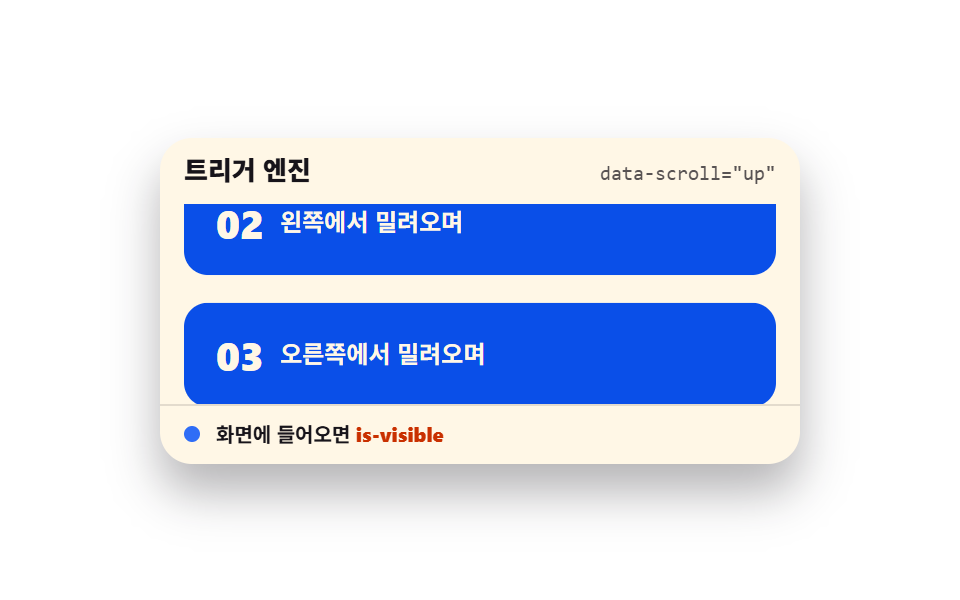 Scroll Trigger Animation: 9 Engines, No GSAPScroll trigger animation is the device that fires a movement the moment an element enters the viewport. It runs with no See all demos in this post