04Share-count count-up
The number on each corner badge rolls from zero up to its goal without any JavaScript counter — a registered custom property and a CSS counter do the rolling in place.
Best forA popular-posts widget, a referral-campaign scoreboard
@propertycounter-resetscale 튐
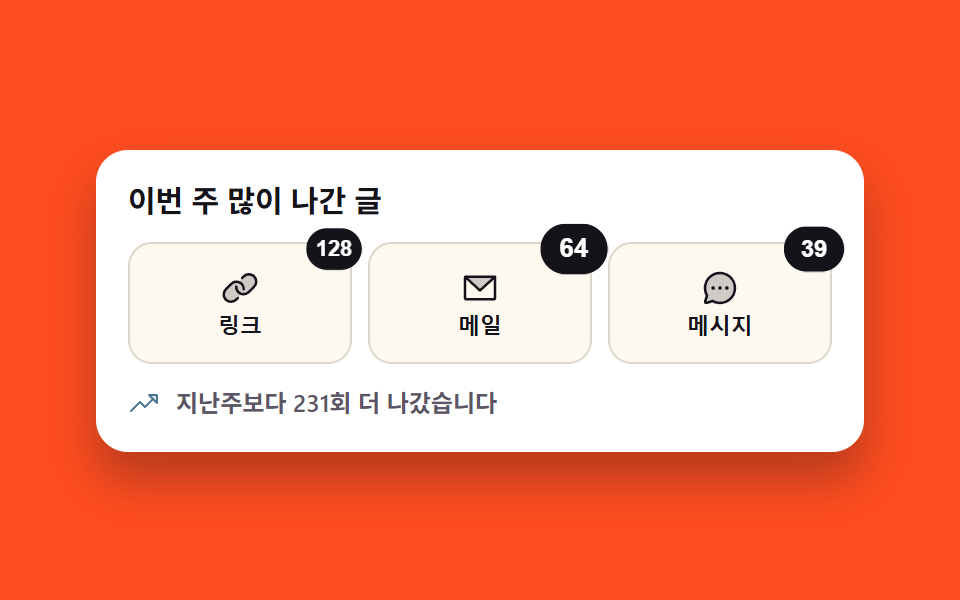
<div class="stage">
  <section class="cb" aria-label="Share counts">

    <p class="cb__title">Most shared this week</p>

    <div class="cb__btns">
      <button class="cb__btn" type="button" aria-label="Copy link, shared 128 times">
        <span class="cb__ic"><svg width="20" height="20" aria-hidden="true" xmlns="http://www.w3.org/2000/svg" viewBox="0 0 256 256" fill="currentColor"><path d="M218.34,119.6,183.6,154.34a46.58,46.58,0,0,1-44.31,12.26c-.31.34-.62.67-.95,1L103.6,202.34A46.63,46.63,0,1,1,37.66,136.4L72.4,101.66A46.6,46.6,0,0,1,116.71,89.4c.31-.34.62-.67,1-1L152.4,53.66a46.63,46.63,0,0,1,65.94,65.94Z" opacity="0.2"/><path d="M240,88.23a54.43,54.43,0,0,1-16,37L189.25,160a54.27,54.27,0,0,1-38.63,16h-.05A54.63,54.63,0,0,1,96,119.84a8,8,0,0,1,16,.45A38.62,38.62,0,0,0,150.58,160h0a38.39,38.39,0,0,0,27.31-11.31l34.75-34.75a38.63,38.63,0,0,0-54.63-54.63l-11,11A8,8,0,0,1,135.7,59l11-11A54.65,54.65,0,0,1,224,48,54.86,54.86,0,0,1,240,88.23ZM109,185.66l-11,11A38.41,38.41,0,0,1,70.6,208h0a38.63,38.63,0,0,1-27.29-65.94L78,107.31A38.63,38.63,0,0,1,144,135.71a8,8,0,0,0,7.78,8.22H152a8,8,0,0,0,8-7.78A54.86,54.86,0,0,0,144,96a54.65,54.65,0,0,0-77.27,0L32,130.75A54.62,54.62,0,0,0,70.56,224h0a54.28,54.28,0,0,0,38.64-16l11-11A8,8,0,0,0,109,185.66Z"/></svg></span>
        <span class="cb__name">Link</span>
        <span class="cb__badge cb__badge--a" aria-hidden="true"></span>
      </button>
      <button class="cb__btn" type="button" aria-label="Send by mail, shared 64 times">
        <span class="cb__ic"><svg width="20" height="20" aria-hidden="true" xmlns="http://www.w3.org/2000/svg" viewBox="0 0 256 256" fill="currentColor"><path d="M224,56l-96,88L32,56Z" opacity="0.2"/><path d="M224,48H32a8,8,0,0,0-8,8V192a16,16,0,0,0,16,16H216a16,16,0,0,0,16-16V56A8,8,0,0,0,224,48ZM203.43,64,128,133.15,52.57,64ZM216,192H40V74.19l82.59,75.71a8,8,0,0,0,10.82,0L216,74.19V192Z"/></svg></span>
        <span class="cb__name">Mail</span>
        <span class="cb__badge cb__badge--b" aria-hidden="true"></span>
      </button>
      <button class="cb__btn" type="button" aria-label="Send in a message, shared 39 times">
        <span class="cb__ic"><svg width="20" height="20" aria-hidden="true" xmlns="http://www.w3.org/2000/svg" viewBox="0 0 256 256" fill="currentColor"><path d="M224,128A96,96,0,0,1,79.93,211.11h0L42.54,223.58a8,8,0,0,1-10.12-10.12l12.47-37.39h0A96,96,0,1,1,224,128Z" opacity="0.2"/><path d="M128,24A104,104,0,0,0,36.18,176.88L24.83,210.93a16,16,0,0,0,20.24,20.24l34.05-11.35A104,104,0,1,0,128,24Zm0,192a87.87,87.87,0,0,1-44.06-11.81,8,8,0,0,0-4-1.08,7.85,7.85,0,0,0-2.53.42L40,216,52.47,178.6a8,8,0,0,0-.66-6.54A88,88,0,1,1,128,216Zm12-88a12,12,0,1,1-12-12A12,12,0,0,1,140,128Zm-44,0a12,12,0,1,1-12-12A12,12,0,0,1,96,128Zm88,0a12,12,0,1,1-12-12A12,12,0,0,1,184,128Z"/></svg></span>
        <span class="cb__name">Message</span>
        <span class="cb__badge cb__badge--c" aria-hidden="true"></span>
      </button>
    </div>

    <p class="cb__total">
      <span class="cb__totalIc" aria-hidden="true"><svg width="16" height="16" aria-hidden="true" xmlns="http://www.w3.org/2000/svg" viewBox="0 0 256 256" fill="currentColor"><path d="M232,56v64L168,56Z" opacity="0.2"/><path d="M232,48H168a8,8,0,0,0-5.66,13.66L188.69,88,136,140.69l-34.34-34.35a8,8,0,0,0-11.32,0l-72,72a8,8,0,0,0,11.32,11.32L96,123.31l34.34,34.35a8,8,0,0,0,11.32,0L200,99.31l26.34,26.35A8,8,0,0,0,240,120V56A8,8,0,0,0,232,48Zm-8,52.69L187.31,64H224Z"/></svg></span>
      <span>231 more shares than last week</span>
    </p>

  </section>
</div>@use "../../../../site/static/demo-tokens" as *;
// 편 277 공유 팔레트 (01 과 같은 값)
$sh-ink: #15131a;
$sh-paper: #ffffff;
$sh-cream: #fdf8f0;
$sh-slate: #5b5566;
$sh-deep: #477690;
$duration: $dur-loop; // 세 배지가 0 에서 목표까지 오르는 한 바퀴
$easing: $ease-pop; // 도착할 때 한 번 튄다
$color: $sh-ink; // 배지 면 색
// 숫자를 굴리는 건 자바스크립트 카운터가 아니라 등록한 사용자 지정 속성이다.
// @property 로 타입을 주지 않으면 보간이 안 되고 중간에 한 번 툭 바뀔 뿐이다 (262·239 실측)
@property --shareCount {
syntax: "<integer>";
inherits: false;
initial-value: 0;
}
@include stage($stage-orange);
.cb {
box-sizing: border-box;
display: flex;
flex-direction: column;
gap: $sp-3;
width: clamp(280px, 86vw, 384px);
padding: $sp-4;
border-radius: $r-card;
background: $sh-paper;
box-shadow: $shadow-raised;
}
.cb__title {
margin: 0;
color: $sh-ink;
font-weight: 700; font-size: 15px; line-height: 1.2;
font-family: inherit;
}
// 칸을 격자로 나눈다 — 배지가 어디에 붙든 세 칸 폭이 정확히 같다
.cb__btns {
display: grid;
grid-template-columns: repeat(3, minmax(0, 1fr));
gap: $sp-2;
}
.cb__btn {
position: relative;
box-sizing: border-box;
display: flex;
flex-direction: column;
align-items: center;
gap: $sp-1;
padding: $sp-3 $sp-2;
border: 1px solid #ddd6ca;
border-radius: $r-control;
background: $sh-cream;
color: $sh-ink;
cursor: pointer;
transition: border-color $dur-quick $easing;
}
.cb__btn:hover, .cb__btn:focus-visible { border-color: $sh-deep; }
.cb__btn:focus-visible {
outline: 2px solid $sh-deep;
outline-offset: 2px;
}
.cb__ic { display: grid; place-items: center; }
.cb__ic svg { display: block; }
.cb__name {
font-weight: 600; font-size: 11px; line-height: 1;
font-family: inherit;
}
// 숫자는 counter-reset 이 사용자 지정 속성을 받고 content 가 그 카운터를 읽는다.
// 값은 그 요소 자신의 것이라야 한다 — inherits: false 로 등록했으니 부모에 걸면 안 먹는다
.cb__badge {
position: absolute;
top: -8px;
right: -6px;
box-sizing: border-box;
min-width: 28px;
padding: $sp-1;
border-radius: $r-pill;
background: $color;
color: $sh-paper; // 잉크 위 흰 숫자 18.42:1
text-align: center;
font-weight: 700; font-size: 11px; line-height: 1.2;
font-family: inherit;
counter-reset: shareCount var(--shareCount);
}
.cb__badge::after { content: counter(shareCount); }
// 손으로 쓰는 경로 — .is-demo 를 뗀 뒤에도 최종 숫자가 그대로 보인다
.cb__badge--a { --shareCount: 128; }
.cb__badge--b { --shareCount: 64; }
.cb__badge--c { --shareCount: 39; }
.cb__total {
display: flex;
align-items: center;
gap: $sp-2;
margin: 0;
color: $sh-slate; // 흰 면 위 보조 글자 7.15:1
font-weight: 600; font-size: 12px; line-height: 1.2;
font-family: inherit;
}
.cb__totalIc { display: grid; place-items: center; color: $sh-deep; }
.cb__totalIc svg { display: block; }
// ── 자동 재생 ───────────────────────────────────────────────
// 숫자가 오르는 동안 배지가 한 번 튄다. animation 단축은 delay 를 0 으로 리셋하므로 낱개 속성으로,
// 지연 구간에 최종 숫자가 한 프레임 번쩍이지 않게 fill-mode: backwards 를 같이 준다
.is-demo .cb__badge {
animation-duration: $duration;
animation-timing-function: $easing;
animation-iteration-count: infinite;
animation-fill-mode: backwards;
}
.is-demo .cb__badge--a { animation-name: countA; animation-delay: 0s; }
.is-demo .cb__badge--b { animation-name: countB; animation-delay: .12s; }
.is-demo .cb__badge--c { animation-name: countC; animation-delay: .24s; }
// 숫자는 50% 에 목표에 닿고 그 뒤에 배지가 한 번 튄다 — 칸을 채우는 것과 값이 멎는 것이
// 같은 시각이면 가장 크게 달라진 장이 "아직 덜 센 숫자" 가 된다 (첫 렌더 실측: 126·56·26).
// 숫자를 먼저 세우고 튐을 뒤에 두면 대표 이미지가 완성된 값으로 뽑힌다
@keyframes countA {
0% { --shareCount: 0; transform: scale(.86); }
50% { --shareCount: 128; transform: scale(1); }
58% { --shareCount: 128; transform: scale(1.2); }
70%, 100% { --shareCount: 128; transform: scale(1); }
}
@keyframes countB {
0% { --shareCount: 0; transform: scale(.86); }
50% { --shareCount: 64; transform: scale(1); }
58% { --shareCount: 64; transform: scale(1.2); }
70%, 100% { --shareCount: 64; transform: scale(1); }
}
@keyframes countC {
0% { --shareCount: 0; transform: scale(.86); }
50% { --shareCount: 39; transform: scale(1); }
58% { --shareCount: 39; transform: scale(1.2); }
70%, 100% { --shareCount: 39; transform: scale(1); }
}
@media (max-width: 340px), (max-height: 220px) {
.cb { gap: $sp-2; padding: $sp-3; }
.cb__title { font-size: 13px; }
.cb__btn { padding: $sp-2 $sp-1; }
.cb__ic svg { width: 18px; height: 18px; }
.cb__name { font-size: 10px; }
.cb__badge { min-width: 24px; font-size: 10px; }
.cb__total { font-size: 11px; }
}
@media (prefers-reduced-motion: reduce) {
// .is-demo 쪽 선택자가 (0,2,0) 이라 !important 없이는 진다
.is-demo .cb__badge { animation: none !important; }
.cb__btn { transition: none !important; }
// 움직임을 끊어도 숫자는 선언된 최종값으로 그대로 보인다
.cb__badge { transform: scale(1); }
}@property --shareCount {
syntax: "<integer>";
inherits: false;
initial-value: 0;
}
html, body {
margin: 0;
overflow: hidden;
}
.stage {
box-sizing: border-box;
min-height: 100vh;
display: grid;
place-items: center;
margin: 0;
background: #ff4d1f;
font-family: -apple-system, "Segoe UI", "Noto Sans KR", sans-serif;
padding: clamp(8px, 4vw, 24px);
}
.cb {
box-sizing: border-box;
display: flex;
flex-direction: column;
gap: 12px;
width: clamp(280px, 86vw, 384px);
padding: 16px;
border-radius: 16px;
background: #ffffff;
box-shadow: 0 14px 24px rgba(23, 20, 26, 0.32);
}
.cb__title {
margin: 0;
color: #15131a;
font-weight: 700;
font-size: 15px;
line-height: 1.2;
font-family: inherit;
}
.cb__btns {
display: grid;
grid-template-columns: repeat(3, minmax(0, 1fr));
gap: 8px;
}
.cb__btn {
position: relative;
box-sizing: border-box;
display: flex;
flex-direction: column;
align-items: center;
gap: 4px;
padding: 12px 8px;
border: 1px solid #ddd6ca;
border-radius: 12px;
background: #fdf8f0;
color: #15131a;
cursor: pointer;
transition: border-color 220ms cubic-bezier(0.2, 1.4, 0.4, 1);
}
.cb__btn:hover, .cb__btn:focus-visible {
border-color: #477690;
}
.cb__btn:focus-visible {
outline: 2px solid #477690;
outline-offset: 2px;
}
.cb__ic {
display: grid;
place-items: center;
}
.cb__ic svg {
display: block;
}
.cb__name {
font-weight: 600;
font-size: 11px;
line-height: 1;
font-family: inherit;
}
.cb__badge {
position: absolute;
top: -8px;
right: -6px;
box-sizing: border-box;
min-width: 28px;
padding: 4px;
border-radius: 999px;
background: #15131a;
color: #ffffff;
text-align: center;
font-weight: 700;
font-size: 11px;
line-height: 1.2;
font-family: inherit;
counter-reset: shareCount var(--shareCount);
}
.cb__badge::after {
content: counter(shareCount);
}
.cb__badge--a {
--shareCount: 128;
}
.cb__badge--b {
--shareCount: 64;
}
.cb__badge--c {
--shareCount: 39;
}
.cb__total {
display: flex;
align-items: center;
gap: 8px;
margin: 0;
color: #5b5566;
font-weight: 600;
font-size: 12px;
line-height: 1.2;
font-family: inherit;
}
.cb__totalIc {
display: grid;
place-items: center;
color: #477690;
}
.cb__totalIc svg {
display: block;
}
.is-demo .cb__badge {
animation-duration: 2s;
animation-timing-function: cubic-bezier(0.2, 1.4, 0.4, 1);
animation-iteration-count: infinite;
animation-fill-mode: backwards;
}
.is-demo .cb__badge--a {
animation-name: countA;
animation-delay: 0s;
}
.is-demo .cb__badge--b {
animation-name: countB;
animation-delay: 0.12s;
}
.is-demo .cb__badge--c {
animation-name: countC;
animation-delay: 0.24s;
}
@keyframes countA {
0% {
--shareCount: 0;
transform: scale(0.86);
}
50% {
--shareCount: 128;
transform: scale(1);
}
58% {
--shareCount: 128;
transform: scale(1.2);
}
70%, 100% {
--shareCount: 128;
transform: scale(1);
}
}
@keyframes countB {
0% {
--shareCount: 0;
transform: scale(0.86);
}
50% {
--shareCount: 64;
transform: scale(1);
}
58% {
--shareCount: 64;
transform: scale(1.2);
}
70%, 100% {
--shareCount: 64;
transform: scale(1);
}
}
@keyframes countC {
0% {
--shareCount: 0;
transform: scale(0.86);
}
50% {
--shareCount: 39;
transform: scale(1);
}
58% {
--shareCount: 39;
transform: scale(1.2);
}
70%, 100% {
--shareCount: 39;
transform: scale(1);
}
}
@media (max-width: 340px), (max-height: 220px) {
.cb {
gap: 8px;
padding: 12px;
}
.cb__title {
font-size: 13px;
}
.cb__btn {
padding: 8px 4px;
}
.cb__ic svg {
width: 18px;
height: 18px;
}
.cb__name {
font-size: 10px;
}
.cb__badge {
min-width: 24px;
font-size: 10px;
}
.cb__total {
font-size: 11px;
}
}
@media (prefers-reduced-motion: reduce) {
.is-demo .cb__badge {
animation: none !important;
}
.cb__btn {
transition: none !important;
}
.cb__badge {
transform: scale(1);
}
}(function () {
var body = document.body;
function hand() { body.classList.remove('is-demo'); } // 사람이 손을 대면 자동 재생을 끈다
document.querySelectorAll('.cb__btn').forEach(function (b) {
b.addEventListener('pointerdown', hand);
b.addEventListener('focusin', hand);
b.addEventListener('click', hand);
});
})();import { useState } from "react";
import type { CSSProperties, ReactNode } from "react";
import styles from "./ShareCountBadge.module.scss";
export type ShareCountBadgeProps = {
/** 버튼 이름과 공유 수 */
items?: { name: string; label: string; count: number }[];
/** 세 배지가 0 에서 목표까지 오르는 한 바퀴(ms) */
duration?: number;
easing?: string;
/** 배지 면 색 */
color?: string;
autoPlay?: boolean;
};
type Vars = CSSProperties & { "--duration"?: string; "--easing"?: string; "--color"?: string };
type BadgeVars = CSSProperties & { "--shareCount"?: number };
/* Phosphor Duotone (MIT) — 사슬 · 봉투 · 말풍선 */
const ICONS: ReactNode[] = [
<svg width="20" height="20" aria-hidden="true" xmlns="http://www.w3.org/2000/svg" viewBox="0 0 256 256" fill="currentColor"><path d="M218.34,119.6,183.6,154.34a46.58,46.58,0,0,1-44.31,12.26c-.31.34-.62.67-.95,1L103.6,202.34A46.63,46.63,0,1,1,37.66,136.4L72.4,101.66A46.6,46.6,0,0,1,116.71,89.4c.31-.34.62-.67,1-1L152.4,53.66a46.63,46.63,0,0,1,65.94,65.94Z" opacity="0.2"/><path d="M240,88.23a54.43,54.43,0,0,1-16,37L189.25,160a54.27,54.27,0,0,1-38.63,16h-.05A54.63,54.63,0,0,1,96,119.84a8,8,0,0,1,16,.45A38.62,38.62,0,0,0,150.58,160h0a38.39,38.39,0,0,0,27.31-11.31l34.75-34.75a38.63,38.63,0,0,0-54.63-54.63l-11,11A8,8,0,0,1,135.7,59l11-11A54.65,54.65,0,0,1,224,48,54.86,54.86,0,0,1,240,88.23ZM109,185.66l-11,11A38.41,38.41,0,0,1,70.6,208h0a38.63,38.63,0,0,1-27.29-65.94L78,107.31A38.63,38.63,0,0,1,144,135.71a8,8,0,0,0,7.78,8.22H152a8,8,0,0,0,8-7.78A54.86,54.86,0,0,0,144,96a54.65,54.65,0,0,0-77.27,0L32,130.75A54.62,54.62,0,0,0,70.56,224h0a54.28,54.28,0,0,0,38.64-16l11-11A8,8,0,0,0,109,185.66Z"/></svg>,
<svg width="20" height="20" aria-hidden="true" xmlns="http://www.w3.org/2000/svg" viewBox="0 0 256 256" fill="currentColor"><path d="M224,56l-96,88L32,56Z" opacity="0.2"/><path d="M224,48H32a8,8,0,0,0-8,8V192a16,16,0,0,0,16,16H216a16,16,0,0,0,16-16V56A8,8,0,0,0,224,48ZM203.43,64,128,133.15,52.57,64ZM216,192H40V74.19l82.59,75.71a8,8,0,0,0,10.82,0L216,74.19V192Z"/></svg>,
<svg width="20" height="20" aria-hidden="true" xmlns="http://www.w3.org/2000/svg" viewBox="0 0 256 256" fill="currentColor"><path d="M224,128A96,96,0,0,1,79.93,211.11h0L42.54,223.58a8,8,0,0,1-10.12-10.12l12.47-37.39h0A96,96,0,1,1,224,128Z" opacity="0.2"/><path d="M128,24A104,104,0,0,0,36.18,176.88L24.83,210.93a16,16,0,0,0,20.24,20.24l34.05-11.35A104,104,0,1,0,128,24Zm0,192a87.87,87.87,0,0,1-44.06-11.81,8,8,0,0,0-4-1.08,7.85,7.85,0,0,0-2.53.42L40,216,52.47,178.6a8,8,0,0,0-.66-6.54A88,88,0,1,1,128,216Zm12-88a12,12,0,1,1-12-12A12,12,0,0,1,140,128Zm-44,0a12,12,0,1,1-12-12A12,12,0,0,1,96,128Zm88,0a12,12,0,1,1-12-12A12,12,0,0,1,184,128Z"/></svg>,
];
const BADGE = ["badgeA", "badgeB", "badgeC"];
export default function ShareCountBadge({
items = [
{ name: "링크", label: "링크 복사", count: 128 },
{ name: "메일", label: "메일로 보내기", count: 64 },
{ name: "메시지", label: "메시지로 보내기", count: 39 },
],
duration = 2000,
easing = "cubic-bezier(.2,1.4,.4,1)",
color = "#15131a",
autoPlay = true,
}: ShareCountBadgeProps) {
const [demo, setDemo] = useState(autoPlay);
/* 사람이 손을 대면 자동 재생을 끈다 */
function stopDemo() {
setDemo(false);
}
const vars: Vars = { "--duration": duration + "ms", "--easing": easing, "--color": color };
return (
<div className={styles.stage + (demo ? " " + styles.isDemo : "")} style={vars}>
<section className={styles.count} aria-label="공유 수">
<p className={styles.title}>이번 주 많이 나간 글</p>
<div className={styles.btns}>
{items.map((item, i) => (
<button
key={item.name}
className={styles.btn}
type="button"
aria-label={item.label + ", 공유 " + item.count + "회"}
onClick={stopDemo}
onPointerDown={stopDemo}
onFocus={stopDemo}
>
<span className={styles.ic}>{ICONS[i]}</span>
<span className={styles.name}>{item.name}</span>
{/* 숫자는 등록한 사용자 지정 속성을 그 요소 자신이 받아 counter 로 읽는다 */}
<span
className={styles.badge + " " + styles[BADGE[i]]}
aria-hidden="true"
style={{ "--shareCount": item.count } as BadgeVars}
/>
</button>
))}
</div>
<p className={styles.total}>
<span className={styles.totalIc} aria-hidden="true"><svg width="16" height="16" aria-hidden="true" xmlns="http://www.w3.org/2000/svg" viewBox="0 0 256 256" fill="currentColor"><path d="M232,56v64L168,56Z" opacity="0.2"/><path d="M232,48H168a8,8,0,0,0-5.66,13.66L188.69,88,136,140.69l-34.34-34.35a8,8,0,0,0-11.32,0l-72,72a8,8,0,0,0,11.32,11.32L96,123.31l34.34,34.35a8,8,0,0,0,11.32,0L200,99.31l26.34,26.35A8,8,0,0,0,240,120V56A8,8,0,0,0,232,48Zm-8,52.69L187.31,64H224Z"/></svg></span>
<span>지난주보다 231회 더 나갔습니다</span>
</p>
</section>
</div>
);
}04 Share-count count-up — Measured area 1.206% · moving frames 20/23Original by GODRICH · SCSS and React ship in the zip · Social Share Buttons: 9 Copy-Paste UI Patterns
The post this demo lives in
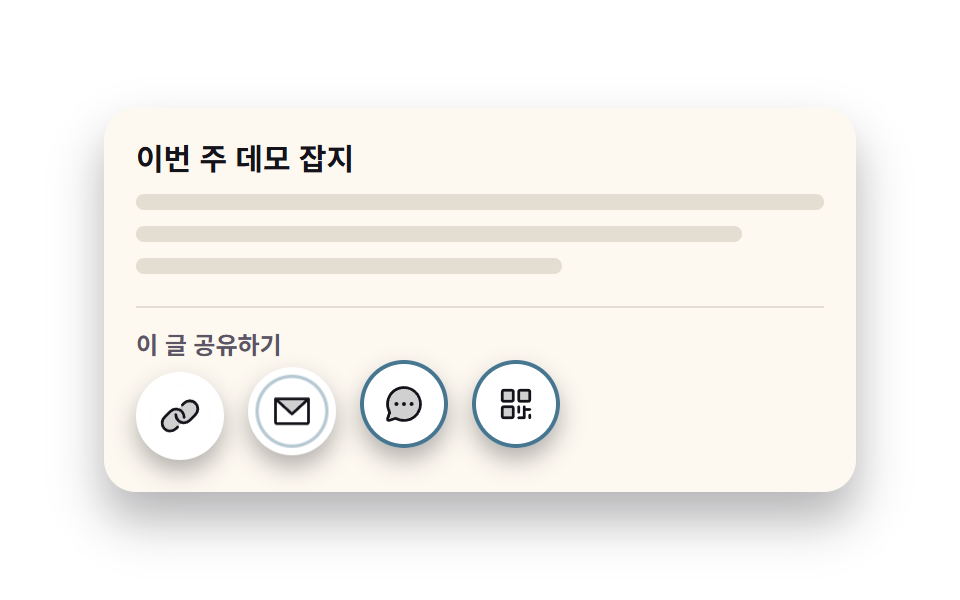 Social Share Buttons: 9 Copy-Paste UI PatternsSocial share buttons are the last door a page leaves through, and the one tap a fake demo gives away. The nine here real See all demos in this post
If you like this effect - similar demos
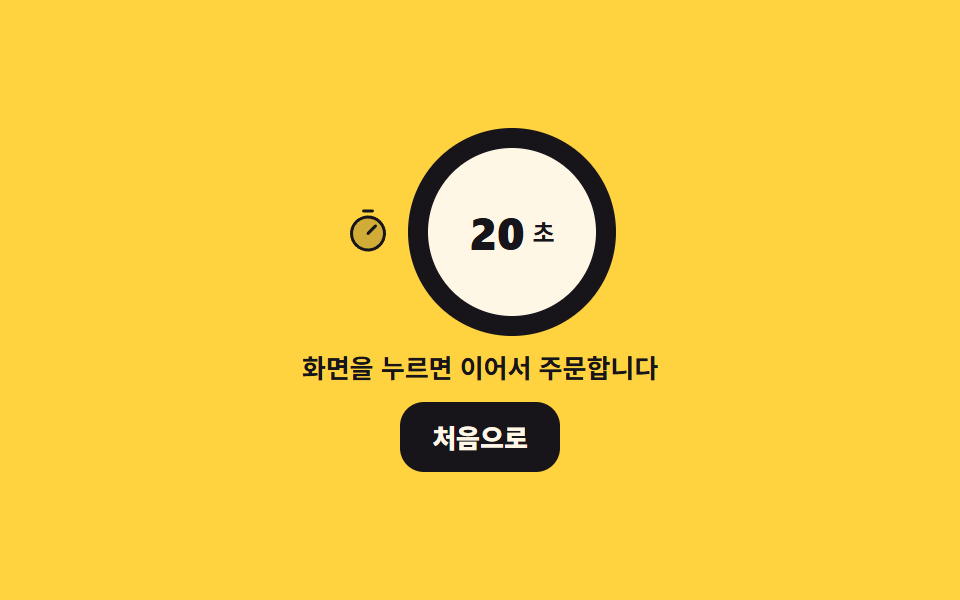 Interactions08 Idle timeout back to homeKiosk UI Design: 9 Finger-Sized Order Screens
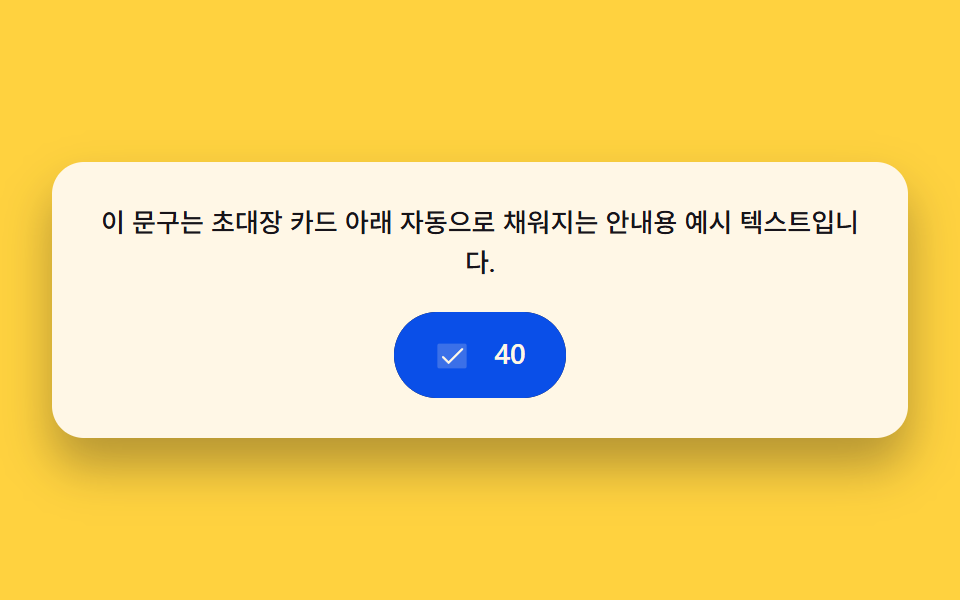 Interactions02 Character-count fill — a button that fills by the number of characters copied9 Copy Button CSS UI Patterns (Copy to Clipboard)
 Interactions06 Twin Bubbles That Join and Share One Curved Wall Between ThemBubble Animation CSS: 9 Soap-Film Scenes That Pop