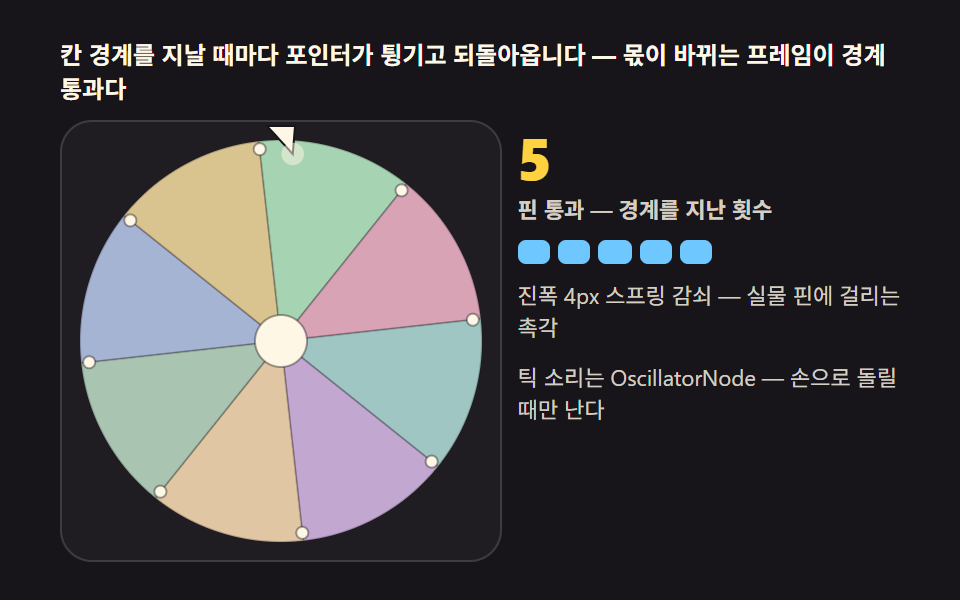
05The ticking pointer — a flick sound and wobble at every sector edge
Detect the frame where floor(angle / sectorAngle) changes — that is the pointer crossing a peg. Play a short tick with an OscillatorNode and nudge the pointer toward the edge, springing it back with damped decay, and it feels like a real peg catching.
Best forPremium wheels, real-feel interactions
requestAnimationFrameOscillatorNoderotate
<main class="stage">
<div class="tk" id="tk">
  <p class="tk__hint">The pointer flicks and springs back at every sector edge — the frame the quotient changes is the crossing</p>
  <div class="tk__row">
    <div class="tk__field" id="field" role="application" aria-label="Tick physics lab" tabindex="0">
      <canvas class="tk__cv" id="cv"></canvas>
    </div>
    <div class="tk__side">
      <b class="tk__num" id="ticks">0</b>
      <span class="tk__unit">pegs passed — crossings of sector edges</span>
      <div class="tk__bar" id="bar" aria-hidden="true"></div>
      <p class="tk__meta">4px amplitude spring decay — the feel of a real peg catching</p>
      <p class="tk__meta">Sound is off for now — capture frames would skip ticks</p>
    </div>
  </div>
</div>
</main>
@use "../../../../site/static/demo-tokens" as *;
// 포인터 딸깍(05) — 움직임은 전부 캔버스 rAF 루프다. CSS @keyframes 를 두지 않는다.
// 잉크 무대. 칸 여덟 색은 파스텔 팔레트(채도 .19~.49) — 어두운 무대 위에서도
// 명도 차로 칸 경계가 읽힌다. 포인터 스프링 진폭은 JS 상수 AMP 로만 논다.
$duration: $dur-loop;
$easing: $ease-spring;
$color: $subject-sky;
@include stage($stage-ink);
.tk {
--w1: #a6b4d3; // 파랑빛 파스텔 — 1번 칸
--w2: #d9c48f; // 골드 파스텔 — 2번 칸
--w3: #a6d3b1; // 연두 파스텔 — 3번 칸
--w4: #d8a3b4; // 로즈 파스텔 — 4번 칸
--w5: #9fc6c2; // 틸 파스텔 — 5번 칸
--w6: #c2a8d1; // 플럼 파스텔 — 6번 칸
--w7: #e0c6a2; // 모래 파스텔 — 7번 칸
--w8: #a9c4b0; // 세이지 파스텔 — 8번 칸
--ink: #{$subject-ink};
--cream: #{$subject-cream};
display: flex; flex-direction: column; gap: $sp-2;
width: 100%; max-width: 420px;
}
.tk__hint {
margin: 0; font-weight: 700; font-size: clamp(10px, 2.8vw, 12px); line-height: 1.35;
color: $subject-cream;
}
.tk__row { display: flex; gap: $sp-2; align-items: stretch; }
.tk__field {
position: relative; overflow: hidden;
flex: 0 0 auto;
width: clamp(176px, 46vw, 232px);
height: clamp(176px, 46vw, 232px);
border-radius: $r-card;
background: rgba($subject-cream, .04);
box-shadow: inset 0 0 0 1px rgba($subject-cream, .14);
cursor: grab; touch-action: none;
}
.tk__field:active { cursor: grabbing; }
.tk__field:focus-visible { outline: 2px solid $color; outline-offset: 2px; }
.tk__cv { display: block; width: 100%; height: 100%; }
.tk__side {
flex: 1; min-width: 0;
display: flex; flex-direction: column; gap: $sp-1;
padding-top: $sp-1;
}
.tk__num {
font-weight: 800; font-size: clamp(20px, 6vw, 30px); line-height: 1;
color: $stage-yellow; font-variant-numeric: tabular-nums;
}
.tk__unit { font-weight: 600; font-size: clamp(9px, 2.4vw, 11px); line-height: 1.4; color: rgba($subject-cream, .82); }
.tk__bar { display: flex; gap: $sp-1; margin-top: $sp-1; }
.tk__seg {
width: clamp(12px, 3.4vw, 20px); height: 12px;
border-radius: $r-xs;
background: rgba($subject-cream, .18);
}
.tk__seg.is-on { background: $subject-sky; }
.tk__meta { margin: $sp-1 0 0; font-size: clamp(9px, 2.4vw, 11px); line-height: 1.5; color: rgba($subject-cream, .82); }
@media (max-width: 340px) {
.tk__hint { font-size: 8px; line-height: 1.3; }
.tk { gap: $sp-1; }
.tk__field { width: 150px; height: 150px; }
.tk__num { font-size: 16px; }
.tk__meta { margin-top: 0; font-size: 8px; }
.tk__seg { width: 10px; height: 8px; }
}
// reduce — 루프가 안 돈다. 포인터가 튕긴 정지 한 장이 남는다.
@media (prefers-reduced-motion: reduce) {
.tk.is-still .tk__field { cursor: default !important; }
}html, body {
margin: 0;
overflow: hidden;
}
.stage {
box-sizing: border-box;
min-height: 100vh;
display: grid;
place-items: center;
margin: 0;
background: #17141a;
font-family: -apple-system, "Segoe UI", "Noto Sans KR", sans-serif;
padding: clamp(8px, 4vw, 24px);
}
.tk {
--w1: #a6b4d3;
--w2: #d9c48f;
--w3: #a6d3b1;
--w4: #d8a3b4;
--w5: #9fc6c2;
--w6: #c2a8d1;
--w7: #e0c6a2;
--w8: #a9c4b0;
--ink: #17141a;
--cream: #fff7e6;
display: flex;
flex-direction: column;
gap: 8px;
width: 100%;
max-width: 420px;
}
.tk__hint {
margin: 0;
font-weight: 700;
font-size: clamp(10px, 2.8vw, 12px);
line-height: 1.35;
color: #fff7e6;
}
.tk__row {
display: flex;
gap: 8px;
align-items: stretch;
}
.tk__field {
position: relative;
overflow: hidden;
flex: 0 0 auto;
width: clamp(176px, 46vw, 232px);
height: clamp(176px, 46vw, 232px);
border-radius: 16px;
background: rgba(255, 247, 230, 0.04);
box-shadow: inset 0 0 0 1px rgba(255, 247, 230, 0.14);
cursor: grab;
touch-action: none;
}
.tk__field:active {
cursor: grabbing;
}
.tk__field:focus-visible {
outline: 2px solid #6ec8ff;
outline-offset: 2px;
}
.tk__cv {
display: block;
width: 100%;
height: 100%;
}
.tk__side {
flex: 1;
min-width: 0;
display: flex;
flex-direction: column;
gap: 4px;
padding-top: 4px;
}
.tk__num {
font-weight: 800;
font-size: clamp(20px, 6vw, 30px);
line-height: 1;
color: #ffd23f;
font-variant-numeric: tabular-nums;
}
.tk__unit {
font-weight: 600;
font-size: clamp(9px, 2.4vw, 11px);
line-height: 1.4;
color: rgba(255, 247, 230, 0.82);
}
.tk__bar {
display: flex;
gap: 4px;
margin-top: 4px;
}
.tk__seg {
width: clamp(12px, 3.4vw, 20px);
height: 12px;
border-radius: 4px;
background: rgba(255, 247, 230, 0.18);
}
.tk__seg.is-on {
background: #6ec8ff;
}
.tk__meta {
margin: 4px 0 0;
font-size: clamp(9px, 2.4vw, 11px);
line-height: 1.5;
color: rgba(255, 247, 230, 0.82);
}
@media (max-width: 340px) {
.tk__hint {
font-size: 8px;
line-height: 1.3;
}
.tk {
gap: 4px;
}
.tk__field {
width: 150px;
height: 150px;
}
.tk__num {
font-size: 16px;
}
.tk__meta {
margin-top: 0;
font-size: 8px;
}
.tk__seg {
width: 10px;
height: 8px;
}
}
@media (prefers-reduced-motion: reduce) {
.tk.is-still .tk__field {
cursor: default !important;
}
}// 포인터 딸깍(05) — 회전 각도를 sectors 경계 각도로 나눈 몫이 바뀌는 프레임을 감지하면
// 포인터가 핀을 지나간 순간이다. 그 프레임에 포인터를 경계 방향으로 살짝 밀었다가
// 스프링 감쇠로 되돌리면 실물 핀이 걸리는 촉각이 난다. 손으로 돌릴 때는
// OscillatorNode 짧은 틱 사운드도 같이 난다(자동 루프·캡처에서는 무음)
(function () {
var root = document.getElementById('tk');
var field = document.getElementById('field');
var cv = document.getElementById('cv');
var ticksEl = document.getElementById('ticks');
var barEl = document.getElementById('bar');
if (!root || !field || !cv || !ticksEl || !barEl) return;
var ctx = cv.getContext('2d');
var css = getComputedStyle(root);
var PAL = [];
for (var i = 1; i <= 8; i++) PAL.push(css.getPropertyValue('--w' + i).trim());
var INK = css.getPropertyValue('--ink').trim();
var CREAM = css.getPropertyValue('--cream').trim();
var TAU = Math.PI * 2;
var N = 8, SEG = TAU / N;
var ang = 0, vel = 0, ticks = 0;
var FRICTION = 0.30, STOP = 0.5;
// 포인터 스프링 — 위치 px, 속도 px/s, 스프링 상수 k, 감쇠 c. 몫이 바뀌면 속도를 얻는다
var pk = 340, pc = 14, pX = 0, pV = 0;
var AMP = 4; // 진폭 상수 (px) — 변형 3 이 값으로 논다
var flicks = [12, -9, 15];
var fi = 1, idle = 0, settle = -1, pulse = -1, dpr = 1, lastQ = 0;
// 틱 사운드 — OscillatorNode 짧은 삼각파. 사용자가 직접 돌릴 때만 소리가 난다
// (첫 pointerdown 에서 AudioContext 를 만든다 — 자동재생 정책·캡처 환경 둘 다 안전)
var ac = null;
function tickSound() {
if (!ac) return;
try {
var osc = ac.createOscillator();
var gain = ac.createGain();
osc.type = 'triangle';
osc.frequency.value = 1750;
gain.gain.setValueAtTime(0.045, ac.currentTime);
gain.gain.exponentialRampToValueAtTime(0.0001, ac.currentTime + 0.03);
osc.connect(gain); gain.connect(ac.destination);
osc.start(); osc.stop(ac.currentTime + 0.035);
} catch (err) { /* 오디오 기기 없음 — 시각 틱에는 영향 없다 */ }
}
function fit() {
var w = field.clientWidth, h = field.clientHeight;
dpr = Math.min(2, window.devicePixelRatio || 1);
cv.width = Math.round(w * dpr); cv.height = Math.round(h * dpr);
}
function draw() {
var w = cv.width / dpr, h = cv.height / dpr;
ctx.setTransform(dpr, 0, 0, dpr, 0, 0);
ctx.clearRect(0, 0, w, h);
var cx = w / 2, cy = h / 2, R = Math.min(w, h) / 2 - 10;
ctx.save(); ctx.translate(cx, cy); ctx.rotate(ang);
for (var k = 0; k < N; k++) {
var a0 = k * SEG;
ctx.beginPath(); ctx.moveTo(0, 0);
ctx.arc(0, 0, R, a0, a0 + SEG); ctx.closePath();
ctx.fillStyle = PAL[k]; ctx.fill();
ctx.strokeStyle = 'rgba(23,20,26,.22)'; ctx.lineWidth = 1; ctx.stroke();
}
// 핀 — sectors 경계마다 둥근 점
for (var p = 0; p < N; p++) {
var pa = p * SEG;
ctx.beginPath();
ctx.arc(Math.cos(pa) * (R - 4), Math.sin(pa) * (R - 4), 3, 0, TAU);
ctx.fillStyle = CREAM; ctx.fill();
ctx.strokeStyle = 'rgba(23,20,26,.4)'; ctx.stroke();
}
ctx.beginPath(); ctx.arc(0, 0, 13, 0, TAU);
ctx.fillStyle = CREAM; ctx.fill(); ctx.strokeStyle = 'rgba(23,20,26,.4)'; ctx.stroke();
if (pulse >= 0) {
ctx.beginPath(); ctx.arc(0, 0, 13 + pulse * 20, 0, TAU);
ctx.strokeStyle = 'rgba(255,247,230,' + (1 - pulse) * 0.7 + ')';
ctx.lineWidth = 2; ctx.stroke();
}
ctx.restore();
// 12시 고정 포인터 — 스프링 변위 pX 를 접선 방향(가로)으로 받는다
var tipY = cy - R + 7;
ctx.beginPath();
ctx.moveTo(cx - 7, cy - R - 7);
ctx.lineTo(cx + 7, cy - R - 7);
ctx.lineTo(cx + pX, tipY);
ctx.closePath();
ctx.fillStyle = CREAM; ctx.fill();
ctx.strokeStyle = INK; ctx.lineWidth = 1; ctx.stroke();
// 틱 순간 번쩍 — 핀을 지나갈 때 포인터 끝이 밝아진다
if (Math.abs(pV) > 40) {
ctx.beginPath(); ctx.arc(cx + pX, tipY, 4 + Math.min(6, Math.abs(pV) / 60), 0, TAU);
ctx.fillStyle = 'rgba(255,247,230,.5)'; ctx.fill();
}
}
var drag = { on: false, lastA: 0, lastT: 0, v: 0 };
function angleAt(e) {
var b = field.getBoundingClientRect();
return Math.atan2(e.clientY - (b.top + b.height / 2), e.clientX - (b.left + b.width / 2));
}
field.addEventListener('pointerdown', function (e) {
drag.on = true; drag.lastA = angleAt(e); drag.lastT = performance.now(); drag.v = 0;
if (!ac) {
var AC = window.AudioContext || window.webkitAudioContext;
if (AC) { try { ac = new AC(); } catch (err) { ac = null; } }
}
if (field.setPointerCapture) { try { field.setPointerCapture(e.pointerId); } catch (err) { /* 캡처 실패는 회전에 영향 없다 */ } }
});
field.addEventListener('pointermove', function (e) {
if (!drag.on) return;
var a = angleAt(e), now = performance.now();
var dA = a - drag.lastA;
if (dA > Math.PI) dA -= TAU;
if (dA < -Math.PI) dA += TAU;
ang += dA;
var dt = Math.max(1, now - drag.lastT) / 1000;
drag.v = 0.65 * drag.v + 0.35 * (dA / dt);
drag.lastA = a; drag.lastT = now;
tickCheck();
idle = 0;
});
function endDrag() {
if (!drag.on) return;
drag.on = false;
vel = Math.max(-24, Math.min(24, drag.v));
settle = -1; pulse = -1;
}
field.addEventListener('pointerup', endDrag);
field.addEventListener('pointercancel', endDrag);
field.addEventListener('keydown', function (e) {
if (e.key === ' ' || e.key === 'Enter') {
e.preventDefault();
vel = flicks[fi++ % flicks.length]; settle = -1; pulse = -1; idle = 0;
}
});
// 몫이 바뀌면 핀 1개 통과 — 틱 카운트·스프링 속도를 준다
function tickCheck() {
var q = Math.floor(ang / SEG);
if (q !== lastQ) {
var d = q - lastQ;
ticks += Math.abs(d);
pV += (d > 0 ? 1 : -1) * Math.abs(vel || drag.v || 6) * 26;
if (drag.on) tickSound(); // 소리는 사람 손으로 돌릴 때만
ticksEl.textContent = String(ticks);
lastQ = q;
}
}
var reduce = window.matchMedia('(prefers-reduced-motion: reduce)').matches;
var last = performance.now();
function step(now) {
var dt = Math.min(64, now - last) / 1000; last = now;
// 포인터 스프링 적분 — a = -k·x - c·v (질량 1)
var a = -pk * pX - pc * pV;
pV += a * dt; pX += pV * dt;
if (Math.abs(pX) < 0.02 && Math.abs(pV) < 1) { pX = 0; pV = 0; }
if (!drag.on) {
if (vel !== 0) {
ang += vel * dt;
vel *= Math.pow(FRICTION, dt);
tickCheck();
if (Math.abs(vel) < STOP) { vel = 0; settle = 0; pulse = 0; }
} else if (idle > 0) { idle -= dt; }
else if (settle >= 0) {
settle += dt; pulse = Math.min(1, settle / 0.3);
if (settle > 0.4) { vel = flicks[fi++ % flicks.length]; settle = -1; pulse = -1; }
}
}
draw();
// 진폭 바 — 스프링 변위를 5칸으로 (transform 이라 레이아웃이 흔들리지 않는다)
var lv = Math.min(5, Math.ceil(Math.abs(pX) / (AMP / 5)));
for (var b2 = 0; b2 < barEl.children.length; b2++) {
barEl.children[b2].className = b2 < lv ? 'tk__seg is-on' : 'tk__seg';
}
requestAnimationFrame(step);
}
fit();
for (var s = 0; s < 5; s++) {
var seg = document.createElement('span');
seg.className = 'tk__seg';
barEl.appendChild(seg);
}
window.addEventListener('resize', fit);
if (reduce) {
// 정지 한 장 — 포인터가 살짝 튕긴 상태로 고정하고 루프는 돌지 않는다
pX = AMP * 0.7; pulse = 0.4;
draw();
ticksEl.textContent = '17';
for (var z = 0; z < barEl.children.length; z++) barEl.children[z].className = z < 3 ? 'tk__seg is-on' : 'tk__seg';
root.classList.add('is-still');
} else {
vel = flicks[0];
requestAnimationFrame(step);
}
})();// SpinWheelPointerPeg — vanilla 판(run/332/demo/05-spin-wheel-pointer-peg/index.html) 의 React 포트.
// 회전 각도를 칸 경계 각도(SEG)로 나눈 몫이 바뀌는 프레임을 감지하면 포인터가 핀을 지나간
// 순간이다. 그 프레임에 스프링(a = -pk·pX - pc·pV)으로 포인터를 튕겼다 되돌린다. 손으로 돌릴
// 때만 첫 pointerdown 에서 지연 생성한 AudioContext 로 OscillatorNode 짧은 틱을 울린다.
// 움직임은 전부 캔버스 rAF 루프가 그리므로 CSS 애니메이션이 없다.
import { useEffect, useRef, useState } from "react";
import type { CSSProperties, PointerEvent } from "react";
import styles from "./SpinWheelPointerPeg.module.scss";
// demo.py 의 ambient react 스텁은 KeyboardEvent 를 export 하지 않는다 — 최소 자체 타입으로 대체
type KeyEvt = { key: string; preventDefault(): void };
export type SpinWheelPointerPegProps = {
duration?: string;
easing?: string;
color?: string;
};
type Vars = CSSProperties & { "--duration"?: string; "--easing"?: string; "--color"?: string };
type Box<T> = { current: T };
const TAU = Math.PI * 2;
const N = 8, SEG = TAU / N;
const FRICTION = 0.30, STOP = 0.5;
const PK = 340, PC = 14; // 스프링 상수 k · 감쇠 c (질량 1)
const AMP = 4; // 진폭 상수(px)
const FLICKS = [12, -9, 15];
const PAL = ["#a6b4d3", "#d9c48f", "#a6d3b1", "#d8a3b4", "#9fc6c2", "#c2a8d1", "#e0c6a2", "#a9c4b0"];
const INK = "#17141a";
const CREAM = "#fff7e6";
const HINT = "칸 경계를 지날 때마다 포인터가 튕기고 되돌아옵니다 — 몫이 바뀌는 프레임이 경계 통과다";
const ARIA_FIELD = "틱 물리 실험판";
const UNIT = "핀 통과 — 경계를 지난 횟수";
const META_AMP = "진폭 4px 스프링 감쇠 — 실물 핀에 걸리는 촉각";
const META_SOUND = "틱 소리는 OscillatorNode — 손으로 돌릴 때만 난다";
type AudioCtor = new () => AudioContext;
export default function SpinWheelPointerPeg({
duration = "2s",
easing = "ease-spring",
color = "#6ec8ff"
}: SpinWheelPointerPegProps) {
const fieldRef = useRef<HTMLDivElement | null>(null);
const cvRef = useRef<HTMLCanvasElement | null>(null);
const ticksRef = useRef<HTMLSpanElement | null>(null);
const barRef = useRef<HTMLDivElement | null>(null);
const ctxRef = useRef<CanvasRenderingContext2D | null>(null);
const acRef = useRef<AudioContext | null>(null) as Box<AudioContext | null>;
const stRef = useRef({
ang: 0, vel: 0, ticks: 0, pX: 0, pV: 0,
fi: 1, idle: 0, settle: -1, pulse: -1, dpr: 1, lastQ: 0,
drag: { on: false, lastA: 0, lastT: 0, v: 0 }
}) as Box<{
ang: number; vel: number; ticks: number; pX: number; pV: number;
fi: number; idle: number; settle: number; pulse: number; dpr: number; lastQ: number;
drag: { on: boolean; lastA: number; lastT: number; v: number };
}>;
const lastRef = useRef(0) as Box<number>;
const rafRef = useRef(0) as Box<number>;
const [still, setStill] = useState(false);
function reduced(): boolean {
return window.matchMedia("(prefers-reduced-motion: reduce)").matches;
}
function tickSound(): void {
const ac = acRef.current;
if (!ac) return;
try {
const osc = ac.createOscillator();
const gain = ac.createGain();
osc.type = "triangle";
osc.frequency.value = 1750;
gain.gain.setValueAtTime(0.045, ac.currentTime);
gain.gain.exponentialRampToValueAtTime(0.0001, ac.currentTime + 0.03);
osc.connect(gain); gain.connect(ac.destination);
osc.start(); osc.stop(ac.currentTime + 0.035);
} catch { /* 오디오 기기 없음 — 시각 틱에는 영향 없다 */ }
}
function fit(): void {
const st = stRef.current;
const field = fieldRef.current, cv = cvRef.current;
if (!field || !cv) return;
const ctx = cv.getContext("2d");
if (!ctx) return;
st.dpr = Math.min(2, window.devicePixelRatio || 1);
cv.width = Math.round(field.clientWidth * st.dpr);
cv.height = Math.round(field.clientHeight * st.dpr);
ctxRef.current = ctx;
}
function draw(): void {
const st = stRef.current;
const ctx = ctxRef.current;
if (!ctx) return;
const w = cvRef.current!.width / st.dpr, h = cvRef.current!.height / st.dpr;
ctx.setTransform(st.dpr, 0, 0, st.dpr, 0, 0);
ctx.clearRect(0, 0, w, h);
const cx = w / 2, cy = h / 2, R = Math.min(w, h) / 2 - 10;
ctx.save(); ctx.translate(cx, cy); ctx.rotate(st.ang);
for (let k = 0; k < N; k++) {
const a0 = k * SEG;
ctx.beginPath(); ctx.moveTo(0, 0);
ctx.arc(0, 0, R, a0, a0 + SEG); ctx.closePath();
ctx.fillStyle = PAL[k]; ctx.fill();
ctx.strokeStyle = "rgba(23,20,26,.22)"; ctx.lineWidth = 1; ctx.stroke();
}
for (let p = 0; p < N; p++) {
const pa = p * SEG;
ctx.beginPath();
ctx.arc(Math.cos(pa) * (R - 4), Math.sin(pa) * (R - 4), 3, 0, TAU);
ctx.fillStyle = CREAM; ctx.fill();
ctx.strokeStyle = "rgba(23,20,26,.4)"; ctx.stroke();
}
ctx.beginPath(); ctx.arc(0, 0, 13, 0, TAU);
ctx.fillStyle = CREAM; ctx.fill(); ctx.strokeStyle = "rgba(23,20,26,.4)"; ctx.stroke();
if (st.pulse >= 0) {
ctx.beginPath(); ctx.arc(0, 0, 13 + st.pulse * 20, 0, TAU);
ctx.strokeStyle = "rgba(255,247,230," + (1 - st.pulse) * 0.7 + ")";
ctx.lineWidth = 2; ctx.stroke();
}
ctx.restore();
const tipY = cy - R + 7;
ctx.beginPath();
ctx.moveTo(cx - 7, cy - R - 7);
ctx.lineTo(cx + 7, cy - R - 7);
ctx.lineTo(cx + st.pX, tipY);
ctx.closePath();
ctx.fillStyle = CREAM; ctx.fill();
ctx.strokeStyle = INK; ctx.lineWidth = 1; ctx.stroke();
if (Math.abs(st.pV) > 40) {
ctx.beginPath(); ctx.arc(cx + st.pX, tipY, 4 + Math.min(6, Math.abs(st.pV) / 60), 0, TAU);
ctx.fillStyle = "rgba(255,247,230,.5)"; ctx.fill();
}
}
function angleAt(e: PointerEvent<HTMLDivElement>): number {
const b = e.currentTarget.getBoundingClientRect();
return Math.atan2(e.clientY - (b.top + b.height / 2), e.clientX - (b.left + b.width / 2));
}
function tickCheck(): void {
const st = stRef.current;
const q = Math.floor(st.ang / SEG);
if (q !== st.lastQ) {
const d = q - st.lastQ;
st.ticks += Math.abs(d);
st.pV += (d > 0 ? 1 : -1) * Math.abs(st.vel || st.drag.v || 6) * 26;
if (st.drag.on) tickSound(); // 소리는 사람 손으로 돌릴 때만
const tk = ticksRef.current;
if (tk) tk.textContent = String(st.ticks);
st.lastQ = q;
}
}
function onPointerDown(e: PointerEvent<HTMLDivElement>): void {
const st = stRef.current;
st.drag.on = true; st.drag.lastA = angleAt(e); st.drag.lastT = performance.now(); st.drag.v = 0;
if (!acRef.current) {
const w = window as unknown as { AudioContext?: AudioCtor; webkitAudioContext?: AudioCtor };
const Ctor = w.AudioContext || w.webkitAudioContext;
if (Ctor) { try { acRef.current = new Ctor(); } catch { acRef.current = null; } }
}
try { e.currentTarget.setPointerCapture(e.pointerId); } catch { /* 캡처 실패는 회전에 영향 없다 */ }
}
function onPointerMove(e: PointerEvent<HTMLDivElement>): void {
const st = stRef.current;
if (!st.drag.on) return;
const a = angleAt(e), now = performance.now();
let dA = a - st.drag.lastA;
if (dA > Math.PI) dA -= TAU;
if (dA < -Math.PI) dA += TAU;
st.ang += dA;
const dt = Math.max(1, now - st.drag.lastT) / 1000;
st.drag.v = 0.65 * st.drag.v + 0.35 * (dA / dt);
st.drag.lastA = a; st.drag.lastT = now;
tickCheck();
st.idle = 0;
}
function endDrag(): void {
const st = stRef.current;
if (!st.drag.on) return;
st.drag.on = false;
st.vel = Math.max(-24, Math.min(24, st.drag.v));
st.settle = -1; st.pulse = -1;
}
function onKeyDown(e: KeyEvt): void {
const st = stRef.current;
if (e.key === " " || e.key === "Enter") {
e.preventDefault();
st.vel = FLICKS[st.fi++ % FLICKS.length]; st.settle = -1; st.pulse = -1; st.idle = 0;
}
}
function step(now: number): void {
const st = stRef.current;
const dt = Math.min(64, now - lastRef.current) / 1000; lastRef.current = now;
// 포인터 스프링 적분 — a = -k·x - c·v (질량 1)
const a = -PK * st.pX - PC * st.pV;
st.pV += a * dt; st.pX += st.pV * dt;
if (Math.abs(st.pX) < 0.02 && Math.abs(st.pV) < 1) { st.pX = 0; st.pV = 0; }
if (!st.drag.on) {
if (st.vel !== 0) {
st.ang += st.vel * dt;
st.vel *= Math.pow(FRICTION, dt);
tickCheck();
if (Math.abs(st.vel) < STOP) { st.vel = 0; st.settle = 0; st.pulse = 0; }
} else if (st.idle > 0) { st.idle -= dt; }
else if (st.settle >= 0) {
st.settle += dt; st.pulse = Math.min(1, st.settle / 0.3);
if (st.settle > 0.4) { st.vel = FLICKS[st.fi++ % FLICKS.length]; st.settle = -1; st.pulse = -1; }
}
}
draw();
const lv = Math.min(5, Math.ceil(Math.abs(st.pX) / (AMP / 5)));
const bar = barRef.current;
if (bar) {
for (let b2 = 0; b2 < bar.children.length; b2++) {
(bar.children[b2] as HTMLElement).className = b2 < lv ? styles.seg + " " + styles.isOn : styles.seg;
}
}
rafRef.current = requestAnimationFrame(step);
}
useEffect(() => {
fit();
function onResize(): void { fit(); }
window.addEventListener("resize", onResize);
if (reduced()) {
// 정지 한 장 — 포인터가 살짝 튕긴 상태로 고정하고 루프는 돌지 않는다
const st = stRef.current;
st.pX = AMP * 0.7; st.pulse = 0.4;
draw();
const tk = ticksRef.current;
if (tk) tk.textContent = "17";
const bar = barRef.current;
if (bar) {
for (let z = 0; z < bar.children.length; z++) {
(bar.children[z] as HTMLElement).className = z < 3 ? styles.seg + " " + styles.isOn : styles.seg;
}
}
setStill(true);
} else {
stRef.current.vel = FLICKS[0];
lastRef.current = performance.now();
rafRef.current = requestAnimationFrame(step);
}
return () => {
window.removeEventListener("resize", onResize);
cancelAnimationFrame(rafRef.current);
};
// eslint-disable-next-line react-hooks/exhaustive-deps
}, []);
const rootCls = still ? styles.tk + " " + styles.isStill : styles.tk;
return (
<main className={styles.stage}>
<div className={rootCls} style={{ "--duration": duration, "--easing": easing, "--color": color } as Vars}>
<p className={styles.hint}>{HINT}</p>
<div className={styles.row}>
<div
className={styles.field}
ref={fieldRef}
role="application"
aria-label={ARIA_FIELD}
tabIndex={0}
onKeyDown={onKeyDown}
onPointerDown={onPointerDown}
onPointerMove={onPointerMove}
onPointerUp={endDrag}
onPointerCancel={endDrag}
>
<canvas className={styles.cv} ref={cvRef}></canvas>
</div>
<div className={styles.side}>
<b className={styles.num} ref={ticksRef}>0</b>
<span className={styles.unit}>{UNIT}</span>
<div className={styles.bar} ref={barRef} aria-hidden="true">
{Array.from({ length: 5 }, (_, i) => <span key={i} className={styles.seg}></span>)}
</div>
<p className={styles.meta}>{META_AMP}</p>
<p className={styles.meta}>{META_SOUND}</p>
</div>
</div>
</div>
</main>
);
}05 The ticking pointer — a flick sound and wobble at every sector edge — Measured area 22.926% · moving frames 23/23Original by GODRICH · SCSS and React ship in the zip · Spin Wheel: 9 Canvas Roulettes, Flick to Stop
The post this demo lives in
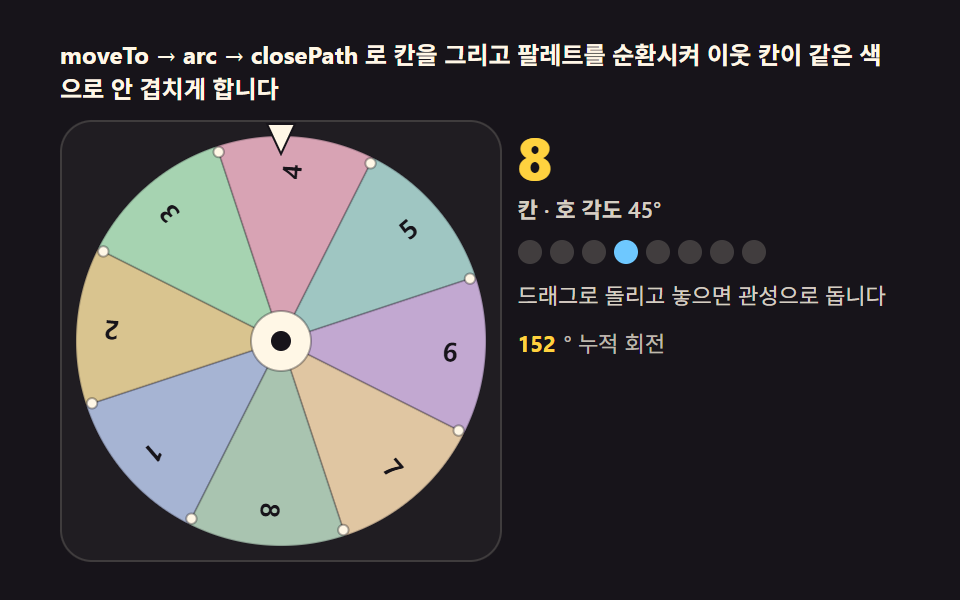 Spin Wheel: 9 Canvas Roulettes, Flick to StopIt spins exactly as hard as you flick it. Angular velocity is integrated, friction decays it, and the sector under the p See all demos in this post
If you like this effect - similar demos
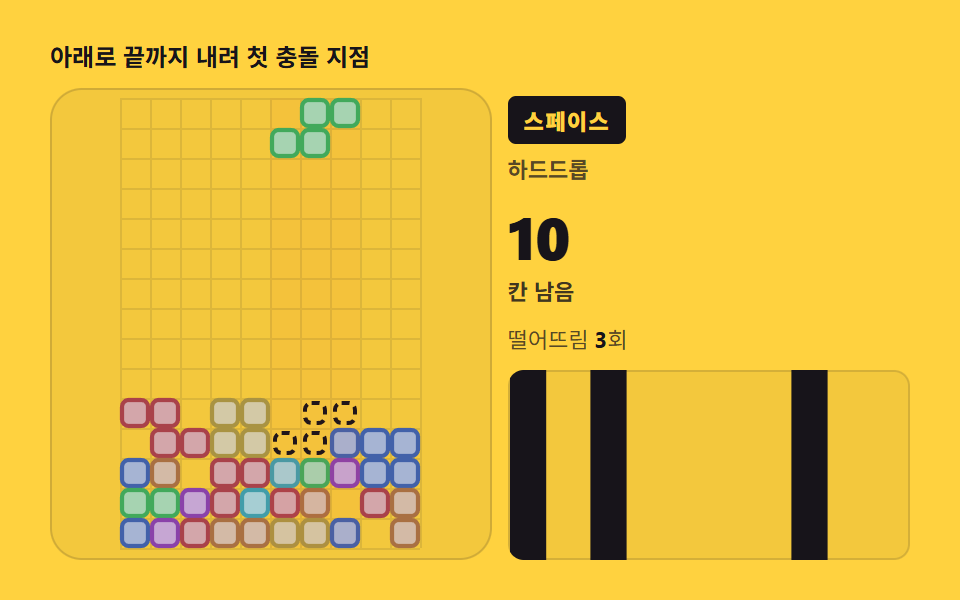 game06 Ghost piece and hard drop — precomputing the landing spotTetris JavaScript: Build It in 9 Canvas Steps
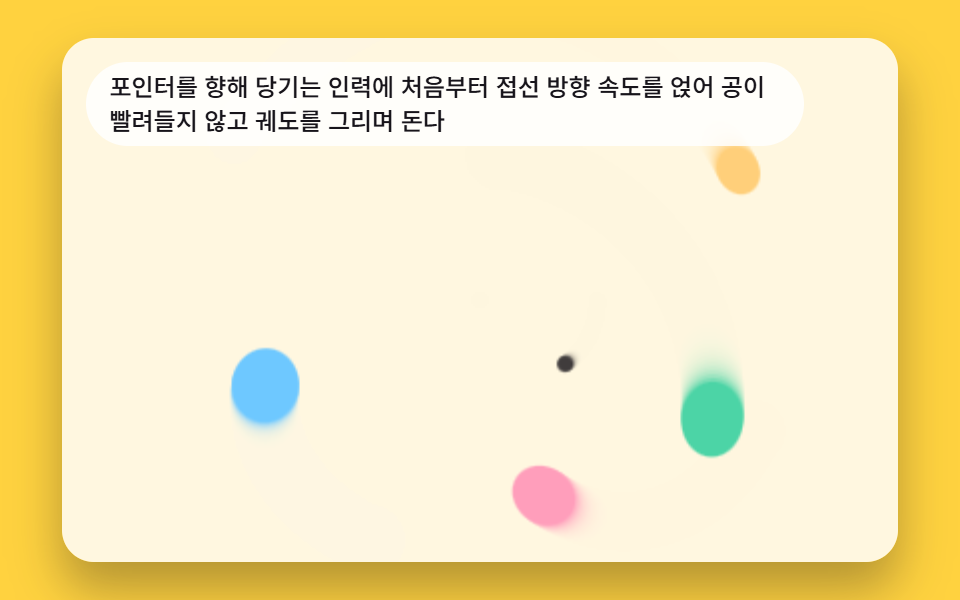 game06 Balls Pulled Toward the Pointer and Orbiting It9 Bouncing Ball Animation Patterns With Physics
 game06 Top That Gains Spin When the Pointer Sweeps Over ItSpinning Top Animation: 9 Canvas Physics Scenes