02Outer Curve Drawn by a Gear Rolling Around the Outside
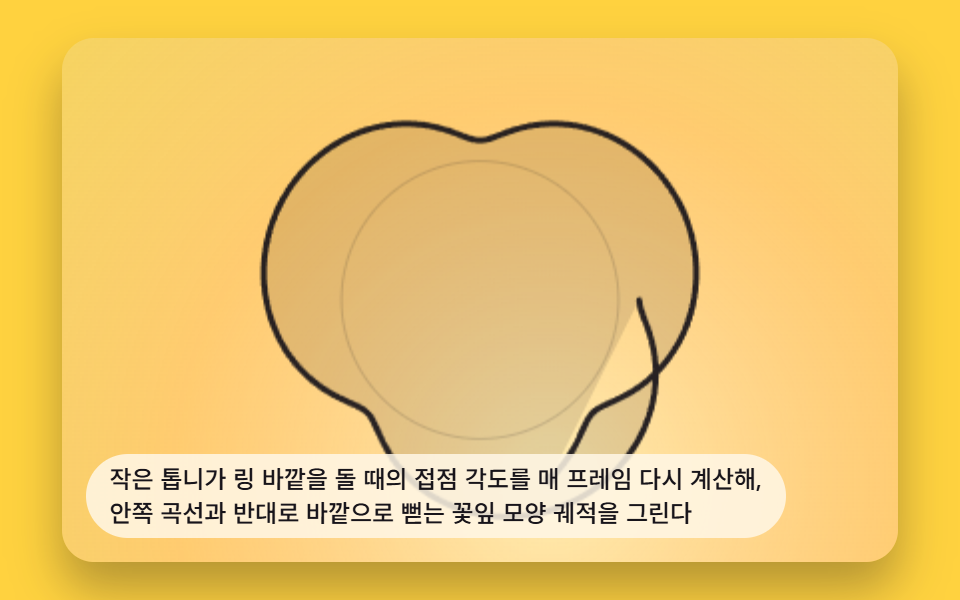
The contact angle of a small gear rolling around the ring's outside is recalculated every frame, tracing petal-shaped paths that reach outward instead of curling in.
Best forTeaching scene contrasting inner and outer curves
GEAR_TEETH_OUTERTOOTH_UNITdrawFull
<main class="stage">
<div class="sp2 is-demo" id="sp2Root" tabindex="0">
  <canvas class="sp2__canvas" id="sp2Canvas" width="480" height="300"></canvas>
  <p class="sp2__caption">Recalculates the contact angle every frame as a small gear rolls around the outside of the ring, drawing a petal-shaped trace that extends outward, the opposite of the inward curve</p>
</div>
</main>
@use "../../../../site/static/demo-tokens" as *;
@include stage($stage-yellow);
.sp2 {
position: relative;
width: min(92vw, calc(160vh - 12.8vw));
aspect-ratio: 480 / 300;
margin: 0 auto;
border-radius: $r-card;
overflow: hidden;
box-shadow: $shadow-raised;
background: $stage-yellow;
}
.sp2__canvas {
display: block;
width: 100%;
height: 100%;
}
.sp2__caption {
position: absolute;
left: $sp-3;
bottom: $sp-3;
max-width: 78%;
margin: 0;
padding: $sp-1 $sp-3;
border-radius: $r-pill;
background: rgba(255, 247, 230, .85);
color: $subject-ink;
font-weight: 500;
font-size: 12px;
line-height: 1.4;
pointer-events: none;
}
@media (max-width: 340px) {
.sp2__caption { font-size: 10px; padding: $sp-1 $sp-2; }
}
@media (prefers-reduced-motion: reduce) {
.sp2 { cursor: default; }
}html, body {
margin: 0;
overflow: hidden;
}
.stage {
box-sizing: border-box;
min-height: 100vh;
display: grid;
place-items: center;
margin: 0;
background: #ffd23f;
font-family: -apple-system, "Segoe UI", "Noto Sans KR", sans-serif;
padding: clamp(8px, 4vw, 24px);
}
.sp2 {
position: relative;
width: min(92vw, 160vh - 12.8vw);
aspect-ratio: 480/300;
margin: 0 auto;
border-radius: 16px;
overflow: hidden;
box-shadow: 0 14px 24px rgba(23, 20, 26, 0.32);
background: #ffd23f;
}
.sp2__canvas {
display: block;
width: 100%;
height: 100%;
}
.sp2__caption {
position: absolute;
left: 12px;
bottom: 12px;
max-width: 78%;
margin: 0;
padding: 4px 12px;
border-radius: 999px;
background: rgba(255, 247, 230, 0.85);
color: #17141a;
font-weight: 500;
font-size: 12px;
line-height: 1.4;
pointer-events: none;
}
@media (max-width: 340px) {
.sp2__caption {
font-size: 10px;
padding: 4px 8px;
}
}
@media (prefers-reduced-motion: reduce) {
.sp2 {
cursor: default;
}
}(function () {
// 기법: 에피트로코이드(외접 톱니) — 톱니가 고정된 링 바깥을 미끄러지지 않고 굴러갈 때
// 펜 구멍이 그리는 좌표를 매 프레임 각도 t 로 다시 계산한다.
// x(t) = (R+r)cos(t) - d cos(((R+r)/r) t) · y(t) = (R+r)sin(t) - d sin(((R+r)/r) t)
var root = document.getElementById('sp2Root');
var canvas = document.getElementById('sp2Canvas');
var ctx = canvas.getContext('2d');
var wrap = canvas.parentElement;
var CALC_DIM = 200;
var GEAR_TEETH_OUTER = 96;
var GEAR_ROLL_TEETH = 36;
var PEN_TIP_RATIO = 0.6;
var TOOTH_UNIT = 0.6;
var SEGMENTS_PER_TURN = 240;
function gcd(a, b) { a = Math.abs(a); b = Math.abs(b); while (b) { var t = b; b = a % b; a = t; } return a; }
var R = GEAR_TEETH_OUTER * TOOTH_UNIT;
var r = GEAR_ROLL_TEETH * TOOTH_UNIT;
var d = r * PEN_TIP_RATIO;
var g = gcd(GEAR_TEETH_OUTER, GEAR_ROLL_TEETH);
var TURNS = GEAR_ROLL_TEETH / g;
var TOTAL_T = TURNS * Math.PI * 2;
var CYCLE_SECONDS = 6;
var SPEED = TOTAL_T / CYCLE_SECONDS;
function point(t) {
var k = (R + r) / r;
return {
x: (R + r) * Math.cos(t) - d * Math.cos(k * t),
y: (R + r) * Math.sin(t) - d * Math.sin(k * t)
};
}
var cw = 480, ch = 300, scale = 1, cx = 240, cy = 150;
function fit() {
var rect = wrap.getBoundingClientRect();
cw = Math.max(1, Math.round(rect.width));
ch = Math.max(1, Math.round(rect.height));
canvas.width = cw; canvas.height = ch;
scale = Math.min(cw, ch) / CALC_DIM * 0.92;
cx = cw / 2; cy = ch / 2;
}
function toScreen(p) { return { x: cx + p.x * scale, y: cy + p.y * scale }; }
function drawFull(tMax) {
ctx.clearRect(0, 0, cw, ch);
var tipW = toScreen(point(tMax));
var wash = ctx.createRadialGradient(tipW.x, tipW.y, 0, tipW.x, tipW.y, Math.max(cw, ch) * 0.9);
wash.addColorStop(0, 'rgba(255,255,255,.60)');
wash.addColorStop(0.5, 'rgba(255,190,215,.32)');
wash.addColorStop(1, 'rgba(190,225,255,.14)');
ctx.fillStyle = wash;
ctx.fillRect(0, 0, cw, ch);
var fillSteps = Math.max(2, Math.round((tMax / (Math.PI * 2)) * SEGMENTS_PER_TURN));
ctx.beginPath();
for (var fi = 0; fi <= fillSteps; fi += 1) {
var fs = toScreen(point((fi / fillSteps) * tMax));
if (fi === 0) ctx.moveTo(fs.x, fs.y); else ctx.lineTo(fs.x, fs.y);
}
ctx.closePath();
ctx.fillStyle = 'rgba(23,20,26,.12)';
ctx.fill('evenodd');
ctx.beginPath();
ctx.strokeStyle = 'rgba(23,20,26,.16)';
ctx.lineWidth = Math.max(1, scale * 0.012);
ctx.arc(cx, cy, R * scale, 0, Math.PI * 2);
ctx.stroke();
ctx.lineWidth = Math.max(3, scale * 0.04);
ctx.strokeStyle = 'rgba(23,20,26,.92)';
ctx.lineJoin = 'round';
ctx.lineCap = 'round';
var steps = Math.max(2, Math.round((tMax / (Math.PI * 2)) * SEGMENTS_PER_TURN));
ctx.beginPath();
for (var i = 0; i <= steps; i += 1) {
var t = (i / steps) * tMax;
var s = toScreen(point(t));
if (i === 0) ctx.moveTo(s.x, s.y); else ctx.lineTo(s.x, s.y);
}
ctx.stroke();
if (tMax > 0.001) {
var tip = toScreen(point(tMax));
ctx.fillStyle = 'rgba(23,20,26,1)';
ctx.beginPath();
ctx.arc(tip.x, tip.y, Math.max(3, scale * 0.05), 0, Math.PI * 2);
ctx.fill();
}
}
var reduce = window.matchMedia('(prefers-reduced-motion: reduce)').matches;
if (reduce) root.classList.remove('is-demo');
fit();
if (reduce) {
drawFull(TOTAL_T);
} else {
var elapsed = 0.3;
var lastTs = null;
function tick(ts) {
if (lastTs === null) lastTs = ts;
var dt = Math.min(ts - lastTs, 48);
lastTs = ts;
elapsed += dt / 1000;
var t = elapsed * SPEED;
if (t > TOTAL_T) { elapsed = 0; t = 0; }
drawFull(t);
requestAnimationFrame(tick);
}
drawFull(elapsed * SPEED);
window.addEventListener('resize', function () { fit(); drawFull(elapsed * SPEED); });
requestAnimationFrame(tick);
}
})();import { useEffect, useRef } from "react";
import styles from "./SpiroSceneEpitrochoidOuterRoll.module.scss";
type Pt = { x: number; y: number };
export default function SpiroSceneEpitrochoidOuterRoll() {
const rootRef = useRef<HTMLDivElement>(null);
const canvasRef = useRef<HTMLCanvasElement>(null);
useEffect(() => {
const root = rootRef.current;
const canvas = canvasRef.current;
if (!root || !canvas) return;
const ctx = canvas.getContext("2d");
if (!ctx) return;
const wrap = canvas.parentElement as HTMLElement;
const CALC_DIM = 200;
const GEAR_TEETH_OUTER = 96;
const GEAR_ROLL_TEETH = 36;
const PEN_TIP_RATIO = 0.6;
const TOOTH_UNIT = 0.6;
const SEGMENTS_PER_TURN = 240;
function gcd(a: number, b: number): number {
a = Math.abs(a); b = Math.abs(b);
while (b) { const t = b; b = a % b; a = t; }
return a;
}
const R = GEAR_TEETH_OUTER * TOOTH_UNIT;
const r = GEAR_ROLL_TEETH * TOOTH_UNIT;
const d = r * PEN_TIP_RATIO;
const g = gcd(GEAR_TEETH_OUTER, GEAR_ROLL_TEETH);
const TURNS = GEAR_ROLL_TEETH / g;
const TOTAL_T = TURNS * Math.PI * 2;
const CYCLE_SECONDS = 6;
const SPEED = TOTAL_T / CYCLE_SECONDS;
function point(t: number): Pt {
const k = (R + r) / r;
return {
x: (R + r) * Math.cos(t) - d * Math.cos(k * t),
y: (R + r) * Math.sin(t) - d * Math.sin(k * t)
};
}
let cw = 480, ch = 300, scale = 1, cx = 240, cy = 150;
function fit() {
const rect = wrap.getBoundingClientRect();
cw = Math.max(1, Math.round(rect.width));
ch = Math.max(1, Math.round(rect.height));
canvas!.width = cw; canvas!.height = ch;
scale = Math.min(cw, ch) / CALC_DIM * 0.92;
cx = cw / 2; cy = ch / 2;
}
function toScreen(p: Pt): Pt { return { x: cx + p.x * scale, y: cy + p.y * scale }; }
function drawFull(tMax: number) {
ctx!.clearRect(0, 0, cw, ch);
const tipW = toScreen(point(tMax));
const wash = ctx!.createRadialGradient(tipW.x, tipW.y, 0, tipW.x, tipW.y, Math.max(cw, ch) * 0.9);
wash.addColorStop(0, 'rgba(255,255,255,.60)');
wash.addColorStop(0.5, 'rgba(255,190,215,.32)');
wash.addColorStop(1, 'rgba(190,225,255,.14)');
ctx!.fillStyle = wash;
ctx!.fillRect(0, 0, cw, ch);
const fillSteps = Math.max(2, Math.round((tMax / (Math.PI * 2)) * SEGMENTS_PER_TURN));
ctx!.beginPath();
for (let fi = 0; fi <= fillSteps; fi += 1) {
const fs = toScreen(point((fi / fillSteps) * tMax));
if (fi === 0) ctx!.moveTo(fs.x, fs.y); else ctx!.lineTo(fs.x, fs.y);
}
ctx!.closePath();
ctx!.fillStyle = 'rgba(23,20,26,.12)';
ctx!.fill('evenodd');
ctx!.beginPath();
ctx!.strokeStyle = "rgba(23,20,26,.16)";
ctx!.lineWidth = Math.max(1, scale * 0.012);
ctx!.arc(cx, cy, R * scale, 0, Math.PI * 2);
ctx!.stroke();
ctx!.lineWidth = Math.max(3, scale * 0.04);
ctx!.strokeStyle = "rgba(23,20,26,.92)";
ctx!.lineJoin = "round";
ctx!.lineCap = "round";
const steps = Math.max(2, Math.round((tMax / (Math.PI * 2)) * SEGMENTS_PER_TURN));
ctx!.beginPath();
for (let i = 0; i <= steps; i += 1) {
const t = (i / steps) * tMax;
const s = toScreen(point(t));
if (i === 0) ctx!.moveTo(s.x, s.y); else ctx!.lineTo(s.x, s.y);
}
ctx!.stroke();
if (tMax > 0.001) {
const tip = toScreen(point(tMax));
ctx!.fillStyle = "rgba(23,20,26,1)";
ctx!.beginPath();
ctx!.arc(tip.x, tip.y, Math.max(3, scale * 0.05), 0, Math.PI * 2);
ctx!.fill();
}
}
const reduce = window.matchMedia("(prefers-reduced-motion: reduce)").matches;
if (reduce) root.classList.remove("is-demo");
fit();
let raf = 0;
if (reduce) {
drawFull(TOTAL_T);
} else {
let elapsed = 0.3;
let lastTs: number | null = null;
const onResize = () => { fit(); drawFull(elapsed * SPEED); };
function tick(ts: number) {
if (lastTs === null) lastTs = ts;
const dt = Math.min(ts - lastTs, 48);
lastTs = ts;
elapsed += dt / 1000;
let t = elapsed * SPEED;
if (t > TOTAL_T) { elapsed = 0; t = 0; }
drawFull(t);
raf = requestAnimationFrame(tick);
}
drawFull(elapsed * SPEED);
window.addEventListener("resize", onResize);
raf = requestAnimationFrame(tick);
return () => {
cancelAnimationFrame(raf);
window.removeEventListener("resize", onResize);
};
}
return () => { cancelAnimationFrame(raf); };
}, []);
return (
<main className={styles.stage}>
<div className={`${styles.sp2} is-demo`} ref={rootRef} tabIndex={0}>
<canvas className={styles.sp2__canvas} ref={canvasRef} width={480} height={300} />
<p className={styles.sp2__caption}>작은 톱니가 링 바깥을 돌 때의 접점 각도를 매 프레임 다시 계산해, 안쪽 곡선과 반대로 바깥으로 뻗는 꽃잎 모양 궤적을 그린다</p>
</div>
</main>
);
}02 Outer Curve Drawn by a Gear Rolling Around the Outside — Measured area 66.216% · moving frames 23/23Original by GODRICH · SCSS and React ship in the zip · Spirograph Generator: 9 Gear-Ratio Curve Patterns
The post this demo lives in
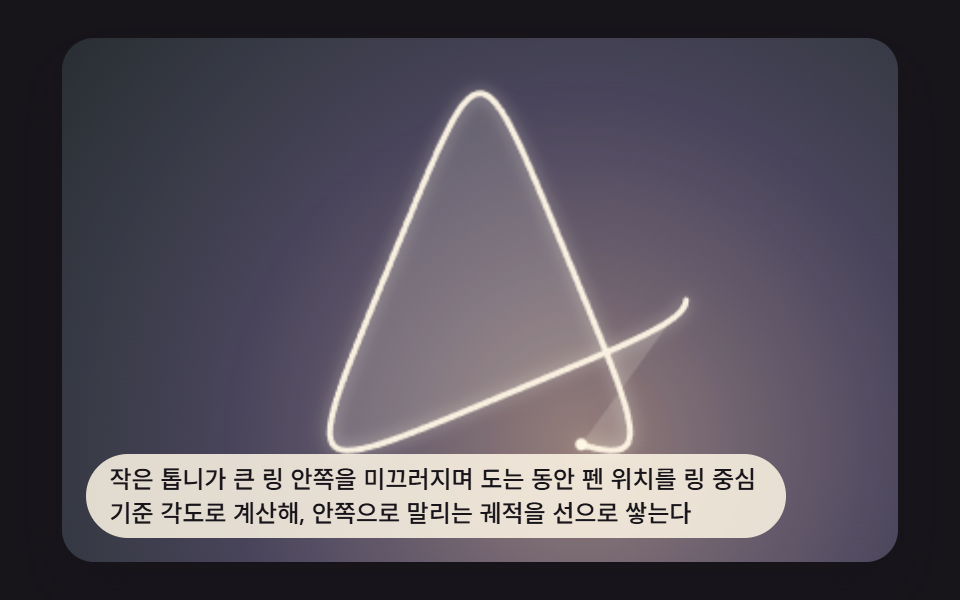 Spirograph Generator: 9 Gear-Ratio Curve PatternsWhen the two gear tooth counts share no common factor the curve closes, and the moment the ratio slips the sheet wanders See all demos in this post
If you like this effect - similar demos
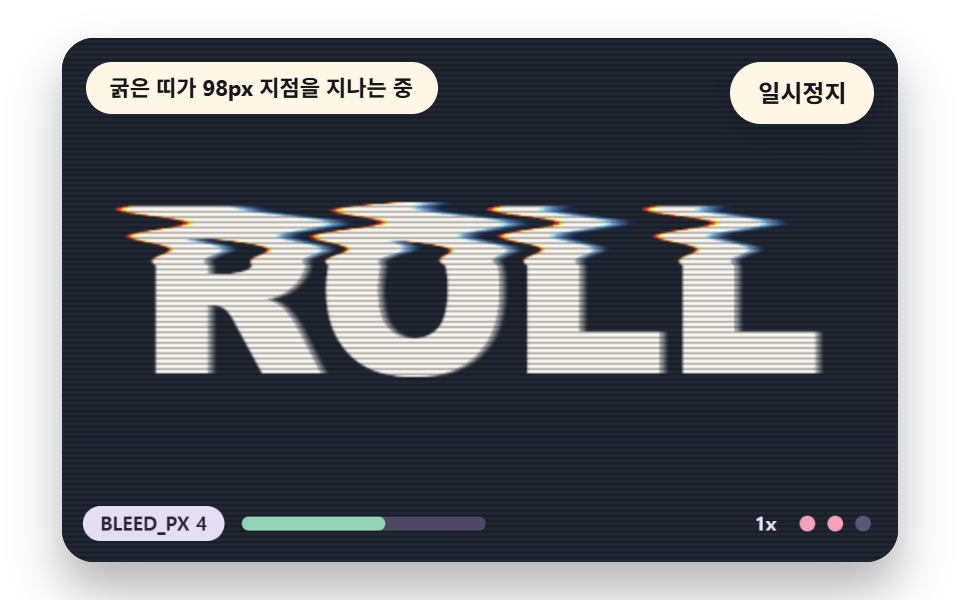 Creative UI07 Scan Lines and Bleed Rolling Down the ScreenGlitch Text Effect: 9 Canvas Pixel Glitch Scenes
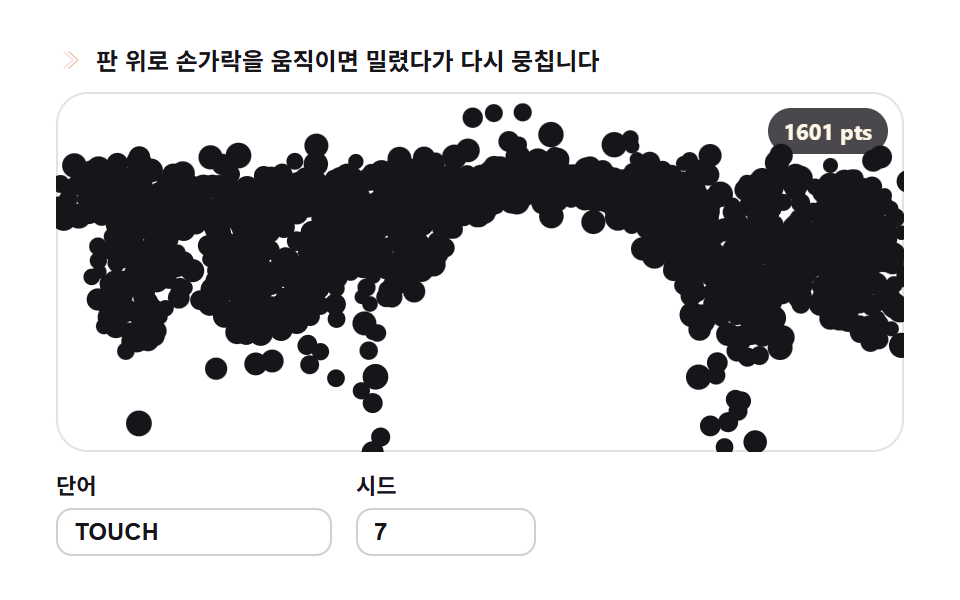 Creative UI09 Scatter and reassemble — letters reforming around the pointer9 Text Particle Effect CSS Ideas From Pixels
 Creative UI07 Around the food — orbits near an attractor9 Canvas Boids Algorithm Flocking Birds Simulation