08Turntable Scene Spinning the Finished Pattern
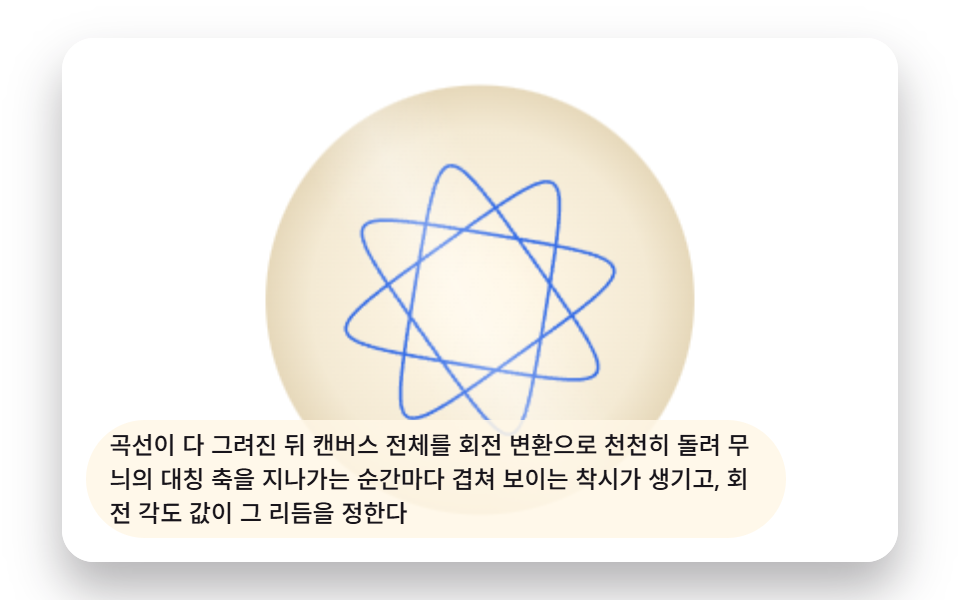
Once the curve completes, the whole canvas is slowly rotated by a transform, creating an illusion of overlap each time a symmetry axis passes, with the rotation-angle value setting that rhythm.
Best forGallery scene for admiring finished pieces
DISC_RATIOGLOSS_SWEEP_SECONDSAXIS_COUNT
<main class="stage">
<div class="sp8 is-demo" id="sp8Root" tabindex="0">
  <canvas class="sp8__canvas" id="sp8Canvas" width="480" height="300"></canvas>
  <p class="sp8__caption">Once the curve is fully drawn, the whole canvas is slowly turned with a rotation transform, creating an illusion of overlap every time it passes a symmetry axis of the pattern, with the rotation angle value setting that rhythm</p>
</div>
</main>
@use "../../../../site/static/demo-tokens" as *;
@include stage($stage-paper);
.sp8 {
position: relative;
width: min(92vw, calc(160vh - 12.8vw));
aspect-ratio: 480 / 300;
margin: 0 auto;
border-radius: $r-card;
overflow: hidden;
box-shadow: $shadow-raised;
background: $stage-paper;
}
.sp8__canvas {
display: block;
width: 100%;
height: 100%;
}
.sp8__caption {
position: absolute;
left: $sp-3;
bottom: $sp-3;
max-width: 78%;
margin: 0;
padding: $sp-1 $sp-3;
border-radius: $r-pill;
background: rgba(255, 247, 230, .85);
color: $subject-ink;
font-weight: 500;
font-size: 12px;
line-height: 1.4;
pointer-events: none;
}
@media (max-width: 340px) {
.sp8__caption { font-size: 10px; padding: $sp-1 $sp-2; }
}
@media (prefers-reduced-motion: reduce) {
.sp8 { cursor: default; }
}html, body {
margin: 0;
overflow: hidden;
}
.stage {
box-sizing: border-box;
min-height: 100vh;
display: grid;
place-items: center;
margin: 0;
background: #ffffff;
font-family: -apple-system, "Segoe UI", "Noto Sans KR", sans-serif;
padding: clamp(8px, 4vw, 24px);
}
.sp8 {
position: relative;
width: min(92vw, 160vh - 12.8vw);
aspect-ratio: 480/300;
margin: 0 auto;
border-radius: 16px;
overflow: hidden;
box-shadow: 0 14px 24px rgba(23, 20, 26, 0.32);
background: #ffffff;
}
.sp8__canvas {
display: block;
width: 100%;
height: 100%;
}
.sp8__caption {
position: absolute;
left: 12px;
bottom: 12px;
max-width: 78%;
margin: 0;
padding: 4px 12px;
border-radius: 999px;
background: rgba(255, 247, 230, 0.85);
color: #17141a;
font-weight: 500;
font-size: 12px;
line-height: 1.4;
pointer-events: none;
}
@media (max-width: 340px) {
.sp8__caption {
font-size: 10px;
padding: 4px 8px;
}
}
@media (prefers-reduced-motion: reduce) {
.sp8 {
cursor: default;
}
}(function () {
// 기법: 완성된 무늬는 한 번만 계산해 배열에 담아두고, 매 프레임 회전 각도만 바꿔 다시
// 그린다. 그 위에 독립된 타이머로 광택 띠를 원판 클립 안에서 쓸어 지나가게 겹친다.
var root = document.getElementById('sp8Root');
var canvas = document.getElementById('sp8Canvas');
var ctx = canvas.getContext('2d');
var wrap = canvas.parentElement;
var CALC_DIM = 200;
var GEAR_RING_TEETH = 48;
var GEAR_ROLL_TEETH = 18;
var PEN_TIP_RATIO = 0.58;
var TOOTH_UNIT = 1.6;
var SEGMENTS_PER_TURN = 180;
var ROTATE_SPEED = (2 * Math.PI) / 9;
var GLOSS_SWEEP_SECONDS = 3.4;
var DISC_RATIO = 0.82;
function gcd(a, b) { while (b) { var t = b; b = a % b; a = t; } return a; }
var g = gcd(GEAR_RING_TEETH, GEAR_ROLL_TEETH);
var TURNS = GEAR_ROLL_TEETH / g;
var AXIS_COUNT = GEAR_RING_TEETH / g;
var R = GEAR_RING_TEETH * TOOTH_UNIT;
var r = GEAR_ROLL_TEETH * TOOTH_UNIT;
var d = r * PEN_TIP_RATIO;
var K = (R - r) / r;
var pathData = (function () {
var maxT = 2 * Math.PI * TURNS;
var step = (2 * Math.PI) / SEGMENTS_PER_TURN;
var pts = [];
for (var t = 0; t <= maxT; t += step) {
pts.push({
x: (R - r) * Math.cos(t) + d * Math.cos(K * t),
y: (R - r) * Math.sin(t) - d * Math.sin(K * t)
});
}
return pts;
})();
var patternRadius = R + d;
var cw = 480, ch = 300, scale = 1, cx = 240, cy = 150;
function fit() {
var rect = wrap.getBoundingClientRect();
cw = Math.max(1, Math.round(rect.width));
ch = Math.max(1, Math.round(rect.height));
canvas.width = cw; canvas.height = ch;
var targetDiscPx = Math.min(cw, ch) / 2 * DISC_RATIO;
scale = targetDiscPx / (patternRadius * 1.08);
cx = cw / 2; cy = ch / 2;
}
function render(rot, sweepProgress) {
ctx.fillStyle = '#ffffff';
ctx.fillRect(0, 0, cw, ch);
var discR = patternRadius * scale * 1.08;
var plate = ctx.createRadialGradient(cx, cy, discR * 0.15, cx, cy, discR);
plate.addColorStop(0, '#fff7e6');
plate.addColorStop(0.75, '#f4ead4');
plate.addColorStop(1, '#e6d8ba');
ctx.beginPath();
ctx.arc(cx, cy, discR, 0, Math.PI * 2);
ctx.fillStyle = plate;
ctx.fill();
ctx.save();
ctx.translate(cx, cy);
ctx.rotate(rot);
ctx.beginPath();
for (var i = 0; i < pathData.length; i += 1) {
var p = pathData[i];
var sx = p.x * scale, sy = p.y * scale;
if (i === 0) { ctx.moveTo(sx, sy); } else { ctx.lineTo(sx, sy); }
}
ctx.closePath();
ctx.strokeStyle = 'rgba(10,79,232,.82)';
ctx.lineWidth = Math.max(1.6, scale * 0.022);
ctx.lineJoin = 'round';
ctx.stroke();
ctx.restore();
ctx.save();
ctx.beginPath();
ctx.arc(cx, cy, discR, 0, Math.PI * 2);
ctx.clip();
var bandCenter = (sweepProgress * 2 - 0.5) * discR * 2.2;
ctx.translate(cx, cy);
ctx.rotate(-0.5);
var glossGrad = ctx.createLinearGradient(bandCenter - discR * 0.35, 0, bandCenter + discR * 0.35, 0);
glossGrad.addColorStop(0, 'rgba(255,255,255,0)');
glossGrad.addColorStop(0.5, 'rgba(255,255,255,.32)');
glossGrad.addColorStop(1, 'rgba(255,255,255,0)');
ctx.fillStyle = glossGrad;
ctx.fillRect(bandCenter - discR * 0.4, -discR * 1.5, discR * 0.8, discR * 3);
ctx.restore();
}
var reduce = window.matchMedia('(prefers-reduced-motion: reduce)').matches;
fit();
if (reduce) {
root.classList.remove('is-demo');
render(0, 0.5);
} else {
var startTs = null;
function tick(ts) {
if (startTs === null) startTs = ts;
var elapsed = (ts - startTs) / 1000;
var rot = elapsed * ROTATE_SPEED;
var sweepProgress = (elapsed % GLOSS_SWEEP_SECONDS) / GLOSS_SWEEP_SECONDS;
render(rot, sweepProgress);
requestAnimationFrame(tick);
}
window.addEventListener('resize', fit);
requestAnimationFrame(tick);
}
})();import { useEffect, useRef } from "react";
import styles from "./SpiroSceneCurveTurnTable.module.scss";
type Pt = { x: number; y: number };
export default function SpiroSceneCurveTurnTable() {
const rootRef = useRef<HTMLDivElement>(null);
const canvasRef = useRef<HTMLCanvasElement>(null);
useEffect(() => {
const root = rootRef.current;
const canvas = canvasRef.current;
if (!root || !canvas) return;
const ctx = canvas.getContext("2d");
if (!ctx) return;
const wrap = canvas.parentElement as HTMLElement;
const CALC_DIM = 200;
const GEAR_RING_TEETH = 48;
const GEAR_ROLL_TEETH = 18;
const PEN_TIP_RATIO = 0.58;
const TOOTH_UNIT = 1.6;
const SEGMENTS_PER_TURN = 180;
const ROTATE_SPEED = (2 * Math.PI) / 9;
const GLOSS_SWEEP_SECONDS = 3.4;
const DISC_RATIO = 0.82;
function gcd(a: number, b: number): number { while (b) { const t = b; b = a % b; a = t; } return a; }
const g = gcd(GEAR_RING_TEETH, GEAR_ROLL_TEETH);
const TURNS = GEAR_ROLL_TEETH / g;
const R = GEAR_RING_TEETH * TOOTH_UNIT;
const r = GEAR_ROLL_TEETH * TOOTH_UNIT;
const d = r * PEN_TIP_RATIO;
const K = (R - r) / r;
const pathData: Pt[] = (function () {
const maxT = 2 * Math.PI * TURNS;
const step = (2 * Math.PI) / SEGMENTS_PER_TURN;
const pts: Pt[] = [];
for (let t = 0; t <= maxT; t += step) {
pts.push({
x: (R - r) * Math.cos(t) + d * Math.cos(K * t),
y: (R - r) * Math.sin(t) - d * Math.sin(K * t)
});
}
return pts;
})();
const patternRadius = R + d;
let cw = 480, ch = 300, scale = 1, cx = 240, cy = 150;
function fit() {
const rect = wrap.getBoundingClientRect();
cw = Math.max(1, Math.round(rect.width));
ch = Math.max(1, Math.round(rect.height));
canvas!.width = cw; canvas!.height = ch;
const targetDiscPx = Math.min(cw, ch) / 2 * DISC_RATIO;
scale = targetDiscPx / (patternRadius * 1.08);
cx = cw / 2; cy = ch / 2;
}
function render(rot: number, sweepProgress: number) {
ctx!.fillStyle = "#ffffff";
ctx!.fillRect(0, 0, cw, ch);
const discR = patternRadius * scale * 1.08;
const plate = ctx!.createRadialGradient(cx, cy, discR * 0.15, cx, cy, discR);
plate.addColorStop(0, "#fff7e6");
plate.addColorStop(0.75, "#f4ead4");
plate.addColorStop(1, "#e6d8ba");
ctx!.beginPath();
ctx!.arc(cx, cy, discR, 0, Math.PI * 2);
ctx!.fillStyle = plate;
ctx!.fill();
ctx!.save();
ctx!.translate(cx, cy);
ctx!.rotate(rot);
ctx!.beginPath();
for (let i = 0; i < pathData.length; i += 1) {
const p = pathData[i];
const sx = p.x * scale, sy = p.y * scale;
if (i === 0) { ctx!.moveTo(sx, sy); } else { ctx!.lineTo(sx, sy); }
}
ctx!.closePath();
ctx!.strokeStyle = "rgba(10,79,232,.82)";
ctx!.lineWidth = Math.max(1.6, scale * 0.022);
ctx!.lineJoin = "round";
ctx!.stroke();
ctx!.restore();
ctx!.save();
ctx!.beginPath();
ctx!.arc(cx, cy, discR, 0, Math.PI * 2);
ctx!.clip();
const bandCenter = (sweepProgress * 2 - 0.5) * discR * 2.2;
ctx!.translate(cx, cy);
ctx!.rotate(-0.5);
const glossGrad = ctx!.createLinearGradient(bandCenter - discR * 0.35, 0, bandCenter + discR * 0.35, 0);
glossGrad.addColorStop(0, "rgba(255,255,255,0)");
glossGrad.addColorStop(0.5, "rgba(255,255,255,.32)");
glossGrad.addColorStop(1, "rgba(255,255,255,0)");
ctx!.fillStyle = glossGrad;
ctx!.fillRect(bandCenter - discR * 0.4, -discR * 1.5, discR * 0.8, discR * 3);
ctx!.restore();
}
const reduce = window.matchMedia("(prefers-reduced-motion: reduce)").matches;
fit();
let raf = 0;
if (reduce) {
root.classList.remove("is-demo");
render(0, 0.5);
} else {
let startTs: number | null = null;
const onResize = () => { fit(); };
function tick(ts: number) {
if (startTs === null) startTs = ts;
const elapsed = (ts - startTs) / 1000;
const rot = elapsed * ROTATE_SPEED;
const sweepProgress = (elapsed % GLOSS_SWEEP_SECONDS) / GLOSS_SWEEP_SECONDS;
render(rot, sweepProgress);
raf = requestAnimationFrame(tick);
}
window.addEventListener("resize", onResize);
raf = requestAnimationFrame(tick);
return () => {
cancelAnimationFrame(raf);
window.removeEventListener("resize", onResize);
};
}
return () => { cancelAnimationFrame(raf); };
}, []);
return (
<main className={styles.stage}>
<div className={`${styles.sp8} is-demo`} ref={rootRef} tabIndex={0}>
<canvas className={styles.sp8__canvas} ref={canvasRef} width={480} height={300} />
<p className={styles.sp8__caption}>곡선이 다 그려진 뒤 캔버스 전체를 회전 변환으로 천천히 돌려 무늬의 대칭 축을 지나가는 순간마다 겹쳐 보이는 착시가 생기고, 회전 각도 값이 그 리듬을 정한다</p>
</div>
</main>
);
}08 Turntable Scene Spinning the Finished Pattern — Measured area 14.838% · moving frames 23/23Original by GODRICH · SCSS and React ship in the zip · Spirograph Generator: 9 Gear-Ratio Curve Patterns
The post this demo lives in
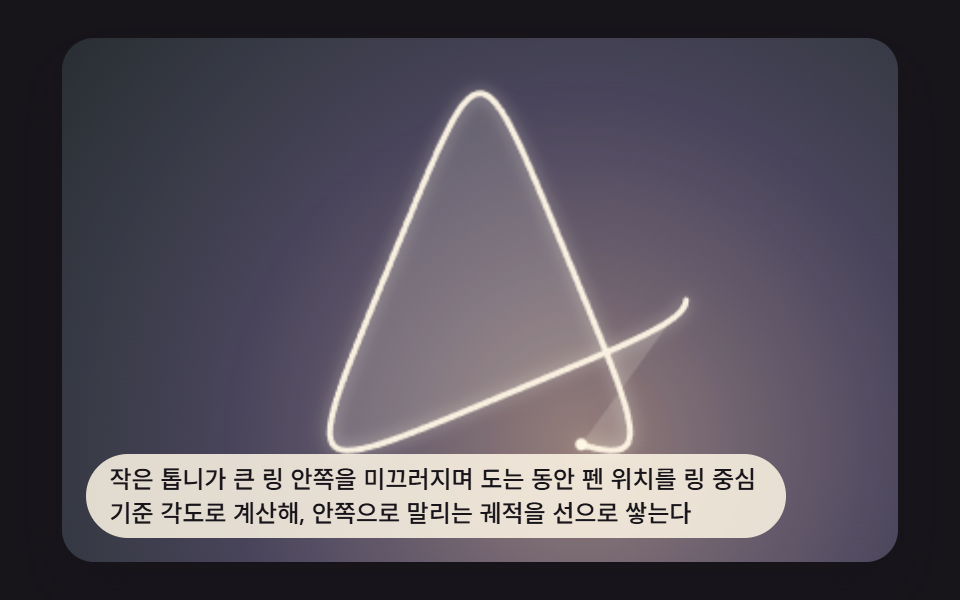 Spirograph Generator: 9 Gear-Ratio Curve PatternsWhen the two gear tooth counts share no common factor the curve closes, and the moment the ratio slips the sheet wanders See all demos in this post
If you like this effect - similar demos
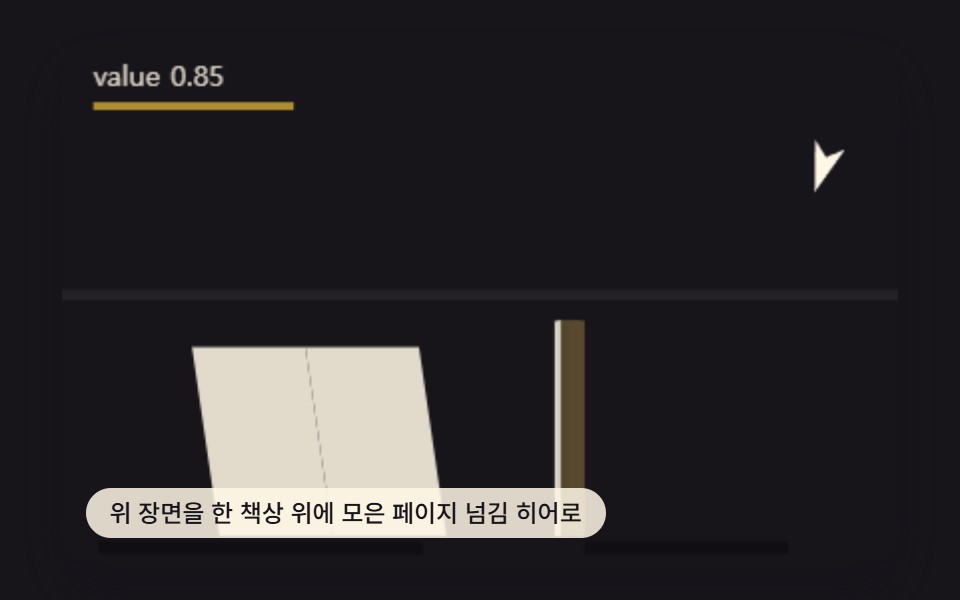 Creative UI09 Hero Desk Scene That Combines the Page-turn Techniques AbovePage Turn Animation CSS — 9 Paper Curl Patterns
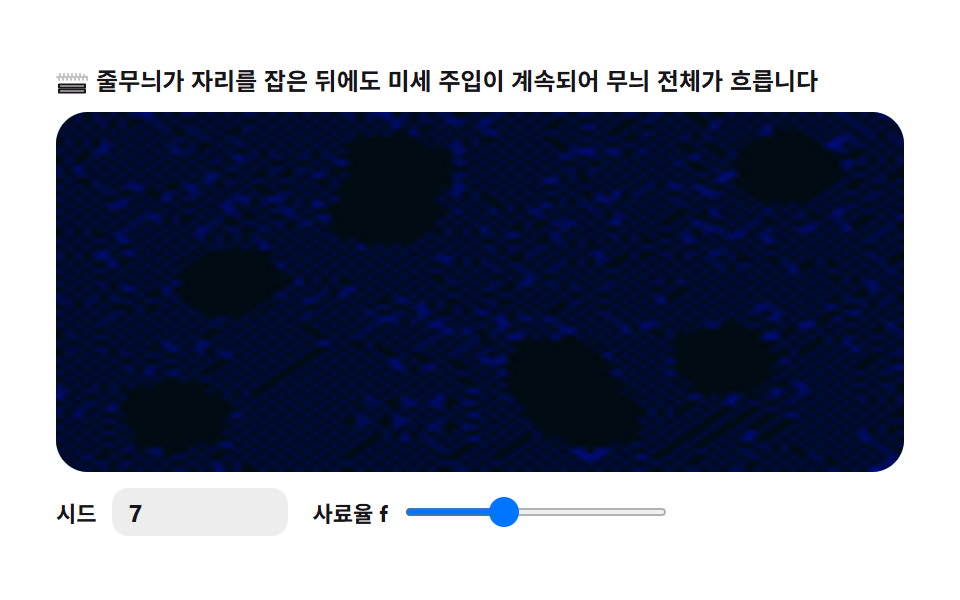 Creative UI07 Wave ripple — the whole pattern drifts9 Reaction Diffusion Simulations, No Library
 Creative UI08 Strike flash — the whole scene cools off exponentially right after impact9 Lightning Effect Background Scenes, No WebGL