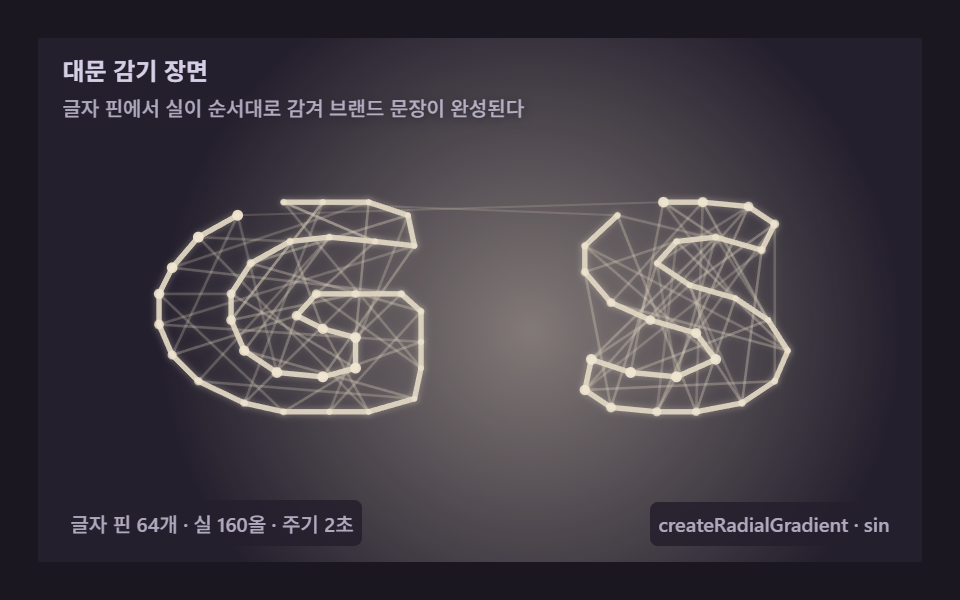
09Hero weave — a front door knitting the brand in thread
Let thread wrap in sequence off the wordmark's letter pins until the sentence completes, and the first visit feels alive — one computed scene becoming a product's first impression.
Best forFront-door heroes, splashes
Math.sinlineTocreateRadialGradientrequestAnimationFrame
<main class="stage">
<div class="si is-demo" id="siRoot" role="application" aria-label="Hero weave stage" tabindex="0">
  <canvas class="si__cv" id="siCv"></canvas>
  <p class="si__hint">
    <span class="si__title">Hero weave</span>
    <span class="si__desc">Thread wraps in sequence off letter pins until the brand line completes</span>
  </p>
  <div class="si__bar">
    <span class="si__meta">64 letter pins · 160 threads · cycle 2s</span>
    <span class="si__meta si__meta--dim">createRadialGradient · sin</span>
  </div>
</div>
</main>
@use "../../../../site/static/demo-tokens" as *;
// 스트링아트 대문 감기 장면(09) — @keyframes 를 두지 않는다. 움직임은 전부 캔버스 rAF 루프(글자 감기 + 스포트라이트)가 만든다.
// 무대 잉크 — 어두운 판 위 골드 실로 워드마크를 띄운다. 캔버스가 판 전체다.
$si-stage: #1a1720;
@include stage($si-stage);
$si-panel: #241f2d; // 감기판 바닥 — 무대보다 한 단계 밝은 먹보라
$si-text: #d5cfe6; // 라벨 글자 — 밝은 라일락 회색
$si-thread: #e2d8c3; // 실 — 골드 파스텔(어두운 판 위 밝은 올)
$si-glow: #ece0cb; // 스포트라이트 — 밝은 골드
$si-pin: #f0e6d2; // 글자 핀 — 크림
$duration: $dur-loop;
$easing: $ease-out;
$color: $si-thread;
.si {
--si-panel: #{$si-panel};
--si-thread: #{$si-thread};
--si-glow: #{$si-glow};
--si-pin: #{$si-pin};
position: relative;
display: flex; flex-direction: column;
width: 100%; height: 100%; min-height: 164px; // 폰 뷰포트(320×200) 안 — 스테이지 패딩 2회분 여유
overflow: hidden;
}
.si__cv { position: absolute; inset: 0; display: block; width: 100%; height: 100%; }
.si__hint {
position: relative; z-index: 1;
display: flex; flex-direction: column; gap: 0; margin: 0;
padding: $sp-2 $sp-3 0;
font-weight: 700; font-size: clamp(10px, 2.8vw, 12px); line-height: 1.35;
color: $si-text;
text-shadow: 0 1px 6px rgba($si-panel, 1);
}
.si__desc {
margin-top: $sp-1;
font-weight: 500; font-size: clamp(9px, 2.4vw, 10px); line-height: 1.4;
color: rgba($si-text, .78);
text-shadow: 0 1px 6px rgba($si-panel, 1);
}
.si__bar {
position: relative; z-index: 1;
margin-top: auto;
display: flex; align-items: baseline; justify-content: space-between; gap: $sp-2;
padding: 0 $sp-3 $sp-2;
}
.si__meta {
font-size: 10px; font-weight: 500; color: rgba($si-text, .78);
background: rgba($si-panel, .85);
border-radius: $r-xs;
padding: 4px $sp-1;
}
.si:focus-visible { outline: 2px solid $si-thread; outline-offset: -2px; }
@media (max-width: 340px) {
.si__meta--dim { display: none; }
}
// reduce — rAF 를 돌리지 않고 다 감긴 워드마크 한 장만 남는다.
@media (prefers-reduced-motion: reduce) {
.si.is-still { cursor: default !important; }
}html, body {
margin: 0;
overflow: hidden;
}
.stage {
box-sizing: border-box;
min-height: 100vh;
display: grid;
place-items: center;
margin: 0;
background: #1a1720;
font-family: -apple-system, "Segoe UI", "Noto Sans KR", sans-serif;
padding: clamp(8px, 4vw, 24px);
}
.si {
--si-panel: #241f2d;
--si-thread: #e2d8c3;
--si-glow: #ece0cb;
--si-pin: #f0e6d2;
position: relative;
display: flex;
flex-direction: column;
width: 100%;
height: 100%;
min-height: 164px;
overflow: hidden;
}
.si__cv {
position: absolute;
inset: 0;
display: block;
width: 100%;
height: 100%;
}
.si__hint {
position: relative;
z-index: 1;
display: flex;
flex-direction: column;
gap: 0;
margin: 0;
padding: 8px 12px 0;
font-weight: 700;
font-size: clamp(10px, 2.8vw, 12px);
line-height: 1.35;
color: #d5cfe6;
text-shadow: 0 1px 6px #241f2d;
}
.si__desc {
margin-top: 4px;
font-weight: 500;
font-size: clamp(9px, 2.4vw, 10px);
line-height: 1.4;
color: rgba(213, 207, 230, 0.78);
text-shadow: 0 1px 6px #241f2d;
}
.si__bar {
position: relative;
z-index: 1;
margin-top: auto;
display: flex;
align-items: baseline;
justify-content: space-between;
gap: 8px;
padding: 0 12px 8px;
}
.si__meta {
font-size: 10px;
font-weight: 500;
color: rgba(213, 207, 230, 0.78);
background: rgba(36, 31, 45, 0.85);
border-radius: 4px;
padding: 4px 4px;
}
.si:focus-visible {
outline: 2px solid #e2d8c3;
outline-offset: -2px;
}
@media (max-width: 340px) {
.si__meta--dim {
display: none;
}
}
@media (prefers-reduced-motion: reduce) {
.si.is-still {
cursor: default !important;
}
}// 스트링아트 Hero weave(09) — 글자 윤곽을 핀으로 삼아 워드마크를 실로 짜는 히어로.
// 오프스크린 캔버스에 두 글자("GS" — godrichstory 머리글자)를 크게 그려 getImageData 로
// 읽고, 바깥 홍수 채우기로 **바깥 윤곽 링만** 뽑아 연결 성분(G 링·S 링)으로 나눈 뒤
// 각 링을 따라 도는 순서로 64개 핀을 정한다. 첫 바퀴는 바로 옆 핀을 이어 윤곽을 그리고
// 둘째 바퀴부터 건너뛴 올로 속을 성기게 채운다 — 실이 차오르면 글자가 떠오르고,
// 뒤편 중앙의 createRadialGradient 스포트라이트가 완성 문장을 비춘다.
(function () {
// ── 변형 상수 블록 — 아래 값 하나만 바꿔 변형을 만든다 ──
var NPIN = 64; // 글자 핀 개수
var STR = 160; // 감는 실 올 수
var CYCLE = 2.0; // 감기 완료 주기(초)
var SS = 120; // 글자 샘플 격자 크기
// ────────────────────────────────────────────────────
var root = document.getElementById('siRoot');
var cvEl = document.getElementById('siCv');
if (!root || !cvEl) return;
var css = getComputedStyle(root);
function tokRGB(name) {
var s = css.getPropertyValue(name).trim();
var hx = s.length === 4
? s.charAt(1) + s.charAt(1) + s.charAt(2) + s.charAt(2) + s.charAt(3) + s.charAt(3)
: s.slice(1);
return [parseInt(hx.slice(0, 2), 16), parseInt(hx.slice(2, 4), 16), parseInt(hx.slice(4, 6), 16)];
}
var COL_THRD = tokRGB('--si-thread');
var COL_GLOW = tokRGB('--si-glow');
var COL_PIN = tokRGB('--si-pin');
var COL_PANEL = tokRGB('--si-panel');
var ctx = cvEl.getContext('2d');
var W = 0, H = 0, dpr = Math.min(window.devicePixelRatio || 1, 2);
// ── 글자 → 핀 64개(글자별 구간 기록, 0..1 비율) ──
var PINS = [], PINC = [], RUNS = [];
(function buildPins() {
var oc = document.createElement('canvas');
oc.width = SS; oc.height = SS;
var o = oc.getContext('2d');
o.fillStyle = '#000'; o.fillRect(0, 0, SS, SS);
o.fillStyle = '#fff';
o.font = '900 ' + Math.floor(SS * 0.52) + 'px sans-serif';
o.textAlign = 'center'; o.textBaseline = 'middle';
o.fillText('G', SS * 0.27, SS * 0.52);
o.fillText('S', SS * 0.76, SS * 0.52);
var d = o.getImageData(0, 0, SS, SS).data;
// 진 글자 픽셀 중 **바깥 윤곽만** — 바깥에서 홍수 채우기(BFS)해 닿는 지점.
// 속(글자 내부) 픽셀은 바깥과 이어지지 않으니 핀에서 제외되고, 얇은 윤곽 링만 남는다
var ink = new Uint8Array(SS * SS);
for (var i0 = 0; i0 < SS * SS; i0++) ink[i0] = d[i0 * 4] > 128 ? 1 : 0;
var seen = new Uint8Array(SS * SS);
var isIn = new Uint8Array(SS * SS);
var stack = [0]; seen[0] = 1;
var NX = [1, -1, 0, 0], NY = [0, 0, 1, -1];
while (stack.length) {
var q = stack.pop();
var qx = q % SS, qy = (q - qx) / SS;
for (var d4 = 0; d4 < 4; d4++) {
var nx = qx + NX[d4], ny = qy + NY[d4];
if (nx < 0 || ny < 0 || nx >= SS || ny >= SS) continue;
var qi = ny * SS + nx;
if (ink[qi]) isIn[q] = 1; // 바깥 픽셀 옆이 글자 → 윤곽 바로 바깥 점
else if (!seen[qi]) { seen[qi] = 1; stack.push(qi); }
}
}
// 윤곽 링을 연결 성분으로 나눈다(G 링과 S 링이 따로)
var ring = [];
for (var r0 = 0; r0 < SS * SS; r0++) if (isIn[r0]) ring.push(r0);
var taken = new Uint8Array(SS * SS);
var comps = [];
for (var r1 = 0; r1 < ring.length; r1++) {
if (taken[ring[r1]]) continue;
var comp = [ring[r1]], st2 = [ring[r1]];
taken[ring[r1]] = 1;
while (st2.length) {
var q2 = st2.pop();
var qx2 = q2 % SS, qy2 = (q2 - qx2) / SS;
for (var dx = -1; dx <= 1; dx++) {
for (var dy = -1; dy <= 1; dy++) {
var nx2 = qx2 + dx, ny2 = qy2 + dy;
if (nx2 < 0 || ny2 < 0 || nx2 >= SS || ny2 >= SS) continue;
var qi2 = ny2 * SS + nx2;
if (isIn[qi2] && !taken[qi2]) { taken[qi2] = 1; comp.push(qi2); st2.push(qi2); }
}
}
}
comps.push(comp);
}
// 성분을 왼쪽부터 정렬 — G 링을 다 감은 뒤 S 링으로 감기가 넘어간다
comps.sort(function (a, b) {
var ax = SS + 1, bx = SS + 1;
for (var i2 = 0; i2 < a.length; i2++) { var v = a[i2] % SS; if (v < ax) ax = v; }
for (var i3 = 0; i3 < b.length; i3++) { var w = b[i3] % SS; if (w < bx) bx = w; }
return ax - bx;
});
// 각 링을 최근접 이웃 경로로 얽는다 — 링이 얇아(몇 픽셀) 경로가 윤곽을 따라 돈다.
// pathComp 로 각 지점이 몇 번째 글자(성분)인지 함께 남긴다
var path = [], pathComp = [];
for (var c0 = 0; c0 < comps.length; c0++) {
var pts = [];
for (var c1 = 0; c1 < comps[c0].length; c1++) {
var qq = comps[c0][c1];
pts.push([qq % SS / SS, ((qq - qq % SS) / SS) / SS]);
}
var used = [], cur2 = 0;
for (var s2 = 0; s2 < pts.length; s2++) {
path.push(pts[cur2]); pathComp.push(c0); used[cur2] = 1;
var bi2 = -1, bd2 = 1e9;
for (var j2 = 0; j2 < pts.length; j2++) {
if (used[j2]) continue;
var ddx = pts[j2][0] - pts[cur2][0], ddy = pts[j2][1] - pts[cur2][1];
var dd = ddx * ddx + ddy * ddy;
if (dd < bd2) { bd2 = dd; bi2 = j2; }
}
if (bi2 < 0) break;
cur2 = bi2;
}
}
// 경로를 따라 균등 간격으로 NPIN개 — 윤곽 위 등 간격 핀.
// PINC 는 핀의 글자 번호, RUNS 는 글자별 핀 구간 [시작, 끝) — 채움 올이 글자 안에서만 놀게
for (var k = 0; k < NPIN; k++) {
var pi = Math.floor(k * path.length / NPIN) % path.length;
PINS.push(path[pi]);
PINC.push(pathComp[pi]);
if (!RUNS.length || RUNS[RUNS.length - 1][0] !== pathComp[pi]) RUNS.push([pathComp[pi], k, k + 1]);
else RUNS[RUNS.length - 1][2] = k + 1;
}
})();
var CX = 0, CY = 0;
function pinPx(i) {
var u = PINS[i % PINS.length];
var s = Math.min(W, H);
// 글자 종횡비 유지 — 늘어나지 않게, 가로만 여유 있게
return [CX + (u[0] - 0.5) * s * 1.5, CY + (u[1] - 0.5) * s * 1.0];
}
function fit() {
var r = root.getBoundingClientRect();
W = Math.round(r.width); H = Math.round(r.height);
cvEl.width = Math.round(W * dpr); cvEl.height = Math.round(H * dpr);
ctx.setTransform(dpr, 0, 0, dpr, 0, 0);
CX = W / 2; CY = H * 0.53;
}
function draw(progress, t) {
ctx.clearRect(0, 0, W, H);
ctx.fillStyle = 'rgb(' + COL_PANEL.join(',') + ')';
ctx.fillRect(0, 0, W, H);
// 뒤편 스포트라이트 — createRadialGradient 로 완성 문장을 비춘다
var lit = 0.5 + 0.5 * progress;
var sx = W / 2 + Math.sin(t * 0.9) * W * 0.06;
var sy = H * 0.53 + Math.cos(t * 0.7) * H * 0.05;
var rg = ctx.createRadialGradient(sx, sy, 0, sx, sy, Math.max(W, H) * 0.42);
rg.addColorStop(0, 'rgba(' + COL_GLOW.join(',') + ',' + (0.5 * lit).toFixed(3) + ')');
rg.addColorStop(1, 'rgba(' + COL_GLOW.join(',') + ',0)');
ctx.fillStyle = rg;
ctx.fillRect(0, 0, W, H);
var full = Math.floor(progress * STR);
var n = PINS.length;
ctx.lineCap = 'round';
ctx.shadowBlur = 7;
ctx.shadowColor = 'rgba(' + COL_THRD.join(',') + ',0.45)';
for (var i = 0; i < full; i++) {
if (i < n) {
// 첫 바퀴 — 바로 옆 핀을 이어 글자 윤곽을 진하게 그린다(G 링 → S 링).
// 글자 사이(성분이 바뀌는 한 올)만 엷고 가늘게 건너간다
var bridge = PINC[i] !== PINC[(i + 1) % n];
var a1 = pinPx(i), b1 = pinPx((i + 1) % n);
ctx.strokeStyle = 'rgba(' + COL_THRD.join(',') + ',' + (bridge ? 0.18 : 0.92) + ')';
ctx.lineWidth = bridge ? 1.0 : 2.7;
if (bridge) ctx.shadowBlur = 0;
ctx.beginPath(); ctx.moveTo(a1[0], a1[1]); ctx.lineTo(b1[0], b1[1]); ctx.stroke();
if (bridge) ctx.shadowBlur = 7;
} else {
// 둘째 바퀴부터 — **같은 글자 안에서만** 5·9·13칸 건너뛴 올로 속을 성기게 채운다.
// 글자를 넘는 긴 올이 없으니 실 다발이 글자 모양대로만 묶인다
var f = i - n;
var run = RUNS[f % RUNS.length];
var m = run[2] - run[1];
var c = Math.floor(f / RUNS.length);
var K2 = [5, 9, 13][c % 3] % Math.max(2, m - 1);
var q0 = run[1] + (c % m);
var q1 = run[1] + ((c % m) + K2) % m;
var a2 = pinPx(q0), b2 = pinPx(q1);
var recency = (full - i) / STR;
var alpha = 0.22 + 0.3 * Math.pow(recency, 1.1);
ctx.strokeStyle = 'rgba(' + COL_THRD.join(',') + ',' + alpha.toFixed(3) + ')';
ctx.lineWidth = 1.3;
ctx.beginPath(); ctx.moveTo(a2[0], a2[1]); ctx.lineTo(b2[0], b2[1]); ctx.stroke();
}
}
ctx.shadowBlur = 0;
// 글자 핀 — 감기가 지나간 핀은 밝게 숨쉰다
for (var p = 0; p < n; p++) {
var xy = pinPx(p);
var pulse = 0.5 + 0.5 * Math.sin(t * 4 - p * 0.3);
ctx.fillStyle = 'rgba(' + COL_PIN.join(',') + ',' + (0.5 + 0.45 * pulse).toFixed(3) + ')';
ctx.beginPath(); ctx.arc(xy[0], xy[1], 1.5 + 1.2 * pulse, 0, Math.PI * 2); ctx.fill();
}
}
var reduce = window.matchMedia('(prefers-reduced-motion: reduce)').matches;
var t0 = -1;
function frame(now) {
if (t0 < 0) t0 = now;
var t = ((now - t0) / 1000) % CYCLE;
// 0→0.8 감기 · 0.8→1 유지 — 유지 구간에도 스포트라이트·핀 맥동이 계속 움직인다
var progress = Math.min(1, t / CYCLE / 0.8);
draw(progress, t);
requestAnimationFrame(frame);
}
window.addEventListener('resize', function () {
fit();
if (reduce) draw(1, 0);
});
fit();
if (reduce) {
draw(1, 0); // reduce — 다 감긴 워드마크 한 장만 고정
root.classList.add('is-still');
} else {
requestAnimationFrame(frame);
}
})();// StringThreadDecorHero — vanilla 판(run/326/demo/09-string-thread-decor-hero/index.html) 의 React 포트.
// 글자 윤곽을 핀으로 삼아 워드마크를 실로 짜는 히어로. 오프스크린 캔버스에 두 글자("GS" —
// godrichstory 머리글자)를 크게 그려 getImageData 로 읽고, 바깥 홍수 채우기로 바깥 윤곽 링만
// 뽑아 연결 성분(G 링·S 링)으로 나눈 뒤 각 링을 따라 도는 순서로 64개 핀을 정한다.
// 첫 바퀴는 바로 옆 핀을 이어 윤곽을 그리고 둘째 바퀴부터 건너뛴 올로 속을 성기게 채운다 —
// 실이 차오르면 글자가 떠오르고, 뒤편 중앙의 createRadialGradient 스포트라이트가 완성 문장을 비춘다.
import { useEffect, useRef, useState } from "react";
import type { CSSProperties } from "react";
import styles from "./StringThreadDecorHero.module.scss";
export type StringThreadDecorHeroProps = {
duration?: string;
easing?: string;
color?: string;
npin?: number; // 글자 핀 개수
str?: number; // 감는 실 올 수
cycle?: number; // 감기 완료 주기(초)
};
// ── 변형 상수(기본값) — vanilla 판과 동일 ──
const NPIN = 64; // 글자 핀 개수
const STR = 160; // 감는 실 올 수
const CYCLE = 2.0; // 감기 완료 주기(초) — 설정 초(2s)와 같아 한 감기가 한 루프
const SS = 120; // 글자 샘플 격자 크기
type Vars = CSSProperties & { "--duration"?: string; "--easing"?: string; "--color"?: string };
type Box<T> = { current: T };
type RGB = [number, number, number];
type XY = [number, number];
type Run = [number, number, number]; // 글자별 핀 구간 [성분, 시작, 끝)
const BOARD_LABEL = "대문 감기 장면 실험판";
const META_LEFT = "글자 핀 64개 · 실 160올 · 주기 2초";
const META_RIGHT = "createRadialGradient · sin";
const HINT_TITLE = "대문 감기 장면";
const HINT_DESC = "글자 핀에서 실이 순서대로 감겨 브랜드 문장이 완성된다";
export default function StringThreadDecorHero({
duration = "2s",
easing = "ease-out",
color = "#e2d8c3",
npin = NPIN,
str = STR,
cycle = CYCLE
}: StringThreadDecorHeroProps) {
const rootRef = useRef<HTMLDivElement | null>(null);
const cvRef = useRef<HTMLCanvasElement | null>(null);
const ctxRef = useRef<CanvasRenderingContext2D | null>(null);
const colRef = useRef<{ thrd: RGB; glow: RGB; pin: RGB; panel: RGB } | null>(null);
const wRef = useRef(0) as Box<number>;
const hRef = useRef(0) as Box<number>;
const cxRef = useRef(0) as Box<number>;
const cyRef = useRef(0) as Box<number>;
const rafRef = useRef(0) as Box<number>;
const pinsRef = useRef<{ pins: XY[]; pinc: number[]; runs: Run[] } | null>(null);
const [still, setStill] = useState(false);
const vars: Vars = { "--duration": duration, "--easing": easing, "--color": color };
function reduced(): boolean {
return window.matchMedia("(prefers-reduced-motion: reduce)").matches;
}
function tokRGB(root: HTMLDivElement, name: string): RGB {
const s = getComputedStyle(root).getPropertyValue(name).trim();
const hx = s.length === 4
? s.charAt(1) + s.charAt(1) + s.charAt(2) + s.charAt(2) + s.charAt(3) + s.charAt(3)
: s.slice(1);
return [parseInt(hx.slice(0, 2), 16), parseInt(hx.slice(2, 4), 16), parseInt(hx.slice(4, 6), 16)];
}
// ── 글자 → 핀 64개(글자별 구간 기록, 0..1 비율) ──
function buildPins(): { pins: XY[]; pinc: number[]; runs: Run[] } {
const PINS: XY[] = [], PINC: number[] = [], RUNS: Run[] = [];
const oc = document.createElement("canvas");
oc.width = SS; oc.height = SS;
const o = oc.getContext("2d");
if (!o) return { pins: PINS, pinc: PINC, runs: RUNS };
o.fillStyle = "#000"; o.fillRect(0, 0, SS, SS);
o.fillStyle = "#fff";
o.font = "900 " + Math.floor(SS * 0.52) + "px sans-serif";
o.textAlign = "center"; o.textBaseline = "middle";
o.fillText("G", SS * 0.27, SS * 0.52);
o.fillText("S", SS * 0.76, SS * 0.52);
const d = o.getImageData(0, 0, SS, SS).data;
// 진 글자 픽셀 중 바깥 윤곽만 — 바깥에서 홍수 채우기(BFS)해 닿는 지점.
// 속(글자 내부) 픽셀은 바깥과 이어지지 않으니 핀에서 제외되고, 얇은 윤곽 링만 남는다
const ink = new Uint8Array(SS * SS);
for (let i0 = 0; i0 < SS * SS; i0++) ink[i0] = d[i0 * 4] > 128 ? 1 : 0;
const seen = new Uint8Array(SS * SS);
const isIn = new Uint8Array(SS * SS);
const stack: number[] = [0]; seen[0] = 1;
const NX = [1, -1, 0, 0], NY = [0, 0, 1, -1];
while (stack.length) {
const q = stack.pop() as number;
const qx = q % SS, qy = (q - qx) / SS;
for (let d4 = 0; d4 < 4; d4++) {
const nx = qx + NX[d4], ny = qy + NY[d4];
if (nx < 0 || ny < 0 || nx >= SS || ny >= SS) continue;
const qi = ny * SS + nx;
if (ink[qi]) isIn[q] = 1; // 바깥 픽셀 옆이 글자 → 윤곽 바로 바깥 점
else if (!seen[qi]) { seen[qi] = 1; stack.push(qi); }
}
}
// 윤곽 링을 연결 성분으로 나눈다(G 링과 S 링이 따로)
const ring: number[] = [];
for (let r0 = 0; r0 < SS * SS; r0++) if (isIn[r0]) ring.push(r0);
const taken = new Uint8Array(SS * SS);
const comps: number[][] = [];
for (let r1 = 0; r1 < ring.length; r1++) {
if (taken[ring[r1]]) continue;
const comp: number[] = [ring[r1]], st2: number[] = [ring[r1]];
taken[ring[r1]] = 1;
while (st2.length) {
const q2 = st2.pop() as number;
const qx2 = q2 % SS, qy2 = (q2 - qx2) / SS;
for (let dx = -1; dx <= 1; dx++) {
for (let dy = -1; dy <= 1; dy++) {
const nx2 = qx2 + dx, ny2 = qy2 + dy;
if (nx2 < 0 || ny2 < 0 || nx2 >= SS || ny2 >= SS) continue;
const qi2 = ny2 * SS + nx2;
if (isIn[qi2] && !taken[qi2]) { taken[qi2] = 1; comp.push(qi2); st2.push(qi2); }
}
}
}
comps.push(comp);
}
// 성분을 왼쪽부터 정렬 — G 링을 다 감은 뒤 S 링으로 감기가 넘어간다
comps.sort(function (a: number[], b: number[]): number {
let ax = SS + 1, bx = SS + 1;
for (let i2 = 0; i2 < a.length; i2++) { const v = a[i2] % SS; if (v < ax) ax = v; }
for (let i3 = 0; i3 < b.length; i3++) { const w = b[i3] % SS; if (w < bx) bx = w; }
return ax - bx;
});
// 각 링을 최근접 이웃 경로로 얽는다 — 링이 얇아(몇 픽셀) 경로가 윤곽을 따라 돈다.
// pathComp 로 각 지점이 몇 번째 글자(성분)인지 함께 남긴다
const path: XY[] = [], pathComp: number[] = [];
for (let c0 = 0; c0 < comps.length; c0++) {
const pts: XY[] = [];
for (let c1 = 0; c1 < comps[c0].length; c1++) {
const qq = comps[c0][c1];
pts.push([qq % SS / SS, ((qq - qq % SS) / SS) / SS]);
}
const used: number[] = [];
let cur2 = 0;
for (let s2 = 0; s2 < pts.length; s2++) {
path.push(pts[cur2]); pathComp.push(c0); used[cur2] = 1;
let bi2 = -1, bd2 = 1e9;
for (let j2 = 0; j2 < pts.length; j2++) {
if (used[j2]) continue;
const ddx = pts[j2][0] - pts[cur2][0], ddy = pts[j2][1] - pts[cur2][1];
const dd = ddx * ddx + ddy * ddy;
if (dd < bd2) { bd2 = dd; bi2 = j2; }
}
if (bi2 < 0) break;
cur2 = bi2;
}
}
// 경로를 따라 균등 간격으로 npin개 — 윤곽 위 등 간격 핀.
// pinc 는 핀의 글자 번호, runs 는 글자별 핀 구간 [시작, 끝) — 채움 올이 글자 안에서만 놀게
for (let k = 0; k < npin; k++) {
const pi = Math.floor(k * path.length / npin) % path.length;
PINS.push(path[pi]);
PINC.push(pathComp[pi]);
if (!RUNS.length || RUNS[RUNS.length - 1][0] !== pathComp[pi]) RUNS.push([pathComp[pi], k, k + 1]);
else RUNS[RUNS.length - 1][2] = k + 1;
}
return { pins: PINS, pinc: PINC, runs: RUNS };
}
function pinPx(i: number): XY {
const st = pinsRef.current;
if (!st) return [0, 0];
const u = st.pins[i % st.pins.length];
const s = Math.min(wRef.current, hRef.current);
// 글자 종횡비 유지 — 늘어나지 않게, 가로만 여유 있게
return [cxRef.current + (u[0] - 0.5) * s * 1.5, cyRef.current + (u[1] - 0.5) * s * 1.0];
}
function fit(): void {
const root = rootRef.current;
const cv = cvRef.current;
const ctx = ctxRef.current;
if (!root || !cv || !ctx) return;
const r = root.getBoundingClientRect();
const dpr = Math.min(window.devicePixelRatio || 1, 2);
wRef.current = Math.round(r.width);
hRef.current = Math.round(r.height);
cv.width = Math.round(wRef.current * dpr);
cv.height = Math.round(hRef.current * dpr);
ctx.setTransform(dpr, 0, 0, dpr, 0, 0);
cxRef.current = wRef.current / 2;
cyRef.current = hRef.current * 0.53;
}
function draw(progress: number, t: number): void {
const ctx = ctxRef.current;
const col = colRef.current;
const st = pinsRef.current;
const W = wRef.current, H = hRef.current;
if (!ctx || !col || !st) return;
ctx.clearRect(0, 0, W, H);
ctx.fillStyle = "rgb(" + col.panel.join(",") + ")";
ctx.fillRect(0, 0, W, H);
// 뒤편 스포트라이트 — createRadialGradient 로 완성 문장을 비춘다
const lit = 0.5 + 0.5 * progress;
const sx = W / 2 + Math.sin(t * 0.9) * W * 0.06;
const sy = H * 0.53 + Math.cos(t * 0.7) * H * 0.05;
const rg = ctx.createRadialGradient(sx, sy, 0, sx, sy, Math.max(W, H) * 0.42);
rg.addColorStop(0, "rgba(" + col.glow.join(",") + "," + (0.5 * lit).toFixed(3) + ")");
rg.addColorStop(1, "rgba(" + col.glow.join(",") + ",0)");
ctx.fillStyle = rg;
ctx.fillRect(0, 0, W, H);
const full = Math.floor(progress * str);
const n = st.pins.length;
ctx.lineCap = "round";
ctx.shadowBlur = 7;
ctx.shadowColor = "rgba(" + col.thrd.join(",") + ",0.45)";
for (let i = 0; i < full; i++) {
if (i < n) {
// 첫 바퀴 — 바로 옆 핀을 이어 글자 윤곽을 진하게 그린다(G 링 → S 링).
// 글자 사이(성분이 바뀌는 한 올)만 엷고 가늘게 건너간다
const bridge = st.pinc[i] !== st.pinc[(i + 1) % n];
const a1 = pinPx(i), b1 = pinPx((i + 1) % n);
ctx.strokeStyle = "rgba(" + col.thrd.join(",") + "," + (bridge ? 0.18 : 0.92) + ")";
ctx.lineWidth = bridge ? 1.0 : 2.7;
if (bridge) ctx.shadowBlur = 0;
ctx.beginPath(); ctx.moveTo(a1[0], a1[1]); ctx.lineTo(b1[0], b1[1]); ctx.stroke();
if (bridge) ctx.shadowBlur = 7;
} else {
// 둘째 바퀴부터 — 같은 글자 안에서만 5·9·13칸 건너뛴 올로 속을 성기게 채운다.
// 글자를 넘는 긴 올이 없으니 실 다발이 글자 모양대로만 묶인다
const f = i - n;
const run = st.runs[f % st.runs.length];
const m = run[2] - run[1];
const c = Math.floor(f / st.runs.length);
const K2 = [5, 9, 13][c % 3] % Math.max(2, m - 1);
const q0 = run[1] + (c % m);
const q1 = run[1] + ((c % m) + K2) % m;
const a2 = pinPx(q0), b2 = pinPx(q1);
const recency = (full - i) / str;
const alpha = 0.22 + 0.3 * Math.pow(recency, 1.1);
ctx.strokeStyle = "rgba(" + col.thrd.join(",") + "," + alpha.toFixed(3) + ")";
ctx.lineWidth = 1.3;
ctx.beginPath(); ctx.moveTo(a2[0], a2[1]); ctx.lineTo(b2[0], b2[1]); ctx.stroke();
}
}
ctx.shadowBlur = 0;
// 글자 핀 — 감기가 지나간 핀은 밝게 숨쉰다
for (let p = 0; p < n; p++) {
const xy = pinPx(p);
const pulse = 0.5 + 0.5 * Math.sin(t * 4 - p * 0.3);
ctx.fillStyle = "rgba(" + col.pin.join(",") + "," + (0.5 + 0.45 * pulse).toFixed(3) + ")";
ctx.beginPath(); ctx.arc(xy[0], xy[1], 1.5 + 1.2 * pulse, 0, Math.PI * 2); ctx.fill();
}
}
let t0 = -1;
function frame(now: number): void {
if (t0 < 0) t0 = now;
const t = ((now - t0) / 1000) % cycle;
// 0→0.8 감기 · 0.8→1 유지 — 유지 구간에도 스포트라이트·핀 맥동이 계속 움직인다
const progress = Math.min(1, t / cycle / 0.8);
draw(progress, t);
rafRef.current = requestAnimationFrame(frame);
}
useEffect(() => {
const root = rootRef.current;
const cv = cvRef.current;
if (!root || !cv) return;
colRef.current = {
thrd: tokRGB(root, "--si-thread"),
glow: tokRGB(root, "--si-glow"),
pin: tokRGB(root, "--si-pin"),
panel: tokRGB(root, "--si-panel")
};
ctxRef.current = cv.getContext("2d");
pinsRef.current = buildPins(); // 글자 윤곽 핀을 미리 계산(결정적)
fit();
function onResize(): void {
fit();
if (reduced()) draw(1, 0);
}
window.addEventListener("resize", onResize);
if (reduced()) {
draw(1, 0); // reduce — 다 감긴 워드마크 한 장만 고정
setStill(true);
} else {
t0 = -1;
rafRef.current = requestAnimationFrame(frame);
}
return () => {
window.removeEventListener("resize", onResize);
cancelAnimationFrame(rafRef.current);
};
// eslint-disable-next-line react-hooks/exhaustive-deps
}, [npin, str, cycle]);
const rootCls = still ? `${styles.root} ${styles.isStill}` : styles.root;
return (
<main className={styles.stage}>
<div
className={rootCls}
ref={rootRef}
style={vars}
role="application"
aria-label={BOARD_LABEL}
tabIndex={0}
>
<canvas className={styles.cv} ref={cvRef}></canvas>
<p className={styles.hint}>
<span className={styles.title}>{HINT_TITLE}</span>
<span className={styles.desc}>{HINT_DESC}</span>
</p>
<div className={styles.bar}>
<span className={styles.meta}>{META_LEFT}</span>
<span className={styles.metaDim}>{META_RIGHT}</span>
</div>
</div>
</main>
);
}09 Hero weave — a front door knitting the brand in thread — Measured area 43.626% · moving frames 23/23Original by GODRICH · SCSS and React ship in the zip · String Art: 9 Thread-Geometry Demos
The post this demo lives in
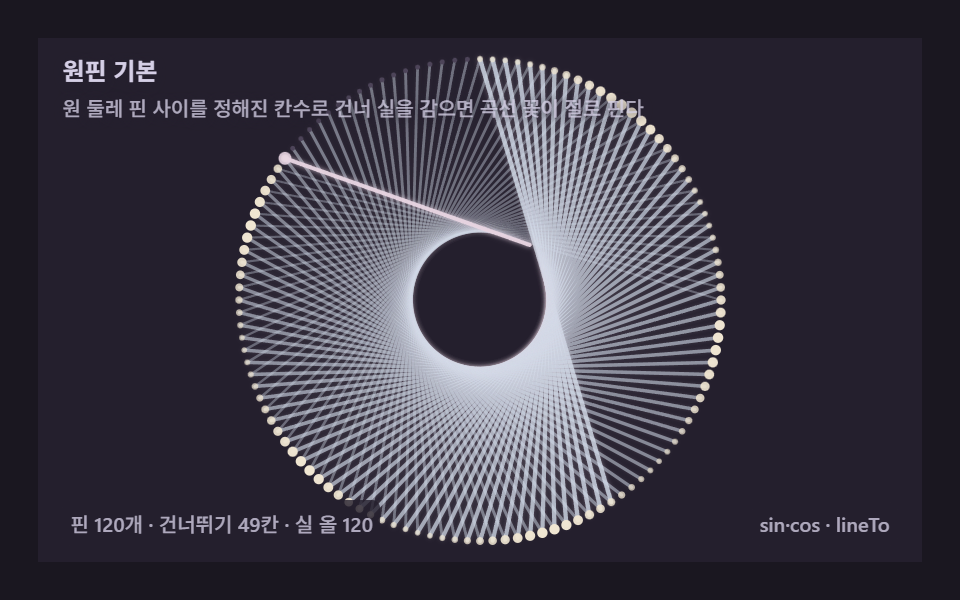 String Art: 9 Thread-Geometry DemosLet thread hop between pins by a rule and curves appear on their own. A canvas engine that computes every wrap — copy-pa See all demos in this post
If you like this effect - similar demos
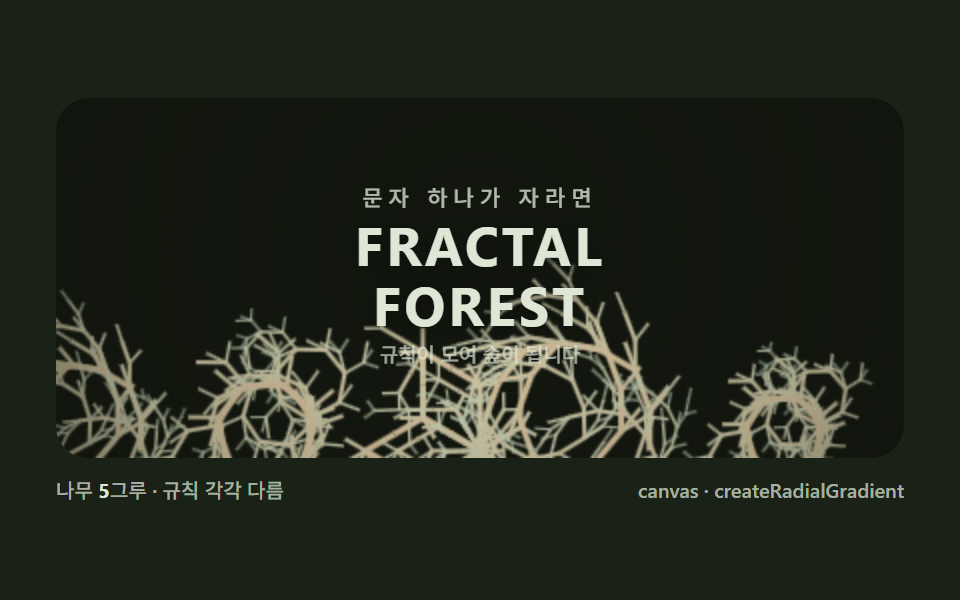 Creative UI09 Hero grove — a fractal forest growing over the brand lineL-System Fractal Tree Generator: 9 Demos
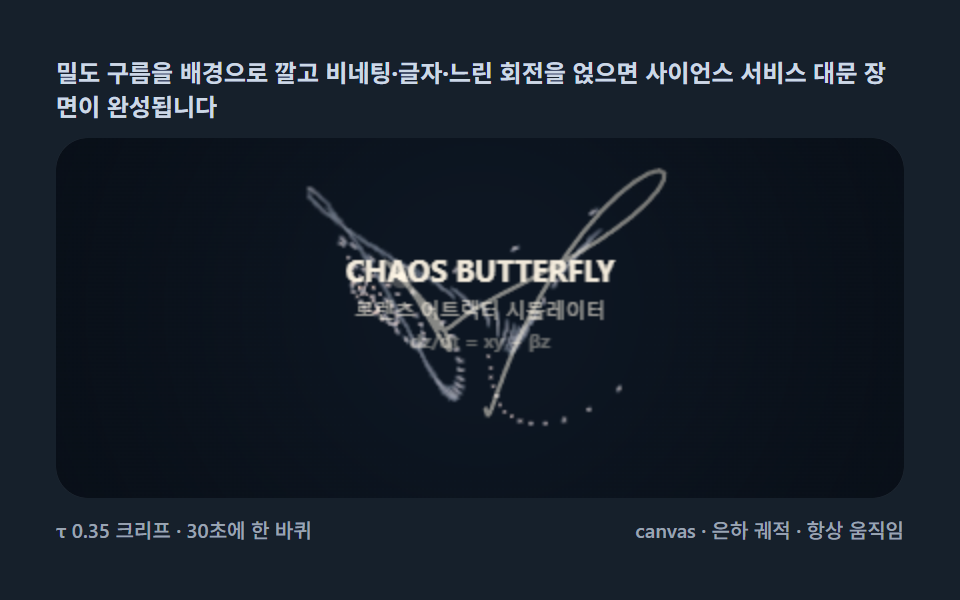 Creative UI09 Butterfly hero scene — a front-door stage layered with type and particlesLorenz Attractor: 9 Butterfly Chaos Demos
 Creative UI09 Hero graph — a front door that knits a product's features together by forceForce Directed Graph: 9 Network Layout Demos