02Column bars growing from the baseline
Weekly sales map to viewBox coordinates, bars grow with scaleY from the baseline, labels count up from zero
Best forWeekly sales summary card with the peak day highlighted
transform-originscaleYanimation-delay
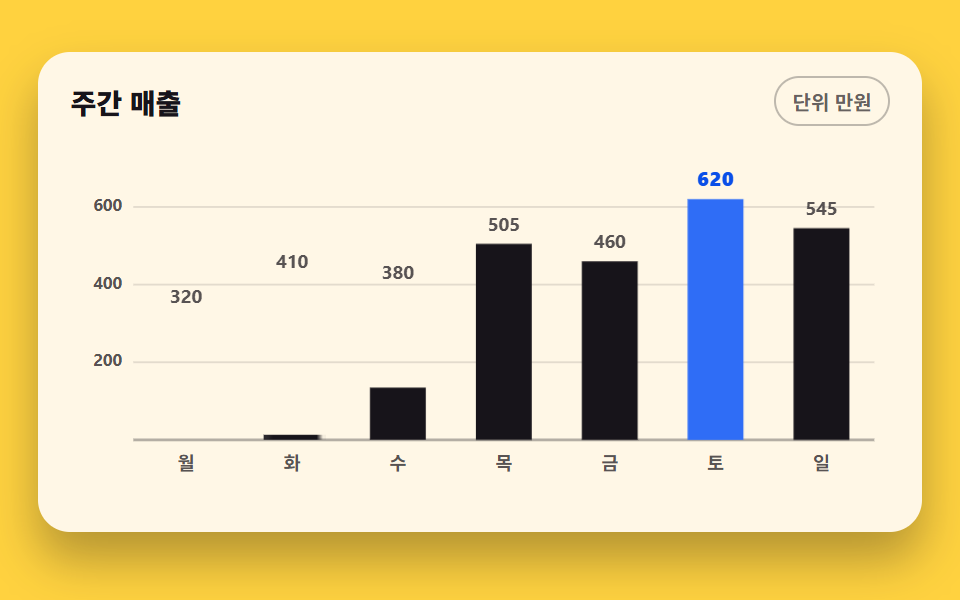
<main class="stage">
<div class="cb is-demo" id="cb">
  <div class="cb__card">
    <div class="cb__head">
      <p class="cb__title">Weekly Sales</p>
      <span class="cb__chip">Unit: 10K KRW</span>
    </div>
    <div class="cb__plot" id="plot">
      <svg class="cb__svg" id="chart" viewBox="0 0 440 200" role="img" aria-label="Weekly sales column chart, Saturday peaks at 6.2M KRW">
        <!-- 가로 격자 3단 — y 스케일 눈금(200/400/600)과 같은 간격 -->
        <g class="cb__grid">
          <line x1="34" y1="34.9"  x2="432" y2="34.9"></line>
          <line x1="34" y1="76.6"  x2="432" y2="76.6"></line>
          <line x1="34" y1="118.3" x2="432" y2="118.3"></line>
        </g>
        <g class="cb__ticks">
          <text x="28" y="34.9">600</text>
          <text x="28" y="76.6">400</text>
          <text x="28" y="118.3">200</text>
        </g>
        <!-- 밑변 Axis — 막대의 baseline -->
        <line class="cb__axis" x1="34" y1="160" x2="432" y2="160"></line>
        <!-- 막대·값 라벨·Day 라벨은 JS 가 viewBox 좌표로 심는다 -->
        <g class="cb__days" id="days"></g>
        <g class="cb__cells" id="cells"></g>
      </svg>
      <!-- 툴팁 — plot 안에서 절대 배치, 막대 위에 뜬다. 미리보기에선 최고 막대 위 -->
      <div class="cb__tip" id="tip" aria-hidden="true"><span class="cb__tipDay" id="tipDay">Sat</span><strong class="cb__tipVal" id="tipVal">KRW 6.2M</strong></div>
      <!-- 스크린리더용 데이터 표 — 화면에 안 보인다 -->
      <table class="cb__sr">
        <caption>Weekly Sales</caption>
        <thead><tr><th>Day</th><th>Sales (10K KRW)</th></tr></thead>
        <tbody id="srBody"></tbody>
      </table>
    </div>
  </div>
</div>
</main>@use "../../../../site/static/demo-tokens" as *;
// 자라나는 세로 막대 그래프 — 실제 사용에선 JS 가 scaleY() 로 막대 일곱 개를 심어
// 완성된 그래프가 곧 뜨고 pointermove 로 툴팁이 막대를 따라온다. 미리보기(.is-demo)는
// 같은 rect 에 scaleY 키프레임을 얹어 막대가 밑변에서부터 순서대로 자라는 모양을
// 2초 루프로 보여 준다. 값 라벨은 막대가 자라는 동안 반값을 보이다 최종값으로 컷 교체된다.
$duration: $dur-loop;
$easing: $ease-spring;
@include stage($stage-yellow);
.cb { display: flex; justify-content: center; width: 100%; padding-bottom: $sp-2; }
.cb__card {
width: min(100%, 420px); background: $subject-cream; border-radius: $r-card;
box-shadow: $shadow-raised; padding: $sp-3 $sp-4 $sp-2;
}
.cb__head { display: flex; align-items: center; justify-content: space-between; gap: $sp-2; margin-bottom: $sp-2; }
.cb__title { margin: 0; font-weight: 800; font-size: clamp(12px, 3vw, 14px); color: $subject-ink; }
.cb__chip {
font-weight: 700; font-size: clamp(9px, 2.4vw, 10px); color: rgba(23, 20, 26, .66);
border: 1px solid rgba(23, 20, 26, .28); border-radius: $r-pill; padding: $sp-1 $sp-2;
}
.cb__plot { position: relative; }
.cb__svg { display: block; width: 100%; height: auto; touch-action: none; cursor: crosshair; }
.cb__grid line { stroke: rgba(23, 20, 26, .12); stroke-width: 1; }
.cb__ticks text {
fill: rgba(23, 20, 26, .72); font-weight: 700; font-size: 9px;
text-anchor: end; dominant-baseline: middle;
}
.cb__day { fill: rgba(23, 20, 26, .72); font-weight: 700; font-size: 10px; text-anchor: middle; }
.cb__axis { stroke: rgba(23, 20, 26, .32); stroke-width: 1.5; }
// 막대 — 잉크. 최고 막대(토)만 계열색 블루로 강조해 "어디가 정점인가"가 먼저 읽힌다
.cb__bar { fill: $subject-ink; }
.cb__bar--peak { fill: $chart-1; }
// 원래 transform-origin 은 요소 중심이 맞지만, 막대의 scaleY 는 밑변 축에 붙은 채
// 위로 자라야 막대 그래프답다 — baseline 에 닿는 아래쪽이 원점이므로 bottom 이 정당하다.
// transform-box: fill-box 로 SVG rect 자체를 기준 박스로 지정한다
.cb__bar { transform-box: fill-box; transform-origin: 50% 100%; }
// 값 라벨 — 텍스트는 텍스트 토큰(잉크)을 쓰고 막대 색을 물려받지 않는다
.cb__val {
fill: rgba(23, 20, 26, .72); font-weight: 700; font-size: 10px;
text-anchor: middle; dominant-baseline: auto;
}
// 최고 막대 위 라벨만 계열색으로 더 굵게 — 정점의 값이 먼저 읽힌다
.cb__vPeak { fill: $subject-blue-deep; font-weight: 800; font-size: 11px; } // 크림 면 위 $chart-1 은 4.25:1 — deep 5.98:1 (막대 면색은 그대로)
// 툴팁 — 절대 배치라 루트에 padding-bottom 이 있어야 높이가 무대를 넘기지 않는다
.cb__tip {
position: absolute; transform: translate(-50%, 4px);
display: flex; align-items: baseline; gap: $sp-1; pointer-events: none;
background: $subject-ink; color: $stage-yellow; border-radius: $r-xs;
padding: $sp-1 $sp-2; font-weight: 700; font-size: 10px; white-space: nowrap;
opacity: 0;
}
.cb__tip.is-on { opacity: 1; transform: translate(-50%, 0); transition: opacity $dur-quick $ease-out, transform $dur-quick $ease-out; }
.cb__tipDay { opacity: .72; }
.cb__tipVal { font-size: 12px; }
// 스크린리더용 표 — absolute+clip 은 레이아웃 크기가 그대로 scrollHeight 에 잡혀 넘침(BD8)이 뜨므로
// fixed 로 캔버스 밖에 둔다. 스크린리더는 그대로 읽는다
.cb__sr {
position: fixed; top: 0; left: -640px; width: 320px; margin: 0;
}
// 실사용(정적)에서는 최종값 라벨만 — 카운트업 없이 곧바로 완성 상태
.cb:not(.is-demo) .cb__vHalf { display: none; }
// ── 미리보기 루프: 막대가 --d 간격으로 밑변에서 위로 자란다 (0.08s 씩, 마지막 막대는
// 24% 지점에 시작해 54% 에 완성). animation-delay 는 낱개 속성으로 적는다 —
// animation: 단축을 쓰면 delay 가 0s 로 리셋된다. backwards 로 대기 구간에도 0% 프레임을 채운다.
// 완성 유지 뒤 86~96% 에 걸쳐 되감아 빈 상태로 돌아가고 96~100% 는 빈 대 빈이라
// 루프 이어붙음 지점이 튀지 않는다 (되감기를 한 프레임에 몰면 poster 가 소멸 순간을 잡는다).
.cb.is-demo .cb__bar {
animation-name: cbGrow;
animation-duration: $duration;
animation-timing-function: $easing;
animation-delay: var(--d, 0s);
animation-fill-mode: backwards;
animation-iteration-count: infinite;
}
@keyframes cbGrow {
0% { transform: scaleY(0); }
30%, 86% { transform: scaleY(1); }
96%, 100% { transform: scaleY(0); }
}
// 반값 라벨 — 자기 막대가 자라는 동안만 보이고 26→28% 사이에 최종 라벨과 컷 교체
.cb.is-demo .cb__vHalf {
animation-name: cbHalf;
animation-duration: $duration;
animation-timing-function: steps(1, end);
animation-delay: var(--d, 0s);
animation-fill-mode: backwards;
animation-iteration-count: infinite;
}
@keyframes cbHalf {
0%, 26% { opacity: 1; }
28%, 100% { opacity: 0; }
}
.cb.is-demo .cb__vFull {
animation-name: cbFull;
animation-duration: $duration;
animation-timing-function: steps(1, end);
animation-delay: var(--d, 0s);
animation-fill-mode: backwards;
animation-iteration-count: infinite;
}
@keyframes cbFull {
0%, 26% { opacity: 0; }
28%, 94% { opacity: 1; }
96%, 100% { opacity: 0; }
}
// 미리보기 툴팁은 최고 막대(토) 위에 미리 놓아 둔다 (JS 가 세팅) — 전 막대 완성 뒤 컷 등장
.cb.is-demo .cb__tip {
animation-name: cbTip;
animation-duration: $duration;
animation-timing-function: steps(1, end);
animation-iteration-count: infinite;
}
@keyframes cbTip {
0%, 62% { opacity: 0; }
64%, 90% { opacity: 1; }
92%, 100% { opacity: 0; }
}
@media (max-width: 340px) {
// 요일 라벨은 한 글자라 320px 에서도 겹치지 않는다 — 카드 여백만 줄인다
.cb__card { padding: $sp-2 $sp-3 $sp-1; }
.cb__val { font-size: 9px; }
.cb__vPeak { font-size: 10px; }
}
@media (prefers-reduced-motion: reduce) {
.cb.is-demo .cb__bar,
.cb.is-demo .cb__vHalf,
.cb.is-demo .cb__vFull,
.cb.is-demo .cb__tip { animation: none !important; }
// 움직임 없이 다 자란 최종 상태로 점프한다
.cb.is-demo .cb__bar { transform: scaleY(1) !important; }
.cb.is-demo .cb__vHalf { opacity: 0 !important; }
.cb.is-demo .cb__vFull, .cb.is-demo .cb__tip { opacity: 1 !important; }
}html, body {
margin: 0;
overflow: hidden;
}
.stage {
box-sizing: border-box;
min-height: 100vh;
display: grid;
place-items: center;
margin: 0;
background: #ffd23f;
font-family: -apple-system, "Segoe UI", "Noto Sans KR", sans-serif;
padding: clamp(8px, 4vw, 24px);
}
.cb {
display: flex;
justify-content: center;
width: 100%;
padding-bottom: 8px;
}
.cb__card {
width: min(100%, 420px);
background: #fff7e6;
border-radius: 16px;
box-shadow: 0 14px 24px rgba(23, 20, 26, 0.32);
padding: 12px 16px 8px;
}
.cb__head {
display: flex;
align-items: center;
justify-content: space-between;
gap: 8px;
margin-bottom: 8px;
}
.cb__title {
margin: 0;
font-weight: 800;
font-size: clamp(12px, 3vw, 14px);
color: #17141a;
}
.cb__chip {
font-weight: 700;
font-size: clamp(9px, 2.4vw, 10px);
color: rgba(23, 20, 26, 0.66);
border: 1px solid rgba(23, 20, 26, 0.28);
border-radius: 999px;
padding: 4px 8px;
}
.cb__plot {
position: relative;
}
.cb__svg {
display: block;
width: 100%;
height: auto;
touch-action: none;
cursor: crosshair;
}
.cb__grid line {
stroke: rgba(23, 20, 26, 0.12);
stroke-width: 1;
}
.cb__ticks text {
fill: rgba(23, 20, 26, 0.72);
font-weight: 700;
font-size: 9px;
text-anchor: end;
dominant-baseline: middle;
}
.cb__day {
fill: rgba(23, 20, 26, 0.72);
font-weight: 700;
font-size: 10px;
text-anchor: middle;
}
.cb__axis {
stroke: rgba(23, 20, 26, 0.32);
stroke-width: 1.5;
}
.cb__bar {
fill: #17141a;
}
.cb__bar--peak {
fill: #2f6df6;
}
.cb__bar {
transform-box: fill-box;
transform-origin: 50% 100%;
}
.cb__val {
fill: rgba(23, 20, 26, 0.72);
font-weight: 700;
font-size: 10px;
text-anchor: middle;
dominant-baseline: auto;
}
.cb__vPeak {
fill: #0a4fe8;
font-weight: 800;
font-size: 11px;
}
.cb__tip {
position: absolute;
transform: translate(-50%, 4px);
display: flex;
align-items: baseline;
gap: 4px;
pointer-events: none;
background: #17141a;
color: #ffd23f;
border-radius: 4px;
padding: 4px 8px;
font-weight: 700;
font-size: 10px;
white-space: nowrap;
opacity: 0;
}
.cb__tip.is-on {
opacity: 1;
transform: translate(-50%, 0);
transition: opacity 220ms ease-out, transform 220ms ease-out;
}
.cb__tipDay {
opacity: 0.72;
}
.cb__tipVal {
font-size: 12px;
}
.cb__sr {
position: fixed;
top: 0;
left: -640px;
width: 320px;
margin: 0;
}
.cb:not(.is-demo) .cb__vHalf {
display: none;
}
.cb.is-demo .cb__bar {
animation-name: cbGrow;
animation-duration: 2s;
animation-timing-function: cubic-bezier(0.2, 0.8, 0.2, 1);
animation-delay: var(--d, 0s);
animation-fill-mode: backwards;
animation-iteration-count: infinite;
}
@keyframes cbGrow {
0% {
transform: scaleY(0);
}
30%, 86% {
transform: scaleY(1);
}
96%, 100% {
transform: scaleY(0);
}
}
.cb.is-demo .cb__vHalf {
animation-name: cbHalf;
animation-duration: 2s;
animation-timing-function: steps(1, end);
animation-delay: var(--d, 0s);
animation-fill-mode: backwards;
animation-iteration-count: infinite;
}
@keyframes cbHalf {
0%, 26% {
opacity: 1;
}
28%, 100% {
opacity: 0;
}
}
.cb.is-demo .cb__vFull {
animation-name: cbFull;
animation-duration: 2s;
animation-timing-function: steps(1, end);
animation-delay: var(--d, 0s);
animation-fill-mode: backwards;
animation-iteration-count: infinite;
}
@keyframes cbFull {
0%, 26% {
opacity: 0;
}
28%, 94% {
opacity: 1;
}
96%, 100% {
opacity: 0;
}
}
.cb.is-demo .cb__tip {
animation-name: cbTip;
animation-duration: 2s;
animation-timing-function: steps(1, end);
animation-iteration-count: infinite;
}
@keyframes cbTip {
0%, 62% {
opacity: 0;
}
64%, 90% {
opacity: 1;
}
92%, 100% {
opacity: 0;
}
}
@media (max-width: 340px) {
.cb__card {
padding: 8px 12px 4px;
}
.cb__val {
font-size: 9px;
}
.cb__vPeak {
font-size: 10px;
}
}
@media (prefers-reduced-motion: reduce) {
.cb.is-demo .cb__bar,
.cb.is-demo .cb__vHalf,
.cb.is-demo .cb__vFull,
.cb.is-demo .cb__tip {
animation: none !important;
}
.cb.is-demo .cb__bar {
transform: scaleY(1) !important;
}
.cb.is-demo .cb__vHalf {
opacity: 0 !important;
}
.cb.is-demo .cb__vFull, .cb.is-demo .cb__tip {
opacity: 1 !important;
}
}var DATA = [320, 410, 380, 505, 460, 620, 545];
var DAY = ['Mon', 'Tue', 'Wed', 'Thu', 'Fri', 'Sat', 'Sun'];
var VW = 440, VH = 200; // viewBox 크기
var PAD_L = 34, PAD_R = 432, TOP = 14, BASE = 160; // 그림 영역 좌표 (BASE 가 밑변 Axis)
var MAX_Y = 700, BAR_W = 30; // y 상한 — 눈금 200 간격과 맞춘 값
var SVGNS = 'http://www.w3.org/2000/svg';
var cb = document.getElementById('cb');
var svg = document.getElementById('chart');
var tip = document.getElementById('tip');
var tipDay = document.getElementById('tipDay');
var tipVal = document.getElementById('tipVal');
// 데이터 값 → viewBox 좌표. 막대 그래프의 핵심은 이 두 함수다
function scaleY(v) { return BASE - (BASE - TOP) * v / MAX_Y; }
function band() { return (PAD_R - PAD_L) / DATA.length; } // 막대 하나가 차지하는 폭
function centerX(i) { return PAD_L + band() * (i + .5); } // 막대 중심 = 라벨 위치
// SVG 자식을 만드는 헬퍼 — 속성만 채워 부모에 붙인다
function el(name, attrs, parent) {
var n = document.createElementNS(SVGNS, name);
for (var k in attrs) { n.setAttribute(k, attrs[k]); }
parent.appendChild(n);
return n;
}
var peakIdx = DATA.indexOf(Math.max.apply(null, DATA));
var cells = document.getElementById('cells');
var days = document.getElementById('days');
DATA.forEach(function (v, i) {
var cx = centerX(i), top = scaleY(v);
// 막대 하나에 셀 하나 — 막대와 두 값 라벨이 같은 --d 를 공유해 순차 등장이 맞물린다
var g = el('g', { 'class': 'cb__cell', 'style': '--d:' + (i * .08).toFixed(2) + 's' }, cells);
el('rect', { 'class': 'cb__bar' + (i === peakIdx ? ' cb__bar--peak' : ''),
x: (cx - BAR_W / 2).toFixed(1), y: top.toFixed(1), width: BAR_W, height: (BASE - top).toFixed(1) }, g);
// 값 라벨 두 장 — 미리보기에서 반값과 최종값을 컷으로 바꾼다. 실사용은 최종값만 보인다
el('text', { 'class': 'cb__val cb__vHalf' + (i === peakIdx ? ' cb__vPeak' : ''), x: cx.toFixed(1), y: (top - 7).toFixed(1) }, g).textContent = Math.round(v / 2);
el('text', { 'class': 'cb__val cb__vFull' + (i === peakIdx ? ' cb__vPeak' : ''), x: cx.toFixed(1), y: (top - 7).toFixed(1) }, g).textContent = v;
el('text', { 'class': 'cb__day', x: cx.toFixed(1), y: 176 }, days).textContent = DAY[i];
});
// 스크린리더용 표 채우기 — 그림이 값을 다 말해 주지는 않는다
var srBody = document.getElementById('srBody');
DATA.forEach(function (v, i) {
var tr = document.createElement('tr');
var th = document.createElement('th'); th.setAttribute('scope', 'row'); th.textContent = DAY[i];
var td = document.createElement('td'); td.textContent = v;
tr.appendChild(th); tr.appendChild(td); srBody.appendChild(tr);
});
// 툴팁을 i번 막대 위에 놓는다 — viewBox 좌표를 plot 비율로 바꿔 % 로
function placeTip(i) {
tip.style.left = (centerX(i) / VW * 100) + '%';
tip.style.bottom = ((VH - scaleY(DATA[i]) + 8) / VH * 100) + '%';
tipDay.textContent = DAY[i];
tipVal.textContent = DATA[i] + '0K KRW';
}
placeTip(peakIdx); // 미리보기 툴팁은 최고 막대 위에 떠 있다
// 사람이 조작하면 미리보기 루프를 끄고 진짜 툴팁이 따라온다
svg.addEventListener('pointermove', function (e) {
if (cb.classList.contains('is-demo')) { cb.classList.remove('is-demo'); }
var r = svg.getBoundingClientRect();
var vx = (e.clientX - r.left) / r.width * VW; // 화면 좌표 → viewBox 좌표
var i = Math.floor((vx - PAD_L) / band());
i = Math.max(0, Math.min(DATA.length - 1, i));
placeTip(i);
tip.classList.add('is-on');
});
svg.addEventListener('pointerleave', function () {
tip.classList.remove('is-on');
placeTip(peakIdx); // 최고 막대로 돌아간다
});// ChartBarColumn — vanilla 판(run/289/demo/02-chart-draw-bar-column/index.html) 의 React 포트.
// 세로 막대 일곱 개가 baseline 에서 순서대로 자라는 주간 매출 그래프.
// 사람이 포인터를 올리면 미리보기 루프(.isDemo)가 떨어지고 막대 위 툴팁이 따라온다.
import { useRef, useState } from "react";
import type { CSSProperties } from "react";
import styles from "./ChartBarColumn.module.scss";
export type ChartBarColumnProps = {
/** 격자 미리보기용 2초 자동 루프. 사람이 포인터를 올리면 꺼진다 */
demo?: boolean;
};
type Vars = CSSProperties & { "--d"?: string };
type PtrEvt = { clientX: number };
type Box<T> = { current: T | null };
const DATA = [320, 410, 380, 505, 460, 620, 545];
const DAY = ["월", "화", "수", "목", "금", "토", "일"];
const VW = 440, VH = 200;
const PAD_L = 34, PAD_R = 432, TOP = 14, BASE = 160;
const MAX_Y = 700, BAR_W = 30;
const PEAK = DATA.indexOf(Math.max(...DATA));
/** 데이터 값 → viewBox y 좌표 (BASE 가 밑변 축) */
const scaleY = (v: number) => BASE - (BASE - TOP) * v / MAX_Y;
const band = (PAD_R - PAD_L) / DATA.length;
const centerX = (i: number) => PAD_L + band * (i + .5);
export default function ChartBarColumn({ demo = true }: ChartBarColumnProps) {
const svgRef: Box<SVGSVGElement> = useRef(null);
const [live, setLive] = useState(!demo);
const [hover, setHover] = useState(PEAK);
/** pointermove — 화면 좌표를 viewBox 좌표로 바꿔 커서 아래 막대를 고른다.
* live 를 켜야 .isDemo 루프가 떨어진다 (live=false 가 미리보기 상태다) */
function onMove(e: PtrEvt) {
const svg = svgRef.current;
if (!svg) return;
setLive(true);
const r = svg.getBoundingClientRect();
const vx = (e.clientX - r.left) / r.width * VW;
setHover(Math.max(0, Math.min(DATA.length - 1, Math.floor((vx - PAD_L) / band))));
}
const rootCls = [styles.root, live ? "" : styles.isDemo].filter(Boolean).join(" ");
return (
<div className={rootCls}>
<div className={styles.card}>
<div className={styles.head}>
<p className={styles.title}>주간 매출</p>
<span className={styles.chip}>단위 만원</span>
</div>
<div className={styles.plot}>
<svg
className={styles.svg} ref={svgRef} viewBox={`0 0 ${VW} ${VH}`} role="img"
aria-label="주간 매출 막대 그래프, 토요일 620만원 최고"
onPointerMove={onMove}
onPointerLeave={() => setHover(PEAK)}
>
{/* 가로 격자 3단 — y 스케일 눈금(200/400/600)과 같은 간격 */}
<g className={styles.grid}>
{[600, 400, 200].map((v) => (
<line key={v} x1={PAD_L} y1={scaleY(v)} x2={PAD_R} y2={scaleY(v)} />
))}
</g>
<g className={styles.ticks}>
{[600, 400, 200].map((v) => (
<text key={v} x={28} y={scaleY(v)}>{v}</text>
))}
</g>
<line className={styles.axis} x1={PAD_L} y1={BASE} x2={PAD_R} y2={BASE} />
{/* 막대 하나에 셀 하나 — 막대와 두 값 라벨이 같은 --d 를 공유한다 */}
{DATA.map((v, i) => {
const cx = centerX(i), top = scaleY(v);
const peak = i === PEAK;
return (
<g key={DAY[i]} className={styles.cell} style={{ "--d": `${(i * .08).toFixed(2)}s` } as Vars}>
<rect
className={peak ? styles.barPeak : styles.bar}
x={(cx - BAR_W / 2).toFixed(1)} y={top.toFixed(1)}
width={BAR_W} height={(BASE - top).toFixed(1)}
/>
{/* 값 라벨 두 장 — 미리보기에서 반값과 최종값을 컷으로 바꾼다. 실사용은 최종값만 */}
<text className={[styles.val, styles.vHalf, peak ? styles.vPeak : ""].filter(Boolean).join(" ")}
x={cx.toFixed(1)} y={(top - 7).toFixed(1)}>{Math.round(v / 2)}</text>
<text className={[styles.val, styles.vFull, peak ? styles.vPeak : ""].filter(Boolean).join(" ")}
x={cx.toFixed(1)} y={(top - 7).toFixed(1)}>{v}</text>
<text className={styles.day} x={cx.toFixed(1)} y={176}>{DAY[i]}</text>
</g>
);
})}
</svg>
{/* 툴팁 — 커서 아래 막대 위에 뜬다 (viewBox 좌표를 plot 비율 % 로) */}
<div
className={[styles.tip, live ? styles.tipIsOn : ""].filter(Boolean).join(" ")}
aria-hidden="true"
style={{
left: `${(centerX(hover) / VW * 100).toFixed(2)}%`,
bottom: `${((VH - scaleY(DATA[hover]) + 8) / VH * 100).toFixed(2)}%`,
}}
>
<span className={styles.tipDay}>{DAY[hover]}</span>
<strong className={styles.tipVal}>{DATA[hover]}만원</strong>
</div>
{/* 스크린리더용 데이터 표 — 화면에 안 보인다 */}
<table className={styles.sr}>
<caption>주간 매출</caption>
<thead><tr><th scope="col">요일</th><th scope="col">매출 (만원)</th></tr></thead>
<tbody>
{DATA.map((v, i) => (
<tr key={DAY[i]}><th scope="row">{DAY[i]}</th><td>{v}</td></tr>
))}
</tbody>
</table>
</div>
</div>
</div>
);
}02 Column bars growing from the baseline — Measured area 14.688% · moving frames 17/23Original by GODRICH · SCSS and React ship in the zip · CSS Chart Design: 9 SVG Graphs, No Library
The post this demo lives in
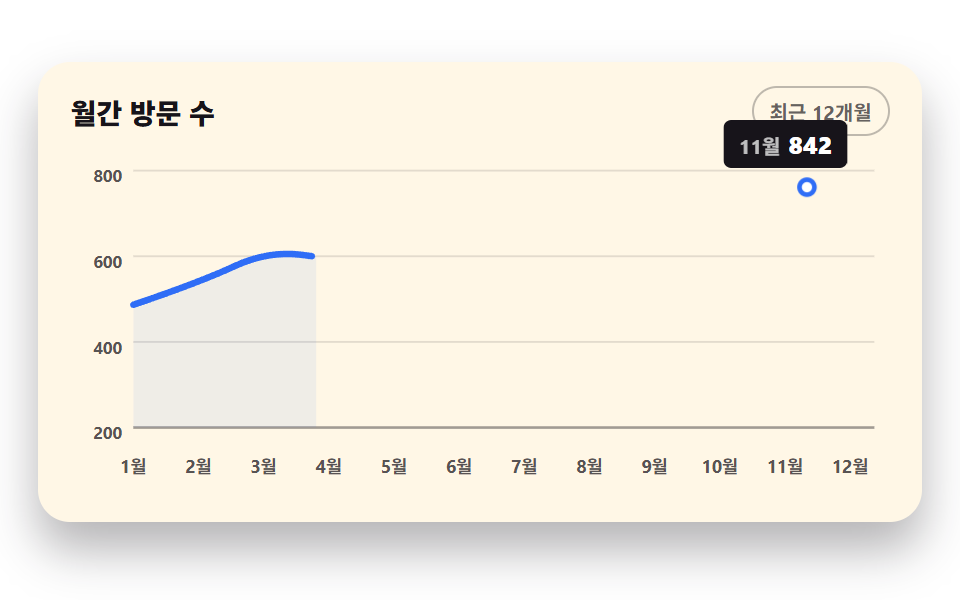 CSS Chart Design: 9 SVG Graphs, No LibraryCSS chart design turns numbers into lines, bars, and areas with no library. These nine use only SVG coordinate math and See all demos in this post
If you like this effect - similar demos
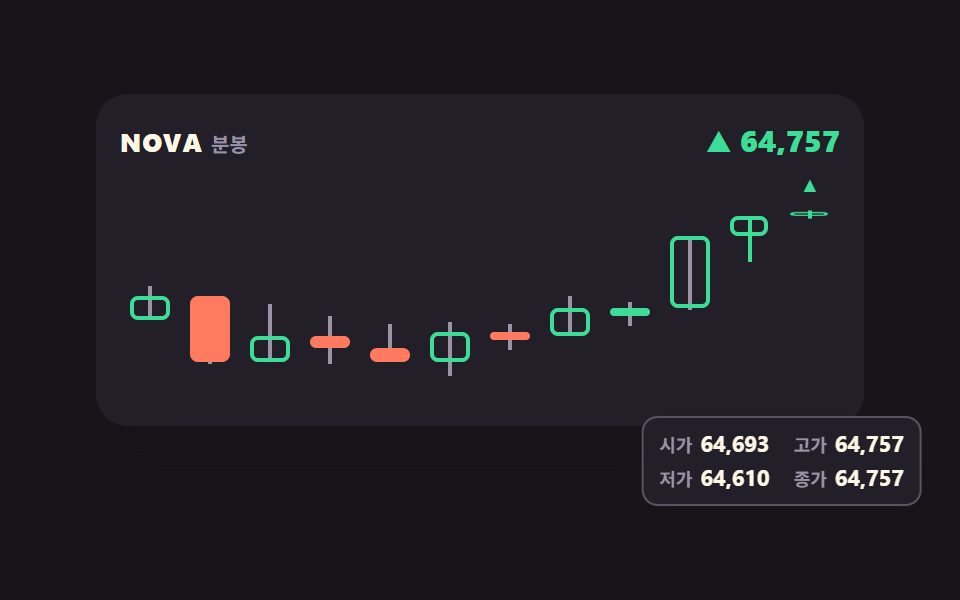 Dashboard UI04 Candle chart whose last bar keeps growingStock Ticker UI: 9 Live Price Widgets, No API Key
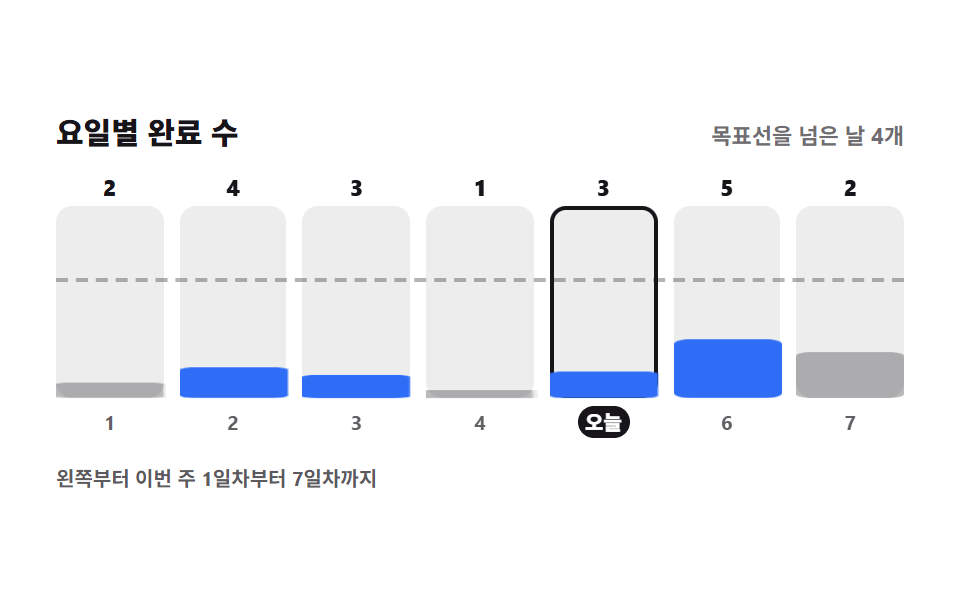 Dashboard UI06 Weekday bar summaryHabit Tracker UI: 9 Parts from Grid to Badge
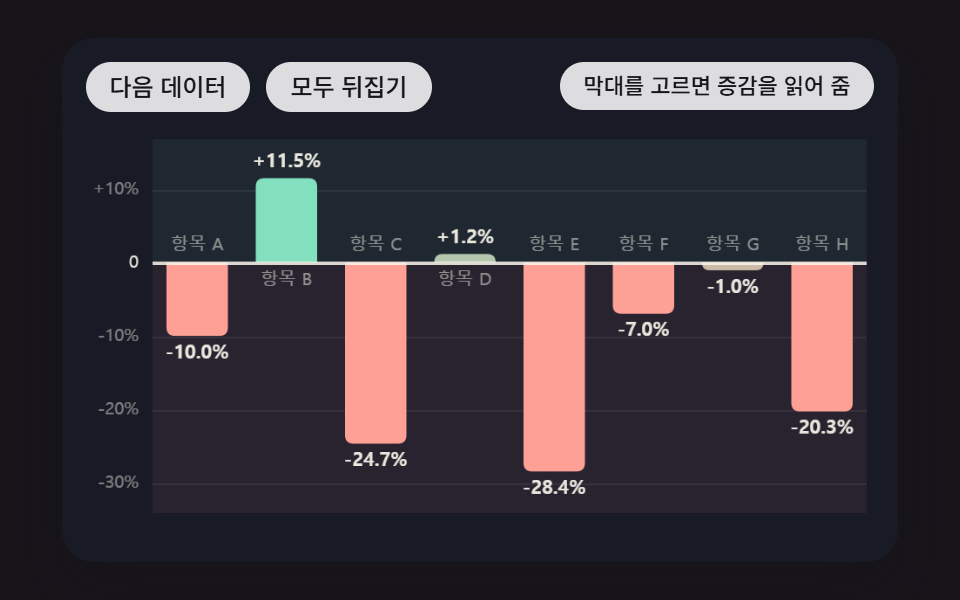 Dashboard UI09 Diverging Bars Split Up and Down From a Zero Line That Moves With the DataBar Chart Animation: 9 Demos From Spring to Race