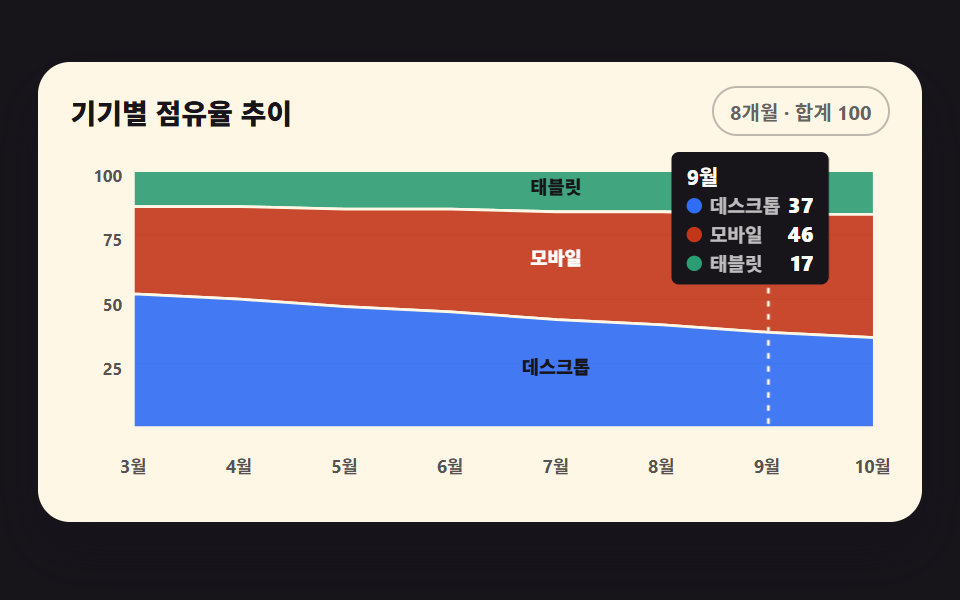
07Stacked area chart filling from below
Three share series stack into area paths, and translucent layers fill upward from the bottom one
Best forDevice or browser share trend panels
clip-pathopacitytransform-origin
<main class="stage">
<div class="ca is-demo" id="ca">
  <div class="ca__card">
    <div class="ca__head">
      <p class="ca__title">Device share over time</p>
      <span class="ca__chip">8 months · total 100</span>
    </div>
    <div class="ca__plot">
      <svg class="ca__svg" id="chart" viewBox="0 0 440 190" role="img" aria-label="Stacked area chart of desktop, mobile, and tablet share: mobile grows from 34% to 48% while desktop shrinks from 52% to 35%">
        <!-- 가로 격자 3단 — y 눈금(25/50/75)과 같은 간격 -->
        <g class="ca__grid">
          <line x1="34" y1="44.5" x2="432" y2="44.5"></line>
          <line x1="34" y1="79" x2="432" y2="79"></line>
          <line x1="34" y1="113.5" x2="432" y2="113.5"></line>
        </g>
        <g class="ca__ticks">
          <text x="28" y="14">100</text>
          <text x="28" y="48.5">75</text>
          <text x="28" y="83">50</text>
          <text x="28" y="117.5">25</text>
        </g>
        <!-- 밑변 Axis -->
        <line class="ca__axis" x1="34" y1="148" x2="432" y2="148"></line>
        <g class="ca__labels">
          <text x="34" y="170">Mar</text>
          <text x="90.7" y="170">Apr</text>
          <text x="147.4" y="170">May</text>
          <text x="204.1" y="170">Jun</text>
          <text x="260.9" y="170">Jul</text>
          <text x="317.6" y="170">Aug</text>
          <text x="374.3" y="170">Sep</text>
          <text x="431" y="170">Oct</text>
        </g>
        <!-- 레이어 3장 — 위부터 Tablet·Mobile·Desktop 순으로 그린다. d 는 JS 가 누적 경계로 채운다 -->
        <path class="ca__layer ca__layer--3" id="ly3" d=""></path>
        <path class="ca__layer ca__layer--2" id="ly2" d=""></path>
        <path class="ca__layer ca__layer--1" id="ly1" d=""></path>
        <!-- 호버 가이드선 — 포인터가 가리키는 달. x 는 JS -->
        <line class="ca__guide" id="guide" x1="0" y1="10" x2="0" y2="148"></line>
        <!-- Direct 라벨 — 레이어 이름이 각 영역 안에 산다. y 는 JS -->
        <text class="ca__lab ca__lab--1" id="lab1" x="261" text-anchor="middle">Desktop</text>
        <text class="ca__lab ca__lab--2" id="lab2" x="261" text-anchor="middle">Mobile</text>
        <text class="ca__lab ca__lab--3" id="lab3" x="261" text-anchor="middle">Tablet</text>
      </svg>
      <!-- 툴팁 — 달과 세 계열 값. plot 안 위쪽에 절대 배치. 계열은 한 줄에 하나씩 쌓아
           폭을 좁게 유지한다 (한 줄에 셋을 늘어놓으면 320px 에서 카드 밖으로 나간다) -->
      <div class="ca__tip" id="tip" aria-hidden="true">
        <span class="ca__tipMon" id="tipMon">Sep</span>
        <span class="ca__tipRow"><i class="ca__sw ca__sw--1"></i><span class="ca__tipName">Desktop</span><b id="tv1">37</b></span>
        <span class="ca__tipRow"><i class="ca__sw ca__sw--2"></i><span class="ca__tipName">Mobile</span><b id="tv2">46</b></span>
        <span class="ca__tipRow"><i class="ca__sw ca__sw--3"></i><span class="ca__tipName">Tablet</span><b id="tv3">17</b></span>
      </div>
      <!-- 스크린리더용 데이터 표 — 화면에 안 보인다 -->
      <table class="ca__sr">
        <caption>Device share over time</caption>
        <thead><tr><th>Month</th><th>Desktop</th><th>Mobile</th><th>Tablet</th></tr></thead>
        <tbody id="srBody"></tbody>
      </table>
    </div>
  </div>
</div>
</main>@use "../../../../site/static/demo-tokens" as *;
// 아래에서 채워지는 누적 영역 그래프 — 실제 사용에선 JS 가 누적 경계선으로 세 레이어의 path 를 채워
// 완성 형태가 곧 뜨고, pointermove 로 가이드선과 세 계열 값 툴팁이 따라온다. 격자 미리보기(.is-demo)는
// 같은 레이어에 clip-path 위프를 얹어 아래 레이어부터 차례로 채워 올라가는 모양을 2초 루프로 보여 준다.
$duration: $dur-loop;
$easing: linear; // 면이 차오르는 속도는 일정 — 게이지가 아니라 채움이라 등속이 자연스럽다
$color: $chart-1;
@include stage($stage-ink);
.ca { display: flex; justify-content: center; width: 100%; padding-bottom: $sp-2; }
.ca__card {
width: min(100%, 420px); background: $subject-cream; border-radius: $r-card;
box-shadow: $shadow-raised; padding: $sp-3 $sp-4 $sp-2;
}
.ca__head { display: flex; align-items: center; justify-content: space-between; gap: $sp-2; margin-bottom: $sp-2; }
.ca__title { margin: 0; font-weight: 800; font-size: clamp(12px, 3vw, 14px); color: $subject-ink; }
.ca__chip {
font-weight: 700; font-size: clamp(9px, 2.4vw, 10px); color: rgba(23, 20, 26, .66);
border: 1px solid rgba(23, 20, 26, .28); border-radius: $r-pill; padding: $sp-1 $sp-2;
}
.ca__plot { position: relative; }
.ca__svg { display: block; width: 100%; height: auto; touch-action: none; cursor: crosshair; }
.ca__grid line { stroke: rgba(23, 20, 26, .12); stroke-width: 1; }
.ca__ticks text, .ca__labels text {
fill: rgba(23, 20, 26, .72); font-weight: 700; font-size: 9px;
text-anchor: end; dominant-baseline: middle;
}
.ca__labels text { text-anchor: middle; font-size: 9.5px; }
.ca__axis { stroke: rgba(23, 20, 26, .32); stroke-width: 1.5; }
// 레이어 — 계열 색은 차트 토큰 고정 순서(1 블루, 2 레드오렌지, 3 딥민트).
// 겹침 2px 표면 간격 규칙 대신 경계선을 크림 stroke 1.5px 로 긋는다
.ca__layer { fill-opacity: .9; stroke: $subject-cream; stroke-width: 1.5; }
.ca__layer--1 { fill: $color; }
.ca__layer--2 { fill: $chart-2; }
.ca__layer--3 { fill: $chart-3; }
// 직접 라벨 — 글자색은 그 라벨이 얹힌 면의 밝기로 고른다(면색은 손대지 않는다).
// 블루(#a0afd0)·딥민트(#41a67f) 위에서는 잉크가 4.68:1·6.07:1 로 AA 를 넘는다
.ca__lab {
fill: $subject-ink;
font-weight: 800; font-size: 10px; dominant-baseline: middle;
}
// 레드오렌지 면(#bb8174)만 잉크가 3.91:1 로 미달이라 흰 글자로 뒤집는다 — 4.66:1
.ca__lab--2 { fill: $stage-paper; }
// 계열 영역(면)은 dataviz 검증을 통과한 $chart-1~3 그대로 — 고치지 않는다
// 호버 가이드선 — 포인터가 가리키는 달을 세로로 짚는다
.ca__guide { stroke: $subject-cream; stroke-width: 1.5; stroke-dasharray: 3 4; opacity: 0; }
.ca__guide.is-on { opacity: .95; }
// 툴팁 — 그래프 안 위쪽에 절대 배치한다. 카드 위로 띄우면 폰 폭에서 카드 밖으로 나간다.
// transform-origin 은 가이드선이 내려가는 위쪽 변(50% 0) — 붙는 지점이 있는 요소라
// 중심이 아닌 원점을 쓴다 (스스로 완결한 요소였다면 중심에서 커져야 한다)
.ca__tip {
position: absolute; top: $sp-1; transform: translate(-50%, -4px) scale(.96);
transform-origin: 50% 0;
display: flex; flex-direction: column; pointer-events: none;
background: $subject-ink; color: $stage-paper; border-radius: $r-xs;
padding: $sp-1 $sp-2; font-weight: 700; font-size: 10px; white-space: nowrap;
opacity: 0;
}
.ca__tip.is-on { opacity: 1; transform: translate(-50%, 0) scale(1); transition: opacity $dur-quick $ease-out, transform $dur-quick $ease-out; }
.ca__tipMon { font-size: 11px; }
.ca__tipRow { display: flex; align-items: center; gap: $sp-1; }
.ca__tipName { opacity: .72; }
.ca__tipRow b { font-size: 11px; margin-left: auto; }
.ca__sw { width: 8px; height: 8px; border-radius: 50%; display: inline-block; }
.ca__sw--1 { background: $color; }
.ca__sw--2 { background: $chart-2; }
.ca__sw--3 { background: $chart-3; }
// 스크린리더용 표 — fixed 로 캔버스 밖에 둔다
.ca__sr {
position: fixed; top: 0; left: -640px; width: 320px; margin: 0;
}
// ── 미리보기 루프: 0~4% 빈 칸 → 데스크톱(4~26%) → 모바일(28~48%) → 태블릿(50~66%)이 아래부터
// 차례로 채워 올라간다 → 70% 에 레이어 이름 라벨 셋과 가이드선·툴팁(9월)이 **한 번에** 컷으로 뜬다
// → 96% 까지 완성 상태로 머문다. 위프는 이징 연속 — steps 와 clip-path 를 함께 쓰면 보간이 컷으로
// 죽는다. 되돌림은 98%(24프레임의 마지막 장이 95.8% 지점이라 그 뒤는 샘플이 없다) — 루프 안에서
// 접으면 "세 층이 한꺼번에 내려앉는 장" 이 최대 변화가 돼 poster 로 뽑힌다
// (실측 2026-09-12: 91.7% 프레임 22.573%). 라벨·툴팁을 완성 시점에 몰아 컷하는 것도 같은 이유다 —
// 그래야 최대 변화 프레임이 **다 그려진 장**이 된다.
.ca.is-demo .ca__layer {
animation-duration: $duration;
animation-timing-function: $easing;
animation-iteration-count: infinite;
}
.ca.is-demo .ca__layer--1 { animation-name: caWipe1; }
.ca.is-demo .ca__layer--2 { animation-name: caWipe2; }
.ca.is-demo .ca__layer--3 { animation-name: caWipe3; }
@keyframes caWipe1 {
0%, 4% { clip-path: inset(100% 0 0 0); }
26%, 96% { clip-path: inset(0 0 0 0); }
98%, 100% { clip-path: inset(100% 0 0 0); }
}
@keyframes caWipe2 {
0%, 28% { clip-path: inset(100% 0 0 0); }
48%, 96% { clip-path: inset(0 0 0 0); }
98%, 100% { clip-path: inset(100% 0 0 0); }
}
@keyframes caWipe3 {
0%, 50% { clip-path: inset(100% 0 0 0); }
66%, 96% { clip-path: inset(0 0 0 0); }
98%, 100% { clip-path: inset(100% 0 0 0); }
}
// 직접 라벨 셋과 가이드선·툴팁(9월은 JS 가 미리 놓아 둔다)은 세 레이어가 다 채워진 70% 에 한 번에
// 컷으로 붙는다. 시점을 animation-delay 로 쪼개지 않는 이유 두 가지 — ① 컷(steps) 애니메이션에 지연을
// 주면 루프 끝에서 한 바퀴가 어긋난다 ② 완성 시점에 몰아야 그 프레임이 최대 변화가 된다(poster)
.ca.is-demo .ca__lab,
.ca.is-demo .ca__tip,
.ca.is-demo .ca__guide {
animation-name: caReveal;
animation-duration: $duration;
animation-timing-function: steps(1, end);
animation-iteration-count: infinite;
}
@keyframes caReveal {
0%, 68% { opacity: 0; }
70%, 96% { opacity: 1; }
98%, 100% { opacity: 0; }
}
@media (max-width: 340px) {
// 320px 에서 8개 라벨이 겹친다 — 홀수 달만 남긴다 (짝수 달은 표·툴팁이 값을 갖고 있다)
.ca__labels text:nth-child(even) { display: none; }
.ca__labels text { font-size: 9px; }
.ca__card { padding: $sp-2 $sp-3 $sp-1; }
}
@media (prefers-reduced-motion: reduce) {
.ca.is-demo .ca__layer,
.ca.is-demo .ca__lab,
.ca.is-demo .ca__tip,
.ca.is-demo .ca__guide { animation: none !important; }
// 움직임 없이 세 레이어가 다 채워진 최종 상태로 점프한다
.ca.is-demo .ca__layer { clip-path: none !important; }
.ca.is-demo .ca__lab { opacity: 1 !important; }
}html, body {
margin: 0;
overflow: hidden;
}
.stage {
box-sizing: border-box;
min-height: 100vh;
display: grid;
place-items: center;
margin: 0;
background: #17141a;
font-family: -apple-system, "Segoe UI", "Noto Sans KR", sans-serif;
padding: clamp(8px, 4vw, 24px);
}
.ca {
display: flex;
justify-content: center;
width: 100%;
padding-bottom: 8px;
}
.ca__card {
width: min(100%, 420px);
background: #fff7e6;
border-radius: 16px;
box-shadow: 0 14px 24px rgba(23, 20, 26, 0.32);
padding: 12px 16px 8px;
}
.ca__head {
display: flex;
align-items: center;
justify-content: space-between;
gap: 8px;
margin-bottom: 8px;
}
.ca__title {
margin: 0;
font-weight: 800;
font-size: clamp(12px, 3vw, 14px);
color: #17141a;
}
.ca__chip {
font-weight: 700;
font-size: clamp(9px, 2.4vw, 10px);
color: rgba(23, 20, 26, 0.66);
border: 1px solid rgba(23, 20, 26, 0.28);
border-radius: 999px;
padding: 4px 8px;
}
.ca__plot {
position: relative;
}
.ca__svg {
display: block;
width: 100%;
height: auto;
touch-action: none;
cursor: crosshair;
}
.ca__grid line {
stroke: rgba(23, 20, 26, 0.12);
stroke-width: 1;
}
.ca__ticks text, .ca__labels text {
fill: rgba(23, 20, 26, 0.72);
font-weight: 700;
font-size: 9px;
text-anchor: end;
dominant-baseline: middle;
}
.ca__labels text {
text-anchor: middle;
font-size: 9.5px;
}
.ca__axis {
stroke: rgba(23, 20, 26, 0.32);
stroke-width: 1.5;
}
.ca__layer {
fill-opacity: 0.9;
stroke: #fff7e6;
stroke-width: 1.5;
}
.ca__layer--1 {
fill: #2f6df6;
}
.ca__layer--2 {
fill: #c2361a;
}
.ca__layer--3 {
fill: #2b9d74;
}
.ca__lab {
fill: #17141a;
font-weight: 800;
font-size: 10px;
dominant-baseline: middle;
}
.ca__lab--2 {
fill: #ffffff;
}
.ca__guide {
stroke: #fff7e6;
stroke-width: 1.5;
stroke-dasharray: 3 4;
opacity: 0;
}
.ca__guide.is-on {
opacity: 0.95;
}
.ca__tip {
position: absolute;
top: 4px;
transform: translate(-50%, -4px) scale(0.96);
transform-origin: 50% 0;
display: flex;
flex-direction: column;
pointer-events: none;
background: #17141a;
color: #ffffff;
border-radius: 4px;
padding: 4px 8px;
font-weight: 700;
font-size: 10px;
white-space: nowrap;
opacity: 0;
}
.ca__tip.is-on {
opacity: 1;
transform: translate(-50%, 0) scale(1);
transition: opacity 220ms ease-out, transform 220ms ease-out;
}
.ca__tipMon {
font-size: 11px;
}
.ca__tipRow {
display: flex;
align-items: center;
gap: 4px;
}
.ca__tipName {
opacity: 0.72;
}
.ca__tipRow b {
font-size: 11px;
margin-left: auto;
}
.ca__sw {
width: 8px;
height: 8px;
border-radius: 50%;
display: inline-block;
}
.ca__sw--1 {
background: #2f6df6;
}
.ca__sw--2 {
background: #c2361a;
}
.ca__sw--3 {
background: #2b9d74;
}
.ca__sr {
position: fixed;
top: 0;
left: -640px;
width: 320px;
margin: 0;
}
.ca.is-demo .ca__layer {
animation-duration: 2s;
animation-timing-function: linear;
animation-iteration-count: infinite;
}
.ca.is-demo .ca__layer--1 {
animation-name: caWipe1;
}
.ca.is-demo .ca__layer--2 {
animation-name: caWipe2;
}
.ca.is-demo .ca__layer--3 {
animation-name: caWipe3;
}
@keyframes caWipe1 {
0%, 4% {
clip-path: inset(100% 0 0 0);
}
26%, 96% {
clip-path: inset(0 0 0 0);
}
98%, 100% {
clip-path: inset(100% 0 0 0);
}
}
@keyframes caWipe2 {
0%, 28% {
clip-path: inset(100% 0 0 0);
}
48%, 96% {
clip-path: inset(0 0 0 0);
}
98%, 100% {
clip-path: inset(100% 0 0 0);
}
}
@keyframes caWipe3 {
0%, 50% {
clip-path: inset(100% 0 0 0);
}
66%, 96% {
clip-path: inset(0 0 0 0);
}
98%, 100% {
clip-path: inset(100% 0 0 0);
}
}
.ca.is-demo .ca__lab,
.ca.is-demo .ca__tip,
.ca.is-demo .ca__guide {
animation-name: caReveal;
animation-duration: 2s;
animation-timing-function: steps(1, end);
animation-iteration-count: infinite;
}
@keyframes caReveal {
0%, 68% {
opacity: 0;
}
70%, 96% {
opacity: 1;
}
98%, 100% {
opacity: 0;
}
}
@media (max-width: 340px) {
.ca__labels text:nth-child(even) {
display: none;
}
.ca__labels text {
font-size: 9px;
}
.ca__card {
padding: 8px 12px 4px;
}
}
@media (prefers-reduced-motion: reduce) {
.ca.is-demo .ca__layer,
.ca.is-demo .ca__lab,
.ca.is-demo .ca__tip,
.ca.is-demo .ca__guide {
animation: none !important;
}
.ca.is-demo .ca__layer {
clip-path: none !important;
}
.ca.is-demo .ca__lab {
opacity: 1 !important;
}
}var MON = ['Mar', 'Apr', 'May', 'Jun', 'Jul', 'Aug', 'Sep', 'Oct'];
var DESK = [52, 50, 47, 45, 42, 40, 37, 35]; // 세 계열을 더하면 매월 100
var MOB = [34, 36, 38, 40, 42, 44, 46, 48];
var TAB = [14, 14, 15, 15, 16, 16, 17, 17];
var PAD_L = 34, PAD_R = 432, TOP = 10, BASE = 148; // viewBox 좌표
var ca = document.getElementById('ca');
var svg = document.getElementById('chart');
var tip = document.getElementById('tip');
var tipMon = document.getElementById('tipMon');
var tv1 = document.getElementById('tv1');
var tv2 = document.getElementById('tv2');
var tv3 = document.getElementById('tv3');
var guide = document.getElementById('guide');
// 스케일 함수 — Mon 인덱스와 점유율(0-100)을 viewBox 좌표로 바꾼다
function xAt(i) { return PAD_L + (PAD_R - PAD_L) * i / (MON.length - 1); }
function yAt(v) { return BASE - (BASE - TOP) * v / 100; }
// 누적 경계선 — 바닥(0), Desktop 위, Mobile 위, 천장(100). 아래부터 쌓는 순서 그대로다
var B = [
MON.map(function () { return 0; }),
DESK.slice(),
DESK.map(function (v, i) { return v + MOB[i]; }),
MON.map(function () { return 100; })
];
// k번째 레이어 path — 위 경계를 좌에서 우로 걷고 아래 경계를 거꾸로 돌아와 면적을 닫는다
function layerPath(k) {
var d = '';
for (var i = 0; i < MON.length; i++) d += (i ? ' L' : 'M') + xAt(i).toFixed(1) + ',' + yAt(B[k + 1][i]).toFixed(1);
for (var j = MON.length - 1; j >= 0; j--) d += ' L' + xAt(j).toFixed(1) + ',' + yAt(B[k][j]).toFixed(1);
return d + ' Z';
}
document.getElementById('ly1').setAttribute('d', layerPath(0)); // Desktop: 바닥부터
document.getElementById('ly2').setAttribute('d', layerPath(1)); // Mobile: Desktop 위
document.getElementById('ly3').setAttribute('d', layerPath(2)); // Tablet: Mobile 위
// Direct 라벨 — 6월과 Jul 사이(가운데)의 각 밴드 한가운데에 둔다
document.getElementById('lab1').setAttribute('y', yAt(B[1][3] / 2).toFixed(1));
document.getElementById('lab2').setAttribute('y', yAt(B[1][3] + MOB[3] / 2).toFixed(1));
document.getElementById('lab3').setAttribute('y', yAt(B[2][3] + TAB[3] / 2).toFixed(1));
// 스크린리더 표 채우기
var srBody = document.getElementById('srBody');
MON.forEach(function (m, i) {
var tr = document.createElement('tr');
var th = document.createElement('th'); th.setAttribute('scope', 'row'); th.textContent = m;
tr.appendChild(th);
[DESK[i], MOB[i], TAB[i]].forEach(function (v) {
var td = document.createElement('td'); td.textContent = v + '%'; tr.appendChild(td);
});
srBody.appendChild(tr);
});
// 툴팁과 가이드선 — 달을 받아 값을 채우고 x 위치를 잡는다. 툴팁은 양 끝에서 카드 밖으로 나가지 않게 17-83% 로 Clamp
function placeTip(i) {
tipMon.textContent = MON[i];
tv1.textContent = DESK[i]; tv2.textContent = MOB[i]; tv3.textContent = TAB[i];
var gx = xAt(i);
guide.setAttribute('x1', gx.toFixed(1)); guide.setAttribute('x2', gx.toFixed(1));
var pct = Math.min(83, Math.max(17, gx / 440 * 100));
tip.style.left = pct.toFixed(2) + '%';
}
placeTip(6); // Sep — 모바일이 데스크톱을 앞선 달
// 포인터의 x 위치에서 가장 가까운 달을 찾는다
svg.addEventListener('pointermove', function (e) {
if (ca.classList.contains('is-demo')) { ca.classList.remove('is-demo'); }
var r = svg.getBoundingClientRect();
var vx = (e.clientX - r.left) / r.width * 440;
var i = Math.round((vx - PAD_L) / ((PAD_R - PAD_L) / (MON.length - 1)));
i = Math.max(0, Math.min(MON.length - 1, i));
placeTip(i);
tip.classList.add('is-on');
guide.classList.add('is-on');
});
svg.addEventListener('pointerleave', function () {
tip.classList.remove('is-on');
guide.classList.remove('is-on');
});// ChartAreaStack — vanilla 판(run/289/demo/07-chart-draw-area-stack/index.html) 의 React 포트.
// 세 계열 점유율을 누적 면적 path 로 쌓는 누적 영역 그래프.
// 사람이 포인터를 올리면 미리보기 루프(.isDemo)가 떨어지고 가이드선과 툴팁이 따라온다.
import { useRef, useState } from "react";
import type { CSSProperties } from "react";
import styles from "./ChartAreaStack.module.scss";
export type ChartAreaStackProps = {
/** 격자 미리보기용 2초 자동 루프. 사람이 포인터를 올리면 꺼진다 */
demo?: boolean;
};
type PtrEvt = { clientX: number };
type Box<T> = { current: T | null };
const MON = ["3월", "4월", "5월", "6월", "7월", "8월", "9월", "10월"];
const DESK = [52, 50, 47, 45, 42, 40, 37, 35]; // 세 계열을 더하면 매월 100
const MOB = [34, 36, 38, 40, 42, 44, 46, 48];
const TAB = [14, 14, 15, 15, 16, 16, 17, 17];
const VW = 440, VH = 190;
const PAD_L = 34, PAD_R = 432, TOP = 10, BASE = 148; // viewBox 좌표
const PREVIEW_IDX = 6; // 9월 — 모바일이 데스크톱을 앞선 달
/** 월 인덱스와 점유율(0-100)을 viewBox 좌표로 바꾼다 */
const xAt = (i: number) => PAD_L + (PAD_R - PAD_L) * i / (MON.length - 1);
const yAt = (v: number) => BASE - (BASE - TOP) * v / 100;
/** 누적 경계선 — 바닥(0), 데스크톱 위, 모바일 위, 천장(100). 아래부터 쌓는 순서 그대로다 */
const B: number[][] = [
MON.map(() => 0),
DESK.slice(),
DESK.map((v, i) => v + MOB[i]),
MON.map(() => 100)
];
/** k번째 레이어 path — 위 경계를 좌에서 우로 걷고 아래 경계를 거꾸로 돌아와 면적을 닫는다 */
function layerPath(k: number): string {
let d = "";
for (let i = 0; i < MON.length; i++) d += (i ? " L" : "M") + xAt(i).toFixed(1) + "," + yAt(B[k + 1][i]).toFixed(1);
for (let j = MON.length - 1; j >= 0; j--) d += " L" + xAt(j).toFixed(1) + "," + yAt(B[k][j]).toFixed(1);
return d + " Z";
}
/** 직접 라벨 — 6월과 7월 사이(가운데)의 각 밴드 한가운데 y */
const LAB_Y = [yAt(B[1][3] / 2), yAt(B[1][3] + MOB[3] / 2), yAt(B[2][3] + TAB[3] / 2)];
/** 툴팁 x — 양 끝에서 카드 밖으로 나가지 않게 17-83% 로 Clamp */
function tipLeft(i: number): CSSProperties {
const pct = Math.min(83, Math.max(17, xAt(i) / VW * 100));
return { left: pct.toFixed(2) + "%" };
}
export default function ChartAreaStack({ demo = true }: ChartAreaStackProps) {
const svgRef: Box<SVGSVGElement> = useRef(null);
const [live, setLive] = useState(!demo);
const [mon, setMon] = useState(PREVIEW_IDX);
const [hot, setHot] = useState(false); // 포인터가 svg 위에 있는 동안만 툴팁·가이드선이 켜진다
/** pointermove — 포인터의 x 위치에서 가장 가까운 달을 찾는다 */
function onMove(e: PtrEvt) {
const svg = svgRef.current;
if (!svg) return;
setLive(true); // live 를 켜야 .isDemo 루프가 떨어진다 (live=false 가 미리보기 상태다)
setHot(true);
const r = svg.getBoundingClientRect();
const vx = (e.clientX - r.left) / r.width * VW;
let i = Math.round((vx - PAD_L) / ((PAD_R - PAD_L) / (MON.length - 1)));
setMon(Math.max(0, Math.min(MON.length - 1, i)));
}
const rootCls = [styles.root, live ? "" : styles.isDemo].filter(Boolean).join(" ");
return (
<div className={rootCls}>
<div className={styles.card}>
<div className={styles.head}>
<p className={styles.title}>기기별 점유율 추이</p>
<span className={styles.chip}>8개월 · 합계 100</span>
</div>
<div className={styles.plot}>
<svg
className={styles.svg} ref={svgRef} viewBox={`0 0 ${VW} ${VH}`} role="img"
aria-label="데스크톱·모바일·태블릿 점유율 누적 영역 그래프, 모바일은 34%에서 48%로 늘고 데스크톱은 52%에서 35%로 준다"
onPointerMove={onMove}
onPointerLeave={() => setHot(false)}
>
{/* 가로 격자 3단 — y 눈금(25/50/75)과 같은 간격 */}
<g className={styles.grid}>
{[44.5, 79, 113.5].map((y) => (
<line key={y} x1={PAD_L} y1={y} x2={PAD_R} y2={y} />
))}
</g>
<g className={styles.ticks}>
<text x={28} y={14}>100</text>
<text x={28} y={48.5}>75</text>
<text x={28} y={83}>50</text>
<text x={28} y={117.5}>25</text>
</g>
{/* 밑변 축 */}
<line className={styles.axis} x1={PAD_L} y1={BASE} x2={PAD_R} y2={BASE} />
<g className={styles.labels}>
{MON.map((m, i) => (
<text key={m} x={xAt(i).toFixed(1)} y={170}>{m}</text>
))}
</g>
{/* 레이어 3장 — 위부터 태블릿·모바일·데스크톱 순으로 그린다 */}
<path className={styles.layer3} d={layerPath(2)} />
<path className={styles.layer2} d={layerPath(1)} />
<path className={styles.layer1} d={layerPath(0)} />
{/* 호버 가이드선 — 포인터가 가리키는 달 */}
<line className={[styles.guide, hot ? styles.guideIsOn : ""].filter(Boolean).join(" ")}
x1={xAt(mon).toFixed(1)} y1={TOP} x2={xAt(mon).toFixed(1)} y2={BASE} />
{/* 직접 라벨 — 레이어 이름이 각 영역 안에 산다 */}
<text className={styles.lab} x={261} y={LAB_Y[0].toFixed(1)} textAnchor="middle">데스크톱</text>
<text className={`${styles.lab} ${styles.lab2}`} x={261} y={LAB_Y[1].toFixed(1)} textAnchor="middle">모바일</text>
<text className={styles.lab} x={261} y={LAB_Y[2].toFixed(1)} textAnchor="middle">태블릿</text>
</svg>
{/* 툴팁 — 달과 세 계열 값. plot 안 위쪽에 절대 배치 */}
<div className={[styles.tip, hot ? styles.tipIsOn : ""].filter(Boolean).join(" ")} aria-hidden="true" style={tipLeft(mon)}>
<span className={styles.tipMon}>{MON[mon]}</span>
<span className={styles.tipRow}><i className={styles.sw1}></i><span className={styles.tipName}>데스크톱</span><b>{DESK[mon]}</b></span>
<span className={styles.tipRow}><i className={styles.sw2}></i><span className={styles.tipName}>모바일</span><b>{MOB[mon]}</b></span>
<span className={styles.tipRow}><i className={styles.sw3}></i><span className={styles.tipName}>태블릿</span><b>{TAB[mon]}</b></span>
</div>
{/* 스크린리더용 데이터 표 — 화면에 안 보인다 */}
<table className={styles.sr}>
<caption>기기별 점유율 추이</caption>
<thead><tr><th scope="col">월별</th><th scope="col">데스크톱</th><th scope="col">모바일</th><th scope="col">태블릿</th></tr></thead>
<tbody>
{MON.map((m, i) => (
<tr key={m}><th scope="row">{m}</th><td>{DESK[i]}%</td><td>{MOB[i]}%</td><td>{TAB[i]}%</td></tr>
))}
</tbody>
</table>
</div>
</div>
</div>
);
}07 Stacked area chart filling from below — Measured area 33.087% · moving frames 16/23Original by GODRICH · SCSS and React ship in the zip · CSS Chart Design: 9 SVG Graphs, No Library
The post this demo lives in
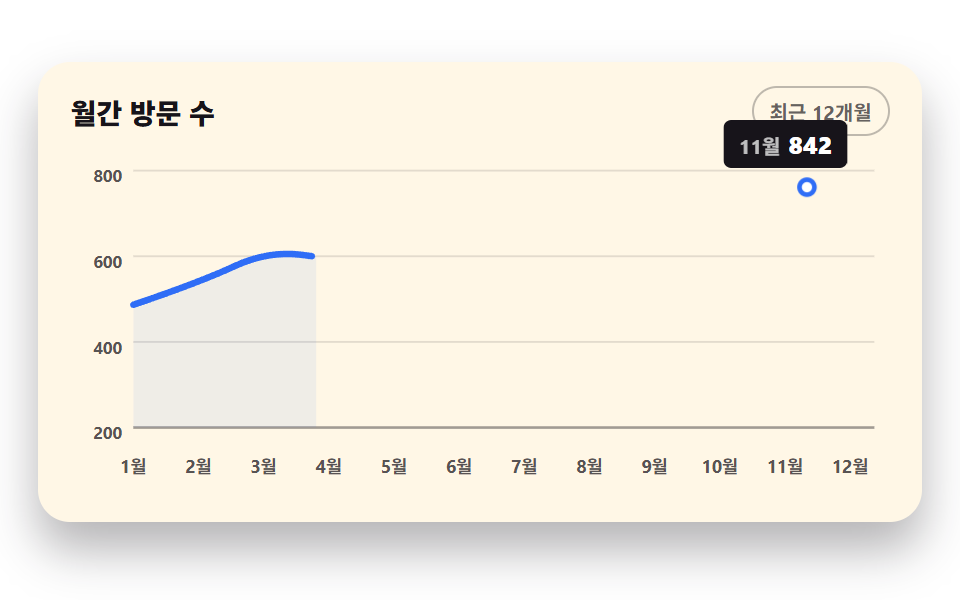 CSS Chart Design: 9 SVG Graphs, No LibraryCSS chart design turns numbers into lines, bars, and areas with no library. These nine use only SVG coordinate math and See all demos in this post
If you like this effect - similar demos
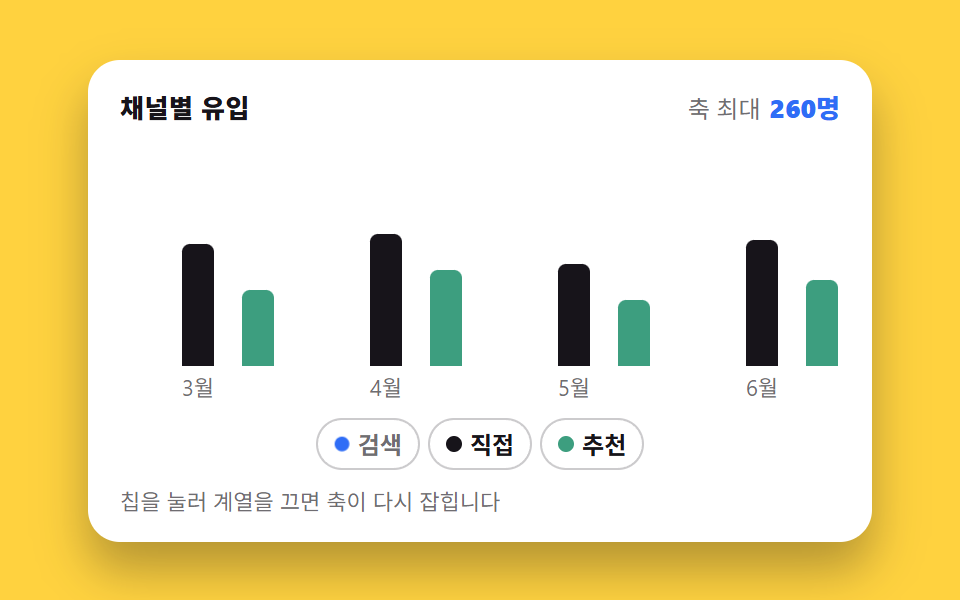 Dashboard UI02 Turning a legend off regrows the other barsChart UI Design: 9 Interactions You Can Drag
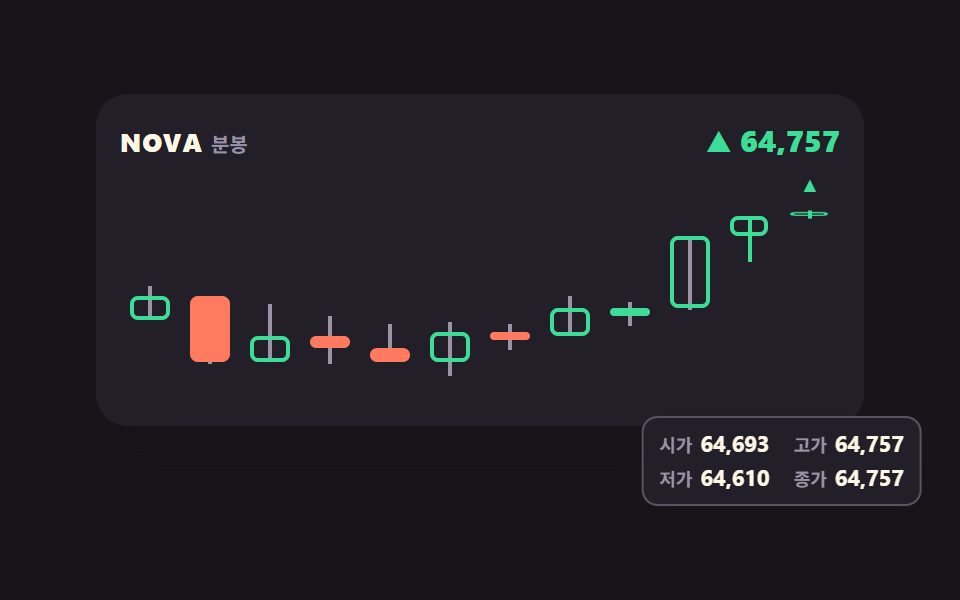 Dashboard UI04 Candle chart whose last bar keeps growingStock Ticker UI: 9 Live Price Widgets, No API Key
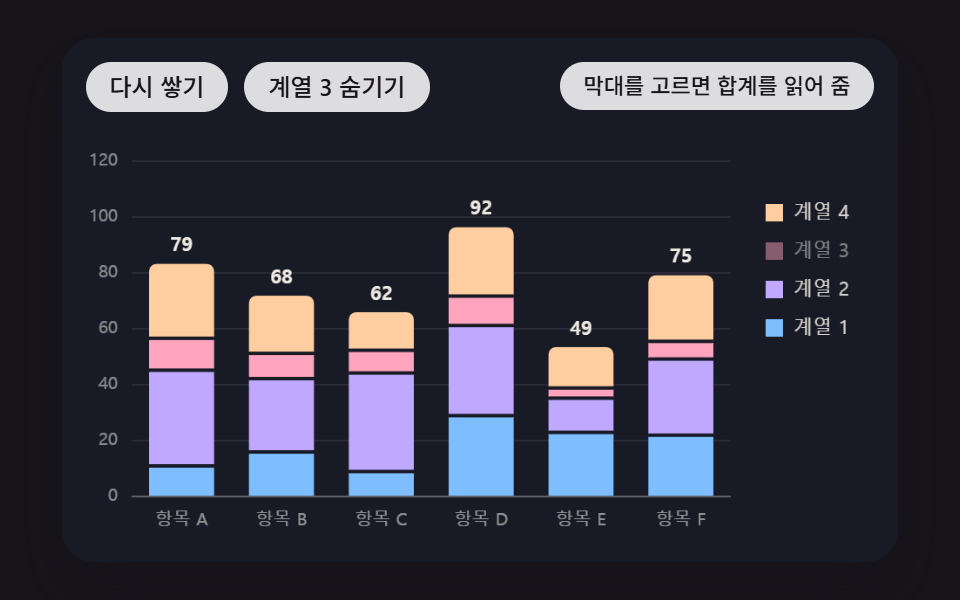 Dashboard UI03 Stacked Bars That Build Up Layer by Layer From the BottomBar Chart Animation: 9 Demos From Spring to Race