04Load More With Doubling Batch Size
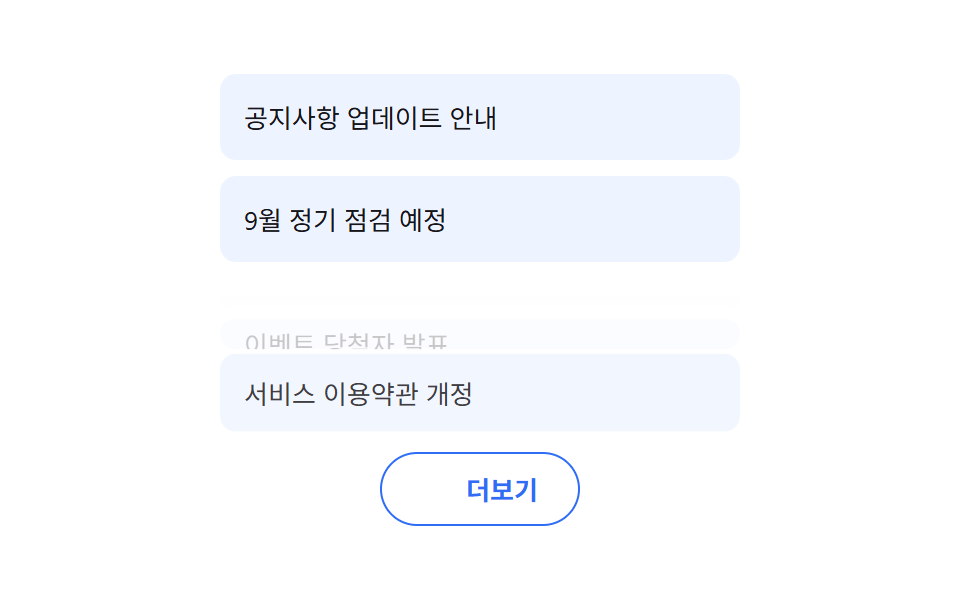
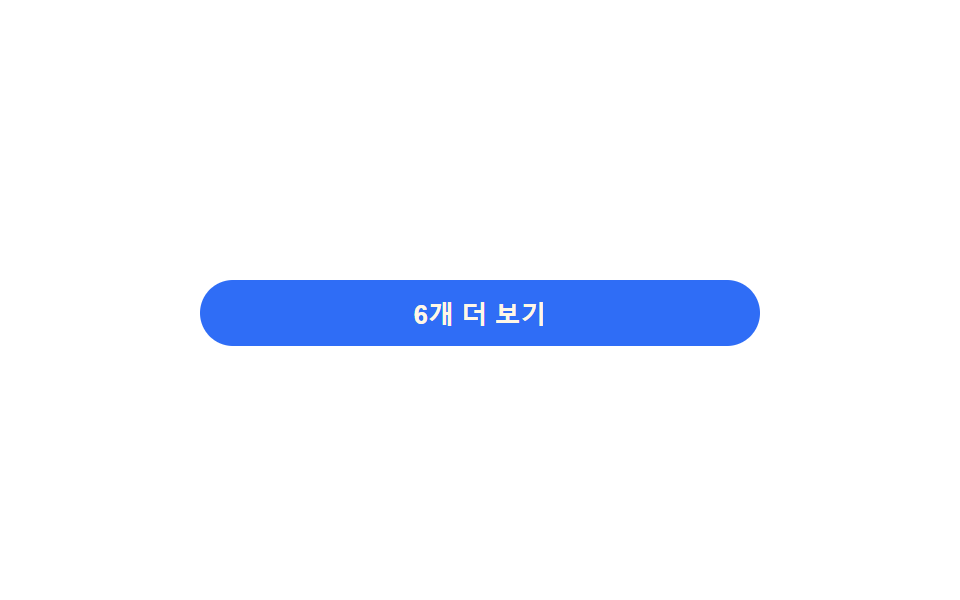
Tapping load more doubles the batch size each time, and new items bounce gently into place from the bottom in order (different from 231's fixed three-at-a-time slide — here the batch size grows every tap).
Best forAlternative to pagination for large todo lists, infinite-scroll alternative
LOAD_MORE_MULTIPLIER 배치 배율 증가nextBatchSize() 지수 계산aria-live 항목 추가 알림
<main class="stage">
<div class="wrap is-demo" id="wrap">
  <ul class="list" id="list"></ul>
  <button class="moreBtn" id="moreBtn" type="button">
    <span id="moreLabel">Show 4 more</span>
  </button>
  <p class="liveNote" id="liveNote" aria-live="polite"></p>
</div>
</main>
@use "../../../../site/static/demo-tokens" as *;
// 계산 겹은 index.html 의 nextBatchSize() 에 있다 — 다음 묶음 크기가 클릭 횟수의 지수함수로
// 커진다(고정 3개 나열이 아니다). 진입 지연도 묶음 안 순서를 실측해 매긴다.
@include stage($stage-paper);
.wrap {
width: 280px;
display: grid;
gap: $sp-3;
}
.list {
list-style: none;
margin: 0;
padding: 0;
display: grid;
gap: $sp-1;
}
.row {
padding: $sp-2 $sp-3;
border-radius: $r-sm;
background: $subject-cream;
color: $subject-ink;
font-size: 13px;
opacity: 0;
transform: translateY(6px);
transition: opacity $dur-base $ease-out, transform $dur-base $ease-out;
&.in { opacity: 1; transform: translateY(0); }
}
.moreBtn {
appearance: none;
border: none;
padding: $sp-2 $sp-4;
border-radius: $r-pill;
background: $subject-blue;
color: $subject-cream;
font-size: 13px;
font-weight: 700;
cursor: pointer;
transition: transform $dur-quick $ease-out, background $dur-quick $ease-out;
&:hover { transform: translateY(-1px); }
&:focus-visible { outline: 2px solid $subject-blue-light; outline-offset: 2px; }
&:disabled { background: rgba($subject-ink, .16); color: rgba($subject-ink, .55); cursor: default; transform: none; }
}
.liveNote {
position: absolute;
width: 1px;
height: 1px;
overflow: hidden;
clip: rect(0 0 0 0);
margin: -1px;
}
@media (max-width: 340px) {
.wrap { width: 220px; }
}
@media (prefers-reduced-motion: reduce) {
// 실사용 경로(더 보기 클릭)에도 적용 — 새 항목이 즉시 나타나고 지연 없이 붙는다
.row { transition: none !important; }
.moreBtn { transition: none !important; }
}html, body {
margin: 0;
overflow: hidden;
}
.stage {
box-sizing: border-box;
min-height: 100vh;
display: grid;
place-items: center;
margin: 0;
background: #ffffff;
font-family: -apple-system, "Segoe UI", "Noto Sans KR", sans-serif;
padding: clamp(8px, 4vw, 24px);
}
.wrap {
width: 280px;
display: grid;
gap: 12px;
}
.list {
list-style: none;
margin: 0;
padding: 0;
display: grid;
gap: 4px;
}
.row {
padding: 8px 12px;
border-radius: 8px;
background: #fff7e6;
color: #17141a;
font-size: 13px;
opacity: 0;
transform: translateY(6px);
transition: opacity 300ms ease-out, transform 300ms ease-out;
}
.row.in {
opacity: 1;
transform: translateY(0);
}
.moreBtn {
appearance: none;
border: none;
padding: 8px 16px;
border-radius: 999px;
background: #2f6df6;
color: #fff7e6;
font-size: 13px;
font-weight: 700;
cursor: pointer;
transition: transform 220ms ease-out, background 220ms ease-out;
}
.moreBtn:hover {
transform: translateY(-1px);
}
.moreBtn:focus-visible {
outline: 2px solid #5b8cf8;
outline-offset: 2px;
}
.moreBtn:disabled {
background: rgba(23, 20, 26, 0.16);
color: rgba(23, 20, 26, 0.55);
cursor: default;
transform: none;
}
.liveNote {
position: absolute;
width: 1px;
height: 1px;
overflow: hidden;
clip: rect(0 0 0 0);
margin: -1px;
}
@media (max-width: 340px) {
.wrap {
width: 220px;
}
}
@media (prefers-reduced-motion: reduce) {
.row {
transition: none !important;
}
.moreBtn {
transition: none !important;
}
}(function () {
var BASE_BATCH = 2;
var LOAD_MORE_MULTIPLIER = 2.0; // 클릭마다 다음 묶음 크기 = BASE_BATCH * 배수^클릭수
var STAGGER_MS = 60;
var reduce = window.matchMedia('(prefers-reduced-motion: reduce)').matches;
var wrap = document.getElementById('wrap');
var list = document.getElementById('list');
var moreBtn = document.getElementById('moreBtn');
var moreLabel = document.getElementById('moreLabel');
var liveNote = document.getElementById('liveNote');
var ALL = [
'Buy toothpaste', 'Take out recycling', 'Drop off blanket at laundry', 'Replace lightbulb',
'Book car wash', 'Clean out fridge', 'Pick reading list', 'Replace shoelaces',
'Repot plant', 'Tidy desk drawer', 'Sort receipts', 'Organize charger cables',
'Bring out winter clothes', 'Check umbrella', 'Check battery stock', 'Replace towels',
'Clean window screen', 'Tidy shoe rack', 'Clean laptop dust', 'Clear notepad'
];
var shown = 0; // 화면에 낸 개수
var clicks = 0; // 클릭 횟수 — 계산 겹의 입력값
// 계산 겹: 다음 묶음 크기는 고정값이 아니라 클릭 횟수의 지수함수다.
function nextBatchSize() {
var size = Math.round(BASE_BATCH * Math.pow(LOAD_MORE_MULTIPLIER, clicks));
var remain = ALL.length - shown;
return Math.min(size, remain);
}
function renderBatch(n) {
var frag = document.createDocumentFragment();
for (var i = 0; i < n; i++) {
var idx = shown + i;
var li = document.createElement('li');
li.className = 'row';
li.textContent = ALL[idx];
// 계산 겹: 묶음 안 순서(i)로 진입 지연을 실측해 매긴다 — 고정 delay 나열이 아니다.
li.style.transitionDelay = reduce ? '0ms' : (i * STAGGER_MS) + 'ms';
list.appendChild(li);
frag.appendChild(li);
}
shown += n;
// 강제 리플로 뒤 클래스 부여 — 방금 추가한 항목만 시작 상태에서 도착 상태로 전환된다
list.getBoundingClientRect();
var added = list.querySelectorAll('.row:not(.in)');
for (var j = 0; j < added.length; j++) added[j].classList.add('in');
}
function paintButton() {
var remain = ALL.length - shown;
if (remain <= 0) {
moreBtn.disabled = true;
moreLabel.textContent = 'All seen';
return;
}
var next = nextBatchSize();
moreLabel.textContent = next + ' more';
}
function loadMore() {
var n = nextBatchSize();
if (n <= 0) return;
renderBatch(n);
clicks += 1;
liveNote.textContent = n + ' items were added. Total ' + shown + ' items.';
paintButton();
}
function human() { wrap.classList.remove('is-demo'); window.clearInterval(autoTimer); }
moreBtn.addEventListener('click', function () { human(); loadMore(); });
function reset() {
list.innerHTML = '';
shown = 0;
clicks = 0;
moreBtn.disabled = false;
paintButton();
}
var autoTimer;
function autoStep() {
if (ALL.length - shown <= 0) { reset(); }
loadMore();
}
reset();
loadMore();
if (!reduce) { autoTimer = window.setInterval(autoStep, 620); }
})();// LoadMore — vanilla 판(run/377/demo/04-load-more/index.html) 의 React 포트.
// 다음 묶음 크기 = BASE_BATCH * LOAD_MORE_MULTIPLIER^클릭수 (고정 3개 나열이 아니다).
import { useEffect, useRef, useState } from "react";
import styles from "./LoadMore.module.scss";
type Box<T> = { current: T };
const BASE_BATCH = 2;
const LOAD_MORE_MULTIPLIER = 2.0;
const STAGGER_MS = 60;
const ALL = [
"치약 사기", "분리수거 내놓기", "이불 세탁 맡기기", "전구 교체",
"자동차 세차 예약", "냉장고 정리", "독서 목록 정하기", "운동화 끈 교체",
"식물 분갈이", "책상 서랍 정리", "영수증 정리", "충전기 케이블 정리",
"겨울옷 꺼내기", "우산 점검", "건전지 재고 확인", "수건 교체",
"창문 방충망 청소", "신발장 정리", "노트북 먼지 청소", "메모장 비우기",
];
type Row = { text: string; delayMs: number; entered: boolean };
export default function LoadMore() {
const [isDemo, setIsDemo] = useState(true);
const [rows, setRows] = useState<Row[]>([]);
const [clicks, setClicks] = useState(0);
const [liveNote, setLiveNote] = useState("");
const timerRef = useRef(0) as unknown as Box<number>;
const clicksRef = useRef(0) as unknown as Box<number>;
const shownRef = useRef(0) as unknown as Box<number>;
const reduce = typeof window !== "undefined" && window.matchMedia("(prefers-reduced-motion: reduce)").matches;
// 계산 겹: 다음 묶음 크기는 고정값이 아니라 클릭 횟수의 지수함수다.
function nextBatchSize(clickCount: number, shownCount: number) {
const size = Math.round(BASE_BATCH * Math.pow(LOAD_MORE_MULTIPLIER, clickCount));
const remain = ALL.length - shownCount;
return Math.min(size, remain);
}
function loadMore() {
const s = shownRef.current;
const c = clicksRef.current;
const n = nextBatchSize(c, s);
if (n <= 0) return;
const batch: Row[] = [];
for (let i = 0; i < n; i++) {
batch.push({ text: ALL[s + i], delayMs: reduce ? 0 : i * STAGGER_MS, entered: false });
}
setRows(function (prev) { return prev.concat(batch); });
shownRef.current = s + n;
clicksRef.current = c + 1;
setClicks(clicksRef.current);
setLiveNote(n + "개 항목이 추가됐습니다. 총 " + shownRef.current + "개.");
window.requestAnimationFrame(function () {
setRows(function (prev) { return prev.map(function (r) { return { ...r, entered: true }; }); });
});
}
function reset() {
shownRef.current = 0;
clicksRef.current = 0;
setClicks(0);
setRows([]);
}
function human() {
if (isDemo) { setIsDemo(false); window.clearInterval(timerRef.current); }
}
useEffect(function () {
loadMore();
if (reduce) return;
timerRef.current = window.setInterval(function () {
if (ALL.length - shownRef.current <= 0) reset();
loadMore();
}, 620);
return function () { window.clearInterval(timerRef.current); };
// eslint-disable-next-line
}, []);
const remain = ALL.length - shownRef.current;
const nextSize = nextBatchSize(clicks, shownRef.current);
return (
<main className={styles.stage}>
<div className={styles.wrap + (isDemo ? " " + styles.isDemo : "")}>
<ul className={styles.list}>
{rows.map(function (r, i) {
return (
<li
key={i}
className={styles.row + (r.entered ? " " + styles.in : "")}
style={{ transitionDelay: r.delayMs + "ms" }}
>
{r.text}
</li>
);
})}
</ul>
<button className={styles.moreBtn} type="button" disabled={remain <= 0} onClick={function () { human(); loadMore(); }}>
{remain <= 0 ? "모두 봤어요" : nextSize + "개 더 보기"}
</button>
<p className={styles.liveNote} aria-live="polite">{liveNote}</p>
</div>
</main>
);
}04 Load More With Doubling Batch Size — Measured area 6.275% · moving frames 6/23Original by GODRICH · SCSS and React ship in the zip · Todo List UI: 9 Patterns From Ring Gauge to Rewind
The post this demo lives in
 Todo List UI: 9 Patterns From Ring Gauge to RewindAmong nine todo list ui patterns, one doubles how many load each tap, one rewinds the timeline dot by dot, one fills a r See all demos in this post