06Buoyancy float
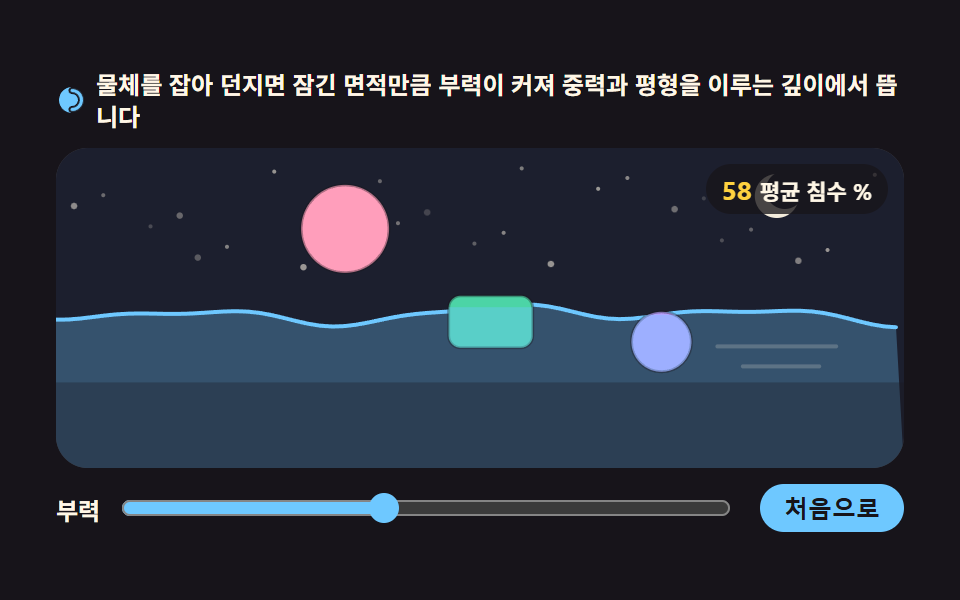
Buoyant force grows with how deep the object sinks below the waterline and settles where it balances gravity, while air drag above the surface and heavier fluid drag below both bleed off velocity.
Best forA bobbing notification icon, a buoy effect for a summer-splash landing
requestAnimationFramepointermovetranslateY
<main class="stage">
<div class="by" id="by">
  <p class="by__hint">
    <svg class="by__ico" viewBox="0 0 256 256" aria-hidden="true"><g fill="currentColor"><path d="M224,128a96,96,0,0,1-96,96c-11.4,0-20-8.6-20-20s8.9-20,20-20a56,56,0,0,0,0-112c-11.1,0-20-8.9-20-20s8.6-20,20-20A96,96,0,0,1,224,128Z" opacity=".2"/><path d="M128,24A104,104,0,0,0,128,232c-15.8,0-28-12.3-28-28s12.4-28,28-28a48,48,0,0,0,0-96c-15.6,0-28-12.4-28-28S112.2,24,128,24Zm0,16c-6.9,0-12,5.2-12,12s5.3,12,12,12a64,64,0,0,1,0,128c-6.7,0-12,5.4-12,12s5.1,12,12,12a88,88,0,0,0,0-176Z"/></g></svg>
    <span>Toss an object in — buoyancy grows with the submerged area and it floats where it balances gravity</span>
  </p>
  <div class="by__field" id="field" role="application" aria-label="Buoyancy experiment board" tabindex="0">
    <canvas class="by__cv" id="cv"></canvas>
    <b class="by__badge" aria-hidden="true"><span class="by__badgeNum" id="sinkVal">0</span><span class="by__badgeUnit">avg submerged %</span></b>
  </div>
  <div class="by__bar">
    <label class="by__dial">buoyancy
      <input type="range" id="dens" min="0.4" max="1.8" step="0.05" value="1" aria-label="buoyancy strength">
    </label>
    <button class="by__reset" id="reset" type="button">Reset</button>
  </div>
</div>
</main>
@use "../../../../site/static/demo-tokens" as *;
// 물에 뜨는 부력 — 움직임은 전부 캔버스 rAF 루프 안의 Verlet 적분 + 잠긴 면적 부력에 있다.
// @keyframes 를 하나도 두지 않는다 — CSS 애니메이션이 0개여야 렌더러가 실시간으로 24장을 찍는다(01 scss 주석).
// 캔버스가 쓰는 색은 여기서 커스텀 프로퍼티로 내려보낸다 — 값은 토큰 한 곳에만 둔다.
$duration: $dur-loop;
$easing: $ease-spring;
$color: $subject-sky;
@include stage($stage-ink);
.by {
--bg: #1c1f2e;
--sky: #{$subject-sky};
--cream: #{$subject-cream};
--ink: #{$subject-ink};
--p1: #{$subject-pink};
--p2: #{$subject-mint};
--p3: #{$subject-lilac};
display: flex; flex-direction: column; gap: $sp-2;
width: 100%; max-width: 424px;
}
.by__hint {
display: flex; align-items: center; gap: $sp-1; margin: 0;
font-weight: 700; font-size: clamp(10px, 2.8vw, 12px); line-height: 1.35;
color: $subject-cream;
}
.by__ico { width: 16px; height: 16px; flex: 0 0 auto; color: $color; }
.by__field {
position: relative; height: 160px;
border-radius: $r-card; overflow: hidden;
background: var(--bg);
box-shadow: inset 0 0 0 1px rgba($subject-cream, .16);
cursor: grab; touch-action: none;
}
.by__field:focus-visible { outline: 2px solid $color; outline-offset: 2px; }
.by__field:active { cursor: grabbing; }
.by__cv { display: block; width: 100%; height: 100%; }
// 평균 침수 — 물체 3개가 평형에서 잠기는 깊이의 실측값
.by__badge {
position: absolute; right: $sp-2; top: $sp-2;
display: flex; align-items: baseline; gap: $sp-1;
padding: $sp-1 $sp-2; border-radius: $r-pill;
background: rgba($subject-ink, .78);
color: $subject-cream; font-weight: 700; font-size: 11px;
}
.by__badgeNum { font-size: 13px; color: $stage-yellow; }
.by__badgeUnit { font-weight: 700; }
.by__bar {
display: flex; align-items: center; gap: $sp-3;
}
.by__dial {
display: flex; align-items: center; gap: $sp-2; flex: 1 1 auto;
font-weight: 700; font-size: 12px; color: $subject-cream;
}
.by__dial input[type="range"] { flex: 1 1 auto; accent-color: $color; }
.by__reset {
flex: 0 0 auto; border: 0; border-radius: $r-pill;
padding: $sp-1 $sp-3; font-weight: 700; font-size: 12px;
background: $color; color: $subject-ink; cursor: pointer;
}
.by__reset:active { transform: translateY(1px); }
@media (max-width: 340px) {
.by { gap: $sp-1; }
.by__field { height: 114px; }
.by__badge { font-size: 10px; padding: 0 $sp-1; }
.by__badgeNum { font-size: 11px; }
.by__bar { gap: $sp-2; }
.by__dial { font-size: 11px; }
.by__reset { font-size: 11px; padding: $sp-1 $sp-2; }
}
// reduce — 자동 시연 루프는 JS 가 끄고(matchMedia 로 판정), 물체를 집어 옮기는 조작은 살린다.
// 잡은 물체는 px 를 따라붙여 관성이 붙지 않으므로 화면이 흔들리지 않는다.
@media (prefers-reduced-motion: reduce) {
.by.is-still .by__field { cursor: default !important; }
.by.is-still .by__badge { opacity: .92 !important; }
}html, body {
margin: 0;
overflow: hidden;
}
.stage {
box-sizing: border-box;
min-height: 100vh;
display: grid;
place-items: center;
margin: 0;
background: #17141a;
font-family: -apple-system, "Segoe UI", "Noto Sans KR", sans-serif;
padding: clamp(8px, 4vw, 24px);
}
.by {
--bg: #1c1f2e;
--sky: #6ec8ff;
--cream: #fff7e6;
--ink: #17141a;
--p1: #ff9ebb;
--p2: #4cd4a6;
--p3: #b9a0ff;
display: flex;
flex-direction: column;
gap: 8px;
width: 100%;
max-width: 424px;
}
.by__hint {
display: flex;
align-items: center;
gap: 4px;
margin: 0;
font-weight: 700;
font-size: clamp(10px, 2.8vw, 12px);
line-height: 1.35;
color: #fff7e6;
}
.by__ico {
width: 16px;
height: 16px;
flex: 0 0 auto;
color: #6ec8ff;
}
.by__field {
position: relative;
height: 160px;
border-radius: 16px;
overflow: hidden;
background: var(--bg);
box-shadow: inset 0 0 0 1px rgba(255, 247, 230, 0.16);
cursor: grab;
touch-action: none;
}
.by__field:focus-visible {
outline: 2px solid #6ec8ff;
outline-offset: 2px;
}
.by__field:active {
cursor: grabbing;
}
.by__cv {
display: block;
width: 100%;
height: 100%;
}
.by__badge {
position: absolute;
right: 8px;
top: 8px;
display: flex;
align-items: baseline;
gap: 4px;
padding: 4px 8px;
border-radius: 999px;
background: rgba(23, 20, 26, 0.78);
color: #fff7e6;
font-weight: 700;
font-size: 11px;
}
.by__badgeNum {
font-size: 13px;
color: #ffd23f;
}
.by__badgeUnit {
font-weight: 700;
}
.by__bar {
display: flex;
align-items: center;
gap: 12px;
}
.by__dial {
display: flex;
align-items: center;
gap: 8px;
flex: 1 1 auto;
font-weight: 700;
font-size: 12px;
color: #fff7e6;
}
.by__dial input[type=range] {
flex: 1 1 auto;
accent-color: #6ec8ff;
}
.by__reset {
flex: 0 0 auto;
border: 0;
border-radius: 999px;
padding: 4px 12px;
font-weight: 700;
font-size: 12px;
background: #6ec8ff;
color: #17141a;
cursor: pointer;
}
.by__reset:active {
transform: translateY(1px);
}
@media (max-width: 340px) {
.by {
gap: 4px;
}
.by__field {
height: 114px;
}
.by__badge {
font-size: 10px;
padding: 0 4px;
}
.by__badgeNum {
font-size: 11px;
}
.by__bar {
gap: 8px;
}
.by__dial {
font-size: 11px;
}
.by__reset {
font-size: 11px;
padding: 4px 8px;
}
}
@media (prefers-reduced-motion: reduce) {
.by.is-still .by__field {
cursor: default !important;
}
.by.is-still .by__badge {
opacity: 0.92 !important;
}
}// buoyancy — 위치 기반 Verlet 적분(속도 변수 없음) 위에 "잠긴 면적 → 위로 밀리는 힘" 한 겹을 얹는다.
// buoyancy 가속도 = g × (ρ물 × 부력계수 × 잠긴 면적) / (물체 밀도 × 전체 면적)
// 잠긴 면적이 커질수록 위로 밀리는 힘이 커져, 밀도 비율(=평형 침수 비율)에서 힘의 합이 0이 되어 뜬다.
// 수면은 정적 직선이 아니라 사인파 3개를 겹한 곡선 — 물체 위치 x 의 수면 높이를 곡선에서 읽고,
// 파도 기울기는 수평 방향 밀림으로, 수면 위/아래는 공기 저항(작은 damp)/유체 저항(큰 damp)으로 나뉜다.
var root = document.getElementById('by');
var field = document.getElementById('field');
var cv = document.getElementById('cv');
var densIn = document.getElementById('dens');
var sinkVal = document.getElementById('sinkVal');
var reduce = window.matchMedia('(prefers-reduced-motion: reduce)');
var ctx = cv.getContext('2d');
var css = getComputedStyle(root);
var BG = css.getPropertyValue('--bg').trim();
var SKY = css.getPropertyValue('--sky').trim();
var CREAM = css.getPropertyValue('--cream').trim();
var INK = css.getPropertyValue('--ink').trim();
var P1 = css.getPropertyValue('--p1').trim();
var P2 = css.getPropertyValue('--p2').trim();
var P3 = css.getPropertyValue('--p3').trim();
var G = 1500; // 중력 가속도(px/s^2)
var AIR = 0.997; // 수면 위 공기 저항(속도 보존률)
var FLUID = 0.90; // 물속 유체 저항 — 공기보다 훨씬 세게 깎는다
var RHO = 1.0; // 물 밀도(기준 1)
var LOOP = 2600; // 자동 시연이 한 물체를 잡았다 놓는 주기(ms)
var strength = 1.0; // buoyancy strength(슬라이더)
var bodies = []; // { shape:'c'|'r', r|w·h, dens, col, x, y, px, py, wasIn }
var ripples = []; // 수면을 가르는 순간의 파문 { x, y, t }
var WL = 0, W = 0, H = 0, dpr = 1;
var dragging = -1, dragX = 0, dragY = 0, manual = false;
var t0 = performance.now();
// #rrggbb → rgba() 문자열. 토큰 색에서 반투명 변형을 만들 때만 쓴다.
function rgba(hex, a) {
var n = parseInt(hex.slice(1), 16);
return 'rgba(' + (n >> 16 & 255) + ',' + (n >> 8 & 255) + ',' + (n & 255) + ',' + a + ')';
}
// 수면 곡선 — 사인파 3개 중첩. 시간 t 로 흐른다
function surfaceY(x, t) {
return WL + 3.2 * Math.sin(x * 0.045 + t * 1.25) + 2.1 * Math.sin(x * 0.021 - t * 0.85) + 1.3 * Math.sin(x * 0.089 + t * 2.05);
}
// 원의 침수 깊이 d → 수면 아래 절단 면적(호와 현으로 닫힌 넓이)
function capArea(r, d) {
if (d <= 0) return 0;
if (d >= 2 * r) return Math.PI * r * r;
return r * r * Math.acos((r - d) / r) - (r - d) * Math.sqrt(Math.max(0, 2 * r * d - d * d));
}
function half(b) { return b.shape === 'c' ? b.r : b.h / 2; }
function fit() {
var r = field.getBoundingClientRect();
dpr = window.devicePixelRatio || 1;
W = r.width; H = r.height;
cv.width = Math.round(W * dpr);
cv.height = Math.round(H * dpr);
ctx.setTransform(dpr, 0, 0, dpr, 0, 0);
build();
}
function build() {
WL = H * 0.52;
// 밀도 = 평형 침수 비율. 0.45 는 절반쯤 뜨고 0.96 은 수면에 거의 잠긴다
bodies = [
{ shape: 'c', r: 22, w: 0, h: 0, dens: 0.45, col: P1, x: W * 0.30, y: WL - 9, px: 0, py: 0, wasIn: true },
{ shape: 'r', r: 0, w: 42, h: 26, dens: 0.78, col: P2, x: W * 0.52, y: WL + 4, px: 0, py: 0, wasIn: true },
{ shape: 'c', r: 15, w: 0, h: 0, dens: 0.96, col: P3, x: W * 0.72, y: WL + 13, px: 0, py: 0, wasIn: true }
];
for (var i = 0; i < bodies.length; i++) { bodies[i].px = bodies[i].x; bodies[i].py = bodies[i].y; }
ripples = [];
dragging = -1;
}
// 한 프레임 — 잠김 면적 buoyancy 적분
function step(now) {
var dt = Math.min((now - t0) / 1000, 0.033);
t0 = now;
var t = now / 1000;
var sinkSum = 0;
for (var i = 0; i < bodies.length; i++) {
var b = bodies[i];
if (i === dragging) { b.x = dragX; b.y = dragY; continue; } // 잡은 물체는 손이 든다(px 그대로 → 놓는 순간 관성)
var bh = b.shape === 'c' ? b.r * 2 : b.h;
var wl = surfaceY(b.x, t);
var d = Math.max(0, Math.min(bh, b.y + half(b) - wl)); // 침수 깊이
var full = b.shape === 'c' ? Math.PI * b.r * b.r : b.w * b.h;
var sub = b.shape === 'c' ? capArea(b.r, d) : b.w * d;
var ratio = strength * RHO * sub / (b.dens * full); // buoyancy/중력 비 — 1 이면 평형
var inW = d > 0.5;
var damp = inW ? FLUID : AIR;
var slope = (surfaceY(b.x + 3, t) - surfaceY(b.x - 3, t)) / 6; // 파도 기울기 → 수평 밀림
var vx = (b.x - b.px) * damp, vy = (b.y - b.py) * damp;
b.px = b.x; b.py = b.y;
b.x += vx + G * Math.min(ratio, 1.4) * slope * 0.16 * dt * dt;
b.y += vy + G * (1 - ratio) * dt * dt;
// 벽·바닥 — 반사(다음 프레임 속도를 뒤집는다)
var m = half(b) + 2;
if (b.x < m) { b.x = m; b.px = b.x + vx * 0.4; }
if (b.x > W - m) { b.x = W - m; b.px = b.x + vx * 0.4; }
if (b.y > H - m) { b.y = H - m; b.py = b.y + vy * 0.35; }
// 수면을 가르는 순간 파문
if (b.wasIn !== inW && Math.abs(vy) > 2.2 && d > 0 && d < bh) ripples.push({ x: b.x, y: wl, t: now });
b.wasIn = inW;
sinkSum += d / bh;
}
for (var k = ripples.length - 1; k >= 0; k--) if (now - ripples[k].t > 900) ripples.splice(k, 1);
sinkVal.textContent = String(Math.round(sinkSum / bodies.length * 100));
}
function rr(x, y, w, h, r) {
ctx.beginPath();
ctx.moveTo(x + r, y);
ctx.arcTo(x + w, y, x + w, y + h, r);
ctx.arcTo(x + w, y + h, x, y + h, r);
ctx.arcTo(x, y + h, x, y, r);
ctx.arcTo(x, y, x + w, y, r);
ctx.closePath();
}
function draw(now) {
var t = now / 1000;
ctx.fillStyle = BG;
ctx.fillRect(0, 0, W, H);
// 별 — 황금각 공식으로 좌표를 정한다(난수 없음), 반짝임도 사인파
ctx.fillStyle = CREAM;
for (var s = 0; s < 26; s++) {
var sx = ((s * 137.508) % 360) / 360 * W;
var sy = (s * 61.8) % (WL - 30) + 8;
ctx.globalAlpha = 0.16 + 0.4 * Math.abs(Math.sin(s * 2.7 + t * 0.9));
ctx.beginPath(); ctx.arc(sx, sy, s % 3 ? 1 : 1.6, 0, Math.PI * 2); ctx.fill();
}
ctx.globalAlpha = 1;
// 달 — 만월 하나
ctx.fillStyle = rgba(CREAM, 0.95);
ctx.beginPath(); ctx.arc(W * 0.85, H * 0.15, 11, 0, Math.PI * 2); ctx.fill();
ctx.fillStyle = BG;
ctx.beginPath(); ctx.arc(W * 0.85 + 4, H * 0.15 - 3, 9.5, 0, Math.PI * 2); ctx.fill();
// 물 — 수면 곡선 아래를 두 겹으로 채운다
ctx.beginPath();
ctx.moveTo(0, surfaceY(0, t));
for (var x = 6; x <= W; x += 6) ctx.lineTo(x, surfaceY(x, t));
ctx.lineTo(W, H); ctx.lineTo(0, H); ctx.closePath();
ctx.fillStyle = rgba(SKY, 0.30); ctx.fill();
ctx.fillStyle = rgba(INK, 0.30);
ctx.fillRect(0, WL + 34, W, H - WL - 34);
ctx.strokeStyle = SKY; ctx.lineWidth = 2;
ctx.beginPath();
ctx.moveTo(0, surfaceY(0, t));
for (var x2 = 6; x2 <= W; x2 += 6) ctx.lineTo(x2, surfaceY(x2, t));
ctx.stroke();
// 달 무늬 — 물 위 두 획
ctx.strokeStyle = rgba(CREAM, 0.20); ctx.lineWidth = 2; ctx.lineCap = 'round';
ctx.beginPath(); ctx.moveTo(W * 0.78, WL + 16); ctx.lineTo(W * 0.92, WL + 16); ctx.stroke();
ctx.beginPath(); ctx.moveTo(W * 0.81, WL + 26); ctx.lineTo(W * 0.90, WL + 26); ctx.stroke();
// 파문
for (var r0 = 0; r0 < ripples.length; r0++) {
var age = (now - ripples[r0].t) / 1000;
ctx.strokeStyle = rgba(SKY, Math.max(0, 0.55 - age * 0.6));
ctx.lineWidth = 1.5;
ctx.beginPath(); ctx.ellipse(ripples[r0].x, ripples[r0].y, 6 + age * 46, 2 + age * 7, 0, 0, Math.PI * 2); ctx.stroke();
}
// 물체 — 잠긴 부분은 하늘색 물감을 덧입힌다
for (var i = 0; i < bodies.length; i++) {
var b = bodies[i];
var ys = surfaceY(b.x, t);
ctx.fillStyle = b.col;
if (b.shape === 'c') { ctx.beginPath(); ctx.arc(b.x, b.y, b.r, 0, Math.PI * 2); ctx.fill(); }
else rr(b.x - b.w / 2, b.y - b.h / 2, b.w, b.h, 6);
if (b.shape === 'r') ctx.fill();
ctx.strokeStyle = rgba(INK, 0.35); ctx.lineWidth = 1.5;
if (b.shape === 'c') { ctx.beginPath(); ctx.arc(b.x, b.y, b.r, 0, Math.PI * 2); ctx.stroke(); }
else { rr(b.x - b.w / 2, b.y - b.h / 2, b.w, b.h, 6); ctx.stroke(); }
ctx.save();
ctx.beginPath();
if (b.shape === 'c') ctx.arc(b.x, b.y, b.r, 0, Math.PI * 2);
else rr(b.x - b.w / 2, b.y - b.h / 2, b.w, b.h, 6);
ctx.clip();
ctx.fillStyle = rgba(SKY, 0.38);
ctx.fillRect(b.x - 80, ys, 160, 160);
ctx.restore();
if (i === dragging) {
ctx.strokeStyle = rgba(CREAM, 0.9); ctx.lineWidth = 1.5; ctx.setLineDash([4, 4]);
ctx.beginPath(); ctx.arc(b.x, b.y, half(b) + 9, 0, Math.PI * 2); ctx.stroke();
ctx.setLineDash([]);
}
}
}
// 자동 시연 — 2.6초마다 물체 하나를 골라 공중에서 흔들다 놓는다(시드 고정, 난수 없음).
// pointerdown 이 오면 manual=true 로 넘어가고 이 루프는 끝난다.
function demoHold(now) {
var idx = Math.floor(now / LOOP) % bodies.length;
var ph = (now % LOOP) / 1000;
if (ph >= 0.9) return; // 0.9초 잡고 1.7초 자유낙하+안착
var b = bodies[idx];
b.x = Math.max(30, Math.min(W - 30, W * (0.30 + 0.20 * idx) + Math.sin(ph * 7.5) * 16));
b.y = H * 0.20 + Math.sin(ph * 3.2) * 8;
}
function frame(now) {
if (!manual && !reduce.matches) demoHold(now);
step(now);
draw(now);
requestAnimationFrame(frame);
}
// 조작 — 물체를 집어 물에 던진다. 잡은 동안 px 를 묵혀 두었다 놓으면 그 차이가 던지는 속도가 된다
function pick(x, y) {
for (var i = 0; i < bodies.length; i++) {
var b = bodies[i];
var dx = x - b.x, dy = y - b.y;
if (b.shape === 'c' && Math.hypot(dx, dy) < b.r + 14) return i;
if (b.shape === 'r' && Math.abs(dx) < b.w / 2 + 12 && Math.abs(dy) < b.h / 2 + 12) return i;
}
return -1;
}
field.addEventListener('pointerdown', function (e) {
var r = field.getBoundingClientRect();
var x = e.clientX - r.left, y = e.clientY - r.top;
dragging = pick(x, y);
if (dragging < 0) return;
manual = true;
dragX = x; dragY = y;
field.setPointerCapture(e.pointerId);
});
field.addEventListener('pointermove', function (e) {
if (dragging < 0) return;
var r = field.getBoundingClientRect();
dragX = Math.max(6, Math.min(W - 6, e.clientX - r.left));
dragY = Math.max(6, Math.min(H - 6, e.clientY - r.top));
if (reduce.matches) { bodies[dragging].px = dragX; bodies[dragging].py = dragY; }
});
window.addEventListener('pointerup', function () {
if (dragging < 0) return;
var b = bodies[dragging];
var vx = b.x - b.px, vy = b.y - b.py;
var v = Math.hypot(vx, vy);
if (v > 26) { b.px = b.x - vx / v * 26; b.py = b.y - vy / v * 26; } // 던지기 속도 상한
dragging = -1;
});
document.getElementById('reset').addEventListener('click', function () { manual = false; build(); });
densIn.addEventListener('input', function () { strength = Number(densIn.value); });
window.addEventListener('resize', fit);
fit();
requestAnimationFrame(frame);// BuoyancyFloat — vanilla 판(run/306/demo/06-buoyancy-float-drag/index.html) 의 React 포트.
// 위치 기반 Verlet 적분 위에 "잠긴 면적 → 위로 밀리는 부력" 한 겹을 얹는다(수면은 사인파 3개 중첩).
// 값·수치는 vanilla 와 같다. 커서가 물체를 잡으면 미리보기 루프를 떼고 진짜 조작으로 넘어간다.
import { useEffect, useRef, useState } from "react";
import type { CSSProperties, PointerEvent as ReactPointerEvent } from "react";
import styles from "./BuoyancyFloat.module.scss";
export type BuoyancyFloatProps = {
duration?: number;
easing?: string;
color?: string;
};
type Vars = CSSProperties & { "--duration"?: string; "--easing"?: string; "--color"?: string };
// useRef 는 T | null 을 돌려준다. 처음부터 값이 있고 절대 비지 않는 상자는 이렇게 좁혀 쓴다 (292 관례)
type Box<T> = { current: T };
type InputEvt = { target: { value: string } };
type Body = {
shape: "c" | "r";
r: number;
w: number;
h: number;
dens: number;
col: string;
x: number; y: number;
px: number; py: number;
wasIn: boolean;
};
type Ripple = { x: number; y: number; t: number };
const G = 1500; // 중력 가속도(px/s^2)
const AIR = 0.997; // 수면 위 공기 저항(속도 보존률)
const FLUID = 0.90; // 물속 유체 저항
const RHO = 1.0; // 물 밀도(기준 1)
const LOOP = 2600; // 자동 시연이 한 물체를 잡았다 놓는 주기(ms)
const FIELD_LABEL = "부력 실험판";
const HINT_TEXT = "물체를 잡아 던지면 잠긴 면적만큼 부력이 커져 중력과 평형을 이루는 깊이에서 뜹니다";
// #rrggbb → rgba() 문자열. 토큰 색에서 반투명 변형을 만든다
function rgba(hex: string, a: number): string {
const n = parseInt(hex.slice(1), 16);
return `rgba(${(n >> 16) & 255},${(n >> 8) & 255},${n & 255},${a})`;
}
// 원의 침수 깊이 d → 수면 아래 절단 면적(호와 현으로 닫힌 넓이)
function capArea(r: number, d: number): number {
if (d <= 0) return 0;
if (d >= 2 * r) return Math.PI * r * r;
return r * r * Math.acos((r - d) / r) - (r - d) * Math.sqrt(Math.max(0, 2 * r * d - d * d));
}
export default function BuoyancyFloat({
duration = 2000,
easing = "cubic-bezier(.2, .8, .2, 1)",
color = "#6ec8ff",
}: BuoyancyFloatProps) {
const rootRef = useRef<HTMLDivElement | null>(null);
const fieldRef = useRef<HTMLDivElement | null>(null);
const cvRef = useRef<HTMLCanvasElement | null>(null);
const sinkRef = useRef<HTMLSpanElement | null>(null);
const bodiesRef = useRef<Body[]>([]) as Box<Body[]>;
const ripplesRef = useRef<Ripple[]>([]) as Box<Ripple[]>;
const sizeRef = useRef({ W: 0, H: 0, WL: 0 }) as Box<{ W: number; H: number; WL: number }>;
const draggingRef = useRef(-1) as Box<number>;
const dragRef = useRef({ x: 0, y: 0 }) as Box<{ x: number; y: number }>;
const manualRef = useRef(false) as Box<boolean>;
const strengthRef = useRef(1) as Box<number>;
const colorsRef = useRef({ bg: "", sky: "", cream: "", ink: "", p1: "", p2: "", p3: "" }) as Box<{
bg: string; sky: string; cream: string; ink: string; p1: string; p2: string; p3: string;
}>;
const rafRef = useRef(0) as Box<number>;
const [strength, setStrength] = useState(1);
const vars: Vars = { "--duration": `${duration}ms`, "--easing": easing, "--color": color };
function reduced(): boolean {
return window.matchMedia("(prefers-reduced-motion: reduce)").matches;
}
// 수면 곡선 — 사인파 3개 중첩. 시간 t 로 흐른다
function surfaceY(x: number, t: number): number {
const { WL } = sizeRef.current;
return WL + 3.2 * Math.sin(x * 0.045 + t * 1.25) + 2.1 * Math.sin(x * 0.021 - t * 0.85) + 1.3 * Math.sin(x * 0.089 + t * 2.05);
}
function half(b: Body): number {
return b.shape === "c" ? b.r : b.h / 2;
}
function fit(): void {
const field = fieldRef.current;
const cv = cvRef.current;
if (!field || !cv) return;
const r = field.getBoundingClientRect();
const dpr = window.devicePixelRatio || 1;
const s = sizeRef.current;
s.W = r.width; s.H = r.height; s.WL = r.height * 0.52;
cv.width = Math.round(r.width * dpr);
cv.height = Math.round(r.height * dpr);
cv.getContext("2d")?.setTransform(dpr, 0, 0, dpr, 0, 0);
}
function build(): void {
const { W, WL } = sizeRef.current;
const c = colorsRef.current;
// 밀도 = 평형 침수 비율. 0.45 는 절반쯤 뜨고 0.96 은 수면에 거의 잠긴다
bodiesRef.current = [
{ shape: "c", r: 22, w: 0, h: 0, dens: 0.45, col: c.p1, x: W * 0.3, y: WL - 9, px: W * 0.3, py: WL - 9, wasIn: true },
{ shape: "r", r: 0, w: 42, h: 26, dens: 0.78, col: c.p2, x: W * 0.52, y: WL + 4, px: W * 0.52, py: WL + 4, wasIn: true },
{ shape: "c", r: 15, w: 0, h: 0, dens: 0.96, col: c.p3, x: W * 0.72, y: WL + 13, px: W * 0.72, py: WL + 13, wasIn: true },
];
ripplesRef.current = [];
draggingRef.current = -1;
}
// 한 프레임 — 잠김 면적 부력 적분
function step(now: number, last: number): number {
const dt = Math.min((now - last) / 1000, 0.033);
const t = now / 1000;
const { W, H } = sizeRef.current;
const bodies = bodiesRef.current;
const ripples = ripplesRef.current;
let sinkSum = 0;
for (let i = 0; i < bodies.length; i++) {
const b = bodies[i];
if (i === draggingRef.current) { b.x = dragRef.current.x; b.y = dragRef.current.y; continue; } // 잡은 물체는 손이 든다
const bh = b.shape === "c" ? b.r * 2 : b.h;
const wl = surfaceY(b.x, t);
const d = Math.max(0, Math.min(bh, b.y + half(b) - wl)); // 침수 깊이
const full = b.shape === "c" ? Math.PI * b.r * b.r : b.w * b.h;
const sub = b.shape === "c" ? capArea(b.r, d) : b.w * d;
const ratio = strengthRef.current * RHO * sub / (b.dens * full); // 부력/중력 비 — 1 이면 평형
const inW = d > 0.5;
const damp = inW ? FLUID : AIR;
const slope = (surfaceY(b.x + 3, t) - surfaceY(b.x - 3, t)) / 6; // 파도 기울기 → 수평 밀림
const vx = (b.x - b.px) * damp;
const vy = (b.y - b.py) * damp;
b.px = b.x; b.py = b.y;
b.x += vx + G * Math.min(ratio, 1.4) * slope * 0.16 * dt * dt;
b.y += vy + G * (1 - ratio) * dt * dt;
// 벽·바닥 — 반사(다음 프레임 속도를 뒤집는다)
const m = half(b) + 2;
if (b.x < m) { b.x = m; b.px = b.x + vx * 0.4; }
if (b.x > W - m) { b.x = W - m; b.px = b.x + vx * 0.4; }
if (b.y > H - m) { b.y = H - m; b.py = b.y + vy * 0.35; }
// 수면을 가르는 순간 파문
if (b.wasIn !== inW && Math.abs(vy) > 2.2 && d > 0 && d < bh) ripples.push({ x: b.x, y: wl, t: now });
b.wasIn = inW;
sinkSum += d / bh;
}
for (let k = ripples.length - 1; k >= 0; k--) if (now - ripples[k].t > 900) ripples.splice(k, 1);
if (sinkRef.current) sinkRef.current.textContent = String(Math.round((sinkSum / bodies.length) * 100));
return dt;
}
function rr(ctx: CanvasRenderingContext2D, x: number, y: number, w: number, h: number, r: number): void {
ctx.beginPath();
ctx.moveTo(x + r, y);
ctx.arcTo(x + w, y, x + w, y + h, r);
ctx.arcTo(x + w, y + h, x, y + h, r);
ctx.arcTo(x, y + h, x, y, r);
ctx.arcTo(x, y, x + w, y, r);
ctx.closePath();
}
function draw(now: number): void {
const cv = cvRef.current;
const ctx = cv?.getContext("2d");
if (!cv || !ctx) return;
const t = now / 1000;
const { W, H, WL } = sizeRef.current;
const c = colorsRef.current;
ctx.fillStyle = c.bg;
ctx.fillRect(0, 0, W, H);
// 별 — 황금각 공식으로 좌표를 정한다(난수 없음), 반짝임도 사인파
ctx.fillStyle = c.cream;
for (let s = 0; s < 26; s++) {
const sx = ((s * 137.508) % 360) / 360 * W;
const sy = (s * 61.8) % Math.max(1, WL - 30) + 8;
ctx.globalAlpha = 0.16 + 0.4 * Math.abs(Math.sin(s * 2.7 + t * 0.9));
ctx.beginPath(); ctx.arc(sx, sy, s % 3 ? 1 : 1.6, 0, Math.PI * 2); ctx.fill();
}
ctx.globalAlpha = 1;
// 달 — 만월 하나
ctx.fillStyle = rgba(c.cream, 0.95);
ctx.beginPath(); ctx.arc(W * 0.85, H * 0.15, 11, 0, Math.PI * 2); ctx.fill();
ctx.fillStyle = c.bg;
ctx.beginPath(); ctx.arc(W * 0.85 + 4, H * 0.15 - 3, 9.5, 0, Math.PI * 2); ctx.fill();
// 물 — 수면 곡선 아래를 두 겹으로 채운다
ctx.beginPath();
ctx.moveTo(0, surfaceY(0, t));
for (let x = 6; x <= W; x += 6) ctx.lineTo(x, surfaceY(x, t));
ctx.lineTo(W, H); ctx.lineTo(0, H); ctx.closePath();
ctx.fillStyle = rgba(c.sky, 0.3); ctx.fill();
ctx.fillStyle = rgba(c.ink, 0.3);
ctx.fillRect(0, WL + 34, W, H - WL - 34);
ctx.strokeStyle = c.sky; ctx.lineWidth = 2;
ctx.beginPath();
ctx.moveTo(0, surfaceY(0, t));
for (let x2 = 6; x2 <= W; x2 += 6) ctx.lineTo(x2, surfaceY(x2, t));
ctx.stroke();
// 달 무늬 — 물 위 두 획
ctx.strokeStyle = rgba(c.cream, 0.2); ctx.lineWidth = 2; ctx.lineCap = "round";
ctx.beginPath(); ctx.moveTo(W * 0.78, WL + 16); ctx.lineTo(W * 0.92, WL + 16); ctx.stroke();
ctx.beginPath(); ctx.moveTo(W * 0.81, WL + 26); ctx.lineTo(W * 0.9, WL + 26); ctx.stroke();
// 파문
const ripples = ripplesRef.current;
for (let i = 0; i < ripples.length; i++) {
const age = (now - ripples[i].t) / 1000;
ctx.strokeStyle = rgba(c.sky, Math.max(0, 0.55 - age * 0.6));
ctx.lineWidth = 1.5;
ctx.beginPath(); ctx.ellipse(ripples[i].x, ripples[i].y, 6 + age * 46, 2 + age * 7, 0, 0, Math.PI * 2); ctx.stroke();
}
// 물체 — 잠긴 부분은 하늘색 물감을 덧입힌다
const bodies = bodiesRef.current;
for (let i = 0; i < bodies.length; i++) {
const b = bodies[i];
const ys = surfaceY(b.x, t);
ctx.fillStyle = b.col;
if (b.shape === "c") { ctx.beginPath(); ctx.arc(b.x, b.y, b.r, 0, Math.PI * 2); ctx.fill(); }
else { rr(ctx, b.x - b.w / 2, b.y - b.h / 2, b.w, b.h, 6); ctx.fill(); }
ctx.strokeStyle = rgba(c.ink, 0.35); ctx.lineWidth = 1.5;
if (b.shape === "c") { ctx.beginPath(); ctx.arc(b.x, b.y, b.r, 0, Math.PI * 2); ctx.stroke(); }
else { rr(ctx, b.x - b.w / 2, b.y - b.h / 2, b.w, b.h, 6); ctx.stroke(); }
ctx.save();
ctx.beginPath();
if (b.shape === "c") ctx.arc(b.x, b.y, b.r, 0, Math.PI * 2);
else rr(ctx, b.x - b.w / 2, b.y - b.h / 2, b.w, b.h, 6);
ctx.clip();
ctx.fillStyle = rgba(c.sky, 0.38);
ctx.fillRect(b.x - 80, ys, 160, 160);
ctx.restore();
if (i === draggingRef.current) {
ctx.strokeStyle = rgba(c.cream, 0.9); ctx.lineWidth = 1.5; ctx.setLineDash([4, 4]);
ctx.beginPath(); ctx.arc(b.x, b.y, half(b) + 9, 0, Math.PI * 2); ctx.stroke();
ctx.setLineDash([]);
}
}
}
// 자동 시연 — 2.6초마다 물체 하나를 골라 공중에서 흔들다 놓는다(시드 고정, 난수 없음)
function demoHold(now: number): void {
const { W, H } = sizeRef.current;
const bodies = bodiesRef.current;
const idx = Math.floor(now / LOOP) % bodies.length;
const ph = (now % LOOP) / 1000;
if (ph >= 0.9) return; // 0.9초 잡고 1.7초 자유낙하+안착
const b = bodies[idx];
b.x = Math.max(30, Math.min(W - 30, W * (0.3 + 0.2 * idx) + Math.sin(ph * 7.5) * 16));
b.y = H * 0.2 + Math.sin(ph * 3.2) * 8;
}
function pick(x: number, y: number): number {
const bodies = bodiesRef.current;
for (let i = 0; i < bodies.length; i++) {
const b = bodies[i];
const dx = x - b.x, dy = y - b.y;
if (b.shape === "c" && Math.hypot(dx, dy) < b.r + 14) return i;
if (b.shape === "r" && Math.abs(dx) < b.w / 2 + 12 && Math.abs(dy) < b.h / 2 + 12) return i;
}
return -1;
}
useEffect(() => {
const root = rootRef.current;
if (root) {
// 캔버스가 쓰는 색은 module.scss 의 커스텀 프로퍼티에서 읽는다 — 값은 토큰 한 곳에만 둔다
const css = getComputedStyle(root);
const c = colorsRef.current;
c.bg = css.getPropertyValue("--bg").trim();
c.sky = css.getPropertyValue("--sky").trim();
c.cream = css.getPropertyValue("--cream").trim();
c.ink = css.getPropertyValue("--ink").trim();
c.p1 = css.getPropertyValue("--p1").trim();
c.p2 = css.getPropertyValue("--p2").trim();
c.p3 = css.getPropertyValue("--p3").trim();
}
fit();
build();
let last = performance.now();
function frame(now: number): void {
if (!manualRef.current && !reduced()) demoHold(now);
step(now, last);
last = now;
draw(now);
rafRef.current = requestAnimationFrame(frame);
}
rafRef.current = requestAnimationFrame(frame);
function onResize(): void { fit(); build(); }
window.addEventListener("resize", onResize);
return () => {
window.removeEventListener("resize", onResize);
cancelAnimationFrame(rafRef.current);
};
}, []);
function onPointerDown(event: ReactPointerEvent<HTMLDivElement>): void {
const field = fieldRef.current;
if (!field) return;
const r = field.getBoundingClientRect();
const x = event.clientX - r.left, y = event.clientY - r.top;
const hit = pick(x, y);
if (hit < 0) return;
manualRef.current = true;
draggingRef.current = hit;
dragRef.current = { x, y };
field.setPointerCapture(event.pointerId);
}
function onPointerMove(event: ReactPointerEvent<HTMLDivElement>): void {
if (draggingRef.current < 0) return;
const field = fieldRef.current;
if (!field) return;
const { W, H } = sizeRef.current;
const r = field.getBoundingClientRect();
dragRef.current = {
x: Math.max(6, Math.min(W - 6, event.clientX - r.left)),
y: Math.max(6, Math.min(H - 6, event.clientY - r.top)),
};
if (reduced()) {
const b = bodiesRef.current[draggingRef.current];
b.px = dragRef.current.x; b.py = dragRef.current.y;
}
}
function onPointerUp(): void {
const i = draggingRef.current;
if (i < 0) return;
const b = bodiesRef.current[i];
const vx = b.x - b.px, vy = b.y - b.py;
const v = Math.hypot(vx, vy);
if (v > 26) { b.px = b.x - (vx / v) * 26; b.py = b.y - (vy / v) * 26; } // 던지기 속도 상한
draggingRef.current = -1;
}
function onReset(): void {
manualRef.current = false;
build();
}
return (
<main className={styles.stage}>
<div className={styles.root} ref={rootRef} style={vars}>
<p className={styles.hint}>
<svg className={styles.ico} viewBox="0 0 256 256" aria-hidden="true"><g fill="currentColor"><path d="M224,128a96,96,0,0,1-96,96c-11.4,0-20-8.6-20-20s8.9-20,20-20a56,56,0,0,0,0-112c-11.1,0-20-8.9-20-20s8.6-20,20-20A96,96,0,0,1,224,128Z" opacity=".2"/><path d="M128,24A104,104,0,0,0,128,232c-15.8,0-28-12.3-28-28s12.4-28,28-28a48,48,0,0,0,0-96c-15.6,0-28-12.4-28-28S112.2,24,128,24Zm0,16c-6.9,0-12,5.2-12,12s5.3,12,12,12a64,64,0,0,1,0,128c-6.7,0-12,5.4-12,12s5.1,12,12,12a88,88,0,0,0,0-176Z"/></g></svg>
<span>{HINT_TEXT}</span>
</p>
<div
className={styles.field}
ref={fieldRef}
role="application"
aria-label={FIELD_LABEL}
tabIndex={0}
onPointerDown={onPointerDown}
onPointerMove={onPointerMove}
onPointerUp={onPointerUp}
onPointerCancel={onPointerUp}
>
<canvas className={styles.cv} ref={cvRef}></canvas>
<b className={styles.badge} aria-hidden="true"><span className={styles.badgeNum} ref={sinkRef}>0</span><span className={styles.badgeUnit}>평균 침수 %</span></b>
</div>
<div className={styles.bar}>
<label className={styles.dial}>부력
<input
type="range" min={0.4} max={1.8} step={0.05} value={strength} aria-label="부력 세기"
onChange={(event: InputEvt) => { const v = Number(event.target.value); strengthRef.current = v; setStrength(v); }}
/>
</label>
<button className={styles.reset} type="button" onClick={onReset}>처음으로</button>
</div>
</div>
</main>
);
}06 Buoyancy float — Measured area 9.128% · moving frames 23/23Original by GODRICH · SCSS and React ship in the zip · Verlet Physics 9 Demos: No Library, Just Canvas
The post this demo lives in
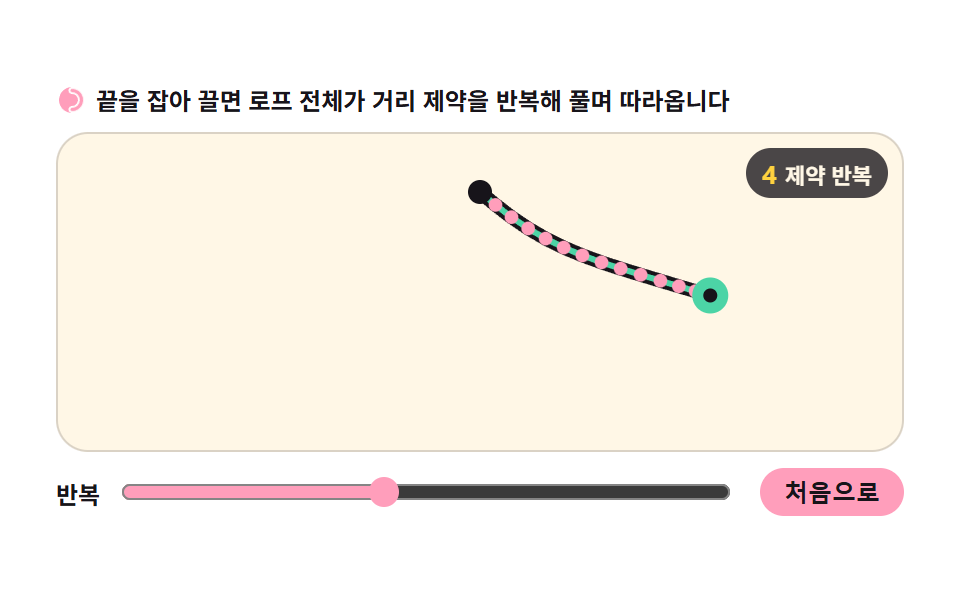 Verlet Physics 9 Demos: No Library, Just CanvasVerlet physics moves a point by the gap between where it is now and where it was last frame — no velocity stored. Nine c See all demos in this post
If you like this effect - similar demos
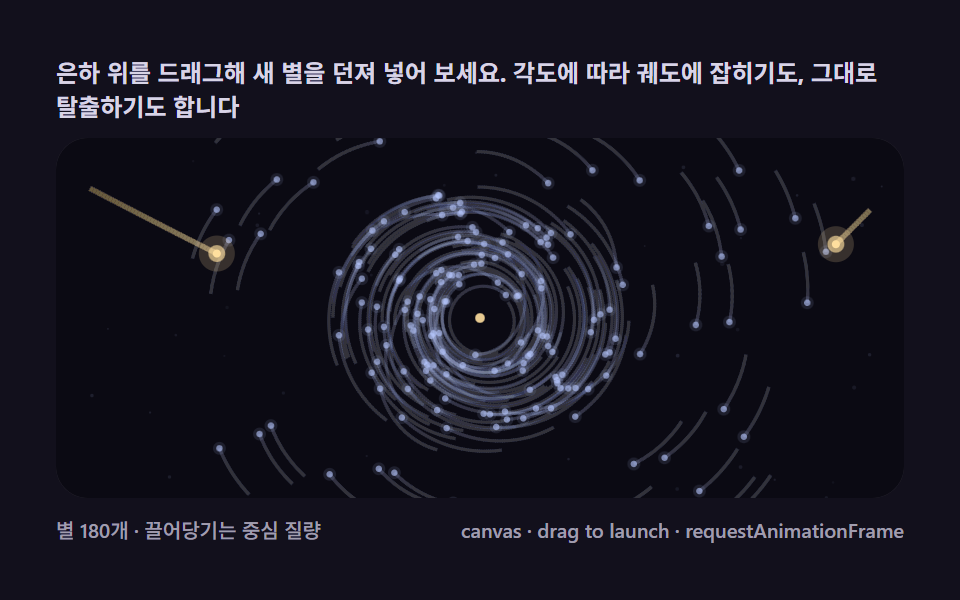 Creative UI07 Launch a comet — drag angle and power to throw a star in yourselfN Body Simulation, 9 Ways (Galaxy, No Library)
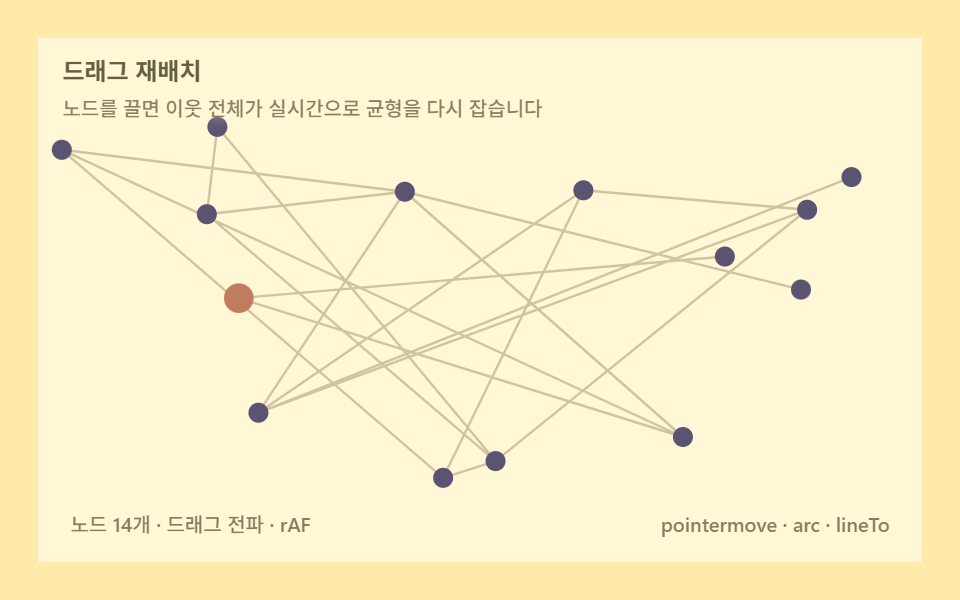 Creative UI02 Drag to reflow — pull one node and the whole graph rebalancesForce Directed Graph: 9 Network Layout Demos
 Creative UI04 Magnet particlesJavaScript Physics Simulation: 9 Demos, No Library