02Cross-Document Transition That Survives a Real Navigation
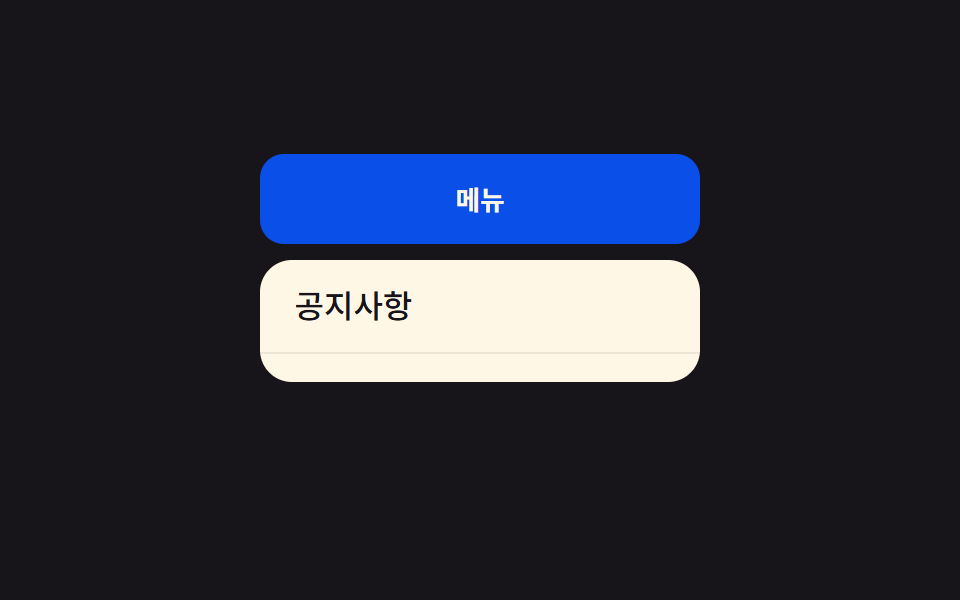
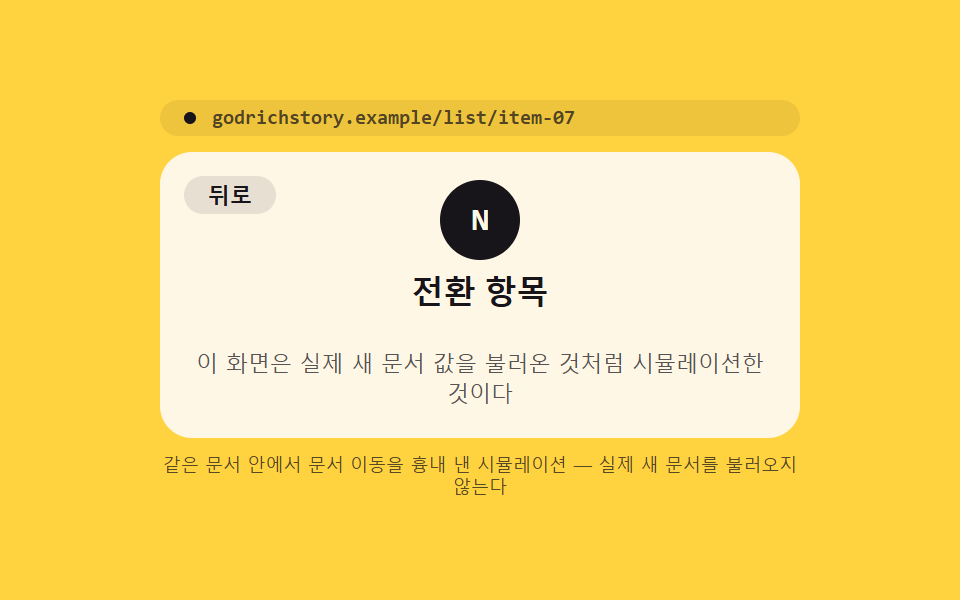
Even when a click makes the browser load an entirely new document, the outgoing screen is kept as a snapshot value that fades under the incoming document, and the same flow applies when navigating back.
Best forMulti-page-site list-to-detail navigation, full reloads
view-transition-name::view-transition-group(root)startViewTransition
<main class="stage">
<div class="mp is-demo" id="mp">
  <p class="mp__bar" id="mpBar" aria-hidden="true"><span class="mp__dot"></span><span id="mpUrl">godrichstory.example/list</span></p>
  <div class="mp__view" id="mpView">
    <div class="mp__doc" id="mpList">
      <p class="mp__kicker">Document A</p>
      <p class="mp__h">Post list</p>
      <button type="button" class="mp__row" id="mpOpen" aria-label="Open the post item — simulated as if it were the same document">
        <span class="mp__chip" id="mpChipList">N</span><span class="mp__rowT">Transition item</span>
      </button>
      <p class="mp__row mp__row--ghost"></p>
      <p class="mp__row mp__row--ghost"></p>
    </div>
    <div class="mp__doc mp__doc--article" id="mpArticle" hidden>
      <button type="button" class="mp__back" id="mpBack" aria-label="Back to the list document">Back</button>
      <span class="mp__chip mp__chip--lg" id="mpChipArt">N</span>
      <p class="mp__h">Transition item</p>
      <p class="mp__desc">This screen is a simulation made to look like it loaded a real new document.</p>
    </div>
  </div>
  <p class="mp__note">A same-document simulation of a document navigation — it never loads a real new document.</p>
</div>
</main>
@use "../../../../site/static/demo-tokens" as *;
// ── 변수 3개 ──────────────────────────────────────────
$duration: $dur-enter;
$easing: $ease-out;
$color: $subject-ink;
@include stage($stage-yellow);
.mp { position: relative; width: min(100%, 320px); height: 200px; display: flex; flex-direction: column; gap: $sp-2; }
.mp__bar {
margin: 0; display: flex; align-items: center; gap: $sp-2;
background: rgba($subject-ink, .08); border-radius: $r-pill; padding: $sp-1 $sp-3;
font: 700 10px/1 "Space Mono", monospace; color: rgba($subject-ink, .72);
}
.mp__dot { width: 6px; height: 6px; border-radius: 50%; background: $subject-ink; flex: 0 0 auto; }
.mp__view { position: relative; flex: 1 1 auto; }
.mp__doc {
view-transition-name: none;
position: absolute; inset: 0; box-sizing: border-box;
background: $subject-cream; border-radius: $r-card; padding: $sp-4;
}
// [hidden] 은 UA 스타일이라 author 의 position:absolute 규칙과 특이도가 같으면 밀린다 — 명시적으로 덮는다
.mp__doc[hidden] { display: none; }
.mp__kicker { margin: 0 0 $sp-1; font: 700 10px/1 "Space Mono", monospace; color: rgba($subject-ink, .72); }
.mp__h { margin: 0 0 $sp-3; font: 700 16px/1 -apple-system, "Segoe UI", sans-serif; color: $subject-ink; }
.mp__row {
display: flex; align-items: center; gap: $sp-2; width: 100%; box-sizing: border-box;
border: none; border-radius: $r-control; background: rgba($subject-ink, .06); cursor: pointer;
padding: $sp-2 $sp-3; margin: 0 0 $sp-2; text-align: left;
}
.mp__row:focus-visible { outline: 2px solid $subject-ink; outline-offset: 2px; }
.mp__row--ghost { height: 30px; background: rgba($subject-ink, .04); }
.mp__chip {
display: grid; place-items: center; width: 26px; height: 26px; border-radius: $r-pill;
background: $color; color: $subject-cream; font: 700 12px/1 "Space Mono", monospace; flex: 0 0 auto;
}
.mp__chip--lg { width: 40px; height: 40px; font-size: 16px; }
.mp__rowT { font: 600 12px/1 -apple-system, sans-serif; color: $subject-ink; }
.mp__doc--article { display: flex; flex-direction: column; align-items: center; justify-content: center; gap: $sp-2; text-align: center; }
.mp__back {
position: absolute; top: $sp-3; left: $sp-3; border: none; border-radius: $r-pill;
background: rgba($subject-ink, .1); color: $subject-ink; font: 700 11px/1 -apple-system, sans-serif;
padding: $sp-1 $sp-3; cursor: pointer;
}
.mp__desc { margin: 0; font: 400 11px/1.4 -apple-system, sans-serif; color: rgba($subject-ink, .72); }
.mp__note { margin: 0; font: 400 9px/1.3 -apple-system, sans-serif; color: rgba($subject-ink, .72); text-align: center; }
::view-transition-group(root) {
animation-duration: $duration;
animation-timing-function: $easing;
}
@media (max-width: 340px) {
.mp { height: 168px; }
.mp__doc { padding: $sp-3; }
.mp__h { font-size: 14px; margin-bottom: $sp-2; }
.mp__row { padding: $sp-1 $sp-2; }
.mp__row--ghost { height: 22px; }
}
@media (prefers-reduced-motion: reduce) {
::view-transition-group(*),
::view-transition-old(*),
::view-transition-new(*) { animation: none !important; }
}html, body {
margin: 0;
overflow: hidden;
}
.stage {
box-sizing: border-box;
min-height: 100vh;
display: grid;
place-items: center;
margin: 0;
background: #ffd23f;
font-family: -apple-system, "Segoe UI", "Noto Sans KR", sans-serif;
padding: clamp(8px, 4vw, 24px);
}
.mp {
position: relative;
width: min(100%, 320px);
height: 200px;
display: flex;
flex-direction: column;
gap: 8px;
}
.mp__bar {
margin: 0;
display: flex;
align-items: center;
gap: 8px;
background: rgba(23, 20, 26, 0.08);
border-radius: 999px;
padding: 4px 12px;
font: 700 10px/1 "Space Mono", monospace;
color: rgba(23, 20, 26, 0.72);
}
.mp__dot {
width: 6px;
height: 6px;
border-radius: 50%;
background: #17141a;
flex: 0 0 auto;
}
.mp__view {
position: relative;
flex: 1 1 auto;
}
.mp__doc {
view-transition-name: none;
position: absolute;
inset: 0;
box-sizing: border-box;
background: #fff7e6;
border-radius: 16px;
padding: 16px;
}
.mp__doc[hidden] {
display: none;
}
.mp__kicker {
margin: 0 0 4px;
font: 700 10px/1 "Space Mono", monospace;
color: rgba(23, 20, 26, 0.72);
}
.mp__h {
margin: 0 0 12px;
font: 700 16px/1 -apple-system, "Segoe UI", sans-serif;
color: #17141a;
}
.mp__row {
display: flex;
align-items: center;
gap: 8px;
width: 100%;
box-sizing: border-box;
border: none;
border-radius: 12px;
background: rgba(23, 20, 26, 0.06);
cursor: pointer;
padding: 8px 12px;
margin: 0 0 8px;
text-align: left;
}
.mp__row:focus-visible {
outline: 2px solid #17141a;
outline-offset: 2px;
}
.mp__row--ghost {
height: 30px;
background: rgba(23, 20, 26, 0.04);
}
.mp__chip {
display: grid;
place-items: center;
width: 26px;
height: 26px;
border-radius: 999px;
background: #17141a;
color: #fff7e6;
font: 700 12px/1 "Space Mono", monospace;
flex: 0 0 auto;
}
.mp__chip--lg {
width: 40px;
height: 40px;
font-size: 16px;
}
.mp__rowT {
font: 600 12px/1 -apple-system, sans-serif;
color: #17141a;
}
.mp__doc--article {
display: flex;
flex-direction: column;
align-items: center;
justify-content: center;
gap: 8px;
text-align: center;
}
.mp__back {
position: absolute;
top: 12px;
left: 12px;
border: none;
border-radius: 999px;
background: rgba(23, 20, 26, 0.1);
color: #17141a;
font: 700 11px/1 -apple-system, sans-serif;
padding: 4px 12px;
cursor: pointer;
}
.mp__desc {
margin: 0;
font: 400 11px/1.4 -apple-system, sans-serif;
color: rgba(23, 20, 26, 0.72);
}
.mp__note {
margin: 0;
font: 400 9px/1.3 -apple-system, sans-serif;
color: rgba(23, 20, 26, 0.72);
text-align: center;
}
::view-transition-group(root) {
animation-duration: 600ms;
animation-timing-function: ease-out;
}
@media (max-width: 340px) {
.mp {
height: 168px;
}
.mp__doc {
padding: 12px;
}
.mp__h {
font-size: 14px;
margin-bottom: 8px;
}
.mp__row {
padding: 4px 8px;
}
.mp__row--ghost {
height: 22px;
}
}
@media (prefers-reduced-motion: reduce) {
::view-transition-group(*),
::view-transition-old(*),
::view-transition-new(*) {
animation: none !important;
}
}(function () {
var SUPPORTS_VT = 'startViewTransition' in document;
// 시뮬레이션 안내: 실제 문서 간(MPA) 전환은 브라우저가 @view-transition { navigation: auto }
// 규칙을 문서마다 읽어 두 문서의 스냅샷을 자동으로 잇는다. 이 데모는 같은 문서 안에서
// 주소 표시줄 값과 Document A/B 전환만 흉내 낸 것으로, 실제 페이지 이동·불러오기는 없다.
var root = document.getElementById('mp');
var bar = document.getElementById('mpBar');
var urlEl = document.getElementById('mpUrl');
var list = document.getElementById('mpList');
var article = document.getElementById('mpArticle');
var openBtn = document.getElementById('mpOpen');
var backBtn = document.getElementById('mpBack');
var chipList = document.getElementById('mpChipList');
var chipArt = document.getElementById('mpChipArt');
var reduce = window.matchMedia('(prefers-reduced-motion: reduce)').matches;
var atArticle = false;
var isDemo = true;
function human() {
if (isDemo) { root.classList.remove('is-demo'); isDemo = false; }
}
function toArticleRender() {
urlEl.textContent = 'godrichstory.example/list/item-07';
list.hidden = true;
article.hidden = false;
chipArt.textContent = chipList.textContent;
atArticle = true;
}
function toListRender() {
urlEl.textContent = 'godrichstory.example/list';
article.hidden = true;
list.hidden = false;
atArticle = false;
}
function change(fn) {
if (SUPPORTS_VT) { document.startViewTransition(fn); }
else { fn(); }
}
function toArticle() {
if (atArticle) return;
change(toArticleRender);
}
function toList() {
if (!atArticle) return;
change(toListRender);
}
openBtn.addEventListener('click', function () { human(); toArticle(); });
backBtn.addEventListener('click', function () { human(); toList(); });
root.addEventListener('keydown', function (e) {
if (e.key === 'Escape') { human(); toList(); }
});
var HOLD_MS = 1000;
function loop() {
if (!isDemo) return;
if (atArticle) toList(); else toArticle();
window.setTimeout(loop, HOLD_MS);
}
if (!reduce) {
window.setTimeout(loop, HOLD_MS);
} else {
root.classList.remove('is-demo');
}
})();// MpaCrossDocument — vanilla 판(run/401/demo/02-view-transition-mpa-cross-document/index.html) 의 React 포트.
// 시뮬레이션 안내: 실제 문서 간(MPA) 전환은 브라우저가 @view-transition { navigation: auto } 규칙을
// 문서마다 읽어 두 문서의 스냅샷을 자동으로 잇는다. 이 포트는 같은 문서 안에서 주소 표시줄 값과
// 문서 A/B 전환만 흉내 낸 것으로, 실제 페이지 이동·불러오기는 없다.
import { useEffect, useRef } from "react";
import styles from "./MpaCrossDocument.module.scss";
type Box<T> = { current: T };
const HOLD_MS = 1000;
export default function MpaCrossDocument() {
const rootRef = useRef(null) as unknown as Box<HTMLDivElement>;
const urlRef = useRef(null) as unknown as Box<HTMLElement>;
const listRef = useRef(null) as unknown as Box<HTMLDivElement>;
const articleRef = useRef(null) as unknown as Box<HTMLDivElement>;
const openBtnRef = useRef(null) as unknown as Box<HTMLButtonElement>;
const backBtnRef = useRef(null) as unknown as Box<HTMLButtonElement>;
const chipListRef = useRef(null) as unknown as Box<HTMLElement>;
const chipArtRef = useRef(null) as unknown as Box<HTMLElement>;
const timerRef = useRef(0) as unknown as Box<number>;
useEffect(() => {
const SUPPORTS_VT = "startViewTransition" in document;
const reduce = window.matchMedia("(prefers-reduced-motion: reduce)").matches;
let isDemo = true;
let atArticle = false;
function human() {
if (isDemo) { rootRef.current?.classList.remove(styles.isDemo); isDemo = false; }
}
function toArticleRender() {
if (urlRef.current) urlRef.current.textContent = "godrichstory.example/list/item-07";
listRef.current?.setAttribute("hidden", "");
articleRef.current?.removeAttribute("hidden");
if (chipArtRef.current && chipListRef.current) chipArtRef.current.textContent = chipListRef.current.textContent;
atArticle = true;
}
function toListRender() {
if (urlRef.current) urlRef.current.textContent = "godrichstory.example/list";
articleRef.current?.setAttribute("hidden", "");
listRef.current?.removeAttribute("hidden");
atArticle = false;
}
function change(fn: () => void) {
if (SUPPORTS_VT) { document.startViewTransition(fn); }
else { fn(); }
}
function toArticle() { if (atArticle) return; change(toArticleRender); }
function toList() { if (!atArticle) return; change(toListRender); }
function onOpenClick() { human(); toArticle(); }
function onBackClick() { human(); toList(); }
function onKeydown(e: KeyboardEvent) { if (e.key === "Escape") { human(); toList(); } }
openBtnRef.current?.addEventListener("click", onOpenClick);
backBtnRef.current?.addEventListener("click", onBackClick);
rootRef.current?.addEventListener("keydown", onKeydown);
function loop() {
if (!isDemo) return;
if (atArticle) toList(); else toArticle();
timerRef.current = window.setTimeout(loop, HOLD_MS);
}
if (!reduce) {
timerRef.current = window.setTimeout(loop, HOLD_MS);
} else {
rootRef.current?.classList.remove(styles.isDemo);
}
return () => {
window.clearTimeout(timerRef.current);
openBtnRef.current?.removeEventListener("click", onOpenClick);
backBtnRef.current?.removeEventListener("click", onBackClick);
rootRef.current?.removeEventListener("keydown", onKeydown);
};
}, []);
return (
<main className={styles.stage}>
<div className={styles.mp + " " + styles.isDemo} ref={rootRef}>
<p className={styles.bar} aria-hidden="true"><span className={styles.dot} /><span ref={urlRef}>godrichstory.example/list</span></p>
<div className={styles.view}>
<div className={styles.doc} ref={listRef}>
<p className={styles.kicker}>문서 A</p>
<p className={styles.h}>글 목록</p>
<button type="button" className={styles.row} ref={openBtnRef} aria-label="글 항목 열기 — 같은 문서인 것처럼 시뮬레이션">
<span className={styles.chip} ref={chipListRef}>N</span><span className={styles.rowT}>전환 항목</span>
</button>
<p className={styles.row + " " + styles.rowGhost} />
<p className={styles.row + " " + styles.rowGhost} />
</div>
<div className={styles.doc + " " + styles.docArticle} ref={articleRef} hidden>
<button type="button" className={styles.back} ref={backBtnRef} aria-label="목록 문서로 돌아가기">뒤로</button>
<span className={styles.chip + " " + styles.chipLg} ref={chipArtRef}>N</span>
<p className={styles.h}>전환 항목</p>
<p className={styles.desc}>이 화면은 실제 새 문서 값을 불러온 것처럼 시뮬레이션한 것이다</p>
</div>
</div>
<p className={styles.note}>같은 문서 안에서 문서 이동을 흉내 낸 시뮬레이션 — 실제 새 문서를 불러오지 않는다</p>
</div>
</main>
);
}02 Cross-Document Transition That Survives a Real Navigation — Measured area 11.061% · moving frames 10/23Original by GODRICH · SCSS and React ship in the zip · View Transitions API: 9 Patterns by One Value
The post this demo lives in
 View Transitions API: 9 Patterns by One ValueView transitions api: The page seems to carry over, but the browser keeps the outgoing view as a snapshot value layered See all demos in this post