09Safeguard That Detects a Reduced-Motion Value and Turns the Transition Off
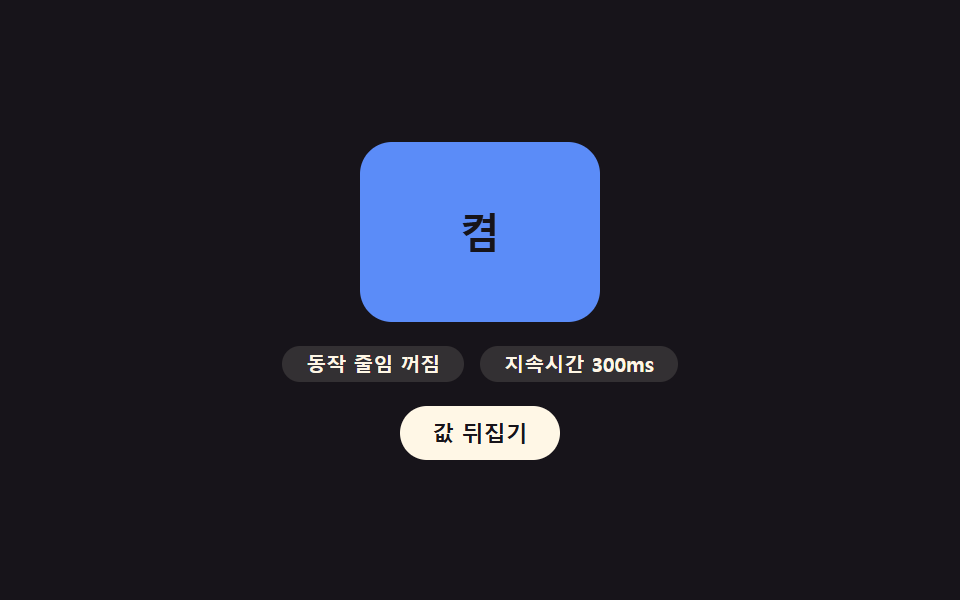
The system's reduced-motion setting value is detected, and when it is on the transition duration drops to zero so the screen changes instantly, while the eight transitions above play normally only when it is off.
Best forA shared accessibility safeguard across every item above
effectiveReduce::view-transition-new(rg-card)SUPPORTS_VT
<main class="stage">
<div class="rg is-demo" id="rg">
  <div class="rg__card" id="rgCard">
    <span class="rg__badge" id="rgBadge">On</span>
  </div>
  <p class="rg__meta">
    <span class="rg__pill" id="rgReduce">Reduced motion off</span>
    <span class="rg__pill" id="rgDur">Duration <b id="rgDurV">320</b>ms</span>
  </p>
  <button type="button" class="rg__btn" id="rgBtn" aria-label="Try flipping the reduced-motion value">Flip value</button>
</div>
</main>
@use "../../../../site/static/demo-tokens" as *;
// ── 변수 3개 ──────────────────────────────────────────
$duration: $dur-base;
$easing: $ease-pop;
$color: $subject-blue-light;
@include stage($stage-ink);
.rg { width: min(100%, 260px); display: flex; flex-direction: column; align-items: center; gap: $sp-3; }
.rg__card {
view-transition-name: rg-card;
width: 120px; height: 90px; border-radius: $r-card; background: $color;
display: grid; place-items: center;
}
.rg__card.is-off { background: rgba($subject-cream, .16); }
::view-transition-old(rg-card),
::view-transition-new(rg-card) {
animation-duration: $duration;
animation-timing-function: $easing;
}
.rg__badge { font: 700 20px/1 -apple-system, "Segoe UI", sans-serif; color: $subject-ink; }
.rg__card.is-off .rg__badge { color: $subject-cream; }
.rg__meta { margin: 0; display: flex; gap: $sp-2; }
.rg__pill {
border-radius: $r-pill; background: rgba($subject-cream, .12); color: $subject-cream;
font: 700 10px/1 -apple-system, sans-serif; padding: $sp-1 $sp-3;
}
.rg__pill b { font-weight: 700; }
.rg__btn {
border: none; border-radius: $r-pill; cursor: pointer; background: $subject-cream;
color: $subject-ink; font: 700 11px/1 -apple-system, sans-serif; padding: $sp-2 $sp-4;
}
.rg__btn:focus-visible { outline: 2px solid $subject-cream; outline-offset: 2px; }
@media (max-width: 340px) {
.rg__card { width: 96px; height: 72px; }
.rg__badge { font-size: 16px; }
.rg__pill { font-size: 9px; padding: $sp-1 $sp-2; }
}
@media (prefers-reduced-motion: reduce) {
::view-transition-group(*),
::view-transition-old(*),
::view-transition-new(*) { animation: none !important; }
}html, body {
margin: 0;
overflow: hidden;
}
.stage {
box-sizing: border-box;
min-height: 100vh;
display: grid;
place-items: center;
margin: 0;
background: #17141a;
font-family: -apple-system, "Segoe UI", "Noto Sans KR", sans-serif;
padding: clamp(8px, 4vw, 24px);
}
.rg {
width: min(100%, 260px);
display: flex;
flex-direction: column;
align-items: center;
gap: 12px;
}
.rg__card {
view-transition-name: rg-card;
width: 120px;
height: 90px;
border-radius: 16px;
background: #5b8cf8;
display: grid;
place-items: center;
}
.rg__card.is-off {
background: rgba(255, 247, 230, 0.16);
}
::view-transition-old(rg-card),
::view-transition-new(rg-card) {
animation-duration: 300ms;
animation-timing-function: cubic-bezier(0.2, 1.4, 0.4, 1);
}
.rg__badge {
font: 700 20px/1 -apple-system, "Segoe UI", sans-serif;
color: #17141a;
}
.rg__card.is-off .rg__badge {
color: #fff7e6;
}
.rg__meta {
margin: 0;
display: flex;
gap: 8px;
}
.rg__pill {
border-radius: 999px;
background: rgba(255, 247, 230, 0.12);
color: #fff7e6;
font: 700 10px/1 -apple-system, sans-serif;
padding: 4px 12px;
}
.rg__pill b {
font-weight: 700;
}
.rg__btn {
border: none;
border-radius: 999px;
cursor: pointer;
background: #fff7e6;
color: #17141a;
font: 700 11px/1 -apple-system, sans-serif;
padding: 8px 16px;
}
.rg__btn:focus-visible {
outline: 2px solid #fff7e6;
outline-offset: 2px;
}
@media (max-width: 340px) {
.rg__card {
width: 96px;
height: 72px;
}
.rg__badge {
font-size: 16px;
}
.rg__pill {
font-size: 9px;
padding: 4px 8px;
}
}
@media (prefers-reduced-motion: reduce) {
::view-transition-group(*),
::view-transition-old(*),
::view-transition-new(*) {
animation: none !important;
}
}(function () {
var SUPPORTS_VT = 'startViewTransition' in document;
var REAL_REDUCE = window.matchMedia('(prefers-reduced-motion: reduce)').matches;
var NORMAL_MS = 300;
var root = document.getElementById('rg');
var card = document.getElementById('rgCard');
var badge = document.getElementById('rgBadge');
var reduceEl = document.getElementById('rgReduce');
var durVEl = document.getElementById('rgDurV');
var btn = document.getElementById('rgBtn');
var on = true;
var isDemo = true;
// 데모 전용: 실제 환경 값(REAL_REDUCE)은 헤드리스 렌더에서 대개 꺼짐으로 읽히므로,
// 값이 켜졌을 때의 Transition 붕괴를 눈으로 보이도록 번갈아 흉내 낸다.
var simulateReduce = false;
function human() {
if (isDemo) { root.classList.remove('is-demo'); isDemo = false; }
}
function render() {
on = !on;
card.classList.toggle('is-off', !on);
badge.textContent = on ? 'On' : 'Off';
}
// 계산 겹: 실제 동작 줄임 값과 시연용 값을 합쳐 하나의 효과값으로 만들고, 그 값에 따라
// 지속시간을 0으로 낮출지 정상값을 쓸지 결정한다 — 접근성 판단은 항상 REAL_REDUCE 를 포함한다.
function effectiveReduce() { return REAL_REDUCE || simulateReduce; }
function step() {
var reduceNow = effectiveReduce();
var dur = reduceNow ? 0 : NORMAL_MS;
reduceEl.textContent = reduceNow ? 'Reduced motion on' : 'Reduced motion off';
durVEl.textContent = String(dur);
if (SUPPORTS_VT && !reduceNow) {
document.startViewTransition(render);
} else {
render();
}
}
btn.addEventListener('click', function () { human(); simulateReduce = !simulateReduce; step(); });
root.addEventListener('keydown', function (e) {
if (e.key === 'Enter' || e.key === ' ') { human(); e.preventDefault(); simulateReduce = !simulateReduce; step(); }
});
var HOLD_MS = 480;
function loop() {
if (!isDemo) return;
simulateReduce = !simulateReduce;
step();
window.setTimeout(loop, HOLD_MS);
}
reduceEl.textContent = effectiveReduce() ? 'Reduced motion on' : 'Reduced motion off';
durVEl.textContent = String(effectiveReduce() ? 0 : NORMAL_MS);
if (!REAL_REDUCE) {
window.setTimeout(loop, HOLD_MS);
} else {
root.classList.remove('is-demo');
}
})();// ReducedMotionGuard — vanilla 판(run/401/demo/09-view-transition-reduced-motion-guard/index.html) 의 React 포트.
// 계산 겹: 실제 동작 줄임 값과 시연용 값을 합쳐 하나의 효과값으로 만들고, 그 값에 따라
// 지속시간을 0으로 낮출지 정상값을 쓸지 결정한다 — 접근성 판단은 항상 REAL_REDUCE 를 포함한다.
import { useEffect, useRef } from "react";
import styles from "./ReducedMotionGuard.module.scss";
type Box<T> = { current: T };
const NORMAL_MS = 300;
const HOLD_MS = 480;
export default function ReducedMotionGuard() {
const rootRef = useRef(null) as unknown as Box<HTMLDivElement>;
const cardRef = useRef(null) as unknown as Box<HTMLDivElement>;
const badgeRef = useRef(null) as unknown as Box<HTMLElement>;
const reduceRef = useRef(null) as unknown as Box<HTMLElement>;
const durVRef = useRef(null) as unknown as Box<HTMLElement>;
const btnRef = useRef(null) as unknown as Box<HTMLButtonElement>;
const timerRef = useRef(0) as unknown as Box<number>;
useEffect(() => {
const SUPPORTS_VT = "startViewTransition" in document;
const REAL_REDUCE = window.matchMedia("(prefers-reduced-motion: reduce)").matches;
let isDemo = true;
let on = true;
// 데모 전용: 실제 환경 값(REAL_REDUCE)은 헤드리스 렌더에서 대개 꺼짐으로 읽히므로,
// 값이 켜졌을 때의 전환 붕괴를 눈으로 보이도록 번갈아 흉내 낸다.
let simulateReduce = false;
function human() {
if (isDemo) { rootRef.current?.classList.remove(styles.isDemo); isDemo = false; }
}
function render() {
on = !on;
cardRef.current?.classList.toggle(styles.isOff, !on);
if (badgeRef.current) badgeRef.current.textContent = on ? "켬" : "끔";
}
// 계산 겹: 실제 값과 시연 값을 합쳐 하나의 효과값을 만든다 — 접근성 판단은 항상 REAL_REDUCE 를 포함한다.
function effectiveReduce() {
return REAL_REDUCE || simulateReduce;
}
function step() {
const reduceNow = effectiveReduce();
const dur = reduceNow ? 0 : NORMAL_MS;
if (reduceRef.current) reduceRef.current.textContent = reduceNow ? "동작 줄임 켜짐" : "동작 줄임 꺼짐";
if (durVRef.current) durVRef.current.textContent = String(dur);
if (SUPPORTS_VT && !reduceNow) {
document.startViewTransition(render);
} else {
render();
}
}
function onClick() { human(); simulateReduce = !simulateReduce; step(); }
function onKeydown(e: KeyboardEvent) {
if (e.key === "Enter" || e.key === " ") { human(); e.preventDefault(); simulateReduce = !simulateReduce; step(); }
}
btnRef.current?.addEventListener("click", onClick);
rootRef.current?.addEventListener("keydown", onKeydown);
function loop() {
if (!isDemo) return;
simulateReduce = !simulateReduce;
step();
timerRef.current = window.setTimeout(loop, HOLD_MS);
}
if (reduceRef.current) reduceRef.current.textContent = effectiveReduce() ? "동작 줄임 켜짐" : "동작 줄임 꺼짐";
if (durVRef.current) durVRef.current.textContent = String(effectiveReduce() ? 0 : NORMAL_MS);
if (!REAL_REDUCE) {
timerRef.current = window.setTimeout(loop, HOLD_MS);
} else {
rootRef.current?.classList.remove(styles.isDemo);
}
return () => {
window.clearTimeout(timerRef.current);
btnRef.current?.removeEventListener("click", onClick);
rootRef.current?.removeEventListener("keydown", onKeydown);
};
}, []);
return (
<main className={styles.stage}>
<div className={styles.rg + " " + styles.isDemo} ref={rootRef}>
<div className={styles.card} ref={cardRef}>
<span className={styles.badge} ref={badgeRef}>켬</span>
</div>
<p className={styles.meta}>
<span className={styles.pill} ref={reduceRef}>동작 줄임 꺼짐</span>
<span className={styles.pill}>지속시간 <b ref={durVRef}>320</b>ms</span>
</p>
<button type="button" className={styles.btn} ref={btnRef} aria-label="동작 줄임 값 뒤집어 보기">값 뒤집기</button>
</div>
</main>
);
}09 Safeguard That Detects a Reduced-Motion Value and Turns the Transition Off — Measured area 8.36% · moving frames 6/23Original by GODRICH · SCSS and React ship in the zip · View Transitions API: 9 Patterns by One Value
The post this demo lives in
 View Transitions API: 9 Patterns by One ValueView transitions api: The page seems to carry over, but the browser keeps the outgoing view as a snapshot value layered See all demos in this post
If you like this effect - similar demos
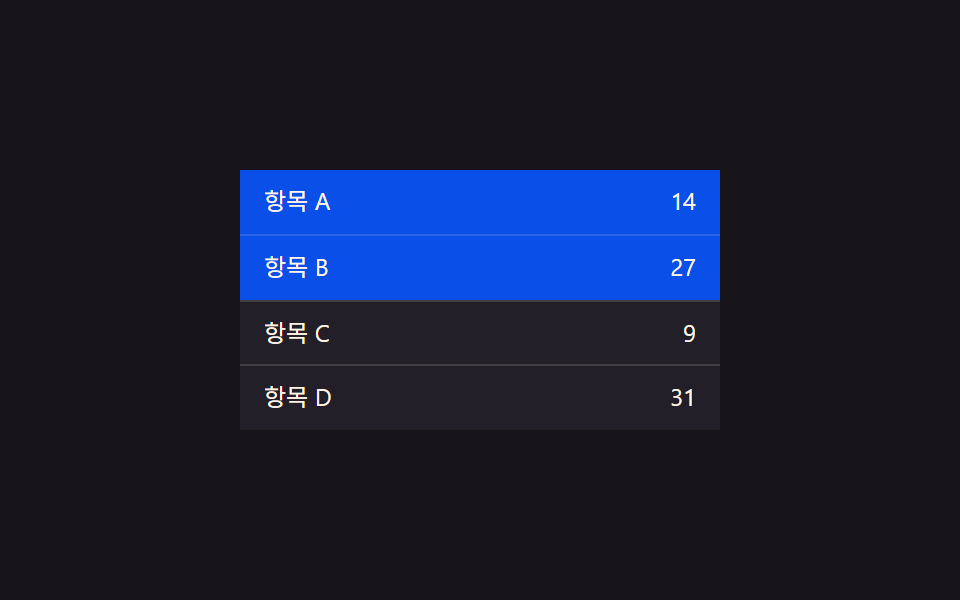 Transitions03 Selection-value highlight toggle — when a row's selection value turns on, its highlight-color value deepens, and it returns to the original value when offCollapsible Table Row: 9 UI Patterns
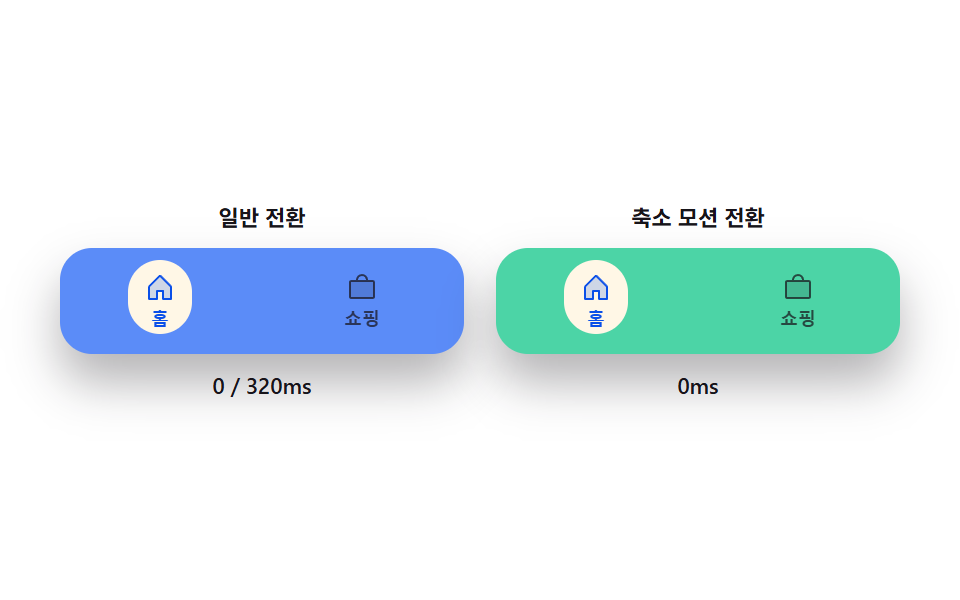 Transitions09 Reduced-motion instant toggle — with reduced motion on, every transition from the prior eight bars switches straight to its target valueCSS Bottom Navigation Bar: 9 Transition Patterns
 Transitions06 Empty-state crossfade — a message that fades out the instant the item count value leaves zeroCart Drawer UI Patterns: 9 Motion Techniques