04Chladni sand-pattern plate
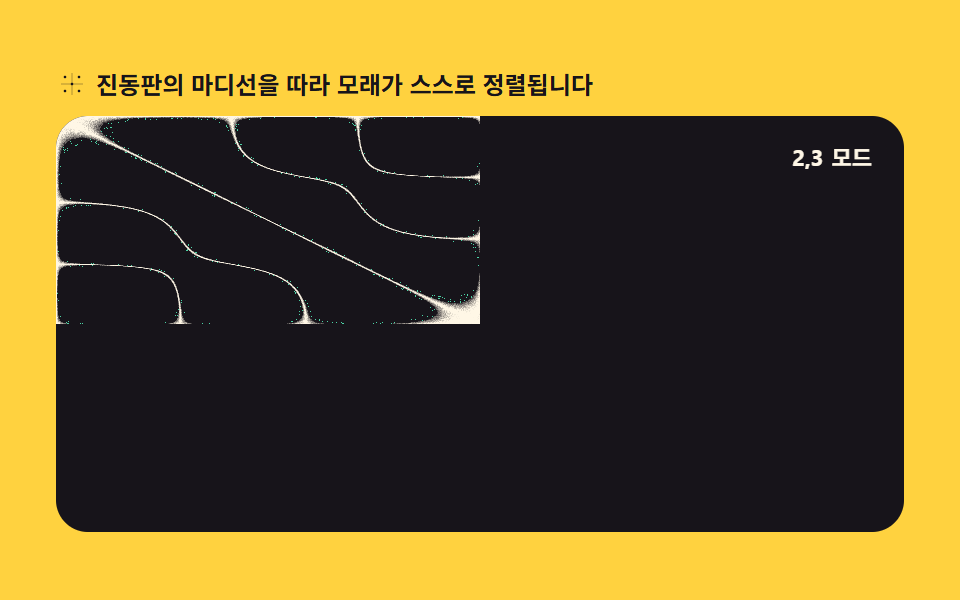
The plate's standing-wave equation Math.sin(nπx)·Math.sin(mπy) leaves a sand particle only where the value sits near zero, tracing the nodal lines. createImageData builds each fresh frame and Math.random scatters the grains.
Best forPhysics-experiment replay animations, generative pattern backgrounds
Math.sincreateImageDataMath.random
<main class="stage">
<div class="ch" id="ch">
  <p class="ch__hint">
    <svg class="ch__ico" viewBox="0 0 256 256" aria-hidden="true"><g fill="currentColor"><circle cx="72" cy="72" r="10"/><circle cx="184" cy="72" r="10"/><circle cx="128" cy="128" r="10"/><circle cx="72" cy="184" r="10"/><circle cx="184" cy="184" r="10"/><path d="M40 128h176M128 40v176" stroke="currentColor" stroke-width="8" opacity=".35"/></g></svg>
    <span>Sand aligns itself along the plate nodal lines</span>
  </p>
  <div class="ch__field" id="field" role="application" aria-label="Chladni plate playground">
    <canvas class="ch__cv" id="cv"></canvas>
    <b class="ch__badge" aria-hidden="true"><span class="ch__badgeNum">3,4</span><span class="ch__badgeUnit">mode</span></b>
  </div>
</div>
</main>
@use "../../../../site/static/demo-tokens" as *;
// 클라드니 모래무늬 패턴 — 진동판의 마디선에 모래가 쌓이는 물리를 픽셀 계산으로 재현한다.
// 움직임은 전부 캔버스 rAF 루프 안에 있다. @keyframes 0개.
$duration: $dur-loop;
$easing: $ease-spring;
$color: $subject-mint;
@include stage($stage-yellow);
.ch {
--plate: #{$stage-ink};
--sand: #{$subject-cream};
--glow: #{$subject-mint};
--badge-bg: #{rgba($subject-ink, .78)};
--badge-fg: #{$subject-cream};
--ink-fg: #{$subject-ink};
display: flex; flex-direction: column; gap: $sp-2;
width: 100%; max-width: 424px;
}
.ch__hint {
display: flex; align-items: center; gap: $sp-1; margin: 0;
font-weight: 700; font-size: clamp(10px, 2.8vw, 12px); line-height: 1.35;
color: var(--ink-fg);
}
.ch__ico { width: 16px; height: 16px; flex: 0 0 auto; color: $subject-ink; }
.ch__field {
position: relative; height: 208px;
border-radius: $r-card; overflow: hidden;
background: var(--plate);
box-shadow: inset 0 0 0 1px rgba($subject-ink, .16);
}
.ch__cv { display: block; width: 100%; height: 100%; }
.ch__badge {
position: absolute; right: $sp-2; top: $sp-2;
display: flex; align-items: baseline; gap: $sp-1;
padding: $sp-1 $sp-2; border-radius: $r-pill;
background: var(--badge-bg);
color: var(--badge-fg); font-weight: 700; font-size: 11px;
}
@media (max-width: 340px) {
.ch__field { height: 124px; }
.ch__badge { font-size: 10px; padding: 0 $sp-1; }
}
@media (prefers-reduced-motion: reduce) {
.ch.is-still .ch__badge { opacity: .92 !important; }
}html, body {
margin: 0;
overflow: hidden;
}
.stage {
box-sizing: border-box;
min-height: 100vh;
display: grid;
place-items: center;
margin: 0;
background: #ffd23f;
font-family: -apple-system, "Segoe UI", "Noto Sans KR", sans-serif;
padding: clamp(8px, 4vw, 24px);
}
.ch {
--plate: #17141a;
--sand: #fff7e6;
--glow: #4cd4a6;
--badge-bg: rgba(23, 20, 26, 0.78);
--badge-fg: #fff7e6;
--ink-fg: #17141a;
display: flex;
flex-direction: column;
gap: 8px;
width: 100%;
max-width: 424px;
}
.ch__hint {
display: flex;
align-items: center;
gap: 4px;
margin: 0;
font-weight: 700;
font-size: clamp(10px, 2.8vw, 12px);
line-height: 1.35;
color: var(--ink-fg);
}
.ch__ico {
width: 16px;
height: 16px;
flex: 0 0 auto;
color: #17141a;
}
.ch__field {
position: relative;
height: 208px;
border-radius: 16px;
overflow: hidden;
background: var(--plate);
box-shadow: inset 0 0 0 1px rgba(23, 20, 26, 0.16);
}
.ch__cv {
display: block;
width: 100%;
height: 100%;
}
.ch__badge {
position: absolute;
right: 8px;
top: 8px;
display: flex;
align-items: baseline;
gap: 4px;
padding: 4px 8px;
border-radius: 999px;
background: var(--badge-bg);
color: var(--badge-fg);
font-weight: 700;
font-size: 11px;
}
@media (max-width: 340px) {
.ch__field {
height: 124px;
}
.ch__badge {
font-size: 10px;
padding: 0 4px;
}
}
@media (prefers-reduced-motion: reduce) {
.ch.is-still .ch__badge {
opacity: 0.92 !important;
}
}// 클라드니 모래무늬 패턴 — 진동판의 정상파 방정식 sin(nπx)·sin(mπy) − sin(mπx)·sin(nπy) 값이
// 0에 가까운(마디) 픽셀만 모래 입자로 남긴다. createImageData 로 프레임을 새로 만들고,
// Math.random 으로 입자 흩뿌림(잔떨림)을 더해 진짜 모래처럼 보이게 한다.
var root = document.getElementById('ch');
var field = document.getElementById('field');
var cv = document.getElementById('cv');
var ctx = cv.getContext('2d');
var css = getComputedStyle(root);
var SAND = css.getPropertyValue('--sand').trim();
var GLOW = css.getPropertyValue('--glow').trim();
var PLATE = css.getPropertyValue('--plate').trim();
var LOOP = 2; // mode 전환 한 사이클(초)
var MODES = [[2, 3], [3, 4], [4, 2], [5, 3]]; // (n, m) 하모닉 쌍 — 순서대로 지나간다
var numEl = document.querySelector('.ch__badgeNum');
var reduce = window.matchMedia('(prefers-reduced-motion: reduce)').matches;
var W = 0, H = 0, dpr = 1, raf = 0;
var img = null, buf = null;
function parse(c) {
var m = c.match(/^#([0-9a-f]{6})$/i);
if (!m) return [255, 247, 230];
return [parseInt(m[1].slice(0, 2), 16), parseInt(m[1].slice(2, 4), 16), parseInt(m[1].slice(4, 6), 16)];
}
var SANDC = parse(SAND);
var GLOWC = parse(GLOW);
var PLATEC = parse(PLATE);
function fit() {
var r = field.getBoundingClientRect();
dpr = window.devicePixelRatio || 1;
W = Math.round(r.width); H = Math.round(r.height);
cv.width = Math.round(W * dpr);
cv.height = Math.round(H * dpr);
ctx.setTransform(dpr, 0, 0, dpr, 0, 0);
img = ctx.createImageData(W, H);
buf = img.data;
}
// 지금 시각의 (n, m) 쌍과 그 안에서의 진행률(0..1) — 진행률로 두 mode 사이를 부드럽게 섞는다
function modeAt(sec) {
var total = MODES.length * LOOP;
var u = (sec % total) / LOOP;
var idx = Math.floor(u) % MODES.length;
var next = (idx + 1) % MODES.length;
var f = u - Math.floor(u);
return { a: MODES[idx], b: MODES[next], f: f };
}
function chladni(x, y, n, m) {
return Math.sin(n * Math.PI * x) * Math.sin(m * Math.PI * y) -
Math.sin(m * Math.PI * x) * Math.sin(n * Math.PI * y);
}
function draw(sec) {
var mode = modeAt(sec);
var n = mode.a[0] + (mode.b[0] - mode.a[0]) * mode.f;
var m = mode.a[1] + (mode.b[1] - mode.a[1]) * mode.f;
for (var y = 0; y < H; y++) {
var ny = y / H;
for (var x = 0; x < W; x++) {
var nx = x / W;
var v = Math.abs(chladni(nx, ny, n, m));
var i = (y * W + x) * 4;
if (v < 0.05) {
// 마디에 가까울수록 모래가 진하다 — Math.random 으로 알갱이 흩뿌림을 더한다
var jitter = Math.random() * 0.35;
var t = Math.min(1, (0.05 - v) / 0.05 + jitter);
buf[i] = Math.round(PLATEC[0] + (SANDC[0] - PLATEC[0]) * t);
buf[i + 1] = Math.round(PLATEC[1] + (SANDC[1] - PLATEC[1]) * t);
buf[i + 2] = Math.round(PLATEC[2] + (SANDC[2] - PLATEC[2]) * t);
} else if (v < 0.12 && Math.random() < 0.06) {
// 마디 바깥으로 튄 낱알 몇 개 — 정적인 그림이 아니라 실제로 흩어지는 느낌을 준다
buf[i] = GLOWC[0]; buf[i + 1] = GLOWC[1]; buf[i + 2] = GLOWC[2];
} else {
buf[i] = PLATEC[0]; buf[i + 1] = PLATEC[1]; buf[i + 2] = PLATEC[2];
}
buf[i + 3] = 255;
}
}
ctx.putImageData(img, 0, 0);
var label = Math.round(mode.a[0]) + ',' + Math.round(mode.a[1]);
if (numEl && numEl.textContent !== label) numEl.textContent = label;
}
function frame(now) {
draw(now / 1000);
raf = requestAnimationFrame(frame);
}
fit();
window.addEventListener('resize', function () { fit(); if (reduce) draw(0.2); });
if (reduce) {
// reduce — 루프 없이 첫 mode 한 장만 그린다(빈 화면이 아니다)
root.classList.add('is-still');
draw(0.2);
} else {
raf = requestAnimationFrame(frame);
}// ChladniSandPattern — vanilla 판(run/303/demo/04-wave-chladni-sand-pattern/index.html) 의 React 포트.
// 클라드니 모래무늬 패턴 — 진동판의 정상파 방정식 sin(nπx)·sin(mπy) − sin(mπx)·sin(nπy) 값이
// 0에 가까운(마디) 픽셀만 모래 입자로 남긴다. createImageData 로 프레임을 새로 만들고,
// Math.random 으로 입자 흩뿌림(잔떨림)을 더해 진짜 모래처럼 보이게 한다.
import { useEffect, useRef, useState } from "react";
import type { CSSProperties } from "react";
import styles from "./ChladniSandPattern.module.scss";
export type ChladniSandPatternProps = {
duration?: number;
easing?: string;
accentColor?: string;
};
type Vars = CSSProperties & { "--duration"?: string; "--easing"?: string; "--color"?: string };
const HINT = "진동판의 마디선을 따라 모래가 스스로 정렬됩니다";
const FIELD_LABEL = "클라드니 진동판 실험판";
const BADGE_UNIT = "모드";
const LOOP = 2; // 모드 전환 한 사이클(초)
const MODES: [number, number][] = [[2, 3], [3, 4], [4, 2], [5, 3]]; // (n, m) 하모닉 쌍 — 순서대로 지나간다
export default function ChladniSandPattern(props: ChladniSandPatternProps) {
const duration = props.duration ?? 2;
const easing = props.easing ?? "cubic-bezier(.2, .8, .2, 1)";
const accentColor = props.accentColor ?? "#4cd4a6";
const rootRef = useRef<HTMLDivElement>(null);
const fieldRef = useRef<HTMLDivElement>(null);
const cvRef = useRef<HTMLCanvasElement>(null);
const [modeLabel, setModeLabel] = useState<string>("3,4");
const vars: Vars = { "--duration": duration + "s", "--easing": easing, "--color": accentColor };
useEffect(() => {
const root0 = rootRef.current;
const field0 = fieldRef.current;
const cv0 = cvRef.current;
if (!root0 || !field0 || !cv0) return;
const ctx0 = cv0.getContext("2d");
if (!ctx0) return;
// 중첩 함수(클로저) 안에서는 가드로 좁힌 널 타입이 전달되지 않는다 — 확인된 값으로 다시 상수를 묶는다
const root: HTMLDivElement = root0;
const field: HTMLDivElement = field0;
const cv: HTMLCanvasElement = cv0;
const ctx: CanvasRenderingContext2D = ctx0;
const css = getComputedStyle(root);
const sand = css.getPropertyValue("--sand").trim();
const glow = css.getPropertyValue("--glow").trim();
const plate = css.getPropertyValue("--plate").trim();
const reduce = window.matchMedia("(prefers-reduced-motion: reduce)").matches;
let W = 0, H = 0, dpr = 1, raf = 0;
let img: ImageData | null = null, buf: Uint8ClampedArray | null = null;
function parse(c: string): [number, number, number] {
const m = c.match(/^#([0-9a-f]{6})$/i);
if (!m) return [255, 247, 230];
return [
parseInt(m[1].slice(0, 2), 16),
parseInt(m[1].slice(2, 4), 16),
parseInt(m[1].slice(4, 6), 16),
];
}
const sandC = parse(sand);
const glowC = parse(glow);
const plateC = parse(plate);
function fit() {
const r = field!.getBoundingClientRect();
dpr = window.devicePixelRatio || 1;
W = Math.round(r.width); H = Math.round(r.height);
cv!.width = Math.round(W * dpr);
cv!.height = Math.round(H * dpr);
ctx!.setTransform(dpr, 0, 0, dpr, 0, 0);
img = ctx!.createImageData(W, H);
buf = img.data;
}
// 지금 시각의 (n, m) 쌍과 그 안에서의 진행률(0..1) — 진행률로 두 모드 사이를 부드럽게 섞는다
function modeAt(sec: number) {
const total = MODES.length * LOOP;
const u = (sec % total) / LOOP;
const idx = Math.floor(u) % MODES.length;
const next = (idx + 1) % MODES.length;
const f = u - Math.floor(u);
return { a: MODES[idx], b: MODES[next], f };
}
function chladni(x: number, y: number, n: number, m: number) {
return Math.sin(n * Math.PI * x) * Math.sin(m * Math.PI * y) -
Math.sin(m * Math.PI * x) * Math.sin(n * Math.PI * y);
}
function draw(sec: number) {
if (!buf) return;
const mode = modeAt(sec);
const n = mode.a[0] + (mode.b[0] - mode.a[0]) * mode.f;
const m = mode.a[1] + (mode.b[1] - mode.a[1]) * mode.f;
for (let y = 0; y < H; y++) {
const ny = y / H;
for (let x = 0; x < W; x++) {
const nx = x / W;
const v = Math.abs(chladni(nx, ny, n, m));
const i = (y * W + x) * 4;
if (v < 0.05) {
// 마디에 가까울수록 모래가 진하다 — Math.random 으로 알갱이 흩뿌림을 더한다
const jitter = Math.random() * 0.35;
const t = Math.min(1, (0.05 - v) / 0.05 + jitter);
buf[i] = Math.round(plateC[0] + (sandC[0] - plateC[0]) * t);
buf[i + 1] = Math.round(plateC[1] + (sandC[1] - plateC[1]) * t);
buf[i + 2] = Math.round(plateC[2] + (sandC[2] - plateC[2]) * t);
} else if (v < 0.12 && Math.random() < 0.06) {
// 마디 바깥으로 튄 낱알 몇 개 — 정적인 그림이 아니라 실제로 흩어지는 느낌을 준다
buf[i] = glowC[0]; buf[i + 1] = glowC[1]; buf[i + 2] = glowC[2];
} else {
buf[i] = plateC[0]; buf[i + 1] = plateC[1]; buf[i + 2] = plateC[2];
}
buf[i + 3] = 255;
}
}
ctx!.putImageData(img!, 0, 0);
const label = Math.round(mode.a[0]) + "," + Math.round(mode.a[1]);
setModeLabel((prev) => (prev !== label ? label : prev));
}
function frame(now: number) {
draw(now / 1000);
raf = requestAnimationFrame(frame);
}
function onResize() {
fit();
if (reduce) draw(0.2);
}
fit();
window.addEventListener("resize", onResize);
if (reduce) {
// reduce — 루프 없이 첫 모드 한 장만 그린다(빈 화면이 아니다)
root.classList.add("is-still");
draw(0.2);
} else {
raf = requestAnimationFrame(frame);
}
return () => {
cancelAnimationFrame(raf);
window.removeEventListener("resize", onResize);
root.classList.remove("is-still");
};
}, []);
return (
<main className={styles.stage}>
<div ref={rootRef} className={styles.ch} style={vars}>
<p className={styles["ch__hint"]}>
<svg className={styles["ch__ico"]} viewBox="0 0 256 256" aria-hidden="true"><g fill="currentColor"><circle cx="72" cy="72" r="10"/><circle cx="184" cy="72" r="10"/><circle cx="128" cy="128" r="10"/><circle cx="72" cy="184" r="10"/><circle cx="184" cy="184" r="10"/><path d="M40 128h176M128 40v176" stroke="currentColor" stroke-width="8" opacity=".35"/></g></svg>
<span>{HINT}</span>
</p>
<div ref={fieldRef} className={styles["ch__field"]} role="application" aria-label={FIELD_LABEL}>
<canvas ref={cvRef} className={styles["ch__cv"]}></canvas>
<b className={styles["ch__badge"]} aria-hidden="true"><span className={styles["ch__badgeNum"]}>{modeLabel}</span><span className={styles["ch__badgeUnit"]}>{BADGE_UNIT}</span></b>
</div>
</div>
</main>
);
}04 Chladni sand-pattern plate — Measured area 32.851% · moving frames 23/23Original by GODRICH · SCSS and React ship in the zip · Wave Interference Simulation: 9 Canvas Scenes
The post this demo lives in
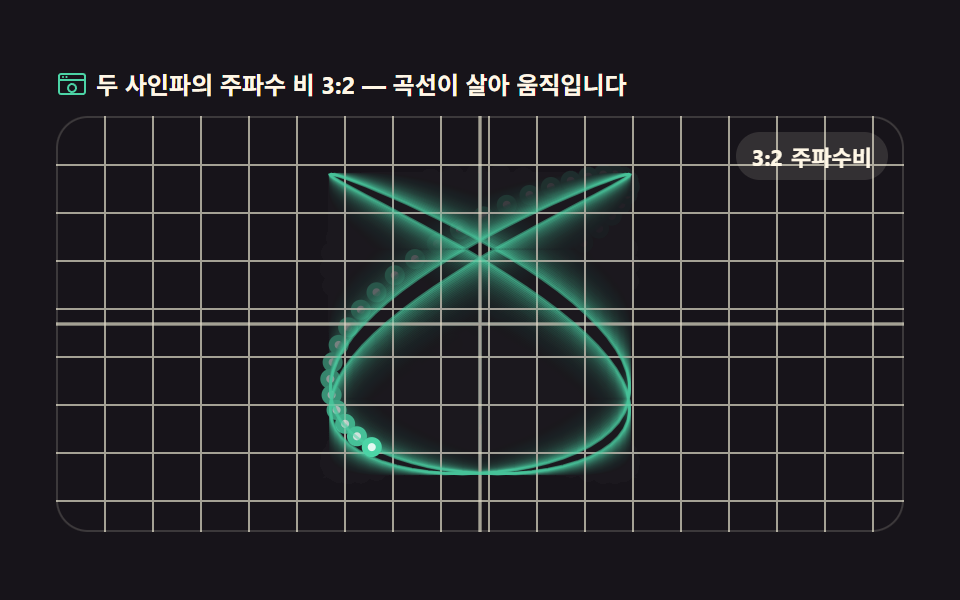 Wave Interference Simulation: 9 Canvas ScenesA wave interference simulation shows what happens on screen when two or more waves combine, and this set builds nine of See all demos in this post
If you like this effect - similar demos
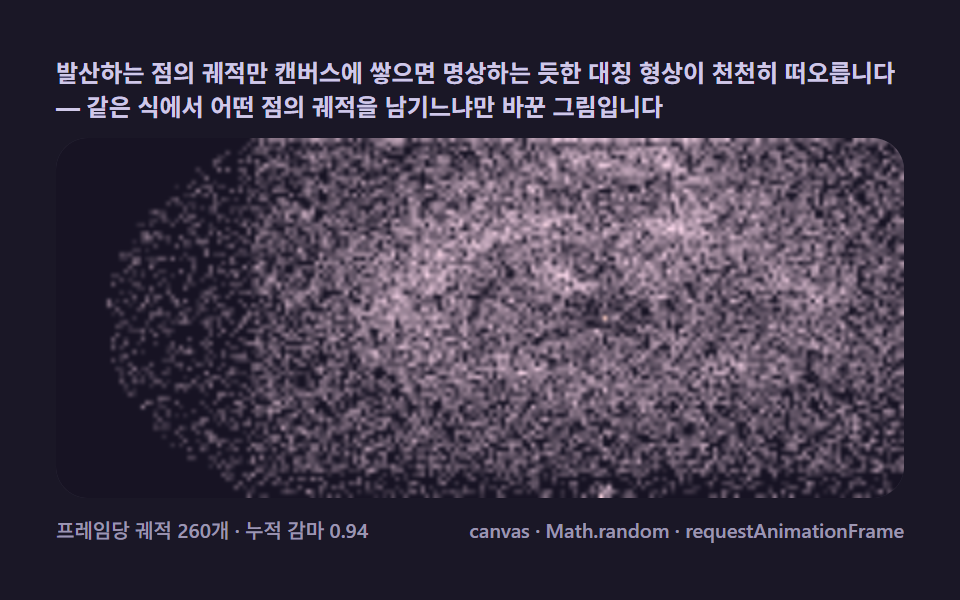 Creative UI05 Buddhabrot — accumulating escaping orbits until a ghost figure emergesMandelbrot Zoom, 9 Ways (Escape-Time, No Library)
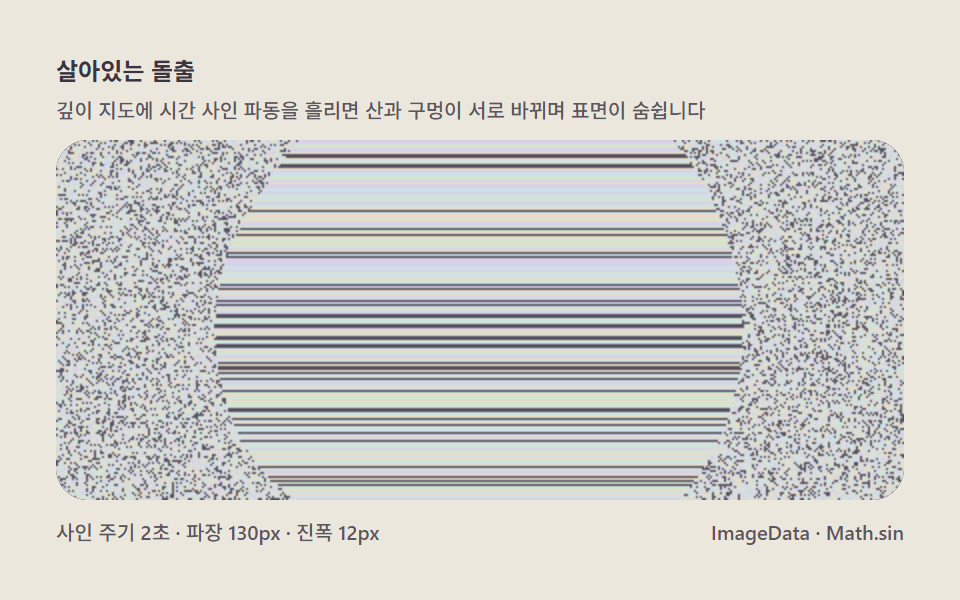 Creative UI08 Living bulge — a surface that breathes through depth wavesMagic Eye Stereograms: 9 Depth Map Demos
 Creative UI08 Loom weave — grid patterns born where threads crossString Art: 9 Thread-Geometry Demos