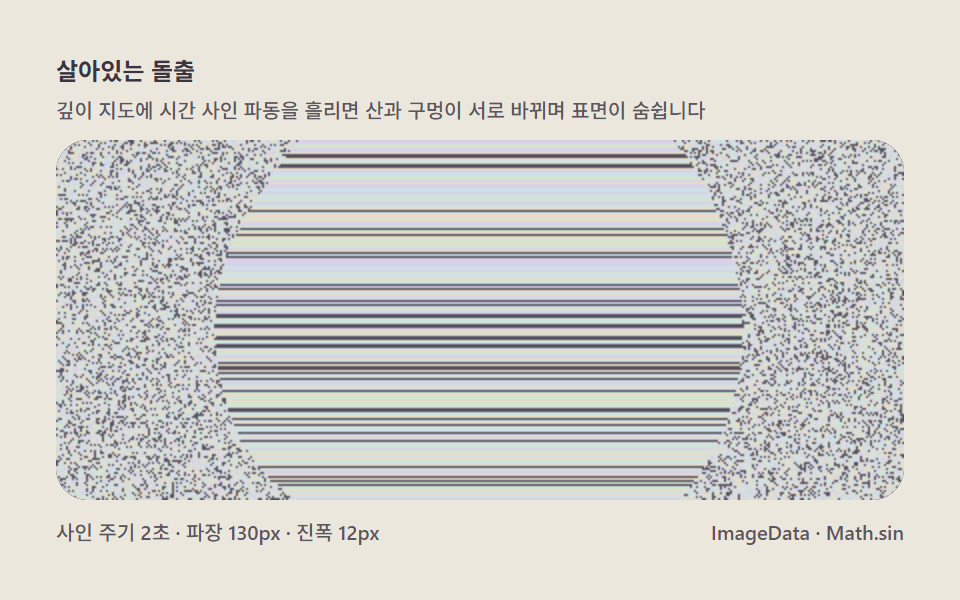
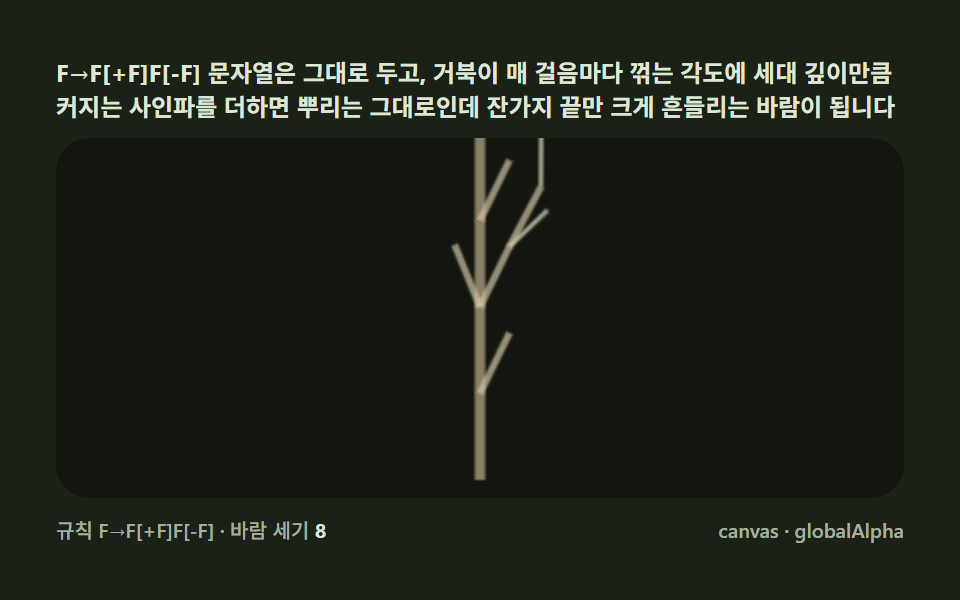
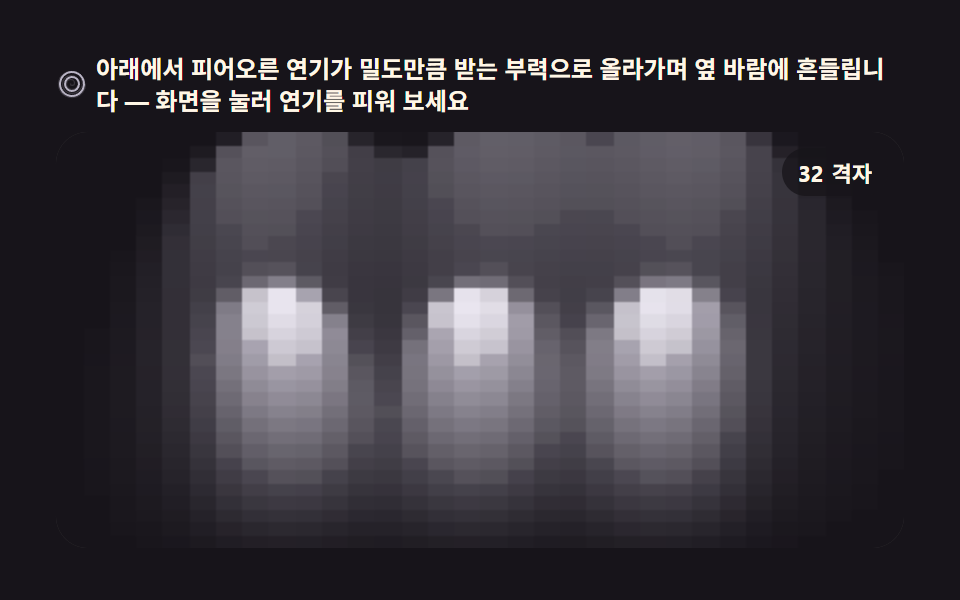
08Phase-difference comparison panel
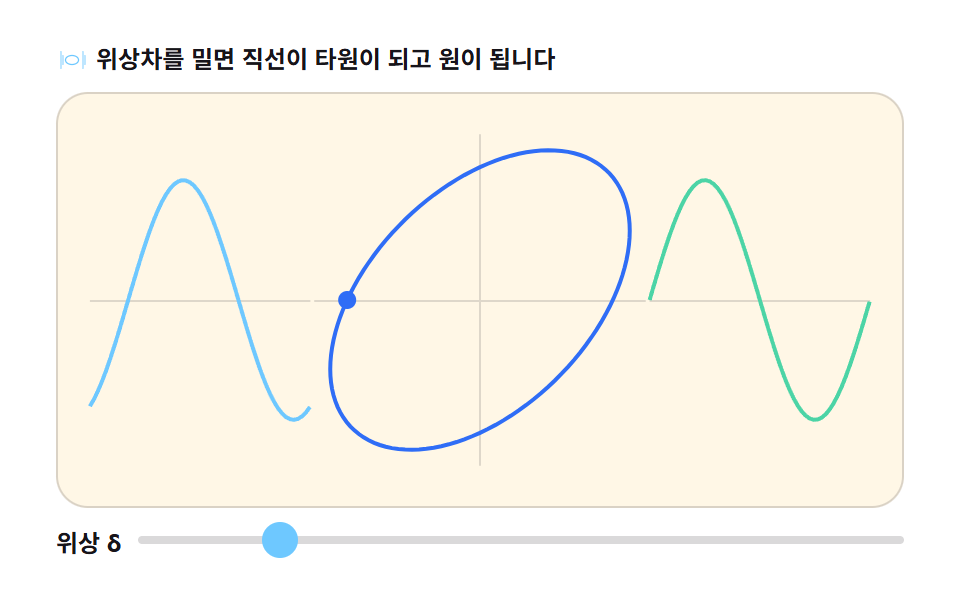
Dragging an input[type=range] slider for δ from 0 to π morphs the same Lissajous curve live from a line into an ellipse into a circle. Every requestAnimationFrame tick reads the slider value into the Math.sin phase term.
Best forInteractive phase-teaching tool, physics-simulator UI
::-webkit-slider-thumbMath.sinrequestAnimationFrame
<main class="stage">
<div class="pd" id="pd">
  <p class="pd__hint">
    <svg class="pd__ico" viewBox="0 0 256 256" aria-hidden="true"><g fill="currentColor"><path d="M32 192V64a8 8 0 0 1 16 0v128a8 8 0 0 1-16 0Z" opacity=".45"/><path d="M64 96v64a8 8 0 0 1-16 0V96a8 8 0 0 1 16 0Z" opacity=".45"/><path d="M208 192V64a8 8 0 0 1 16 0v128a8 8 0 0 1-16 0Z" opacity=".45"/><path d="M240 96v64a8 8 0 0 1-16 0V96a8 8 0 0 1 16 0Z" opacity=".45"/><ellipse cx="128" cy="128" rx="52" ry="36" fill="none" stroke="currentColor" stroke-width="10"/></g></svg>
    <span>Push the phase and the line opens into an ellipse, then a circle</span>
  </p>
  <div class="pd__field" id="field" role="application" aria-label="Phase-difference comparison playground">
    <canvas class="pd__cv" id="cv"></canvas>
    <b class="pd__badge" aria-hidden="true"><span class="pd__badgeNum">0.00</span><span class="pd__badgeUnit">π rad</span></b>
  </div>
  <p class="pd__ctrl">
    <label class="pd__ctrlLabel" for="phase">phase δ</label>
    <input class="pd__slider" id="phase" type="range" min="0" max="100" value="0" step="0.5" aria-label="phase control">
  </p>
</div>
</main>
@use "../../../../site/static/demo-tokens" as *;
// 위상차 비교 패널 — 슬라이더로 위상 δ 를 바꾸면 리사주 곡선이 직선 → 타원 → 원으로 바뀐다.
// 움직임은 전부 캔버스 rAF 루프 안에 있다. @keyframes 0개.
$duration: $dur-loop;
$easing: $ease-spring;
$color: $subject-sky;
@include stage($stage-paper);
.pd {
--trace: #{$subject-blue};
--x-wave: #{$subject-sky};
--y-wave: #{$subject-mint};
--rail: #{rgba($subject-ink, .14)};
--ink-fg: #{$subject-ink};
--badge-bg: #{rgba($subject-ink, .78)};
--badge-fg: #{$subject-cream};
--track: #{rgba($subject-ink, .16)};
display: flex; flex-direction: column; gap: $sp-2;
width: 100%; max-width: 424px;
}
.pd__hint {
display: flex; align-items: center; gap: $sp-1; margin: 0;
font-weight: 700; font-size: clamp(10px, 2.8vw, 12px); line-height: 1.35;
color: var(--ink-fg);
}
.pd__ico { width: 16px; height: 16px; flex: 0 0 auto; color: $subject-sky; }
.pd__field {
position: relative; height: 208px;
border-radius: $r-card; overflow: hidden;
background: $subject-cream;
box-shadow: inset 0 0 0 1px rgba($subject-ink, .16);
}
.pd__cv { display: block; width: 100%; height: 100%; }
.pd__ctrl {
display: flex; align-items: center; gap: $sp-2;
margin: 0;
}
.pd__ctrlLabel {
flex: 0 0 auto; font-weight: 700; font-size: 12px; color: var(--ink-fg);
font-variant-numeric: tabular-nums;
}
.pd__slider {
flex: 1 1 auto; margin: 0; width: 100%;
appearance: none; -webkit-appearance: none;
height: 4px; border-radius: $r-pill; background: var(--track);
outline: none;
}
.pd__slider::-webkit-slider-thumb {
appearance: none; -webkit-appearance: none;
width: 18px; height: 18px; border-radius: 50%;
background: $color; border: none; cursor: pointer;
}
.pd__slider::-moz-range-thumb {
width: 18px; height: 18px; border-radius: 50%;
background: $color; border: none; cursor: pointer;
}
.pd__slider:focus-visible { outline: 2px solid $color; outline-offset: 2px; }
@media (max-width: 340px) {
.pd__field { height: 124px; }
}
@media (prefers-reduced-motion: reduce) {
.pd.is-still .pd__ctrlLabel { opacity: .92 !important; }
}html, body {
margin: 0;
overflow: hidden;
}
.stage {
box-sizing: border-box;
min-height: 100vh;
display: grid;
place-items: center;
margin: 0;
background: #ffffff;
font-family: -apple-system, "Segoe UI", "Noto Sans KR", sans-serif;
padding: clamp(8px, 4vw, 24px);
}
.pd {
--trace: #2f6df6;
--x-wave: #6ec8ff;
--y-wave: #4cd4a6;
--rail: rgba(23, 20, 26, 0.14);
--ink-fg: #17141a;
--badge-bg: rgba(23, 20, 26, 0.78);
--badge-fg: #fff7e6;
--track: rgba(23, 20, 26, 0.16);
display: flex;
flex-direction: column;
gap: 8px;
width: 100%;
max-width: 424px;
}
.pd__hint {
display: flex;
align-items: center;
gap: 4px;
margin: 0;
font-weight: 700;
font-size: clamp(10px, 2.8vw, 12px);
line-height: 1.35;
color: var(--ink-fg);
}
.pd__ico {
width: 16px;
height: 16px;
flex: 0 0 auto;
color: #6ec8ff;
}
.pd__field {
position: relative;
height: 208px;
border-radius: 16px;
overflow: hidden;
background: #fff7e6;
box-shadow: inset 0 0 0 1px rgba(23, 20, 26, 0.16);
}
.pd__cv {
display: block;
width: 100%;
height: 100%;
}
.pd__ctrl {
display: flex;
align-items: center;
gap: 8px;
margin: 0;
}
.pd__ctrlLabel {
flex: 0 0 auto;
font-weight: 700;
font-size: 12px;
color: var(--ink-fg);
font-variant-numeric: tabular-nums;
}
.pd__slider {
flex: 1 1 auto;
margin: 0;
width: 100%;
appearance: none;
-webkit-appearance: none;
height: 4px;
border-radius: 999px;
background: var(--track);
outline: none;
}
.pd__slider::-webkit-slider-thumb {
appearance: none;
-webkit-appearance: none;
width: 18px;
height: 18px;
border-radius: 50%;
background: #6ec8ff;
border: none;
cursor: pointer;
}
.pd__slider::-moz-range-thumb {
width: 18px;
height: 18px;
border-radius: 50%;
background: #6ec8ff;
border: none;
cursor: pointer;
}
.pd__slider:focus-visible {
outline: 2px solid #6ec8ff;
outline-offset: 2px;
}
@media (max-width: 340px) {
.pd__field {
height: 124px;
}
}
@media (prefers-reduced-motion: reduce) {
.pd.is-still .pd__ctrlLabel {
opacity: 0.92 !important;
}
}// 위상차 비교 패널 — 같은 주파수의 두 사인파를 X·Y 에 걸되 위상차 δ 만 다르게 하면
// 리사주 도형이 δ=0 직선 → δ=π/2 원 → δ=π 반직선으로 바뀐다.
// requestAnimationFrame 마다 input[type=range] 슬라이더 값을 읽어 Math.sin 위상에 반영한다.
// 슬라이더를 만지지 않을 때는 자동 루프가 δ 를 0→2π 로 천천히 왕복한다(미리보기·측정용).
var root = document.getElementById('pd');
var field = document.getElementById('field');
var cv = document.getElementById('cv');
var ctx = cv.getContext('2d');
var slider = document.getElementById('phase');
var css = getComputedStyle(root);
var TRACE = css.getPropertyValue('--trace').trim();
var XW = css.getPropertyValue('--x-wave').trim();
var YW = css.getPropertyValue('--y-wave').trim();
var RAIL = css.getPropertyValue('--rail').trim();
var LOOP = 2; // 자동 루프가 δ 를 0→2π 왕복하는 시간(초)
var reduce = window.matchMedia('(prefers-reduced-motion: reduce)').matches;
var W = 0, H = 0, dpr = 1, raf = 0;
var manual = false; // 사람이 슬라이더를 잡고 있으면 자동 루프를 멈춘다
var numEl = document.querySelector('.pd__badgeNum');
function fit() {
var r = field.getBoundingClientRect();
dpr = window.devicePixelRatio || 1;
W = r.width; H = r.height;
cv.width = Math.round(W * dpr);
cv.height = Math.round(H * dpr);
ctx.setTransform(dpr, 0, 0, dpr, 0, 0);
}
// 화면을 세 팔로 나눈다 — 왼쪽 X 파형·오른쪽 Y 파형·가운데 리사주 도형
function draw(delta, sec) {
ctx.clearRect(0, 0, W, H);
var mid = H * 0.5;
var cxr = W * 0.5, R = Math.min(W * 0.28, H * 0.36);
var xw0 = W * 0.04, xw1 = W * 0.30; // X 파형 영역
var yw0 = W * 0.70, yw1 = W * 0.96; // Y 파형 영역
var t = sec;
// 레일
ctx.strokeStyle = RAIL;
ctx.lineWidth = 1;
ctx.beginPath();
ctx.moveTo(xw0, mid + 0.5); ctx.lineTo(xw1, mid + 0.5);
ctx.moveTo(yw0, mid + 0.5); ctx.lineTo(yw1, mid + 0.5);
ctx.moveTo(cxr - R - 8, mid + 0.5); ctx.lineTo(cxr + R + 8, mid + 0.5);
ctx.moveTo(cxr, mid - R - 8); ctx.lineTo(cxr, mid + R + 8);
ctx.stroke();
// X 파형 — sin(ωt)
ctx.strokeStyle = XW;
ctx.lineWidth = 2;
ctx.beginPath();
for (var x = 0; x <= xw1 - xw0; x += 2) {
var ph = t * Math.PI * 2 + x / (xw1 - xw0) * Math.PI * 2;
var y = mid - Math.sin(ph) * R * 0.8;
if (x === 0) ctx.moveTo(xw0 + x, y); else ctx.lineTo(xw0 + x, y);
}
ctx.stroke();
// Y 파형 — sin(ωt + δ)
ctx.strokeStyle = YW;
ctx.beginPath();
for (var x2 = 0; x2 <= yw1 - yw0; x2 += 2) {
var ph2 = t * Math.PI * 2 + x2 / (yw1 - yw0) * Math.PI * 2 + delta;
var y2 = mid - Math.sin(ph2) * R * 0.8;
if (x2 === 0) ctx.moveTo(yw0 + x2, y2); else ctx.lineTo(yw0 + x2, y2);
}
ctx.stroke();
// 리사주 도형 — X=sin(ωt), Y=sin(ωt+δ). δ 가 0 이면 대각선 직선, π/2 면 원, π 면 반대 대각선
ctx.strokeStyle = TRACE;
ctx.lineWidth = 2;
ctx.beginPath();
var N = 120;
for (var i = 0; i <= N; i++) {
var th = i / N * Math.PI * 2;
var px = cxr + Math.sin(th) * R;
var py = mid - Math.sin(th + delta) * R;
if (i === 0) ctx.moveTo(px, py); else ctx.lineTo(px, py);
}
ctx.stroke();
// 진행 점 — 두 파형의 지금 값을 잇는 밝은 점
var hx = cxr + Math.sin(t * Math.PI * 2) * R;
var hy = mid - Math.sin(t * Math.PI * 2 + delta) * R;
ctx.fillStyle = TRACE;
ctx.beginPath(); ctx.arc(hx, hy, 4.5, 0, Math.PI * 2); ctx.fill();
if (numEl) {
var v = (delta / Math.PI).toFixed(2);
if (numEl.textContent !== v) numEl.textContent = v;
}
}
function frame(now) {
var sec = now / 1000;
var delta;
if (manual) {
delta = slider.value / 100 * Math.PI * 2;
} else {
// 자동 왕복 — 0→2π 를 갔다가 되돌아온다(루프가 이어진다)
var u = (sec % LOOP) / LOOP;
delta = (u < 0.5 ? u * 2 : (1 - u) * 2) * Math.PI * 2;
if (slider) slider.value = String(Math.round(delta / (Math.PI * 2) * 100));
}
draw(delta, sec);
raf = requestAnimationFrame(frame);
}
if (slider) {
slider.addEventListener('input', function () { manual = true; });
slider.addEventListener('pointerdown', function () { manual = true; });
slider.addEventListener('keydown', function () { manual = true; });
}
fit();
window.addEventListener('resize', function () { fit(); if (reduce) draw(Math.PI / 2, 0.2); });
if (reduce) {
// reduce — 루프 없이 δ=π/2 (원) 한 장만 그린다(빈 화면이 아니다)
root.classList.add('is-still');
draw(Math.PI / 2, 0.2);
} else {
raf = requestAnimationFrame(frame);
}// PhaseDiffPanel — vanilla 판(run/303/demo/08-wave-phase-diff-panel/index.html) 의 React 포트.
// 같은 주파수의 두 사인파를 X·Y 에 걸되 위상차 δ 만 다르게 하면 리사주 도형이
// δ=0 직선 → δ=π/2 원 → δ=π 반직선으로 바뀐다. 슬라이더를 만지지 않을 때는 자동 루프.
import { useEffect, useRef, useState } from "react";
import type { CSSProperties } from "react";
import styles from "./PhaseDiffPanel.module.scss";
export type PhaseDiffPanelProps = {
duration?: number;
easing?: string;
accentColor?: string;
};
type Vars = CSSProperties & { "--duration"?: string; "--easing"?: string; "--color"?: string };
// 이벤트 타입은 로컬로만 정의 (React 전역 타입 import 금지)
type RangeEvt = { target: { value: string } };
const TITLE = "위상차 비교 패널 데모";
const HINT_TEXT = "위상차를 밀면 직선이 타원이 되고 원이 됩니다";
const FIELD_LABEL = "위상차 비교 실험판";
const CTRL_LABEL = "위상 δ";
const SLIDER_LABEL = "위상차 조절";
const BADGE_UNIT = "π rad";
export default function PhaseDiffPanel({
duration = 2000,
easing = "cubic-bezier(.2, .8, .2, 1)",
accentColor = "#6ec8ff",
}: PhaseDiffPanelProps) {
const rootRef = useRef<HTMLDivElement>(null);
const fieldRef = useRef<HTMLDivElement>(null);
const cvRef = useRef<HTMLCanvasElement>(null);
const sliderRef = useRef<HTMLInputElement>(null);
const numRef = useRef<HTMLSpanElement>(null);
const [still, setStill] = useState(false);
const [sliderValue, setSliderValue] = useState("0");
const manualRef = useRef(false);
const vars: Vars = {
"--duration": `${duration}ms`,
"--easing": easing,
"--color": accentColor,
};
useEffect(() => {
const root0 = rootRef.current;
const field0 = fieldRef.current;
const cv0 = cvRef.current;
const slider = sliderRef.current;
const numEl = numRef.current;
if (!root0 || !field0 || !cv0) return;
const ctx0 = cv0.getContext("2d");
if (!ctx0) return;
// 중첩 함수(클로저) 안에서는 가드로 좁힌 널 타입이 전달되지 않는다 — 확인된 값으로 다시 상수를 묶는다
const root: HTMLDivElement = root0;
const field: HTMLDivElement = field0;
const cv: HTMLCanvasElement = cv0;
const ctx: CanvasRenderingContext2D = ctx0;
const css = getComputedStyle(root);
const TRACE = css.getPropertyValue("--trace").trim();
const XW = css.getPropertyValue("--x-wave").trim();
const YW = css.getPropertyValue("--y-wave").trim();
const RAIL = css.getPropertyValue("--rail").trim();
const LOOP = 2; // 자동 루프가 δ 를 0→2π 왕복하는 시간(초)
const reduce = window.matchMedia("(prefers-reduced-motion: reduce)").matches;
let W = 0, H = 0, dpr = 1, raf = 0;
const manual = manualRef; // 사람이 슬라이더를 잡고 있으면 자동 루프를 멈춘다
function fit() {
const r = field!.getBoundingClientRect();
dpr = window.devicePixelRatio || 1;
W = r.width; H = r.height;
cv!.width = Math.round(W * dpr);
cv!.height = Math.round(H * dpr);
ctx!.setTransform(dpr, 0, 0, dpr, 0, 0);
}
// 화면을 세 팔로 나눈다 — 왼쪽 X 파형·오른쪽 Y 파형·가운데 리사주 도형
function draw(delta: number, sec: number) {
ctx.clearRect(0, 0, W, H);
const mid = H * 0.5;
const cxr = W * 0.5, R = Math.min(W * 0.28, H * 0.36);
const xw0 = W * 0.04, xw1 = W * 0.30; // X 파형 영역
const yw0 = W * 0.70, yw1 = W * 0.96; // Y 파형 영역
const t = sec;
// 레일
ctx.strokeStyle = RAIL;
ctx.lineWidth = 1;
ctx.beginPath();
ctx.moveTo(xw0, mid + 0.5); ctx.lineTo(xw1, mid + 0.5);
ctx.moveTo(yw0, mid + 0.5); ctx.lineTo(yw1, mid + 0.5);
ctx.moveTo(cxr - R - 8, mid + 0.5); ctx.lineTo(cxr + R + 8, mid + 0.5);
ctx.moveTo(cxr, mid - R - 8); ctx.lineTo(cxr, mid + R + 8);
ctx.stroke();
// X 파형 — sin(ωt)
ctx.strokeStyle = XW;
ctx.lineWidth = 2;
ctx.beginPath();
for (let x = 0; x <= xw1 - xw0; x += 2) {
const ph = t * Math.PI * 2 + x / (xw1 - xw0) * Math.PI * 2;
const y = mid - Math.sin(ph) * R * 0.8;
if (x === 0) ctx.moveTo(xw0 + x, y); else ctx.lineTo(xw0 + x, y);
}
ctx.stroke();
// Y 파형 — sin(ωt + δ)
ctx.strokeStyle = YW;
ctx.beginPath();
for (let x2 = 0; x2 <= yw1 - yw0; x2 += 2) {
const ph2 = t * Math.PI * 2 + x2 / (yw1 - yw0) * Math.PI * 2 + delta;
const y2 = mid - Math.sin(ph2) * R * 0.8;
if (x2 === 0) ctx.moveTo(yw0 + x2, y2); else ctx.lineTo(yw0 + x2, y2);
}
ctx.stroke();
// 리사주 도형 — X=sin(ωt), Y=sin(ωt+δ). δ 가 0 이면 대각선 직선, π/2 면 원, π 면 반대 대각선
ctx.strokeStyle = TRACE;
ctx.lineWidth = 2;
ctx.beginPath();
const N = 120;
for (let i = 0; i <= N; i++) {
const th = i / N * Math.PI * 2;
const px = cxr + Math.sin(th) * R;
const py = mid - Math.sin(th + delta) * R;
if (i === 0) ctx.moveTo(px, py); else ctx.lineTo(px, py);
}
ctx.stroke();
// 진행 점 — 두 파형의 지금 값을 잇는 밝은 점
const hx = cxr + Math.sin(t * Math.PI * 2) * R;
const hy = mid - Math.sin(t * Math.PI * 2 + delta) * R;
ctx.fillStyle = TRACE;
ctx.beginPath(); ctx.arc(hx, hy, 4.5, 0, Math.PI * 2); ctx.fill();
if (numEl) {
const v = (delta / Math.PI).toFixed(2);
if (numEl.textContent !== v) numEl.textContent = v;
}
}
function frame(now: number) {
const sec = now / 1000;
let delta: number;
if (manual.current) {
delta = Number((sliderRef.current && sliderRef.current.value) || 0) / 100 * Math.PI * 2;
} else {
// 자동 왕복 — 0→2π 를 갔다가 되돌아온다(루프가 이어진다)
const u = (sec % LOOP) / LOOP;
delta = (u < 0.5 ? u * 2 : (1 - u) * 2) * Math.PI * 2;
if (slider) slider.value = String(Math.round(delta / (Math.PI * 2) * 100));
}
draw(delta, sec);
raf = requestAnimationFrame(frame);
}
function onInput() { manual.current = true; }
function onPointerDown() { manual.current = true; }
function onKeyDown() { manual.current = true; }
function onResize() {
fit();
if (reduce) draw(Math.PI / 2, 0.2);
}
if (slider) {
slider.addEventListener("input", onInput);
slider.addEventListener("pointerdown", onPointerDown);
slider.addEventListener("keydown", onKeyDown);
}
fit();
window.addEventListener("resize", onResize);
if (reduce) {
// reduce — 루프 없이 δ=π/2 (원) 한 장만 그린다(빈 화면이 아니다)
setStill(true);
draw(Math.PI / 2, 0.2);
} else {
raf = requestAnimationFrame(frame);
}
return () => {
cancelAnimationFrame(raf);
window.removeEventListener("resize", onResize);
if (slider) {
slider.removeEventListener("input", onInput);
slider.removeEventListener("pointerdown", onPointerDown);
slider.removeEventListener("keydown", onKeyDown);
}
};
}, []);
return (
<main className={styles.stage}>
<div
className={`${styles.pd}${still ? ` ${styles["is-still"]}` : ""}`}
ref={rootRef}
style={vars}
aria-label={TITLE}
>
<p className={styles["pd__hint"]}>
<svg className={styles["pd__ico"]} viewBox="0 0 256 256" aria-hidden="true">
<g fill="currentColor">
<path d="M32 192V64a8 8 0 0 1 16 0v128a8 8 0 0 1-16 0Z" opacity=".45" />
<path d="M64 96v64a8 8 0 0 1-16 0V96a8 8 0 0 1 16 0Z" opacity=".45" />
<path d="M208 192V64a8 8 0 0 1 16 0v128a8 8 0 0 1-16 0Z" opacity=".45" />
<path d="M240 96v64a8 8 0 0 1-16 0V96a8 8 0 0 1 16 0Z" opacity=".45" />
<ellipse cx="128" cy="128" rx="52" ry="36" fill="none" stroke="currentColor" stroke-width="10" />
</g>
</svg>
<span>{HINT_TEXT}</span>
</p>
<div
className={styles["pd__field"]}
ref={fieldRef}
role="application"
aria-label={FIELD_LABEL}
>
<canvas className={styles["pd__cv"]} ref={cvRef}></canvas>
<b className={styles["pd__badge"]} aria-hidden="true">
<span className={styles["pd__badgeNum"]} ref={numRef}>0.00</span>
<span className={styles["pd__badgeUnit"]}>{BADGE_UNIT}</span>
</b>
</div>
<p className={styles["pd__ctrl"]}>
<label className={styles["pd__ctrlLabel"]} htmlFor="phase">{CTRL_LABEL}</label>
<input
className={styles["pd__slider"]}
ref={sliderRef}
id="phase"
type="range"
min="0"
max="100"
value={sliderValue}
step="0.5"
aria-label={SLIDER_LABEL}
onChange={(e: RangeEvt) => { manualRef.current = true; setSliderValue(e.target.value); }}
/>
</p>
</div>
</main>
);
}08 Phase-difference comparison panel — Measured area 27.153% · moving frames 23/23Original by GODRICH · SCSS and React ship in the zip · Wave Interference Simulation: 9 Canvas Scenes
The post this demo lives in
 Wave Interference Simulation: 9 Canvas ScenesA wave interference simulation shows what happens on screen when two or more waves combine, and this set builds nine of See all demos in this post