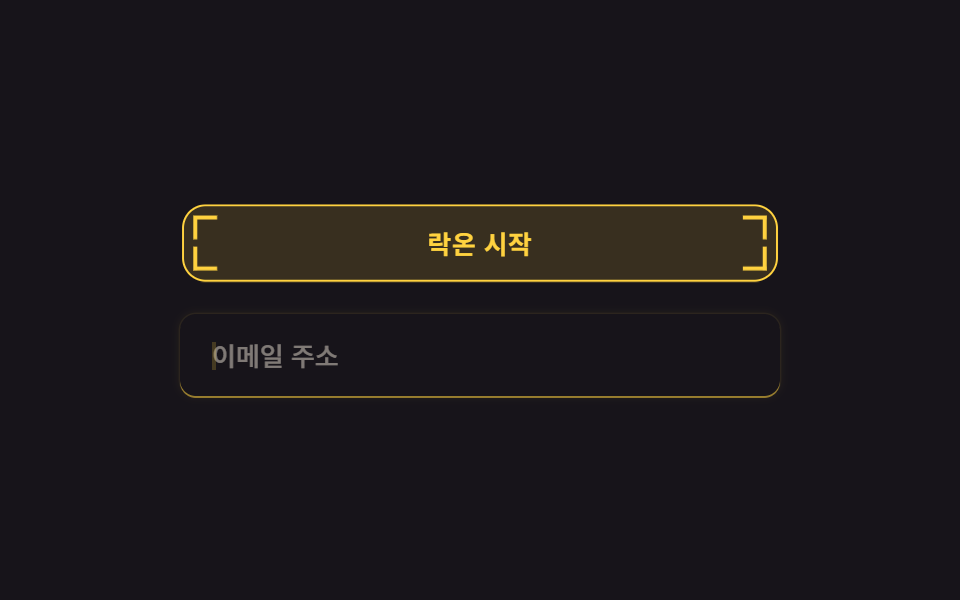
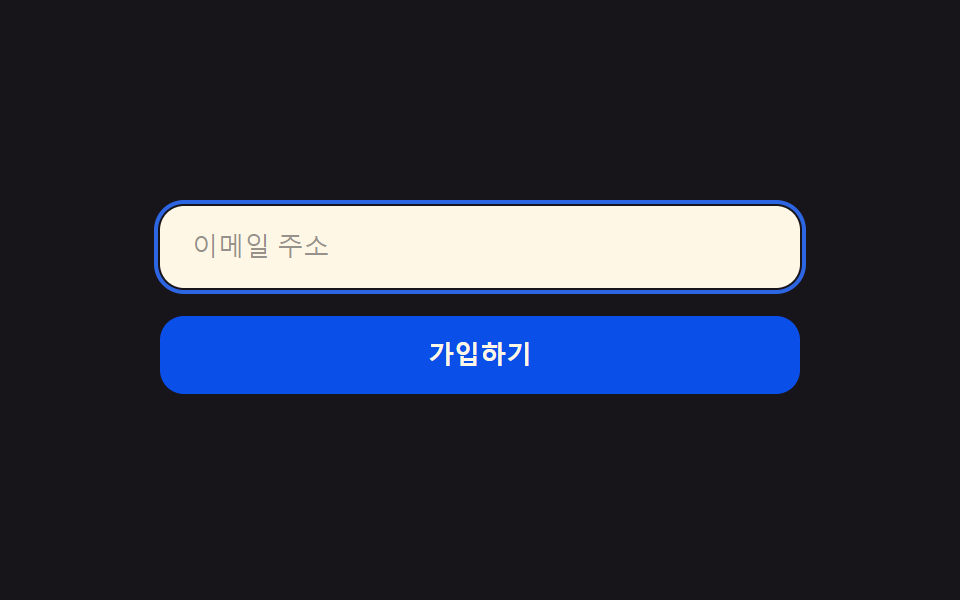
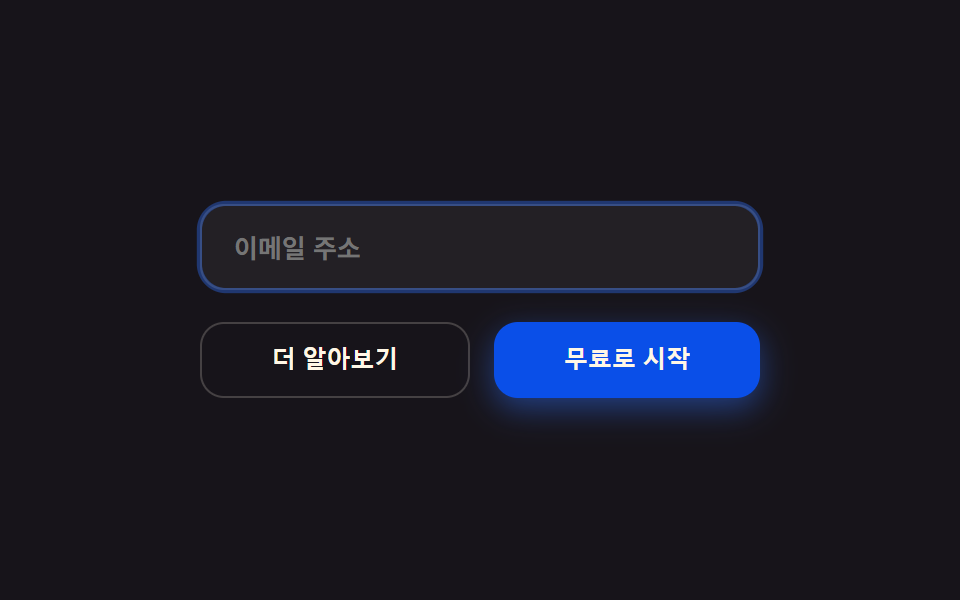
09オーブボタン・チャット入力
AIに尋ねるための丸いチャット入力欄と、ソリッドボタン2つ。フォーカスで入力欄に柔らかい光の輪が一重だけ付き(box-shadow)、送信ボタンの中の小さなオーブの点が押された状態を示します。
使いどころチャットウィジェットの入力欄・フォーム送信ボタン
box-shadowtransitionaria-label
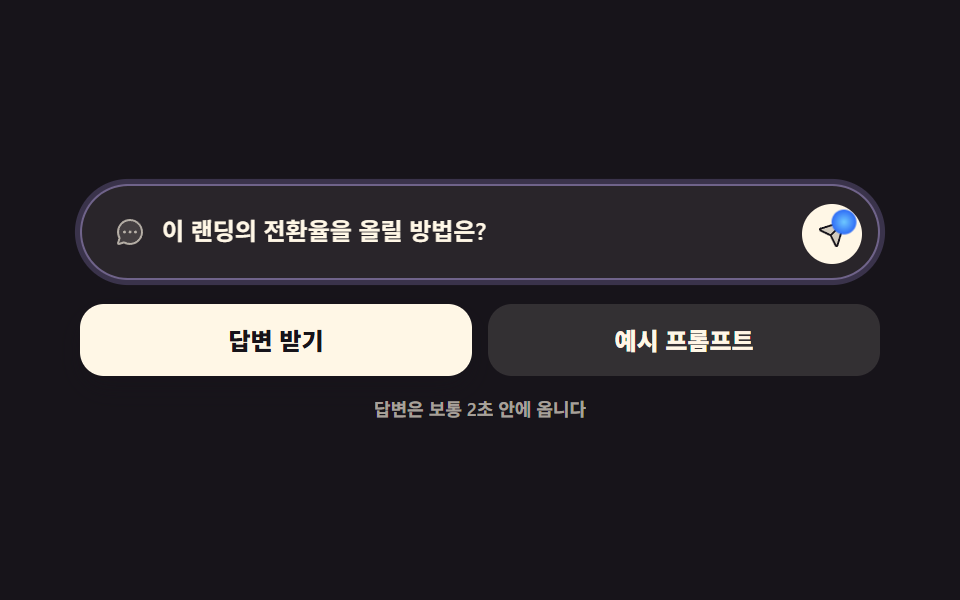
<main class="stage">
<div class="ch is-demo" id="ch">
  <div class="ch__field">
    <span class="ch__lead" aria-hidden="true"><svg xmlns="http://www.w3.org/2000/svg" viewBox="0 0 256 256" fill="currentColor"><path d="M224,128A96,96,0,0,1,79.93,211.11h0L42.54,223.58a8,8,0,0,1-10.12-10.12l12.47-37.39h0A96,96,0,1,1,224,128Z" opacity="0.2"/><path d="M128,24A104,104,0,0,0,36.18,176.88L24.83,210.93a16,16,0,0,0,20.24,20.24l34.05-11.35A104,104,0,1,0,128,24Zm0,192a87.87,87.87,0,0,1-44.06-11.81,8,8,0,0,0-4-1.08,7.85,7.85,0,0,0-2.53.42L40,216,52.47,178.6a8,8,0,0,0-.66-6.54A88,88,0,1,1,128,216Zm12-88a12,12,0,1,1-12-12A12,12,0,0,1,140,128Zm-44,0a12,12,0,1,1-12-12A12,12,0,0,1,96,128Zm88,0a12,12,0,1,1-12-12A12,12,0,0,1,184,128Z"/></svg></span>
    <span class="ch__box">
      <input class="ch__input" id="chInput" type="text" placeholder="何でも聞いてください" aria-label="AIに尋ねる内容">
      <!-- 미리보기용 고스트 글자. .is-demo 동안만 보이고 그때 placeholder 는 투명해진다 -->
      <span class="ch__ghost" aria-hidden="true">このLPのコンバージョン率を上げるには?</span>
    </span>
    <button type="button" class="ch__send" id="chSend" aria-label="送信">
      <span class="ch__dot" aria-hidden="true"></span>
      <span class="ch__ico" aria-hidden="true"><svg xmlns="http://www.w3.org/2000/svg" viewBox="0 0 256 256" fill="currentColor"><path d="M223.69,42.18l-58.22,192a8,8,0,0,1-14.92,1.25L108,148,20.58,105.45a8,8,0,0,1,1.25-14.92l192-58.22A8,8,0,0,1,223.69,42.18Z" opacity="0.2"/><path d="M227.32,28.68a16,16,0,0,0-15.66-4.08l-.15,0L19.57,82.84a16,16,0,0,0-2.49,29.8L102,154l41.3,84.87A15.86,15.86,0,0,0,157.74,248q.69,0,1.38-.06a15.88,15.88,0,0,0,14-11.51l58.2-191.94c0-.05,0-.1,0-.15A16,16,0,0,0,227.32,28.68ZM157.83,231.85l-.05.14,0-.07-40.06-82.3,48-48a8,8,0,0,0-11.31-11.31l-48,48L24.08,98.25l-.07,0,.14,0L216,40Z"/></svg></span>
    </button>
  </div>
  <div class="ch__row">
    <button type="button" class="ch__btn ch__btn--solid">回答をもらう</button>
    <button type="button" class="ch__btn ch__btn--quiet">プロンプト例</button>
  </div>
  <p class="ch__hint">回答はたいてい2秒以内に届きます</p>
</div>
</main>
@use "../../../../site/static/demo-tokens" as *;
$duration: $dur-loop; // 묻고 → 보내고 → 돌아오는 한 바퀴
$easing: $ease-out; // 빛 무리가 번지는 이징
$color: $subject-lilac; // 빛 무리 색
@include stage($stage-ink);
.ch { box-sizing: border-box; width: min(100%, 400px); }
// ── 둥근 챗 입력창. 포커스 링은 box-shadow 한 겹뿐 — 두 겹 이상 쌓으면 "빛나는 입력창" 이 된다
.ch__field {
display: flex; align-items: center; gap: $sp-2;
padding: $sp-2 $sp-2 $sp-2 $sp-4;
border: 1px solid rgba($subject-cream, .18);
border-radius: $r-pill;
background: rgba($subject-cream, .08);
box-shadow: 0 0 0 0 rgba($color, 0);
transition: box-shadow $dur-base $easing, border-color $dur-base $easing;
}
.ch__field:focus-within {
border-color: rgba($color, .62);
box-shadow: 0 0 0 4px rgba($color, .34);
}
.ch__lead { display: inline-flex; width: 16px; height: 16px; flex: 0 0 auto; color: rgba($subject-cream, .62); }
.ch__lead svg { width: 100%; height: 100%; }
.ch__box { position: relative; display: block; flex: 1 1 auto; min-width: 0; }
.ch__input {
display: block; width: 100%; border: 0; background: none; padding: 0;
font-family: inherit; font-weight: 600; font-size: clamp(10px, 2.9vw, 12px); line-height: 1.6;
color: $subject-cream; // 13.96:1
}
.ch__input:focus { outline: none; } // 링을 field 가 그리므로 기본 아웃라인은 뺀다
.ch__input::placeholder { color: rgba($subject-cream, .62); opacity: 1; } // 6.29:1
.ch__ghost {
position: absolute; left: 0; top: 0; width: 100%; opacity: 0;
font-weight: 600; font-size: clamp(10px, 2.9vw, 12px); line-height: 1.6;
color: $subject-cream; white-space: nowrap; overflow: hidden; text-overflow: ellipsis;
pointer-events: none;
}
// 고스트 글자가 보일 땐 placeholder 를 투명하게 — 두 글자가 겹치면 둘 다 못 읽는다
.ch.is-demo .ch__input::placeholder { color: transparent; }
// ── 전송 버튼: 솔리드. 안의 작은 오브 점이 눌림을 표시한다
.ch__send {
position: relative; display: inline-flex; align-items: center; justify-content: center;
width: 30px; height: 30px; flex: 0 0 auto; border: 0; border-radius: 50%; cursor: pointer;
background: $subject-cream; color: $subject-ink; // 아이콘 17.11:1
transition: transform $dur-instant $easing;
}
.ch__ico { display: inline-flex; width: 15px; height: 15px; }
.ch__ico svg { width: 100%; height: 100%; }
.ch__dot {
position: absolute; right: 5px; top: 5px;
width: 8px; height: 8px; border-radius: 50%; opacity: .6;
background: radial-gradient(circle at 50% 50%, rgba($subject-sky, 1) 0%, rgba($subject-blue, 1) 70%);
transform-origin: 50% 50%; // 스스로 완결한 점 — 제 중심에서 커진다
transition: transform $dur-instant $easing, opacity $dur-instant $easing;
}
.ch__send:active { transform: translateY(1px); }
.ch__send:active .ch__dot { transform: scale(1.55); opacity: 1; }
.ch__send:focus-visible { outline: 2px solid rgba($color, .8); outline-offset: 2px; }
// ── 솔리드 버튼 둘
.ch__row { display: flex; gap: $sp-2; margin-top: $sp-3; }
.ch__btn {
flex: 1 1 0; padding: $sp-3 $sp-2; border: 0; border-radius: $r-control; cursor: pointer;
font-family: inherit; font-weight: 800; font-size: clamp(10px, 2.9vw, 12px); line-height: 1;
transition: transform $dur-quick $easing, box-shadow $dur-quick $easing;
}
.ch__btn--solid { background: $subject-cream; color: $subject-ink; box-shadow: $shadow-press; } // 17.11:1
.ch__btn--quiet { background: rgba($subject-cream, .12); color: $subject-cream; } // 12.33:1
.ch__btn:hover,
.ch__btn:focus-visible { transform: translateY(-1px); }
.ch__btn--solid:hover,
.ch__btn--solid:focus-visible { box-shadow: $shadow-raised; }
.ch__btn:active { transform: translateY(0); }
.ch__hint {
margin: $sp-3 0 0; text-align: center;
font-weight: 600; font-size: clamp(8px, 2.4vw, 9px); line-height: 1;
color: rgba($subject-cream, .62); // 7.12:1
}
// ── 미리보기 루프: 포커스 → 빛 무리 한 겹 → 전송 → 원래대로 (복귀 90% 안)
.ch.is-demo .ch__field {
animation-name: chRing;
animation-duration: $duration;
animation-timing-function: $easing;
animation-iteration-count: infinite;
}
.ch.is-demo .ch__ghost {
animation-name: chGhost;
animation-duration: $duration;
animation-timing-function: steps(1, end); // 글자 교체는 컷 — 반투명 유령 프레임을 만들지 않는다
animation-iteration-count: infinite;
}
.ch.is-demo .ch__send {
animation-name: chPress;
animation-duration: $duration;
animation-timing-function: $easing;
animation-iteration-count: infinite;
}
.ch.is-demo .ch__dot {
animation-name: chDot;
animation-duration: $duration;
animation-timing-function: $easing;
animation-iteration-count: infinite;
}
@keyframes chRing {
0%, 6% { border-color: rgba($subject-cream, .18); box-shadow: 0 0 0 0 rgba($color, 0); }
30%, 66% { border-color: rgba($color, .62); box-shadow: 0 0 0 4px rgba($color, .34); }
86%, 100% { border-color: rgba($subject-cream, .18); box-shadow: 0 0 0 0 rgba($color, 0); }
}
@keyframes chGhost {
0% { opacity: 0; }
12% { opacity: 1; }
86% { opacity: 0; }
100% { opacity: 0; }
}
@keyframes chPress {
0%, 62% { transform: translateY(0); }
66%, 74% { transform: translateY(1px); }
78%, 100% { transform: translateY(0); }
}
@keyframes chDot {
0%, 62% { transform: scale(1); opacity: .6; }
66%, 74% { transform: scale(1.55); opacity: 1; }
78%, 100% { transform: scale(1); opacity: .6; }
}
// ── 320×200 폰 실측 대비 압축 (BD9). 이 블록 안에서는 간격을 올리지 않는다
@media (max-width: 340px), (max-height: 220px) {
.ch__field { padding: $sp-1 $sp-1 $sp-1 $sp-3; }
.ch__lead { width: 14px; height: 14px; }
.ch__input, .ch__ghost { font-size: 10px; }
.ch__send { width: 26px; height: 26px; }
.ch__ico { width: 13px; height: 13px; }
.ch__row { margin-top: $sp-2; }
.ch__btn { padding: $sp-2; font-size: 10px; }
.ch__hint { margin-top: $sp-2; font-size: 7px; }
}
@media (prefers-reduced-motion: reduce) {
// 움직임만 뺀다 — 포커스 링과 고스트 글자라는 피드백은 그대로 남긴다
.ch.is-demo .ch__field,
.ch.is-demo .ch__ghost,
.ch.is-demo .ch__send,
.ch.is-demo .ch__dot { animation: none !important; }
.ch.is-demo .ch__field { border-color: rgba($color, .62) !important; box-shadow: 0 0 0 4px rgba($color, .34) !important; }
.ch.is-demo .ch__ghost { opacity: 1 !important; }
.ch__field, .ch__send, .ch__dot, .ch__btn { transition: none !important; }
}html, body {
margin: 0;
overflow: hidden;
}
.stage {
box-sizing: border-box;
min-height: 100vh;
display: grid;
place-items: center;
margin: 0;
background: #17141a;
font-family: -apple-system, "Segoe UI", "Noto Sans KR", sans-serif;
padding: clamp(8px, 4vw, 24px);
}
.ch {
box-sizing: border-box;
width: min(100%, 400px);
}
.ch__field {
display: flex;
align-items: center;
gap: 8px;
padding: 8px 8px 8px 16px;
border: 1px solid rgba(255, 247, 230, 0.18);
border-radius: 999px;
background: rgba(255, 247, 230, 0.08);
box-shadow: 0 0 0 0 rgba(185, 160, 255, 0);
transition: box-shadow 300ms ease-out, border-color 300ms ease-out;
}
.ch__field:focus-within {
border-color: rgba(185, 160, 255, 0.62);
box-shadow: 0 0 0 4px rgba(185, 160, 255, 0.34);
}
.ch__lead {
display: inline-flex;
width: 16px;
height: 16px;
flex: 0 0 auto;
color: rgba(255, 247, 230, 0.62);
}
.ch__lead svg {
width: 100%;
height: 100%;
}
.ch__box {
position: relative;
display: block;
flex: 1 1 auto;
min-width: 0;
}
.ch__input {
display: block;
width: 100%;
border: 0;
background: none;
padding: 0;
font-family: inherit;
font-weight: 600;
font-size: clamp(10px, 2.9vw, 12px);
line-height: 1.6;
color: #fff7e6;
}
.ch__input:focus {
outline: none;
}
.ch__input::placeholder {
color: rgba(255, 247, 230, 0.62);
opacity: 1;
}
.ch__ghost {
position: absolute;
left: 0;
top: 0;
width: 100%;
opacity: 0;
font-weight: 600;
font-size: clamp(10px, 2.9vw, 12px);
line-height: 1.6;
color: #fff7e6;
white-space: nowrap;
overflow: hidden;
text-overflow: ellipsis;
pointer-events: none;
}
.ch.is-demo .ch__input::placeholder {
color: transparent;
}
.ch__send {
position: relative;
display: inline-flex;
align-items: center;
justify-content: center;
width: 30px;
height: 30px;
flex: 0 0 auto;
border: 0;
border-radius: 50%;
cursor: pointer;
background: #fff7e6;
color: #17141a;
transition: transform 140ms ease-out;
}
.ch__ico {
display: inline-flex;
width: 15px;
height: 15px;
}
.ch__ico svg {
width: 100%;
height: 100%;
}
.ch__dot {
position: absolute;
right: 5px;
top: 5px;
width: 8px;
height: 8px;
border-radius: 50%;
opacity: 0.6;
background: radial-gradient(circle at 50% 50%, #6ec8ff 0%, #2f6df6 70%);
transform-origin: 50% 50%;
transition: transform 140ms ease-out, opacity 140ms ease-out;
}
.ch__send:active {
transform: translateY(1px);
}
.ch__send:active .ch__dot {
transform: scale(1.55);
opacity: 1;
}
.ch__send:focus-visible {
outline: 2px solid rgba(185, 160, 255, 0.8);
outline-offset: 2px;
}
.ch__row {
display: flex;
gap: 8px;
margin-top: 12px;
}
.ch__btn {
flex: 1 1 0;
padding: 12px 8px;
border: 0;
border-radius: 12px;
cursor: pointer;
font-family: inherit;
font-weight: 800;
font-size: clamp(10px, 2.9vw, 12px);
line-height: 1;
transition: transform 220ms ease-out, box-shadow 220ms ease-out;
}
.ch__btn--solid {
background: #fff7e6;
color: #17141a;
box-shadow: 0 6px 12px rgba(23, 20, 26, 0.32);
}
.ch__btn--quiet {
background: rgba(255, 247, 230, 0.12);
color: #fff7e6;
}
.ch__btn:hover,
.ch__btn:focus-visible {
transform: translateY(-1px);
}
.ch__btn--solid:hover,
.ch__btn--solid:focus-visible {
box-shadow: 0 14px 24px rgba(23, 20, 26, 0.32);
}
.ch__btn:active {
transform: translateY(0);
}
.ch__hint {
margin: 12px 0 0;
text-align: center;
font-weight: 600;
font-size: clamp(8px, 2.4vw, 9px);
line-height: 1;
color: rgba(255, 247, 230, 0.62);
}
.ch.is-demo .ch__field {
animation-name: chRing;
animation-duration: 2s;
animation-timing-function: ease-out;
animation-iteration-count: infinite;
}
.ch.is-demo .ch__ghost {
animation-name: chGhost;
animation-duration: 2s;
animation-timing-function: steps(1, end);
animation-iteration-count: infinite;
}
.ch.is-demo .ch__send {
animation-name: chPress;
animation-duration: 2s;
animation-timing-function: ease-out;
animation-iteration-count: infinite;
}
.ch.is-demo .ch__dot {
animation-name: chDot;
animation-duration: 2s;
animation-timing-function: ease-out;
animation-iteration-count: infinite;
}
@keyframes chRing {
0%, 6% {
border-color: rgba(255, 247, 230, 0.18);
box-shadow: 0 0 0 0 rgba(185, 160, 255, 0);
}
30%, 66% {
border-color: rgba(185, 160, 255, 0.62);
box-shadow: 0 0 0 4px rgba(185, 160, 255, 0.34);
}
86%, 100% {
border-color: rgba(255, 247, 230, 0.18);
box-shadow: 0 0 0 0 rgba(185, 160, 255, 0);
}
}
@keyframes chGhost {
0% {
opacity: 0;
}
12% {
opacity: 1;
}
86% {
opacity: 0;
}
100% {
opacity: 0;
}
}
@keyframes chPress {
0%, 62% {
transform: translateY(0);
}
66%, 74% {
transform: translateY(1px);
}
78%, 100% {
transform: translateY(0);
}
}
@keyframes chDot {
0%, 62% {
transform: scale(1);
opacity: 0.6;
}
66%, 74% {
transform: scale(1.55);
opacity: 1;
}
78%, 100% {
transform: scale(1);
opacity: 0.6;
}
}
@media (max-width: 340px), (max-height: 220px) {
.ch__field {
padding: 4px 4px 4px 12px;
}
.ch__lead {
width: 14px;
height: 14px;
}
.ch__input, .ch__ghost {
font-size: 10px;
}
.ch__send {
width: 26px;
height: 26px;
}
.ch__ico {
width: 13px;
height: 13px;
}
.ch__row {
margin-top: 8px;
}
.ch__btn {
padding: 8px;
font-size: 10px;
}
.ch__hint {
margin-top: 8px;
font-size: 7px;
}
}
@media (prefers-reduced-motion: reduce) {
.ch.is-demo .ch__field,
.ch.is-demo .ch__ghost,
.ch.is-demo .ch__send,
.ch.is-demo .ch__dot {
animation: none !important;
}
.ch.is-demo .ch__field {
border-color: rgba(185, 160, 255, 0.62) !important;
box-shadow: 0 0 0 4px rgba(185, 160, 255, 0.34) !important;
}
.ch.is-demo .ch__ghost {
opacity: 1 !important;
}
.ch__field, .ch__send, .ch__dot, .ch__btn {
transition: none !important;
}
}// 사람이 손을 대면 미리보기 루프를 끄고 진짜 포커스·누름에 넘긴다.
// 포커스를 코드로 강제하지 않는다 — iframe 안에서 강제 포커스는 부모 페이지를 끌어당긴다 (BD18)
var chat = document.getElementById('ch');
var input = document.getElementById('chInput');
var send = document.getElementById('chSend');
function stopPreview() { chat.classList.remove('is-demo'); }
input.addEventListener('focus', stopPreview);
input.addEventListener('pointerdown', stopPreview);
send.addEventListener('pointerdown', stopPreview);
send.addEventListener('focus', stopPreview);import { useState } from "react";
import styles from "./ButtonsInputsOrb.module.scss";
export type ButtonsInputsOrbProps = {
/** 묻고 → 보내고 → 돌아오는 한 바퀴 */
duration?: string;
/** 빛 무리가 번지는 이징 */
easing?: string;
/** 빛 무리 색 — --ringColor 로 내려간다 */
color?: string;
};
type Loop = {
animationName: string;
animationDuration: string;
animationTimingFunction: string;
animationIterationCount: string;
};
export default function ButtonsInputsOrb({
duration = "2s",
easing = "ease-out",
color = "#b9a0ff",
}: ButtonsInputsOrbProps) {
// 사람이 손을 대면 미리보기 루프를 끈다. 포커스를 코드로 강제하지 않는다 —
// iframe 안에서 강제 포커스는 부모 페이지를 끌어당긴다 (BD18)
const [preview, setPreview] = useState(true);
const [text, setText] = useState("");
const stopPreview = () => { setPreview(false); };
const loop = (name: string, timing: string): Loop | undefined =>
preview ? {
animationName: name,
animationDuration: duration,
animationTimingFunction: timing,
animationIterationCount: "infinite",
} : undefined;
return (
<main className={styles.stage}>
<div className={`${styles.ch} ${preview ? styles.isDemo : ""}`} style={{ "--ringColor": color }}>
<div className={styles.field} style={loop("chRing", easing)}>
<span className={styles.lead} aria-hidden="true"><svg xmlns="http://www.w3.org/2000/svg" viewBox="0 0 256 256" fill="currentColor"><path d="M224,128A96,96,0,0,1,79.93,211.11h0L42.54,223.58a8,8,0,0,1-10.12-10.12l12.47-37.39h0A96,96,0,1,1,224,128Z" opacity="0.2"/><path d="M128,24A104,104,0,0,0,36.18,176.88L24.83,210.93a16,16,0,0,0,20.24,20.24l34.05-11.35A104,104,0,1,0,128,24Zm0,192a87.87,87.87,0,0,1-44.06-11.81,8,8,0,0,0-4-1.08,7.85,7.85,0,0,0-2.53.42L40,216,52.47,178.6a8,8,0,0,0-.66-6.54A88,88,0,1,1,128,216Zm12-88a12,12,0,1,1-12-12A12,12,0,0,1,140,128Zm-44,0a12,12,0,1,1-12-12A12,12,0,0,1,96,128Zm88,0a12,12,0,1,1-12-12A12,12,0,0,1,184,128Z"/></svg></span>
<span className={styles.box}>
<input
className={styles.input}
type="text"
placeholder="무엇이든 물어보세요"
aria-label="AI에게 물어볼 내용"
value={text}
onChange={(e: { target: { value: string } }) => { setText(e.target.value); }}
onFocus={stopPreview}
onPointerDown={stopPreview}
/>
{/* 미리보기용 고스트 글자. 보일 때는 placeholder 가 투명해진다 */}
<span className={styles.ghost} aria-hidden="true" style={loop("chGhost", "steps(1, end)")}>
이 랜딩의 전환율을 올릴 방법은?
</span>
</span>
<button
type="button"
className={styles.send}
aria-label="보내기"
style={loop("chPress", easing)}
onPointerDown={stopPreview}
onFocus={stopPreview}
>
<span className={styles.dot} aria-hidden="true" style={loop("chDot", easing)} />
<span className={styles.ico} aria-hidden="true"><svg xmlns="http://www.w3.org/2000/svg" viewBox="0 0 256 256" fill="currentColor"><path d="M223.69,42.18l-58.22,192a8,8,0,0,1-14.92,1.25L108,148,20.58,105.45a8,8,0,0,1,1.25-14.92l192-58.22A8,8,0,0,1,223.69,42.18Z" opacity="0.2"/><path d="M227.32,28.68a16,16,0,0,0-15.66-4.08l-.15,0L19.57,82.84a16,16,0,0,0-2.49,29.8L102,154l41.3,84.87A15.86,15.86,0,0,0,157.74,248q.69,0,1.38-.06a15.88,15.88,0,0,0,14-11.51l58.2-191.94c0-.05,0-.1,0-.15A16,16,0,0,0,227.32,28.68ZM157.83,231.85l-.05.14,0-.07-40.06-82.3,48-48a8,8,0,0,0-11.31-11.31l-48,48L24.08,98.25l-.07,0,.14,0L216,40Z"/></svg></span>
</button>
</div>
<div className={styles.row}>
<button type="button" className={`${styles.btn} ${styles.btnSolid}`} onClick={stopPreview}>답변 받기</button>
<button type="button" className={`${styles.btn} ${styles.btnQuiet}`} onClick={stopPreview}>예시 프롬프트</button>
</div>
<p className={styles.hint}>답변은 보통 2초 안에 옵니다</p>
</div>
</main>
);
}09 オーブボタン・チャット入力 — 計測 累積面積 4.223% · 動いたフレーム 12/23GODRICH オリジナル · SCSS と React は zip に同梱 · ai ランディングページ 光るオーブ デザインキット、セクション9選
このデモが属する記事
 ai ランディングページ 光るオーブ デザインキット、セクション9選ai ランディングページの光るオーブとは、台になる背景を単色のまま置いて、画面の中で光るものを丸い球ひとつに絞る作り方です。グラデーション背景なしでもAIらしく見えるこの手を、ヒーローからフッターまで貼って使える9つのセクションにまとめまし この記事のデモをすべて見る