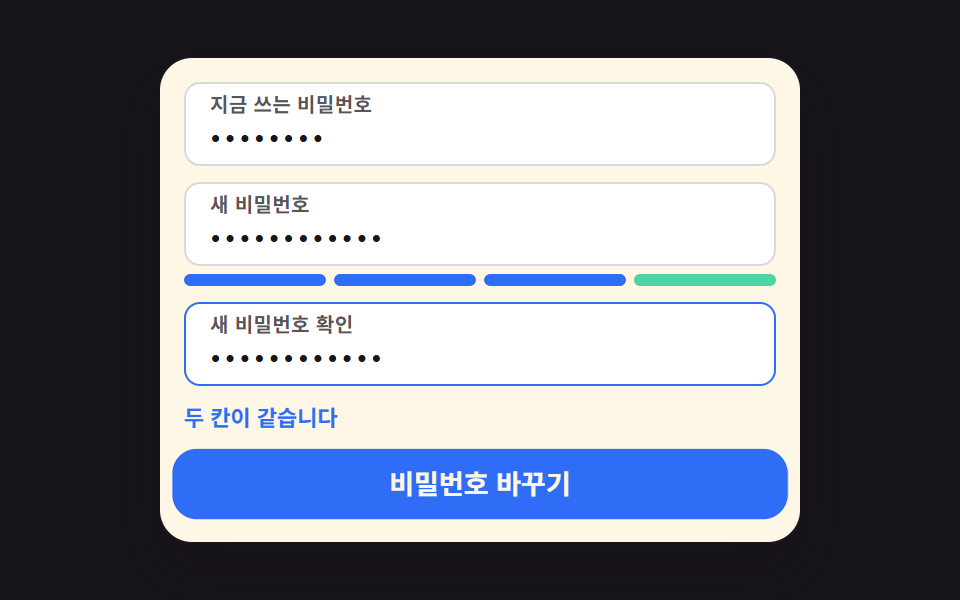
06パスワード再設定リクエスト — メール形式のスコアを計算しボタン状態を決めるフォーム
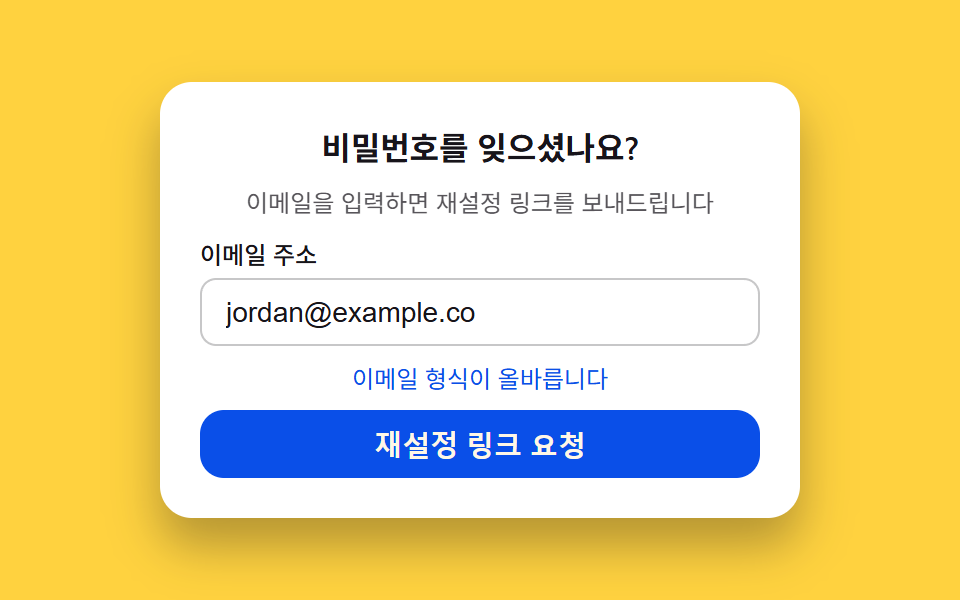
入力されたメールの文字構成とアットマーク・ドメインの有無を調べて有効性スコアを自分で計算し、そのスコアによってリクエストボタンの有効化とヒント文言の色が一緒に決まるパスワード再設定リクエストフォームです。
使いどころパスワードを忘れた場合のフォーム、アカウント復旧の最初のステップ
aria-invalidaria-describedbyclassList
<main class="stage">
<section class="card">
  <p class="title">パスワードをお忘れですか?</p>
  <p class="desc">メールアドレスを入力するとリセットリンクをお送りします</p>
  <div class="field">
    <label class="label" for="resetEmail">メールアドレス</label>
    <input class="input" type="email" id="resetEmail" autocomplete="email" aria-describedby="resetHint" aria-invalid="true" value="">
  </div>
  <p class="hint isNeutral" id="resetHint">メール形式を入力してください</p>
  <button class="submit" type="button" id="resetSubmit" disabled aria-disabled="true">リセットリンクをリクエスト</button>
</section>
</main>
@use "../../../../site/static/demo-tokens" as *;
$duration: $dur-loop;
$easing: $ease-out;
$color: $subject-blue-deep;
@include stage($stage-yellow);
.card {
width: 100%;
max-width: 320px;
display: flex;
flex-direction: column;
align-items: stretch;
gap: $sp-2;
padding: $sp-5;
border-radius: $r-card;
background: $stage-paper;
box-shadow: $shadow-raised;
box-sizing: border-box;
}
.title {
margin: 0;
color: $subject-ink;
font-weight: 600;
font-size: 16px;
text-align: center;
}
.desc {
margin: 0;
color: $subject-ink;
opacity: .72;
font-weight: 400;
font-size: 12px;
line-height: 1.4;
text-align: center;
}
.field {
display: flex;
flex-direction: column;
gap: $sp-1;
}
.label {
color: $subject-ink;
font-weight: 500;
font-size: 12px;
}
.input {
padding: $sp-2 $sp-3;
border-radius: $r-sm;
border: 1px solid rgba($subject-ink, .24);
background: $stage-paper;
color: $subject-ink;
font-weight: 400;
font-size: 14px;
}
.hint {
margin: 0;
font-weight: 400;
font-size: 12px;
line-height: 1.4;
text-align: center;
}
.hint.isError { color: $error; }
.hint.isNeutral { color: $subject-ink; opacity: .72; }
.hint.isValid { color: $color; }
.submit {
padding: $sp-2 $sp-4;
border: 0;
border-radius: $r-control;
background: $color;
color: $subject-cream;
font-weight: 600;
font-size: 14px;
cursor: pointer;
}
.submit:disabled {
opacity: .55;
cursor: not-allowed;
}
@media (max-width: 340px) {
.card { max-width: 260px; padding: $sp-3; gap: $sp-1; }
.title { font-size: 13px; }
.desc { font-size: 10px; }
.label { font-size: 10px; }
.input { padding: $sp-1 $sp-2; font-size: 12px; }
.hint { font-size: 10px; }
.submit { padding: $sp-1 $sp-3; font-size: 12px; }
}
@media (prefers-reduced-motion: reduce) {
.submit { transition: none; }
}html, body {
margin: 0;
overflow: hidden;
}
.stage {
box-sizing: border-box;
min-height: 100vh;
display: grid;
place-items: center;
margin: 0;
background: #ffd23f;
font-family: -apple-system, "Segoe UI", "Noto Sans KR", sans-serif;
padding: clamp(8px, 4vw, 24px);
}
.card {
width: 100%;
max-width: 320px;
display: flex;
flex-direction: column;
align-items: stretch;
gap: 8px;
padding: 20px;
border-radius: 16px;
background: #ffffff;
box-shadow: 0 14px 24px rgba(23, 20, 26, 0.32);
box-sizing: border-box;
}
.title {
margin: 0;
color: #17141a;
font-weight: 600;
font-size: 16px;
text-align: center;
}
.desc {
margin: 0;
color: #17141a;
opacity: 0.72;
font-weight: 400;
font-size: 12px;
line-height: 1.4;
text-align: center;
}
.field {
display: flex;
flex-direction: column;
gap: 4px;
}
.label {
color: #17141a;
font-weight: 500;
font-size: 12px;
}
.input {
padding: 8px 12px;
border-radius: 8px;
border: 1px solid rgba(23, 20, 26, 0.24);
background: #ffffff;
color: #17141a;
font-weight: 400;
font-size: 14px;
}
.hint {
margin: 0;
font-weight: 400;
font-size: 12px;
line-height: 1.4;
text-align: center;
}
.hint.isError {
color: #c2361a;
}
.hint.isNeutral {
color: #17141a;
opacity: 0.72;
}
.hint.isValid {
color: #0a4fe8;
}
.submit {
padding: 8px 16px;
border: 0;
border-radius: 12px;
background: #0a4fe8;
color: #fff7e6;
font-weight: 600;
font-size: 14px;
cursor: pointer;
}
.submit:disabled {
opacity: 0.55;
cursor: not-allowed;
}
@media (max-width: 340px) {
.card {
max-width: 260px;
padding: 12px;
gap: 4px;
}
.title {
font-size: 13px;
}
.desc {
font-size: 10px;
}
.label {
font-size: 10px;
}
.input {
padding: 4px 8px;
font-size: 12px;
}
.hint {
font-size: 10px;
}
.submit {
padding: 4px 12px;
font-size: 12px;
}
}
@media (prefers-reduced-motion: reduce) {
.submit {
transition: none;
}
}// パスワード 재설정 요청(06) — 입력된 이메일의 글자 구성과 골뱅이·도메인 포함 여부를 매 프레임
// 다시 검사해 유효성 점수를 직접 계산하고, 그 점수로 요청 버튼의 활성화 여부와 힌트 색을 정한다.
// 이메일은 example.com 가상 주소가 타이핑되는 모습을 흉내낸 것이며 실제로 전송되지 않는다.
(function () {
var input = document.getElementById('resetEmail');
var hint = document.getElementById('resetHint');
var submit = document.getElementById('resetSubmit');
if (!input || !hint || !submit) return;
var reduce = window.matchMedia('(prefers-reduced-motion: reduce)').matches;
var SAMPLE = '[email protected]';
var TYPE_MS = 90;
var SCORE_THRESHOLD = .9;
var CYCLE_MS = 2000;
function currentText(t) {
var n = Math.min(Math.max(Math.floor(t / TYPE_MS), 0), SAMPLE.length);
return SAMPLE.slice(0, n);
}
function score(text) {
var domain = text.split('@')[1] || '';
var s = 0;
if (text.indexOf('@') !== -1) s += .4;
if (/\.[a-z]{2,}$/i.test(domain)) s += .4;
s += Math.min(text.length / 12, 1) * .2;
return s;
}
function apply(t) {
var text = currentText(t);
var sc = score(text);
var invalid = sc < SCORE_THRESHOLD;
input.value = text;
input.setAttribute('aria-invalid', String(invalid));
submit.disabled = invalid;
submit.setAttribute('aria-disabled', String(invalid));
hint.classList.remove('isError', 'isNeutral', 'isValid');
if (sc < .4) {
hint.classList.add('isError');
hint.textContent = 'メール形式をご確認ください';
} else if (sc < SCORE_THRESHOLD) {
hint.classList.add('isNeutral');
hint.textContent = 'メールアドレスを最後まで入力してください';
} else {
hint.classList.add('isValid');
hint.textContent = 'メール形式は正しいです';
}
}
var start = null;
function frame(ts) {
if (start === null) start = ts;
var t = (ts - start) % CYCLE_MS;
apply(t);
requestAnimationFrame(frame);
}
if (reduce) {
apply(0);
} else {
requestAnimationFrame(frame);
}
})();import { useEffect, useRef } from "react";
import styles from "./PasswordResetRequest.module.scss";
// 비밀번호 재설정 요청(06) — 입력된 이메일의 글자 구성과 골뱅이·도메인 포함 여부를 매 프레임
// 다시 검사해 유효성 점수를 직접 계산하고, 그 점수로 요청 버튼의 활성화 여부와 힌트 색을 정한다.
// 이메일은 example.com 가상 주소가 타이핑되는 모습을 흉내낸 것이며 실제로 전송되지 않는다.
const SAMPLE = "[email protected]";
const TYPE_MS = 90;
const SCORE_THRESHOLD = 0.9;
const CYCLE_MS = 2000;
function currentText(t: number): string {
const n = Math.min(Math.max(Math.floor(t / TYPE_MS), 0), SAMPLE.length);
return SAMPLE.slice(0, n);
}
function score(text: string): number {
const domain = text.split("@")[1] || "";
let s = 0;
if (text.indexOf("@") !== -1) s += 0.4;
if (/\.[a-z]{2,}$/i.test(domain)) s += 0.4;
s += Math.min(text.length / 12, 1) * 0.2;
return s;
}
export default function PasswordResetRequest() {
const inputRef = useRef<HTMLInputElement>(null);
const hintRef = useRef<HTMLParagraphElement>(null);
const submitRef = useRef<HTMLButtonElement>(null);
useEffect(() => {
const input = inputRef.current;
const hint = hintRef.current;
const submit = submitRef.current;
if (!input || !hint || !submit) return;
const reduce = window.matchMedia("(prefers-reduced-motion: reduce)").matches;
function apply(t: number) {
const text = currentText(t);
const sc = score(text);
const invalid = sc < SCORE_THRESHOLD;
if (input) {
input.value = text;
input.setAttribute("aria-invalid", String(invalid));
}
if (submit) {
submit.disabled = invalid;
submit.setAttribute("aria-disabled", String(invalid));
}
if (hint) {
hint.classList.remove(styles.isError, styles.isNeutral, styles.isValid);
if (sc < 0.4) {
hint.classList.add(styles.isError);
hint.textContent = "이메일 형식을 확인해 주세요";
} else if (sc < SCORE_THRESHOLD) {
hint.classList.add(styles.isNeutral);
hint.textContent = "이메일 주소를 마저 입력해 주세요";
} else {
hint.classList.add(styles.isValid);
hint.textContent = "이메일 형식이 올바릅니다";
}
}
}
let start: number | null = null;
let raf = 0;
function frame(ts: number) {
if (start === null) start = ts;
const t = (ts - start) % CYCLE_MS;
apply(t);
raf = requestAnimationFrame(frame);
}
if (reduce) {
apply(0);
} else {
raf = requestAnimationFrame(frame);
}
return () => {
if (raf) cancelAnimationFrame(raf);
};
}, []);
return (
<main className={styles.stage}>
<section className={styles.card}>
<p className={styles.title}>비밀번호를 잊으셨나요?</p>
<p className={styles.desc}>이메일을 입력하면 재설정 링크를 보내드립니다</p>
<div className={styles.field}>
<label className={styles.label} htmlFor="resetEmail">
이메일 주소
</label>
<input
ref={inputRef}
className={styles.input}
type="email"
id="resetEmail"
autoComplete="email"
aria-describedby="resetHint"
aria-invalid="true"
defaultValue=""
/>
</div>
<p ref={hintRef} className={styles.hint + " " + styles.isNeutral} id="resetHint">
이메일 형식을 입력해 주세요
</p>
<button ref={submitRef} className={styles.submit} type="button" disabled aria-disabled="true">
재설정 링크 요청
</button>
</section>
</main>
);
}06 パスワード再設定リクエスト — メール形式のスコアを計算しボタン状態を決めるフォーム — 計測 累積面積 7.964% · 動いたフレーム 20/23GODRICH オリジナル · SCSS と React は zip に同梱 · ログイン 画面 デザイン9選 — 会員登録からセッション切れまで
このデモが属する記事
 ログイン 画面 デザイン9選 — 会員登録からセッション切れまで「ログイン 画面 デザイン」を探すと出てくる多くの参考画像は、色や余白を真似るだけの静止した見本です。ここで扱う9つの画面はその手前に計算の層を1枚重ねます。入力の完成度で進捗表示が求め直され、残り有効時間が毎秒求め直されてリングの角度にな この記事のデモをすべて見る