07ローディング中に暗くなり押せなくなるロックボタン
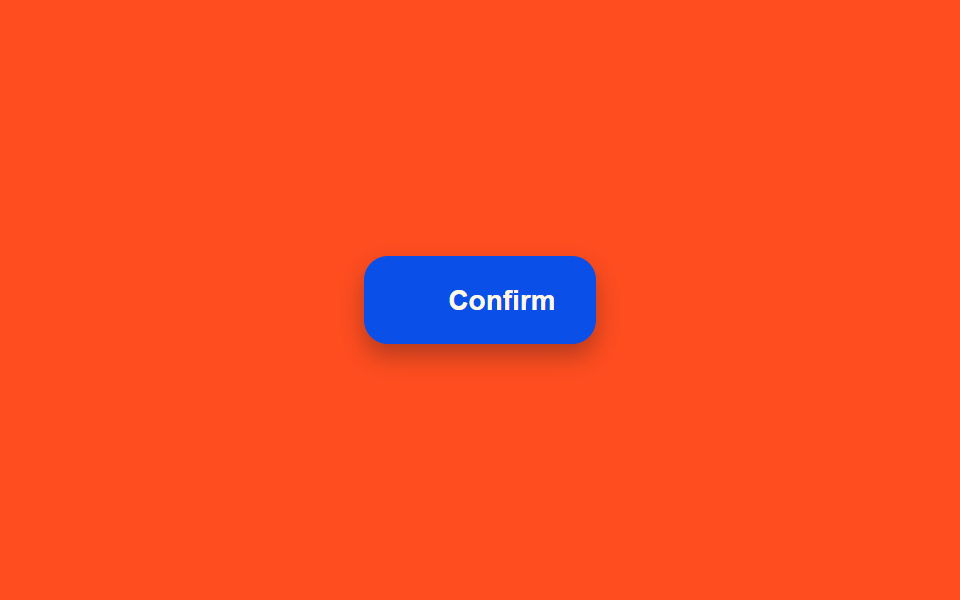
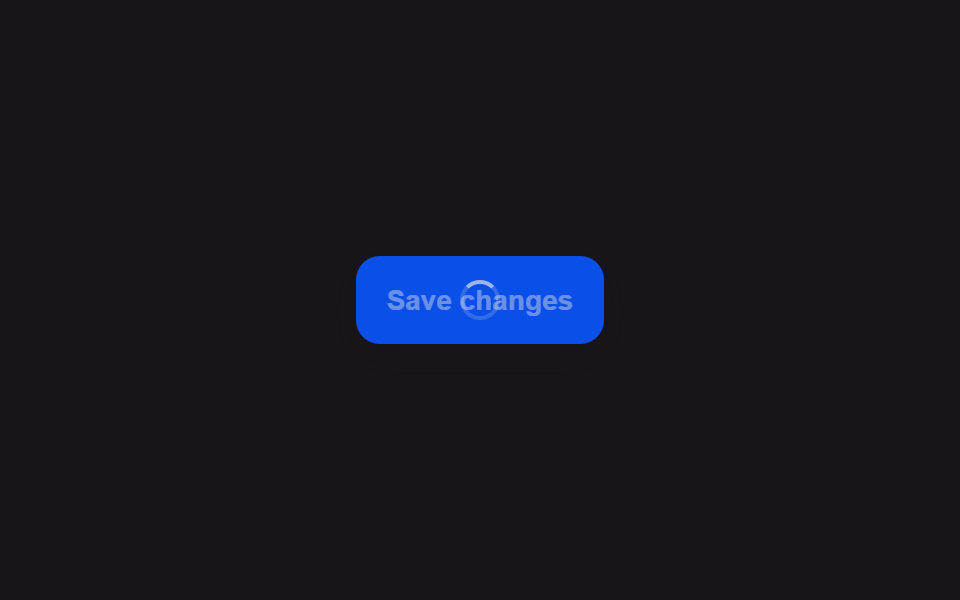
一度押すと背景がわずかに暗くなり、その上に半透明の膜がかかって再度押しても反応しなくなり、その暗さがごくゆっくり明暗を繰り返して待機中であることを知らせる。
使いどころ二重クリックで同じリクエストが二度送られるのを防ぐ
BASE_HZrequestAnimationFramearia-busy
<main class="stage">
<div class="scene is-demo" id="scene">
  <button class="btn" id="btn" type="button">
    <span class="btnFilm" id="film" aria-hidden="true"></span>
    <span class="btnLockWrap" id="lockWrap" aria-hidden="true">
      <svg viewBox="0 0 256 256" width="14" height="14">
        <g fill="currentColor"><path d="M208 88H48a8 8 0 0 0-8 8v112a8 8 0 0 0 8 8h160a8 8 0 0 0 8-8V96a8 8 0 0 0-8-8m-80 72a20 20 0 1 1 20-20a20 20 0 0 1-20 20" opacity=".2"/><path d="M208 80h-32V56a48 48 0 0 0-96 0v24H48a16 16 0 0 0-16 16v112a16 16 0 0 0 16 16h160a16 16 0 0 0 16-16V96a16 16 0 0 0-16-16M96 56a32 32 0 0 1 64 0v24H96Zm112 152H48V96h160zm-80-96a28 28 0 0 0-8 54.83V184a8 8 0 0 0 16 0v-17.17a28 28 0 0 0-8-54.83m0 40a12 12 0 1 1 12-12a12 12 0 0 1-12 12"/></g>
      </svg>
    </span>
    <span class="btnLabel" id="label">Confirm</span>
  </button>
  <span class="visuallyHidden" id="status" role="status" aria-live="polite"></span>
</div>
</main>
@use "../../../../site/static/demo-tokens" as *;
// 변수 3개
$duration: $dur-loop;
$easing: $ease-out;
$color: $subject-blue-deep;
// 계산 겹: index.html 의 pulseLoop() 가 남은 시간이 줄수록 진동수를 끌어올리며 phase 를
// 프레임 델타로 직접 적분해 막의 opacity 를 매 프레임 계산한다.
@include stage($stage-orange);
.scene {
display: grid;
place-items: center;
}
.btn {
position: relative;
display: inline-flex;
align-items: center;
justify-content: center;
gap: $sp-2;
height: 44px;
padding: 0 $sp-5;
border: none;
border-radius: $r-control;
background: $color;
color: $subject-cream;
font-weight: 600;
font-size: 14px;
line-height: 1;
box-shadow: $shadow-press;
cursor: pointer;
overflow: hidden;
&:focus-visible { outline: 2px solid $subject-cream; outline-offset: 3px; }
&:disabled { cursor: default; }
}
.btnFilm {
position: absolute;
inset: 0;
background: $subject-ink;
opacity: 0;
}
.btnLockWrap {
position: relative;
z-index: 1;
display: flex;
align-items: center;
opacity: 0;
}
.btnLockWrap svg { color: $subject-cream; }
.btnLabel {
position: relative;
z-index: 1;
white-space: nowrap;
}
.visuallyHidden {
position: absolute;
width: 1px;
height: 1px;
overflow: hidden;
clip: rect(0 0 0 0);
white-space: nowrap;
}
@media (max-width: 340px) {
.btn { height: 40px; padding: 0 $sp-4; font-size: 13px; }
}
@media (prefers-reduced-motion: reduce) {
// 실사용 경로 적용 — index.html 의 runReduced() 가 진동수 계산 없이 고정 opacity 로 즉시 바뀐다.
// scss 만: 남은 트랜지션을 전부 끈다.
* { transition: none !important; }
}html, body {
margin: 0;
overflow: hidden;
}
.stage {
box-sizing: border-box;
min-height: 100vh;
display: grid;
place-items: center;
margin: 0;
background: #ff4d1f;
font-family: -apple-system, "Segoe UI", "Noto Sans KR", sans-serif;
padding: clamp(8px, 4vw, 24px);
}
.scene {
display: grid;
place-items: center;
}
.btn {
position: relative;
display: inline-flex;
align-items: center;
justify-content: center;
gap: 8px;
height: 44px;
padding: 0 20px;
border: none;
border-radius: 12px;
background: #0a4fe8;
color: #fff7e6;
font-weight: 600;
font-size: 14px;
line-height: 1;
box-shadow: 0 6px 12px rgba(23, 20, 26, 0.32);
cursor: pointer;
overflow: hidden;
}
.btn:focus-visible {
outline: 2px solid #fff7e6;
outline-offset: 3px;
}
.btn:disabled {
cursor: default;
}
.btnFilm {
position: absolute;
inset: 0;
background: #17141a;
opacity: 0;
}
.btnLockWrap {
position: relative;
z-index: 1;
display: flex;
align-items: center;
opacity: 0;
}
.btnLockWrap svg {
color: #fff7e6;
}
.btnLabel {
position: relative;
z-index: 1;
white-space: nowrap;
}
.visuallyHidden {
position: absolute;
width: 1px;
height: 1px;
overflow: hidden;
clip: rect(0 0 0 0);
white-space: nowrap;
}
@media (max-width: 340px) {
.btn {
height: 40px;
padding: 0 16px;
font-size: 13px;
}
}
@media (prefers-reduced-motion: reduce) {
* {
transition: none !important;
}
}(function () {
var COOLDOWN_MS = 1300;
var FADE_MS = 160;
var GAP_MS = 480;
var START_DELAY_MS = 200;
var BASE_HZ = 0.6;
var MAX_HZ = 2.4;
var scene = document.getElementById('scene');
var btn = document.getElementById('btn');
var film = document.getElementById('film');
var lockWrap = document.getElementById('lockWrap');
var status = document.getElementById('status');
var reduce = window.matchMedia('(prefers-reduced-motion: reduce)').matches;
var gen = 0;
var timers = [];
var rafId = 0;
function human() {
if (scene.classList.contains('is-demo')) {
scene.classList.remove('is-demo');
timers.forEach(function (t) { clearTimeout(t); });
timers = [];
}
}
function clamp01(v) { return Math.min(1, Math.max(0, v)); }
// 계산 겹: 남은 시간(remaining)이 줄어들수록 진동수를 BASE_HZ→MAX_HZ 로 끌어올린다.
// 진동수가 시간에 따라 바뀌므로 sin(2π·f·t) 를 그대로 쓸 수 없어 phase 를 프레임 델타로
// 직접 적분한다(phase += 2π·f(now)·dt) — 막이 남은 시간이 줄수록 더 빨리 깜빡인다.
function pulseLoop(myGen) {
var last = null;
var phase = 0;
var loopStart = null;
function step(now) {
if (myGen !== gen) return;
if (last === null) { last = now; loopStart = now; }
var dt = now - last;
last = now;
var elapsed = now - loopStart;
var remainingFrac = clamp01(1 - elapsed / COOLDOWN_MS);
var freq = BASE_HZ + (MAX_HZ - BASE_HZ) * (1 - remainingFrac);
phase += 2 * Math.PI * freq * (dt / 1000);
var wave = (1 + Math.sin(phase)) / 2;
film.style.opacity = String(.14 + .16 * wave);
rafId = requestAnimationFrame(step);
}
rafId = requestAnimationFrame(step);
}
function fade(el, from, to, ms, myGen, onDone) {
var start = null;
function step(now) {
if (myGen !== gen) return;
if (start === null) start = now;
var p = Math.min(1, (now - start) / ms);
el.style.opacity = String(from + (to - from) * p);
if (p < 1) requestAnimationFrame(step); else if (onDone) onDone();
}
requestAnimationFrame(step);
}
function runAnimated() {
gen++;
var myGen = gen;
btn.disabled = true;
btn.setAttribute('aria-busy', 'true');
status.textContent = 'しばらくお待ちください';
fade(lockWrap, 0, 1, FADE_MS, myGen);
film.style.opacity = '.14';
pulseLoop(myGen);
timers.push(setTimeout(function () {
cancelAnimationFrame(rafId);
fade(film, parseFloat(film.style.opacity || '0'), 0, FADE_MS, myGen);
fade(lockWrap, 1, 0, FADE_MS, myGen, function () {
btn.disabled = false;
btn.removeAttribute('aria-busy');
status.textContent = '';
});
}, COOLDOWN_MS));
}
function runReduced() {
gen++;
btn.disabled = true;
btn.setAttribute('aria-busy', 'true');
status.textContent = 'しばらくお待ちください';
film.style.opacity = '.2';
lockWrap.style.opacity = '1';
timers.push(setTimeout(function () {
film.style.opacity = '0';
lockWrap.style.opacity = '0';
btn.disabled = false;
btn.removeAttribute('aria-busy');
status.textContent = '';
}, COOLDOWN_MS));
}
btn.addEventListener('click', function () {
if (btn.disabled) return;
human();
if (reduce) runReduced(); else runAnimated();
});
// reduce: 실사용 경로 적용 — runReduced() 는 진동수 계산 없이 고정 opacity 로 즉시 바뀐다.
// 아래 자동 루프는 시연 게이트만 — reduce 에서는 돌지 않는다.
function cycle() {
if (!scene.classList.contains('is-demo')) return;
runAnimated();
timers.push(setTimeout(function () {
timers.push(setTimeout(cycle, GAP_MS));
}, COOLDOWN_MS + FADE_MS));
}
if (!reduce) {
timers.push(setTimeout(cycle, START_DELAY_MS));
}
})();import { useEffect, useRef } from 'react';
import styles from './ButtonLoadingDisabledDimLock.module.scss';
const COOLDOWN_MS = 1300;
const FADE_MS = 160;
const GAP_MS = 480;
const START_DELAY_MS = 200;
const BASE_HZ = 0.6;
const MAX_HZ = 2.4;
export default function ButtonLoadingDisabledDimLock() {
const sceneRef = useRef<HTMLDivElement>(null);
const btnRef = useRef<HTMLButtonElement>(null);
const filmRef = useRef<HTMLSpanElement>(null);
const lockWrapRef = useRef<HTMLSpanElement>(null);
const statusRef = useRef<HTMLSpanElement>(null);
useEffect(() => {
const scene = sceneRef.current;
const btn = btnRef.current;
const film = filmRef.current;
const lockWrap = lockWrapRef.current;
const status = statusRef.current;
if (!scene || !btn || !film || !lockWrap || !status) return undefined;
const reduce = window.matchMedia('(prefers-reduced-motion: reduce)').matches;
let gen = 0;
let timers: number[] = [];
let rafId = 0;
function human() {
if (scene!.classList.contains(styles['is-demo'])) {
scene!.classList.remove(styles['is-demo']);
timers.forEach((t) => window.clearTimeout(t));
timers = [];
}
}
function clamp01(v: number) { return Math.min(1, Math.max(0, v)); }
// 계산 겹: 남은 시간(remaining)이 줄어들수록 진동수를 BASE_HZ→MAX_HZ 로 끌어올린다.
// 진동수가 시간에 따라 바뀌므로 sin(2π·f·t) 를 그대로 쓸 수 없어 phase 를 프레임 델타로
// 직접 적분한다(phase += 2π·f(now)·dt) — 막이 남은 시간이 줄수록 더 빨리 깜빡인다.
function pulseLoop(myGen: number) {
let last: number | null = null;
let phase = 0;
let loopStart: number | null = null;
function step(now: number) {
if (myGen !== gen) return;
if (last === null) { last = now; loopStart = now; }
const dt = now - last;
last = now;
const elapsed = now - loopStart!;
const remainingFrac = clamp01(1 - elapsed / COOLDOWN_MS);
const freq = BASE_HZ + (MAX_HZ - BASE_HZ) * (1 - remainingFrac);
phase += 2 * Math.PI * freq * (dt / 1000);
const wave = (1 + Math.sin(phase)) / 2;
film!.style.opacity = String(.14 + .16 * wave);
rafId = requestAnimationFrame(step);
}
rafId = requestAnimationFrame(step);
}
function fade(el: HTMLElement, from: number, to: number, ms: number, myGen: number, onDone?: () => void) {
let start: number | null = null;
function step(now: number) {
if (myGen !== gen) return;
if (start === null) start = now;
const p = Math.min(1, (now - start) / ms);
el.style.opacity = String(from + (to - from) * p);
if (p < 1) requestAnimationFrame(step); else if (onDone) onDone();
}
requestAnimationFrame(step);
}
function runAnimated() {
gen++;
const myGen = gen;
btn!.disabled = true;
btn!.setAttribute('aria-busy', 'true');
status!.textContent = '잠시 기다리는 중';
fade(lockWrap!, 0, 1, FADE_MS, myGen);
film!.style.opacity = '.14';
pulseLoop(myGen);
timers.push(window.setTimeout(() => {
cancelAnimationFrame(rafId);
fade(film!, parseFloat(film!.style.opacity || '0'), 0, FADE_MS, myGen);
fade(lockWrap!, 1, 0, FADE_MS, myGen, () => {
btn!.disabled = false;
btn!.removeAttribute('aria-busy');
status!.textContent = '';
});
}, COOLDOWN_MS));
}
function runReduced() {
gen++;
btn!.disabled = true;
btn!.setAttribute('aria-busy', 'true');
status!.textContent = '잠시 기다리는 중';
film!.style.opacity = '.2';
lockWrap!.style.opacity = '1';
timers.push(window.setTimeout(() => {
film!.style.opacity = '0';
lockWrap!.style.opacity = '0';
btn!.disabled = false;
btn!.removeAttribute('aria-busy');
status!.textContent = '';
}, COOLDOWN_MS));
}
function onClick() {
if (btn!.disabled) return;
human();
if (reduce) runReduced(); else runAnimated();
}
btn.addEventListener('click', onClick);
// reduce: 실사용 경로 적용 — runReduced() 는 진동수 계산 없이 고정 opacity 로 즉시 바뀐다.
// 아래 자동 루프는 시연 게이트만 — reduce 에서는 돌지 않는다.
function cycle() {
if (!scene!.classList.contains(styles['is-demo'])) return;
runAnimated();
timers.push(window.setTimeout(() => {
timers.push(window.setTimeout(cycle, GAP_MS));
}, COOLDOWN_MS + FADE_MS));
}
if (!reduce) {
timers.push(window.setTimeout(cycle, START_DELAY_MS));
}
return () => {
btn.removeEventListener('click', onClick);
timers.forEach((t) => window.clearTimeout(t));
cancelAnimationFrame(rafId);
};
}, []);
return (
<main className={styles.stage}>
<div className={styles.scene + ' ' + styles['is-demo']} ref={sceneRef}>
<button className={styles.btn} ref={btnRef} type="button">
<span className={styles.btnFilm} ref={filmRef} aria-hidden="true" />
<span className={styles.btnLockWrap} ref={lockWrapRef} aria-hidden="true">
<svg viewBox="0 0 256 256" width="14" height="14">
<g fill="currentColor">
<path d="M208 88H48a8 8 0 0 0-8 8v112a8 8 0 0 0 8 8h160a8 8 0 0 0 8-8V96a8 8 0 0 0-8-8m-80 72a20 20 0 1 1 20-20a20 20 0 0 1-20 20" opacity=".2" />
<path d="M208 80h-32V56a48 48 0 0 0-96 0v24H48a16 16 0 0 0-16 16v112a16 16 0 0 0 16 16h160a16 16 0 0 0 16-16V96a16 16 0 0 0-16-16M96 56a32 32 0 0 1 64 0v24H96Zm112 152H48V96h160zm-80-96a28 28 0 0 0-8 54.83V184a8 8 0 0 0 16 0v-17.17a28 28 0 0 0-8-54.83m0 40a12 12 0 1 1 12-12a12 12 0 0 1-12 12" />
</g>
</svg>
</span>
<span className={styles.btnLabel}>Confirm</span>
</button>
<span className={styles.visuallyHidden} ref={statusRef} role="status" aria-live="polite" />
</div>
</main>
);
}07 ローディング中に暗くなり押せなくなるロックボタン — 計測 累積面積 3.318% · 動いたフレーム 10/23GODRICH オリジナル · SCSS と React は zip に同梱 · ボタン ローディング 9種 — スピナーから成功チェックまでの状態遷移
このデモが属する記事
 ボタン ローディング 9種 — スピナーから成功チェックまでの状態遷移9種のボタン ローディングのうち、1つはスピナーが線を描くようにチェックマークへ形を変え、1つは文字の代わりに点が3つ順に大きくなっては小さくなり、1つはラベルが一定時間ごとに次の段階の文言へ上下にスライドして切り替わります。 この記事のデモをすべて見る