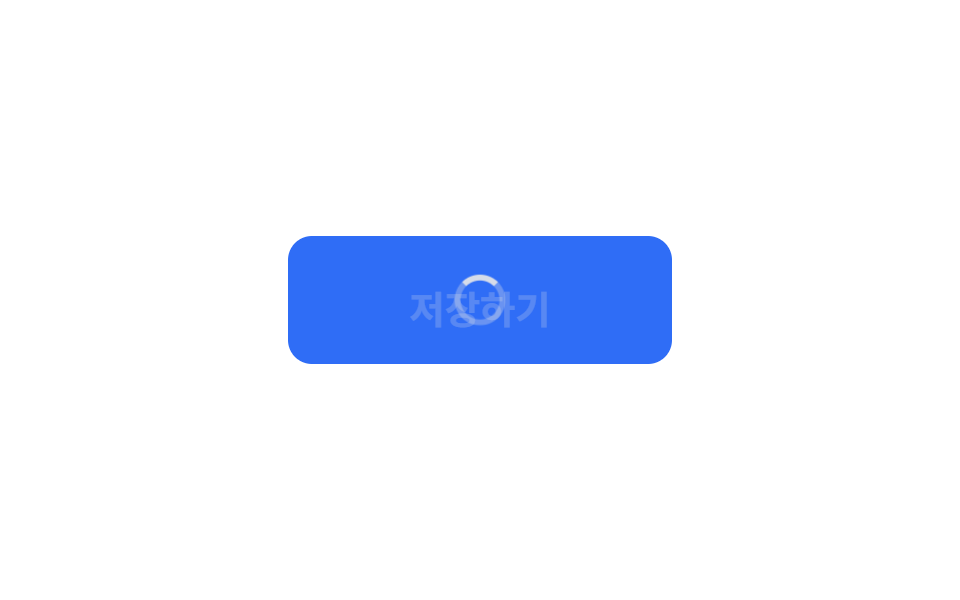
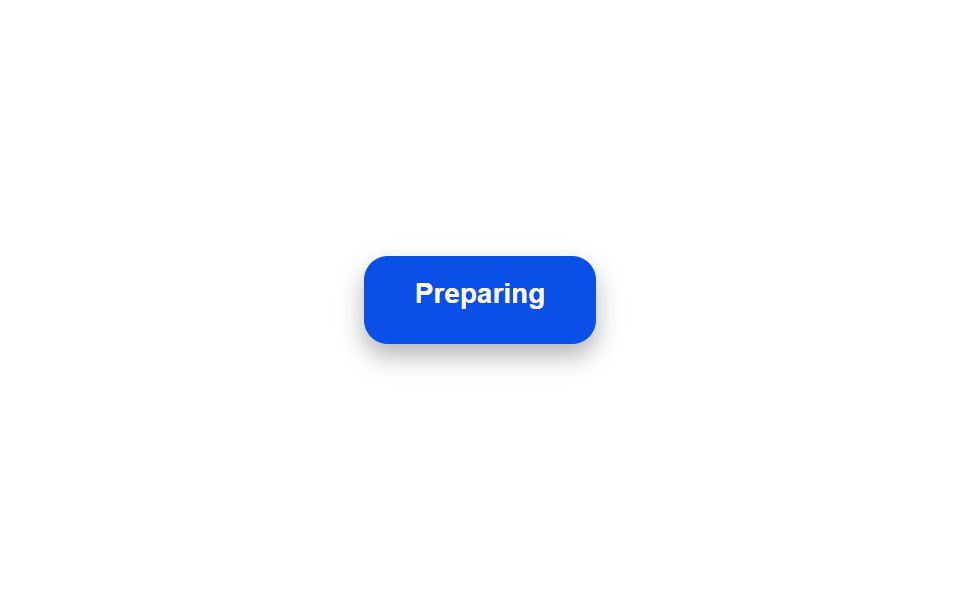
08ローディング中にラベル文言が段階ごとに変わるボタン
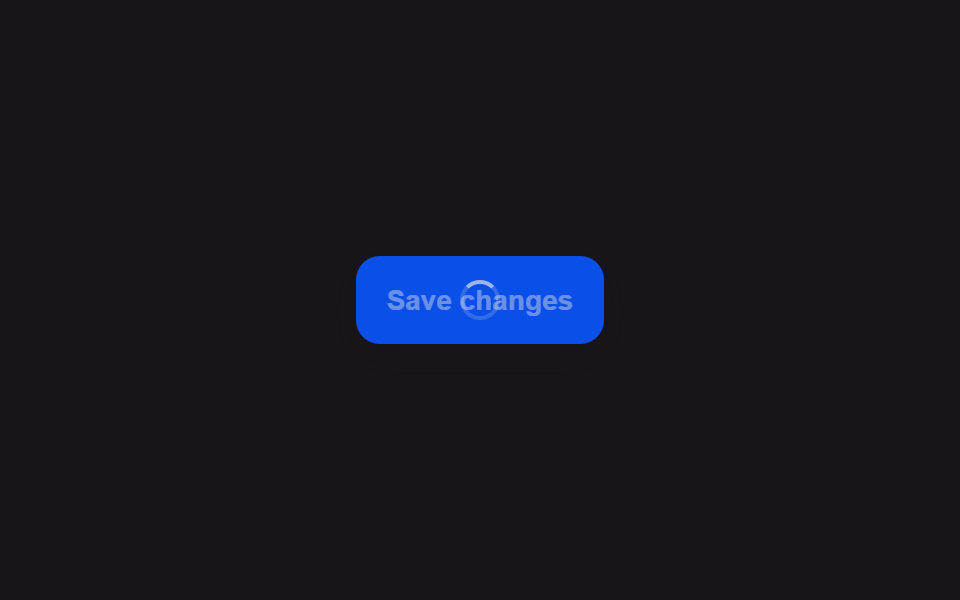
ボタンを押すとラベルはある文言から始まり、一定時間ごとに次の文言へ上下にスライドして複数の段階を順に経ていき、単なるスピナーよりも今どの段階かを文字で伝える。
使いどころ複数の段階を経る長い送信作業の進行案内
measureOffsetsoffsetTopslideTo
<main class="stage">
<div class="scene is-demo" id="scene">
  <button class="btn" id="btn" type="button">
    <span class="btnContent">
      <span class="btnLabel" id="label">Submit</span>
      <span class="btnSteps" id="steps" aria-hidden="true">
        <span class="btnStepsTrack" id="track">
          <span class="btnStep" id="step0">Preparing</span>
          <span class="btnStep" id="step1">Uploading</span>
          <span class="btnStep" id="step2">Verifying</span>
          <span class="btnStep" id="step3">Done</span>
        </span>
      </span>
    </span>
  </button>
  <span class="visuallyHidden" id="status" role="status" aria-live="polite"></span>
</div>
</main>
@use "../../../../site/static/demo-tokens" as *;
// 변수 3개
$duration: $dur-quick;
$easing: $ease-out;
$color: $subject-blue-deep;
// 계산 겹: index.html 의 measureOffsets() 가 각 단계 문구의 offsetTop 을 실측해 슬라이드
// 목표값으로 쓴다 — 줄 높이를 짐작한 고정 px 가 아니다.
@include stage($stage-paper);
.scene {
display: grid;
place-items: center;
}
.btn {
position: relative;
display: inline-flex;
align-items: center;
justify-content: center;
height: 44px;
padding: 0 $sp-5;
border: none;
border-radius: $r-control;
background: $color;
color: $subject-cream;
font-weight: 600;
font-size: 14px;
line-height: 1;
box-shadow: $shadow-press;
cursor: pointer;
&:focus-visible { outline: 2px solid $subject-blue-deep; outline-offset: 3px; }
&:disabled { cursor: default; }
}
.btnContent {
position: relative;
display: inline-block;
min-width: 76px;
height: 18px;
overflow: hidden;
}
.btnLabel {
position: absolute;
inset: 0;
display: flex;
align-items: center;
justify-content: center;
white-space: nowrap;
}
.btnSteps {
position: absolute;
inset: 0;
opacity: 0;
overflow: hidden;
}
.btnStepsTrack {
display: flex;
flex-direction: column;
}
.btnStep {
height: 18px;
display: flex;
align-items: center;
justify-content: center;
white-space: nowrap;
}
.visuallyHidden {
position: absolute;
width: 1px;
height: 1px;
overflow: hidden;
clip: rect(0 0 0 0);
white-space: nowrap;
}
@media (max-width: 340px) {
.btn { height: 40px; padding: 0 $sp-4; font-size: 13px; }
.btnContent { min-width: 66px; }
}
@media (prefers-reduced-motion: reduce) {
// 실사용 경로 적용 — index.html 의 runReduced() 가 슬라이드 트윈 없이 단계마다 즉시 이동한다.
// scss 만: 남은 트랜지션을 전부 끈다.
* { transition: none !important; }
}html, body {
margin: 0;
overflow: hidden;
}
.stage {
box-sizing: border-box;
min-height: 100vh;
display: grid;
place-items: center;
margin: 0;
background: #ffffff;
font-family: -apple-system, "Segoe UI", "Noto Sans KR", sans-serif;
padding: clamp(8px, 4vw, 24px);
}
.scene {
display: grid;
place-items: center;
}
.btn {
position: relative;
display: inline-flex;
align-items: center;
justify-content: center;
height: 44px;
padding: 0 20px;
border: none;
border-radius: 12px;
background: #0a4fe8;
color: #fff7e6;
font-weight: 600;
font-size: 14px;
line-height: 1;
box-shadow: 0 6px 12px rgba(23, 20, 26, 0.32);
cursor: pointer;
}
.btn:focus-visible {
outline: 2px solid #0a4fe8;
outline-offset: 3px;
}
.btn:disabled {
cursor: default;
}
.btnContent {
position: relative;
display: inline-block;
min-width: 76px;
height: 18px;
overflow: hidden;
}
.btnLabel {
position: absolute;
inset: 0;
display: flex;
align-items: center;
justify-content: center;
white-space: nowrap;
}
.btnSteps {
position: absolute;
inset: 0;
opacity: 0;
overflow: hidden;
}
.btnStepsTrack {
display: flex;
flex-direction: column;
}
.btnStep {
height: 18px;
display: flex;
align-items: center;
justify-content: center;
white-space: nowrap;
}
.visuallyHidden {
position: absolute;
width: 1px;
height: 1px;
overflow: hidden;
clip: rect(0 0 0 0);
white-space: nowrap;
}
@media (max-width: 340px) {
.btn {
height: 40px;
padding: 0 16px;
font-size: 13px;
}
.btnContent {
min-width: 66px;
}
}
@media (prefers-reduced-motion: reduce) {
* {
transition: none !important;
}
}(function () {
var STEP_INTERVAL_MS = 450;
var STEP_ANIM_MS = 220;
var FADE_MS = 160;
var DONE_HOLD_MS = 400;
var GAP_MS = 460;
var START_DELAY_MS = 200;
var STEP_LABELS = ['Preparing', 'Uploading', 'Verifying', 'Done'];
var STEP_STATUS = ['準備中', 'アップロード中', '確認中', '完了'];
var scene = document.getElementById('scene');
var btn = document.getElementById('btn');
var label = document.getElementById('label');
var steps = document.getElementById('steps');
var track = document.getElementById('track');
var status = document.getElementById('status');
var reduce = window.matchMedia('(prefers-reduced-motion: reduce)').matches;
var stepEls = [document.getElementById('step0'), document.getElementById('step1'), document.getElementById('step2'), document.getElementById('step3')];
var gen = 0;
var timers = [];
function human() {
if (scene.classList.contains('is-demo')) {
scene.classList.remove('is-demo');
timers.forEach(function (t) { clearTimeout(t); });
timers = [];
}
}
function easeInOutQuad(p) { return p < .5 ? 2 * p * p : 1 - Math.pow(-2 * p + 2, 2) / 2; }
// 계산 겹: 각 단계 문구의 오프셋을 짐작하지 않고 offsetTop 으로 실측한다 — 트랙 안에서
// 앞선 문구들이 쌓인 실제 높이만큼만 밀어 올리므로 줄 높이가 달라져도 어긋나지 않는다.
function measureOffsets() {
return stepEls.map(function (el) { return el.offsetTop; });
}
function fade(el, from, to, ms, myGen, onDone) {
var start = null;
function step(now) {
if (myGen !== gen) return;
if (start === null) start = now;
var p = Math.min(1, (now - start) / ms);
el.style.opacity = String(from + (to - from) * easeInOutQuad(p));
if (p < 1) requestAnimationFrame(step); else if (onDone) onDone();
}
requestAnimationFrame(step);
}
function slideTo(myGen, fromY, toY, ms, onDone) {
var start = null;
function step(now) {
if (myGen !== gen) return;
if (start === null) start = now;
var p = easeInOutQuad(Math.min(1, (now - start) / ms));
var y = fromY + (toY - fromY) * p;
track.style.transform = 'translateY(' + (-y).toFixed(2) + 'px)';
if (p < 1) requestAnimationFrame(step); else onDone();
}
requestAnimationFrame(step);
}
function runAnimated() {
gen++;
var myGen = gen;
var offsets = measureOffsets();
btn.disabled = true;
btn.setAttribute('aria-busy', 'true');
status.textContent = STEP_STATUS[0];
track.style.transform = 'translateY(0px)';
fade(label, 1, 0, FADE_MS, myGen);
fade(steps, 0, 1, FADE_MS, myGen);
function advance(i) {
if (i >= offsets.length) {
timers.push(setTimeout(function () {
fade(steps, 1, 0, FADE_MS, myGen);
fade(label, 0, 1, FADE_MS, myGen, function () {
btn.disabled = false;
btn.removeAttribute('aria-busy');
label.textContent = 'Submit';
status.textContent = '';
});
}, DONE_HOLD_MS));
return;
}
status.textContent = STEP_STATUS[i];
timers.push(setTimeout(function () {
if (i + 1 < offsets.length) {
slideTo(myGen, offsets[i], offsets[i + 1], STEP_ANIM_MS, function () { advance(i + 1); });
} else {
advance(i + 1);
}
}, STEP_INTERVAL_MS));
}
advance(0);
}
function runReduced() {
gen++;
var myGen = gen;
var offsets = measureOffsets();
btn.disabled = true;
btn.setAttribute('aria-busy', 'true');
label.style.opacity = '0';
steps.style.opacity = '1';
var i = 0;
function tick() {
if (myGen !== gen) return;
status.textContent = STEP_STATUS[i];
track.style.transform = 'translateY(' + (-offsets[i]).toFixed(2) + 'px)';
if (i < offsets.length - 1) {
i++;
timers.push(setTimeout(tick, STEP_INTERVAL_MS));
} else {
timers.push(setTimeout(function () {
steps.style.opacity = '0';
label.style.opacity = '1';
label.textContent = 'Submit';
btn.disabled = false;
btn.removeAttribute('aria-busy');
status.textContent = '';
}, DONE_HOLD_MS));
}
}
tick();
}
btn.addEventListener('click', function () {
if (btn.disabled) return;
human();
if (reduce) runReduced(); else runAnimated();
});
// reduce: 실사용 경로 적용 — runReduced() 는 슬라이드 트윈 없이 단계마다 즉시 위치를 바꾼다.
// 아래 자동 루프는 시연 게이트만 — reduce 에서는 돌지 않는다.
function cycle() {
if (!scene.classList.contains('is-demo')) return;
runAnimated();
var total = STEP_INTERVAL_MS * STEP_LABELS.length + STEP_ANIM_MS * (STEP_LABELS.length - 1) + DONE_HOLD_MS + FADE_MS;
timers.push(setTimeout(function () {
timers.push(setTimeout(cycle, GAP_MS));
}, total));
}
if (!reduce) {
timers.push(setTimeout(cycle, START_DELAY_MS));
}
})();import { useEffect, useRef } from 'react';
import styles from './ButtonLoadingMultiStepSequence.module.scss';
const STEP_INTERVAL_MS = 450;
const STEP_ANIM_MS = 220;
const FADE_MS = 160;
const DONE_HOLD_MS = 400;
const GAP_MS = 460;
const START_DELAY_MS = 200;
const STEP_LABELS = ['Preparing', 'Uploading', 'Verifying', 'Done'];
const STEP_STATUS = ['준비하는 중', '올리는 중', '확인하는 중', '완료'];
export default function ButtonLoadingMultiStepSequence() {
const sceneRef = useRef<HTMLDivElement>(null);
const btnRef = useRef<HTMLButtonElement>(null);
const labelRef = useRef<HTMLSpanElement>(null);
const stepsRef = useRef<HTMLSpanElement>(null);
const trackRef = useRef<HTMLSpanElement>(null);
const step0Ref = useRef<HTMLSpanElement>(null);
const step1Ref = useRef<HTMLSpanElement>(null);
const step2Ref = useRef<HTMLSpanElement>(null);
const step3Ref = useRef<HTMLSpanElement>(null);
const statusRef = useRef<HTMLSpanElement>(null);
useEffect(() => {
const scene = sceneRef.current;
const btn = btnRef.current;
const label = labelRef.current;
const steps = stepsRef.current;
const track = trackRef.current;
const step0 = step0Ref.current;
const step1 = step1Ref.current;
const step2 = step2Ref.current;
const step3 = step3Ref.current;
const status = statusRef.current;
if (!scene || !btn || !label || !steps || !track || !step0 || !step1 || !step2 || !step3 || !status) return undefined;
const stepEls = [step0, step1, step2, step3];
const reduce = window.matchMedia('(prefers-reduced-motion: reduce)').matches;
let gen = 0;
let timers: number[] = [];
function human() {
if (scene!.classList.contains(styles['is-demo'])) {
scene!.classList.remove(styles['is-demo']);
timers.forEach((t) => window.clearTimeout(t));
timers = [];
}
}
function easeInOutQuad(p: number) { return p < .5 ? 2 * p * p : 1 - Math.pow(-2 * p + 2, 2) / 2; }
// 계산 겹: 각 단계 문구의 오프셋을 짐작하지 않고 offsetTop 으로 실측한다 — 트랙 안에서
// 앞선 문구들이 쌓인 실제 높이만큼만 밀어 올리므로 줄 높이가 달라져도 어긋나지 않는다.
function measureOffsets() {
return stepEls.map((el) => el.offsetTop);
}
function fade(el: HTMLElement, from: number, to: number, ms: number, myGen: number, onDone?: () => void) {
let start: number | null = null;
function step(now: number) {
if (myGen !== gen) return;
if (start === null) start = now;
const p = Math.min(1, (now - start) / ms);
el.style.opacity = String(from + (to - from) * easeInOutQuad(p));
if (p < 1) requestAnimationFrame(step); else if (onDone) onDone();
}
requestAnimationFrame(step);
}
function slideTo(myGen: number, fromY: number, toY: number, ms: number, onDone: () => void) {
let start: number | null = null;
function step(now: number) {
if (myGen !== gen) return;
if (start === null) start = now;
const p = easeInOutQuad(Math.min(1, (now - start) / ms));
const y = fromY + (toY - fromY) * p;
track!.style.transform = 'translateY(' + (-y).toFixed(2) + 'px)';
if (p < 1) requestAnimationFrame(step); else onDone();
}
requestAnimationFrame(step);
}
function runAnimated() {
gen++;
const myGen = gen;
const offsets = measureOffsets();
btn!.disabled = true;
btn!.setAttribute('aria-busy', 'true');
status!.textContent = STEP_STATUS[0];
track!.style.transform = 'translateY(0px)';
fade(label!, 1, 0, FADE_MS, myGen);
fade(steps!, 0, 1, FADE_MS, myGen);
function advance(i: number) {
if (i >= offsets.length) {
timers.push(window.setTimeout(() => {
fade(steps!, 1, 0, FADE_MS, myGen);
fade(label!, 0, 1, FADE_MS, myGen, () => {
btn!.disabled = false;
btn!.removeAttribute('aria-busy');
label!.textContent = 'Submit';
status!.textContent = '';
});
}, DONE_HOLD_MS));
return;
}
status!.textContent = STEP_STATUS[i];
timers.push(window.setTimeout(() => {
if (i + 1 < offsets.length) {
slideTo(myGen, offsets[i], offsets[i + 1], STEP_ANIM_MS, () => { advance(i + 1); });
} else {
advance(i + 1);
}
}, STEP_INTERVAL_MS));
}
advance(0);
}
function runReduced() {
gen++;
const myGen = gen;
const offsets = measureOffsets();
btn!.disabled = true;
btn!.setAttribute('aria-busy', 'true');
label!.style.opacity = '0';
steps!.style.opacity = '1';
let i = 0;
function tick() {
if (myGen !== gen) return;
status!.textContent = STEP_STATUS[i];
track!.style.transform = 'translateY(' + (-offsets[i]).toFixed(2) + 'px)';
if (i < offsets.length - 1) {
i++;
timers.push(window.setTimeout(tick, STEP_INTERVAL_MS));
} else {
timers.push(window.setTimeout(() => {
steps!.style.opacity = '0';
label!.style.opacity = '1';
label!.textContent = 'Submit';
btn!.disabled = false;
btn!.removeAttribute('aria-busy');
status!.textContent = '';
}, DONE_HOLD_MS));
}
}
tick();
}
function onClick() {
if (btn!.disabled) return;
human();
if (reduce) runReduced(); else runAnimated();
}
btn.addEventListener('click', onClick);
// reduce: 실사용 경로 적용 — runReduced() 는 슬라이드 트윈 없이 단계마다 즉시 위치를 바꾼다.
// 아래 자동 루프는 시연 게이트만 — reduce 에서는 돌지 않는다.
function cycle() {
if (!scene!.classList.contains(styles['is-demo'])) return;
runAnimated();
const total = STEP_INTERVAL_MS * STEP_LABELS.length + STEP_ANIM_MS * (STEP_LABELS.length - 1) + DONE_HOLD_MS + FADE_MS;
timers.push(window.setTimeout(() => {
timers.push(window.setTimeout(cycle, GAP_MS));
}, total));
}
if (!reduce) {
timers.push(window.setTimeout(cycle, START_DELAY_MS));
}
return () => {
btn.removeEventListener('click', onClick);
timers.forEach((t) => window.clearTimeout(t));
};
}, []);
return (
<main className={styles.stage}>
<div className={styles.scene + ' ' + styles['is-demo']} ref={sceneRef}>
<button className={styles.btn} ref={btnRef} type="button">
<span className={styles.btnContent}>
<span className={styles.btnLabel} ref={labelRef}>Submit</span>
<span className={styles.btnSteps} ref={stepsRef} aria-hidden="true">
<span className={styles.btnStepsTrack} ref={trackRef}>
<span className={styles.btnStep} ref={step0Ref}>Preparing</span>
<span className={styles.btnStep} ref={step1Ref}>Uploading</span>
<span className={styles.btnStep} ref={step2Ref}>Verifying</span>
<span className={styles.btnStep} ref={step3Ref}>Done</span>
</span>
</span>
</span>
</button>
<span className={styles.visuallyHidden} ref={statusRef} role="status" aria-live="polite" />
</div>
</main>
);
}08 ローディング中にラベル文言が段階ごとに変わるボタン — 計測 累積面積 0.785% · 動いたフレーム 10/23GODRICH オリジナル · SCSS と React は zip に同梱 · ボタン ローディング 9種 — スピナーから成功チェックまでの状態遷移
このデモが属する記事
 ボタン ローディング 9種 — スピナーから成功チェックまでの状態遷移9種のボタン ローディングのうち、1つはスピナーが線を描くようにチェックマークへ形を変え、1つは文字の代わりに点が3つ順に大きくなっては小さくなり、1つはラベルが一定時間ごとに次の段階の文言へ上下にスライドして切り替わります。 この記事のデモをすべて見る