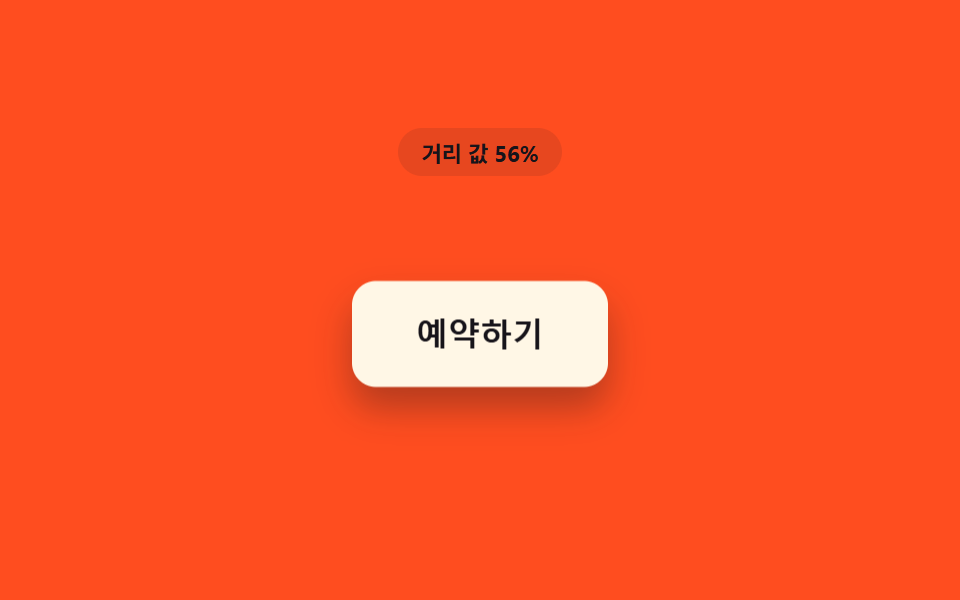
07距離値の分だけ浮き上がる影のボタン
距離値が縮むほど影の広がり距離値とオフセット値が共に大きくなり、ボタンが画面から次第に浮き上がって見える。
使いどころカードボタンの立体感の影
PROX_SHADOW_LIFT_MAX_PXdistanceToButtonrender
<main class="stage">
<div class="sd is-demo" id="sd">
  <p class="sd__badge" id="sdBadge">距離値 100%</p>
  <div class="sd__scene" id="sdScene">
    <button class="sd__btn" id="sdBtn" type="button">予約する</button>
  </div>
</div>
</main>
@use "../../../../site/static/demo-tokens" as *;
// 핵심: 거리 값이 줄어들수록 그림자의 오프셋(y)·번짐(blur)을 같은 값에서 함께 키운다.
// 두 속성이 한 값의 함수라서 그림자만 따로 흔들리지 않고 버튼이 통째로 떠오른 것처럼 보인다.
$duration: $dur-loop;
$easing: linear;
$color: $subject-cream;
@include stage($stage-orange);
.sd {
display: grid;
gap: $sp-4;
justify-items: center;
}
.sd__badge {
margin: 0;
padding: $sp-1 $sp-3;
border-radius: $r-pill;
background: rgba(23, 20, 26, .1);
color: $subject-ink;
font-weight: 700;
font-size: 11px;
font-variant-numeric: tabular-nums;
}
.sd__scene {
padding: $sp-10;
}
.sd__btn {
border: 0;
cursor: pointer;
padding: $sp-4 $sp-8;
border-radius: $r-control;
background: $color;
color: $subject-ink;
font-size: 16px;
font-weight: 700;
will-change: transform, box-shadow;
}
.sd__btn:focus-visible {
outline: 2px solid $subject-ink;
outline-offset: 3px;
}
@media (max-width: 340px) {
.sd__scene { padding: $sp-6; }
.sd__btn { padding: $sp-3 $sp-6; font-size: 14px; }
}
@media (prefers-reduced-motion: reduce) {
.sd__btn { transition: none; }
}html, body {
margin: 0;
overflow: hidden;
}
.stage {
box-sizing: border-box;
min-height: 100vh;
display: grid;
place-items: center;
margin: 0;
background: #ff4d1f;
font-family: -apple-system, "Segoe UI", "Noto Sans KR", sans-serif;
padding: clamp(8px, 4vw, 24px);
}
.sd {
display: grid;
gap: 16px;
justify-items: center;
}
.sd__badge {
margin: 0;
padding: 4px 12px;
border-radius: 999px;
background: rgba(23, 20, 26, 0.1);
color: #17141a;
font-weight: 700;
font-size: 11px;
font-variant-numeric: tabular-nums;
}
.sd__scene {
padding: 40px;
}
.sd__btn {
border: 0;
cursor: pointer;
padding: 16px 32px;
border-radius: 12px;
background: #fff7e6;
color: #17141a;
font-size: 16px;
font-weight: 700;
will-change: transform, box-shadow;
}
.sd__btn:focus-visible {
outline: 2px solid #17141a;
outline-offset: 3px;
}
@media (max-width: 340px) {
.sd__scene {
padding: 24px;
}
.sd__btn {
padding: 12px 24px;
font-size: 14px;
}
}
@media (prefers-reduced-motion: reduce) {
.sd__btn {
transition: none;
}
}(function () {
// PROX_SHADOW_LIFT_MAX_PX — 변형 2: 24 → 48 로 늘리면 그림자가 멀리 번져 버튼이 훨씬 높이 떠오른 것처럼 보인다.
var PROX_SHADOW_LIFT_MAX_PX = 24;
var PROX_RADIUS_PX = 170;
var LERP = 0.18;
var root = document.getElementById('sd');
var scene = document.getElementById('sdScene');
var btn = document.getElementById('sdBtn');
var badge = document.getElementById('sdBadge');
var reduce = window.matchMedia('(prefers-reduced-motion: reduce)').matches;
function clamp(v, lo, hi) { return Math.max(lo, Math.min(hi, v)); }
var targetP = 0;
var curP = 0;
var hasPointer = false;
function distanceToButton(x, y) {
var r = btn.getBoundingClientRect();
var cx = r.left + r.width / 2;
var cy = r.top + r.height / 2;
return Math.hypot(x - cx, y - cy);
}
// 오프셋·번짐을 거리 함수로 — 둘 다 같은 값(p)에서 갈라져 나온다
function render(p) {
var offsetY = p * PROX_SHADOW_LIFT_MAX_PX;
var blur = offsetY * 1.7;
var lift = p * 8;
btn.style.transform = 'translateY(' + (-lift).toFixed(2) + 'px)';
btn.style.boxShadow = '0 ' + offsetY.toFixed(1) + 'px ' + blur.toFixed(1) + 'px rgba(23,20,26,' + (0.22 + p * 0.24).toFixed(2) + ')';
badge.textContent = '距離値 ' + Math.round((1 - p) * 100) + '%';
}
function syntheticOffset(t) {
var ang = t * 1.3 + 1.1;
var rad = 110 * (1 + Math.cos(t * Math.PI));
return [Math.cos(ang) * rad, Math.sin(ang) * rad];
}
var startTime = null;
function loop(now) {
if (startTime === null) { startTime = now; }
var t = (now - startTime) / 1000;
if (!hasPointer && !reduce) {
var off = syntheticOffset(t);
var d = Math.hypot(off[0], off[1]);
targetP = clamp(1 - d / PROX_RADIUS_PX, 0, 1);
}
curP += (targetP - curP) * LERP;
render(curP);
requestAnimationFrame(loop);
}
scene.addEventListener('pointermove', function (e) {
hasPointer = true;
root.classList.remove('is-demo');
var d = distanceToButton(e.clientX, e.clientY);
targetP = clamp(1 - d / PROX_RADIUS_PX, 0, 1);
if (reduce) { curP = targetP; render(curP); }
});
scene.addEventListener('pointerleave', function () {
hasPointer = false;
targetP = 0;
if (reduce) { curP = 0; render(0); }
});
btn.addEventListener('focus', function () {
hasPointer = true;
targetP = 1;
if (reduce) { curP = 1; render(1); }
});
btn.addEventListener('blur', function () {
hasPointer = false;
targetP = 0;
if (reduce) { curP = 0; render(0); }
});
if (reduce) {
render(0);
} else {
requestAnimationFrame(loop);
}
})();// ProximityShadowLiftButton — vanilla 판(run/408/demo/07-btn-proximity-shadow-lift-depth/index.html) 의 React 포트.
// 그림자 오프셋(y)과 번짐(blur)을 같은 거리 값(p)의 함수로 갈라내 그림자만 따로 흔들리지 않고
// 버튼이 통째로 떠오른 것처럼 보이게 한다.
import { useEffect, useRef, useState } from "react";
import type { PointerEvent as ReactPointerEvent } from "react";
import styles from "./ProximityShadowLiftButton.module.scss";
type Box<T> = { current: T };
// PROX_SHADOW_LIFT_MAX_PX — 변형 2: 24 → 48 로 늘리면 그림자가 멀리 번져 버튼이 훨씬 높이 떠오른 것처럼 보인다.
const PROX_SHADOW_LIFT_MAX_PX = 24;
const PROX_RADIUS_PX = 170;
const LERP = 0.18;
function clamp(v: number, lo: number, hi: number): number {
return Math.max(lo, Math.min(hi, v));
}
function syntheticOffset(t: number): [number, number] {
const ang = t * 1.3 + 1.1;
const rad = 110 * (1 + Math.cos(t * Math.PI));
return [Math.cos(ang) * rad, Math.sin(ang) * rad];
}
export default function ProximityShadowLiftButton() {
const sceneRef = useRef<HTMLDivElement | null>(null);
const btnRef = useRef<HTMLButtonElement | null>(null);
const badgeRef = useRef<HTMLParagraphElement | null>(null);
const targetPRef = useRef<number>(0) as Box<number>;
const curPRef = useRef<number>(0) as Box<number>;
const hasPointerRef = useRef<boolean>(false) as Box<boolean>;
const frameRef = useRef<number>(0) as Box<number>;
const t0Ref = useRef<number>(0) as Box<number>;
const [demo, setDemo] = useState(true);
const [reduce, setReduce] = useState(false);
function render(p: number): void {
const btn = btnRef.current;
const badge = badgeRef.current;
if (!btn || !badge) return;
const offsetY = p * PROX_SHADOW_LIFT_MAX_PX;
const blur = offsetY * 1.7;
const lift = p * 8;
btn.style.transform = "translateY(" + (-lift).toFixed(2) + "px)";
btn.style.boxShadow = "0 " + offsetY.toFixed(1) + "px " + blur.toFixed(1) + "px rgba(23,20,26," + (0.22 + p * 0.24).toFixed(2) + ")";
badge.textContent = "거리 값 " + Math.round((1 - p) * 100) + "%";
}
function distanceToButton(x: number, y: number): number {
const btn = btnRef.current;
if (!btn) return PROX_RADIUS_PX;
const r = btn.getBoundingClientRect();
const cx = r.left + r.width / 2;
const cy = r.top + r.height / 2;
return Math.hypot(x - cx, y - cy);
}
useEffect(() => {
setReduce(window.matchMedia("(prefers-reduced-motion: reduce)").matches);
}, []);
useEffect(() => {
if (reduce) {
render(0);
return;
}
function loop(now: number): void {
if (t0Ref.current === 0) t0Ref.current = now;
const t = (now - t0Ref.current) / 1000;
if (!hasPointerRef.current) {
const off = syntheticOffset(t);
const d = Math.hypot(off[0], off[1]);
targetPRef.current = clamp(1 - d / PROX_RADIUS_PX, 0, 1);
}
curPRef.current += (targetPRef.current - curPRef.current) * LERP;
render(curPRef.current);
frameRef.current = requestAnimationFrame(loop);
}
frameRef.current = requestAnimationFrame(loop);
return () => cancelAnimationFrame(frameRef.current);
}, [reduce]);
function onPointerMove(event: ReactPointerEvent<HTMLDivElement>): void {
hasPointerRef.current = true;
setDemo(false);
const d = distanceToButton(event.clientX, event.clientY);
targetPRef.current = clamp(1 - d / PROX_RADIUS_PX, 0, 1);
if (reduce) { curPRef.current = targetPRef.current; render(curPRef.current); }
}
function onPointerLeave(): void {
hasPointerRef.current = false;
targetPRef.current = 0;
if (reduce) { curPRef.current = 0; render(0); }
}
function onFocus(): void {
hasPointerRef.current = true;
targetPRef.current = 1;
if (reduce) { curPRef.current = 1; render(1); }
}
function onBlur(): void {
hasPointerRef.current = false;
targetPRef.current = 0;
if (reduce) { curPRef.current = 0; render(0); }
}
const cls = [styles.sd, demo ? styles.isDemo : ""].filter(Boolean).join(" ");
return (
<main className={styles.stage}>
<div className={cls}>
<p className={styles.badge} ref={badgeRef}>거리 값 100%</p>
<div className={styles.scene} ref={sceneRef} onPointerMove={onPointerMove} onPointerLeave={onPointerLeave}>
<button className={styles.btn} ref={btnRef} type="button" onFocus={onFocus} onBlur={onBlur}>예약하기</button>
</div>
</div>
</main>
);
}07 距離値の分だけ浮き上がる影のボタン — 計測 累積面積 7.634% · 動いたフレーム 21/23GODRICH オリジナル · SCSS と React は zip に同梱 · css ボタン ホバー エフェクト 9選 — 距離の値で変わる
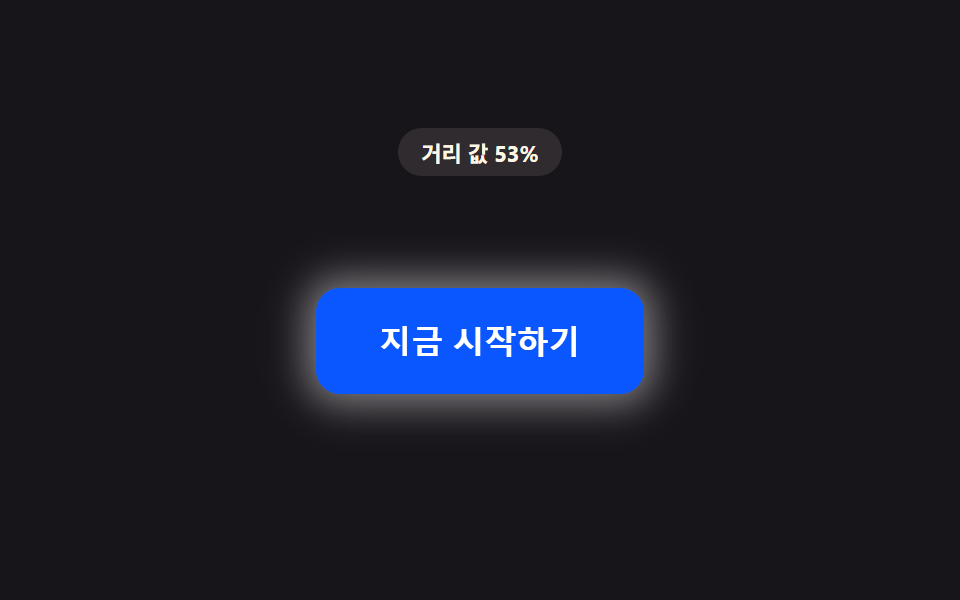
このデモが属する記事
 css ボタン ホバー エフェクト 9選 — 距離の値で変わるもしカーソルがまだボタンから少し離れていれば、距離の値はまだ大きいままだ。その値が縮むにつれて1番は後光の半径を広げ、6番は枠線を描き進め、9番は周囲の粒子密度を満たす。css ボタン ホバー エフェクト を探すと、この9つのボタンは同じ距 この記事のデモをすべて見る