08文字の中で揺れる画像
文字の形に切り抜かれた領域の中だけで、画像が液体のように波打つ。
使いどころブランドタイポグラフィのヒーロー、イベントタイトル
liquidHeightRIPPLE_TEXT_FIT_RATIORIPPLE_TEXT_WAVE_COUNT

<main class="stage">
<div class="rv is-demo" id="rvRoot">
  <canvas class="rv__canvas" id="rvCanvas" width="480" height="300"></canvas>
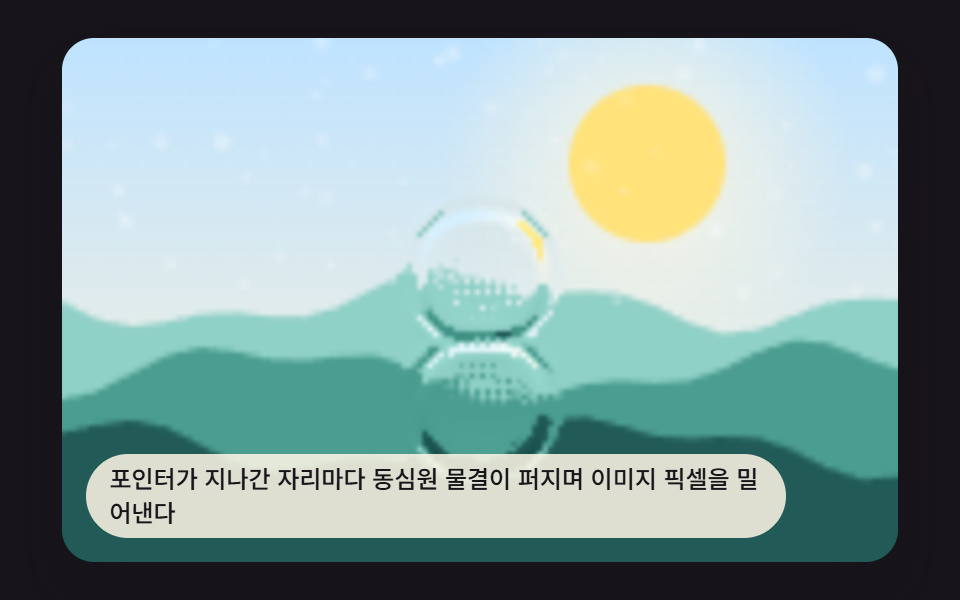
  <p class="rv__caption">文字の形の中だけに画像が満たされ、その中で波紋が絶えず揺れる。</p>
</div>
</main>
@use "../../../../site/static/demo-tokens" as *;
@include stage($stage-paper);
.rv {
position: relative;
width: min(92vw, calc(160vh - 12.8vw));
aspect-ratio: 480 / 300;
margin: 0 auto;
border-radius: $r-card;
overflow: hidden;
box-shadow: $shadow-raised;
}
.rv__canvas {
display: block;
width: 100%;
height: 100%;
}
.rv__caption {
position: absolute;
left: $sp-3;
bottom: $sp-3;
max-width: 78%;
margin: 0;
padding: $sp-1 $sp-3;
border-radius: $r-pill;
background: rgba(23, 20, 26, .68);
color: $stage-paper;
font-weight: 500;
font-size: 12px;
line-height: 1.4;
pointer-events: none;
}
@media (max-width: 340px) {
.rv__caption { font-size: 10px; padding: $sp-1 $sp-2; }
}
@media (prefers-reduced-motion: reduce) {
.rv { box-shadow: $shadow-raised; }
}html, body {
margin: 0;
overflow: hidden;
}
.stage {
box-sizing: border-box;
min-height: 100vh;
display: grid;
place-items: center;
margin: 0;
background: #ffffff;
font-family: -apple-system, "Segoe UI", "Noto Sans KR", sans-serif;
padding: clamp(8px, 4vw, 24px);
}
.rv {
position: relative;
width: min(92vw, 160vh - 12.8vw);
aspect-ratio: 480/300;
margin: 0 auto;
border-radius: 16px;
overflow: hidden;
box-shadow: 0 14px 24px rgba(23, 20, 26, 0.32);
}
.rv__canvas {
display: block;
width: 100%;
height: 100%;
}
.rv__caption {
position: absolute;
left: 12px;
bottom: 12px;
max-width: 78%;
margin: 0;
padding: 4px 12px;
border-radius: 999px;
background: rgba(23, 20, 26, 0.68);
color: #ffffff;
font-weight: 500;
font-size: 12px;
line-height: 1.4;
pointer-events: none;
}
@media (max-width: 340px) {
.rv__caption {
font-size: 10px;
padding: 4px 8px;
}
}
@media (prefers-reduced-motion: reduce) {
.rv {
box-shadow: 0 14px 24px rgba(23, 20, 26, 0.32);
}
}(function () {
// 기법: fillText 로 그린 글자의 알파 채널을 마스크로 삼아, 마스크 안쪽 픽셀에만 사인파 높이 필드 굴절을 적용한다.
// 마스크 밖은 정적 배경이고 안쪽만 매 프레임 getImageData/putImageData 로 다시 계산해 액체가 담긴 글자처럼 보인다.
var root = document.getElementById('rvRoot');
var canvas = document.getElementById('rvCanvas');
var ctx = canvas.getContext('2d');
var wrap = canvas.parentElement;
function seedRand(seed) {
var s = seed >>> 0;
return function () { s = (s * 1664525 + 1013904223) >>> 0; return s / 4294967296; };
}
function drawPhotoBase(pctx, w, h, seed) {
var rand = seedRand(seed);
var sky = pctx.createLinearGradient(0, 0, 0, h);
sky.addColorStop(0, '#bfe9ff');
sky.addColorStop(1, '#e8fbff');
pctx.fillStyle = sky;
pctx.fillRect(0, 0, w, h);
var sunX = w * 0.5, sunY = h * 0.3, sunR = h * 0.2;
var glow = pctx.createRadialGradient(sunX, sunY, 0, sunX, sunY, sunR * 2.4);
glow.addColorStop(0, 'rgba(255,255,255,.9)');
glow.addColorStop(1, 'rgba(255,255,255,0)');
pctx.fillStyle = glow;
pctx.fillRect(0, 0, w, h);
var bandColors = ['#6fc7e0', '#3f9fc9', '#1f6f96'];
for (var i = 0; i < bandColors.length; i += 1) {
var baseY = h * (0.45 + i * 0.16);
pctx.beginPath();
pctx.moveTo(0, h);
var step = Math.max(2, w / 20);
for (var x = 0; x <= w; x += step) {
var n = Math.sin(x * 0.06 + i * 2 + seed * 0.0003) * h * 0.03;
pctx.lineTo(x, baseY + n);
}
pctx.lineTo(w, h);
pctx.closePath();
pctx.fillStyle = bandColors[i];
pctx.fill();
}
for (var k = 0; k < 40; k += 1) {
var px = rand() * w, py = rand() * h, r = rand() * 1 + 0.3;
pctx.beginPath();
pctx.arc(px, py, r, 0, Math.PI * 2);
pctx.fillStyle = 'rgba(255,255,255,' + (0.1 + rand() * 0.2) + ')';
pctx.fill();
}
}
var CALC_W = 160, CALC_H = 100;
var RIPPLE_TEXT_WAVE_COUNT = 2;
var RIPPLE_TEXT_FIT_RATIO = 0.9;
var off = document.createElement('canvas');
off.width = CALC_W; off.height = CALC_H;
var octx = off.getContext('2d');
drawPhotoBase(octx, CALC_W, CALC_H, 419081);
var baseImg = octx.getImageData(0, 0, CALC_W, CALC_H);
var baseBuf = baseImg.data;
var maskCanvas = document.createElement('canvas');
maskCanvas.width = CALC_W; maskCanvas.height = CALC_H;
var mctx = maskCanvas.getContext('2d');
mctx.textAlign = 'center';
mctx.textBaseline = 'middle';
// 글자 클립 영역을 스테이지 폭 기준으로 크게: probe 크기로 잰 폭을 CALC_W 의 RIPPLE_TEXT_FIT_RATIO 만큼 채우도록 실제 폰트 크기를 역산한다.
var TEXT_LABEL = 'H2O';
var PROBE_PX = 100;
mctx.font = '700 ' + PROBE_PX + 'px sans-serif';
var probeWidth = mctx.measureText(TEXT_LABEL).width;
var fitFontPx = Math.round(PROBE_PX * (CALC_W * RIPPLE_TEXT_FIT_RATIO) / probeWidth);
fitFontPx = Math.min(fitFontPx, Math.round(CALC_H * 0.88));
mctx.font = '700 ' + fitFontPx + 'px sans-serif';
mctx.fillStyle = '#000';
mctx.fillText(TEXT_LABEL, CALC_W / 2, CALC_H / 2 + 2);
var maskBuf = mctx.getImageData(0, 0, CALC_W, CALC_H).data;
var out = document.createElement('canvas');
out.width = CALC_W; out.height = CALC_H;
var outCtx = out.getContext('2d');
var outImg = outCtx.createImageData(CALC_W, CALC_H);
var outBuf = outImg.data;
function sampleBase(sx, sy) {
sx = sx < 0 ? 0 : (sx > CALC_W - 1 ? CALC_W - 1 : sx);
sy = sy < 0 ? 0 : (sy > CALC_H - 1 ? CALC_H - 1 : sy);
var i = (Math.round(sy) * CALC_W + Math.round(sx)) * 4;
return [baseBuf[i], baseBuf[i + 1], baseBuf[i + 2]];
}
function liquidHeight(x, y, t) {
var h = 0;
for (var i = 0; i < RIPPLE_TEXT_WAVE_COUNT; i += 1) {
var freq = 0.09 + i * 0.05;
var speed = 0.0064 + i * 0.0032;
var amp = 8 / (i + 1);
h += amp * Math.sin(x * freq + t * speed) * Math.cos(y * (freq * 0.7) - t * speed * 0.7);
}
return h;
}
var BG_R = 23, BG_G = 20, BG_B = 26;
function renderFrame(t) {
var idx = 0;
for (var y = 0; y < CALC_H; y += 1) {
for (var x = 0; x < CALC_W; x += 1) {
var mAlpha = maskBuf[idx + 3];
if (mAlpha < 24) {
outBuf[idx] = BG_R; outBuf[idx + 1] = BG_G; outBuf[idx + 2] = BG_B; outBuf[idx + 3] = 255;
} else {
var h0 = liquidHeight(x, y, t);
var hx = liquidHeight(x + 1, y, t) - liquidHeight(x - 1, y, t);
var hy = liquidHeight(x, y + 1, t) - liquidHeight(x, y - 1, t);
var rgb = sampleBase(x + hx * 1.4, y + hy * 1.4);
// 파동 높이(h0)를 굴절 샘플뿐 아니라 글자 안 명도(shine)·그림자(hy 기반 음영)에도 같은 함수로 전파한다.
var shine = Math.max(-34, Math.min(60, h0 * 7 - hy * 3));
outBuf[idx] = Math.max(0, Math.min(255, rgb[0] + shine));
outBuf[idx + 1] = Math.max(0, Math.min(255, rgb[1] + shine));
outBuf[idx + 2] = Math.max(0, Math.min(255, rgb[2] + shine));
outBuf[idx + 3] = 255;
}
idx += 4;
}
}
}
var cw = 480, ch = 300;
function fit() {
var r = wrap.getBoundingClientRect();
cw = Math.max(1, Math.round(r.width));
ch = Math.max(1, Math.round(r.height));
canvas.width = cw; canvas.height = ch;
draw(lastElapsed);
}
var lastElapsed = 0;
function draw(t) {
lastElapsed = t;
renderFrame(t);
outCtx.putImageData(outImg, 0, 0);
ctx.clearRect(0, 0, cw, ch);
ctx.drawImage(out, 0, 0, CALC_W, CALC_H, 0, 0, cw, ch);
}
var reduce = window.matchMedia('(prefers-reduced-motion: reduce)').matches;
var playing = !reduce;
var elapsed = reduce ? 600 : 0;
if (reduce) { root.classList.remove('is-demo'); }
var lastTs = null;
function tick(ts) {
if (lastTs === null) lastTs = ts;
var dt = ts - lastTs;
lastTs = ts;
if (playing) { elapsed += dt; }
draw(elapsed);
requestAnimationFrame(tick);
}
fit();
window.addEventListener('resize', fit);
draw(elapsed);
requestAnimationFrame(tick);
})();import { useEffect, useRef } from "react";
import styles from "./RippleCanvasTextLiquid.module.scss";
export default function RippleCanvasTextLiquid() {
const rootRef = useRef<HTMLDivElement>(null);
const canvasRef = useRef<HTMLCanvasElement>(null);
useEffect(() => {
const root = rootRef.current;
const canvas = canvasRef.current;
if (!root || !canvas) return;
const ctx = canvas.getContext("2d") as CanvasRenderingContext2D;
const wrap = canvas.parentElement as HTMLElement;
function seedRand(seed: number) {
let s = seed >>> 0;
return function () { s = (s * 1664525 + 1013904223) >>> 0; return s / 4294967296; };
}
function drawPhotoBase(pctx: CanvasRenderingContext2D, w: number, h: number, seed: number) {
const rand = seedRand(seed);
const sky = pctx.createLinearGradient(0, 0, 0, h);
sky.addColorStop(0, "#bfe9ff");
sky.addColorStop(1, "#e8fbff");
pctx.fillStyle = sky;
pctx.fillRect(0, 0, w, h);
const sunX = w * 0.5, sunY = h * 0.3, sunR = h * 0.2;
const glow = pctx.createRadialGradient(sunX, sunY, 0, sunX, sunY, sunR * 2.4);
glow.addColorStop(0, "rgba(255,255,255,.9)");
glow.addColorStop(1, "rgba(255,255,255,0)");
pctx.fillStyle = glow;
pctx.fillRect(0, 0, w, h);
const bandColors = ["#6fc7e0", "#3f9fc9", "#1f6f96"];
for (let i = 0; i < bandColors.length; i += 1) {
const baseY = h * (0.45 + i * 0.16);
pctx.beginPath();
pctx.moveTo(0, h);
const step = Math.max(2, w / 20);
for (let x = 0; x <= w; x += step) {
const n = Math.sin(x * 0.06 + i * 2 + seed * 0.0003) * h * 0.03;
pctx.lineTo(x, baseY + n);
}
pctx.lineTo(w, h);
pctx.closePath();
pctx.fillStyle = bandColors[i];
pctx.fill();
}
for (let k = 0; k < 40; k += 1) {
const px = rand() * w, py = rand() * h, r = rand() * 1 + 0.3;
pctx.beginPath();
pctx.arc(px, py, r, 0, Math.PI * 2);
pctx.fillStyle = "rgba(255,255,255," + (0.1 + rand() * 0.2) + ")";
pctx.fill();
}
}
const CALC_W = 160, CALC_H = 100;
const RIPPLE_TEXT_WAVE_COUNT = 2;
const RIPPLE_TEXT_FIT_RATIO = 0.9;
const off = document.createElement("canvas");
off.width = CALC_W; off.height = CALC_H;
const octx = off.getContext("2d") as CanvasRenderingContext2D;
drawPhotoBase(octx, CALC_W, CALC_H, 419081);
const baseBuf = octx.getImageData(0, 0, CALC_W, CALC_H).data;
const maskCanvas = document.createElement("canvas");
maskCanvas.width = CALC_W; maskCanvas.height = CALC_H;
const mctx = maskCanvas.getContext("2d") as CanvasRenderingContext2D;
mctx.textAlign = "center";
mctx.textBaseline = "middle";
// 글자 클립 영역을 스테이지 폭 기준으로 크게: probe 크기로 잰 폭을 CALC_W 의 RIPPLE_TEXT_FIT_RATIO 만큼 채우도록 실제 폰트 크기를 역산한다.
const TEXT_LABEL = "H2O";
const PROBE_PX = 100;
mctx.font = "700 " + PROBE_PX + "px sans-serif";
const probeWidth = mctx.measureText(TEXT_LABEL).width;
let fitFontPx = Math.round(PROBE_PX * (CALC_W * RIPPLE_TEXT_FIT_RATIO) / probeWidth);
fitFontPx = Math.min(fitFontPx, Math.round(CALC_H * 0.88));
mctx.font = "700 " + fitFontPx + "px sans-serif";
mctx.fillStyle = "#000";
mctx.fillText(TEXT_LABEL, CALC_W / 2, CALC_H / 2 + 2);
const maskBuf = mctx.getImageData(0, 0, CALC_W, CALC_H).data;
const out = document.createElement("canvas");
out.width = CALC_W; out.height = CALC_H;
const outCtx = out.getContext("2d") as CanvasRenderingContext2D;
const outImg = outCtx.createImageData(CALC_W, CALC_H);
const outBuf = outImg.data;
function sampleBase(sx: number, sy: number): [number, number, number] {
sx = sx < 0 ? 0 : (sx > CALC_W - 1 ? CALC_W - 1 : sx);
sy = sy < 0 ? 0 : (sy > CALC_H - 1 ? CALC_H - 1 : sy);
const i = (Math.round(sy) * CALC_W + Math.round(sx)) * 4;
return [baseBuf[i], baseBuf[i + 1], baseBuf[i + 2]];
}
function liquidHeight(x: number, y: number, t: number) {
let h = 0;
for (let i = 0; i < RIPPLE_TEXT_WAVE_COUNT; i += 1) {
const freq = 0.09 + i * 0.05;
const speed = 0.0064 + i * 0.0032;
const amp = 8 / (i + 1);
h += amp * Math.sin(x * freq + t * speed) * Math.cos(y * (freq * 0.7) - t * speed * 0.7);
}
return h;
}
const BG_R = 23, BG_G = 20, BG_B = 26;
function renderFrame(t: number) {
let idx = 0;
for (let y = 0; y < CALC_H; y += 1) {
for (let x = 0; x < CALC_W; x += 1) {
const mAlpha = maskBuf[idx + 3];
if (mAlpha < 24) {
outBuf[idx] = BG_R; outBuf[idx + 1] = BG_G; outBuf[idx + 2] = BG_B; outBuf[idx + 3] = 255;
} else {
const h0 = liquidHeight(x, y, t);
const hx = liquidHeight(x + 1, y, t) - liquidHeight(x - 1, y, t);
const hy = liquidHeight(x, y + 1, t) - liquidHeight(x, y - 1, t);
const rgb = sampleBase(x + hx * 1.4, y + hy * 1.4);
// 파동 높이(h0)를 굴절 샘플뿐 아니라 글자 안 명도(shine)·그림자(hy 기반 음영)에도 같은 함수로 전파한다.
const shine = Math.max(-34, Math.min(60, h0 * 7 - hy * 3));
outBuf[idx] = Math.max(0, Math.min(255, rgb[0] + shine));
outBuf[idx + 1] = Math.max(0, Math.min(255, rgb[1] + shine));
outBuf[idx + 2] = Math.max(0, Math.min(255, rgb[2] + shine));
outBuf[idx + 3] = 255;
}
idx += 4;
}
}
}
let cw = 480, ch = 300;
let lastElapsed = 0;
function draw(t: number) {
lastElapsed = t;
renderFrame(t);
outCtx.putImageData(outImg, 0, 0);
ctx.clearRect(0, 0, cw, ch);
ctx.drawImage(out, 0, 0, CALC_W, CALC_H, 0, 0, cw, ch);
}
function fit() {
const r = wrap.getBoundingClientRect();
cw = Math.max(1, Math.round(r.width));
ch = Math.max(1, Math.round(r.height));
canvas!.width = cw; canvas!.height = ch;
draw(lastElapsed);
}
const reduce = window.matchMedia("(prefers-reduced-motion: reduce)").matches;
const playing = !reduce;
let elapsed = reduce ? 600 : 0;
if (reduce) { root.classList.remove("is-demo"); }
let lastTs: number | null = null;
let raf = 0;
function tick(ts: number) {
if (lastTs === null) lastTs = ts;
const dt = ts - lastTs;
lastTs = ts;
if (playing) { elapsed += dt; }
draw(elapsed);
raf = requestAnimationFrame(tick);
}
fit();
window.addEventListener("resize", fit);
draw(elapsed);
raf = requestAnimationFrame(tick);
return () => {
cancelAnimationFrame(raf);
window.removeEventListener("resize", fit);
};
}, []);
return (
<main className={styles.stage}>
<div className={`${styles.rv} is-demo`} ref={rootRef}>
<canvas className={styles.rv__canvas} ref={canvasRef} width={480} height={300} />
<p className={styles.rv__caption}>글자 모양 안에만 이미지가 채워지고 그 안에서 물결이 계속 일렁인다</p>
</div>
</main>
);
}08 文字の中で揺れる画像 — 計測 累積面積 17.21% · 動いたフレーム 23/23GODRICH オリジナル · SCSS と React は zip に同梱 · css 波紋 アニメーション 9パターン — キャンバスで計算するピクセル波
このデモが属する記事
 css 波紋 アニメーション 9パターン — キャンバスで計算するピクセル波css 波紋 アニメーションを9パターン集めました。9番のヒーローシーンはすでに完成した波紋だ。その前の5番は反射する水面が揺れる段階で、いちばん最初の1番はポインターの一回のタップが一つの輪を描くところから始まった。 この記事のデモをすべて見る