04二本指で選択オブジェクトだけ拡大・回転
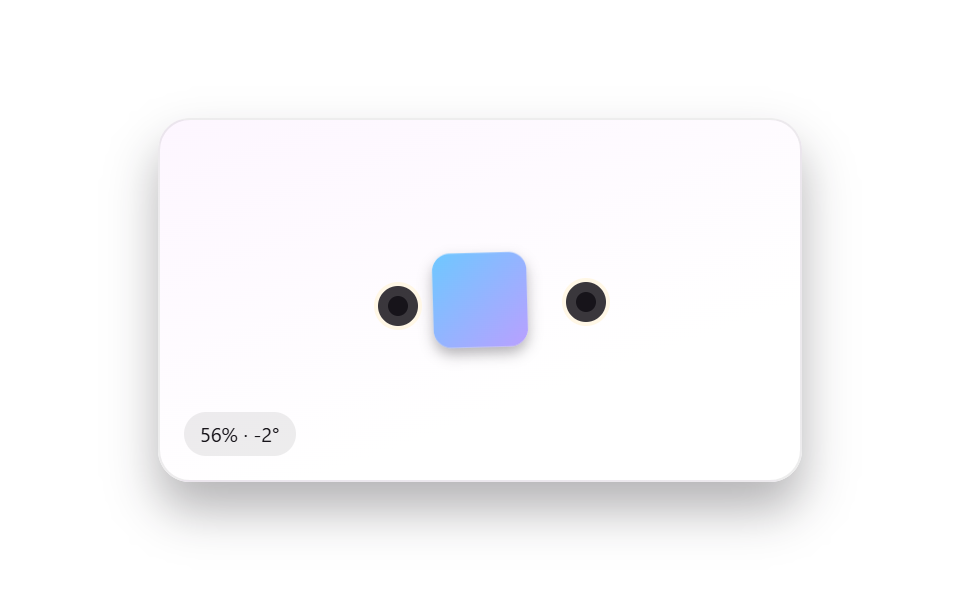
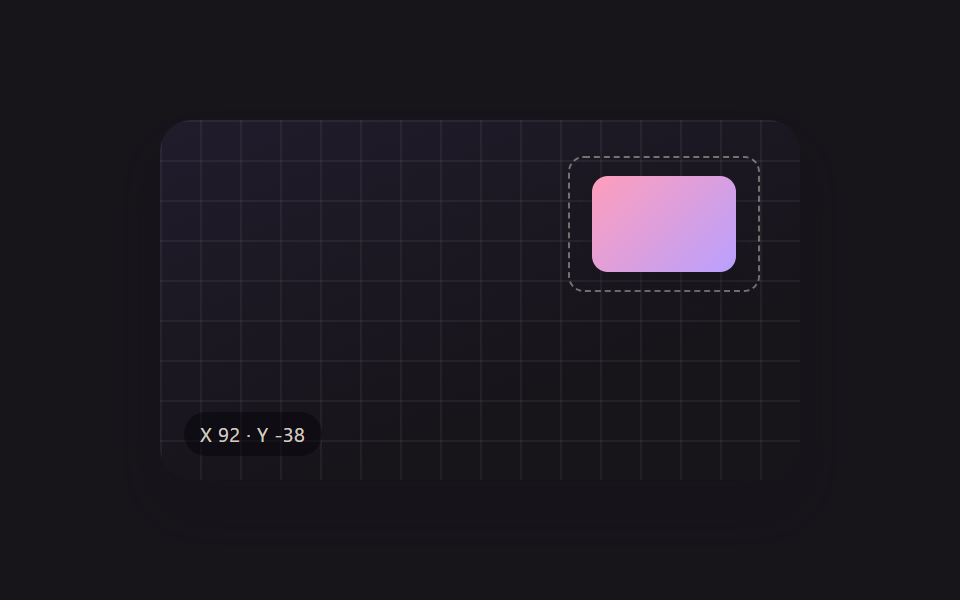
タッチスクリーンでオブジェクトが1つ選択された状態で、その上に置いた二本指を広げたりつまんだりするとそのオブジェクトだけが拡大・縮小し、同時に二本指をひねると同じジェスチャーの中に回転も重なって起こる(247のgesture-pinch-zoom-pan — 画面全体を拡大・移動するジェスチャー — とは異なる実演 — こちらは画面ではなく選択された1つのオブジェクトにのみ適用される)。
使いどころモバイルでコラージュのオブジェクトを指先で調整
computeFromFingersplaceFingerbindFinger
<main class="stage">
<div class="scene is-demo" id="scene">
  <div class="frame" id="frame">
    <div class="subjectShape" id="subject"></div>
    <div class="finger finger--a" id="fingerA" tabindex="0" role="slider" aria-label="1本目の指のポイント" aria-valuemin="0" aria-valuemax="100" aria-valuenow="50"></div>
    <div class="finger finger--b" id="fingerB" tabindex="0" role="slider" aria-label="2本目の指のポイント" aria-valuemin="0" aria-valuemax="100" aria-valuenow="50"></div>
  </div>
  <div class="readout" id="readout" aria-hidden="true"><span id="rp">100</span>% · <span id="rr">0</span>°</div>
</div>
</main>
@use "../../../../site/static/demo-tokens" as *;
// 변수 3개
$duration: $dur-enter;
$easing: $ease-out;
$color: $subject-ink;
// 계산 겹: index.html 의 computeFromFingers() 가 두 finger 포인트의 거리비(scale)·각도차(rotate) 를
// 매 프레임 산술로 구해 subjectShape 하나에만 적용한다 — 무대·배경은 고정.
@include stage($stage-paper);
.scene {
position: relative;
width: 320px;
height: 180px;
border-radius: $r-card;
overflow: hidden;
box-shadow: $shadow-raised;
background: linear-gradient(160deg, #fdf6ff, $stage-paper 70%);
border: 1px solid rgba($subject-ink, .08);
}
.frame {
position: absolute;
inset: 0;
}
.subjectShape {
position: absolute;
left: 50%;
top: 50%;
width: 84px;
height: 84px;
border-radius: $r-card;
background: linear-gradient(135deg, $subject-sky, $subject-lilac);
box-shadow: $shadow-press;
transform: translate(-50%, -50%);
will-change: transform;
}
.finger {
position: absolute;
width: 20px;
height: 20px;
margin: -10px;
border-radius: $r-pill;
background: rgba($subject-ink, .85);
border: 2px solid $subject-cream;
cursor: grab;
touch-action: none;
&::after {
content: '';
position: absolute;
inset: 5px;
border-radius: $r-pill;
background: $color;
}
&:active { cursor: grabbing; }
&:focus-visible { outline: 2px solid $color; outline-offset: 3px; }
}
.readout {
position: absolute;
left: $sp-3;
bottom: $sp-3;
padding: $sp-1 $sp-2;
border-radius: $r-pill;
background: rgba($subject-ink, .08);
color: $subject-ink;
font-size: 10px;
font-variant-numeric: tabular-nums;
}
@media (max-width: 340px) {
.scene { width: 220px; height: 124px; }
.subjectShape { width: 60px; height: 60px; }
.finger { width: 16px; height: 16px; margin: -8px; }
.readout { font-size: 9px; }
}
@media (prefers-reduced-motion: reduce) {
// 실사용 경로 적용 — 두 finger 의 드래그·키보드는 index.html 이 트윈 없이 즉시 반영한다.
// scss 만: 포커스 아웃라인 전환만 꺼서 잔여 트랜지션을 없앤다.
.finger { transition: none; }
}html, body {
margin: 0;
overflow: hidden;
}
.stage {
box-sizing: border-box;
min-height: 100vh;
display: grid;
place-items: center;
margin: 0;
background: #ffffff;
font-family: -apple-system, "Segoe UI", "Noto Sans KR", sans-serif;
padding: clamp(8px, 4vw, 24px);
}
.scene {
position: relative;
width: 320px;
height: 180px;
border-radius: 16px;
overflow: hidden;
box-shadow: 0 14px 24px rgba(23, 20, 26, 0.32);
background: linear-gradient(160deg, #fdf6ff, #ffffff 70%);
border: 1px solid rgba(23, 20, 26, 0.08);
}
.frame {
position: absolute;
inset: 0;
}
.subjectShape {
position: absolute;
left: 50%;
top: 50%;
width: 84px;
height: 84px;
border-radius: 16px;
background: linear-gradient(135deg, #6ec8ff, #b9a0ff);
box-shadow: 0 6px 12px rgba(23, 20, 26, 0.32);
transform: translate(-50%, -50%);
will-change: transform;
}
.finger {
position: absolute;
width: 20px;
height: 20px;
margin: -10px;
border-radius: 999px;
background: rgba(23, 20, 26, 0.85);
border: 2px solid #fff7e6;
cursor: grab;
touch-action: none;
}
.finger::after {
content: "";
position: absolute;
inset: 5px;
border-radius: 999px;
background: #17141a;
}
.finger:active {
cursor: grabbing;
}
.finger:focus-visible {
outline: 2px solid #17141a;
outline-offset: 3px;
}
.readout {
position: absolute;
left: 12px;
bottom: 12px;
padding: 4px 8px;
border-radius: 999px;
background: rgba(23, 20, 26, 0.08);
color: #17141a;
font-size: 10px;
font-variant-numeric: tabular-nums;
}
@media (max-width: 340px) {
.scene {
width: 220px;
height: 124px;
}
.subjectShape {
width: 60px;
height: 60px;
}
.finger {
width: 16px;
height: 16px;
margin: -8px;
}
.readout {
font-size: 9px;
}
}
@media (prefers-reduced-motion: reduce) {
.finger {
transition: none;
}
}(function () {
var MIN_SCALE = 0.55;
var MAX_SCALE = 1.9;
var LOOP_MS = 2000;
var scene = document.getElementById('scene');
var frame = document.getElementById('frame');
var subject = document.getElementById('subject');
var fingerA = document.getElementById('fingerA');
var fingerB = document.getElementById('fingerB');
var rp = document.getElementById('rp');
var rr = document.getElementById('rr');
var reduce = window.matchMedia('(prefers-reduced-motion: reduce)').matches;
// 이 데모는 선택된 오브젝트 하나에만 적용된다 — 247 의 gesture-pinch-zoom-pan(화면 전체를
// 확대·이동하는 손짓)과 달리 여기서는 무대·배경은 그대로고 subjectShape 만 scale·rotate 된다.
var posA = { x: 0.24, y: 0.5 };
var posB = { x: 0.76, y: 0.5 };
var baseDist = null;
var baseAngle = null;
var dragging = null;
var timers = [];
function clamp(v, lo, hi) { return Math.min(hi, Math.max(lo, v)); }
function placeFinger(el, pos) {
var r = frame.getBoundingClientRect();
el.style.left = (pos.x * r.width) + 'px';
el.style.top = (pos.y * r.height) + 'px';
}
// 두 포인터 거리/각 → scale·rotate. 실제 두 손가락 대신 포인터 이벤트 2개(finger A·B)를
// 각각 시뮬레이트해 그 사이 거리비·각도차를 subjectShape 에 그대로 반영한다.
function computeFromFingers() {
var r = frame.getBoundingClientRect();
var ax = posA.x * r.width, ay = posA.y * r.height;
var bx = posB.x * r.width, by = posB.y * r.height;
var d = Math.hypot(bx - ax, by - ay);
var a = Math.atan2(by - ay, bx - ax) * 180 / Math.PI;
if (baseDist === null) { baseDist = d; baseAngle = a; }
var scale = clamp(d / baseDist, MIN_SCALE, MAX_SCALE);
var rotate = a - baseAngle;
subject.style.transform = 'translate(-50%,-50%) rotate(' + rotate.toFixed(1) + 'deg) scale(' + scale.toFixed(3) + ')';
rp.textContent = Math.round(scale * 100);
rr.textContent = Math.round(rotate);
placeFinger(fingerA, posA);
placeFinger(fingerB, posB);
}
function human() {
if (scene.classList.contains('is-demo')) {
scene.classList.remove('is-demo');
timers.forEach(function (t) { clearTimeout(t); clearInterval(t); });
timers = [];
}
}
function bindFinger(el, posRef) {
el.addEventListener('pointerdown', function (e) {
human();
dragging = posRef;
el.setPointerCapture(e.pointerId);
});
el.addEventListener('pointermove', function (e) {
if (dragging !== posRef) return;
var r = frame.getBoundingClientRect();
posRef.x = clamp((e.clientX - r.left) / r.width, 0.05, 0.95);
posRef.y = clamp((e.clientY - r.top) / r.height, 0.05, 0.95);
computeFromFingers();
});
function end(e) {
if (dragging !== posRef) return;
dragging = null;
try { el.releasePointerCapture(e.pointerId); } catch (err) {}
}
el.addEventListener('pointerup', end);
el.addEventListener('pointercancel', end);
el.addEventListener('keydown', function (e) {
var step = 0.04;
if (e.key === 'ArrowLeft') { human(); posRef.x = clamp(posRef.x - step, 0.05, 0.95); computeFromFingers(); e.preventDefault(); }
else if (e.key === 'ArrowRight') { human(); posRef.x = clamp(posRef.x + step, 0.05, 0.95); computeFromFingers(); e.preventDefault(); }
else if (e.key === 'ArrowUp') { human(); posRef.y = clamp(posRef.y - step, 0.05, 0.95); computeFromFingers(); e.preventDefault(); }
else if (e.key === 'ArrowDown') { human(); posRef.y = clamp(posRef.y + step, 0.05, 0.95); computeFromFingers(); e.preventDefault(); }
});
}
bindFinger(fingerA, posA);
bindFinger(fingerB, posB);
computeFromFingers();
// reduce: 실사용 경로 적용 — 두 finger 의 pointer·keydown 은 위에서 즉시 반영한다.
// 아래 자동 루프(시연 게이트만)는 두 finger 를 동시에 벌리고 비틀며 reduce 에서는 돌지 않는다.
function loopStep() {
if (!scene.classList.contains('is-demo') || reduce) return;
var t = (performance.now() % LOOP_MS) / LOOP_MS;
var spread = 0.16 + Math.sin(t * Math.PI * 2) * 0.14;
var twist = Math.sin(t * Math.PI * 2) * 0.12;
posA.x = clamp(0.5 - spread - twist, 0.05, 0.95);
posA.y = clamp(0.5 - twist * 0.6, 0.05, 0.95);
posB.x = clamp(0.5 + spread - twist, 0.05, 0.95);
posB.y = clamp(0.5 + twist * 0.6, 0.05, 0.95);
computeFromFingers();
requestAnimationFrame(loopStep);
}
if (!reduce) {
requestAnimationFrame(loopStep);
}
})();import { useEffect, useRef } from 'react';
import styles from './XfPinchZoomTouch.module.scss';
const MIN_SCALE = 0.55;
const MAX_SCALE = 1.9;
const LOOP_MS = 2000;
export default function XfPinchZoomTouch() {
const sceneRef = useRef<HTMLDivElement>(null);
useEffect(() => {
const scene0 = sceneRef.current;
if (!scene0) return undefined;
const scene = scene0;
const frame0 = scene.querySelector<HTMLDivElement>('#frame');
const subject0 = scene.querySelector<HTMLDivElement>('#subject');
const fingerA0 = scene.querySelector<HTMLDivElement>('#fingerA');
const fingerB0 = scene.querySelector<HTMLDivElement>('#fingerB');
const rp0 = scene.querySelector<HTMLSpanElement>('#rp');
const rr0 = scene.querySelector<HTMLSpanElement>('#rr');
if (!frame0 || !subject0 || !fingerA0 || !fingerB0 || !rp0 || !rr0) return undefined;
const frame = frame0;
const subject = subject0;
const fingerA = fingerA0;
const fingerB = fingerB0;
const rp = rp0;
const rr = rr0;
const reduce = window.matchMedia('(prefers-reduced-motion: reduce)').matches;
// 이 데모는 선택된 오브젝트 하나에만 적용된다 — 247 의 gesture-pinch-zoom-pan(화면 전체를
// 확대·이동하는 손짓)과 달리 여기서는 무대·배경은 그대로고 subjectShape 만 scale·rotate 된다.
const posA = { x: 0.24, y: 0.5 };
const posB = { x: 0.76, y: 0.5 };
let baseDist: number | null = null;
let baseAngle: number | null = null;
let dragging: { x: number; y: number } | null = null;
let rafId = 0;
function clamp(v: number, lo: number, hi: number) { return Math.min(hi, Math.max(lo, v)); }
function placeFinger(el: HTMLDivElement, pos: { x: number; y: number }) {
const r = frame.getBoundingClientRect();
el.style.left = pos.x * r.width + 'px';
el.style.top = pos.y * r.height + 'px';
}
// 두 포인터 거리/각 → scale·rotate. 실제 두 손가락 대신 포인터 이벤트 2개(finger A·B)를
// 각각 시뮬레이트해 그 사이 거리비·각도차를 subjectShape 에 그대로 반영한다.
function computeFromFingers() {
const r = frame.getBoundingClientRect();
const ax = posA.x * r.width, ay = posA.y * r.height;
const bx = posB.x * r.width, by = posB.y * r.height;
const d = Math.hypot(bx - ax, by - ay);
const a = (Math.atan2(by - ay, bx - ax) * 180) / Math.PI;
if (baseDist === null) { baseDist = d; baseAngle = a; }
const scale = clamp(d / baseDist, MIN_SCALE, MAX_SCALE);
const rotate = a - (baseAngle as number);
subject.style.transform = 'translate(-50%,-50%) rotate(' + rotate.toFixed(1) + 'deg) scale(' + scale.toFixed(3) + ')';
rp.textContent = String(Math.round(scale * 100));
rr.textContent = String(Math.round(rotate));
placeFinger(fingerA, posA);
placeFinger(fingerB, posB);
}
function human() {
if (scene.classList.contains(styles['is-demo'])) {
scene.classList.remove(styles['is-demo']);
cancelAnimationFrame(rafId);
}
}
function bindFinger(el: HTMLDivElement, posRef: { x: number; y: number }) {
function onDown(e: PointerEvent) {
human();
dragging = posRef;
el.setPointerCapture(e.pointerId);
}
function onMove(e: PointerEvent) {
if (dragging !== posRef) return;
const r = frame.getBoundingClientRect();
posRef.x = clamp((e.clientX - r.left) / r.width, 0.05, 0.95);
posRef.y = clamp((e.clientY - r.top) / r.height, 0.05, 0.95);
computeFromFingers();
}
function onUp(e: PointerEvent) {
if (dragging !== posRef) return;
dragging = null;
try { el.releasePointerCapture(e.pointerId); } catch { /* 캡처가 이미 풀린 경우 */ }
}
function onKey(e: KeyboardEvent) {
const step = 0.04;
if (e.key === 'ArrowLeft') { human(); posRef.x = clamp(posRef.x - step, 0.05, 0.95); computeFromFingers(); e.preventDefault(); }
else if (e.key === 'ArrowRight') { human(); posRef.x = clamp(posRef.x + step, 0.05, 0.95); computeFromFingers(); e.preventDefault(); }
else if (e.key === 'ArrowUp') { human(); posRef.y = clamp(posRef.y - step, 0.05, 0.95); computeFromFingers(); e.preventDefault(); }
else if (e.key === 'ArrowDown') { human(); posRef.y = clamp(posRef.y + step, 0.05, 0.95); computeFromFingers(); e.preventDefault(); }
}
el.addEventListener('pointerdown', onDown);
el.addEventListener('pointermove', onMove);
el.addEventListener('pointerup', onUp);
el.addEventListener('pointercancel', onUp);
el.addEventListener('keydown', onKey);
cleanups.push(() => {
el.removeEventListener('pointerdown', onDown);
el.removeEventListener('pointermove', onMove);
el.removeEventListener('pointerup', onUp);
el.removeEventListener('pointercancel', onUp);
el.removeEventListener('keydown', onKey);
});
}
const cleanups: Array<() => void> = [];
bindFinger(fingerA, posA);
bindFinger(fingerB, posB);
computeFromFingers();
// reduce: 실사용 경로 적용 — 두 finger 의 pointer·keydown 은 위에서 즉시 반영한다.
// 아래 자동 루프(시연 게이트만)는 reduce 에서는 돌지 않는다.
function loopStep() {
if (!scene.classList.contains(styles['is-demo']) || reduce) return;
const t = (performance.now() % LOOP_MS) / LOOP_MS;
const spread = 0.16 + Math.sin(t * Math.PI * 2) * 0.14;
const twist = Math.sin(t * Math.PI * 2) * 0.12;
posA.x = clamp(0.5 - spread - twist, 0.05, 0.95);
posA.y = clamp(0.5 - twist * 0.6, 0.05, 0.95);
posB.x = clamp(0.5 + spread - twist, 0.05, 0.95);
posB.y = clamp(0.5 + twist * 0.6, 0.05, 0.95);
computeFromFingers();
rafId = requestAnimationFrame(loopStep);
}
if (!reduce) {
rafId = requestAnimationFrame(loopStep);
}
return () => {
cleanups.forEach((fn) => fn());
cancelAnimationFrame(rafId);
};
}, []);
return (
<main className={styles.stage}>
<div className={styles.scene + ' ' + styles['is-demo']} ref={sceneRef}>
<div id="frame" className={styles.frame}>
<div id="subject" className={styles.subjectShape}></div>
<div id="fingerA" className={styles.finger} tabIndex={0} role="slider" aria-label="첫 번째 손가락 포인트" aria-valuemin={0} aria-valuemax={100} aria-valuenow={50}></div>
<div id="fingerB" className={styles.finger} tabIndex={0} role="slider" aria-label="두 번째 손가락 포인트" aria-valuemin={0} aria-valuemax={100} aria-valuenow={50}></div>
</div>
<div className={styles.readout} aria-hidden="true"><span id="rp">100</span>% · <span id="rr">0</span>°</div>
</div>
</main>
);
}04 二本指で選択オブジェクトだけ拡大・回転 — 計測 累積面積 9.606% · 動いたフレーム 23/23GODRICH オリジナル · SCSS と React は zip に同梱 · ドラッグ ハンドル 9種 — キャンバスの自由変形ツールキット
このデモが属する記事
 ドラッグ ハンドル 9種 — キャンバスの自由変形ツールキット9種のドラッグ ハンドルのうち、1つは回転ハンドルを弧を描いて引くと選択ボックスの中心を軸にオブジェクトごと回転し、1つは散らばったアイコンをワンクリックでグリッドへ一斉に整列させ、1つは方向キーを押し続けるほど移動幅が徐々に大きくなります この記事のデモをすべて見る