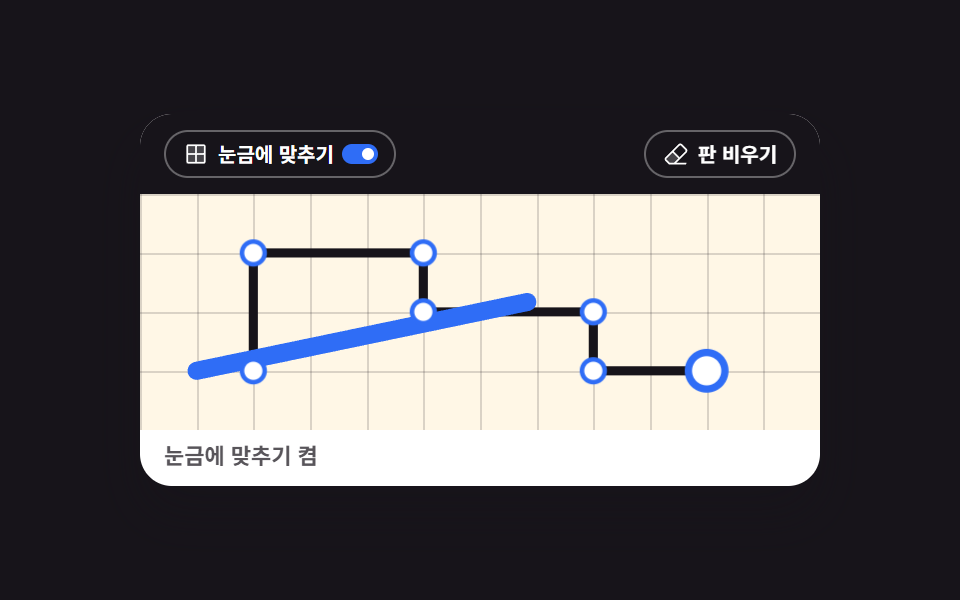
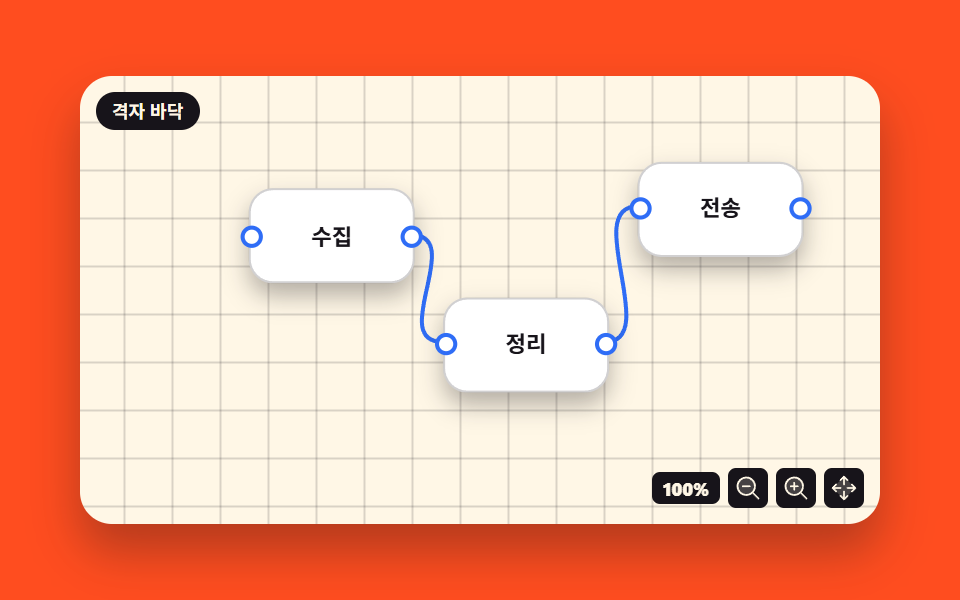
05移動中に背景グリッドへ吸い付くスナップ
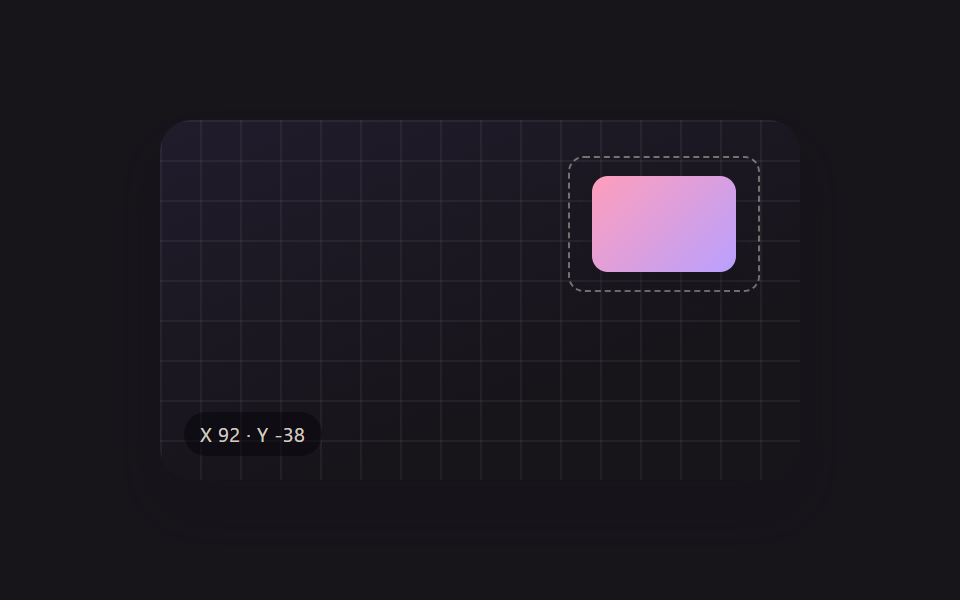
オブジェクトをドラッグしている間、画面に薄く敷かれた背景グリッドの交点に端が一定距離まで近づくと、指を離す前にその交点へ引き寄せられて吸い付く(250のpanel-snap-guides — 他のパネルの端に合わせて現れる動的な整列線 — とは異なる実演 — こちらは他のオブジェクトではなく固定された背景グリッド1種類にのみ吸い付く)。
使いどころ複数のアイコンを均等な間隔で配置
nearestGridapplyPositionhopTo
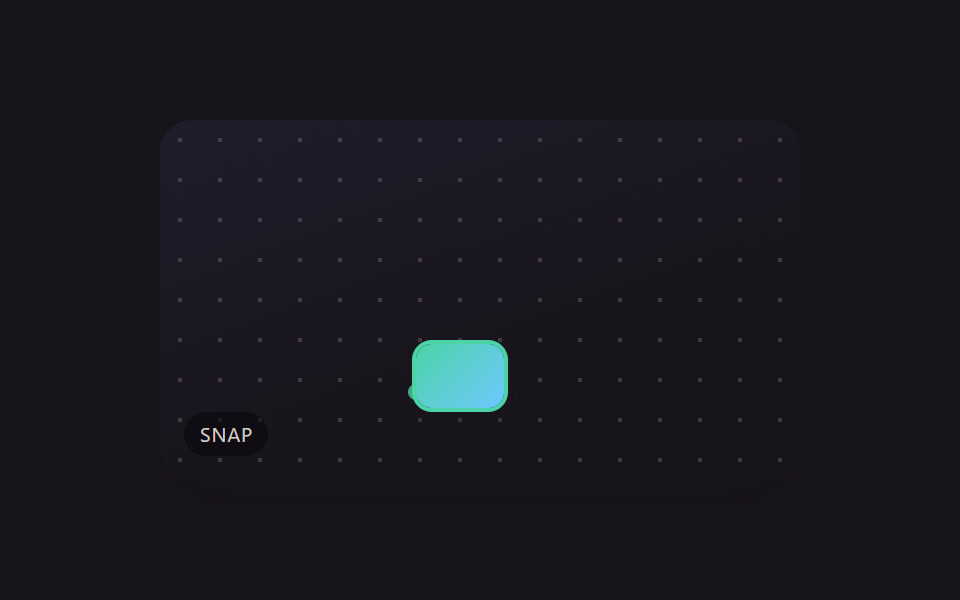
<main class="stage">
<div class="scene is-demo" id="scene">
  <div class="gridBg" aria-hidden="true"></div>
  <div class="frame" id="frame">
    <div class="guideDot" id="guideDot" aria-hidden="true"></div>
    <div class="draggable" id="draggable" tabindex="0" aria-label="ドラッグすると背景グリッドの交点に吸い付くオブジェクト"></div>
  </div>
  <div class="readout" id="readout" aria-hidden="true"><span id="rs">free</span></div>
</div>
</main>
@use "../../../../site/static/demo-tokens" as *;
// 변수 3개
$duration: $dur-enter;
$easing: $ease-out;
$color: $subject-mint;
// 계산 겹: index.html 의 nearestGrid()/applyPosition() 이 오브젝트 모서리 좌표를 CELL_PX 배수로
// 반올림해 거리를 재고, CORNER_SNAP_RADIUS_PX 안이면 스냅 좌표를, 아니면 원 좌표를 matrix() 로 굳힌다.
@include stage($stage-ink);
.scene {
position: relative;
width: 320px;
height: 180px;
border-radius: $r-card;
overflow: hidden;
box-shadow: $shadow-raised;
background: linear-gradient(160deg, #201c2c, $stage-ink 70%);
}
.gridBg {
position: absolute;
inset: 0;
background-image: radial-gradient(rgba($subject-cream, .16) 1.2px, transparent 1.2px);
background-size: 20px 20px;
}
.frame {
position: absolute;
left: 50%;
top: 50%;
width: 184px;
height: 108px;
margin-left: -92px;
margin-top: -54px;
}
.draggable {
position: absolute;
width: 44px;
height: 32px;
border-radius: $r-sm;
background: linear-gradient(135deg, $subject-mint, $subject-sky);
box-shadow: $shadow-press;
cursor: grab;
touch-action: none;
will-change: transform;
&:active, &.isSnapped { cursor: grabbing; }
&.isSnapped { box-shadow: 0 0 0 2px $color, $shadow-press; }
&:focus-visible { outline: 2px solid $color; outline-offset: 3px; }
}
.guideDot {
position: absolute;
width: 8px;
height: 8px;
margin: -4px;
border-radius: $r-pill;
background: $color;
opacity: 0;
will-change: transform;
&.isActive { opacity: .85; }
}
.readout {
position: absolute;
left: $sp-3;
bottom: $sp-3;
padding: $sp-1 $sp-2;
border-radius: $r-pill;
background: rgba(#050409, .5);
color: rgba($subject-cream, .82);
font-size: 10px;
text-transform: uppercase;
letter-spacing: .04em;
}
@media (max-width: 340px) {
.scene { width: 220px; height: 124px; }
.frame { width: 128px; height: 76px; margin-left: -64px; margin-top: -38px; }
.draggable { width: 34px; height: 24px; }
.readout { font-size: 9px; }
}
@media (prefers-reduced-motion: reduce) {
// 실사용 경로 적용 — 드래그·키보드는 index.html 이 트윈 없이 즉시 반영한다.
// scss 만: 스냅 표시(box-shadow)·아웃라인 전환만 꺼서 잔여 트랜지션을 없앤다.
.draggable, .guideDot { transition: none; }
}html, body {
margin: 0;
overflow: hidden;
}
.stage {
box-sizing: border-box;
min-height: 100vh;
display: grid;
place-items: center;
margin: 0;
background: #17141a;
font-family: -apple-system, "Segoe UI", "Noto Sans KR", sans-serif;
padding: clamp(8px, 4vw, 24px);
}
.scene {
position: relative;
width: 320px;
height: 180px;
border-radius: 16px;
overflow: hidden;
box-shadow: 0 14px 24px rgba(23, 20, 26, 0.32);
background: linear-gradient(160deg, #201c2c, #17141a 70%);
}
.gridBg {
position: absolute;
inset: 0;
background-image: radial-gradient(rgba(255, 247, 230, 0.16) 1.2px, transparent 1.2px);
background-size: 20px 20px;
}
.frame {
position: absolute;
left: 50%;
top: 50%;
width: 184px;
height: 108px;
margin-left: -92px;
margin-top: -54px;
}
.draggable {
position: absolute;
width: 44px;
height: 32px;
border-radius: 8px;
background: linear-gradient(135deg, #4cd4a6, #6ec8ff);
box-shadow: 0 6px 12px rgba(23, 20, 26, 0.32);
cursor: grab;
touch-action: none;
will-change: transform;
}
.draggable:active, .draggable.isSnapped {
cursor: grabbing;
}
.draggable.isSnapped {
box-shadow: 0 0 0 2px #4cd4a6, 0 6px 12px rgba(23, 20, 26, 0.32);
}
.draggable:focus-visible {
outline: 2px solid #4cd4a6;
outline-offset: 3px;
}
.guideDot {
position: absolute;
width: 8px;
height: 8px;
margin: -4px;
border-radius: 999px;
background: #4cd4a6;
opacity: 0;
will-change: transform;
}
.guideDot.isActive {
opacity: 0.85;
}
.readout {
position: absolute;
left: 12px;
bottom: 12px;
padding: 4px 8px;
border-radius: 999px;
background: rgba(5, 4, 9, 0.5);
color: rgba(255, 247, 230, 0.82);
font-size: 10px;
text-transform: uppercase;
letter-spacing: 0.04em;
}
@media (max-width: 340px) {
.scene {
width: 220px;
height: 124px;
}
.frame {
width: 128px;
height: 76px;
margin-left: -64px;
margin-top: -38px;
}
.draggable {
width: 34px;
height: 24px;
}
.readout {
font-size: 9px;
}
}
@media (prefers-reduced-motion: reduce) {
.draggable, .guideDot {
transition: none;
}
}(function () {
var CELL_PX = 20;
var CORNER_SNAP_RADIUS_PX = 6; // 변형 05 가 16 으로 넓힌다 — 오브젝트 모서리가 격자 교차점에 붙는 자석 반경
var WAYPOINTS = [
{ x: 20, y: 20 }, { x: 140, y: 60 }, { x: 63, y: 96 }, { x: 20, y: 20 }
];
var HOP_MS = 560;
var HOLD_MS = 320;
var scene = document.getElementById('scene');
var frame = document.getElementById('frame');
var draggable = document.getElementById('draggable');
var guideDot = document.getElementById('guideDot');
var rs = document.getElementById('rs');
var reduce = window.matchMedia('(prefers-reduced-motion: reduce)').matches;
var frameW = 184, frameH = 108;
var tx = 20, ty = 20;
var dragging = false;
var startX = 0, startY = 0, originTx = 0, originTy = 0;
var timers = [];
function clamp(v, lo, hi) { return Math.min(hi, Math.max(lo, v)); }
function easeOutCubic(t) { return 1 - Math.pow(1 - t, 3); }
// 오브젝트 모서리(좌상단)를 가장 가까운 격자 교차점(CELL_PX 배수)과 비교해, 그 거리가
// CORNER_SNAP_RADIUS_PX 안이면 손을 놓기 전에도 교차점으로 스냅한다 — 다른 오브젝트가 아니라
// 고정된 배경 격자 한 가지에만 붙는다(250 의 panel-snap-guides 와 다른 시연).
function nearestGrid(v) { return Math.round(v / CELL_PX) * CELL_PX; }
function applyPosition(rawX, rawY) {
var nx = nearestGrid(rawX);
var ny = nearestGrid(rawY);
var d = Math.hypot(rawX - nx, rawY - ny);
var snapped = d <= CORNER_SNAP_RADIUS_PX;
tx = clamp(snapped ? nx : rawX, 0, frameW - 44);
ty = clamp(snapped ? ny : rawY, 0, frameH - 32);
draggable.style.transform = 'matrix(1,0,0,1,' + tx.toFixed(1) + ',' + ty.toFixed(1) + ')';
if (snapped) {
guideDot.style.transform = 'matrix(1,0,0,1,' + nx.toFixed(1) + ',' + ny.toFixed(1) + ')';
guideDot.classList.add('isActive');
} else {
guideDot.classList.remove('isActive');
}
rs.textContent = snapped ? 'snap' : 'free';
draggable.classList.toggle('isSnapped', snapped);
}
function human() {
if (scene.classList.contains('is-demo')) {
scene.classList.remove('is-demo');
timers.forEach(function (t) { clearTimeout(t); clearInterval(t); });
timers = [];
}
}
draggable.addEventListener('pointerdown', function (e) {
human();
dragging = true;
draggable.setPointerCapture(e.pointerId);
startX = e.clientX; startY = e.clientY;
originTx = tx; originTy = ty;
});
draggable.addEventListener('pointermove', function (e) {
if (!dragging) return;
applyPosition(originTx + (e.clientX - startX), originTy + (e.clientY - startY));
});
function end(e) {
if (!dragging) return;
dragging = false;
try { draggable.releasePointerCapture(e.pointerId); } catch (err) {}
}
draggable.addEventListener('pointerup', end);
draggable.addEventListener('pointercancel', end);
draggable.addEventListener('keydown', function (e) {
var step = CELL_PX;
if (e.key === 'ArrowLeft') { human(); applyPosition(tx - step, ty); e.preventDefault(); }
else if (e.key === 'ArrowRight') { human(); applyPosition(tx + step, ty); e.preventDefault(); }
else if (e.key === 'ArrowUp') { human(); applyPosition(tx, ty - step); e.preventDefault(); }
else if (e.key === 'ArrowDown') { human(); applyPosition(tx, ty + step); e.preventDefault(); }
});
// reduce: 실사용 경로 적용 — 드래그·키보드는 위에서 같은 applyPosition() 으로 즉시 반영한다.
// 아래 hopTo()·cycle() 은 시연 게이트만 — reduce 에서는 돌지 않는다.
function hopTo(target, onDone) {
var fromX = tx, fromY = ty;
var start = performance.now();
function frame2(now) {
if (!scene.classList.contains('is-demo')) return;
var p = clamp((now - start) / HOP_MS, 0, 1);
var e = easeOutCubic(p);
applyPosition(fromX + (target.x - fromX) * e, fromY + (target.y - fromY) * e);
if (p < 1) requestAnimationFrame(frame2);
else if (onDone) onDone();
}
requestAnimationFrame(frame2);
}
function cycle(i) {
if (!scene.classList.contains('is-demo')) return;
var target = WAYPOINTS[i % WAYPOINTS.length];
hopTo(target, function () {
timers.push(setTimeout(function () { cycle(i + 1); }, HOLD_MS));
});
}
applyPosition(tx, ty);
if (!reduce) {
cycle(1);
}
})();import { useEffect, useRef } from 'react';
import styles from './XfGridSnap.module.scss';
const CELL_PX = 20;
const CORNER_SNAP_RADIUS_PX = 6; // 변형 05 가 16 으로 넓힌다 — 오브젝트 모서리가 격자 교차점에 붙는 자석 반경
const WAYPOINTS = [
{ x: 20, y: 20 }, { x: 140, y: 60 }, { x: 63, y: 96 }, { x: 20, y: 20 }
];
const HOP_MS = 560;
const HOLD_MS = 320;
export default function XfGridSnap() {
const sceneRef = useRef<HTMLDivElement>(null);
useEffect(() => {
const scene0 = sceneRef.current;
if (!scene0) return undefined;
const scene = scene0;
const draggable0 = scene.querySelector<HTMLDivElement>('.' + styles.draggable);
const guideDot0 = scene.querySelector<HTMLDivElement>('.' + styles.guideDot);
const rs0 = scene.querySelector<HTMLSpanElement>('#rs');
if (!draggable0 || !guideDot0 || !rs0) return undefined;
const draggable = draggable0;
const guideDot = guideDot0;
const rs = rs0;
const reduce = window.matchMedia('(prefers-reduced-motion: reduce)').matches;
const frameW = 184, frameH = 108;
let tx = 20, ty = 20;
let dragging = false;
let startX = 0, startY = 0, originTx = 0, originTy = 0;
let rafId = 0;
let timers: number[] = [];
function clamp(v: number, lo: number, hi: number) { return Math.min(hi, Math.max(lo, v)); }
function easeOutCubic(t: number) { return 1 - Math.pow(1 - t, 3); }
// 오브젝트 모서리(좌상단)를 가장 가까운 격자 교차점(CELL_PX 배수)과 비교해, 그 거리가
// CORNER_SNAP_RADIUS_PX 안이면 손을 놓기 전에도 교차점으로 스냅한다 — 다른 오브젝트가 아니라
// 고정된 배경 격자 한 가지에만 붙는다(250 의 panel-snap-guides 와 다른 시연).
function nearestGrid(v: number) { return Math.round(v / CELL_PX) * CELL_PX; }
function applyPosition(rawX: number, rawY: number) {
const nx = nearestGrid(rawX);
const ny = nearestGrid(rawY);
const d = Math.hypot(rawX - nx, rawY - ny);
const snapped = d <= CORNER_SNAP_RADIUS_PX;
tx = clamp(snapped ? nx : rawX, 0, frameW - 44);
ty = clamp(snapped ? ny : rawY, 0, frameH - 32);
draggable.style.transform = 'matrix(1,0,0,1,' + tx.toFixed(1) + ',' + ty.toFixed(1) + ')';
if (snapped) {
guideDot.style.transform = 'matrix(1,0,0,1,' + nx.toFixed(1) + ',' + ny.toFixed(1) + ')';
guideDot.classList.add(styles.isActive);
} else {
guideDot.classList.remove(styles.isActive);
}
rs.textContent = snapped ? 'snap' : 'free';
draggable.classList.toggle(styles.isSnapped, snapped);
}
function human() {
if (scene.classList.contains(styles['is-demo'])) {
scene.classList.remove(styles['is-demo']);
timers.forEach((t) => window.clearTimeout(t));
timers = [];
}
}
function onPointerDown(e: PointerEvent) {
human();
dragging = true;
draggable.setPointerCapture(e.pointerId);
startX = e.clientX; startY = e.clientY;
originTx = tx; originTy = ty;
}
function onPointerMove(e: PointerEvent) {
if (!dragging) return;
applyPosition(originTx + (e.clientX - startX), originTy + (e.clientY - startY));
}
function endDrag(e: PointerEvent) {
if (!dragging) return;
dragging = false;
try { draggable.releasePointerCapture(e.pointerId); } catch { /* 캡처가 이미 풀린 경우 */ }
}
function onKeyDown(e: KeyboardEvent) {
const step = CELL_PX;
if (e.key === 'ArrowLeft') { human(); applyPosition(tx - step, ty); e.preventDefault(); }
else if (e.key === 'ArrowRight') { human(); applyPosition(tx + step, ty); e.preventDefault(); }
else if (e.key === 'ArrowUp') { human(); applyPosition(tx, ty - step); e.preventDefault(); }
else if (e.key === 'ArrowDown') { human(); applyPosition(tx, ty + step); e.preventDefault(); }
}
draggable.addEventListener('pointerdown', onPointerDown);
draggable.addEventListener('pointermove', onPointerMove);
draggable.addEventListener('pointerup', endDrag);
draggable.addEventListener('pointercancel', endDrag);
draggable.addEventListener('keydown', onKeyDown);
// reduce: 실사용 경로 적용 — 드래그·키보드는 위에서 같은 applyPosition() 으로 즉시 반영한다.
// 아래 hopTo()·cycle() 은 시연 게이트만 — reduce 에서는 돌지 않는다.
function hopTo(target: { x: number; y: number }, onDone: () => void) {
const fromX = tx, fromY = ty;
const start = performance.now();
function frame(now: number) {
if (!scene.classList.contains(styles['is-demo'])) return;
const p = clamp((now - start) / HOP_MS, 0, 1);
const e = easeOutCubic(p);
applyPosition(fromX + (target.x - fromX) * e, fromY + (target.y - fromY) * e);
if (p < 1) rafId = requestAnimationFrame(frame);
else onDone();
}
rafId = requestAnimationFrame(frame);
}
function cycle(i: number) {
if (!scene.classList.contains(styles['is-demo'])) return;
const target = WAYPOINTS[i % WAYPOINTS.length];
hopTo(target, () => {
timers.push(window.setTimeout(() => cycle(i + 1), HOLD_MS));
});
}
applyPosition(tx, ty);
if (!reduce) {
cycle(1);
}
return () => {
draggable.removeEventListener('pointerdown', onPointerDown);
draggable.removeEventListener('pointermove', onPointerMove);
draggable.removeEventListener('pointerup', endDrag);
draggable.removeEventListener('pointercancel', endDrag);
draggable.removeEventListener('keydown', onKeyDown);
timers.forEach((t) => window.clearTimeout(t));
cancelAnimationFrame(rafId);
};
}, []);
return (
<main className={styles.stage}>
<div className={styles.scene + ' ' + styles['is-demo']} ref={sceneRef}>
<div className={styles.gridBg} aria-hidden="true"></div>
<div className={styles.frame}>
<div className={styles.guideDot} aria-hidden="true"></div>
<div
className={styles.draggable}
tabIndex={0}
aria-label="드래그하면 배경 격자 교차점에 달라붙는 오브젝트"
></div>
</div>
<div className={styles.readout} aria-hidden="true"><span id="rs">free</span></div>
</div>
</main>
);
}05 移動中に背景グリッドへ吸い付くスナップ — 計測 累積面積 6.406% · 動いたフレーム 10/23GODRICH オリジナル · SCSS と React は zip に同梱 · ドラッグ ハンドル 9種 — キャンバスの自由変形ツールキット
このデモが属する記事
 ドラッグ ハンドル 9種 — キャンバスの自由変形ツールキット9種のドラッグ ハンドルのうち、1つは回転ハンドルを弧を描いて引くと選択ボックスの中心を軸にオブジェクトごと回転し、1つは散らばったアイコンをワンクリックでグリッドへ一斉に整列させ、1つは方向キーを押し続けるほど移動幅が徐々に大きくなります この記事のデモをすべて見る