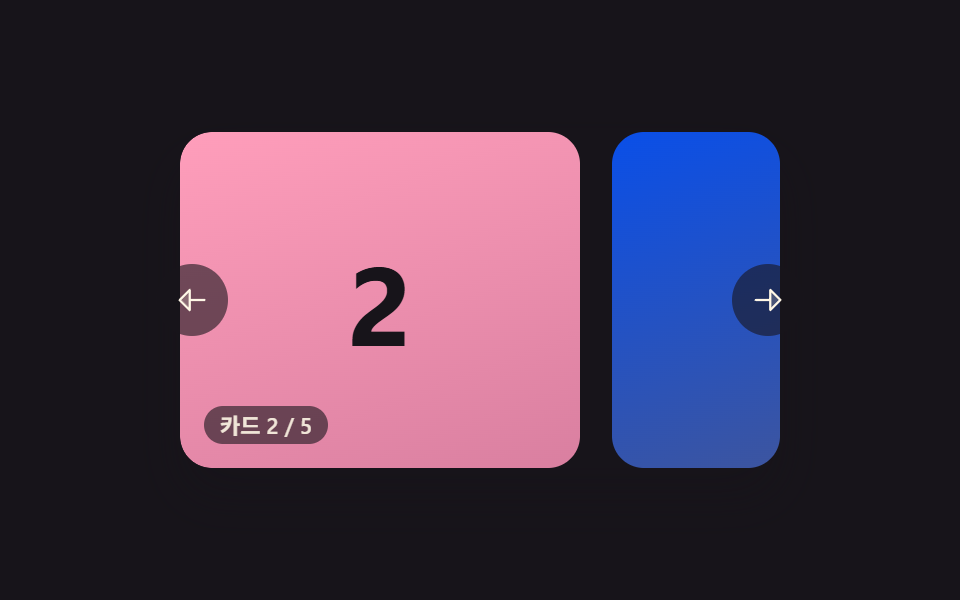
04最後まで行くと最初へつながる無限ループカルーセル
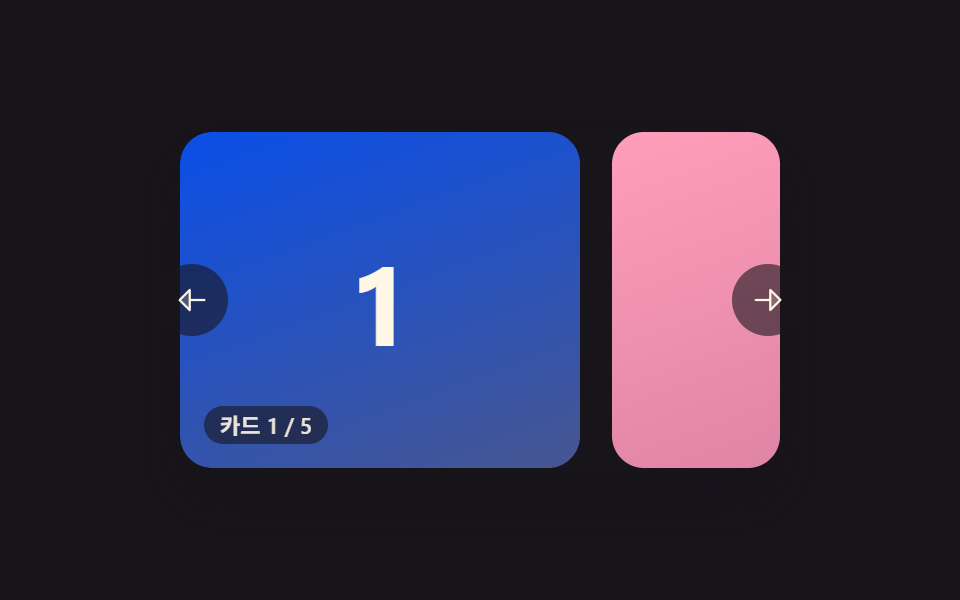
最後のカードの直後に最初のカードの複製をあらかじめ並べておき、境界を越える瞬間に気づかれないよう最初の位置へ入れ替えて途切れず回り続ける。
使いどころブランドロゴを途切れず流し続けるバー
wrapIfNeededonTransitionEndrealIndex
<main class="stage">
<section class="carousel is-demo" id="carousel" role="region" aria-roledescription="carousel" aria-label="カードカルーセル">
  <div class="viewport" id="viewport" tabindex="0">
    <div class="track" id="track"></div>
  </div>
  <button type="button" class="navBtn navBtn--prev" id="prevBtn" aria-label="前のカード">
    <svg viewBox="0 0 256 256" width="18" height="18" aria-hidden="true"><g fill="currentColor"><path d="M112 56v144l-72-72Z" opacity=".2"/><path d="M216 120h-96V56a8 8 0 0 0-13.66-5.66l-72 72a8 8 0 0 0 0 11.32l72 72A8 8 0 0 0 120 200v-64h96a8 8 0 0 0 0-16m-112 60.69L51.31 128L104 75.31Z"/></g></svg>
  </button>
  <button type="button" class="navBtn navBtn--next" id="nextBtn" aria-label="次のカード">
    <svg viewBox="0 0 256 256" width="18" height="18" aria-hidden="true"><g fill="currentColor"><path d="m216 128l-72 72V56Z" opacity=".2"/><path d="m221.66 122.34l-72-72A8 8 0 0 0 136 56v64H40a8 8 0 0 0 0 16h96v64a8 8 0 0 0 13.66 5.66l72-72a8 8 0 0 0 0-11.32M152 180.69V75.31L204.69 128Z"/></g></svg>
  </button>
  <div class="readout" id="readout" aria-live="polite"></div>
</section>
</main>
@use "../../../../site/static/demo-tokens" as *;
// 변수 3개
$duration: $dur-base;
$easing: $ease-out;
$color: $subject-mint;
// 계산 겹: index.html 의 wrapIfNeeded() 가 전환이 끝난 순간에만 transition 을 끄고
// pos 를 TOTAL 만큼 순간 이동시켜, 화면에 보이는 카드는 그대로인 채 무한히 순환한다.
@include stage($stage-ink);
.carousel {
position: relative;
width: 300px;
}
.viewport {
position: relative;
width: 300px;
height: 168px;
border-radius: $r-card;
overflow: hidden;
box-shadow: $shadow-raised;
background: $stage-ink;
outline: none;
}
.track {
display: flex;
height: 100%;
will-change: transform;
touch-action: none;
cursor: grab;
&.isDragging { cursor: grabbing; }
}
// BD15: 무한 루프 트랙은 flex gap 을 쓰지 않는다 — margin-right 로만 간격을 준다.
.card {
flex: 0 0 200px;
height: 100%;
margin-right: $sp-4;
border-radius: $r-card;
display: grid;
place-items: center;
.num {
font-weight: 700;
font-size: 56px;
line-height: 1;
}
}
.card--0 { background: linear-gradient(160deg, $subject-mint, #63b299); .num { color: $subject-ink; } }
.card--1 { background: linear-gradient(160deg, $subject-pink, #d97fa0); .num { color: $subject-ink; } }
.card--2 { background: linear-gradient(160deg, $subject-blue-deep, #475690); .num { color: $subject-cream; } }
.card--3 { background: linear-gradient(160deg, $subject-lilac, #bdb3da); .num { color: $subject-ink; } }
.card--4 { background: linear-gradient(160deg, $subject-sky, #9cb8ce); .num { color: $subject-ink; } }
.navBtn {
position: absolute;
top: 50%;
margin-top: -18px;
width: 36px;
height: 36px;
border-radius: $r-pill;
border: none;
display: grid;
place-items: center;
background: rgba($stage-ink, .6);
color: $subject-cream;
cursor: pointer;
&:focus-visible { outline: 2px solid $color; outline-offset: 2px; }
}
.navBtn--prev { left: -($sp-3); }
.navBtn--next { right: -($sp-3); }
.readout {
position: absolute;
left: $sp-3;
bottom: $sp-3;
padding: $sp-1 $sp-2;
border-radius: $r-pill;
background: rgba($stage-ink, .6);
color: rgba($subject-cream, .9);
font-size: 11px;
font-weight: 600;
line-height: 1;
font-variant-numeric: tabular-nums;
}
@media (max-width: 340px) {
.carousel { width: 220px; }
.viewport { width: 220px; height: 106px; }
.card { flex-basis: 148px; margin-right: $sp-2; .num { font-size: 36px; } }
.navBtn { width: 28px; height: 28px; margin-top: -14px; }
.readout { font-size: 9px; }
}
@media (prefers-reduced-motion: reduce) {
// 실사용 경로 적용 — 드래그·키보드·버튼은 index.html 이 그대로 모듈로 감기 계산을 돌린다.
// scss 만: 포커스 아웃라인 전환만 꺼서 잔여 트랜지션을 없앤다.
.navBtn { transition: none; }
}html, body {
margin: 0;
overflow: hidden;
}
.stage {
box-sizing: border-box;
min-height: 100vh;
display: grid;
place-items: center;
margin: 0;
background: #17141a;
font-family: -apple-system, "Segoe UI", "Noto Sans KR", sans-serif;
padding: clamp(8px, 4vw, 24px);
}
.carousel {
position: relative;
width: 300px;
}
.viewport {
position: relative;
width: 300px;
height: 168px;
border-radius: 16px;
overflow: hidden;
box-shadow: 0 14px 24px rgba(23, 20, 26, 0.32);
background: #17141a;
outline: none;
}
.track {
display: flex;
height: 100%;
will-change: transform;
touch-action: none;
cursor: grab;
}
.track.isDragging {
cursor: grabbing;
}
.card {
flex: 0 0 200px;
height: 100%;
margin-right: 16px;
border-radius: 16px;
display: grid;
place-items: center;
}
.card .num {
font-weight: 700;
font-size: 56px;
line-height: 1;
}
.card--0 {
background: linear-gradient(160deg, #4cd4a6, #63b299);
}
.card--0 .num {
color: #17141a;
}
.card--1 {
background: linear-gradient(160deg, #ff9ebb, #d97fa0);
}
.card--1 .num {
color: #17141a;
}
.card--2 {
background: linear-gradient(160deg, #0a4fe8, #475690);
}
.card--2 .num {
color: #fff7e6;
}
.card--3 {
background: linear-gradient(160deg, #b9a0ff, #bdb3da);
}
.card--3 .num {
color: #17141a;
}
.card--4 {
background: linear-gradient(160deg, #6ec8ff, #9cb8ce);
}
.card--4 .num {
color: #17141a;
}
.navBtn {
position: absolute;
top: 50%;
margin-top: -18px;
width: 36px;
height: 36px;
border-radius: 999px;
border: none;
display: grid;
place-items: center;
background: rgba(23, 20, 26, 0.6);
color: #fff7e6;
cursor: pointer;
}
.navBtn:focus-visible {
outline: 2px solid #4cd4a6;
outline-offset: 2px;
}
.navBtn--prev {
left: -12px;
}
.navBtn--next {
right: -12px;
}
.readout {
position: absolute;
left: 12px;
bottom: 12px;
padding: 4px 8px;
border-radius: 999px;
background: rgba(23, 20, 26, 0.6);
color: rgba(255, 247, 230, 0.9);
font-size: 11px;
font-weight: 600;
line-height: 1;
font-variant-numeric: tabular-nums;
}
@media (max-width: 340px) {
.carousel {
width: 220px;
}
.viewport {
width: 220px;
height: 106px;
}
.card {
flex-basis: 148px;
margin-right: 8px;
}
.card .num {
font-size: 36px;
}
.navBtn {
width: 28px;
height: 28px;
margin-top: -14px;
}
.readout {
font-size: 9px;
}
}
@media (prefers-reduced-motion: reduce) {
.navBtn {
transition: none;
}
}(function () {
var TOTAL = 5;
var CLONE_COUNT = 1; // 앞뒤로 각 1장씩 이웃 카드를 복제해 둔다 — 경계에서도 다음 칸이 항상 보인다
var CARD_W = 200;
var GAP = 16; // BD15: flex gap 대신 margin-right 로 간격을 준다(무한 루프 트랙 금지 규칙) — style.scss $sp-4 와 동일값
var STEP = CARD_W + GAP;
var TRANSITION_MS = 360;
var carousel = document.getElementById('carousel');
var viewport = document.getElementById('viewport');
var track = document.getElementById('track');
var readout = document.getElementById('readout');
var prevBtn = document.getElementById('prevBtn');
var nextBtn = document.getElementById('nextBtn');
var reduce = window.matchMedia('(prefers-reduced-motion: reduce)').matches;
var LABEL_PREFIX = 'カード ';
var LABEL_SEP = ' / ';
var COLOR_CLASSES = ['card--0', 'card--1', 'card--2', 'card--3', 'card--4'];
// 실제 カード 앞뒤에 이웃 카드를 복제해 그린다. realIndex = -1 은 마지막 카드의 복제, TOTAL 은 첫 카드의 복제.
var sequence = [];
for (var s = -CLONE_COUNT; s < TOTAL + CLONE_COUNT; s++) sequence.push(((s % TOTAL) + TOTAL) % TOTAL);
sequence.forEach(function (realIdx) {
var el = document.createElement('div');
el.className = 'card ' + COLOR_CLASSES[realIdx];
var num = document.createElement('span');
num.className = 'num';
num.textContent = String(realIdx + 1);
el.appendChild(num);
track.appendChild(el);
});
var pos = CLONE_COUNT; // 트랙 안에서의 칸 위치(복제 포함) — CLONE_COUNT 가 실제 인덱스 0
var dragging = false;
var dragOriginPos = 0;
var startX = 0;
var demoTimers = [];
var transitioning = false;
function realIndex() {
return ((pos - CLONE_COUNT) % TOTAL + TOTAL) % TOTAL;
}
function paint(withTransition) {
track.style.transition = withTransition ? 'transform ' + TRANSITION_MS + 'ms cubic-bezier(.22,.61,.36,1)' : 'none';
track.style.transform = 'translate3d(' + (-pos * STEP).toFixed(1) + 'px,0,0)';
readout.textContent = LABEL_PREFIX + (realIndex() + 1) + LABEL_SEP + TOTAL;
}
// 모듈로 감기 — 위치가 복제 구간(첫 칸 미만 또는 마지막 칸 초과)에 닿으면, 전환이 끝난 그 순간
// transition 을 끄고 같은 그림의 실제 칸으로 pos 만 순간 이동시킨다(화면상 티가 나지 않는다).
function wrapIfNeeded() {
if (pos < CLONE_COUNT) {
pos += TOTAL;
paint(false);
void track.offsetWidth; // 강제 리플로우로 transition:none 을 확정시킨다
} else if (pos >= CLONE_COUNT + TOTAL) {
pos -= TOTAL;
paint(false);
void track.offsetWidth;
}
}
function onTransitionEnd() {
transitioning = false;
wrapIfNeeded();
}
track.addEventListener('transitionend', onTransitionEnd);
function human() {
if (carousel.classList.contains('is-demo')) {
carousel.classList.remove('is-demo');
demoTimers.forEach(function (t) { clearTimeout(t); });
demoTimers = [];
}
}
function go(dir) {
pos += dir;
transitioning = true;
paint(true);
}
function step(dir) {
human();
go(dir);
}
function onPointerDown(e) {
human();
dragging = true;
dragOriginPos = pos;
startX = e.clientX;
viewport.setPointerCapture(e.pointerId);
track.classList.add('isDragging');
track.style.transition = 'none';
}
function onPointerMove(e) {
if (!dragging) return;
var dx = e.clientX - startX;
pos = dragOriginPos - dx / STEP;
track.style.transform = 'translate3d(' + (-pos * STEP).toFixed(1) + 'px,0,0)';
}
function onPointerUp(e) {
if (!dragging) return;
dragging = false;
track.classList.remove('isDragging');
try { viewport.releasePointerCapture(e.pointerId); } catch (err) {}
pos = Math.round(pos);
transitioning = true;
paint(true);
}
function onKeydown(e) {
if (e.key === 'ArrowLeft') { step(-1); e.preventDefault(); }
else if (e.key === 'ArrowRight') { step(1); e.preventDefault(); }
}
viewport.addEventListener('pointerdown', onPointerDown);
viewport.addEventListener('pointermove', onPointerMove);
viewport.addEventListener('pointerup', onPointerUp);
viewport.addEventListener('pointercancel', onPointerUp);
viewport.addEventListener('keydown', onKeydown);
prevBtn.addEventListener('click', function () { step(-1); });
nextBtn.addEventListener('click', function () { step(1); });
// reduce: 실사용 경로 적용 — 드래그·키보드·버튼은 위 리스너가 그대로 모듈로 감기 계산을 돌린다.
// 아래 demoCycle() 은 시연 게이트만이고 reduce 에서는 돌지 않는다.
function demoCycle(i) {
if (!carousel.classList.contains('is-demo')) return;
go(1);
demoTimers.push(setTimeout(function () { demoCycle(i + 1); }, TRANSITION_MS + 420));
}
function init() {
paint(false);
if (!reduce) demoCycle(0);
}
init();
})();import { useEffect, useRef } from 'react';
import styles from './CarouselInfiniteLoopWrap.module.scss';
// 상수 — vanilla demo 04 (run/384/demo/04-carousel-slide-infinite-loop-wrap/index.html) 과 동일
const TOTAL = 5;
const CLONE_COUNT = 1; // 앞뒤로 각 1장씩 이웃 카드를 복제해 둔다 — 경계에서도 다음 칸이 항상 보인다
const CARD_W = 200;
const GAP = 16; // BD15: flex gap 대신 margin-right 로 간격을 준다(무한 루프 트랙 금지 규칙) — module.scss $sp-4 와 동일값
const STEP = CARD_W + GAP;
const TRANSITION_MS = 360;
const LABEL_PREFIX = '카드 ';
const LABEL_SEP = ' / ';
const COLOR_CLASSES = ['card--0', 'card--1', 'card--2', 'card--3', 'card--4'] as const;
export default function CarouselInfiniteLoopWrap() {
const carouselRef = useRef<HTMLElement>(null);
useEffect(() => {
const carousel = carouselRef.current;
if (!carousel) return undefined;
const viewport = carousel.querySelector<HTMLDivElement>('.' + styles.viewport);
const track = carousel.querySelector<HTMLDivElement>('.' + styles.track);
const readout = carousel.querySelector<HTMLDivElement>('.' + styles.readout);
const prevBtn = carousel.querySelector<HTMLButtonElement>('.' + styles['navBtn--prev']);
const nextBtn = carousel.querySelector<HTMLButtonElement>('.' + styles['navBtn--next']);
if (!viewport || !track || !readout || !prevBtn || !nextBtn) return undefined;
// 실제 카드 앞뒤에 이웃 카드를 복제해 그린다. realIndex = -1 은 마지막 카드의 복제, TOTAL 은 첫 카드의 복제.
const sequence: number[] = [];
for (let s = -CLONE_COUNT; s < TOTAL + CLONE_COUNT; s++) sequence.push(((s % TOTAL) + TOTAL) % TOTAL);
track.innerHTML = '';
sequence.forEach((realIdx) => {
const el = document.createElement('div');
el.className = styles.card + ' ' + styles[COLOR_CLASSES[realIdx]];
const num = document.createElement('span');
num.className = styles.num;
num.textContent = String(realIdx + 1);
el.appendChild(num);
track.appendChild(el);
});
let pos = CLONE_COUNT; // 트랙 안에서의 칸 위치(복제 포함) — CLONE_COUNT 가 실제 인덱스 0
let dragging = false;
let dragOriginPos = 0;
let startX = 0;
let demoTimers: number[] = [];
function realIndex() {
return ((pos - CLONE_COUNT) % TOTAL + TOTAL) % TOTAL;
}
function paint(withTransition: boolean) {
track!.style.transition = withTransition ? 'transform ' + TRANSITION_MS + 'ms cubic-bezier(.22,.61,.36,1)' : 'none';
track!.style.transform = 'translate3d(' + (-pos * STEP).toFixed(1) + 'px,0,0)';
readout!.textContent = LABEL_PREFIX + (realIndex() + 1) + LABEL_SEP + TOTAL;
}
// 모듈로 감기 — 위치가 복제 구간(첫 칸 미만 또는 마지막 칸 초과)에 닿으면, 전환이 끝난 그 순간
// transition 을 끄고 같은 그림의 실제 칸으로 pos 만 순간 이동시킨다(화면상 티가 나지 않는다).
function wrapIfNeeded() {
if (pos < CLONE_COUNT) {
pos += TOTAL;
paint(false);
void track!.offsetWidth; // 강제 리플로우로 transition:none 을 확정시킨다
} else if (pos >= CLONE_COUNT + TOTAL) {
pos -= TOTAL;
paint(false);
void track!.offsetWidth;
}
}
function onTransitionEnd() {
wrapIfNeeded();
}
track.addEventListener('transitionend', onTransitionEnd);
function human() {
if (carousel!.classList.contains(styles['is-demo'])) {
carousel!.classList.remove(styles['is-demo']);
demoTimers.forEach((t) => window.clearTimeout(t));
demoTimers = [];
}
}
function go(dir: number) {
pos += dir;
paint(true);
}
function step(dir: number) {
human();
go(dir);
}
function onPointerDown(e: PointerEvent) {
human();
dragging = true;
dragOriginPos = pos;
startX = e.clientX;
viewport!.setPointerCapture(e.pointerId);
track!.classList.add(styles.isDragging);
track!.style.transition = 'none';
}
function onPointerMove(e: PointerEvent) {
if (!dragging) return;
const dx = e.clientX - startX;
pos = dragOriginPos - dx / STEP;
track!.style.transform = 'translate3d(' + (-pos * STEP).toFixed(1) + 'px,0,0)';
}
function onPointerUp(e: PointerEvent) {
if (!dragging) return;
dragging = false;
track!.classList.remove(styles.isDragging);
try { viewport!.releasePointerCapture(e.pointerId); } catch { /* 캡처가 이미 풀린 경우 */ }
pos = Math.round(pos);
paint(true);
}
function onKeydown(e: KeyboardEvent) {
if (e.key === 'ArrowLeft') { step(-1); e.preventDefault(); }
else if (e.key === 'ArrowRight') { step(1); e.preventDefault(); }
}
function onPrev() { step(-1); }
function onNext() { step(1); }
viewport.addEventListener('pointerdown', onPointerDown);
viewport.addEventListener('pointermove', onPointerMove);
viewport.addEventListener('pointerup', onPointerUp);
viewport.addEventListener('pointercancel', onPointerUp);
viewport.addEventListener('keydown', onKeydown);
prevBtn.addEventListener('click', onPrev);
nextBtn.addEventListener('click', onNext);
const reduce = window.matchMedia('(prefers-reduced-motion: reduce)').matches;
// reduce: 실사용 경로 적용 — 드래그·키보드·버튼은 위 리스너가 그대로 모듈로 감기 계산을 돌린다.
// 아래 demoCycle() 은 시연 게이트만이고 reduce 에서는 돌지 않는다.
function demoCycle(i: number) {
if (!carousel!.classList.contains(styles['is-demo'])) return;
go(1);
demoTimers.push(window.setTimeout(() => demoCycle(i + 1), TRANSITION_MS + 420));
}
paint(false);
if (!reduce) demoCycle(0);
return () => {
track.removeEventListener('transitionend', onTransitionEnd);
viewport.removeEventListener('pointerdown', onPointerDown);
viewport.removeEventListener('pointermove', onPointerMove);
viewport.removeEventListener('pointerup', onPointerUp);
viewport.removeEventListener('pointercancel', onPointerUp);
viewport.removeEventListener('keydown', onKeydown);
prevBtn.removeEventListener('click', onPrev);
nextBtn.removeEventListener('click', onNext);
demoTimers.forEach((t) => window.clearTimeout(t));
};
}, []);
return (
<main className={styles.stage}>
<section
className={styles.carousel + ' ' + styles['is-demo']}
ref={carouselRef}
role="region"
aria-roledescription="carousel"
aria-label="카드 캐러셀"
>
<div className={styles.viewport} tabIndex={0}>
<div className={styles.track}></div>
</div>
<button type="button" className={styles.navBtn + ' ' + styles['navBtn--prev']} aria-label="이전 카드">
<svg viewBox="0 0 256 256" width={18} height={18} aria-hidden="true"><g fill="currentColor"><path d="M112 56v144l-72-72Z" opacity=".2" /><path d="M216 120h-96V56a8 8 0 0 0-13.66-5.66l-72 72a8 8 0 0 0 0 11.32l72 72A8 8 0 0 0 120 200v-64h96a8 8 0 0 0 0-16m-112 60.69L51.31 128L104 75.31Z" /></g></svg>
</button>
<button type="button" className={styles.navBtn + ' ' + styles['navBtn--next']} aria-label="다음 카드">
<svg viewBox="0 0 256 256" width={18} height={18} aria-hidden="true"><g fill="currentColor"><path d="m216 128l-72 72V56Z" opacity=".2" /><path d="m221.66 122.34l-72-72A8 8 0 0 0 136 56v64H40a8 8 0 0 0 0 16h96v64a8 8 0 0 0 13.66 5.66l72-72a8 8 0 0 0 0-11.32M152 180.69V75.31L204.69 128Z" /></g></svg>
</button>
<div className={styles.readout} aria-live="polite"></div>
</section>
</main>
);
}04 最後まで行くと最初へつながる無限ループカルーセル — 計測 累積面積 34.824% · 動いたフレーム 9/23GODRICH オリジナル · SCSS と React は zip に同梱 · カルーセル スライド 9種 — 慣性ドラッグから3D遠近切替まで
このデモが属する記事
 カルーセル スライド 9種 — 慣性ドラッグから3D遠近切替までカルーセル スライド9種のうち、1つはカードが切り替わるたびに慣性で少し滑ってから止まり、1つは端に触れるたびにゴムのように弾んで戻り、1つはカードが3D遠近で曲がりながら横へ通り過ぎます。 この記事のデモをすべて見る