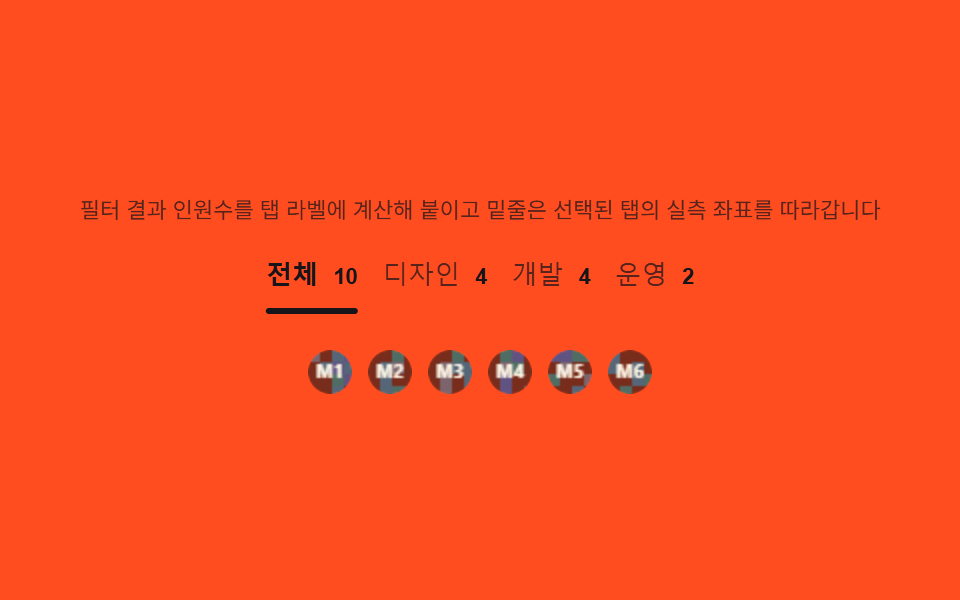
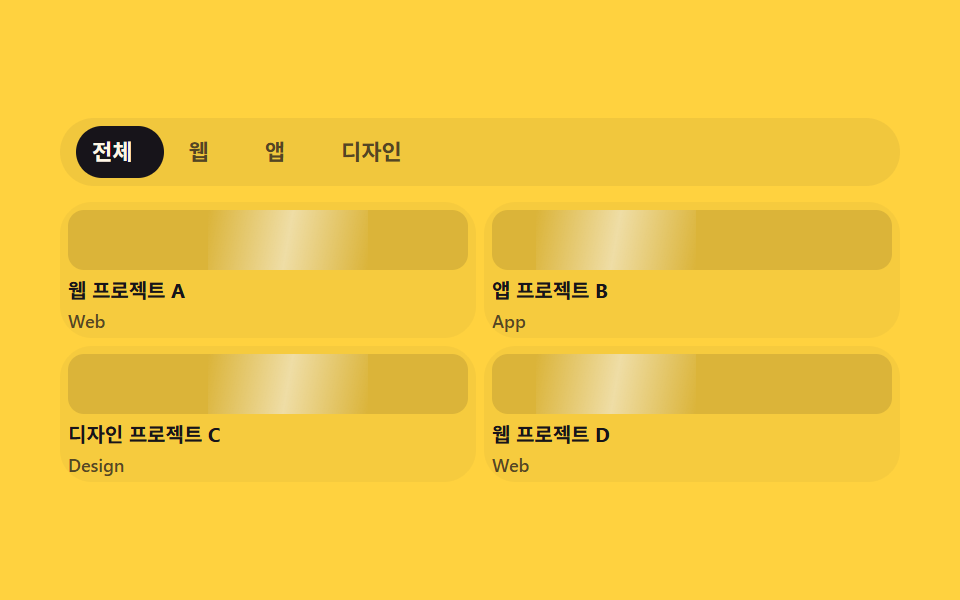
05業種タブ — 切替のたびに業種別件数を数え直すタブ
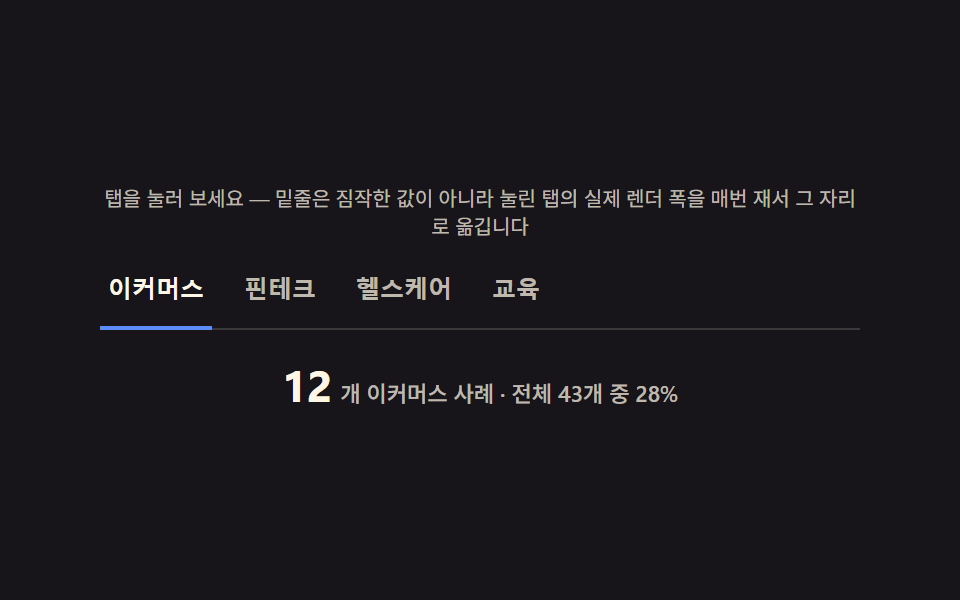
タブを切り替えるたびにその業種に属する事例数を数え直してバッジの数字を更新し、下線の位置と幅は選ばれたタブの実際の幅から求め直して移動させます。
使いどころ業種別事例フィルタータブ、カテゴリー切替ナビゲーション
getBoundingClientRectscaleXtranslateX
<main class="stage">
<section class="panel">
  <p class="hint" id="hint">タブを押してみてください — 下線は推測値ではなく、押されたタブの実際の描画幅を毎回測ってその位置に動きます</p>
  <div class="tabsWrap">
    <div class="tabs" id="tabs" role="tablist" aria-label="業種">
      <button class="tab" id="tab-0" role="tab" aria-selected="true" data-idx="0">Eコマース</button>
      <button class="tab" id="tab-1" role="tab" aria-selected="false" data-idx="1">フィンテック</button>
      <button class="tab" id="tab-2" role="tab" aria-selected="false" data-idx="2">ヘルスケア</button>
      <button class="tab" id="tab-3" role="tab" aria-selected="false" data-idx="3">教育</button>
    </div>
    <div class="underline" id="underline"></div>
  </div>
  <p class="countRow">
    <span class="countNum" id="countNum">12</span>
    <span class="countLabel" id="countLabel">Eコマース事例・全43件中28%</span>
  </p>
</section>
</main>
@use "../../../../site/static/demo-tokens" as *;
$duration: $dur-base;
$easing: $ease-spring;
$color: $subject-blue-light;
@include stage($stage-ink);
.panel {
width: 100%;
max-width: 380px;
display: flex;
flex-direction: column;
align-items: center;
gap: $sp-3;
text-align: center;
}
.hint {
margin: 0;
color: rgba($subject-cream, .72);
font-weight: 400;
font-size: 10px;
line-height: 1.35;
}
.tabsWrap {
position: relative;
width: 100%;
}
.tabs {
position: relative;
display: flex;
gap: $sp-3;
padding-bottom: $sp-2;
border-bottom: 1px solid rgba($subject-cream, .16);
}
.tab {
flex: 0 0 auto;
appearance: none;
border: 0;
background: transparent;
padding: $sp-1 $sp-1;
color: rgba($subject-cream, .72);
font-weight: 600;
font-size: 12px;
cursor: pointer;
&[aria-selected="true"] {
color: $subject-cream;
}
&:focus-visible {
outline: 2px solid $color;
outline-offset: 2px;
}
}
.underline {
position: absolute;
left: 0;
bottom: 0;
height: 2px;
width: 1px;
background: $color;
transform: translateX(0) scaleX(1);
transition: transform $duration $easing;
}
.countRow {
margin: 0;
display: flex;
align-items: baseline;
gap: $sp-1;
}
.countNum {
color: $subject-cream;
font-weight: 700;
font-size: 22px;
font-variant-numeric: tabular-nums;
}
.countLabel {
color: rgba($subject-cream, .72);
font-weight: 500;
font-size: 11px;
}
@media (max-width: 340px) {
.panel { max-width: 300px; gap: $sp-2; }
.tabs { gap: $sp-2; }
.tab { font-size: 10px; }
.countNum { font-size: 18px; }
.countLabel { font-size: 9px; }
.hint { font-size: 9px; }
}
@media (prefers-reduced-motion: reduce) {
.underline {
transition: none;
}
}html, body {
margin: 0;
overflow: hidden;
}
.stage {
box-sizing: border-box;
min-height: 100vh;
display: grid;
place-items: center;
margin: 0;
background: #17141a;
font-family: -apple-system, "Segoe UI", "Noto Sans KR", sans-serif;
padding: clamp(8px, 4vw, 24px);
}
.panel {
width: 100%;
max-width: 380px;
display: flex;
flex-direction: column;
align-items: center;
gap: 12px;
text-align: center;
}
.hint {
margin: 0;
color: rgba(255, 247, 230, 0.72);
font-weight: 400;
font-size: 10px;
line-height: 1.35;
}
.tabsWrap {
position: relative;
width: 100%;
}
.tabs {
position: relative;
display: flex;
gap: 12px;
padding-bottom: 8px;
border-bottom: 1px solid rgba(255, 247, 230, 0.16);
}
.tab {
flex: 0 0 auto;
appearance: none;
border: 0;
background: transparent;
padding: 4px 4px;
color: rgba(255, 247, 230, 0.72);
font-weight: 600;
font-size: 12px;
cursor: pointer;
}
.tab[aria-selected=true] {
color: #fff7e6;
}
.tab:focus-visible {
outline: 2px solid #5b8cf8;
outline-offset: 2px;
}
.underline {
position: absolute;
left: 0;
bottom: 0;
height: 2px;
width: 1px;
background: #5b8cf8;
transform: translateX(0) scaleX(1);
transition: transform 300ms cubic-bezier(0.2, 0.8, 0.2, 1);
}
.countRow {
margin: 0;
display: flex;
align-items: baseline;
gap: 4px;
}
.countNum {
color: #fff7e6;
font-weight: 700;
font-size: 22px;
font-variant-numeric: tabular-nums;
}
.countLabel {
color: rgba(255, 247, 230, 0.72);
font-weight: 500;
font-size: 11px;
}
@media (max-width: 340px) {
.panel {
max-width: 300px;
gap: 8px;
}
.tabs {
gap: 8px;
}
.tab {
font-size: 10px;
}
.countNum {
font-size: 18px;
}
.countLabel {
font-size: 9px;
}
.hint {
font-size: 9px;
}
}
@media (prefers-reduced-motion: reduce) {
.underline {
transition: none;
}
}// 業種 탭(05) — 실제 클릭 이벤트로 탭을 바꾼다. 밑줄은 고정 px 를 미리 적어두지 않고,
// 눌린 탭을 getBoundingClientRect 로 매번 실측해 translateX/scaleX 로 옮긴다(BD19).
// 사례 수도 매번 전체 대비 비율을 다시 나눠 구한다(계산 한 겹).
(function () {
var tabsEl = document.getElementById('tabs');
var underlineEl = document.getElementById('underline');
var countNumEl = document.getElementById('countNum');
var countLabelEl = document.getElementById('countLabel');
if (!tabsEl || !underlineEl || !countNumEl || !countLabelEl) return;
var reduce = window.matchMedia('(prefers-reduced-motion: reduce)').matches;
var TABS = [
{ label: 'Eコマース', count: 12 },
{ label: 'フィンテック', count: 9 },
{ label: 'ヘルスケア', count: 15 },
{ label: '教育', count: 7 }
];
var TOTAL = TABS.reduce(function (sum, t) { return sum + t.count; }, 0);
var buttons = Array.prototype.slice.call(tabsEl.querySelectorAll('.tab'));
var current = 0;
function measureAndMove(idx) {
var btn = buttons[idx];
var wrapRect = tabsEl.getBoundingClientRect();
var btnRect = btn.getBoundingClientRect();
var x = btnRect.left - wrapRect.left;
var w = btnRect.width;
underlineEl.style.transform = 'translateX(' + x.toFixed(2) + 'px) scaleX(' + w.toFixed(2) + ')';
}
function selectTab(idx) {
current = idx;
buttons.forEach(function (b, i) {
b.setAttribute('aria-selected', i === idx ? 'true' : 'false');
});
var tab = TABS[idx];
var percent = Math.round((tab.count / TOTAL) * 100);
countNumEl.textContent = String(tab.count);
countLabelEl.textContent = '個 ' + tab.label + ' 件・全 ' + TOTAL + '件中 ' + percent + '%';
measureAndMove(idx);
}
buttons.forEach(function (btn, i) {
btn.addEventListener('click', function () {
selectTab(i);
});
});
underlineEl.style.transformOrigin = 'left center';
requestAnimationFrame(function () { selectTab(0); });
if (!reduce) {
setInterval(function () {
selectTab((current + 1) % TABS.length);
}, 500);
}
window.addEventListener('resize', function () { measureAndMove(current); });
})();// CaseIndustryTabs — vanilla 판(run/340/demo/05-case-industry-tabs/index.html) 의 React 포트.
// 실제 클릭 이벤트로 탭을 바꾼다. 밑줄은 고정 px 를 미리 적어두지 않고 눌린 탭을
// getBoundingClientRect 로 매번 실측해 translateX/scaleX 로 옮긴다(BD19). 사례 수도
// 매번 전체 대비 비율을 다시 나눠 구한다.
import { useEffect, useRef } from "react";
import styles from "./CaseIndustryTabs.module.scss";
export type CaseIndustryTabsProps = {
duration?: string;
easing?: string;
color?: string;
};
const HINT = "탭을 눌러 보세요 — 밑줄은 짐작한 값이 아니라 눌린 탭의 실제 렌더 폭을 매번 재서 그 자리로 옮깁니다";
type Tab = { label: string; count: number };
const TABS: Tab[] = [
{ label: "이커머스", count: 12 },
{ label: "핀테크", count: 9 },
{ label: "헬스케어", count: 15 },
{ label: "교육", count: 7 }
];
const TOTAL = TABS.reduce((sum, t) => sum + t.count, 0);
export default function CaseIndustryTabs({
duration = "220ms",
easing = "cubic-bezier(.2,.8,.2,1)",
color = "#5b8cf8"
}: CaseIndustryTabsProps) {
const tabsRef = useRef<HTMLDivElement | null>(null);
const underlineRef = useRef<HTMLDivElement | null>(null);
const countNumRef = useRef<HTMLSpanElement | null>(null);
const countLabelRef = useRef<HTMLSpanElement | null>(null);
const btnRefs = useRef<(HTMLButtonElement | null)[]>([]);
const currentRef = useRef(0);
useEffect(() => {
const tabsEl = tabsRef.current;
const underlineEl = underlineRef.current;
const countNumEl = countNumRef.current;
const countLabelEl = countLabelRef.current;
if (!tabsEl || !underlineEl || !countNumEl || !countLabelEl) return;
const reduce = window.matchMedia("(prefers-reduced-motion: reduce)").matches;
function measureAndMove(idx: number): void {
const btn = btnRefs.current![idx];
if (!btn) return;
const wrapRect = tabsEl!.getBoundingClientRect();
const btnRect = btn.getBoundingClientRect();
const x = btnRect.left - wrapRect.left;
const w = btnRect.width;
underlineEl!.style.transform = "translateX(" + x.toFixed(2) + "px) scaleX(" + w.toFixed(2) + ")";
}
function selectTab(idx: number): void {
currentRef.current = idx;
btnRefs.current!.forEach((b, i) => {
if (b) b.setAttribute("aria-selected", i === idx ? "true" : "false");
});
const tab = TABS[idx];
const percent = Math.round((tab.count / TOTAL) * 100);
countNumEl!.textContent = String(tab.count);
countLabelEl!.textContent = "개 " + tab.label + " 사례 · 전체 " + TOTAL + "개 중 " + percent + "%";
measureAndMove(idx);
}
const handlers: Array<() => void> = [];
btnRefs.current!.forEach((btn, i) => {
if (!btn) return;
const handler = () => selectTab(i);
handlers[i] = handler;
btn.addEventListener("click", handler);
});
underlineEl.style.transformOrigin = "left center";
const raf = requestAnimationFrame(() => selectTab(0));
let timer = 0;
if (!reduce) {
timer = window.setInterval(() => {
selectTab((currentRef.current! + 1) % TABS.length);
}, 500);
}
const onResize = () => measureAndMove(currentRef.current!);
window.addEventListener("resize", onResize);
return () => {
cancelAnimationFrame(raf);
if (timer) window.clearInterval(timer);
window.removeEventListener("resize", onResize);
btnRefs.current!.forEach((btn, i) => {
if (btn && handlers[i]) btn.removeEventListener("click", handlers[i]);
});
};
// eslint-disable-next-line react-hooks/exhaustive-deps
}, []);
return (
<main className={styles.stage}>
<section className={styles.panel}>
<p className={styles.hint}>{HINT}</p>
<div className={styles.tabsWrap}>
<div className={styles.tabs} ref={tabsRef} role="tablist" aria-label="업종">
{TABS.map((tab, i) => (
<button
key={tab.label}
className={styles.tab}
role="tab"
aria-selected={i === 0}
ref={(el: HTMLButtonElement | null) => {
btnRefs.current![i] = el;
}}
>
{tab.label}
</button>
))}
</div>
<div className={styles.underline} ref={underlineRef} />
</div>
<p className={styles.countRow}>
<span className={styles.countNum} ref={countNumRef}>12</span>
<span className={styles.countLabel} ref={countLabelRef}>개 이커머스 사례 · 전체 43개 중 28%</span>
</p>
</section>
</main>
);
}05 業種タブ — 切替のたびに業種別件数を数え直すタブ — 計測 累積面積 2.14% · 動いたフレーム 9/23GODRICH オリジナル · SCSS と React は zip に同梱 · 導入事例 web デザイン9選 — 成果数値まで計算して見せる
このデモが属する記事
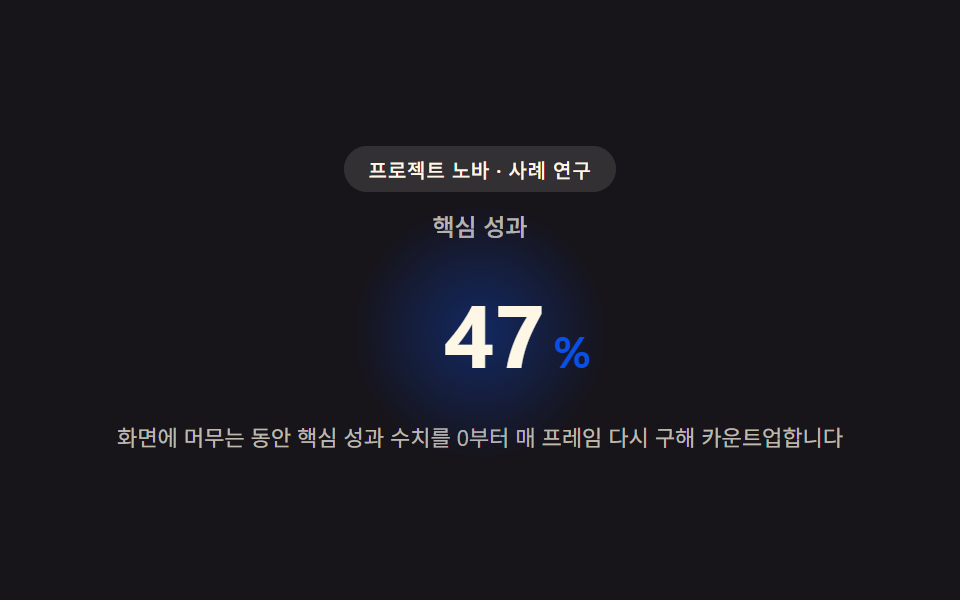 導入事例 web デザイン9選 — 成果数値まで計算して見せる導入事例 web デザインは色や余白より先に、数字がどう動くかで差がつきます。画面に入った瞬間から成果数値がフレームごとに求め直されカウントアップし、事例ごとに計算したインパクトスコアでグリッドタイルの大きさが決まり、引用文の長さに合わせて この記事のデモをすべて見る