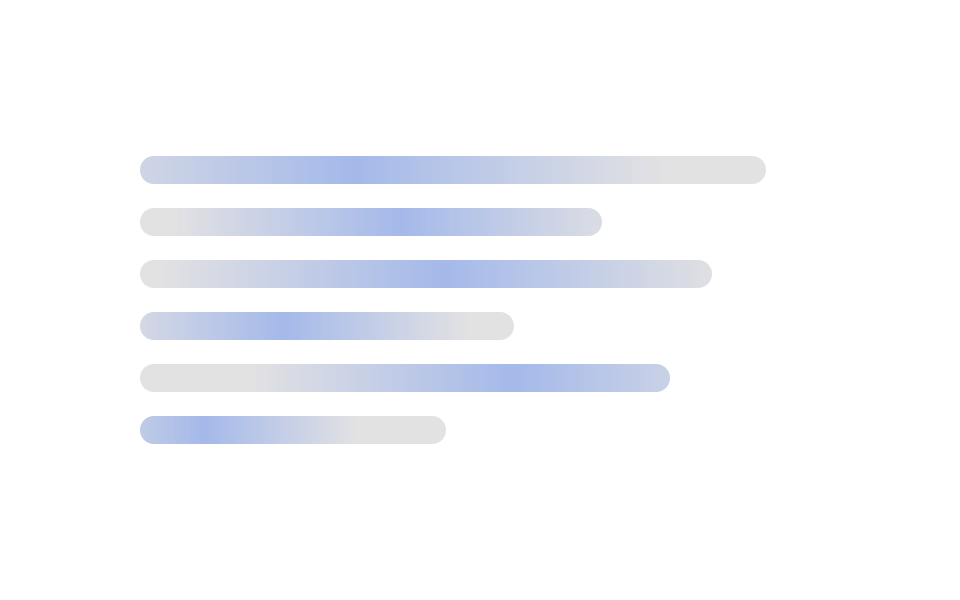
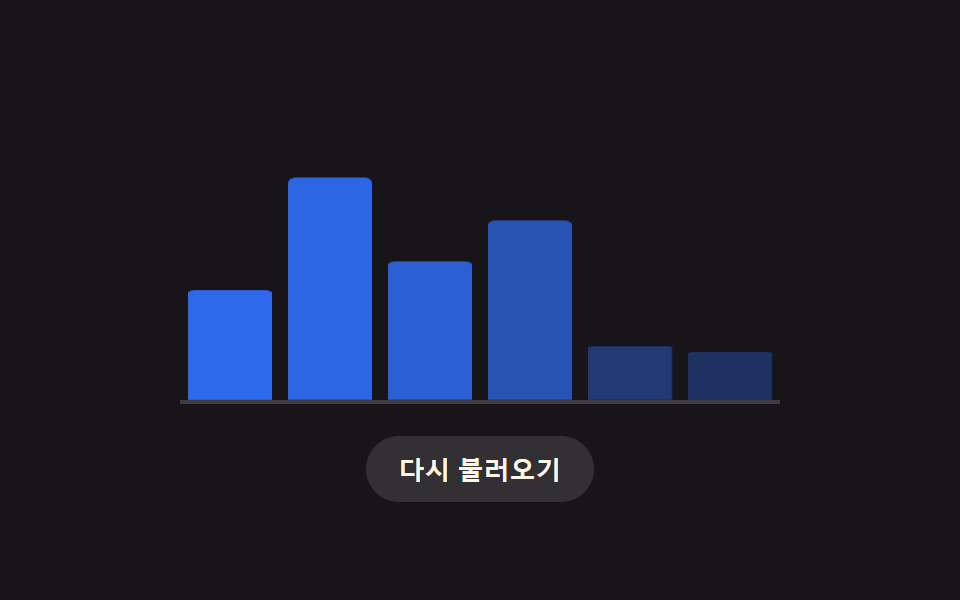
01遅延が棒ごとに計算されるバーチャートのロード用スケルトン
灰色のプレースホルダーの棒がまず置かれ、値が届くと各棒の登場遅延を列番号から計算し、その順番で実際の高さまで伸びる。
使いどころダッシュボードで統計の棒グラフが描かれる前に位置を確保する場所
--phase--realtransform-origin

<main class="stage">
<div class="cb is-demo" id="cb">
  <div class="cb__chart" id="cbChart" role="img" aria-label="月次訪問者数の棒グラフ" aria-busy="true">
    <div class="cb__col" data-i="0"><div class="cb__bar" id="cbBar0"></div></div>
    <div class="cb__col" data-i="1"><div class="cb__bar" id="cbBar1"></div></div>
    <div class="cb__col" data-i="2"><div class="cb__bar" id="cbBar2"></div></div>
    <div class="cb__col" data-i="3"><div class="cb__bar" id="cbBar3"></div></div>
    <div class="cb__col" data-i="4"><div class="cb__bar" id="cbBar4"></div></div>
    <div class="cb__col" data-i="5"><div class="cb__bar" id="cbBar5"></div></div>
  </div>
  <button type="button" class="cb__reload" id="cbReload">再読み込み</button>
</div>
</main>
@use "../../../../site/static/demo-tokens" as *;
// 변수 3개
$duration: $dur-loop;
$easing: $ease-spring;
$color: $subject-blue;
@include stage($stage-ink);
.cb { width: min(300px, 88vw); }
.cb__chart {
display: flex; align-items: flex-end; justify-content: space-between;
gap: $sp-2; height: 150px; padding: 0 $sp-1;
border-bottom: 2px solid rgba($subject-cream, .18);
}
.cb__col { flex: 1 1 0; height: 100%; display: flex; align-items: flex-end; }
.cb__bar {
width: 100%; height: 100%; border-radius: $r-xs $r-xs 0 0;
background: $color; transform-origin: bottom; // 시작 변(바닥)에서 자란다 — 채움 막대 예외(규칙 8)
transform: scaleY(.16); opacity: .32;
animation: cbReveal $duration var(--phase, 0ms) $easing infinite;
}
.cb__reload {
display: block; margin: $sp-4 auto 0; appearance: none; border: none; cursor: pointer;
background: rgba($subject-cream, .12); color: $subject-cream; font-weight: 700; font-size: 13px;
padding: $sp-2 $sp-4; border-radius: $r-pill;
}
.cb__reload:focus-visible { outline: 2px solid $subject-cream; outline-offset: 2px; }
@keyframes cbReveal {
0% { transform: scaleY(.16); opacity: .32; }
14% { transform: scaleY(.16); opacity: .32; }
46% { transform: scaleY(var(--real, .6)); opacity: 1; }
84% { transform: scaleY(var(--real, .6)); opacity: 1; }
100% { transform: scaleY(.16); opacity: .32; }
}
@media (max-width: 340px) {
.cb { width: min(250px, 84vw); }
.cb__chart { height: 120px; }
}
@media (prefers-reduced-motion: reduce) {
// 실사용 경로 적용: 자동 루프를 끄고 마지막 실제 값 상태로 고정한다
.cb__bar { animation: none; transform: scaleY(var(--real, .6)); opacity: 1; }
}html, body {
margin: 0;
overflow: hidden;
}
.stage {
box-sizing: border-box;
min-height: 100vh;
display: grid;
place-items: center;
margin: 0;
background: #17141a;
font-family: -apple-system, "Segoe UI", "Noto Sans KR", sans-serif;
padding: clamp(8px, 4vw, 24px);
}
.cb {
width: min(300px, 88vw);
}
.cb__chart {
display: flex;
align-items: flex-end;
justify-content: space-between;
gap: 8px;
height: 150px;
padding: 0 4px;
border-bottom: 2px solid rgba(255, 247, 230, 0.18);
}
.cb__col {
flex: 1 1 0;
height: 100%;
display: flex;
align-items: flex-end;
}
.cb__bar {
width: 100%;
height: 100%;
border-radius: 4px 4px 0 0;
background: #2f6df6;
transform-origin: bottom;
transform: scaleY(0.16);
opacity: 0.32;
animation: cbReveal 2s var(--phase, 0ms) cubic-bezier(0.2, 0.8, 0.2, 1) infinite;
}
.cb__reload {
display: block;
margin: 16px auto 0;
appearance: none;
border: none;
cursor: pointer;
background: rgba(255, 247, 230, 0.12);
color: #fff7e6;
font-weight: 700;
font-size: 13px;
padding: 8px 16px;
border-radius: 999px;
}
.cb__reload:focus-visible {
outline: 2px solid #fff7e6;
outline-offset: 2px;
}
@keyframes cbReveal {
0% {
transform: scaleY(0.16);
opacity: 0.32;
}
14% {
transform: scaleY(0.16);
opacity: 0.32;
}
46% {
transform: scaleY(var(--real, 0.6));
opacity: 1;
}
84% {
transform: scaleY(var(--real, 0.6));
opacity: 1;
}
100% {
transform: scaleY(0.16);
opacity: 0.32;
}
}
@media (max-width: 340px) {
.cb {
width: min(250px, 84vw);
}
.cb__chart {
height: 120px;
}
}
@media (prefers-reduced-motion: reduce) {
.cb__bar {
animation: none;
transform: scaleY(var(--real, 0.6));
opacity: 1;
}
}(function () {
var VALUES = [38, 82, 55, 96, 29, 68];
var STAGGER_MS = 70;
var SKELETON_SCALE = 0.16;
var root = document.getElementById('cb');
var chart = document.getElementById('cbChart');
var reload = document.getElementById('cbReload');
var bars = VALUES.map(function (v, i) { return document.getElementById('cbBar' + i); });
// 계산 겹: 막대 등장 지연을 열 번호(i)로 계산한다 — 열이 오른쪽일수록 늦게 실제 높이로 펴진다
function barDelay(i) { return i * STAGGER_MS; }
bars.forEach(function (bar, i) {
bar.style.setProperty('--real', String(VALUES[i] / 100));
bar.style.setProperty('--phase', barDelay(i) + 'ms');
});
function paintNow(i, value) {
bars[i].style.transform = 'scaleY(' + (value / 100) + ')';
bars[i].style.opacity = '1';
}
function skeletonNow(i) {
bars[i].style.transform = 'scaleY(' + SKELETON_SCALE + ')';
bars[i].style.opacity = '.32';
}
function human() {
root.classList.remove('is-demo');
bars.forEach(function (bar, i) { skeletonNow(i); });
chart.setAttribute('aria-busy', 'true');
bars.forEach(function (bar, i) {
window.setTimeout(function () { paintNow(i, VALUES[i]); }, 260 + barDelay(i));
});
window.setTimeout(function () { chart.setAttribute('aria-busy', 'false'); }, 260 + barDelay(VALUES.length - 1) + 200);
}
reload.addEventListener('click', human);
reload.addEventListener('keydown', function (e) {
if (e.key === 'Enter' || e.key === ' ') { e.preventDefault(); human(); }
});
}());import { useEffect, useRef } from 'react';
import styles from './ChartLoadingBarHeightStagger.module.scss';
const VALUES = [38, 82, 55, 96, 29, 68];
const STAGGER_MS = 70;
const SKELETON_SCALE = 0.16;
export default function ChartLoadingBarHeightStagger() {
const rootRef = useRef<HTMLDivElement>(null);
const chartRef = useRef<HTMLDivElement>(null);
const reloadRef = useRef<HTMLButtonElement>(null);
const barRefs = useRef<HTMLDivElement[]>([]);
useEffect(() => {
const root = rootRef.current;
const chart = chartRef.current;
const reload = reloadRef.current;
if (!root || !chart || !reload) return undefined;
const bars = barRefs.current!;
if (!bars || bars.length !== VALUES.length) return undefined;
// 계산 겹: 막대 등장 지연을 열 번호(i)로 계산한다 — 열이 오른쪽일수록 늦게 실제 높이로 펴진다
function barDelay(i: number) { return i * STAGGER_MS; }
bars.forEach((bar, i) => {
bar.style.setProperty('--real', String(VALUES[i] / 100));
bar.style.setProperty('--phase', barDelay(i) + 'ms');
});
function paintNow(i: number, value: number) {
bars[i].style.transform = 'scaleY(' + (value / 100) + ')';
bars[i].style.opacity = '1';
}
function skeletonNow(i: number) {
bars[i].style.transform = 'scaleY(' + SKELETON_SCALE + ')';
bars[i].style.opacity = '.32';
}
const timers: number[] = [];
function human() {
root!.classList.remove(styles['is-demo']);
bars.forEach((_bar, i) => skeletonNow(i));
chart!.setAttribute('aria-busy', 'true');
bars.forEach((_bar, i) => {
timers.push(window.setTimeout(() => paintNow(i, VALUES[i]), 260 + barDelay(i)));
});
timers.push(window.setTimeout(() => chart!.setAttribute('aria-busy', 'false'), 260 + barDelay(VALUES.length - 1) + 200));
}
function onClick() { human(); }
function onKey(e: KeyboardEvent) { if (e.key === 'Enter' || e.key === ' ') { e.preventDefault(); human(); } }
reload.addEventListener('click', onClick);
reload.addEventListener('keydown', onKey);
return () => {
reload.removeEventListener('click', onClick);
reload.removeEventListener('keydown', onKey);
timers.forEach((id) => window.clearTimeout(id));
};
}, []);
return (
<main className={styles.stage}>
<div className={styles.cb + ' ' + styles['is-demo']} ref={rootRef}>
<div className={styles.cbChart} ref={chartRef} role="img" aria-label="월별 방문자 막대 그래프" aria-busy="true">
{VALUES.map((_value, i) => (
<div className={styles.cbCol} data-i={i} key={i}>
<div
className={styles.cbBar}
ref={(el: HTMLDivElement | null) => { if (el) barRefs.current![i] = el; }}
/>
</div>
))}
</div>
<button type="button" className={styles.cbReload} ref={reloadRef}>다시 불러오기</button>
</div>
</main>
);
}01 遅延が棒ごとに計算されるバーチャートのロード用スケルトン — 計測 累積面積 16.224% · 動いたフレーム 16/23GODRICH オリジナル · SCSS と React は zip に同梱 · スケルトン チャート 9種 — 数式で完成する瞬間まで
このデモが属する記事
 スケルトン チャート 9種 — 数式で完成する瞬間までスケルトン チャート 9種のうち、1つは棒ごとの到着遅延を列番号から計算して順に実際の高さへ伸び、1つはヒートマップのセルが対角線距離で計算された遅延だけ色を埋めていき、1つは動きの低減設定なら計算なしで値がすぐ入れ替わります。 この記事のデモをすべて見る