02Thinking…テキストシマー
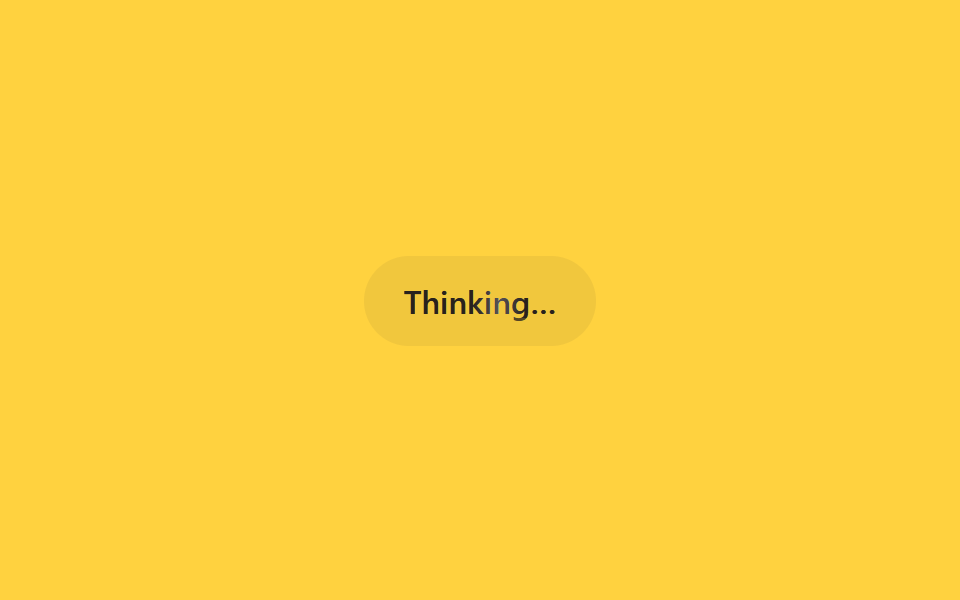
画面には「Thinking…」のような状態文言だけがあり、その文字の上を明るい光の帯がbackground-positionのアニメーションで左から右へ流れる。
使いどころ検索・要約中のステータス文言、ツール実行中の案内行
background-positionbackground-clip: text1.6s
<main class="stage">
  <div class="sh-status is-demo">
    <span class="sh-label">Thinking…</span>
  </div>
</main>
@use "../../../../site/static/demo-tokens" as *;
// ── 변수 3개 ──────────────────────────────────────────
$duration: 1.6s;
$easing: linear;
$color: $subject-ink;
@include stage($stage-yellow);
.sh-status {
padding: $sp-3 $sp-5;
border-radius: $r-pill;
background: rgba(23, 20, 26, .06);
}
.sh-label {
display: inline-block;
font: 600 16px/1 -apple-system, "Segoe UI", sans-serif;
background-image: linear-gradient(
90deg,
rgba($subject-ink, .72) 0%,
rgba($subject-ink, .72) 42%,
$subject-cream 50%,
rgba($subject-ink, .72) 58%,
rgba($subject-ink, .72) 100%
);
background-size: 220% 100%;
-webkit-background-clip: text;
background-clip: text;
color: rgba($subject-ink, .72);
}
// 실사용: 상태 문구가 바뀔 때마다 JS 가 텍스트만 교체한다. 쉬머는 항상 재생
@keyframes sh-sweep {
0% { background-position: 120% 0; }
100% { background-position: -20% 0; }
}
.sh-status.is-demo .sh-label {
animation: sh-sweep $duration $easing infinite;
}
@media (prefers-reduced-motion: reduce) {
.sh-status.is-demo .sh-label {
animation: none !important;
background-position: 0 0 !important;
color: $color !important;
}
}html, body {
margin: 0;
overflow: hidden;
}
.stage {
box-sizing: border-box;
min-height: 100vh;
display: grid;
place-items: center;
margin: 0;
background: #ffd23f;
font-family: -apple-system, "Segoe UI", "Noto Sans KR", sans-serif;
padding: clamp(8px, 4vw, 24px);
}
.sh-status {
padding: 12px 20px;
border-radius: 999px;
background: rgba(23, 20, 26, 0.06);
}
.sh-label {
display: inline-block;
font: 600 16px/1 -apple-system, "Segoe UI", sans-serif;
background-image: linear-gradient(90deg, rgba(23, 20, 26, 0.72) 0%, rgba(23, 20, 26, 0.72) 42%, #fff7e6 50%, rgba(23, 20, 26, 0.72) 58%, rgba(23, 20, 26, 0.72) 100%);
background-size: 220% 100%;
-webkit-background-clip: text;
background-clip: text;
color: rgba(23, 20, 26, 0.72);
}
@keyframes sh-sweep {
0% {
background-position: 120% 0;
}
100% {
background-position: -20% 0;
}
}
.sh-status.is-demo .sh-label {
animation: sh-sweep 1.6s linear infinite;
}
@media (prefers-reduced-motion: reduce) {
.sh-status.is-demo .sh-label {
animation: none !important;
background-position: 0 0 !important;
color: #17141a !important;
}
}import { CSSProperties } from "react";
import styles from "./TextShimmerStatus.module.scss";
type Vars = CSSProperties & {
"--duration"?: string;
"--easing"?: string;
"--color"?: string;
};
export interface TextShimmerStatusProps {
duration?: string;
easing?: string;
color?: string;
label?: string;
}
export default function TextShimmerStatus({
duration = "1.6s",
easing = "linear",
color = "#17141a",
label = "Thinking…",
}: TextShimmerStatusProps) {
const style: Vars = {
"--duration": duration,
"--easing": easing,
"--color": color,
};
return (
<div className={styles.status} style={style}>
<span className={styles.label}>{label}</span>
</div>
);
}02 Thinking…テキストシマー — 計測 累積面積 0.287% · 動いたフレーム 17/23GODRICH オリジナル · SCSS と React は zip に同梱 · 【コピペOK】AIチャット ローディング アニメーション css 9選
このデモが属する記事
 【コピペOK】AIチャット ローディング アニメーション css 9選ChatGPTやClaudeのようなAIチャットに質問を送ると、返事が来るまでの数秒間、小さな点が順番に光ったり、画面の文字がふわっと浮かび上がったりする瞬間を見たことはないでしょうか。この記事はその「考え中」の合図を作るローディング アニ この記事のデモをすべて見る