03ストリーミングカーソル点滅
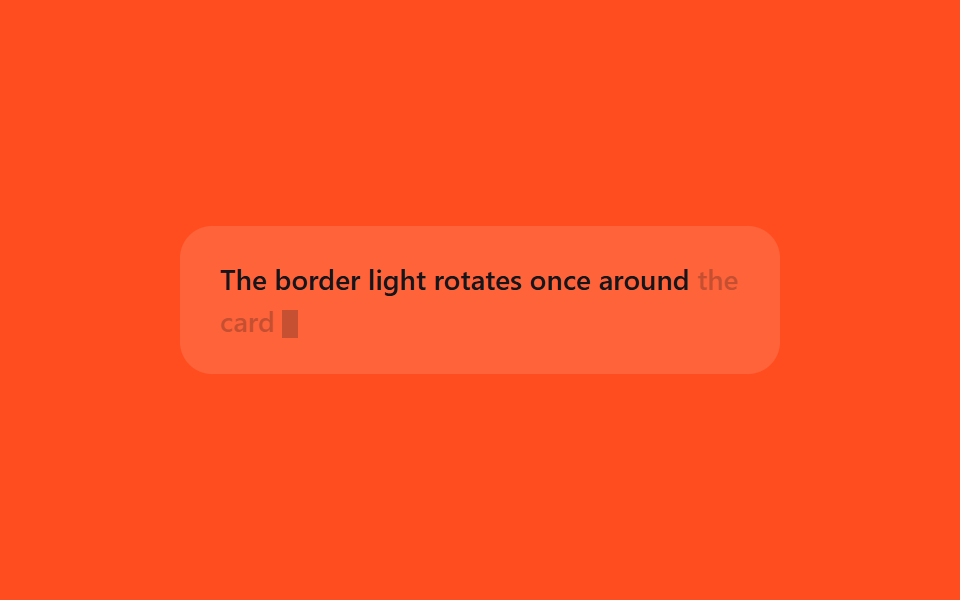
すでに表示された文章の末尾に短い縦棒カーソルが付き、opacityで点滅して、この位置に文字が続けて表示されていることを知らせる。
使いどころストリーミング回答の末尾表示、リアルタイムログの出力行
opacitysteps()530ms
<main class="stage">
  <p class="cr-line is-demo">The border light rotates once around <span class="cr-tail">the card</span><span class="cr-caret"></span></p>
</main>
@use "../../../../site/static/demo-tokens" as *;
// ── 변수 3개 ──────────────────────────────────────────
$duration: 530ms;
$easing: steps(1);
$color: $subject-cream;
@include stage($stage-orange);
.cr-line {
width: min(300px, 88vw);
margin: 0;
padding: $sp-4 $sp-5;
border-radius: $r-card;
box-sizing: border-box;
background: rgba(255, 255, 255, .12);
color: $subject-ink; // 주황 무대 위 글자 — AA 4.5 (blog-design 글자 대비)
font: 500 14px/1.5 -apple-system, "Segoe UI", sans-serif;
}
.cr-caret {
display: inline-block;
width: $sp-2;
height: 1em;
margin-left: $sp-1;
vertical-align: -0.2em;
background: $subject-ink; // 글자와 같은 색 (주황 무대 위 AA 4.5)
}
// 마지막으로 방금 도착한 단어 — 커서와 같은 박자로 깜빡여 "지금 여기"를 눈에 띄게 한다
.cr-tail { opacity: 1; }
// 실사용: 새 토큰이 도착하는 동안 항상 깜빡인다
@keyframes cr-blink {
0%, 49% { opacity: 1; }
50%, 100% { opacity: .25; }
}
.cr-line.is-demo .cr-caret,
.cr-line.is-demo .cr-tail {
animation: cr-blink $duration $easing infinite;
}
@media (prefers-reduced-motion: reduce) {
.cr-line.is-demo .cr-caret,
.cr-line.is-demo .cr-tail {
animation: none !important;
opacity: 1 !important;
}
}html, body {
margin: 0;
overflow: hidden;
}
.stage {
box-sizing: border-box;
min-height: 100vh;
display: grid;
place-items: center;
margin: 0;
background: #ff4d1f;
font-family: -apple-system, "Segoe UI", "Noto Sans KR", sans-serif;
padding: clamp(8px, 4vw, 24px);
}
.cr-line {
width: min(300px, 88vw);
margin: 0;
padding: 16px 20px;
border-radius: 16px;
box-sizing: border-box;
background: rgba(255, 255, 255, 0.12);
color: #17141a;
font: 500 14px/1.5 -apple-system, "Segoe UI", sans-serif;
}
.cr-caret {
display: inline-block;
width: 8px;
height: 1em;
margin-left: 4px;
vertical-align: -0.2em;
background: #17141a;
}
.cr-tail {
opacity: 1;
}
@keyframes cr-blink {
0%, 49% {
opacity: 1;
}
50%, 100% {
opacity: 0.25;
}
}
.cr-line.is-demo .cr-caret,
.cr-line.is-demo .cr-tail {
animation: cr-blink 530ms steps(1) infinite;
}
@media (prefers-reduced-motion: reduce) {
.cr-line.is-demo .cr-caret,
.cr-line.is-demo .cr-tail {
animation: none !important;
opacity: 1 !important;
}
}import { CSSProperties } from "react";
import styles from "./StreamingCaret.module.scss";
type Vars = CSSProperties & {
"--duration"?: string;
"--easing"?: string;
"--color"?: string;
};
export interface StreamingCaretProps {
duration?: string;
easing?: string;
color?: string;
text?: string;
tail?: string;
}
export default function StreamingCaret({
duration = "530ms",
easing = "steps(1)",
color = "#fff7e6",
text = "The border light rotates once around ",
tail = "the card",
}: StreamingCaretProps) {
const style: Vars = {
"--duration": duration,
"--easing": easing,
"--color": color,
};
return (
<p className={styles.line} style={style}>
{text}
<span className={styles.tail}>{tail}</span>
<span className={styles.caret} />
</p>
);
}03 ストリーミングカーソル点滅 — 計測 累積面積 0.272% · 動いたフレーム 7/23GODRICH オリジナル · SCSS と React は zip に同梱 · 【コピペOK】AIチャット ローディング アニメーション css 9選
このデモが属する記事
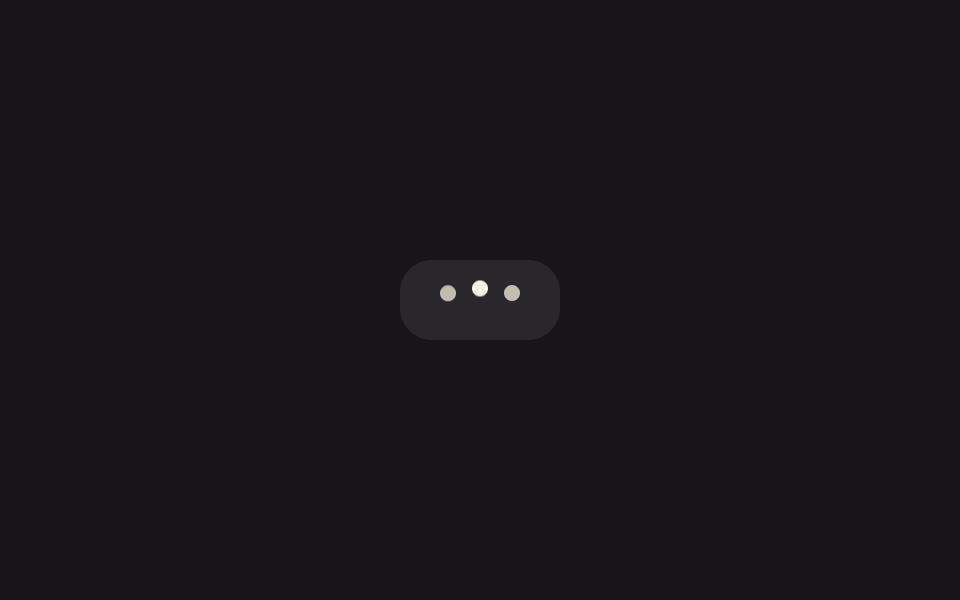 【コピペOK】AIチャット ローディング アニメーション css 9選ChatGPTやClaudeのようなAIチャットに質問を送ると、返事が来るまでの数秒間、小さな点が順番に光ったり、画面の文字がふわっと浮かび上がったりする瞬間を見たことはないでしょうか。この記事はその「考え中」の合図を作るローディング アニ この記事のデモをすべて見る