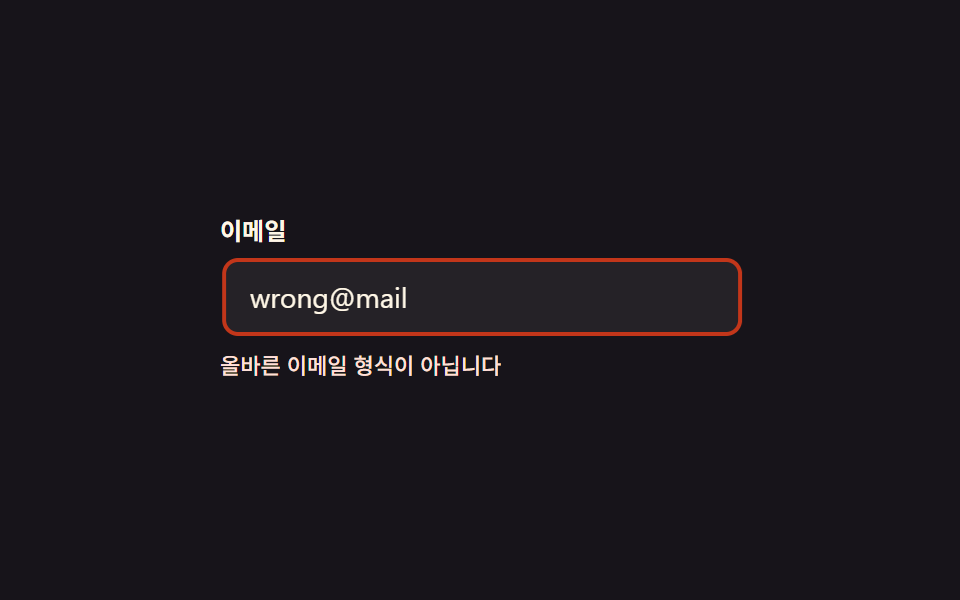
06エラーで揺れる
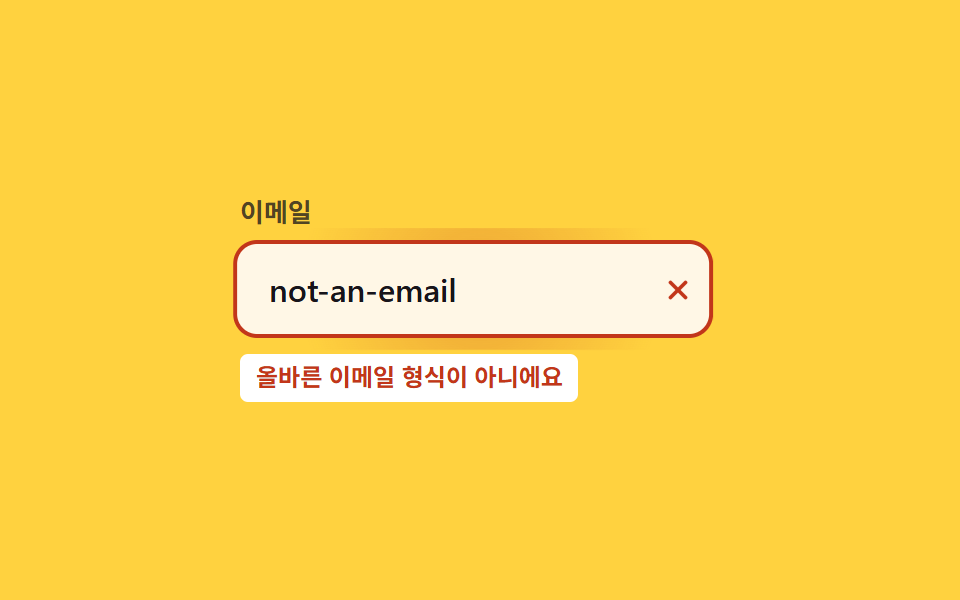
値を入力した後、形式が誤っていればブラウザの :invalid 判定だけで枠が揺れて×アイコンが、正しければチェックアイコンが出る(JS不要)。
使いどころ会員登録のメール欄、リアルタイム形式検証が必要な入力欄
:invalidtranslateX600ms
<main class="stage">
  <div class="ie is-demo">
    <label class="ie__label" for="ie-email">メールアドレス</label>
    <div class="ie__frame">
      <span class="ie__bloom" aria-hidden="true"></span>
      <input id="ie-email" class="ie__input" type="email" required placeholder=" " autocomplete="email">
      <svg class="ie__icon ie__icon--ok" viewBox="0 0 24 24" aria-hidden="true"><path d="M5 12.5 L10 17.5 L19 7" /></svg>
      <svg class="ie__icon ie__icon--bad" viewBox="0 0 24 24" aria-hidden="true"><line x1="7" y1="7" x2="17" y2="17"/><line x1="17" y1="7" x2="7" y2="17"/></svg>
    </div>
    <p class="ie__msg" role="alert">メール形式が正しくありません</p>
  </div>
</main>
@use "../../../../site/static/demo-tokens" as *;
// ── 변수 3개 ──────────────────────────────────────────
$duration: $dur-enter; // 흔들리는 시간
$easing: cubic-bezier(.36, .07, .19, .97); // 흔들림 전용 이징(요동)
$amount: $sp-1 * 1.25; // 흔들리는 폭(5px)
@include stage($stage-yellow);
.ie { width: min(240px, 82vw); }
.ie__label { display: block; margin-bottom: $sp-2; font-weight: 700; font-size: 13px; line-height: 1; font-family: inherit; color: rgba($stage-ink, .75); }
.ie__frame { position: relative; }
.ie__input {
box-sizing: border-box;
width: 100%;
border: 2px solid rgba($stage-ink, .25);
border-radius: $r-control;
padding: $sp-3 $sp-10 $sp-3 $sp-4;
font-weight: 500;
font-size: clamp(14px, 4vw, 16px);
line-height: 1;
font-family: inherit;
color: $stage-ink;
background: $subject-cream;
transition: border-color $duration $easing;
&:focus { outline: none; }
}
.ie__icon {
position: absolute;
right: $sp-3; top: 50%;
width: 18px; height: 18px;
transform: translateY(-50%) scale(0);
opacity: 0;
transition: transform $duration $easing, opacity $duration $easing;
pointer-events: none;
}
.ie__icon--ok { fill: none; stroke: $stage-ink; stroke-width: 2.4; stroke-linecap: round; stroke-linejoin: round; }
.ie__icon--bad { fill: none; stroke: $error; stroke-width: 2.4; stroke-linecap: round; }
// 실사용: 값을 입력한 뒤(:not(:placeholder-shown)) HTML5 유효성에 따라 :invalid/:valid 가 갈린다 — JS 없이 브라우저가 판정한다
.ie__input:invalid:not(:placeholder-shown) {
border-color: $error;
animation: shake $duration $easing;
}
// 오류 판정 순간 테두리에서 번지는 radial 글로우 확산 한 겹 — 흔들림과 같이 시작해 같이 멎는다
.ie__bloom {
position: absolute;
inset: -6px;
border-radius: calc(#{$r-control} + 6px);
background: radial-gradient(circle, rgba($error, .28) 0%, rgba($error, 0) 70%);
opacity: 0;
pointer-events: none;
}
.ie:has(.ie__input:invalid:not(:placeholder-shown)) .ie__bloom { animation: ie-bloom $duration $ease-out; }
@keyframes ie-bloom {
0% { opacity: 0; transform: scale(.8); }
30% { opacity: 1; transform: scale(1); }
100% { opacity: 0; transform: scale(1.12); }
}
.ie__input:invalid:not(:placeholder-shown) ~ .ie__icon--bad { transform: translateY(-50%) scale(1); opacity: 1; }
.ie__input:valid:not(:placeholder-shown) ~ .ie__icon--ok { transform: translateY(-50%) scale(1); opacity: 1; }
.ie__msg {
margin: $sp-2 0 0;
display: inline-block;
padding: $sp-1 $sp-2; // 옐로 면 위 $error 는 3.79:1 — 페이퍼 면을 깔고 그 위에 5.47:1
border-radius: $r-xs;
background: $stage-paper;
color: $error;
font-weight: 700;
font-size: 12px;
line-height: 1.3;
font-family: inherit;
opacity: 0;
transform: translateY(-4px);
transition: opacity $duration $easing, transform $duration $easing;
}
// .ie__msg 는 .ie__frame 의 형제라 :has() 로 부모(.ie)를 거쳐 연결한다
.ie:has(.ie__input:invalid:not(:placeholder-shown)) .ie__msg { opacity: 1; transform: translateY(0); }
@keyframes shake {
// 감쇠 진동 x(t) = A·e^(-λt)·sin(ωt) — 매 반주기 진폭이 λ 스케일로 줄어든다 (A: 1 → .62 → .34 → .13)
10%, 90% { transform: translateX($amount * -.62); }
20%, 80% { transform: translateX($amount * 1); }
30%, 70% { transform: translateX($amount * -.75); }
40%, 60% { transform: translateX($amount * .55); }
50% { transform: translateX($amount * -.34); }
}
@media (prefers-reduced-motion: reduce) {
.ie__input:invalid:not(:placeholder-shown) { animation: none; }
.ie:has(.ie__input:invalid:not(:placeholder-shown)) .ie__bloom { animation: none; }
.ie__icon, .ie__msg { transition: none; }
}html, body {
margin: 0;
overflow: hidden;
}
.stage {
box-sizing: border-box;
min-height: 100vh;
display: grid;
place-items: center;
margin: 0;
background: #ffd23f;
font-family: -apple-system, "Segoe UI", "Noto Sans KR", sans-serif;
padding: clamp(8px, 4vw, 24px);
}
.ie {
width: min(240px, 82vw);
}
.ie__label {
display: block;
margin-bottom: 8px;
font-weight: 700;
font-size: 13px;
line-height: 1;
font-family: inherit;
color: rgba(23, 20, 26, 0.75);
}
.ie__frame {
position: relative;
}
.ie__input {
box-sizing: border-box;
width: 100%;
border: 2px solid rgba(23, 20, 26, 0.25);
border-radius: 12px;
padding: 12px 40px 12px 16px;
font-weight: 500;
font-size: clamp(14px, 4vw, 16px);
line-height: 1;
font-family: inherit;
color: #17141a;
background: #fff7e6;
transition: border-color 600ms cubic-bezier(0.36, 0.07, 0.19, 0.97);
}
.ie__input:focus {
outline: none;
}
.ie__icon {
position: absolute;
right: 12px;
top: 50%;
width: 18px;
height: 18px;
transform: translateY(-50%) scale(0);
opacity: 0;
transition: transform 600ms cubic-bezier(0.36, 0.07, 0.19, 0.97), opacity 600ms cubic-bezier(0.36, 0.07, 0.19, 0.97);
pointer-events: none;
}
.ie__icon--ok {
fill: none;
stroke: #17141a;
stroke-width: 2.4;
stroke-linecap: round;
stroke-linejoin: round;
}
.ie__icon--bad {
fill: none;
stroke: #c2361a;
stroke-width: 2.4;
stroke-linecap: round;
}
.ie__input:invalid:not(:placeholder-shown) {
border-color: #c2361a;
animation: shake 600ms cubic-bezier(0.36, 0.07, 0.19, 0.97);
}
.ie__bloom {
position: absolute;
inset: -6px;
border-radius: calc(12px + 6px);
background: radial-gradient(circle, rgba(194, 54, 26, 0.28) 0%, rgba(194, 54, 26, 0) 70%);
opacity: 0;
pointer-events: none;
}
.ie:has(.ie__input:invalid:not(:placeholder-shown)) .ie__bloom {
animation: ie-bloom 600ms ease-out;
}
@keyframes ie-bloom {
0% {
opacity: 0;
transform: scale(0.8);
}
30% {
opacity: 1;
transform: scale(1);
}
100% {
opacity: 0;
transform: scale(1.12);
}
}
.ie__input:invalid:not(:placeholder-shown) ~ .ie__icon--bad {
transform: translateY(-50%) scale(1);
opacity: 1;
}
.ie__input:valid:not(:placeholder-shown) ~ .ie__icon--ok {
transform: translateY(-50%) scale(1);
opacity: 1;
}
.ie__msg {
margin: 8px 0 0;
display: inline-block;
padding: 4px 8px;
border-radius: 4px;
background: #ffffff;
color: #c2361a;
font-weight: 700;
font-size: 12px;
line-height: 1.3;
font-family: inherit;
opacity: 0;
transform: translateY(-4px);
transition: opacity 600ms cubic-bezier(0.36, 0.07, 0.19, 0.97), transform 600ms cubic-bezier(0.36, 0.07, 0.19, 0.97);
}
.ie:has(.ie__input:invalid:not(:placeholder-shown)) .ie__msg {
opacity: 1;
transform: translateY(0);
}
@keyframes shake {
10%, 90% {
transform: translateX(-3.1px);
}
20%, 80% {
transform: translateX(5px);
}
30%, 70% {
transform: translateX(-3.75px);
}
40%, 60% {
transform: translateX(2.75px);
}
50% {
transform: translateX(-1.7px);
}
}
@media (prefers-reduced-motion: reduce) {
.ie__input:invalid:not(:placeholder-shown) {
animation: none;
}
.ie:has(.ie__input:invalid:not(:placeholder-shown)) .ie__bloom {
animation: none;
}
.ie__icon, .ie__msg {
transition: none;
}
}// .is-demo 자동 재생: 진짜 값을 오가며 :invalid 를 그대로 탄다 (5줄)
var el = document.querySelector('.is-demo .ie__input');
var bad = true;
var t = function () { el.value = bad ? 'not-an-email' : ''; el.dispatchEvent(new Event('input', { bubbles: true })); bad = !bad; };
t(); setInterval(t, 1500);import { useState } from "react";
import type { CSSProperties, ChangeEvent } from "react";
import styles from "./InvalidShake.module.scss";
export type InvalidShakeProps = {
id?: string;
label?: string;
message?: string;
duration?: number;
easing?: string;
amount?: number;
};
type Vars = CSSProperties & { "--duration"?: string; "--easing"?: string; "--amount"?: string };
export default function InvalidShake({
id = "ie-email",
label = "Email",
message = "That doesn't look like a valid email",
duration = 600,
easing = "cubic-bezier(.36,.07,.19,.97)",
amount = 5,
}: InvalidShakeProps) {
const [value, setValue] = useState("");
const vars: Vars = { "--duration": `${duration}ms`, "--easing": easing, "--amount": `${amount}px` };
return (
<div className={styles.ie} style={vars}>
<label htmlFor={id} className={styles.label}>{label}</label>
<div className={styles.frame}>
<span className={styles.bloom} aria-hidden="true" />
<input
id={id}
className={styles.input}
type="email"
required
placeholder=" "
value={value}
onChange={(e: ChangeEvent<HTMLInputElement>) => setValue(e.target.value)}
/>
<svg className={`${styles.icon} ${styles.ok}`} viewBox="0 0 24 24" aria-hidden="true"><path d="M5 12.5 L10 17.5 L19 7" /></svg>
<svg className={`${styles.icon} ${styles.bad}`} viewBox="0 0 24 24" aria-hidden="true"><line x1="7" y1="7" x2="17" y2="17" /><line x1="17" y1="7" x2="7" y2="17" /></svg>
</div>
<p className={styles.msg} role="alert">{message}</p>
</div>
);
}06 エラーで揺れる — 計測 累積面積 2.305% · 動いたフレーム 8/23GODRICH オリジナル · SCSS と React は zip に同梱 · CSS 入力フォーム フォーカスアニメーション9選 一行でコピペOK
このデモが属する記事
 CSS 入力フォーム フォーカスアニメーション9選 一行でコピペOKcss 入力フォームのアニメーションは、クリックする前・クリックした瞬間・値を入力し終えたあとまで、ブラウザがすでに持っている:focus:focus-within:placeholder-shown:valid:invalidという状態を この記事のデモをすべて見る