01左右に揺れる
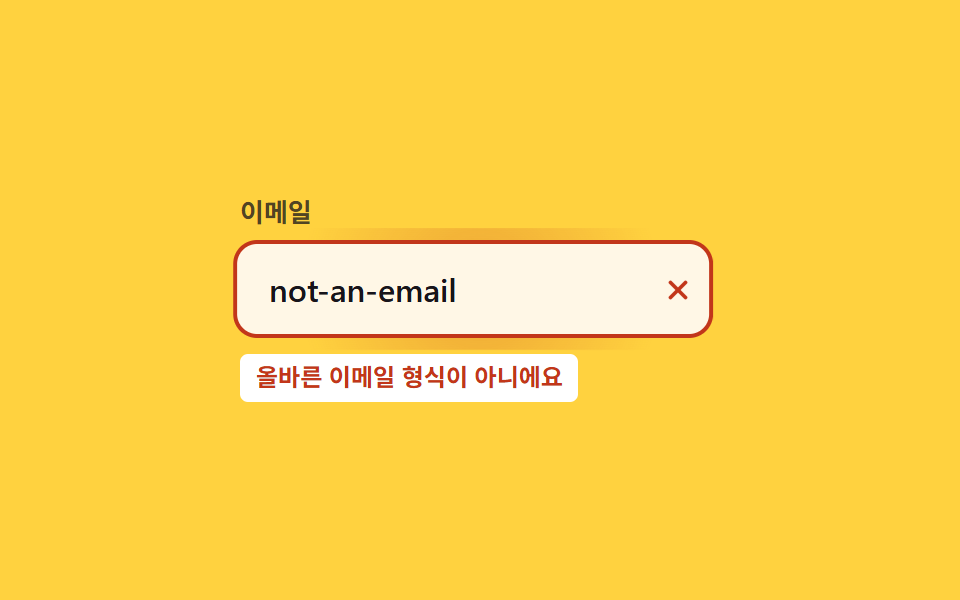
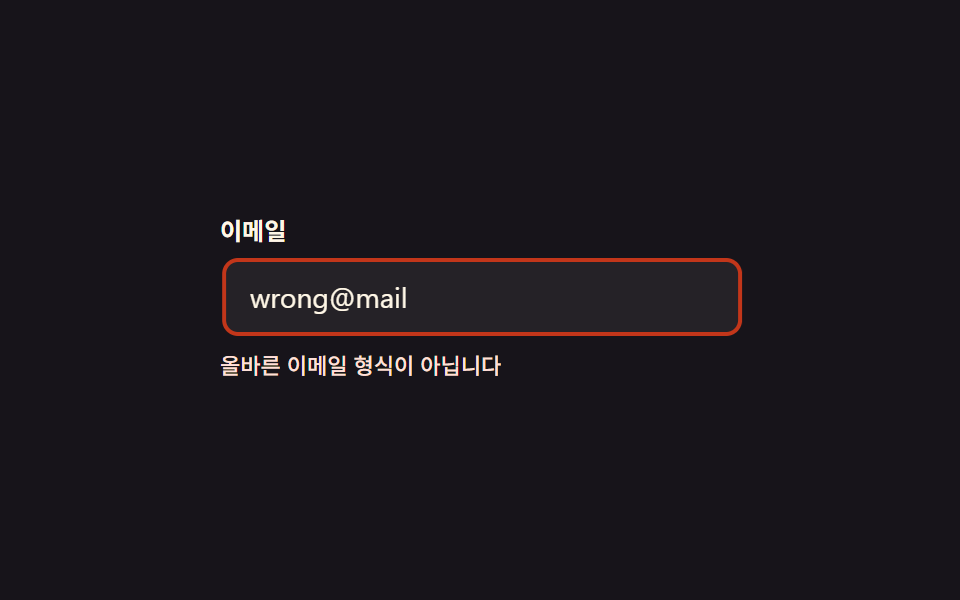
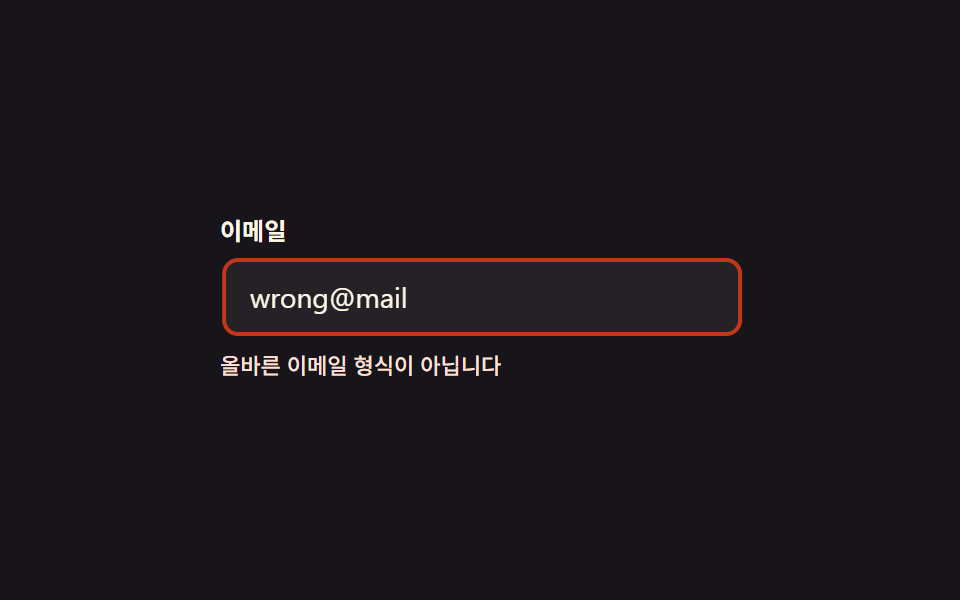
メールアドレス欄に不正な値を入れてフォーカスを外すと、入力欄全体がtranslateXのキーフレームで左右に4回短く揺れ、枠線が赤くなる。
使いどころログインフォームのメール・パスワード欄、会員登録フォームの検証失敗
translateX@keyframes500ms
<main class="stage">
  <div class="sh is-demo">
    <label class="sh__label" for="sh-email">メール</label>
    <input class="sh__input" id="sh-email" type="email" value="wrong@mail" aria-invalid="true" readonly>
    <p class="sh__msg">正しいメール形式ではありません</p>
  </div>
</main>
@use "../../../../site/static/demo-tokens" as *;
// ── 변수 3개 ──────────────────────────────────────────
$duration: 500ms; // 흔들림 한 번의 길이
$easing: $ease-out;
$color: $error; // 오류 테두리·문구 색
@include stage($stage-ink);
.sh { width: min(260px, 86vw); display: flex; flex-direction: column; gap: $sp-2; }
.sh__label { font-weight: 600; font-size: 12px; line-height: 1; font-family: inherit; color: $subject-cream; }
.sh__input {
box-sizing: border-box;
width: 100%;
padding: $sp-2 $sp-3;
border-radius: $r-sm;
border: 2px solid $color;
background: rgba(255, 255, 255, .06);
color: $subject-cream;
font-weight: 400;
font-size: 14px;
line-height: 1;
font-family: inherit;
}
.sh__msg { margin: 0; color: $error-soft; font-weight: 500; font-size: 11px; line-height: 1.3; font-family: inherit; }
// 실제 동작: 폼 검증에 실패해 .sh--invalid 가 붙으면 한 번만 흔들린다 (JS 없이 클래스 하나로 충분)
@keyframes sh-shake {
0%, 22%, 100% { transform: translateX(0); }
2% { transform: translateX(-7px); }
4% { transform: translateX(7px); }
6% { transform: translateX(-7px); }
8% { transform: translateX(7px); }
10% { transform: translateX(-5px); }
12% { transform: translateX(5px); }
14% { transform: translateX(-3px); }
16% { transform: translateX(3px); }
18% { transform: translateX(-1px); }
20% { transform: translateX(1px); }
}
.sh__input.sh--invalid { animation: sh-shake $duration $easing; }
// 데모 루프: 클릭 전까지 계속 흔들려 무엇이 움직이는지 보여준다
.sh.is-demo .sh__input { animation: sh-shake $duration $easing infinite; }
// ── 접근성 ──────────────────────────────────────────
@media (prefers-reduced-motion: reduce) {
.sh__input.sh--invalid,
.sh.is-demo .sh__input { animation: none !important; }
}html, body {
margin: 0;
overflow: hidden;
}
.stage {
box-sizing: border-box;
min-height: 100vh;
display: grid;
place-items: center;
margin: 0;
background: #17141a;
font-family: -apple-system, "Segoe UI", "Noto Sans KR", sans-serif;
padding: clamp(8px, 4vw, 24px);
}
.sh {
width: min(260px, 86vw);
display: flex;
flex-direction: column;
gap: 8px;
}
.sh__label {
font-weight: 600;
font-size: 12px;
line-height: 1;
font-family: inherit;
color: #fff7e6;
}
.sh__input {
box-sizing: border-box;
width: 100%;
padding: 8px 12px;
border-radius: 8px;
border: 2px solid #c2361a;
background: rgba(255, 255, 255, 0.06);
color: #fff7e6;
font-weight: 400;
font-size: 14px;
line-height: 1;
font-family: inherit;
}
.sh__msg {
margin: 0;
color: #ffe0d8;
font-weight: 500;
font-size: 11px;
line-height: 1.3;
font-family: inherit;
}
@keyframes sh-shake {
0%, 22%, 100% {
transform: translateX(0);
}
2% {
transform: translateX(-7px);
}
4% {
transform: translateX(7px);
}
6% {
transform: translateX(-7px);
}
8% {
transform: translateX(7px);
}
10% {
transform: translateX(-5px);
}
12% {
transform: translateX(5px);
}
14% {
transform: translateX(-3px);
}
16% {
transform: translateX(3px);
}
18% {
transform: translateX(-1px);
}
20% {
transform: translateX(1px);
}
}
.sh__input.sh--invalid {
animation: sh-shake 500ms ease-out;
}
.sh.is-demo .sh__input {
animation: sh-shake 500ms ease-out infinite;
}
@media (prefers-reduced-motion: reduce) {
.sh__input.sh--invalid,
.sh.is-demo .sh__input {
animation: none !important;
}
}import { useState } from "react";
import type { CSSProperties } from "react";
import styles from "./ShakeHorizontal.module.scss";
export type ShakeHorizontalProps = {
duration?: number;
easing?: string;
color?: string;
};
type Vars = CSSProperties & { "--duration"?: string; "--easing"?: string; "--color"?: string };
export default function ShakeHorizontal({ duration = 500, easing = "ease-out", color = "#c2361a" }: ShakeHorizontalProps) {
const [invalid, setInvalid] = useState(true);
const [run, setRun] = useState(0);
const vars: Vars = { "--duration": `${duration}ms`, "--easing": easing, "--color": color };
return (
<div className={styles.sh} style={vars}>
<label className={styles.label} htmlFor="sh-email">이메일</label>
<input
key={run}
id="sh-email"
className={`${styles.input} ${invalid ? styles.shake : ""}`}
type="email"
defaultValue="wrong@mail"
readOnly
onBlur={() => { setInvalid(true); setRun((n) => n + 1); }}
/>
<p className={styles.msg}>올바른 이메일 형식이 아닙니다</p>
</div>
);
}01 左右に揺れる — 計測 累積面積 0.494% · 動いたフレーム 8/23GODRICH オリジナル · SCSS と React は zip に同梱 · CSS 揺れる アニメーション 9選 — フォームのエラー表示
このデモが属する記事
 CSS 揺れる アニメーション 9選 — フォームのエラー表示フォームでパスワードを間違えて送信すると、入力欄が左右にぷるぷる揺れて枠が赤く光る場面を見たことはないでしょうか。これがCSS 揺れる アニメーションで、JavaScriptを足さずCSSのキーフレームだけで動きます。入力欄・チェックボック この記事のデモをすべて見る