07パーセントラベル連動
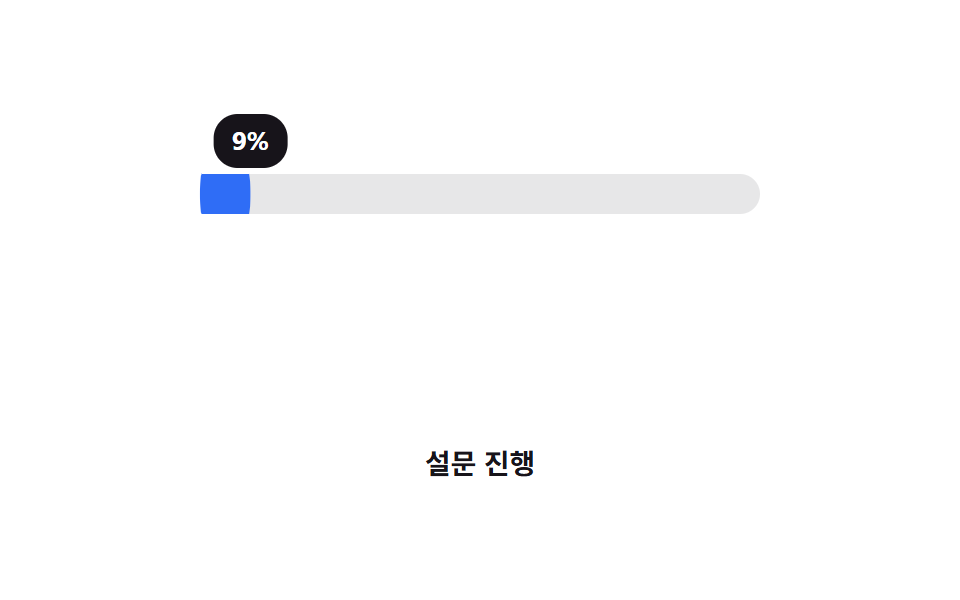
リングではなく横バーの上で、塗りの先端を追いかけるように吹き出しラベルが translateX で一緒に動き、今の値を示す。
使いどころアンケート・オンボーディングの進行表示、スライダー型入力のプレビュー
translateX 동기말풍선CSS 변수
<main class="stage">
  <div class="track is-demo" role="progressbar" aria-valuemin="0" aria-valuemax="100" aria-valuenow="76" aria-label="アンケート進行">
    <div class="bar"></div>
    <div class="bubble"><span class="bubble__num" aria-hidden="true"></span></div>
  </div>
  <p class="cap">アンケート進行</p>
</main>
@use "../../../../site/static/demo-tokens" as *;
// ── 변수 3개 ──────────────────────────────────────────
$duration: $dur-loop;
$easing: $ease-out;
$color: $subject-blue; // 바·말풍선 공통 색
@include stage($stage-paper);
// 정수로 등록해야 counter() 가 자릿수를 깔끔하게 읽는다. 자식(bar·bubble)이 같이 읽으므로 inherits: true
@property --percent {
syntax: "<integer>";
inherits: true;
initial-value: 0;
}
.track {
--percent: 0;
position: relative;
width: clamp(220px, 62vw, 280px);
height: 20px;
margin-top: 26px;
border-radius: $r-pill;
background: rgba(23, 20, 26, .1);
container-type: inline-size; // 말풍선이 이 폭을 기준으로 움직인다
}
.bar {
position: absolute;
inset: 0;
border-radius: inherit;
background: $color;
transform: scaleX(calc(var(--percent) / 100));
transform-origin: left center; // 규칙8: 좌변서 차오름
}
// 링이 아니라 막대 위에서, 채움의 끝자락을 translateX(cqw) 로 따라간다 — 1cqw = 컨테이너 폭의 1%
.bubble {
position: absolute;
top: -30px;
left: 0;
transform: translateX(calc(var(--percent) * 1cqw - 50%));
background: $subject-ink;
color: #fff;
border-radius: $r-control;
padding: 3px 9px;
font: 700 clamp(11px, 3vw, 13px)/1.6 -apple-system, "Segoe UI", "Noto Sans KR", sans-serif;
}
.bubble__num {
counter-reset: p var(--percent);
&::before { content: counter(p) "%"; }
}
.track.is-demo { animation: fill $duration $easing infinite; }
@keyframes fill { 0% { --percent: 0; } 60% { --percent: 76; } 100% { --percent: 76; } }
.cap {
margin: 34px 0 0;
color: $subject-ink;
font: 600 clamp(12px, 3.2vw, 14px)/1 -apple-system, "Segoe UI", "Noto Sans KR", sans-serif;
}
@media (prefers-reduced-motion: reduce) {
.track.is-demo { animation: none; --percent: 76; }
}html, body {
margin: 0;
overflow: hidden;
}
.stage {
box-sizing: border-box;
min-height: 100vh;
display: grid;
place-items: center;
margin: 0;
background: #ffffff;
font-family: -apple-system, "Segoe UI", "Noto Sans KR", sans-serif;
padding: clamp(8px, 4vw, 24px);
}
@property --percent {
syntax: "<integer>";
inherits: true;
initial-value: 0;
}
.track {
--percent: 0;
position: relative;
width: clamp(220px, 62vw, 280px);
height: 20px;
margin-top: 26px;
border-radius: 999px;
background: rgba(23, 20, 26, 0.1);
container-type: inline-size;
}
.bar {
position: absolute;
inset: 0;
border-radius: inherit;
background: #2f6df6;
transform: scaleX(calc(var(--percent) / 100));
transform-origin: left center;
}
.bubble {
position: absolute;
top: -30px;
left: 0;
transform: translateX(calc(var(--percent) * 1cqw - 50%));
background: #17141a;
color: #fff;
border-radius: 12px;
padding: 3px 9px;
font: 700 clamp(11px, 3vw, 13px)/1.6 -apple-system, "Segoe UI", "Noto Sans KR", sans-serif;
}
.bubble__num {
counter-reset: p var(--percent);
}
.bubble__num::before {
content: counter(p) "%";
}
.track.is-demo {
animation: fill 2s ease-out infinite;
}
@keyframes fill {
0% {
--percent: 0;
}
60% {
--percent: 76;
}
100% {
--percent: 76;
}
}
.cap {
margin: 34px 0 0;
color: #17141a;
font: 600 clamp(12px, 3.2vw, 14px)/1 -apple-system, "Segoe UI", "Noto Sans KR", sans-serif;
}
@media (prefers-reduced-motion: reduce) {
.track.is-demo {
animation: none;
--percent: 76;
}
}import type { CSSProperties } from "react";
import styles from "./PercentLabel.module.scss";
export type PercentLabelProps = {
/** 0~100 */
percent: number;
duration?: number;
easing?: string;
color?: string;
label?: string;
};
type Vars = CSSProperties & {
"--duration"?: string;
"--easing"?: string;
"--color"?: string;
"--percent"?: number;
};
export default function PercentLabel({
percent,
duration = 600,
easing = "ease-out",
color = "#2f6df6",
label,
}: PercentLabelProps) {
const p = Math.max(0, Math.min(100, percent));
const vars: Vars = { "--duration": `${duration}ms`, "--easing": easing, "--color": color, "--percent": p };
return (
<div
className={styles.track}
style={vars}
role="progressbar"
aria-valuemin={0}
aria-valuemax={100}
aria-valuenow={p}
aria-label={label}
>
<div className={styles.bar} />
<div className={styles.bubble}>{Math.round(p)}%</div>
</div>
);
}07 パーセントラベル連動 — 計測 累積面積 7.601% · 動いたフレーム 14/23GODRICH オリジナル · SCSS と React は zip に同梱 · CSS プログレスバー 円形ゲージ9選 — 数値を変えるだけ
このデモが属する記事
 CSS プログレスバー 円形ゲージ9選 — 数値を変えるだけcss プログレスバー 円で探している人が見たいのは、直線の帯ではなく丸いリングやゲージで割合を示すCSS部品です。今回は実際に動く9種類を用意し、どれもwidthではなくtransformとconic-gradientだけで値を表現してい この記事のデモをすべて見る