02ぐらぐら回転
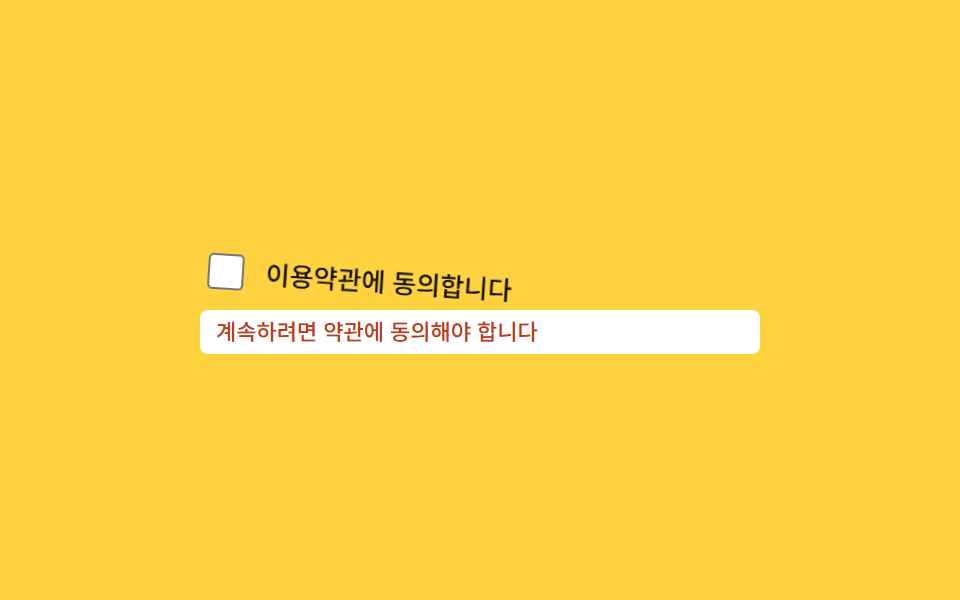
利用規約チェックボックスを付けずに送信しようとすると、チェックボックスとラベルの行全体がtransform: rotateで左右に軽く傾く。
使いどころ利用規約同意チェックボックス、必須選択のラジオグループ
rotatetransform-origin600ms
<main class="stage">
  <div class="wg is-demo">
    <label class="wg__row" for="wg-agree">
      <input class="wg__checkbox" type="checkbox" id="wg-agree">
      <span class="wg__text">利用規約に同意します</span>
    </label>
    <p class="wg__msg">続けるには規約への同意が必要です</p>
  </div>
</main>
@use "../../../../site/static/demo-tokens" as *;
$duration: 600ms; // 비틀거림 한 번의 길이
$easing: $ease-out;
$color: $error;
@include stage($stage-yellow);
.wg { width: min(280px, 86vw); display: flex; flex-direction: column; gap: $sp-2; }
.wg__row {
display: flex;
align-items: center;
gap: $sp-2;
transform-origin: left center; // 규칙8: 왼쪽 끝축 흔들림 회전
cursor: pointer;
}
.wg__checkbox { width: 18px; height: 18px; accent-color: $color; }
.wg__text { font-weight: 500; font-size: 13px; line-height: 1.3; font-family: inherit; color: $subject-ink; }
.wg__msg { margin: 0; display: inline-block; padding: $sp-1 $sp-2; border-radius: $r-xs; background: $stage-paper; color: $color; font-weight: 500; font-size: 11px; line-height: 1.3; font-family: inherit; }
@keyframes wg-wiggle {
0%, 100% { transform: rotate(0); }
15% { transform: rotate(-4deg); }
30% { transform: rotate(4deg); }
45% { transform: rotate(-3deg); }
60% { transform: rotate(3deg); }
75% { transform: rotate(-1.5deg); }
90% { transform: rotate(1.5deg); }
}
// 실제 동작: 체크 없이 제출하면 .wg--wiggle 이 한 번 붙는다
.wg__row.wg--wiggle { animation: wg-wiggle $duration $easing; }
// 데모 루프
.wg.is-demo .wg__row { animation: wg-wiggle $duration $easing infinite; }
@media (prefers-reduced-motion: reduce) {
.wg__row.wg--wiggle,
.wg.is-demo .wg__row { animation: none !important; }
}html, body {
margin: 0;
overflow: hidden;
}
.stage {
box-sizing: border-box;
min-height: 100vh;
display: grid;
place-items: center;
margin: 0;
background: #ffd23f;
font-family: -apple-system, "Segoe UI", "Noto Sans KR", sans-serif;
padding: clamp(8px, 4vw, 24px);
}
.wg {
width: min(280px, 86vw);
display: flex;
flex-direction: column;
gap: 8px;
}
.wg__row {
display: flex;
align-items: center;
gap: 8px;
transform-origin: left center;
cursor: pointer;
}
.wg__checkbox {
width: 18px;
height: 18px;
accent-color: #c2361a;
}
.wg__text {
font-weight: 500;
font-size: 13px;
line-height: 1.3;
font-family: inherit;
color: #17141a;
}
.wg__msg {
margin: 0;
display: inline-block;
padding: 4px 8px;
border-radius: 4px;
background: #ffffff;
color: #c2361a;
font-weight: 500;
font-size: 11px;
line-height: 1.3;
font-family: inherit;
}
@keyframes wg-wiggle {
0%, 100% {
transform: rotate(0);
}
15% {
transform: rotate(-4deg);
}
30% {
transform: rotate(4deg);
}
45% {
transform: rotate(-3deg);
}
60% {
transform: rotate(3deg);
}
75% {
transform: rotate(-1.5deg);
}
90% {
transform: rotate(1.5deg);
}
}
.wg__row.wg--wiggle {
animation: wg-wiggle 600ms ease-out;
}
.wg.is-demo .wg__row {
animation: wg-wiggle 600ms ease-out infinite;
}
@media (prefers-reduced-motion: reduce) {
.wg__row.wg--wiggle,
.wg.is-demo .wg__row {
animation: none !important;
}
}import { useState } from "react";
import type { CSSProperties, ChangeEvent } from "react";
import styles from "./WiggleRotate.module.scss";
export type WiggleRotateProps = {
duration?: number;
easing?: string;
color?: string;
};
type Vars = CSSProperties & { "--duration"?: string; "--easing"?: string; "--color"?: string };
export default function WiggleRotate({ duration = 600, easing = "ease-out", color = "#c2361a" }: WiggleRotateProps) {
const [checked, setChecked] = useState(false);
const [run, setRun] = useState(0);
const vars: Vars = { "--duration": `${duration}ms`, "--easing": easing, "--color": color };
const submit = () => {
if (!checked) setRun((n) => n + 1);
};
return (
<div className={styles.wg} style={vars}>
<label key={run} className={`${styles.row} ${!checked ? styles.wiggle : ""}`} htmlFor="wg-agree">
<input id="wg-agree" type="checkbox" checked={checked} onChange={(e: ChangeEvent<HTMLInputElement>) => setChecked(e.target.checked)} />
<span className={styles.text}>이용약관에 동의합니다</span>
</label>
<button type="button" className={styles.btn} onClick={submit}>제출</button>
<p className={styles.msg}>계속하려면 약관에 동의해야 합니다</p>
</div>
);
}02 ぐらぐら回転 — 計測 累積面積 1.942% · 動いたフレーム 22/23GODRICH オリジナル · SCSS と React は zip に同梱 · CSS 揺れる アニメーション 9選 — フォームのエラー表示
このデモが属する記事
 CSS 揺れる アニメーション 9選 — フォームのエラー表示フォームでパスワードを間違えて送信すると、入力欄が左右にぷるぷる揺れて枠が赤く光る場面を見たことはないでしょうか。これがCSS 揺れる アニメーションで、JavaScriptを足さずCSSのキーフレームだけで動きます。入力欄・チェックボック この記事のデモをすべて見る