08輪郭から塗りつぶしへ
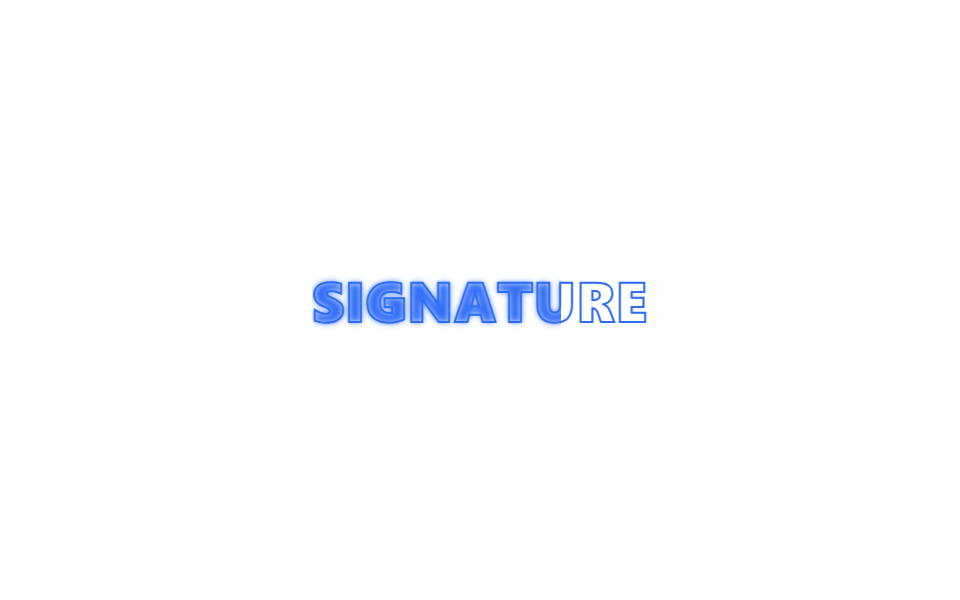
文字がまず輪郭だけの状態で表示され、左から内側の色が塗られていき最終的に塗りつぶされた文字になります。
使いどころロゴアニメーション、タイトルの強調演出
-webkit-text-strokeclip-pathoverflow:hidden
<main class="stage">
  <div class="fl-wrap is-demo">
    <span class="fl-text fl-text--outline" aria-hidden="true">SIGNATURE</span>
    <span class="fl-text fl-text--fill">SIGNATURE</span>
  </div>
</main>
@use "../../../../site/static/demo-tokens" as *;
// ── 변수 3개 ──────────────────────────────────────────
$duration: $dur-loop;
$easing: $ease-out;
$color: $subject-blue;
@include stage($stage-paper);
.fl-wrap {
position: relative;
overflow: hidden;
font: 800 clamp(18px, 6vw, 28px)/1.2 -apple-system, "Segoe UI", sans-serif;
letter-spacing: .02em;
}
.fl-text {
display: block;
white-space: nowrap;
}
.fl-text--outline {
color: transparent;
-webkit-text-stroke: 1px $color;
}
.fl-text--fill {
position: absolute;
inset: 0;
color: $color;
clip-path: inset(0 100% 0 0);
filter: blur(6px);
}
// 데모 루프: 테두리만 있던 글자 위로 채워진 글자가 왼쪽부터 clip-path 로 드러났다가 다시 걷힌다
// 한 겹: blur→focus — 채움이 흘러드는 동안 blur(6px)→0 으로 잉크가 스며들 듯 초점이 맞는다
// (clip-path 는 오버슈트가 안 보이는 값이라 lerp-settle 대신 초점 수렴으로 계산 한 겹을 얹는다).
@keyframes fl-wipe {
0%, 10% { clip-path: inset(0 100% 0 0); filter: blur(6px); }
55%, 70% { clip-path: inset(0 0 0 0); filter: blur(0); }
90% { clip-path: inset(0 0 0 0); filter: blur(0); }
100% { clip-path: inset(0 100% 0 0); filter: blur(6px); }
}
.fl-wrap.is-demo .fl-text--fill { animation: fl-wipe $duration $easing infinite; }
@media (prefers-reduced-motion: reduce) {
.fl-text--fill,
.fl-wrap.is-demo .fl-text--fill {
animation: none !important;
clip-path: inset(0 0 0 0) !important;
filter: none !important;
}
}html, body {
margin: 0;
overflow: hidden;
}
.stage {
box-sizing: border-box;
min-height: 100vh;
display: grid;
place-items: center;
margin: 0;
background: #ffffff;
font-family: -apple-system, "Segoe UI", "Noto Sans KR", sans-serif;
padding: clamp(8px, 4vw, 24px);
}
.fl-wrap {
position: relative;
overflow: hidden;
font: 800 clamp(18px, 6vw, 28px)/1.2 -apple-system, "Segoe UI", sans-serif;
letter-spacing: 0.02em;
}
.fl-text {
display: block;
white-space: nowrap;
}
.fl-text--outline {
color: transparent;
-webkit-text-stroke: 1px #2f6df6;
}
.fl-text--fill {
position: absolute;
inset: 0;
color: #2f6df6;
clip-path: inset(0 100% 0 0);
filter: blur(6px);
}
@keyframes fl-wipe {
0%, 10% {
clip-path: inset(0 100% 0 0);
filter: blur(6px);
}
55%, 70% {
clip-path: inset(0 0 0 0);
filter: blur(0);
}
90% {
clip-path: inset(0 0 0 0);
filter: blur(0);
}
100% {
clip-path: inset(0 100% 0 0);
filter: blur(6px);
}
}
.fl-wrap.is-demo .fl-text--fill {
animation: fl-wipe 2s ease-out infinite;
}
@media (prefers-reduced-motion: reduce) {
.fl-text--fill,
.fl-wrap.is-demo .fl-text--fill {
animation: none !important;
clip-path: inset(0 0 0 0) !important;
filter: none !important;
}
}import { CSSProperties, useEffect, useRef, useState } from "react";
import styles from "./StrokeToFill.module.scss";
export interface StrokeToFillProps {
text?: string;
duration?: string;
easing?: string;
}
// 실사용: 뷰포트에 들어오면 테두리만 있던 글자가 왼쪽부터 한 번 채워지며 완성된 글자로 바뀐다.
export default function StrokeToFill({
text = "SIGNATURE",
duration = "700ms",
easing = "ease-out",
}: StrokeToFillProps) {
const ref = useRef<HTMLDivElement>(null);
const [inView, setInView] = useState(false);
useEffect(() => {
const el = ref.current;
if (!el) return;
const io = new IntersectionObserver((entries) => {
entries.forEach((e) => { if (e.isIntersecting) { setInView(true); io.unobserve(e.target); } });
}, { threshold: 0.3 });
io.observe(el);
return () => io.disconnect();
}, []);
const style = { "--duration": duration, "--easing": easing } as CSSProperties;
return (
<div className={styles.wrap} style={style} ref={ref}>
<span className={styles.outline} aria-hidden="true">{text}</span>
<span className={`${styles.fill} ${inView ? styles.in : ""}`}>{text}</span>
</div>
);
}08 輪郭から塗りつぶしへ — 計測 累積面積 2.835% · 動いたフレーム 13/23GODRICH オリジナル · SCSS と React は zip に同梱 · 【コピペOK】css テキスト アニメーション 9選
このデモが属する記事
 【コピペOK】css テキスト アニメーション 9選css テキスト アニメーション とは、見出しや文章が画面に現れるときに一緒に動く演出のことです。見出しを一気に引き立てる一瞬のつくり方を9つ集めました。そのうち1つは、暗号が解けるように文字がそろいます。 この記事のデモをすべて見る