05スキャンラインマスクスイープ
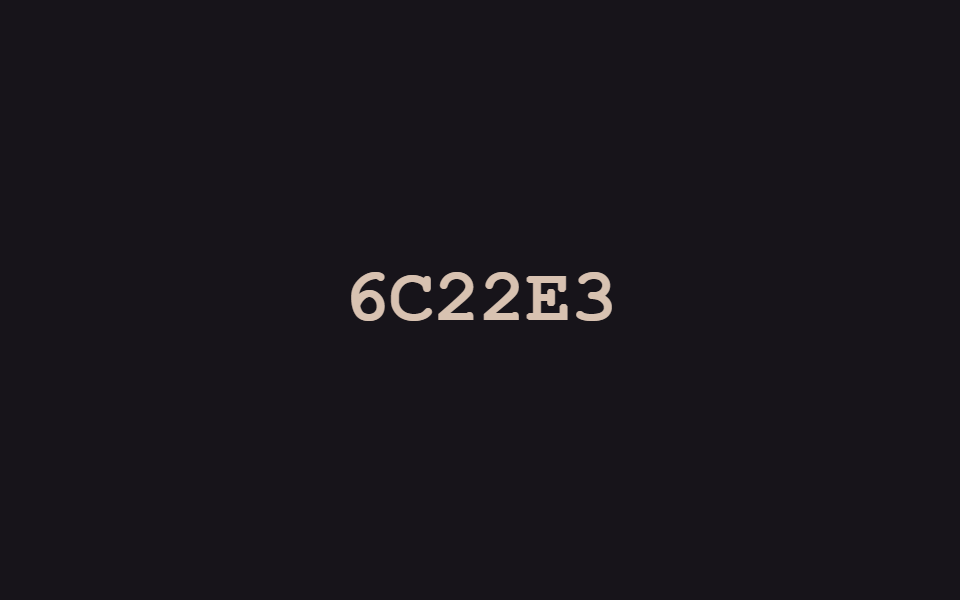
ざらついたノイズブロックが文字を覆っており、明るいスキャンラインが上から下へ通過するとその部分から文字がはっきり現れます。
使いどころ書類スキャン・OCR紹介セクション、防犯カメラ風ランディング
clip-path: inset()repeating-linear-gradient@keyframes sl-beam

<main class="stage">
  <div class="sl-wrap is-demo">
    <span class="sl-text">SCANNED</span>
    <span class="sl-noise" aria-hidden="true"></span>
    <span class="sl-beam" aria-hidden="true"></span>
  </div>
</main>
@use "../../../../site/static/demo-tokens" as *;
// ── 변수 3개 ──────────────────────────────────────────
$duration: $dur-loop;
$easing: $ease-out;
$color: $subject-cream;
@include stage($stage-ink);
.sl-wrap {
position: relative;
display: inline-block;
overflow: hidden;
padding: $sp-2 $sp-3;
}
.sl-text {
display: block;
font: 800 clamp(22px, 7vw, 34px)/1.2 "Space Mono", "Courier New", monospace;
color: $color;
letter-spacing: .04em;
}
.sl-noise {
position: absolute;
inset: 0;
background-image: repeating-linear-gradient(45deg, rgba(255, 255, 255, .4) 0 2px, transparent 2px 4px);
mix-blend-mode: screen;
}
.sl-beam {
position: absolute;
left: 0;
right: 0;
top: 0;
height: 3px;
background: $stage-yellow;
box-shadow: 0 0 12px $stage-yellow;
opacity: 0;
}
// 데모 루프: 노이즈 블록이 글자를 덮고 있다가 스캔라인이 위→아래로 지나가며 걷어낸다
@keyframes sl-clear {
0%, 8% { clip-path: inset(0 0 0 0); }
55%, 78% { clip-path: inset(100% 0 0 0); }
100% { clip-path: inset(0 0 0 0); }
}
@keyframes sl-beam {
0%, 8% { top: 0; opacity: 1; }
55% { top: 100%; opacity: 1; }
63%, 100% { opacity: 0; }
}
.sl-wrap.is-demo .sl-noise { animation: sl-clear $duration $easing infinite; }
.sl-wrap.is-demo .sl-beam { animation: sl-beam $duration $easing infinite; }
@media (prefers-reduced-motion: reduce) {
.sl-noise, .sl-wrap.is-demo .sl-noise { animation: none !important; clip-path: inset(100% 0 0 0) !important; }
.sl-beam, .sl-wrap.is-demo .sl-beam { animation: none !important; opacity: 0 !important; }
}html, body {
margin: 0;
overflow: hidden;
}
.stage {
box-sizing: border-box;
min-height: 100vh;
display: grid;
place-items: center;
margin: 0;
background: #17141a;
font-family: -apple-system, "Segoe UI", "Noto Sans KR", sans-serif;
padding: clamp(8px, 4vw, 24px);
}
.sl-wrap {
position: relative;
display: inline-block;
overflow: hidden;
padding: 8px 12px;
}
.sl-text {
display: block;
font: 800 clamp(22px, 7vw, 34px)/1.2 "Space Mono", "Courier New", monospace;
color: #fff7e6;
letter-spacing: 0.04em;
}
.sl-noise {
position: absolute;
inset: 0;
background-image: repeating-linear-gradient(45deg, rgba(255, 255, 255, 0.4) 0 2px, transparent 2px 4px);
mix-blend-mode: screen;
}
.sl-beam {
position: absolute;
left: 0;
right: 0;
top: 0;
height: 3px;
background: #ffd23f;
box-shadow: 0 0 12px #ffd23f;
opacity: 0;
}
@keyframes sl-clear {
0%, 8% {
clip-path: inset(0 0 0 0);
}
55%, 78% {
clip-path: inset(100% 0 0 0);
}
100% {
clip-path: inset(0 0 0 0);
}
}
@keyframes sl-beam {
0%, 8% {
top: 0;
opacity: 1;
}
55% {
top: 100%;
opacity: 1;
}
63%, 100% {
opacity: 0;
}
}
.sl-wrap.is-demo .sl-noise {
animation: sl-clear 2s ease-out infinite;
}
.sl-wrap.is-demo .sl-beam {
animation: sl-beam 2s ease-out infinite;
}
@media (prefers-reduced-motion: reduce) {
.sl-noise, .sl-wrap.is-demo .sl-noise {
animation: none !important;
clip-path: inset(100% 0 0 0) !important;
}
.sl-beam, .sl-wrap.is-demo .sl-beam {
animation: none !important;
opacity: 0 !important;
}
}import { CSSProperties, useEffect, useRef, useState } from "react";
import styles from "./ScanlineMaskSweep.module.scss";
export interface ScanlineMaskSweepProps {
text?: string;
duration?: string;
easing?: string;
}
// 실사용: 뷰포트에 들어오면 노이즈 블록을 스캔라인이 위→아래로 한 번 훑어 글자를 드러낸다.
export default function ScanlineMaskSweep({
text = "SCANNED",
duration = "900ms",
easing = "ease-out",
}: ScanlineMaskSweepProps) {
const ref = useRef<HTMLDivElement>(null);
const [swept, setSwept] = useState(false);
useEffect(() => {
const el = ref.current;
if (!el) return;
const io = new IntersectionObserver((entries) => {
entries.forEach((e) => { if (e.isIntersecting) { setSwept(true); io.unobserve(e.target); } });
}, { threshold: 0.3 });
io.observe(el);
return () => io.disconnect();
}, []);
const style = { "--duration": duration, "--easing": easing } as CSSProperties;
return (
<div className={styles.wrap} style={style} ref={ref}>
<span className={styles.text}>{text}</span>
<span className={`${styles.noise} ${swept ? styles.clear : ""}`} aria-hidden="true" />
<span className={`${styles.beam} ${swept ? styles.moved : ""}`} aria-hidden="true" />
</div>
);
}05 スキャンラインマスクスイープ — 計測 累積面積 6.767% · 動いたフレーム 19/23GODRICH オリジナル · SCSS と React は zip に同梱 · css テキスト エフェクト 9選 — デコード演出
このデモが属する記事
 css テキスト エフェクト 9選 — デコード演出css テキスト エフェクトとは、見出しや文章が画面に現れる瞬間に文字そのものが動く演出のことで、コードが分からなくてもファイルをそのまま貼り付ければすぐ使えます。この9個はハッキング画面のように文字が解読される瞬間を狙い、16進コードや2 この記事のデモをすべて見る