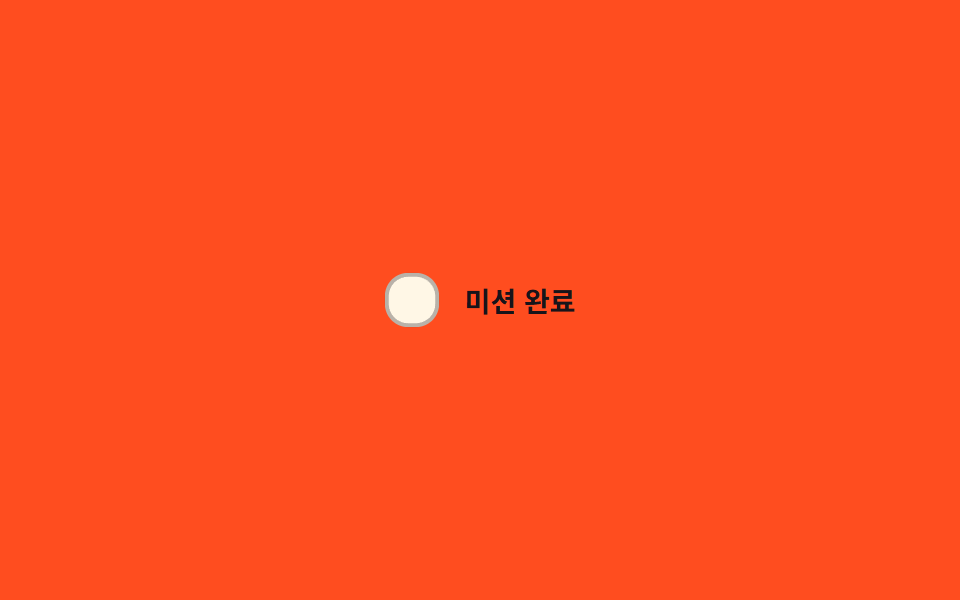
03スプリング弾み切替 — チェック値が変わった瞬間ボックスの大きさの値が目標より大きく飛び出し弾むように収まる方式
チェック値が変わった瞬間、ボックスの大きさの値が目標をわずかに超えて大きくなり、2〜3回弾んで元の大きさに収まります。
使いどころチェック反応をはっきり見せたい選択項目、ゲーム化されたチェックリスト
SPRING_ZETASCALE_OVERSHOOTtransform
<main class="stage">
<label class="cbs is-demo" id="cbs">
  <input type="checkbox" class="cbs__input" id="cbsInput">
  <span class="cbs__box" id="cbsBox" aria-hidden="true">
    <svg class="cbs__svg" viewBox="0 0 20 20" width="14" height="14">
      <path d="M4 10.5l3.5 3.5L16 5.5" fill="none" stroke="currentColor" stroke-width="2.6" stroke-linecap="round" stroke-linejoin="round"/>
    </svg>
  </span>
  <span class="cbs__text">ミッション完了</span>
</label>
</main>
@use "../../../../site/static/demo-tokens" as *;
// 계산 겹: index.html popScale() 이 감쇠 코사인 진동(SPRING_ZETA·SCALE_OVERSHOOT)으로
// 매 프레임 배율 값을 계산해 박스의 transform: scale() 에 직접 적용한다 — CSS transition
// 이 아니라 물리 적분이 튐과 잦아듦을 만든다.
@include stage($stage-orange);
.cbs {
display: flex;
align-items: center;
gap: $sp-3;
cursor: pointer;
user-select: none;
}
.cbs__input {
position: absolute;
width: 1px;
height: 1px;
opacity: 0;
pointer-events: none;
}
.cbs__box {
flex: 0 0 auto;
width: 28px;
height: 28px;
border-radius: $r-control;
background: $subject-cream;
border: 2px solid rgba($subject-ink, .3);
color: transparent;
display: grid;
place-items: center;
box-sizing: border-box;
transform-origin: 50% 50%;
transition: background-color $dur-quick $ease-out, border-color $dur-quick $ease-out, color $dur-quick $ease-out;
}
.cbs__box--on {
background: $subject-blue;
border-color: $subject-blue;
color: $subject-cream;
}
.cbs__input:focus-visible + .cbs__box {
outline: 2px solid $subject-blue-light;
outline-offset: 2px;
}
.cbs__text {
color: $subject-ink;
font-size: 14px;
font-weight: 700;
}
@media (max-width: 340px) {
.cbs__text { font-size: 13px; }
}
@media (prefers-reduced-motion: reduce) {
.cbs__box { transition: none; }
}html, body {
margin: 0;
overflow: hidden;
}
.stage {
box-sizing: border-box;
min-height: 100vh;
display: grid;
place-items: center;
margin: 0;
background: #ff4d1f;
font-family: -apple-system, "Segoe UI", "Noto Sans KR", sans-serif;
padding: clamp(8px, 4vw, 24px);
}
.cbs {
display: flex;
align-items: center;
gap: 12px;
cursor: pointer;
user-select: none;
}
.cbs__input {
position: absolute;
width: 1px;
height: 1px;
opacity: 0;
pointer-events: none;
}
.cbs__box {
flex: 0 0 auto;
width: 28px;
height: 28px;
border-radius: 12px;
background: #fff7e6;
border: 2px solid rgba(23, 20, 26, 0.3);
color: transparent;
display: grid;
place-items: center;
box-sizing: border-box;
transform-origin: 50% 50%;
transition: background-color 220ms ease-out, border-color 220ms ease-out, color 220ms ease-out;
}
.cbs__box--on {
background: #2f6df6;
border-color: #2f6df6;
color: #fff7e6;
}
.cbs__input:focus-visible + .cbs__box {
outline: 2px solid #5b8cf8;
outline-offset: 2px;
}
.cbs__text {
color: #17141a;
font-size: 14px;
font-weight: 700;
}
@media (max-width: 340px) {
.cbs__text {
font-size: 13px;
}
}
@media (prefers-reduced-motion: reduce) {
.cbs__box {
transition: none;
}
}(function () {
var POP_MS = 480; // 계산 겹 상수: 스프링 튐이 잦아드는 데 걸리는 실제 시간(ms)
var SPRING_ZETA = 3.4; // 계산 겹: 감쇠 상수 — 낮을수록 더 오래 튕긴다
var SCALE_OVERSHOOT = .34; // 계산 겹: 목표(scale 1)를 넘어서는 최대 배율
var POP_FREQ = 2 * Math.PI * 2.1 / POP_MS; // 계산 겹: 튐 각속도
var CYCLE_MS = 900; // 자동 루프가 체크·해제를 오가는 간격
var reduce = window.matchMedia('(prefers-reduced-motion: reduce)').matches;
var root = document.getElementById('cbs');
var input = document.getElementById('cbsInput');
var box = document.getElementById('cbsBox');
var isDemo = true;
var popStart = -99999;
function human() {
if (isDemo) { root.classList.remove('is-demo'); isDemo = false; }
}
function popScale(t) {
// 계산 겹: 감쇠 코사인 진동 — t=0 에서 SCALE_OVERSHOOT 만큼 튀어 오른 뒤 1로 잦아든다
if (t < 0 || t > POP_MS) return 1;
var amp = Math.exp(-SPRING_ZETA * (t / POP_MS));
return 1 + amp * SCALE_OVERSHOOT * Math.cos(POP_FREQ * t);
}
function setChecked(next, ts) {
input.checked = next;
box.classList.toggle('cbs__box--on', next);
popStart = ts;
}
input.addEventListener('change', function () {
human();
setChecked(input.checked, performance.now());
});
var cycleStart = 0;
var lastState = false;
function loop(ts) {
if (!cycleStart) cycleStart = ts;
if (isDemo) {
var step = Math.floor((ts - cycleStart) / CYCLE_MS) % 2 === 1;
if (step !== lastState) { lastState = step; setChecked(step, ts); }
}
var s = popScale(ts - popStart);
box.style.transform = 'scale(' + s.toFixed(3) + ')';
requestAnimationFrame(loop);
}
if (reduce) { POP_MS = 1; }
requestAnimationFrame(loop);
})();// SpringPop — vanilla 판(run/368/demo/03-custom-checkbox-spring-pop/index.html) 의 React 포트.
// 감쇠 코사인 진동(exp(-SPRING_ZETA·t)·cos(POP_FREQ·t))을 매 프레임 계산해 scale() 값을 만든다.
import { useEffect, useRef } from "react";
import styles from "./SpringPop.module.scss";
type Box<T> = { current: T };
export default function SpringPop() {
const rootRef = useRef(null) as unknown as Box<HTMLLabelElement>;
const inputRef = useRef(null) as unknown as Box<HTMLInputElement>;
const boxRef = useRef(null) as unknown as Box<HTMLSpanElement>;
const rafRef = useRef(0) as unknown as Box<number>;
useEffect(() => {
let POP_MS = 480; // 계산 겹 상수: 스프링 튐이 잦아드는 데 걸리는 실제 시간(ms)
const SPRING_ZETA = 3.4; // 계산 겹: 감쇠 상수 — 낮을수록 더 오래 튕긴다
const SCALE_OVERSHOOT = 0.34; // 계산 겹: 목표(scale 1)를 넘어서는 최대 배율
const POP_FREQ = (2 * Math.PI * 2.1) / POP_MS; // 계산 겹: 튐 각속도
const CYCLE_MS = 900; // 자동 루프가 체크·해제를 오가는 간격
const reduce = window.matchMedia("(prefers-reduced-motion: reduce)").matches;
const root = rootRef.current;
const input = inputRef.current;
const box = boxRef.current;
if (!root || !input || !box) return;
let isDemo = true;
let popStart = -99999;
function human() {
if (isDemo) { root!.classList.remove(styles.isDemo); isDemo = false; }
}
function popScale(t: number) {
// 계산 겹: 감쇠 코사인 진동 — t=0 에서 SCALE_OVERSHOOT 만큼 튀어 오른 뒤 1로 잦아든다
if (t < 0 || t > POP_MS) return 1;
const amp = Math.exp(-SPRING_ZETA * (t / POP_MS));
return 1 + amp * SCALE_OVERSHOOT * Math.cos(POP_FREQ * t);
}
function setChecked(next: boolean, ts: number) {
input!.checked = next;
box!.classList.toggle(styles.boxOn, next);
popStart = ts;
}
function onChange() { human(); setChecked(input!.checked, performance.now()); }
input.addEventListener("change", onChange);
let cycleStart = 0;
let lastState = false;
function loop(ts: number) {
if (!cycleStart) cycleStart = ts;
if (isDemo) {
const step = Math.floor((ts - cycleStart) / CYCLE_MS) % 2 === 1;
if (step !== lastState) { lastState = step; setChecked(step, ts); }
}
const s = popScale(ts - popStart);
box!.style.transform = "scale(" + s.toFixed(3) + ")";
rafRef.current = requestAnimationFrame(loop);
}
if (reduce) { POP_MS = 1; }
rafRef.current = requestAnimationFrame(loop);
return () => {
input.removeEventListener("change", onChange);
cancelAnimationFrame(rafRef.current);
};
}, []);
return (
<main className={styles.stage}>
<label className={styles.cbs + " " + styles.isDemo} ref={rootRef}>
<input type="checkbox" className={styles.cbsInput} ref={inputRef} />
<span className={styles.cbsBox} ref={boxRef} aria-hidden="true">
<svg className={styles.cbsSvg} viewBox="0 0 20 20" width={14} height={14}>
<path d="M4 10.5l3.5 3.5L16 5.5" fill="none" stroke="currentColor" strokeWidth={2.6} strokeLinecap="round" strokeLinejoin="round" />
</svg>
</span>
<span className={styles.cbsText}>미션 완료</span>
</label>
</main>
);
}03 スプリング弾み切替 — チェック値が変わった瞬間ボックスの大きさの値が目標より大きく飛び出し弾むように収まる方式 — 計測 累積面積 0.544% · 動いたフレーム 11/23GODRICH オリジナル · SCSS と React は zip に同梱 · チェックボックス ui 9選 — チェック値で変わる9つの方式
このデモが属する記事
 チェックボックス ui 9選 — チェック値で変わる9つの方式チェックボックス ui: 9つのうち1つはチェック値がオンになるとチェックマークの線の長さの値が0から最後まで描かれ、1つは同じ値が変わった瞬間にボックスの大きさの値が一瞬大きくなってから跳ねるように収まり、もう1つは親ボックスの値が変わる この記事のデモをすべて見る